
September 26, 2025
Your Guide to the AI Student Note Taker
From Lecture Overload to Laser Focus: Your Guide to the AI Student Note Taker
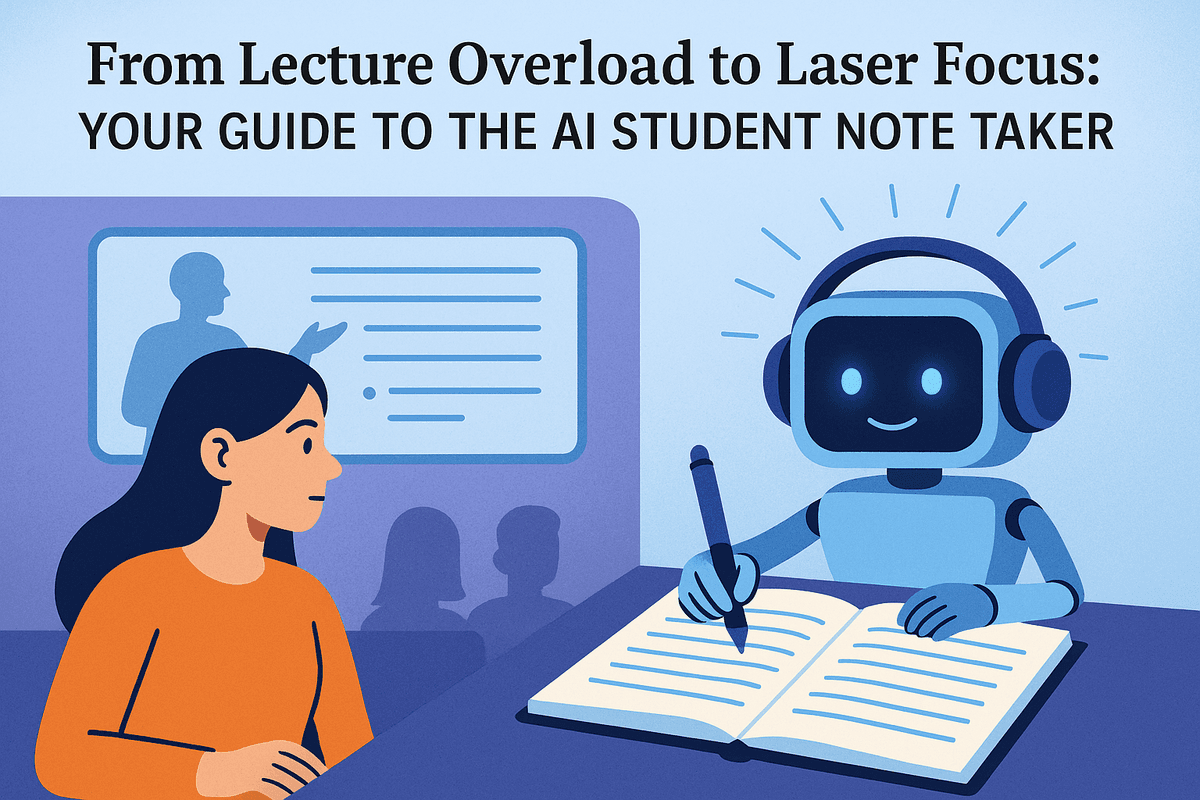
Feeling buried under a mountain of lecture notes? You’re not alone. The frantic race to scribble down every word your professor says often means you miss the actual lesson. But what if you could fully engage in class, ask questions, and still walk away with perfect, organized notes? Enter the ai student note taker, your new academic superpower.
What is an AI Note Taker and How Does It Work?
An ai student note taker is a sophisticated tool that goes far beyond a simple voice recorder. Think of it as a smart assistant designed specifically for the classroom. It uses advanced artificial intelligence (AI) to listen to, transcribe, and intelligently organize lectures, meetings, and study sessions.
Here’s a simplified breakdown of the magic behind it:
- Capture: The tool records the audio from your lecture, either live in the classroom or from an online session or recording.
- Transcribe: Using Automatic Speech Recognition (ASR), the same technology that powers voice assistants like Siri and Alexa, it converts the spoken words into a detailed text transcript with remarkable accuracy.
- Analyze & Organize: This is where the real intelligence shines. The AI employs Natural Language Processing (NLP) to understand the content. It doesn't just hear words; it comprehends context, identifies key speakers, pulls out important terms, and even structures the transcript with paragraphs and timestamps.
The result is a complete, searchable, and perfectly legible set of notes created for you automatically, allowing you to focus on understanding the material, not just capturing it.
The End of Manual Note-Taking: Key Problems AI Solves
Traditional note-taking is a constant battle against the clock and your own attention span. An ai student note taker directly addresses the most common frustrations students face:
- Divided Attention: You can't actively listen and frantically type or write at the same time. AI handles the transcription, freeing your mind to absorb complex concepts, participate in discussions, and connect ideas in real-time.
- Missing Crucial Details: Did the professor mention a key date for the exam while you were busy writing down the previous point? An AI note taker captures everything, ensuring you never miss a critical piece of information.
- Disorganized & Illegible Notes: Rushed handwriting and poorly structured digital documents can be nearly useless when it's time to study. AI-generated notes are clean, organized, and instantly searchable, so you can find exactly what you need in seconds.
- Review Inefficiency: Trying to decipher your scribbles or listen to a full hour-long recording to find one specific point is a massive waste of time. AI provides a time-stamped transcript, allowing you to jump directly to the relevant part of the audio.
Beyond Transcription: Unlocking Your Academic Potential
The true power of a modern ai student note taker lies in the features that go beyond simple transcription. These tools are built to enhance your learning process and boost your academic performance.
Imagine a tool that not only writes down your notes but also helps you study them. Top-tier platforms can automatically:
- Generate Summaries: Distill a 90-minute lecture into a concise summary of the most important takeaways.
- Identify Keywords and Action Items: Instantly pull out key vocabulary, concepts, and any mention of assignments or deadlines.
- Create Smart Chapters: Break down long lectures into a logical table of contents based on the topics discussed, making review sessions incredibly efficient.
By automating the most tedious parts of learning, an AI note taker empowers you to shift your energy from passive transcription to active understanding, critical thinking, and deeper engagement with your studies.
Core Features of the Best AI Student Note Taker Apps
Not all AI-powered tools are created equal. When you’re looking for the perfect digital study partner, the best ai student note taker apps share a set of powerful core features designed specifically for the academic environment. These aren't just fancy add-ons; they are essential functions that transform how you capture, process, and use information from your classes. Let's break down the must-have features that will elevate your study game from frantic typing to focused learning.
Real-Time Transcription and Speaker Identification
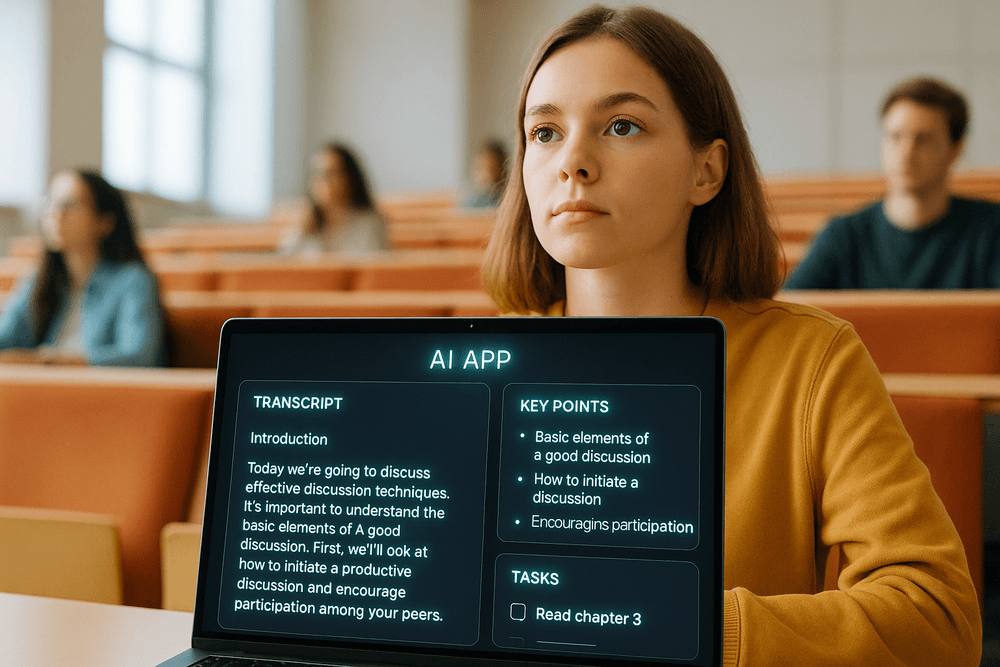
Imagine sitting in a fast-paced lecture, fully engaged in the professor's explanation, without the pressure of typing every single word. This is the primary magic of an elite ai student note taker. It provides a live, running transcript of the entire lecture or seminar. You can absorb complex ideas, participate in discussions, and ask questions, confident that a complete record is being created for you.
But it gets better. Advanced platforms also offer speaker identification. In a group discussion, seminar, or Q&A session, the tool can distinguish between different speakers (e.g., "Professor Smith," "Student 1," "You"). This adds crucial context to your notes, making it easy to recall who said what when you’re reviewing your study materials later.
Automated Summaries and Key Concept Extraction
After a long day of classes, the last thing you want to do is sift through hours of raw transcripts. This is where AI truly shines. A top-tier ai student note taker uses sophisticated algorithms to analyze the full transcript and automatically generate a concise summary. It pulls out the main arguments, key definitions, and most important takeaways, giving you a high-level overview in seconds.
Furthermore, these tools can identify and extract key concepts, terms, and themes discussed during the lecture. This is a game-changer for revision. Instead of re-reading everything, you can quickly scan a list of core topics to jog your memory, create flashcards, or build a study guide for your exams. It helps you cut through the noise and focus on what truly matters.
Action Item and Assignment Tracking
Did the professor mention a new assignment due next Friday? Or suggest a specific book to read for extra credit? An intelligent note taker acts as your personal academic assistant, automatically identifying and flagging action items, tasks, and deadlines mentioned during class.
This feature organizes these crucial details into a clear, actionable to-do list. You no longer have to worry about a critical instruction getting lost in your notes. By automatically capturing and organizing these tasks, the app ensures you stay on top of your workload, meet your deadlines, and never miss an important assignment detail again.
Seamless Integration with Your Digital Workflow
The modern student operates within a digital ecosystem. The best ai student note taker doesn't force you to change your habits; it enhances them. Look for tools that offer seamless integration with the platforms you already use daily. This means direct connections to video conferencing tools like Zoom and Google Meet, allowing the AI to join your online classes automatically and start transcribing.
Crucially, it should also integrate with your calendar. By connecting to your Google Calendar or Outlook, the app can automatically identify scheduled lectures and be ready to record, creating a frictionless and automated note-taking process that works quietly in the background, letting you focus on learning.
The 2024 Showdown: Top AI Student Note Taker Tools Compared
Navigating the world of AI-powered study tools can feel like cramming for a final you didn't know you had. With so many options, which platform truly delivers? The best ai student note taker isn't a one-size-fits-all solution; it depends entirely on your learning style, subject matter, and organizational needs. We’ve broken down three of the most powerful contenders to help you find your perfect study partner.
Otter.ai: Best for Live Transcription and Collaboration
Think of Otter.ai as the lightning-fast scribe sitting next to you in every lecture. Its core strength is industry-leading, real-time transcription. As your professor speaks, Otter captures the words with remarkable accuracy, automatically identifying different speakers and creating a searchable, time-stamped script. This is invaluable for students in discussion-heavy seminars, law classes where exact phrasing matters, or for anyone who struggles to type as fast as their lecturer talks.
Beyond simple transcription, Otter excels at collaboration. You can share a live transcript with a study group, allowing everyone to highlight key points, add comments, and tag action items simultaneously. Its generous free tier provides a significant number of transcription minutes per month, making it the most accessible entry point into the world of AI note-taking.
Best for: Students who need accurate, verbatim records of lectures and group discussions.
Glean: The Ultimate Tool for In-Depth Lecture Analysis
Glean is more than a transcriber; it’s a complete learning system built specifically for the academic environment. It understands that a flat wall of text isn't the best way to study. Instead, Glean records the audio of your lecture and syncs it with your actions. You can mark important moments with a single click, add a quick text note, or even snap a photo of a complex diagram from the projector—all of which become interactive, clickable cues in your audio timeline.
When it’s time to review, you can skip the fluff and jump directly to the concepts you flagged as important or confusing. Glean’s AI features can then summarize these key sections or generate a clean transcript of the entire event. This makes it the superior ai student note taker for STEM students who need to link spoken explanations with visual formulas or for any student who wants to create a rich, multi-layered study resource instead of just a simple transcript.
Best for: Students in visually complex fields or those who want to actively engage with and review lecture content more efficiently.
Notion AI: The All-in-One Organizational Powerhouse
For students who live and breathe organization, Notion AI is a game-changer. It’s not a standalone recording app but an incredibly powerful feature set built into the popular Notion productivity platform. Its magic happens after the notes are taken. You can paste a messy transcript from another service or your own typed notes into a Notion page and let the AI work its wonders.
With a simple command, Notion AI can summarize hours of lecture content into bullet points, pull out key takeaways and action items, explain complex concepts in simpler terms, or even draft study questions. Its true power is its integration; your summarized lecture notes can live right next to your syllabus, reading list, and project outlines, creating a single, interconnected digital brain for your entire academic life.
Best for: Highly organized students who want to process, synthesize, and connect their notes within a larger productivity system.
Choosing the Right Platform Based on Your Major and Budget
By Major
- Humanities & Social Sciences: Otter.ai is perfect for capturing the nuances of group discussions and quoting sources accurately.
- STEM & Medicine: Glean excels by allowing you to sync audio with snapshots of diagrams, equations, and slides, providing crucial visual context.
- Business & Project Management: Notion AI is ideal for turning lecture notes and meeting minutes into structured project plans, summaries, and actionable tasks.
By Budget
- On a Tight Budget: Otter.ai’s free plan is robust and offers more than enough functionality for the average student to get started.
- Investing in a Study System: Glean operates on a premium subscription model, but for students who need a dedicated tool to improve their revision process, the investment can directly translate to better understanding and higher grades.
- Enhancing an Existing Workflow: Notion AI is a paid add-on to Notion. If you’re already using the platform, the monthly fee is a cost-effective upgrade that supercharges your entire organizational setup.
How to Master Your Coursework with an AI Student Note Taker
You've chosen your tool—now it's time to unlock its full potential. An ai student note taker is more than just a recording device; it's a dynamic study partner that can revolutionize how you engage with your course material. By moving beyond basic transcription, you can transform lectures into a powerful, searchable knowledge base that works for you. Here’s how to make your AI assistant an indispensable part of your academic success.
Setting Up Your Tool for Optimal Lecture Capture
The quality of your AI-generated notes starts with the quality of the recording. To ensure your ai student note taker captures every crucial detail, follow these simple setup steps before class begins:
- Position Your Microphone: Place your device (laptop or phone) as close to the professor as possible, away from rustling papers, side conversations, or keyboard clicks. A clear audio input is the single most important factor for an accurate transcript.
- Test Your Connection: If you’re in a large lecture hall with spotty Wi-Fi, consider using an app that offers offline recording to avoid interruptions.
- Enable Speaker Identification: Many tools can distinguish between different speakers. Activate this feature so you can easily differentiate between the professor’s lecture, guest speakers, and student questions in the final transcript.
Transforming Transcripts into Actionable Study Guides
A raw, word-for-word transcript is a data dump. The real power of an ai student note taker lies in its ability to refine that data into focused study materials. After each lecture, use the AI's built-in features to:
- Generate Summaries: Ask the AI to create a concise summary of the entire lecture. This gives you a high-level overview of the main topics covered, perfect for a quick review before the next class.
- Extract Key Concepts: Use prompts like, "Identify the top 5 key concepts from this lecture" or "List all definitions discussed." The AI will sift through the entire transcript and pull out the most important information, saving you hours of re-reading.
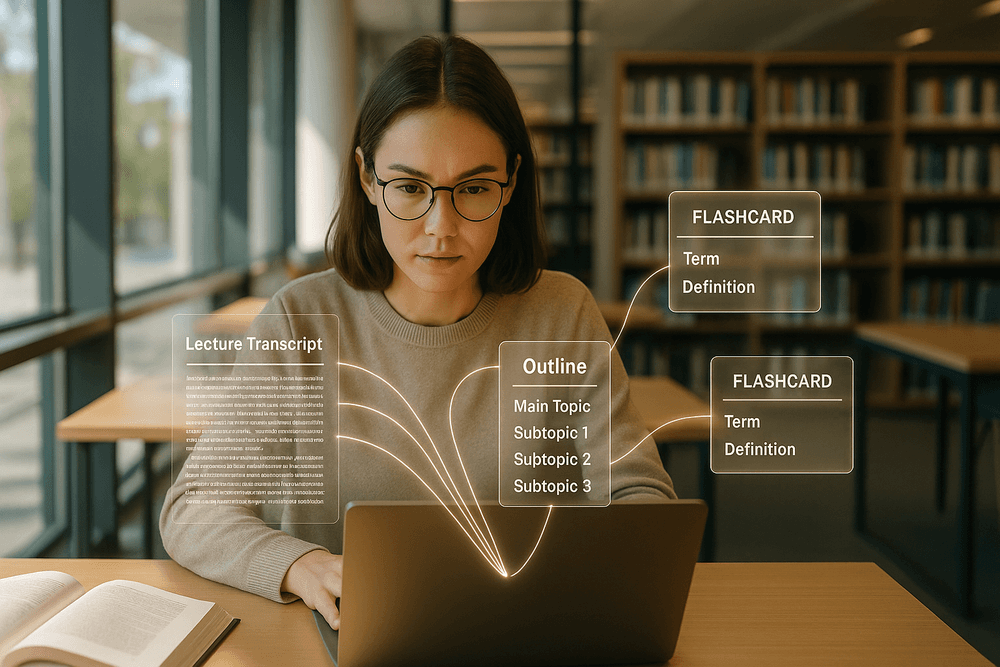
- Create Outlines: Command the tool to "Structure this transcript into a hierarchical outline." It will organize the lecture into main headings and sub-points, revealing the logical flow of the professor’s argument and making it easier to digest.
Using AI-Generated Notes to Create Instant Flashcards
Active recall is one of the most effective study techniques, and flashcards are its cornerstone. Manually creating them is tedious, but an ai student note taker can do it in seconds. Simply highlight a section of your notes or use the entire lecture transcript and prompt the AI to: "Create flashcards from these notes, with key terms on one side and definitions on the other." The tool will automatically identify term-definition pairs, historical dates, and important formulas, generating a digital deck you can use to quiz yourself anytime, anywhere.
Organizing and Searching Your Entire Semester's Knowledge Base
Forget flipping through stacks of notebooks. Your AI note-taking tool becomes a centralized, digital brain for all your courses. Most platforms automatically organize your notes by course, date, or topic. The search function is your ultimate weapon for exam preparation. Need to write a paper on a specific theme? Simply type a keyword—like "photosynthesis" or "Keynesian economics"—into the search bar. The AI will instantly pull up every single instance that term was mentioned across all lectures, discussions, and uploaded documents from the entire semester, giving you a comprehensive view of the topic in seconds.
Real-World Success Stories: An AI Student Note Taker in Action
Theory is one thing, but results are what truly matter. The real power of an ai student note taker isn't just in its features, but in how it transforms the way students learn, study, and collaborate. These tools are already helping students across different disciplines turn academic stress into success. Here’s a look at how students are using AI to conquer their coursework.
Case Study 1: Acing a History Final with Automated Timelines
For Maya, a second-year history major, keeping track of the sprawling timelines in her "Rise of Modern Europe" class was a nightmare. Lectures were packed with dates, figures, and interconnected events, and her frantic scribbling often left her with disorganized, incomplete notes. Before her final exam, she felt overwhelmed.
She decided to try an ai student note taker for her last few lectures and study sessions. After recording a review lecture, the AI didn't just provide a transcript; it automatically identified and tagged key terms, dates, and names. Using this data, Maya was able to generate a chronological timeline of the entire semester’s events in minutes. Instead of spending days sifting through her notebook, she now had an interactive study guide. She could click on an event like the "Congress of Vienna" and instantly see a summary and the exact moment it was discussed in the lecture. This contextual, organized approach helped her connect the dots, and she walked into her final exam with confidence, ultimately earning her best grade of the year.
Case Study 2: From Complex Chemistry Lectures to Simplified Study Sheets
Leo was struggling in his organic chemistry course. The professor spoke quickly, covering complex reaction mechanisms and molecular structures that were impossible to draw and annotate in real-time. His notes were a jumble of half-finished diagrams and cryptic phrases.
Feeling defeated, Leo turned to an ai student note taker to simply capture everything. He set it to record each lecture and focused entirely on listening and absorbing the material in class. Afterward, the magic happened. The AI provided a flawless transcript, ensuring he never missed a detail. More importantly, he used its powerful summarization feature. With a single click, the tool condensed a 75-minute lecture into a concise, one-page summary, highlighting key definitions, reagents, and reaction principles. These AI-generated "cheat sheets" became the foundation of his study routine, allowing him to review core concepts efficiently. His understanding deepened, and his grade jumped from a C to an A-.
Case Study 3: Managing Group Projects with Shared Transcripts and Summaries
A four-person team in a business marketing course was struggling to coordinate a major semester-long project. Their Zoom meetings were productive but chaotic, and afterward, nobody could agree on who was assigned which task. Important ideas were lost, and accountability was nonexistent, leading to friction and duplicated work.
To solve this, the team leader introduced a collaborative ai student note taker. They started recording all their meetings, and the tool created a shared workspace where everyone could access the full transcript. The AI automatically generated a meeting summary with a clear list of action items and key decisions. Suddenly, there was a single source of truth. If someone forgot their assignment, they could quickly search the transcript. The summary provided a perfect overview for members who missed a meeting. This simple change streamlined their workflow, eliminated confusion, and fostered a more collaborative environment, helping them deliver a polished, well-researched project that impressed their professor.

Conclusion: Choose Your AI Study Partner and Transform Your Grades
The days of frantically scribbling notes, missing key points, and spending hours re-listening to lecture recordings are over. As we've explored, the modern student has a powerful new ally in their academic journey: the AI student note taker. This isn't just about recording lectures; it's about fundamentally changing how you engage with information, manage your time, and prepare for exams. By automating the most tedious parts of studying, these tools free up your mental energy to focus on what truly matters: understanding and mastering your subjects. The right AI partner can turn passive listening into active learning, helping you achieve the academic success you've been working toward.
Final Checklist: What to Look for in an AI Student Note Taker
Choosing the perfect tool can feel overwhelming, but it doesn't have to be. As you evaluate your options, keep this checklist handy to ensure you find an AI student note taker that fits your unique needs and workflow.
- Transcription Accuracy and Speed: Does it provide a highly accurate, real-time transcript? Look for tools that can handle different accents, technical jargon specific to your field of study, and background noise.
- Intelligent Summarization: The core value lies in its ability to distill hours of content. Does it generate concise, coherent summaries, identify key concepts, and pull out action items or important definitions?
- Organizational Prowess: A messy notes folder is a useless one. The best tools automatically organize your notes by date, subject, or lecture. Features like searchable transcripts, custom tagging, and automatic chapter generation are essential for easy review.
- Platform Integration: Where do you learn? Ensure your chosen tool integrates seamlessly with platforms like Zoom, Google Meet, and Microsoft Teams, and can capture both in-person and online lectures.
- Usability and Accessibility: The interface should be intuitive and easy to navigate. Check for cross-device compatibility so you can access your notes on your laptop, tablet, or phone anytime, anywhere.
- Student-Friendly Pricing: Look for a provider with a generous free plan or an affordable student subscription. The goal is to enhance your education, not drain your budget.
The Future of AI in Education and Learning
Adopting an AI student note taker is more than just a productivity hack; it's your first step into the future of education. AI is poised to create hyper-personalized learning environments. Imagine an AI that not only summarizes your lectures but also identifies topics you're struggling with based on your notes and questions, then generates custom quizzes and study guides to help you improve. We're moving toward a world where AI tutors can provide instant feedback, interactive simulations can bring complex theories to life, and learning paths are tailored to each student's pace and style. By embracing these tools now, you're not just getting ahead in your current classes—you're developing skills for a future where AI is an integral part of learning and working.
Your Next Step: Try a Top-Rated AI Note Taker for Free
Reading about the benefits is one thing, but experiencing them is another. The single best way to discover how an AI study partner can revolutionize your routine is to try one for yourself. Most leading platforms offer free trials or robust freemium versions, giving you a no-risk opportunity to test their features.
Take the leap. Sign up for a top-rated service, upload a past lecture recording, and watch as it’s transcribed and summarized in minutes. Use it in your next live class and walk away with perfect notes without typing a single word. This is your chance to stop drowning in information and start mastering it. Take control of your studies, reclaim your time, and unlock your true academic potential today.