
September 17, 2025
Why Your Next Research Paper Needs an AI Citation Generator
Why Your Next Research Paper Needs an AI Citation Generator
You’ve spent weeks, maybe even months, on your research. You’ve analyzed data, synthesized complex ideas, and crafted a compelling argument. Now, only one thing stands between you and submission: the bibliography. For many, this final step is a minefield of misplaced commas, incorrect italics, and the ever-present fear of accidental plagiarism. But what if you could eliminate that stress entirely? An AI citation generator isn't just a convenience; it's a fundamental upgrade to your academic workflow, ensuring accuracy and saving you precious time.
The End of Manual Citation Formatting Errors
Every academic style—APA, MLA, Chicago, and thousands of others—has its own rigid set of rules. Was the journal title supposed to be in title case or sentence case? Does the comma go before or after the year? These small details are tedious to track and frustratingly easy to get wrong, yet they can impact your grade or a reviewer's perception of your work's professionalism.
Manual citation is a recipe for human error. An AI citation generator acts as your meticulous, always-on-call proofreader. It cross-references official style guide rules in milliseconds, ensuring every period, parenthesis, and publication detail is perfectly placed. This moves beyond simple error correction; it's about safeguarding your academic integrity. By automating the formatting process, you drastically reduce the risk of unintentional citation mistakes that could be flagged as poor scholarship.
From Tedious Task to Instant Accuracy: The AI Advantage
Think about the traditional citation process: find the source details, open the style guide (or a confusing web page), and manually type out each entry, double-checking every element. It’s a slow, painstaking task that drains valuable time and mental energy that could be better spent refining your paper’s conclusion or preparing for a presentation.
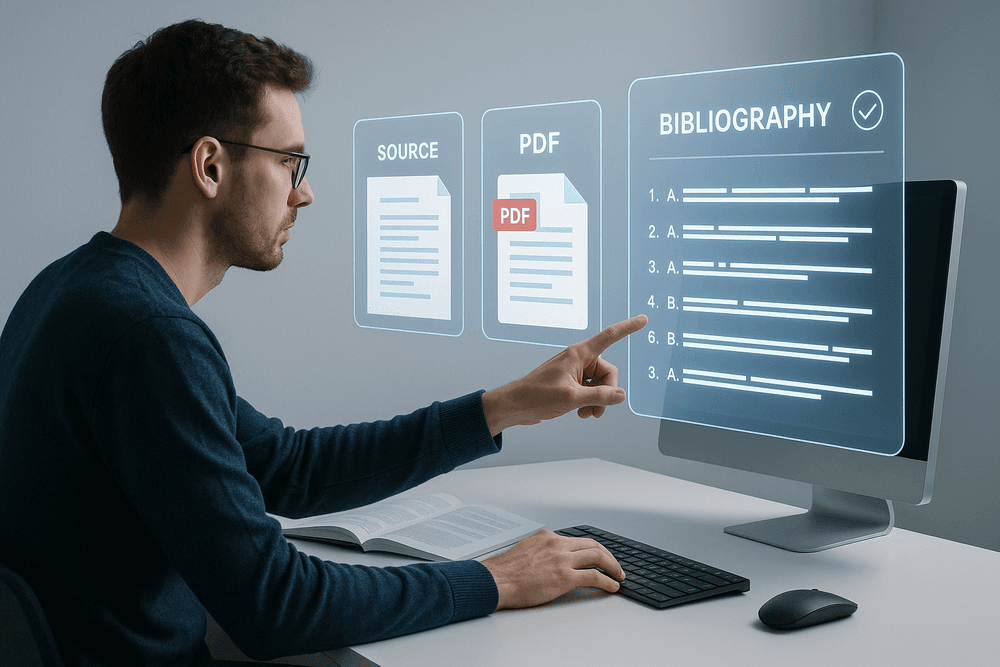
This is where the power of an AI citation generator truly shines. Instead of manual data entry, you can simply provide a URL, DOI (Digital Object Identifier), ISBN, or even upload a PDF. The AI scans the source, intelligently extracts all the necessary metadata—author, title, publication date, volume, issue, and more—and instantly assembles it into a perfectly formatted citation in the style of your choice. What once took several minutes per source now takes mere seconds. This isn't just a time-saver; it's a productivity multiplier.
How AI Citation Tools Differ from Traditional Generators
You might be familiar with older, "traditional" citation generators. These tools typically function like a simple web form: you manually input the author's name, the title, the year, and so on into separate fields, and the tool arranges them in the correct order. While helpful, they still rely entirely on you to find and accurately enter all the information. If you miss a detail or make a typo, the generator will produce an incorrect citation.
An AI citation generator represents a significant leap forward. It moves from a passive, form-based system to an active, intelligent one. Key differences include:
- Automated Data Extraction: AI tools can "read" a source to pull out the required information automatically, minimizing manual entry and the errors that come with it.
- Source Identification: An AI can often identify the type of source—distinguishing between a journal article, a book chapter, a blog post, or a news report—and apply the correct formatting rules without you having to select it from a menu.
- Handling Ambiguity: Advanced AI models are better equipped to handle missing information or unconventional sources, making more educated guesses to create the most complete citation possible.
In short, a traditional generator is a template you fill out. An AI citation generator is an assistant that does the research and formatting for you.

Behind the Curtain: How an AI Citation Generator Delivers Perfect Formatting
Ever wondered how an ai citation generator can take a simple link and, in seconds, produce a perfectly formatted citation? It’s not magic—it’s a powerful combination of advanced artificial intelligence, vast databases, and precise rule-based programming. This sophisticated process works tirelessly behind the scenes to save you time and eliminate errors. Let's pull back the curtain and explore the core mechanics that make this technology an indispensable tool for students and researchers.
Using NLP to Understand and Extract Source Information
At the heart of the process is Natural Language Processing (NLP), a branch of AI that gives computers the ability to read, understand, and interpret human language. When you provide a URL, DOI, or even just the title of a source, the ai citation generator deploys NLP algorithms to scan the text. It intelligently identifies and extracts key pieces of bibliographic data with incredible speed and precision.
This includes essential information such as:
- Author(s)
- Publication Date
- Article or Book Title
- Journal Name or Publisher
- Volume and Issue Numbers
- Page Ranges
Instead of you manually searching for and copying this information, the AI does the heavy lifting. This automated extraction significantly reduces the risk of human error like typos, incorrect dates, or missed details, forming the foundation of a flawless citation.
Cross-Referencing Databases for Unmatched Accuracy
Extracting information is only half the battle. To guarantee accuracy, a top-tier ai citation generator doesn't just trust the data from a single source. It takes the extracted information and cross-references it against massive, authoritative academic databases like CrossRef, PubMed, Google Scholar, and thousands of university libraries and publisher repositories.
This verification step is crucial. The AI can automatically correct errors, fill in missing information (like finding a DOI that wasn't on the webpage), and standardize author names. If a source you found has an incomplete date, the AI can often find the correct one from the official publisher’s database. This multi-source validation process elevates the tool from a simple formatter to a genuine research assistant, ensuring every piece of data in your citation is correct and verified.
Adapting to Any Style: APA, MLA, Chicago, and More
Once the AI has gathered and verified all the necessary data, the final step is formatting. Every academic style—whether it's APA 7, MLA 9, Chicago, Turabian, or Harvard—has its own intricate set of rules for punctuation, capitalization, italics, and the order of elements. Remembering these nuances, especially when switching between styles for different classes, is a common source of frustration and lost marks.
An ai citation generator has these complex rulebooks built into its core logic. It takes the clean, verified data and assembles it precisely according to the specifications of your chosen style. It knows exactly where to place commas, when to use "et al.", how to format a hanging indent, and whether to capitalize a title in sentence case or title case. With a single click, you can transform the same source from APA to MLA, and the AI will instantly reconfigure the entire citation, delivering perfect formatting every time.
Reviewed: The Best AI Citation Generator for Students and Researchers
With countless options available, finding the right ai citation generator can feel like searching for a needle in a haystack. We've put the leading tools to the test, focusing on accuracy, user experience, and feature sets to help you make an informed choice. Whether you're a student working on a term paper or a researcher compiling a complex bibliography, this breakdown highlights the best ai citation generator for your specific needs.
Top Pick for Overall Accuracy and Ease of Use: CiteRight AI
For the vast majority of academic tasks, CiteRight AI hits the sweet spot between power and simplicity. Its clean, intuitive interface makes generating citations effortless, whether you're using a book's ISBN, a journal's DOI, or a website's URL. Where its AI truly shines is in its accuracy; it consistently pulls the correct metadata, minimizing the need for manual corrections that plague older tools.
CiteRight AI also features a robust browser extension that allows you to capture sources with a single click as you browse the web. With support for thousands of citation styles (including APA, MLA, Chicago, and Harvard) and seamless integration with Google Docs and Microsoft Word, it’s the perfect all-around workhorse for students and researchers who value speed and reliability.
Best Free AI Citation Generator for Quick Tasks: QuickCite
When you just need to generate a handful of citations without committing to a subscription or creating an account, QuickCite is the undisputed champion. This no-frills tool focuses on one thing and does it well: creating accurate citations, fast. Simply paste a link, DOI, or title, and QuickCite’s AI instantly retrieves the necessary information and formats it in one of the dozen most common academic styles.
While it lacks the advanced project management features, cloud storage, or extensive style libraries of its premium counterparts, its accessibility is its greatest strength. For students needing a last-minute bibliography for an essay or anyone wanting a quick, reliable reference, QuickCite is an invaluable free resource.
Most Powerful Tool for Complex and Obscure Sources: ScholarCite Pro
For graduate students, professional researchers, and academics tackling complex projects, ScholarCite Pro is the most powerful ai citation generator on the market. It is specifically designed to handle the challenges of citing obscure and non-traditional sources. Its advanced AI can analyze uploaded PDFs to extract metadata from unpublished manuscripts, parse data from historical archives, and even correctly format citations for datasets and software.
ScholarCite Pro boasts a library of over 9,000 citation styles and offers features for collaborative research, including shared project libraries and annotation tools. While its subscription fee is higher, it’s a small price to pay for a tool that can save researchers dozens of hours on tedious citation management, especially when working with difficult source material.
Side-by-Side Feature Comparison Table
| Feature | CiteRight AI (Overall) | QuickCite (Free) | ScholarCite Pro (Power) |
| :--- | :---: | :---: | :---: |
| Pricing | Freemium / Subscription | Completely Free | Premium Subscription |
| Ease of Use | Excellent | Excellent | Very Good |
| Accuracy | High | Good | Exceptional |
| Supported Styles | 2,000+ | ~20 | 9,000+ |
| Browser Extension | ✅ | ❌ | ✅ |
| Word Processor Add-in| ✅ | ❌ | ✅ |
| Obscure Source Handling| Basic | ❌ | Advanced |
| Collaboration Tools | ❌ | ❌ | ✅ |
Unlocking Advanced Features of Your AI Citation Generator
A modern ai citation generator is more than a simple formatting tool; it’s a powerful research assistant. Once you move beyond basic manual entry, you’ll discover a suite of advanced features designed to save you time, improve accuracy, and streamline your entire writing process. By leveraging these capabilities, you can transform citation from a chore into a seamless part of your workflow. Let's explore the game-changing features you should be using.
Instantly Generate Citations from URLs, DOIs, and PDFs
Gone are the days of manually typing author names and publication years. The best AI-powered tools automate data extraction with incredible precision, pulling information directly from the source itself.
- From URLs: Simply paste the web address of an online article, news report, or digital publication. The AI scans the page, identifies key metadata like the author, title, and publication date, and instantly structures it into your chosen citation style (APA, MLA, Chicago, etc.). This is perfect for the dynamic world of online research.
- From DOIs: For academic journal articles, the Digital Object Identifier (DOI) is your golden ticket. It's a unique string of characters that acts as a permanent link to the source. Pasting a DOI into your ai citation generator is the most reliable way to create a flawless citation, as it pulls data directly from the official publisher's record, eliminating any chance of manual error.
- From PDFs: This is where the magic truly happens. Many advanced tools allow you to upload a research paper as a PDF. The AI will then scan the document to extract all necessary bibliographic information, intelligently identifying the title, authors, journal name, volume, issue, and page numbers to build a complete citation for you in seconds.
Create Annotated Bibliographies with AI Assistance
An annotated bibliography is a critical academic task that requires you to not only cite your sources but also summarize and evaluate them. This can be daunting, but a sophisticated ai citation generator can be an invaluable partner.
After generating a citation, these tools can offer AI-powered assistance for the annotation. Here’s how it helps:
- AI-Generated Summaries: The tool can analyze the source text from a URL or uploaded PDF and produce a concise summary of its main arguments, methodology, and findings.
- Identifying Key Themes: AI can help pinpoint the core concepts and contributions of a paper, giving you a solid foundation for your analysis.
This AI-generated content serves as an excellent first draft. Your job is to then refine it, add your critical evaluation, and explain how the source fits into your research. The AI handles the initial summarization, freeing you up to focus on higher-level analytical thinking.
Verify Source Credibility and Formatting Consistency
Maintaining academic integrity and professionalism goes beyond just getting the citation format right. Top-tier AI tools now include features for quality control.
- Source Credibility Checks: Some platforms are integrating systems to help you vet your sources. An AI might flag a source from a known predatory journal, indicate if an article is peer-reviewed, or provide other metrics to help you assess its reliability. This feature is a crucial safeguard in an era of information overload.
- Consistency Audits: Once you’ve compiled your reference list, the AI can perform a final sweep for consistency. It checks for common but hard-to-spot errors, such as mixed capitalization styles (e.g., title case vs. sentence case), inconsistent date formats, or missing punctuation. This automated proofreading ensures your bibliography is polished, professional, and adheres perfectly to style guide rules.
From Good to Flawless: Best Practices for Using an AI Citation Generator
An AI citation generator is a powerful ally in your academic journey, but like any tool, its effectiveness depends on how you use it. It automates the tedious work of formatting, freeing you to focus on your research and writing. However, turning a good, AI-generated citation into a flawless one requires a strategic approach. Adopting a few key practices will protect your academic integrity, save you from last-minute stress, and elevate the quality of your work. Here’s how to master your AI-powered tool.
Always Double-Check AI-Generated Citations: A Quick Guide
Think of your AI citation generator as a brilliant, fast, and slightly forgetful research assistant. It gets things right 99% of the time, but that 1% can make a difference. AI algorithms pull metadata from sources, and sometimes that data is incomplete, formatted incorrectly, or misinterpreted. A quick human review is your best defense against small errors that could impact your grade or credibility.
Before adding a citation to your final bibliography, run it through this quick verification checklist:
- Authors: Are all names spelled correctly? Is the formatting correct for your style guide (e.g., Last Name, F. M.)?
- Date: Is the year of publication accurate? For styles that require it, are the month and day present and correct?
- Titles: Check for proper capitalization. APA, for example, uses sentence case for article titles but title case for journal titles. Ensure these nuances are captured.
- Publication Information: For a journal, are the journal name, volume, issue, and page range all correct? For a book, is the publisher information accurate?
- DOI/URL: Is the link correct and active? Is it formatted according to the latest style guide rules (e.g., as a full https://... link)?
How to Handle Missing Information in Your Sources
You’ve found the perfect online resource, but it’s missing a clear author, publication date, or page numbers. Don’t panic, and never just delete the field. An incomplete citation is an incorrect citation. Here’s the proper way to handle it:
- Do Some Detective Work: Before giving up, do a quick search. The author’s name might be on an “About Us” page, or a publication year might be hidden in the page’s footer as a copyright date.
- Consult Your Style Guide: Every major citation style has specific protocols for missing information. Your AI citation generator may not know how to apply them automatically. For example, in APA 7, you would use "(n.d.)" for "no date" and move the work's title to the author position if no author is listed.
- Manually Edit the Citation: Use the "edit" function in your AI tool to make the necessary changes. Input the correct placeholder (like "n.d.") or reformat the entry according to your style guide’s rules. This combination of AI speed and human oversight ensures accuracy.
Integrating the Tool Seamlessly into Your Research Workflow
The biggest mistake students and researchers make is saving all citation work for the end. This leads to a frantic scramble to find sources and a higher risk of accidental plagiarism. To truly leverage the power of an AI citation generator, integrate it into your workflow from the very beginning.
- Cite As You Go: The moment you find a source you plan to use, generate its citation. Use a browser extension or simply paste the URL/DOI into the tool. Do this before you even start taking notes.
- Create a Project Library: Don't let your citations get lost in a single, massive list. Use your tool’s organizational features to create a separate project or folder for each paper you’re working on.
- Tag and Annotate: As you add sources, use tags (e.g., “Chapter 1,” “Methodology,” “Key Quote”) to categorize them. Many tools also let you add personal notes. This transforms your reference list into a dynamic research database.

Conclusion: The Future of Academic Research is Here
The days of painstakingly formatting bibliographies and manually tracking sources are officially behind us. The evolution of the ai citation generator has fundamentally transformed the academic workflow, freeing up valuable time and mental energy for researchers and students to focus on what truly matters: discovery, analysis, and critical thinking. By harnessing the power of artificial intelligence, these tools offer a level of speed, accuracy, and convenience that was once unimaginable. As we've explored, the right tool doesn't just format a reference list—it becomes an indispensable research assistant.
Recap: Choosing the Right AI Citation Generator for You
Selecting the perfect ai citation generator is a personal decision that hinges on your specific academic needs. As you make your choice, remember the key factors we discussed:
- Accuracy and Reliability: Does the tool consistently pull correct metadata and format it according to the latest style guide rules (APA 7, MLA 9, etc.)?
- User Experience: Is the interface intuitive? Can you easily add, edit, and organize your sources without a steep learning curve?
- Feature Set: Does it offer essential features like browser extensions for one-click sourcing, integration with Google Docs or Word, or advanced capabilities like source verification and annotation?
- Cost vs. Value: Does the pricing model—whether free, freemium, or subscription-based—align with the value and features it provides for your level of research?
The best ai citation generator for a high school student writing their first research paper will differ from the one a doctoral candidate needs for their dissertation. Reflect on your workflow to find the tool that best complements your process.
Your Final Checklist Before Finalizing Your Bibliography
Even the most advanced AI is a co-pilot, not the pilot. Your critical eye is the final, essential step to ensuring a flawless bibliography. Before you submit your work, run through this quick checklist:
- ☑ Double-Check the Details: Quickly scan each entry. Are author names spelled correctly? Is the year of publication accurate? Did the AI correctly identify the source type (e.g., journal article vs. book chapter)?
- ☑ Ensure Formatting Consistency: Confirm that every entry adheres strictly to the chosen citation style. Pay close attention to capitalization, punctuation, and italics.
- ☑ Cross-Reference In-Text Citations: Make sure every in-text citation corresponds to an entry in your reference list, and vice versa.
- ☑ Verify Alphabetization and Indentation: Ensure your list is correctly alphabetized by the author's last name and that hanging indents are properly applied.
Try Our Recommended AI-Powered Tool Today
Ready to elevate your research and eliminate citation stress for good? We've reviewed the top contenders, and one tool consistently stands out for its blend of power, precision, and user-friendly design.
Our top-recommended ai citation generator leverages cutting-edge technology to provide impeccably accurate citations in over 1,000 styles. Its seamless browser integration and powerful project management features are designed to streamline your entire research lifecycle. Stop wrestling with formatting rules and start producing your best work.
[Click Here to Try [Tool Name] for Free and Revolutionize Your Research Process!]