
September 13, 2025
Why You Need an AI Tool for Email Drafting Today

Why You Need an AI Tool for Email Drafting Today
Email remains the backbone of professional communication, but it’s also one of the biggest drains on our time and mental energy. We spend hours every week staring at blank screens, agonizing over the right words, and proofreading for the tenth time. But what if you could automate the tedious parts of email writing while elevating the quality of your communication? That’s not a far-off future; it’s the reality an AI tool for email drafting offers right now. By integrating this technology into your workflow, you can transform a daily chore into a strategic advantage.
Reclaim Your Time: The End of Blank-Page Syndrome
The blinking cursor on a blank email draft is a universal symbol of lost productivity. Whether you're crafting a complex project update, a delicate client negotiation, or a simple follow-up, starting from scratch is a significant time sink. This is where an AI tool for email drafting becomes your most valuable assistant.
Instead of wrestling with that first sentence, you provide a simple prompt—like "write a polite follow-up to a potential client who hasn't responded to my proposal"—and receive a fully-formed draft in seconds. This eliminates the initial friction and mental block, allowing you to move directly to refining the message. Imagine cutting the time you spend on email by 50% or more. That reclaimed time can be redirected toward high-impact tasks: strategic planning, client relationships, and creative problem-solving. It’s not just about working faster; it’s about working smarter.
Elevate Your Professional Communication with AI
Speed is just the beginning. A powerful AI tool for email drafting is also a sophisticated communication coach, helping you write with greater clarity, precision, and impact. It’s about ensuring every email you send enhances your professional reputation.
Here’s how AI elevates your messages:
- Perfect Tone, Every Time: AI can instantly adjust the tone of your draft. Need to sound more formal for a C-suite executive? More persuasive for a sales pitch? Or more empathetic for a customer service issue? The tool reframes your message to strike the perfect chord.
- Flawless Grammar and Style: Go beyond basic spell-checking. AI assistants catch complex grammatical errors, suggest more articulate phrasing, and ensure your writing is clear and concise. This is especially beneficial for non-native English speakers or anyone looking to add an extra layer of polish to their communication.
- Increased Effectiveness: AI can help you craft stronger subject lines that boost open rates and more compelling calls-to-action that drive results. By analyzing patterns from millions of successful emails, the tool helps you write messages that don't just get read—they get responses.
What to Expect from This Comprehensive Guide
This guide is your roadmap to mastering AI-powered email communication. We’ll cut through the noise and provide clear, actionable insights to help you choose and implement the right tools for your specific needs. You will learn:
- A detailed breakdown of the best AI-powered email software on the market.
- The essential features to look for when selecting an AI tool for email drafting.
- Practical tips and proven prompts for generating professional, effective emails for any situation—from marketing and sales to internal announcements and everyday correspondence.
By the end of this article, you’ll be equipped to turn your inbox from a source of stress into a powerful engine for productivity and professional success.
The Best AI Tool for Email Drafting: 2024's Top Contenders
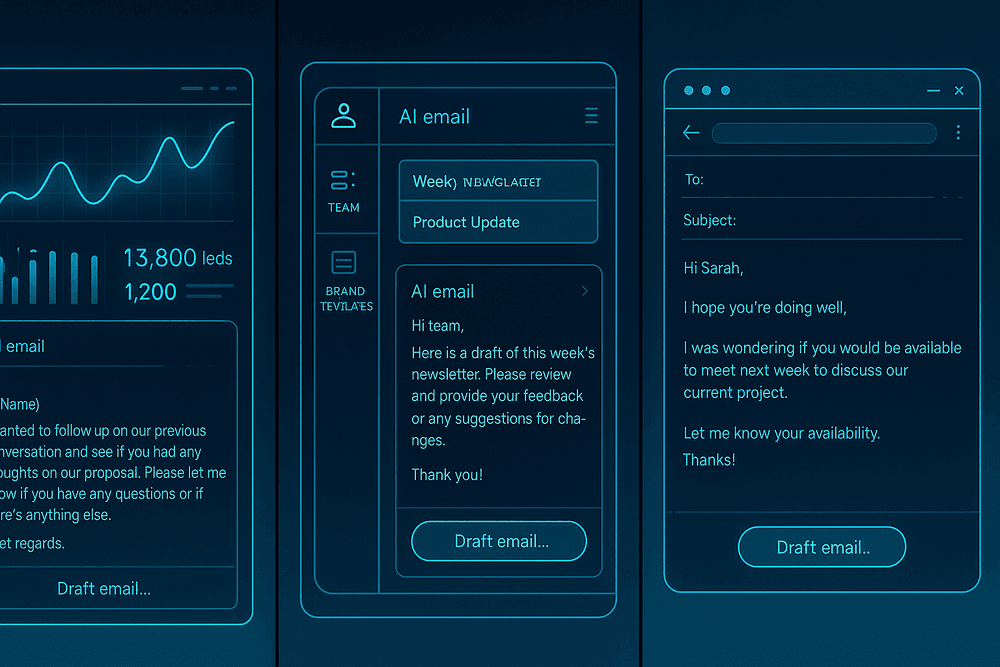
Navigating the crowded market for the perfect AI tool for email drafting can feel overwhelming. With so many options, how do you choose the one that aligns with your specific needs? Whether you're a sales professional, part of a collaborative team, or just getting started, the right tool can transform your productivity. To help you decide, we’ve analyzed 2024’s top contenders, breaking them down by their key strengths and ideal use cases.
Tool A: Best for Sales and Outreach Automation
For sales representatives and marketing teams, efficiency and personalization are everything. Tool A is engineered specifically for this high-stakes environment. It goes beyond simple text generation by integrating directly into your sales workflow. Its standout feature is the ability to create and automate entire multi-touch email sequences. The AI analyzes prospect data from your CRM or LinkedIn to generate hyper-personalized opening lines, suggest compelling calls-to-action, and even score the likelihood of a reply. This makes it the ultimate tool for scaling cold outreach without sacrificing the crucial human touch that closes deals. If your primary goal is to book more meetings and drive revenue, this specialized platform is your best bet.
Tool B: The Ultimate All-Rounder for Teams
When you need an AI tool for email drafting that serves an entire organization, versatility is key. Tool B is the quintessential all-rounder, designed for seamless team collaboration. Its core strength lies in maintaining brand consistency. Administrators can define a specific brand voice, upload style guides, and create a library of shared templates that the entire team can access. This ensures that every email—from marketing announcements to customer support replies and internal memos—sounds unified and professional. It also offers robust integrations with project management software and communication hubs like Slack, making it a central part of your team's tech stack. For businesses seeking a single, powerful solution for all communication needs, Tool B is the clear winner.
Tool C: A Free AI Tool for Email Drafting to Get You Started
Diving into AI doesn't have to come with a hefty price tag. Tool C offers a fantastic, no-cost entry point for individuals, students, or small businesses on a tight budget. While it may not have the advanced automation of its premium counterparts, it excels at the fundamentals. Use it to overcome writer's block, generate professional subject lines, rephrase awkward sentences, and draft quick replies. It typically operates as a simple browser extension or web app, making it incredibly accessible. If you're curious about how AI can improve your daily email tasks but aren't ready to commit to a paid subscription, Tool C is the perfect way to get started and experience the benefits firsthand.
Feature Comparison: Tone, Integration, and Customization
Tone and Style Adjustment
All three tools offer tonal adjustments, but their focus differs. Tool A excels at crafting persuasive, confident, and action-oriented sales tones. Tool B prioritizes locking in a consistent brand voice, ensuring all outputs align with pre-set company guidelines. Tool C provides basic but effective options like "formal," "casual," or "friendly" to suit everyday situations.
Integration Capabilities
Your existing workflow will heavily influence your choice. Tool A is built to live inside your CRM (like Salesforce or HubSpot) and sales engagement platforms. Tool B connects seamlessly with a broader ecosystem of collaboration tools, including Google Workspace, Microsoft 365, and Asana. Tool C generally offers more limited integration, often working as a standalone browser extension.
Customization and Personalization
Here, the differences are stark. Tool A offers deep, data-driven personalization for outreach, using prospect information to tailor content at scale. Tool B provides high-level customization through shared team templates and brand-voice controls. Tool C offers the least customization, focusing instead on generating solid drafts from simple prompts.
Must-Have Features in Your Chosen AI Email Drafting Tool
Not all AI is created equal. When selecting an ai tool for email drafting, the difference between a handy gadget and an indispensable assistant lies in its core features. The right functionality can transform your communication, saving you hours and ensuring every message hits the mark. As you evaluate your options, prioritize these four non-negotiable capabilities.
Intelligent Tone and Style Adjustment
Your communication style isn't one-size-fits-all, and your AI email assistant shouldn't be either. A crucial feature is the ability to intelligently adjust the tone and style of an email to match any audience or situation. Imagine you need to send a formal project proposal to a high-value client, followed by a casual, upbeat check-in with your team. A powerful AI writing tool can handle both with ease.
Look for tools that offer specific tone settings like "professional," "friendly," "persuasive," or "empathetic." The best platforms go even further, allowing you to rewrite existing text to be more concise, confident, or diplomatic. This dynamic capability ensures your message is not only well-written but also emotionally intelligent, building better relationships with every email you send.
Personalization at Scale: Beyond Just a First Name
In today's world, a simple Hi [First Name] merge tag doesn't cut it. True personalization goes deeper, and a sophisticated ai tool for email drafting should empower you to achieve it at scale. This means moving beyond generic templates and generating emails that feel genuinely one-to-one, even when sent to hundreds of recipients.
Top-tier tools can analyze context from previous conversations or data from your CRM to incorporate specific details. For example, the AI could reference a particular pain point a lead mentioned on a demo call or mention a mutual connection. This level of customization makes the recipient feel seen and understood, dramatically increasing engagement and response rates. It’s the key to making your outreach stand out in a crowded inbox.
Seamless Integration with Your Existing Email Client
The most effective tool is the one you actually use. Constant copy-pasting between a separate application and your inbox creates friction and slows you down. That's why seamless integration with your primary email client—whether it's Gmail, Outlook, or another platform—is absolutely essential.
An ideal ai tool for email drafting operates as a browser extension or a native plugin, embedding its functionality directly into your compose window. You should be able to generate, rewrite, and refine your emails without ever leaving your inbox. This tight integration makes using AI a natural part of your workflow, not an extra step, maximizing efficiency and adoption.
Understanding Prompting for More Accurate Drafts
The quality of an AI-generated email is directly proportional to the quality of your instructions, or "prompt." A truly advanced AI email tool is designed to understand nuanced and detailed prompts, giving you precise control over the final output.
Instead of a vague command like "write a follow-up," you should be able to provide detailed context: "Draft a polite follow-up to Jane about the Q3 report. Remind her the deadline is this Friday, mention that her input on the marketing slides is crucial, and keep the tone encouraging." The AI's ability to parse this context and include all key points is what separates a basic text generator from a professional-grade drafting assistant. Look for a tool that not only handles complex prompts but also helps you learn how to write them effectively.
Best Practices for Generating Professional Emails with an AI Tool
An AI tool for email drafting is a powerful ally, but its effectiveness hinges on how you use it. Simply expecting a perfect draft from a one-line request will lead to generic and uninspired results. To truly unlock its potential, you need to treat the AI as a skilled assistant that requires clear direction and a final human review. By adopting a few best practices, you can transform your AI from a simple text generator into a sophisticated communication partner.
Crafting the Perfect Prompt: From Vague Idea to Polished Draft
The quality of your AI-generated email is directly proportional to the quality of your prompt. The principle of "garbage in, garbage out" applies perfectly here. A vague prompt like "write a follow-up email" will yield an equally vague draft.
To get a polished, specific result, you need to provide context. A high-quality prompt includes:
- Recipient and Relationship: Who is the email for (e.g., a new lead, a long-term client, your manager)?
- Purpose/Goal: What action do you want the recipient to take (e.g., schedule a meeting, provide feedback, approve a quote)?
- Key Information: Include all necessary details like names, dates, project titles, and specific questions you need to be answered.
- Tone of Voice: Define the desired tone (e.g., formal and professional, friendly and encouraging, urgent but polite).
Example:
- Vague Prompt: "Write an email about the project update."
- Detailed Prompt: "Draft a professional email to our client, Jane Doe at Acme Corp. The tone should be positive and reassuring. Inform her that the 'Alpha Project' is on schedule for the July 31st deadline. Mention we have completed the user interface mockups and ask when she is available next week for a 20-minute review call."
Always Review and Refine: The Human Touch is Irreplaceable
Never send an AI-generated email without a thorough review. While an ai tool for email drafting can handle the heavy lifting of structure and phrasing, it lacks genuine human understanding and context. Your final review is where you add the nuance that builds relationships.
During your review, check for:
- Accuracy: Verify all names, dates, and technical details. AI can occasionally "hallucinate" or misremember information.
- Tone: Does the draft truly sound like you? Adjust wording to match your personal style and your relationship with the recipient.
- Personalization: Add a small, human touch the AI couldn't know. A simple "Hope you had a great weekend" or "I really enjoyed our chat about [shared interest] last week" makes the email feel less robotic.
Training Your AI Tool to Match Your Unique Voice
Many advanced AI platforms allow for customization to better mimic your style. If your tool offers features like "custom instructions," "personas," or the ability to learn from examples, use them. You can "train" your AI by providing it with samples of emails you've written.
For example, you could give it an instruction like: "When drafting emails for me, adopt a professional yet friendly tone. Use clear and concise language, avoid excessive jargon, and always end with a specific call to action. Here are three emails I've sent previously for reference." Over time, the AI will produce drafts that require less editing, making your workflow even more efficient.
Avoiding Common Pitfalls and Impersonal Messages
While leveraging AI, be mindful of common traps that can make your emails seem impersonal or unprofessional.
- Avoid Overly Generic Phrasing: If the AI produces common clichés like "I hope this email finds you well," ask it to rephrase for a more original opening.
- Don't Input Sensitive Information: Be cautious about pasting confidential client data, internal strategy, or personal information into any AI tool, especially free public versions. Always check the tool's privacy policy.
- Fact-Check Everything: Treat any specific data point or claim generated by the AI as a placeholder until you have personally verified it. This is crucial for maintaining your professional credibility.
Real-World Scenarios: Putting Your AI Email Tool to Work
Theory is one thing, but the real power of an AI email tool is revealed when you apply it to the daily grind. From growing your business to streamlining internal processes, these intelligent assistants are more than just a novelty—they’re a productivity engine. Let's explore four common scenarios where an ai tool for email drafting can transform your workflow and your results.
Drafting Cold Outreach Emails That Actually Get Replies
Cold outreach is notoriously difficult. Crafting a message that is personalized, compelling, and avoids the spam folder is a delicate art. This is where AI excels. Instead of relying on generic templates, you can feed the tool specific details about your prospect—their company, role, recent achievements, or industry challenges.
The AI then generates hyper-personalized drafts that resonate with the recipient. It can suggest attention-grabbing subject lines, frame your value proposition around their specific pain points, and even adopt a tone that matches their company's brand voice. This level of customization, done in seconds, dramatically increases your chances of getting a reply.
Prompt Example: “Draft a concise cold email to a VP of Marketing at a B2B SaaS company. My product is an analytics platform that unifies customer data. Mention their recent article on data silos and position my product as the solution.”
Crafting Follow-Up Sequences That Convert Leads
The fortune is in the follow-up, but who has the time to write five unique emails for every single lead? An ai tool for email drafting can build an entire multi-touch follow-up sequence from a single prompt. It ensures each message offers new value and a fresh angle, preventing you from sounding like a broken record.
You can instruct the AI to create a sequence that includes a gentle reminder, a case study, a helpful resource, and a final "break-up" email. It maintains a consistent, professional tone throughout the campaign, nurturing leads without annoying them. This automates one of the most critical parts of the sales process, freeing you up to focus on closing deals.
Writing Professional Responses to Customer Inquiries in Seconds
In customer service, speed and quality are everything. When a customer writes in with a problem, they expect a fast, empathetic, and helpful response. An AI tool can instantly analyze an incoming customer email and draft a clear, polite, and accurate reply.
Simply paste the customer’s query and provide a few key details for the solution. The AI will structure the information professionally, express empathy for their issue, and clearly outline the next steps. Your support team can then review, make minor tweaks if needed, and send the response in a fraction of the time, leading to higher customer satisfaction and improved efficiency.
Generating Clear and Concise Internal Comms for Your Team
Internal communication is the backbone of any successful team, but writing clear announcements, meeting summaries, or policy updates can be time-consuming. An ai tool for email drafting acts as your internal editor, transforming rough notes or bullet points into a polished, professional message.
Whether you're summarizing the action items from a project meeting or announcing a new company-wide policy, the AI ensures your communication is unambiguous and easy to understand. It helps maintain a consistent tone across all internal messaging, reducing confusion and making sure everyone on the team is on the same page.

Conclusion: Transform Your Workflow with the Right AI Tool for Email Drafting
The days of staring at a blinking cursor, searching for the right words to start a crucial email, are numbered. As we've explored, AI-powered email drafting is no longer a futuristic concept but a practical, powerful solution that reclaims your time and elevates your professional communication. By automating the mundane and optimizing for impact, the right ai tool for email drafting can fundamentally change how you manage your inbox, allowing you to focus on strategy, relationships, and high-value work. The question is no longer if you should adopt this technology, but which tool is the perfect fit for your workflow.
Final Checklist: Which Tool is Best for Your Needs?
Choosing the ideal AI email drafter is a personal decision that depends on your specific goals. Before you commit, run through this final checklist to ensure you find a tool that seamlessly integrates into your professional life:
- Primary Use Case: Are you a sales professional needing compelling outreach sequences, a manager sending internal updates, or a support agent handling customer queries? Your primary function will dictate the features you need most.
- Integration Needs: Does the tool offer a native plugin or extension for your preferred email client, like Gmail or Outlook? A smooth, in-app experience is crucial for efficiency.
- Customization and Control: How much control do you need over the tone, length, and style of the generated content? Look for tools with robust customization options to ensure your voice remains authentic.
- Collaboration Features: If you work in a team, do you need features for sharing templates, prompts, or brand voice guidelines?
- Security and Privacy: Does the platform's data handling policy align with your company's security standards? This is especially critical if you handle sensitive information.
- Budget: Determine your budget. Many excellent tools offer free tiers or trials, allowing you to test their capabilities before investing in a premium plan.
The Future of AI in Professional Communication
What we see today is just the beginning. The evolution of AI in communication is accelerating, promising even more sophisticated capabilities. In the near future, expect your AI assistant to not only draft emails but also predict your needs, suggesting follow-ups based on calendar events and CRM data. We'll see hyper-personalization at scale, with AI analyzing recipient data to craft messages that resonate on an individual level. This technology is rapidly becoming less of a simple tool and more of an intelligent co-pilot, integrated into every facet of our digital workflow. Adopting an ai tool for email drafting now is the first step in mastering the future of professional interaction.
Take the Next Step: Try an AI Email Drafter Today
Reading about transformation is one thing; experiencing it is another. The single most effective way to understand the impact of AI on your productivity is to try it for yourself. Many of the leading platforms discussed in this guide offer free trials or freemium plans, providing a zero-risk opportunity to experiment.
Choose a tool that aligns with your checklist, sign up, and give it a simple task: draft a follow-up email, summarize a long thread, or create a polite rejection letter. You have nothing to lose but the time you currently spend on repetitive email tasks. Take the leap, embrace the technology, and discover how the right AI assistant can turn your inbox from a source of stress into a powerhouse of efficiency.