
January 5, 2026
Why Every Professional Needs an AI Chat Assistant Today
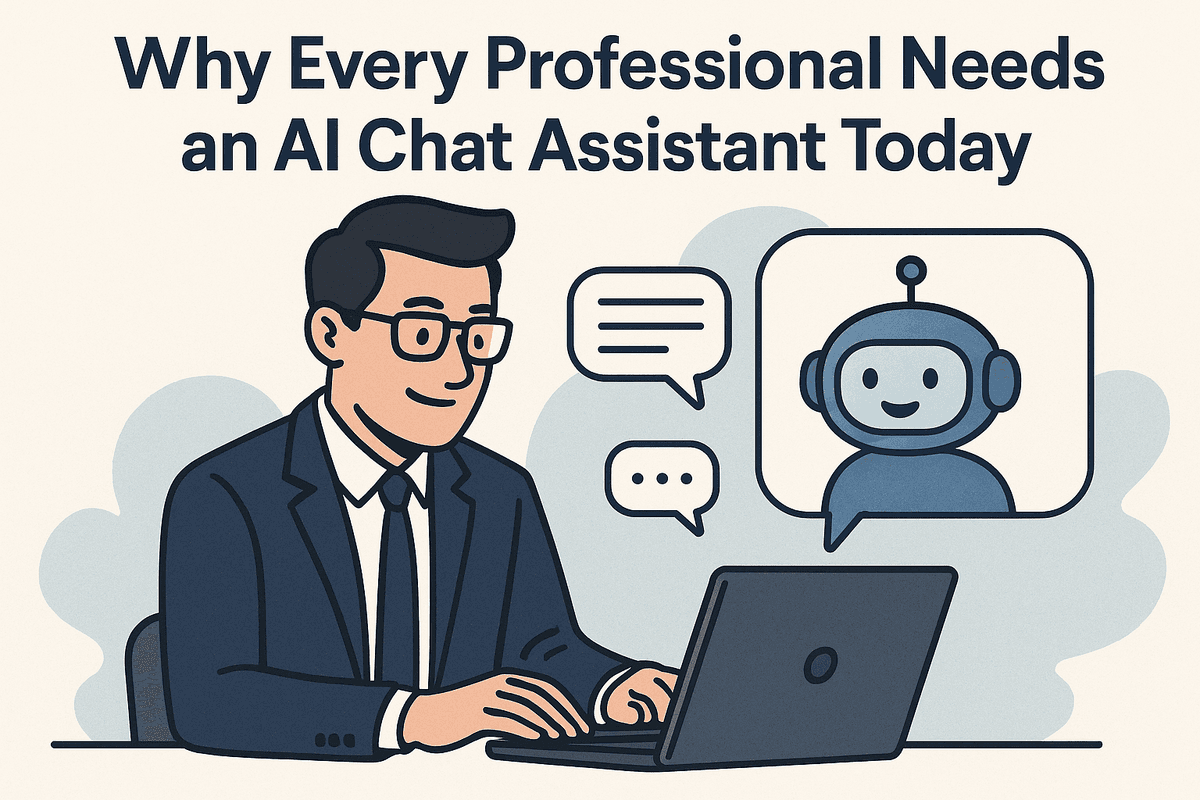
Why Every Professional Needs an AI Chat Assistant Today
It wasn't long ago that artificial intelligence in the workplace felt like a futuristic novelty—a gimmick reserved for tech giants or sci-fi enthusiasts. Early iterations were clunky, often creating more work than they saved. However, we have crossed a digital rubicon. In the modern professional landscape, the integration of an AI chat assistant has shifted rapidly from a "nice-to-have" curiosity to an absolute operational necessity.
As workflows become increasingly complex and the demand for speed intensifies, relying solely on manual processing for administrative tasks is a competitive disadvantage. Professionals who resist this shift risk drowning in data, while those who adopt it are reclaiming their most valuable asset: time.
More Than Just a Chatbot: Understanding the Distinction
To understand the value proposition, one must first clear up a common misconception. Many professionals conflate an AI chat assistant with the rigid customer service chatbots of the past decade. The difference is not just in capability; it is in cognition.
A traditional chatbot is rule-based. It follows a decision tree: if the user says X, reply with Y. It effectively functions like a vending machine—useful for simple transactions but incapable of nuance.
In contrast, a modern AI chat assistant utilizes Large Language Models (LLMs) and Natural Language Processing (NLP) to understand context, sentiment, and intent. It doesn't just retrieve pre-written answers; it synthesizes information. An AI assistant can draft a project proposal based on loose bullet points, debug complex code, or summarize a forty-page PDF in seconds. Unlike a static chatbot, a true assistant retains context throughout a conversation, allowing for iterative problem-solving that mirrors human collaboration.
Quantifying the ROI: Time Saved and Errors Reduced
The return on investment (ROI) regarding AI adoption is measurable and immediate. When you deploy an AI chat assistant, you are essentially hiring a tireless subordinate available 24/7.
- Reclaiming Billable Hours: Studies suggest that the average knowledge worker spends nearly 20% of their workweek searching for internal information or managing email. By offloading these retrieval and composition tasks to an AI, professionals can reclaim upwards of 8 to 10 hours a week. This is time that can be redirected toward high-level strategy and creative problem-solving.
- Mitigating Human Error: Fatigue is the enemy of accuracy. Whether it is a typo in a financial report or a missed meeting due to scheduling conflicts, human error spikes as the day wears on. AI does not get tired. It processes data with the same level of precision at 5:00 PM as it does at 9:00 AM. By automating routine data entry and proofreading through an assistant, businesses significantly reduce costly administrative mistakes.
Ultimately, the value lies in cognitive offloading. By delegating the mundane to an AI chat assistant, professionals free up the mental bandwidth required to innovate, ensuring that technology serves the workflow rather than complicating it.
Essential Features of a High-Performance AI Chat Assistant
Selecting the right tool for your business involves more than just picking the most popular name on the market. To truly transform professional productivity, an ai chat assistant must evolve beyond simple Q&A interactions. It needs to function as a proactive member of your team. When evaluating these tools for professional workflows, three core pillars separate basic chatbots from high-performance productivity engines: advanced Natural Language Processing (NLP), multi-modal capabilities, and deep ecosystem integration.
Context-Aware Natural Language Processing (NLP)
The difference between a frustrating interaction and a productive one often lies in the AI’s memory. Basic chatbots treat every query as a blank slate, requiring users to constantly repeat themselves. A high-performance ai chat assistant utilizes advanced NLP with long-term context retention.
This means the assistant understands the nuance of your request based on previous interactions. If you are brainstorming a marketing strategy for "Project Alpha" on Monday, you should be able to return on Thursday and ask, "Draft an email based on those ideas," without re-uploading the context. This level of semantic understanding allows the AI to grasp industry-specific jargon, detect sentiment, and adapt its tone to match your brand voice, ensuring that the output requires minimal editing before being put to use.
Multi-Modal Capabilities: Text, Voice, and Data
Modern business doesn't happen strictly through text. Professionals need an assistant that is as versatile as they are. High-end AI tools now boast multi-modal capabilities, allowing users to switch fluidly between different input and output formats.
- Voice Interaction: For executives on the move, the ability to dictate complex instructions via voice and receive a synthesized summary is invaluable. It turns travel time into productive work sessions.
- Visual and Data Analysis: A robust ai chat assistant can "see" and interpret data. You should be able to upload a PDF report, a spreadsheet, or an image of a whiteboard session and ask the AI to extract key insights. Instead of manually crunching numbers, you can upload a CSV file and ask the assistant to "identify the top three sales trends from Q3." This capability transforms the assistant from a writer into a data analyst.
Seamless Integration with CRM and Project Tools
Finally, an AI assistant operating in a silo limits its potential. To drive genuine efficiency, the AI must serve as a bridge between your various software platforms. The most effective assistants offer native API integrations with Customer Relationship Management (CRM) systems and Project Management (PM) tools.
Imagine a workflow where a client sends an inquiry. A high-performance assistant doesn't just draft a reply; it can check your CRM (like Salesforce or HubSpot) to recall the client's history, draft the response, and then automatically create a task in your PM tool (like Asana or Trello) for the follow-up. By allowing the ai chat assistant to read and write data across these platforms, you automate the administrative friction that typically slows down professional workflows, freeing up human talent for high-level strategy.
Top Contenders: Choosing the Right AI Chat Assistant for Your Business
With the generative AI market expanding at a breakneck pace, selecting the ideal ai chat assistant is no longer just about picking the smartest bot; it is about finding the tool that aligns best with your specific organizational DNA. While many tools share similar underlying architectures, their practical applications, privacy standards, and reasoning capabilities differ significantly. To make an informed choice, businesses must evaluate the leading contenders based on workflow integration and specialized competencies.
ChatGPT Enterprise vs. Claude: The Battle for Reasoning
When it comes to general-purpose productivity, OpenAI’s ChatGPT and Anthropic’s Claude are the heavyweight champions, yet they serve slightly different masters.
ChatGPT Enterprise is often viewed as the powerhouse of versatility. With the integration of the GPT-4o model, it excels in speed and multimodal capabilities. It creates charts from data spreadsheets instantly, browses the web effectively, and generates high-quality code. For businesses needing a "Swiss Army Knife" ai chat assistant that can pivot from writing marketing copy to debugging Python scripts in seconds, ChatGPT remains the gold standard.
However, Claude (specifically the Opus and Sonnet models) has carved out a distinct niche focused on nuance, safety, and massive context windows. Claude excels at ingesting massive documents—entire books, legal briefs, or codebase documentation—and providing highly accurate summaries or reasoning without "forgetting" the beginning of the file. For legal teams, researchers, and content strategists who require a more human-like, stylistic tone with fewer "AI-isms," Claude is often the superior choice for complex reasoning tasks.
Microsoft Copilot: The Ecosystem Native
If your organization lives and breathes within the Office 365 environment, Microsoft Copilot is difficult to beat. While it utilizes OpenAI’s technology under the hood, its value proposition isn't the underlying model—it is the integration.
Copilot doesn't just sit in a browser tab; it lives inside Word, Excel, PowerPoint, and Teams. It has access to the "Microsoft Graph," meaning it understands your business context. You can ask this ai chat assistant to "Draft a proposal based on the notes from this morning's Teams meeting and the Excel budget file sent yesterday," and it can actually execute that request. For enterprises seeking to reduce the friction of copy-pasting between an AI tool and their work documents, Copilot offers the path of least resistance.
Specialized vs. Generalist: The Customer Support Dilemma
While generalist models like ChatGPT or Copilot are fantastic for internal productivity, they are often risky choices for client-facing interactions. This is where specialized assistants come into play.
Generalist AIs are prone to "hallucinations"—inventing facts when they don't know the answer. In a customer support scenario, this is a liability. Specialized AI agents (integrated into platforms like Intercom, Zendesk, or custom-built solutions) are designed with "guardrails." They are trained strictly on your company’s knowledge base and are programmed to hand off the conversation to a human agent if they cannot find a verified answer.
- Use a Generalist Assistant when: You need internal brainstorming, drafting, coding assistance, or data analysis.
- Use a Specialized Assistant when: You are automating customer service, require strict adherence to brand compliance, or need to trigger specific workflows like processing a refund directly in your CRM.
Ultimately, the "best" assistant is often a combination of tools: a secure generalist for employee productivity and a specialized agent for customer engagement.

Integration Masterclass: Embedding an AI Chat Assistant into Daily Workflows
Deploying software is easy; changing behavior is hard. Simply purchasing a subscription isn't enough to transform your business productivity. To truly capitalize on this technology, you must weave the ai chat assistant into the very fabric of your daily operations. This integration requires a three-pronged approach: mastering the language of prompts, securing your data, and fostering a culture that views AI as a partner rather than a replacement.
Professional Prompt Engineering: The New Soft Skill
The output quality of any ai chat assistant is directly proportional to the input quality. In a professional setting, "prompt engineering" is less about coding and more about clear, structured communication. Think of the AI not as a search engine, but as a highly capable intern who has read every book in the library but has zero context about your specific company.
To get usable results, apply the C-R-E-F framework to your prompts:
- Context: Give background. "We are a B2B SaaS company launching a new CRM feature..."
- Role: Assign a persona. "Act as a senior product marketing manager..."
- Explicit Task: Be specific. "Draft a 3-paragraph announcement email focusing on efficiency..."
- Format: Define the output. "Use bullet points for key features and a professional, persuasive tone."
By standardizing how your team communicates with the tool, you reduce hallucinations and ensure the ai chat assistant delivers content that requires minimal editing.
Navigating Data Privacy and Security Protocols
The most significant barrier to enterprise adoption is the fear of data leakage. Integrating an ai chat assistant requires a stringent adherence to security protocols. It is vital to distinguish between public models and enterprise-grade solutions.
If you are using a standard public tool, implement a strict "Sanitization Policy." Employees must be trained to redact Personally Identifiable Information (PII), proprietary code, financial forecasts, and trade secrets before pasting text into the chat interface.
For deeper integration, businesses should opt for enterprise tiers that offer "Zero-Data Retention" policies. This ensures that your inputs are not used to train the model’s wider algorithm. Always verify encryption standards (SOC 2 compliance is the industry benchmark) and configure permissions so that the AI tool accesses only the data necessary for the specific user's role.
Overcoming Resistance and Fostering Human-AI Collaboration
Even the best ai chat assistant will fail if the human element is ignored. Resistance often stems from fear—specifically, the fear of replacement. To overcome this, leadership must reframe the narrative from "automation" to "augmentation."
Position the AI as a tool designed to eliminate drudgery, not jobs. Show your team how the assistant can handle meeting summaries, data formatting, and initial drafting, freeing them to focus on high-impact strategy and creative problem-solving.
To practicalize this collaboration:
- Identify AI Champions: Select enthusiastic early adopters to create a "Prompt Library" shared across the team, showcasing successful use cases.
- Host 'Hackathons': dedicate time for teams to find the most tedious workflow bottleneck and solve it using the ai chat assistant.
- Celebrate Wins: Publicly highlight when the AI tool saves a team member hours of work, reinforcing the benefit of the partnership.
By treating the integration as a holistic strategy rather than a simple software install, you turn a digital tool into an indispensable productivity engine.
In Practice: How an AI Chat Assistant Solves Real Business Problems
Adopting new technology often hinges on a single question: "How does this actually look in the daily grind?" While feature lists are helpful, understanding the practical application of these tools reveals their true value. An ai chat assistant is no longer a novelty item used solely for drafting emails; it has evolved into a robust problem-solving engine capable of handling complex, role-specific challenges.
By examining real-world scenarios, we can see how integrating an ai chat assistant shifts the trajectory of business productivity from the C-suite to the development team and customer support lines.
Case Study: Automating Executive Scheduling and Meeting Summaries
For high-level executives, time is the scarcest resource. Administrative tasks, particularly "calendar Tetris," often consume hours that should be dedicated to strategy.
Consider a scenario where a Chief Operations Officer needs to coordinate a project review with five department heads across three different time zones. Traditionally, this involves a long email chain or a dedicated human assistant spending half a day cross-referencing availability.
An enterprise-grade ai chat assistant solves this autonomously. Connected to the organization's calendar API, the assistant can:
- Scan the calendars of all participants to identify overlapping free slots.
- Propose the best options via a group chat channel.
- Send calendar invites and video conferencing links once a time is confirmed.
Furthermore, the value extends into the meeting itself. During the call, the assistant records and transcribes the conversation in real-time. Immediately upon conclusion, it processes the transcript to generate a concise summary and a bulleted list of action items assigned to specific stakeholders. This ensures that no critical decision is lost in the noise and follow-through is immediate.
Scenario: Accelerating Code Generation and Debugging for Developers
Software engineering is often viewed as purely creative work, but a significant portion involves repetitive boilerplate coding and tedious debugging. This is where an ai chat assistant acts as a tireless "pair programmer."
In a typical development sprint, an engineer might encounter an obscure error message in a legacy codebase. Instead of breaking their workflow to scour forums for a solution, they can paste the code snippet and the error log directly into the chat interface. The assistant analyzes the syntax and logic, identifying the bug within seconds and suggesting a corrected code block.
Beyond debugging, these assistants accelerate creation. If a developer needs to build a standard API endpoint or a validation script, they can prompt the ai chat assistant with the requirements. The tool generates clean, commented code that the developer can review and implement, cutting down development time by upwards of 30% and allowing engineers to focus on complex system architecture rather than syntax.
Example: Streamlining Customer Inquiries with Instant Answers
Customer experience is defined by speed and accuracy. Traditional rule-based chatbots often frustrate users with rigid menus and "I don't understand" responses. An advanced ai chat assistant, however, utilizes Natural Language Processing (NLP) to understand intent and context.
Imagine a SaaS company dealing with a surge of support tickets regarding a new feature update. Integrating an AI assistant with the company’s internal knowledge base and documentation allows it to function as a Tier-1 support agent. When a customer asks, "How do I export my data with the new dashboard?", the assistant doesn't just send a link. It reads the documentation and synthesizes a step-by-step answer directly in the chat window.
This capability drastically reduces ticket volume for human agents, allowing them to handle complex account issues while the AI handles routine queries instantly, 24/7. The result is a scalable support system that maintains high customer satisfaction scores without exponentially increasing headcount.

Conclusion: Future-Proofing with Your New AI Chat Assistant
As we have explored throughout this guide, integrating an ai chat assistant into your professional ecosystem is no longer a futuristic luxury—it is a fundamental operational necessity. We have moved past the era where artificial intelligence was simply a novelty for generating text. Today, these tools serve as the central nervous system for modern productivity, capable of dismantling the administrative bottlenecks that have historically slowed down business growth.
By streamlining workflows, we have seen how an ai chat assistant does more than just answer questions. It actively manages calendars, automates complex data entry, integrates disparate software stacks, and reclaims hours of lost time previously dedicated to repetitive administrative tasks. The immediate ROI is clear: when your team is liberated from the drudgery of maintenance work, they regain the mental bandwidth to focus on high-impact strategy and creative innovation.
Beyond Conversation: The Era of Autonomous Agents
However, adopting current technology is only the first step in future-proofing your organization. We are currently standing on the precipice of a significant shift in AI capability: the transition from reactive chatbots to proactive autonomous agents.
While today’s ai chat assistant typically waits for a prompt to execute a task, the next generation of tools will function with significantly more agency. We are moving toward a "loop-based" architecture where AI agents will observe workflows, identify inefficiencies, and execute multi-step solutions without constant human intervention. Imagine an assistant that doesn't just draft an email when asked, but recognizes a project is falling behind schedule, analyzes the calendar availability of all stakeholders, proactively schedules an emergency sync, and generates the meeting agenda based on the project's current status—all before you even realize the delay has occurred.
Preparing for this autonomous future requires mastering the tools of today. Teams that are comfortable collaborating with current LLM-based assistants will seamlessly transition to managing fleets of autonomous agents, effectively becoming "architects" of work rather than just "doers" of tasks.
Take Action: Start Your Pilot Program Today
The gap between businesses that leverage AI and those that don't is widening rapidly. To ensure your organization remains competitive, you must move from observation to implementation. You do not need to overhaul your entire company infrastructure overnight; instead, the most effective strategy is to launch a controlled pilot program immediately.
To get started, follow this simple framework:
- Identify the Bottleneck: Choose one specific department or workflow—such as customer support ticketing or internal HR queries—that is currently bogged down by volume.
- Select Your Tool: Based on the feature comparisons outlined in this guide, select the ai chat assistant that offers the best integration with your current tech stack (e.g., Slack, Microsoft Teams, or CRM).
- Set Metrics: Define what success looks like. Is it a 20% reduction in response time? A reduction in meeting hours?
- Iterate: Roll out the tool to a small "tiger team," gather feedback on prompt effectiveness and output quality, and refine the parameters before a wider release.
The future of productivity belongs to those who collaborate with intelligence. By implementing an ai chat assistant today, you are not just buying software; you are building the infrastructure for a smarter, faster, and more resilient business.