
October 1, 2025
Why an AI Student Note Taker is Your New Secret Weapon for
Why an AI Student Note Taker is Your New Secret Weapon for Straight A's
Picture this: you're in a packed lecture hall, the professor is clicking through dense slides at lightning speed, and you’re frantically trying to capture every crucial detail. Your hand starts to cramp, you miss a key definition while trying to spell a complex term, and you ultimately walk out with pages of messy, incomplete notes. You’re forced to choose between actively listening to understand the concepts and passively transcribing what’s being said. In the end, you often fail to do either effectively.
This struggle is a universal part of the college experience. Traditional note-taking is an outdated process that creates a bottleneck between you and the knowledge you need to absorb. Hours are wasted deciphering illegible handwriting, filling in gaps, and reorganizing scattered thoughts before you can even begin to study. But what if you could eliminate that friction entirely?
From Passive Scribe to Active Study Partner
This is where an ai student note taker steps in to revolutionize your academic life. It’s not just a fancy voice recorder; it's an intelligent companion that transforms the chaotic flow of a lecture into a structured, powerful, and searchable study guide. While you dedicate your full attention to engaging with the material in real-time, the AI works silently to build your perfect set of notes.
Here’s how an ai student note taker becomes your unfair advantage:
- Perfect, Real-Time Transcription: It captures every single word spoken, from the main lecture to student questions, with incredible accuracy. You no longer have to worry about missing anything. You can simply listen, think, and absorb.
- Intelligent Summaries and Key Takeaways: This is the game-changer. After class, the AI analyzes the entire transcript and automatically generates a concise summary, pulling out the main ideas, critical concepts, and most important points. It essentially does the first pass of studying for you.
- Actionable and Organized Knowledge: A top-tier ai student note taker can identify action items (like "Read Chapter 5 for next week"), highlight key terms for your glossary, and tag different sections by topic. Your notes are no longer a wall of text but a neatly organized, searchable database for your entire course.
A Glimpse into the Future of Smart Studying
Adopting an ai student note taker is more than a simple upgrade—it represents a fundamental shift in how you approach learning. This technology moves you from being a manual data-entry clerk to a strategic thinker. Imagine turning a two-hour lecture into a set of interactive flashcards with a single click. Picture generating a practice quiz based on the concepts your professor emphasized the most, allowing you to test your knowledge immediately.
This is your new secret weapon. While your peers are buried in disorganized notebooks, you'll be interacting with intelligent, distilled knowledge. You’re not just saving time; you’re reallocating it to what truly matters: critical thinking, problem-solving, and deep comprehension. This is how you reduce stress, study smarter, and start earning the grades you deserve.
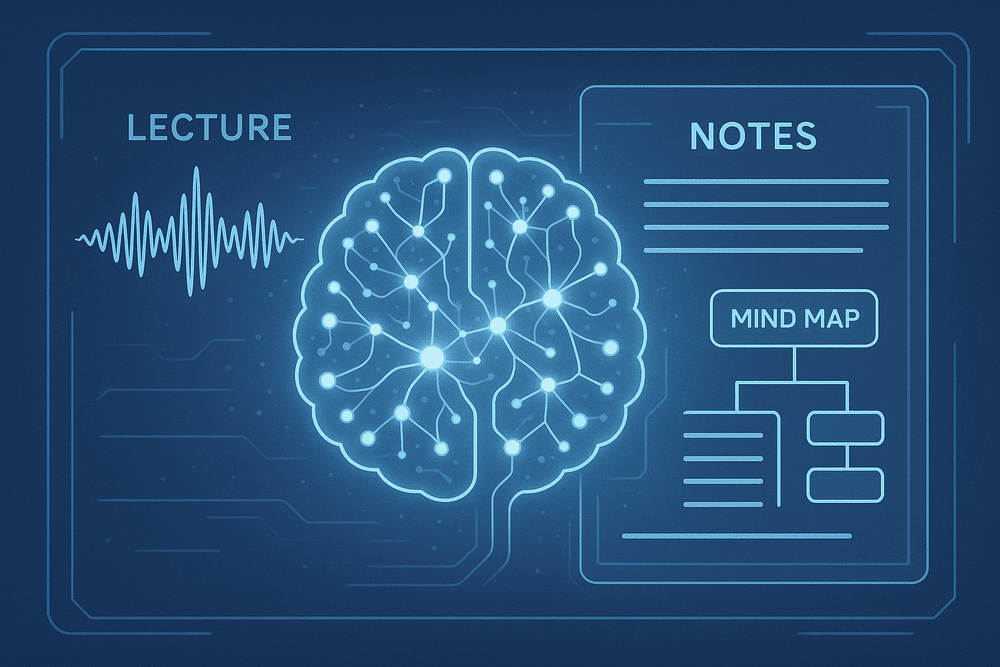
Decoding the Magic: What is an AI Student Note Taker?
Imagine a study partner that never gets tired, misses a single detail, or forgets a key concept. That’s the essence of an ai student note taker. It’s not just a digital version of a pen and paper; it's a sophisticated software tool designed to transform how you capture, process, and use information from your classes. By leveraging the power of artificial intelligence, these platforms automate the most tedious parts of note-taking, freeing you up to focus on what truly matters: learning. Let’s break down the core components that make this technology a game-changer for academic success.
From Audio to Actionable Text: The Power of AI Transcription
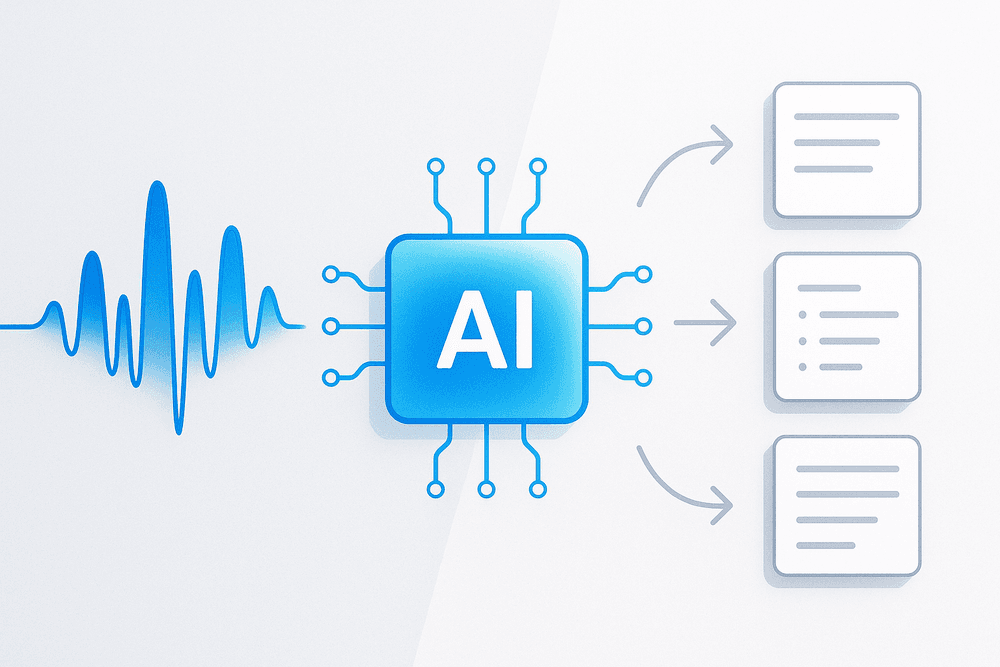
The foundation of any great ai student note taker is its ability to listen. At its core, the tool uses advanced speech-to-text algorithms to convert spoken words from lectures, seminars, and study groups into accurate, written text. Gone are the days of frantically trying to type every word your professor says, only to miss the crucial context while your head is down.
With AI transcription, you can be fully present and engaged in the discussion, asking questions and absorbing complex ideas. The AI handles the heavy lifting, creating a complete and searchable transcript of the entire session. Top-tier tools even add timestamps and distinguish between different speakers, making it easy to revisit specific moments. This feature is a lifeline if you miss a class or need to clarify a point made in a fast-paced lecture, ensuring you have a perfect record to fall back on.
Automatic Summarization: Finding the Key Points Instantly
A complete transcript is powerful, but a 90-minute lecture still produces a wall of text. Reviewing it all can be daunting, especially during finals week. This is where the next layer of AI magic comes in. Using Natural Language Processing (NLP), an ai student note taker can read and understand the transcribed text to identify the most important information.
Instead of you manually highlighting and condensing your notes, the AI does it for you. It can generate:
- Concise Summaries: A short paragraph that captures the essence of the entire lecture.
- Key Takeaways: A bulleted list of the main arguments, definitions, and conclusions.
- Actionable Items: A checklist of assignments, deadlines, or further reading mentioned by the professor.
This feature distills hours of audio into a few minutes of focused reading, dramatically speeding up your revision and study process. It helps you instantly grasp the core concepts so you can spend your time mastering them, not just finding them.
Smart Organization: How AI Categorizes and Tags Your Notes
Information is only powerful if you can find it when you need it. An unorganized folder of lecture notes is a digital black hole. A smart ai student note taker acts as your personal archivist, bringing intelligent order to the chaos. As it processes your notes, the AI automatically identifies key themes, topics, and keywords.
It then uses this understanding to categorize and tag your content. A lecture on cellular biology might be automatically tagged with "mitosis," "mitochondria," and "cell membrane." Notes can be instantly sorted by course, date, or subject matter without any manual effort. Some advanced platforms can even link related concepts across different lectures, creating a personal knowledge graph. This transforms your notes from a static archive into a dynamic, interconnected web of knowledge, making it incredibly simple to find every relevant piece of information for an essay or exam.
The Top AI Student Note Taker Tools Compared (2024 Review)
Choosing the right ai student note taker can feel overwhelming, but the best tool is simply the one that fits your unique study habits. Do you need perfect live transcripts from a fast-talking professor, or an all-in-one hub to organize your entire academic life? We’ve broken down the top contenders to help you decide.
Otter.ai: Best for Live Transcription and Collaboration
Otter.ai is the gold standard for real-time, accurate transcription. Its primary strength is turning spoken lectures into searchable text as they happen. Imagine sitting in a seminar and seeing a live script unfold on your screen, complete with speaker identification—a lifesaver for discussions with multiple voices.
- Key Features: High-accuracy live transcription, speaker diarization (distinguishing who is speaking), automatic summaries ("Otter AI Chat" can answer questions about your transcript), and collaborative transcript editing.
- Ideal For: Students who need to capture every word from live lectures, study groups, or interviews. Its collaborative features make it perfect for sharing notes and working on group projects. The ability to import audio/video files for transcription is also a major plus for asynchronous classes.
Glean: Ideal for Recording and Organizing Class Content
Glean takes a different approach. Instead of focusing solely on the transcript, it centers the learning experience around the original lecture audio. Glean records the entire class and syncs your notes, slides, and doodles to the audio timeline. Can’t remember what the professor said about a specific formula? Just click on your note, and Glean plays back the exact audio from that moment.
- Key Features: High-quality audio recording synced with notes, slide and image integration, a "Lightning Mode" for flagging key moments, and a centralized library for all your classes.
- Ideal For: Auditory and visual learners who want to create a rich, reviewable archive of their classes. It’s less about a perfect word-for-word transcript and more about building a contextual, multi-media study resource you can return to all semester.
Notion AI: The All-in-One for Integrated Study Workflows
For students already using Notion to organize their academic life, Notion AI is a game-changer. It’s not a standalone recording tool like the others; instead, it's an AI assistant built directly into your existing workspace. You can paste in rough notes or a transcript from another service, and Notion AI can instantly summarize them, pull out key takeaways, generate practice questions, or even draft an essay outline.
- Key Features: Text summarization, action item generation, brainstorming assistance, and content creation directly within your notes.
- Ideal For: The highly organized student who wants a single platform for note-taking, project management, and studying. If you value a deeply integrated workflow over live transcription, this is the ai student note taker for you.
Freemium vs. Premium: Finding the Right Tool for Your Budget
Most top-tier AI note takers operate on a "freemium" model. The free plan is an excellent starting point to test the core features. Typically, you’ll get a limited number of transcription minutes per month or basic AI functions. This is often enough to see if the tool’s interface and workflow click with your study style.
However, the real power is unlocked with a premium subscription. Paid plans offer benefits like unlimited (or significantly more) transcription, advanced AI summarization, better integration with other apps, and priority support. Before you dismiss the cost, consider it an investment. The hours saved and the improved comprehension could easily be worth the price of a few coffees a month. Our advice: try the free versions first, identify your favorite, and then consider upgrading during mid-terms or finals when you need the support most.
Unlocking Peak Performance: Essential Features Your AI Note Taker Must Have
Not all digital tools are created equal, and this is especially true in the world of AI-powered learning. To truly revolutionize your study habits, an ai student note taker needs to be more than just a simple recording device. It must be a smart, integrated, and powerful assistant. When evaluating your options, look for these four non-negotiable features that separate the good from the game-changing.
Crystal-Clear Transcription and Speaker ID
The absolute foundation of a reliable AI note taker is its ability to accurately capture what's being said. Think about it: a single misunderstood term in a chemistry lecture or a misquoted theorist in a philosophy seminar can completely alter your understanding. Look for a tool with a high accuracy rate that can handle complex academic vocabulary, various accents, and fast-paced speakers without stumbling.
Equally important is diarization, or Speaker ID. This feature intelligently identifies and labels who is speaking. In a dynamic seminar, it distinguishes your professor’s core lecture points from a fellow student's question. During group project meetings, it creates a clear record of who committed to what. This seemingly small detail eliminates confusion and brings critical context to your notes, ensuring you always know the source of every idea.
Seamless Integration with Your Digital Workflow
Your academic life already has a digital home, whether it's Notion, Google Drive, Evernote, or another platform. The best ai student note taker doesn't force you to build a new one; it connects directly to your existing system. Seamless integration is key to avoiding information silos and manual busywork.
Imagine this: you finish a lecture, and the AI automatically sends a perfectly formatted transcript to your Google Drive, a concise summary to your class-specific Notion page, and a list of action items to your to-do app. This automated workflow saves you precious time and ensures your study materials are always organized, centralized, and ready for you to access from anywhere. It transforms your note taker from a standalone tool into the central hub of your academic ecosystem.
Advanced Search: Finding Any Concept in Seconds
Weeks before final exams, you vaguely remember your professor mentioning a specific case study about market failures, but you can’t recall which lecture it was in. With a basic tool, you’d be stuck skimming through hours of recordings. With an advanced AI note taker, you have a superpower.
This feature goes beyond simple keyword matching. Advanced, or "semantic," search allows you to search for concepts and ideas. You can type "theories on behavioral economics" and the AI will instantly pinpoint every relevant discussion across all your recorded lectures and notes for the entire semester. It effectively turns your collection of notes into a personal, searchable knowledge base, making exam preparation more efficient and comprehensive than ever before.
Export Options for Active Recall and Study Materials
Passive listening is not effective learning. The ultimate goal of note-taking is to create assets that help you actively study and retain information. A top-tier ai student note taker understands this and provides flexible export options designed for revision.
Instead of just giving you a wall of text, it should allow you to export content in useful formats. For example, you could pull all identified keywords and definitions into a CSV file, ready to be imported into flashcard apps like Anki or Quizlet. You could export an AI-generated summary as a condensed study guide or transform a lecture’s key points into a structured outline. This capability bridges the gap between capturing information and truly mastering it.
From Classroom to Cram Session: A Winning AI Note-Taking Strategy
Having a powerful tool is one thing; knowing how to use it is another. A great ai student note taker isn't just a "record and forget" device. It's a dynamic study partner that, when used strategically, can revolutionize your learning process. Follow this three-step workflow to transform how you capture, process, and master your course material.
Before Class: Setting Up Your AI Student Note Taker for Success
The foundation for a perfect set of notes is laid before the professor even starts talking. A few minutes of prep can make all the difference in the quality of your transcript and your overall experience.
- Check Your Gear: Ensure your device (laptop, tablet, or phone) is fully charged. There’s nothing worse than your recorder dying mid-lecture.
- Test Your Audio: Open your ai student note taker app and do a quick microphone test. If you’re in a large lecture hall, consider sitting closer to the front or using an external microphone for crystal-clear audio capture.
- Prime the AI: Some advanced tools allow you to upload lecture slides, a syllabus, or a list of key terms beforehand. This gives the AI context, helping it more accurately transcribe complex terminology and specific names.
During the Lecture: How to Actively Engage While AI Does the Hard Work
With your AI handling the verbatim transcription, your role in the classroom shifts from frantic typist to engaged listener. This is your opportunity to learn on a deeper level.
- Listen for the Big Picture: Instead of trying to catch every single word, focus on understanding the core concepts, arguments, and throughlines of the lecture.
- Be an Active Participant: Use your AI tool’s real-time features. Add a "highlight" tag when the professor says, "This will be on the exam." Drop a "question" marker on a concept that seems confusing so you can revisit it later.
- Jot Down Your Own Insights: Use a separate notebook or the app’s comment feature to note your own thoughts, connections to other topics, or questions that come to mind. Your AI captures what was said; you capture what you thought.
After Class: Turning Transcripts into Actionable Study Plans
The lecture is over, but the learning has just begun. The raw transcript is your raw material; now it’s time to refine it into study gold.
- Review and Refine: Quickly scan the transcript while the lecture is still fresh in your mind. Correct any minor transcription errors and flesh out any personal notes you made.
- Generate a Summary: Use the AI’s built-in summarization feature to create a concise overview of the lecture’s main points. This is perfect for quick reviews.
- Create Study Assets: This is where a top-tier ai student note taker proves its worth. Ask the AI to:
- Generate flashcards for key terms and definitions.
- Create a list of potential quiz questions based on the content.
- Outline the lecture into a structured study guide.
Student Spotlight: How Sarah Used an AI Note Taker to Ace Her Finals
Sarah, a sophomore psychology major, was drowning in her "Cognitive Neuroscience" class. "The lectures were so dense," she recalls. "I'd type as fast as I could but would miss the connections between concepts." Frustrated, she tried an ai student note taker. Her new strategy was simple: during class, she set her phone to record and focused solely on the professor's diagrams. After class, she spent 20 minutes reviewing the AI-generated summary and transcript, adding her own annotations to the diagrams she'd sketched. For finals week, she asked the AI to pull all key terms from the semester's lectures into one master list, which she turned into flashcards. The result? "I wasn't just memorizing; I was understanding. I went from a C+ on the midterm to an A- on the final."

Conclusion: Make Your Choice and Revolutionize Your Studying
The days of frantically scribbling illegible notes while trying to absorb complex lecture material are over. We've journeyed through the transformative power of AI note-taking, and the conclusion is clear: this technology isn't just a novelty; it's an essential academic tool for the modern student. Ignoring it means willingly choosing a more stressful, less efficient path. By automating transcription, generating instant summaries, and organizing your knowledge, an AI student note taker frees you from the role of a stenographer and elevates you into an active, engaged learner. You can finally focus on understanding concepts in the moment, confident that every detail is being captured and cataloged for you. This isn't just about better notes; it's about reclaiming your time, reducing burnout, and achieving a deeper level of learning.
Finding Your Perfect AI Study Partner
The best AI student note taker isn't a one-size-fits-all solution. Your field of study dictates the specific features that will provide the most value. To make the right choice, consider your unique academic needs:
- For the STEM Major: Are you constantly dealing with complex formulas, diagrams, and data sets? Look for an AI tool that excels at transcribing technical language and, ideally, can capture and interpret visual information from whiteboards or slides. Features that integrate with coding platforms or handle mathematical notations can be game-changers.
- For the Humanities & Social Sciences Student: Your focus is on dense texts, nuanced arguments, and critical analysis. The ideal AI assistant for you will have powerful summarization capabilities, the ability to identify key themes and arguments across multiple sources, and perhaps even generate discussion questions to help you prepare for seminars.
- For the Law or Medical Student: Accuracy and detail are non-negotiable. You need a tool with best-in-class transcription accuracy that can handle highly specialized terminology. Look for features that allow you to create custom glossaries and easily search vast amounts of recorded information for specific keywords.
Your Next Step: Take Action Today
Information is only powerful when you act on it. You understand the "why" and have a framework for the "what"—now it's time for the most important step. Don't let another week of challenging lectures pass you by. The best way to grasp the revolutionary impact of an AI student note taker is to experience it firsthand.
Nearly all of the top-rated tools we’ve discussed offer free trials or robust freemium versions. There is zero risk in giving one a try. Pick the tool that most closely aligns with your major and learning style, sign up for a free account, and use it in your very next class. Prepare to be amazed as your study process is streamlined, your retention improves, and your academic stress begins to melt away. Your journey toward smarter, more effective studying starts now. Make your choice, and take control of your education today.