
November 30, 2025
What is Meeting Summarization AI and Why Do You Need It?
What is Meeting Summarization AI and Why Do You Need It?
We’ve all been there: you jump from a 9 AM strategy session to a 10 AM project sync, ending the day in a blur of conversations. You know important decisions were made and tasks were assigned, but trying to recall the specifics feels like searching for a needle in a haystack. Your notebook is a mess of scattered thoughts, and nobody’s notes seem to match. This is the modern workplace’s information overload problem, and it’s a major drain on productivity.
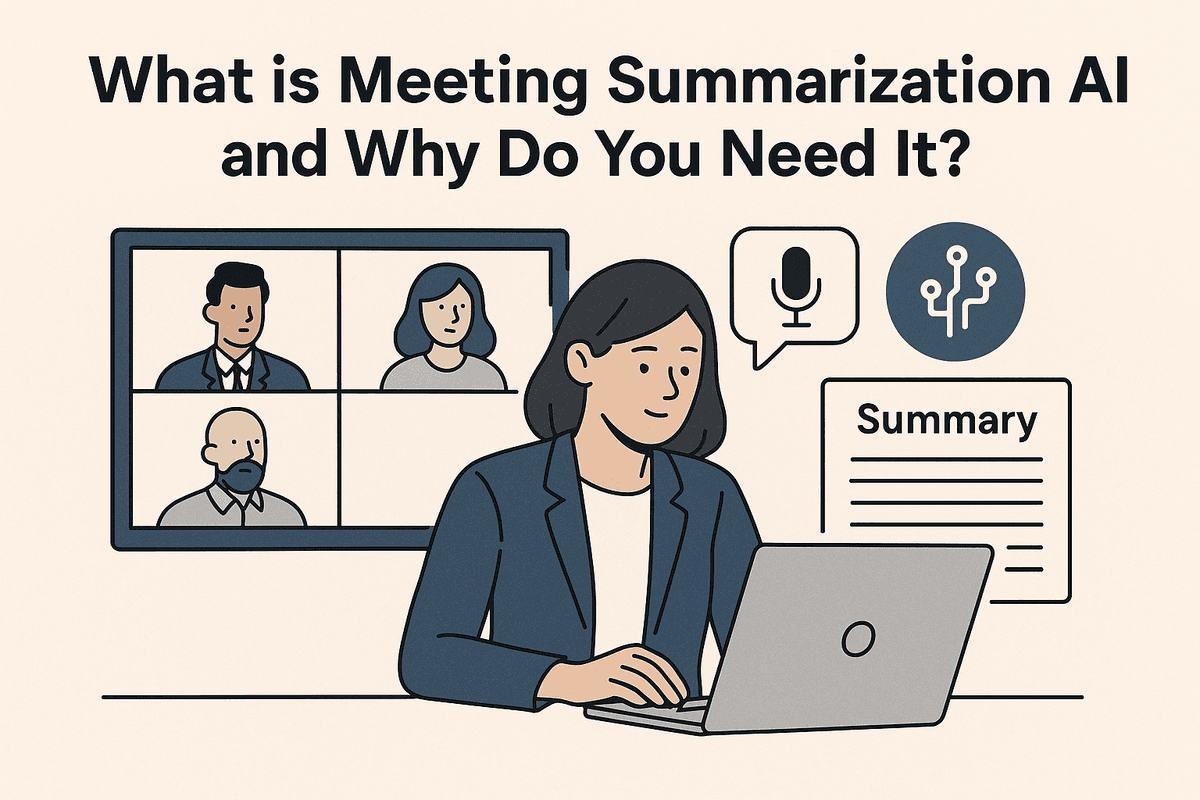
Enter meeting summarization AI. At its core, this technology is a smart assistant designed to attend your meetings, listen intently, and create a perfect, concise record of everything that matters. It uses advanced artificial intelligence, including natural language processing (NLP), to analyze audio recordings and transcripts. Instead of just producing a wall of text, it intelligently identifies key topics, critical decisions, action items, and assigned owners.
Think of it as transforming chaotic, hour-long discussions into structured, actionable clarity. It’s the difference between a raw video recording and a professionally produced highlight reel complete with chapter markers and a list of next steps.
How AI Automates Note-Taking and Boosts Recall
Manual note-taking is fundamentally flawed. It forces participants to divide their attention between listening, thinking, and writing. Inevitably, crucial details are missed, and personal bias can color what gets written down. A meeting summarization AI tool eliminates these issues by creating an objective, comprehensive record.
Here’s how it works:
- Automated Transcription: The AI generates a highly accurate, time-stamped transcript of the entire conversation, often identifying different speakers automatically.
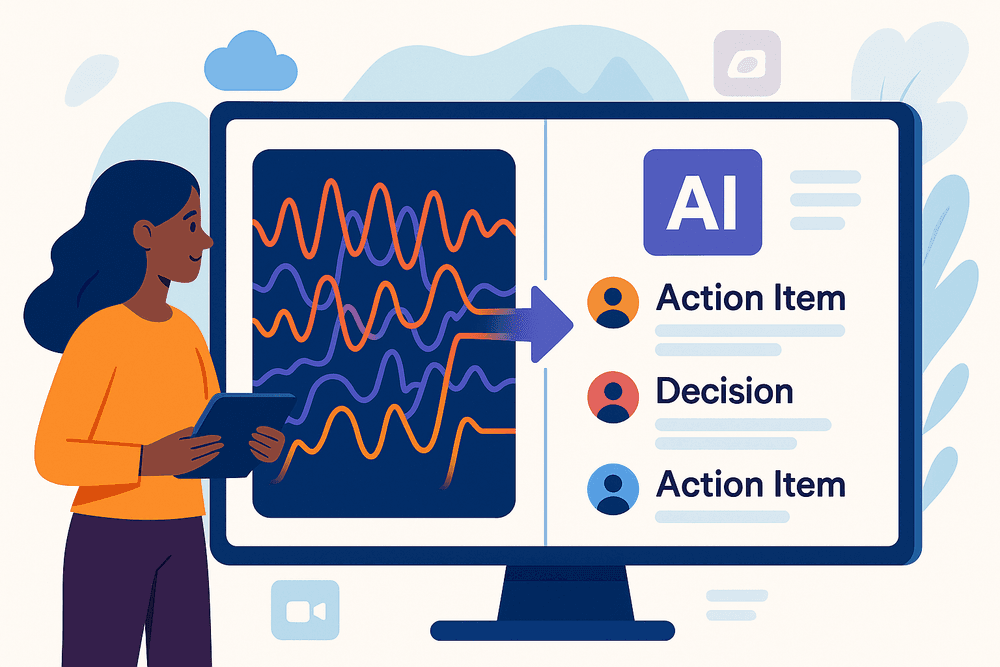
- Intelligent Distillation: This is where the magic happens. The AI doesn't just transcribe; it understands. It pinpoints the most important moments—a final decision on a budget, a marketing plan approval, or a specific task assigned to a team member.
- Structured Output: The final summary is presented in an easy-to-digest format. You get bullet points of key decisions, a clear checklist of action items with due dates, and a brief narrative of the meeting's flow, all without any human effort. This creates a perfect, searchable archive, making it effortless to recall exactly what was agreed upon weeks or even months later.
Key Benefits for Team Productivity and Alignment
Adopting meeting summarization AI isn’t just about getting better notes; it’s about fundamentally changing how your team works for the better.
- Reclaim Valuable Time: Drastically cut down the time spent writing, compiling, and distributing meeting minutes. Team members can re-invest that time into a more productive, high-value task.
- Increase Engagement and Focus: When no one is burdened with being the designated note-taker, every participant can be fully present, contributing their best ideas and engaging in the discussion.
- Eliminate Miscommunication: By providing a single, objective source of truth, AI summaries ensure everyone is on the same page. There's no more debating over who agreed to what—it's all documented.
- Drive Accountability: Action items are clearly captured and assigned, leaving no room for ambiguity. This makes it simple to track progress and ensure that tasks don’t fall through the cracks, creating a culture of follow-through and ownership.
Core Features of a Powerful Meeting Summarization AI
Not all AI tools are created equal. While the market is flooded with options, the most effective platforms share a common set of powerful, non-negotiable features. When evaluating a meeting summarization ai, look for these core capabilities that separate a simple transcription tool from a true productivity powerhouse.
Flawless Transcription and Crystal-Clear Speaker Identification
The entire value of an AI summary hinges on the quality of its source material: the transcript. A best-in-class meeting summarization ai provides near-human levels of transcription accuracy, adeptly handling different accents, industry-specific jargon, and cross-talk. Without this foundational accuracy, any resulting summary, action item, or decision log is built on shaky ground.
Equally important is speaker identification (also known as diarization). It’s not enough to know what was said; you need to know who said it. Advanced AI can distinguish between participants with remarkable precision, correctly attributing every statement, question, and commitment. This clarity is crucial for accountability and ensures that action items are assigned to the right person, eliminating any post-meeting confusion.
Automated Action Item and Decision Tracking
This is where a meeting summarization ai truly shines, moving beyond simple note-taking to become an intelligent assistant. Using sophisticated Natural Language Processing (NLP), the tool actively listens for and identifies key outputs.
- Action Items: The AI recognizes commitment-oriented language (e.g., "I'll handle that by Friday," "Sarah will follow up with the client") and automatically captures the task, the assigned owner, and any mentioned deadlines.
- Decisions: It pinpoints moments of consensus and explicit decisions (e.g., "Okay, we're agreed to move forward with Option B," "The budget is approved at $10k"). This creates an indisputable record, preventing conversations from being re-litigated in the future.
This automated tracking transforms a rambling conversation into a structured list of actionable outcomes, saving hours of manual review.
Seamless Integration with Your Existing Workflow
The most powerful software is the one you actually use, and adoption skyrockets when a tool fits directly into your team’s established routines. A top-tier meeting assistant should integrate flawlessly with the platforms your team relies on every day. Look for native integrations with leading video conferencing tools like Zoom, Google Meet, and Microsoft Teams, allowing the AI to automatically join scheduled calls without any manual intervention.
Furthermore, the value multiplies when the output can be pushed to where work happens. The best solutions connect with platforms like Slack, Asana, Jira, and Salesforce, automatically sharing meeting summaries in relevant channels, creating tasks in your project management system, or updating CRM records. This ensures meeting outcomes are visible, accessible, and immediately integrated into ongoing projects.
Customizable Templates for Different Meeting Types
A daily stand-up has a very different purpose and structure than a client discovery call or a quarterly board meeting. A truly intelligent meeting summarization ai understands this and allows for customization. With customizable templates, you can guide the AI on what to prioritize for different types of conversations.
For example, a "Sales Call" template might be configured to specifically extract customer pain points, budget discussions, and competitor mentions. A "Project Sync" template could focus on identifying blockers, progress updates, and next steps. This level of tailoring ensures that every summary is not just accurate but also perfectly aligned with the meeting's specific goals, delivering maximum relevance and value to all participants.
How to Choose the Best Meeting Summarization AI for Your Team
Selecting the right meeting summarization AI can feel overwhelming with so many powerful options on the market. The best choice isn’t a one-size-fits-all solution; it depends entirely on your team’s specific workflow, budget, and security requirements. To make an informed decision, let’s break down the leading contenders and the critical factors you need to evaluate.
Comparing Top Tools: Fireflies.ai vs. Otter.ai vs. Fathom
While numerous tools exist, three players consistently stand out. Here’s a quick look at what makes each unique:
- Fireflies.ai: Best for sales and revenue teams. Its biggest strength lies in its deep integrations with CRM platforms like Salesforce and HubSpot. Fireflies can automatically log meeting notes, calls, and activities under the correct contact, making it a powerhouse for tracking customer interactions and coaching sales reps. Its collaborative features, like creating soundbites and leaving comments on transcripts, are also top-notch.
- Otter.ai: The versatile all-rounder. Otter is renowned for its highly accurate real-time transcription and clean, user-friendly interface. The "OtterPilot" can automatically join your calendar meetings on Zoom, Google Meet, and Microsoft Teams, even if you’re not there. It's an excellent choice for a wide range of uses, from internal team meetings and interviews to academic lectures.
- Fathom: The free-to-start champion. Fathom has gained incredible popularity by offering a robust free plan that meets the needs of many individuals and small teams. It integrates seamlessly with Zoom and generates instant, well-structured summaries with action items immediately after a call ends. Its simple interface makes it easy to highlight key moments during a meeting and share video clips afterward.
Key Factors to Evaluate
Beyond the brand names, focus on these core criteria to find the perfect fit for your team’s ecosystem.
Accuracy and Language Support
The entire value of a meeting summarization AI hinges on the quality of its transcription. Test a few tools with your typical meeting recordings, paying attention to how they handle industry-specific jargon, different accents, and cross-talk. Also, confirm if the tool supports all the languages your team and clients use.
Integrations
A tool is only as good as its ability to fit into your existing workflow. Does it connect seamlessly with your calendar? Can it push action items to your project management software like Asana, Trello, or Jira? Does it sync notes to Slack or your CRM? The fewer manual steps required, the more likely your team is to adopt it.
Pricing Models
Pricing can vary significantly. Fathom leads with a powerful free offering. Otter and Fireflies use a freemium model, with paid tiers unlocking more transcription minutes, advanced features, and more integrations. Evaluate your team’s meeting volume and budget. A per-user monthly fee can add up, so look for team plans or enterprise deals that offer better value at scale.
Security and Data Privacy Considerations
Never overlook security. Your meeting recordings contain sensitive internal discussions, client data, and strategic plans. Before committing, verify the provider’s security posture. Look for compliance certifications like SOC 2 Type II and GDPR. Ensure they offer robust data encryption both in transit and at rest. Ask about their data retention policies and whether you have control over who can access transcripts and recordings within your organization. A trustworthy platform will be transparent about how it protects your valuable information.

Putting Theory into Practice: Real-World Use Cases
The true power of any technology lies in its application. AI-powered summarization isn't just a futuristic concept; it's a practical tool that solves everyday business challenges across different departments. The value of a meeting summarization AI becomes crystal clear when you see how it transforms workflows for specific roles. Let's explore how various teams are leveraging this technology to drive efficiency, clarity, and better outcomes.
For Project Managers: Streamlining Project Syncs and Stand-ups
Project managers live in a world of deadlines, dependencies, and details. Daily stand-ups, weekly syncs, and stakeholder check-ins are essential, but the administrative overhead of documenting them is a significant drain on time. Manually taking notes, identifying action items, and updating project boards after each call is tedious and prone to human error. A missed blocker or a forgotten task can derail an entire sprint.
This is where meeting summarization AI acts as the ultimate project coordinator. It automatically transcribes and summarizes every project meeting, accurately identifying and assigning action items, flagging risks, and documenting key decisions. Instead of frantically typing notes, the project manager can focus on facilitating the conversation and resolving roadblocks in real-time. Team members who couldn't attend can review a concise, 5-minute summary to get up to speed instantly, ensuring no one is left out of the loop. The result is a single source of truth for all project communications, reduced administrative work, and more time spent on strategic project execution.
For Sales Teams: Capturing Client Needs and Next Steps
In sales, active listening is everything. A sales professional’s primary goal during a client call is to understand pain points, build rapport, and identify opportunities. Juggling this with taking meticulous notes is a difficult balancing act. Critical details about a client’s budget, timeline, or must-have features can be missed in the moment, leading to inaccurate proposals and jeopardizing the deal.
A meeting summarization AI tool functions as a perfect recall system for the entire sales team. It allows reps to be fully present and engaged in the conversation, confident that every word is being captured. After the call, the AI generates a clean summary highlighting the client’s core needs, objections, and buying signals. It automatically extracts explicit next steps, such as "Send the case study on X by EOD Tuesday" or "Schedule a follow-up with the technical lead." This makes post-call follow-ups faster and more precise and ensures that client handoffs to account management or implementation teams are seamless and comprehensive.
For Leadership: Ensuring Alignment on Strategic Decisions
For C-suite executives and company leaders, meetings are where high-stakes decisions are made. A slight misinterpretation of a strategic directive or a forgotten commitment can have significant ripple effects across the organization. Ensuring that every department is aligned with the company’s vision and executing on the right priorities is a constant challenge.
By implementing AI-driven summarization for board meetings, strategic off-sites, and all-hands calls, leadership can create an unshakeable foundation of clarity and accountability. The AI provides an objective, impartial record of what was decided, by whom, and by when. These concise summaries can be cascaded down through the organization, eliminating ambiguity and ensuring everyone is marching in the same direction. It transforms lengthy strategic discussions into a clear, actionable playbook that holds teams accountable and keeps the entire company focused on its most important goals.
Best Practices for Maximizing Your Meeting Summarization AI
Adopting a new tool is just the first step; unlocking its full potential requires a strategic approach. A powerful meeting summarization AI can revolutionize your team's productivity, but only if you set it up for success. By focusing on input quality, team adoption, and workflow integration, you can transform your AI from a novelty into an indispensable asset.
Garbage In, Garbage Out: Ensuring High-Quality Audio for Optimal Accuracy
The most sophisticated AI is only as good as the data it receives. For a meeting summarization AI, that data is your meeting’s audio. Inaccurate transcripts lead to flawed summaries, defeating the purpose of the tool. To ensure your AI performs at its peak, prioritize audio clarity with these simple yet effective habits:
- Invest in External Microphones: Laptop and phone microphones are prone to picking up ambient noise and echoes. Encourage your team to use dedicated USB mics or quality headsets, especially in hybrid or remote settings.
- Establish Clear Meeting Etiquette: Promote a "one speaker at a time" rule. Cross-talk and interruptions can confuse the AI's ability to transcribe accurately and attribute statements to the correct person.
- Minimize Background Noise: Choose a quiet location for your meetings. Close doors, silence notifications, and ask participants to mute their microphones when they aren't speaking. This small step significantly improves the signal-to-noise ratio.
- Ensure Speaker Identification: If your tool allows, have participants identify themselves when they speak, or use a platform that automatically distinguishes between different speakers. This helps the AI correctly assign action items and decisions.
Building Bridges: Training Your Team to Trust and Adopt the AI
Technology is only effective when people use it. Overcoming skepticism and building trust are crucial for successful adoption. Don't just introduce the tool; champion it as a solution to common pain points like note-taking fatigue and information overload.
- Launch with a Pilot Program: Roll out the meeting summarization AI to a small, enthusiastic team first. Let them become internal advocates who can share success stories and best practices with the wider organization.
- Focus on the "Why": During training, emphasize the benefits. Frame the AI as a personal assistant that liberates team members from manual note-taking, allowing them to be more present and engaged in discussions. Showcase how it helps them catch up on missed meetings in minutes, not hours.
- Provide Hands-On Training: Show your team how to start and stop recordings, where to find the summaries, and, most importantly, how to quickly review and edit them. A brief human review can catch nuances and confirm accuracy, which builds confidence in the system over time.
- Create a Feedback Channel: Establish a simple way for users to ask questions and report issues. Acting on this feedback shows you value their input and are committed to making the tool work for them.
Closing the Loop: Integrating AI Summaries into Your Documentation Workflow
A great summary is useless if it gets lost in an inbox. To make AI-generated summaries truly actionable, they must flow seamlessly into the tools your team already uses every day. This integration closes the loop between discussion, decision, and action.
- Automate Distribution: Configure your meeting summarization AI to automatically share the summary and action items in a dedicated Slack or Microsoft Teams channel as soon as the meeting ends. This ensures immediate visibility and accountability.
- Connect to Project Management Tools: The real power comes from turning conversations into tasks. Integrate your AI with platforms like Asana, Jira, or Trello. This allows team members to convert AI-identified action items directly into trackable tasks assigned to the right person with a due date.
- Build a Searchable Knowledge Base: Pipe your meeting summaries into a central documentation hub like Confluence or Notion. This creates an invaluable, searchable archive of key decisions, project histories, and team knowledge, preventing information from being siloed in individual accounts.

The Future is Summarized: Getting Started with AI
We've explored how meetings, once the black holes of the corporate calendar, can be transformed into powerful assets. The key isn't fewer meetings—it's smarter meetings. By leveraging a powerful meeting summarization AI, you can distill hours of conversation into clear, concise, and actionable intelligence. No more deciphering messy notes or relying on memory. It’s time to stop losing momentum after the call ends and start driving real progress. This technology isn’t a far-off concept; it’s a practical tool you can implement today to boost productivity and ensure every voice is captured and every decision is documented.
How to Implement a Meeting AI in 3 Simple Steps
Adopting a meeting summarization AI is simpler than you might think. There’s no complex IT overhaul or lengthy training required. You can be up and running in minutes by following these three straightforward steps.
Step 1: Choose the Right Platform
The market is full of options, so start by identifying your team's core needs. Look for a tool that integrates seamlessly with your existing workflow—whether you use Zoom, Google Meet, or Microsoft Teams. Key features to prioritize include high-accuracy transcription, the ability to identify different speakers, and robust security protocols to protect your confidential discussions. Does it automatically identify key decisions and action items? Can you customize summary templates? Answering these questions will help you select a meeting summarization AI that fits like a glove, rather than forcing your team to adopt a new, clunky process.
Step 2: Integrate and Automate
Once you've chosen your tool, the setup is typically a breeze. The process usually involves connecting your work calendar and video conferencing accounts with a few clicks. From there, you can configure the AI assistant to automatically join and record your scheduled meetings. This “set it and forget it” approach means you don’t have to remember to hit record or invite a bot every time. The AI works quietly in the background, capturing every detail so you and your team can stay fully present and engaged in the conversation, confident that nothing important will be missed.
Step 3: Establish a Workflow and Empower Your Team
Technology is only as good as the process built around it. To maximize your return on investment, establish a simple post-meeting workflow. For example, the AI generates the summary and sends it to the meeting host. The host takes two minutes to review the summary, tag relevant team members on action items, and share it in the appropriate Slack channel, email thread, or project management board. Encourage your team to use these summaries as a single source of truth, reducing follow-up emails and clarifying ambiguity before it leads to missteps. This final step transforms the AI from a simple tool into a cornerstone of your team’s communication and productivity engine.
Start Your Free Trial and Reclaim Your Time
Are you ready to trade meeting fatigue for focused action? Imagine ending your day with a clear list of accomplishments instead of a blur of back-to-back calls. You can experience the power of a top-tier meeting summarization AI without any commitment. A free trial is your risk-free opportunity to see firsthand how automated summaries, action item tracking, and intelligent insights can revolutionize your workflow. Stop letting valuable information evaporate the moment a meeting ends. It’s time to reclaim your calendar, empower your team, and make every meeting a catalyst for tangible progress.