
July 28, 2025
What Is an AI Course Creator and How Does It Work?
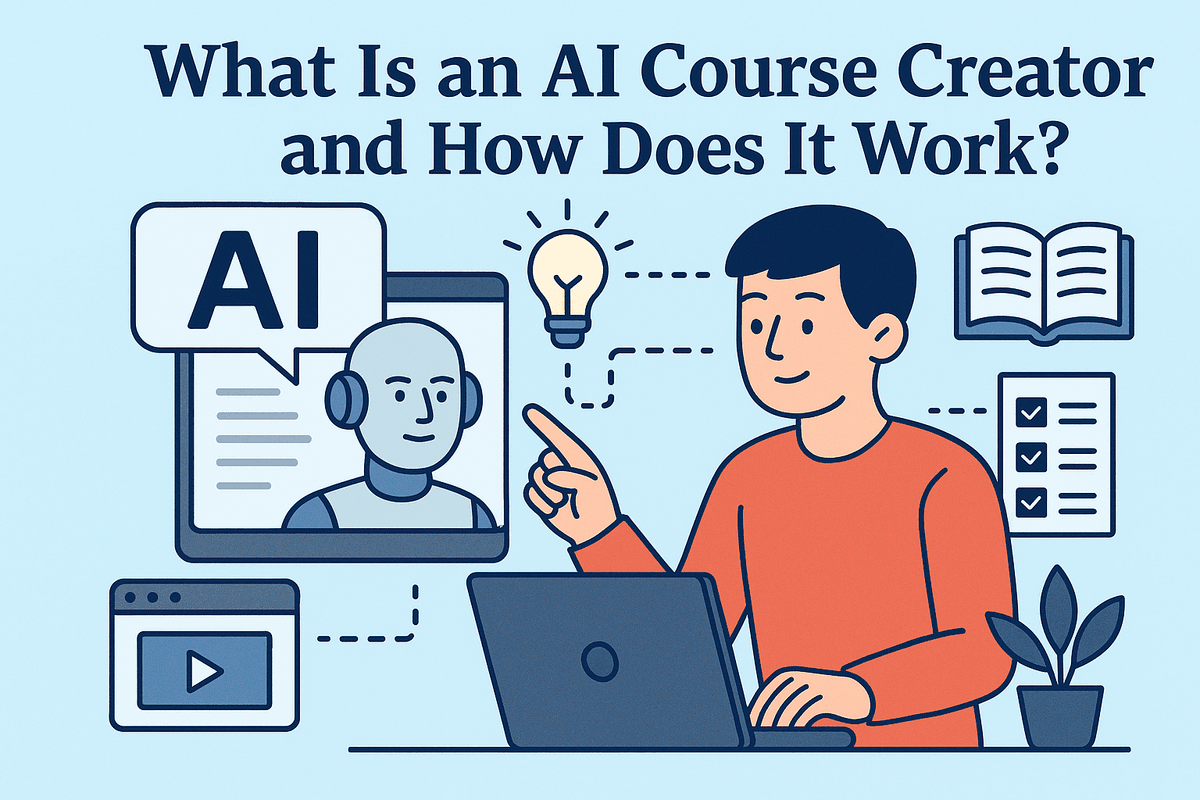
What Is an AI Course Creator and How Does It Work?
For decades, creating an online course has been a monumental task. It involved weeks, if not months, of painstaking research, curriculum planning, content writing, and assessment design. This manual process required a unique blend of subject matter expertise and instructional design skill—a barrier that kept many talented professionals from sharing their knowledge. Today, that paradigm is shifting dramatically thanks to the rise of the AI course creator.
This innovative technology marks a significant leap from manual to automated instructional design, empowering anyone to build comprehensive educational content with unprecedented speed and efficiency.
Defining the Core Function of an AI Course Creator
At its heart, an AI course creator is a specialized software platform that leverages the power of artificial intelligence, specifically large language models (LLMs), to automatically generate a complete, structured course from a single topic or prompt.
Think of it as more than just a content writer. While a standard AI tool might generate a block of text, an AI course creator acts as an expert instructional designer. It understands the principles of pedagogy—how people learn best. It doesn't just produce information; it organizes that information into a logical, digestible, and engaging curriculum complete with modules, lessons, and activities. This specialized function is what separates a true AI course creator from a general-purpose AI chatbot. It’s a dedicated partner built specifically for the art and science of education.
How AI Generates Outlines, Lessons, and Quizzes from a Single Prompt
The magic of an AI course creator lies in its ability to transform a simple idea into a fully-realized educational product. The process is remarkably sophisticated yet incredibly user-friendly. Here’s a breakdown of how it works:
- The Prompt: Your Starting Point It all begins with your input. You provide the AI with a simple prompt, such as, "Create an introductory course on sustainable gardening for urban dwellers" or "A course on financial literacy for freelancers." You can often specify the target audience and desired tone.
- Deconstruction and Outline Generation Once it receives the prompt, the AI analyzes the topic in depth. It cross-references its vast knowledge base to identify the core concepts, essential sub-topics, and a logical learning progression. It then scaffolds this information into a detailed course outline, complete with distinct modules and lesson titles, mimicking the process a human curriculum developer would follow.
- Detailed Lesson Content Creation With the outline approved, the AI course creator gets to work writing the actual content for each lesson. It generates clear explanations, practical examples, step-by-step instructions, and even suggestions for supplementary materials like video scripts or key takeaways. The content is tailored to the learning objectives of each specific lesson.
- Assessment and Engagement Finally, to reinforce learning and measure comprehension, the AI generates relevant assessments. It can create multiple-choice quizzes, true/false questions, short-answer prompts, and even project assignments that align perfectly with the lesson content. This ensures your course is not just a passive information dump but an active, effective learning experience.

Ranking the Best AI Course Creator Tools Available Today
With a flood of new platforms on the market, choosing the right AI course creator can feel overwhelming. The key is to match a tool’s strengths to your specific goals. We’ve done the heavy lifting to analyze the landscape and present the top contenders, each excelling in a distinct category. Whether you’re a solo entrepreneur needing multimedia magic or a corporation requiring scalable training solutions, there’s an AI-powered tool for you.
Tool 1: CourseGenius AI - Best for All-in-One Content and Video Generation
CourseGenius AI stands out as a true powerhouse for creators who want to go from a simple idea to a fully-realized multimedia course with minimal friction. Its core strength lies in its integrated workflow that doesn't just stop at text. After generating a comprehensive course outline, lesson plans, and quiz questions, it seamlessly transitions to producing engaging video content.
Using advanced AI avatars and text-to-speech technology, this AI course creator can turn your lesson scripts into professional-looking videos in minutes. This eliminates the need for expensive recording equipment or time-consuming editing, making it a game-changer for marketers and solo entrepreneurs.
Key Features:
- Script-to-Video: Automatically creates videos from generated lesson content with AI presenters.
- Full Course Generation: Builds everything from the syllabus to final assessments based on a single prompt.
- Interactive Elements: Generates dynamic quizzes, assignments, and discussion prompts.
- Best For: Content creators, marketers, and businesses needing to produce engaging video courses quickly and at scale.
Tool 2: EduSpark Pro - The Top AI Course Creator for Corporate Training
When it comes to corporate learning and development (L&D), the requirements go beyond simple content creation. EduSpark Pro is the leading AI course creator designed specifically for this demanding environment. It excels at generating structured, compliant, and trackable training modules for employee onboarding, skill development, and compliance certifications.
Its standout feature is its deep integration with existing corporate ecosystems. EduSpark Pro can produce SCORM and xAPI-compliant packages that plug directly into your current Learning Management System (LMS). It also offers robust team collaboration features, brand customization to align with company guidelines, and advanced analytics to monitor learner progress and course effectiveness.
Key Features:
- LMS & SCRAM Compliance: Exports courses in formats compatible with major corporate learning platforms.
- Advanced Analytics: Provides detailed insights into user engagement and completion rates.
- Brand Customization: Allows you to tailor the look and feel of courses with company logos and colors.
- Best For: L&D departments, HR teams, and enterprises that need to streamline the creation of professional training materials.
Tool 3: Learnify AI - An Affordable Option for Individual Educators
High-powered features often come with a high price tag, but Learnify AI breaks that mold. This AI course creator is the perfect entry point for individual educators, tutors, and solo creators on a budget. It focuses on delivering core content generation capabilities with exceptional quality and an intuitive, user-friendly interface.
While it may not have the advanced video generation of CourseGenius AI or the enterprise-level integrations of EduSpark Pro, it masterfully handles the fundamentals. You can generate well-structured course outlines, detailed lesson content, and effective quizzes in moments. Its generous free tier and affordable subscription plans make it an accessible yet powerful tool for anyone looking to share their knowledge without a significant financial investment.
Key Features:
- Generous Free/Low-Cost Tiers: Makes AI-powered course creation accessible to everyone.
- Intuitive Interface: Easy-to-use platform that requires minimal technical expertise.
- Core Content Excellence: Excels at generating high-quality written materials, including outlines and lessons.
- Best For: Teachers, tutors, coaches, and first-time course creators.
Side-by-Side Feature and Pricing Comparison
| Feature | CourseGenius AI | EduSpark Pro | Learnify AI |
| :--- | :---: | :---: | :---: |
| Primary Use Case | All-in-One Video Courses | Corporate Training & L&D | Individual Educators |
| AI Video Generation | ✅ (Core Feature) | ❌ | ❌ |
| LMS/SCORM Integration | ❌ | ✅ (Core Feature) | ❌ |
| Team Collaboration | ✅ | ✅ | ❌ |
| Ease of Use | Moderate | Moderate to Advanced | Very Easy |
| Pricing Model | Premium Subscription | Per-User Enterprise | Freemium / Low-Cost |
Essential Features to Look For in an AI Course Creator
Navigating the market for an AI course creator can be overwhelming, but focusing on a few key features will ensure you select a tool that truly empowers your content creation process. The right platform goes beyond simple text generation; it acts as a comprehensive partner in instructional design. When evaluating your options, prioritize tools that offer a robust suite of features designed to build a complete, engaging, and effective learning experience from the ground up.
Intelligent Outline and Curriculum Structuring
The foundation of any great course is a logical and well-structured curriculum. The best AI course creators excel at this initial, crucial step. Look for a tool that can take a single topic or a brief description and instantly generate a detailed, multi-level outline. This feature should break your subject down into coherent modules, lessons, and sub-topics, creating a clear learning path for your students. An advanced AI course creator won't just list topics; it will arrange them in a pedagogically sound sequence, ensuring that foundational concepts are introduced before more complex ones. This intelligent structuring saves you hours of brainstorming and ensures your final course is cohesive and easy to follow.
Automated Lesson and Script Writing Capabilities
Once your outline is set, the real magic begins. A top-tier AI course creator must have the ability to flesh out each point in your curriculum with well-written, informative content. This goes beyond just a paragraph of text. The platform should be able to generate detailed lesson materials, explanatory articles, and engaging narratives. Crucially, look for script-writing capabilities. The ability to automatically convert a lesson into a compelling video or audio script is a game-changer, dramatically accelerating your production workflow for multimedia courses. The tool should also allow you to define the tone, complexity, and style of the writing to match your brand and target audience.
Interactive Quiz and Assessment Generation
Passive learning is a thing of the past. To ensure your students are retaining information, your course needs interactive elements. A key feature to demand from an AI course creator is automated quiz and assessment generation. The tool should be able to scan the content of a lesson and create relevant knowledge checks, including multiple-choice questions, true/false statements, fill-in-the-blanks, and even open-ended questions. This not only saves you the tedious work of writing assessments but also ensures the questions directly align with the learning objectives. This automated feedback loop is vital for reinforcing concepts and helping learners gauge their own understanding as they progress.
Support for Multiple Languages and Content Formats
To maximize your course's impact, you need to think about accessibility and reach. A truly powerful AI course creator will offer robust support for multiple languages. The ability to translate your entire course with a few clicks can open your content up to a global audience, instantly expanding your market. Furthermore, consider the tool's flexibility in exporting different content formats. Your chosen platform should not lock you into a single output. Look for the ability to generate content as text documents, PDFs, presentation slides (e.g., PowerPoint or Google Slides), or structured data that can be easily imported into your preferred Learning Management System (LMS). This versatility ensures your AI-generated content can be deployed wherever you need it.
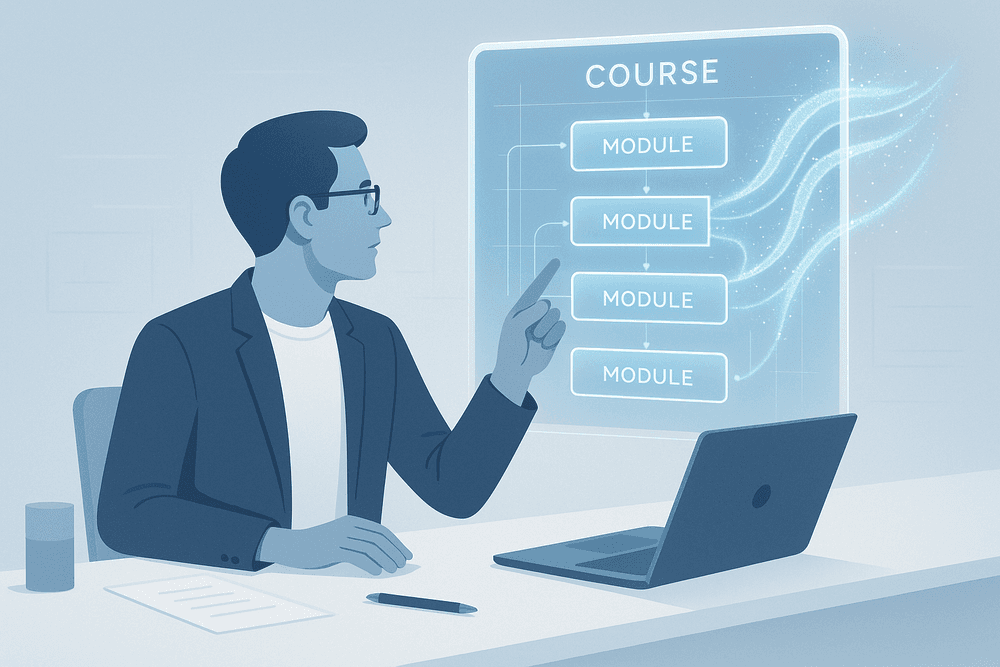
How to Build a Course with an AI Course Creator: A Step-by-Step Guide
Ready to transform your idea into a fully-fledged online course? Using an AI course creator streamlines the entire process, turning what used to take weeks or months into a matter of hours. The key is to see the AI not just as a tool, but as a creative partner. Follow this step-by-step guide to leverage AI for efficient and effective course creation.
Step 1: Input Your Core Topic and Define Your Audience
The foundation of any great course is a clear and specific starting point. Your first interaction with an AI course creator involves feeding it this core information. Don't just enter a broad topic like "Marketing." Instead, be specific: "A Beginner's Guide to Content Marketing for Small Business Owners."
Equally important is defining your target audience. Who are you creating this course for? Consider their:
- Skill Level: Are they absolute beginners or intermediate learners?
- Goals: What do they want to achieve by taking your course?
- Pain Points: What problems are they trying to solve?
Providing this context—for example, "for freelance creatives with no marketing budget"—allows the AI to tailor the tone, complexity, and examples to resonate directly with your ideal student.
Step 2: Generate and Refine the Course Outline
Once the AI understands your topic and audience, it gets to work building a comprehensive course structure. In seconds, it will generate a detailed outline, complete with logical modules, individual lesson titles, and key learning objectives. This is where you move from a blank page to a structured roadmap, instantly overcoming one of the biggest hurdles in course creation.
Your role here is to act as the expert editor. The initial outline is a powerful draft, but it’s your chance to refine it. Review the proposed flow. Do the modules progress logically? Are any crucial lessons missing? A sophisticated AI course creator will allow you to easily drag and drop lessons, rename modules, or even ask the AI to regenerate a specific section with a different focus.
Step 3: Automatically Create Lesson Content and Video Scripts
This is where the magic truly happens. With your approved outline, the AI course creator will automatically generate the content for each individual lesson. It doesn't just produce generic text; it creates detailed explanations, practical examples, and actionable steps based on the lesson's objective.
Furthermore, many advanced platforms can simultaneously generate a corresponding video script for every lesson. This is a game-changer for creators who want to produce engaging video content but struggle with scriptwriting. You’ll receive a polished, ready-to-record script that mirrors the written lesson, ensuring a cohesive multimedia learning experience for your students.
Step 4: Add AI-Generated Quizzes and Activities
Knowledge retention is critical for a successful course. To ensure your students are absorbing the material, you need to incorporate assessments and interactive activities. An AI course creator automates this, too. Based on the content it just wrote, the AI can generate relevant quizzes for each module, including multiple-choice questions, true/false statements, and even open-ended prompts. It can also help you brainstorm and create practical activities, case studies, or assignments that encourage students to apply what they’ve learned.
Step 5: Review, Edit, and Add Your Unique Human Touch
This final step is the most important, as it separates a generic course from a remarkable one. AI-generated content is an incredible accelerator, but it’s a first draft, not the final word. Your expertise, personality, and unique voice are what will make your course stand out.
Carefully review all the generated content. Fact-check the information, refine the language to match your brand voice, and, most importantly, inject your personal insights. Add your own stories, anecdotes, and real-world examples that only you can provide. This human touch builds trust and connection with your audience, turning an AI-powered framework into a truly authentic and valuable educational asset.
Best Practices for a Successful AI Course Creator Workflow
Leveraging an AI course creator can dramatically accelerate your content development, but true success lies in the partnership between your expertise and the tool's capabilities. Simply generating content and publishing it is a recipe for a generic, uninspired course. To create a truly impactful learning experience, you need a strategic workflow that puts you in the driver's seat. Adopting these best practices will transform your AI tool from a simple generator into a powerful creative partner, ensuring your final course is polished, authoritative, and uniquely yours.
Start with a Strong, Detailed Prompt
The quality of your AI-generated content is directly proportional to the quality of your prompt. Think of yourself as a director guiding an actor; the more specific your instructions, the better the performance. A vague prompt like "Create a course on digital marketing" will yield generic, surface-level material.
Instead, a powerful prompt for an AI course creator should be a detailed brief. Specify your:
- Target Audience: "Beginner entrepreneurs with no prior digital marketing experience."
- Learning Objectives: "By the end of this module, students will be able to set up a Google Analytics account, identify three key metrics to track, and create a basic performance report."
- Desired Tone: "Encouraging, professional, and jargon-free."
- Key Concepts: Include specific frameworks, theories, or steps you want to be covered.
- Exclusions: Clearly state what topics to avoid to keep the content focused.
A detailed prompt is the foundation of an effective AI course creation workflow.
Fact-Check and Edit All AI-Generated Content
Never treat AI-generated text as the final word. While incredibly advanced, AI models can produce "hallucinations" (factually incorrect information), use outdated data, or misinterpret the nuance of a complex topic. Your role as the subject matter expert is non-negotiable. You are the ultimate authority and the final filter for quality and accuracy.
Commit to a rigorous review process for every piece of content the AI produces, from lesson text to quiz questions. Scrutinize statistics, definitions, and procedural steps. Beyond fact-checking, this is your opportunity to edit for style and clarity. Refine the language to match your unique voice, simplify complex sentences, and ensure the flow is logical and engaging for your students. This human oversight is what elevates a course from simply being "made with AI" to being "expert-led."
Incorporate Your Own Stories and Case Studies
This is where you inject your unique value and make your course irreplaceable. An AI course creator can generate excellent foundational and explanatory content, but it cannot replicate your personal experiences, hard-won insights, or specific client success stories. These personal elements are the lifeblood of a compelling course.
After generating a lesson draft, look for opportunities to weave in your own narrative.
- Did a particular strategy fail spectacularly before you discovered a better way? Share that story.
- Do you have a memorable case study of a client who achieved amazing results? Detail it.
- Can you use an analogy from your own life to explain a difficult concept? Add it in.
These personal touches build connection, foster trust, and make abstract concepts concrete and memorable for your learners.
Use AI as a Co-Pilot, Not an Autopilot
Ultimately, the most effective mindset is to view your AI course creator as a co-pilot. An autopilot is set and forgotten, flying the plane on a pre-programmed route. A co-pilot, however, is an active partner. They handle routine tasks, manage complex systems, offer suggestions, and provide critical support, but the pilot-in-command—you—makes the final decisions and is always responsible for the journey's direction.
Use AI to brainstorm outlines, overcome writer's block, draft initial lesson plans, and generate quiz ideas. Let it handle the heavy lifting of initial content creation. But always remain in control. Steer the content, question its outputs, and infuse it with your expertise and personality. This collaborative approach allows you to build better courses faster, without ever sacrificing the quality and authenticity that only you can provide.

Conclusion: Is an AI Course Creator the Future of Education?
We've journeyed through the transformative landscape of AI-powered education, exploring how an AI course creator can turn a simple idea into a fully-fledged, structured curriculum. But the central question remains: Is this technology a fleeting trend or a fundamental shift in how we create and share knowledge?
The answer is clear: AI is not just a part of the future of education; it's a powerful catalyst, democratizing content creation and amplifying the reach of experts. It acts as a tireless co-pilot, handling the heavy lifting of drafting, structuring, and generating initial content, freeing up human educators to do what they do best—infuse courses with unique insights, personal experiences, and genuine passion. An AI course creator doesn't replace the teacher; it empowers them to become more efficient, creative, and impactful.
The Verdict: Is an AI Course Creator Worth It for You?
For aspiring and established educators, subject matter experts, and entrepreneurs, the value proposition of an AI course creator is undeniable. Consider if you face these common challenges:
- Time Constraints: You have the knowledge but lack the hundreds of hours required to outline, write, and structure a course from scratch.
- Writer's Block: Staring at a blank page is your biggest hurdle to getting started.
- Scaling Content: You want to produce multiple courses or variations of a course without starting from zero each time.
- Lack of Instructional Design Experience: You're an expert in your field but not in pedagogy or curriculum development.
If any of these resonate, then an AI course creator is not just worth it—it's a strategic investment. It bridges the gap between expertise and execution, allowing you to rapidly prototype, iterate, and launch high-quality educational content that can engage learners and build your brand.
Final Checklist for Choosing the Right Tool
Before you dive in, use this final checklist to select the best AI course creator for your specific needs. The right tool will feel less like software and more like a trusted partner.
- Ease of Use: Is the interface intuitive? Can you start creating with a minimal learning curve?
- Content Quality: Does the AI generate accurate, relevant, and engaging content for your niche? Test it with a specific topic.
- Customization & Control: How much can you edit, refine, and brand the output? You should always be in the driver's seat.
- Multimedia Capabilities: Does it go beyond text to help with video scripts, quiz questions, and presentation slides?
- Integration Options: Can you easily export the content to your preferred Learning Management System (LMS) or platform?
- Pricing Structure: Does the cost align with the value you'll receive? Look for free trials to test the platform thoroughly.
Start Building Your First AI-Powered Course Today
The era of slow, manual course creation is over. The tools are here, the technology is accessible, and your audience is waiting. Don't let inertia be the enemy of progress. Take the leap and harness the power of an AI course creator to bring your vision to life.
Start small. Pick one core idea, a single module, or even just one lesson. Feed it into the AI and watch as a structured outline appears in minutes. Refine it, add your expert voice, and experience firsthand how this technology can amplify your efforts. Your journey to becoming a prolific and successful course creator starts now.