
September 13, 2025
What Is an AI Chat Assistant and Why Do You Need One?
What Is an AI Chat Assistant and Why Do You Need One?
In a world saturated with digital tools, you've likely interacted with a chatbot—a simple program designed to answer basic questions on a website. But the modern AI chat assistant is a different beast entirely. It’s not just a conversational interface; it’s a powerful, cognitive partner designed to understand, assist, and augment your capabilities in both your professional and personal life. Think less of a pre-programmed script and more of a versatile, on-demand executive assistant, creative collaborator, and personal researcher rolled into one.
Beyond Chatbots: Defining the Modern AI Assistant
The primary difference between a simple chatbot and a true AI chat assistant lies in intelligence and capability. A chatbot operates on a set of predefined rules and keywords, often failing when a query steps outside its script. An AI chat assistant, however, is built on a foundation of sophisticated artificial intelligence that allows it to:
- Understand Context: It remembers previous parts of your conversation, allowing for natural, flowing dialogue and follow-up questions.
- Learn and Adapt: The more you interact with it, the better it understands your style, preferences, and needs, offering increasingly personalized and relevant support.
- Perform Complex Tasks: It goes beyond answering questions. An AI chat assistant can draft complex documents, write and debug code, summarize dense reports, create marketing copy, and even brainstorm strategic business ideas.
- Integrate with Other Tools: Modern assistants can connect to your calendar, email, and other applications to streamline workflows and execute tasks across your digital ecosystem.
How an AI Chat Assistant Can Revolutionize Your Daily Tasks
The true value of an AI chat assistant is its ability to reclaim your most valuable asset: time. By offloading time-consuming and mentally draining tasks, it frees you up to focus on high-level strategy, creativity, and decision-making.
Imagine your workday. Instead of spending an hour staring at a blank page, you can ask your assistant to generate a first draft of an email, blog post, or project proposal. Before a meeting, you can feed it a long document and receive a concise, bullet-pointed summary in seconds. Stuck on a complex problem? Use it as a brainstorming partner to explore new angles and generate innovative solutions. From planning a detailed travel itinerary to generating social media content, the applications are virtually limitless, transforming daunting tasks into manageable, quick wins.
The Core Technology Powering Intelligent Conversations
The magic behind every advanced AI chat assistant is a Large Language Model (LLM). These are massive neural networks trained on trillions of words and data points from the internet, books, and other sources. This extensive training is what gives the assistant its remarkable ability to understand and generate human-like text.
This core technology is enhanced by Natural Language Processing (NLP), a field of AI that focuses on enabling computers to understand, interpret, and respond to human language. Thanks to NLP, an AI chat assistant can decipher the nuances, intent, and sentiment behind your words, allowing for conversations that feel remarkably intuitive and helpful. It’s this powerful combination of LLMs and NLP that elevates these tools from simple command-takers to genuine collaborative partners.
Key Features of the Best AI Chat Assistant Tools
Not all digital assistants are created equal. While basic chatbots can answer simple queries, a top-tier ai chat assistant is a sophisticated productivity partner. The difference lies in a core set of features that transform it from a simple tool into an indispensable part of your workflow. When evaluating options, look for these four defining characteristics.
Natural Language Processing and Contextual Awareness
The foundation of any great ai chat assistant is its ability to understand you as a human, not as a machine. This is where Natural Language Processing (NLP) comes in. A superior assistant doesn't just recognize keywords; it comprehends grammar, slang, intent, and sentiment. You can speak or type naturally, without having to learn rigid commands.
Even more crucial is contextual awareness—the ability to remember the flow of a conversation. For example, you could ask, "What’s the weather forecast for London this weekend?" and follow up with, "What about for Paris?" The assistant understands that "what about" refers to the same request (the weather forecast for the weekend) for a new location. This ability to retain context makes interactions fluid, efficient, and remarkably human-like, saving you from repeating yourself.
Seamless Integration with Your Existing Apps and Workflows
An ai chat assistant shouldn't be another isolated application you have to manage. Its true power is unlocked when it acts as a central hub, connecting the tools you already use every day. The best assistants offer deep and seamless integrations with a wide ecosystem of applications, including:
- Email and Calendar: Google Workspace, Microsoft 365
- Communication: Slack, Microsoft Teams
- Project Management: Asana, Trello, Jira
- CRM: Salesforce, HubSpot
This integration allows the assistant to perform actions across platforms without you ever leaving the chat interface. You can ask it to "find the latest sales report from Jane in my email and share it on the #Q4-Results Slack channel" or "create a new task in Asana from this conversation." This breaks down digital silos and eliminates the time wasted switching between tabs and apps.
Proactive Task Automation and Personalized Suggestions
A good assistant is reactive; a great one is proactive. The most advanced AI chat assistants learn your habits, routines, and priorities over time. Instead of just waiting for your commands, they anticipate your needs and offer intelligent suggestions.
Imagine your assistant notifying you, "Your meeting with the marketing team starts in 15 minutes. I've pulled up the project brief and the latest performance dashboard for you." Or, after analyzing your calendar, it might suggest, "You have three back-to-back meetings tomorrow morning. Would you like me to block off 30 minutes afterward for focused work?" This level of proactivity transforms the assistant from a simple task-doer into a strategic partner that helps you stay ahead of your schedule and focus on what matters most.
Cross-Platform Availability: Access Your Assistant Anywhere
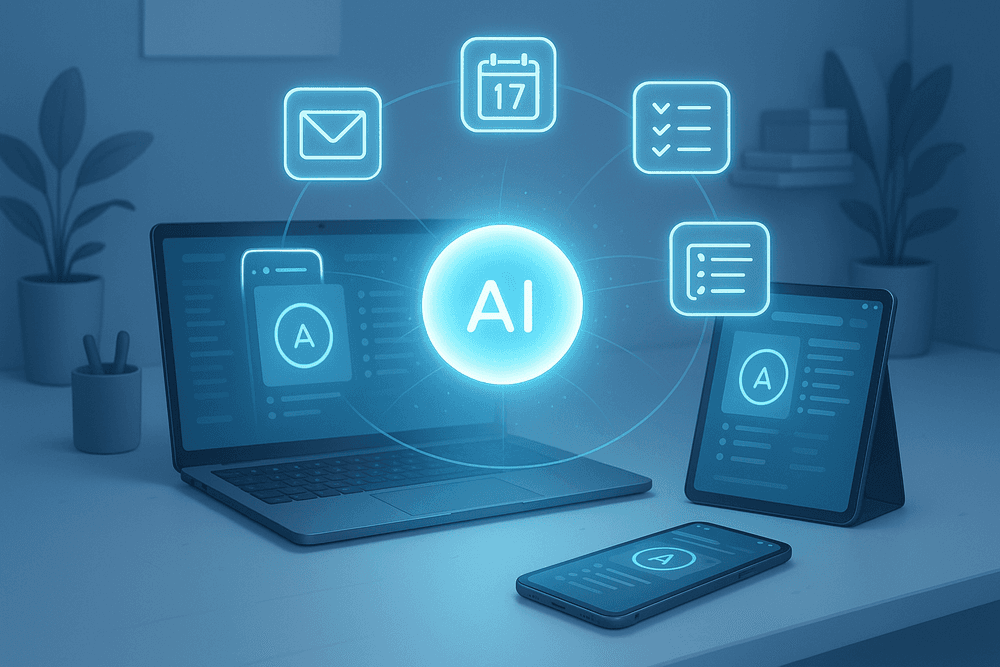
Your work doesn't stop when you step away from your desk, and your assistant shouldn't either. Top-tier tools are available wherever you are, offering a consistent and synchronized experience across all your devices. This includes a native desktop app (Windows/macOS), a mobile app (iOS/Android), and a web browser extension. A task you delegate on your laptop should be updated and accessible on your phone moments later. This cross-platform presence ensures your ai chat assistant is always within reach, ready to capture an idea on the go, manage your schedule from your tablet, or help you prepare for a meeting from your phone.
Comparing the Top AI Chat Assistant Platforms Today
The AI landscape is crowded, and choosing the right ai chat assistant can feel overwhelming. The best platform for you isn't a one-size-fits-all solution; it hinges entirely on your primary needs. Are you looking to manage your daily schedule, supercharge your professional workflow, or master a specific, niche task? Let’s break down the leading contenders in each category.
For Personal Productivity: Google Assistant & Siri
These assistants are baked directly into the devices you use every day, making them masters of on-the-go convenience and hands-free control. Their strength lies in their deep ecosystem integration.
- Google Assistant: If you live within the Google and Android ecosystem, this is your go-to. It excels at contextual commands tied to your life, like "Hey Google, what's on my calendar today?" or "Navigate home and avoid tolls." It seamlessly connects with Google Maps, Gmail, Calendar, and a vast network of smart home devices, making it the central hub for managing your daily logistics.
- Siri: For users embedded in the Apple ecosystem, Siri offers unparalleled integration across iPhone, Mac, Apple Watch, and HomePod. It’s perfect for quick, device-centric actions like "Hey Siri, send a message to Sarah on WhatsApp" or "Set a 15-minute timer for the pasta." Apple's strong emphasis on user privacy is a major draw, ensuring your personal commands and data are handled securely on-device whenever possible.
For Professional Use Cases: ChatGPT & Gemini
When tasks require deep thinking, content creation, or complex data analysis, you need a more powerful, dedicated ai chat assistant. These large language model (LLM) platforms are designed for knowledge work.
- ChatGPT: Developed by OpenAI, ChatGPT is a creative and analytical powerhouse. It's renowned for its ability to generate sophisticated, human-like text. Professionals use it to draft difficult emails, debug code, brainstorm business strategies, summarize lengthy documents, and even write entire marketing campaigns. It acts as a versatile thinking partner, capable of refining ideas through conversational feedback.
- Gemini (formerly Bard): As Google's flagship AI, Gemini's key advantage is its direct, real-time integration with Google's search index and Workspace apps. This makes it exceptionally skilled at research, fact-checking, and synthesizing up-to-the-minute information. Its multimodal capabilities allow it to understand text, images, and code simultaneously, making it a powerful tool for analyzing complex data and generating insights for reports or presentations.
For Niche Tasks: Specialized AI Assistant Tools
Sometimes, a generalist can't match the precision of a specialist. For specific, recurring tasks, a dedicated ai chat assistant tool often delivers superior results. These platforms are hyper-focused on doing one thing exceptionally well.
- For Writing and Editing: Tools like Grammarly act as an AI writing partner, going far beyond basic spell-checking to offer suggestions on tone, clarity, style, and conciseness, helping you craft more effective communication.
- For Meeting Management: Platforms such as Fireflies.ai or Otter.ai can join your virtual meetings to automatically transcribe conversations, identify key action items, and generate concise summaries, saving you hours of manual note-taking.
- For Marketing and Sales: An AI assistant like Jasper is specifically trained on high-converting marketing frameworks. It helps teams generate compelling ad copy, blog posts, and social media content that aligns with a specific brand voice and is optimized for engagement.

Real-World Use Cases for Your AI Chat Assistant
An AI chat assistant is more than just a novelty; it's a powerful tool ready to be integrated into your daily personal and professional life. The true value of this technology shines when you move beyond simple questions and start applying it to real-world challenges. Let's explore the practical ways an AI assistant can revolutionize how you work, create, and organize.
Automating Your Workflow
Repetitive, time-consuming tasks can drain your energy and divert focus from high-impact work. This is where your AI chat assistant becomes an indispensable ally, automating your workflow with remarkable efficiency.
- Summarizing Meetings and Transcripts: Instead of spending an hour sifting through a lengthy meeting recording or transcript, simply feed it to your assistant. Ask for a concise summary, a list of key decisions, and a breakdown of action items assigned to each team member. This saves hours and ensures nothing falls through the cracks.
- Drafting Professional Emails: Conquer your inbox by delegating email composition. Provide a simple prompt like, "Draft a polite follow-up email to a potential client we met last week, mentioning our new service," and your AI assistant will generate a professional, well-structured draft ready for your review and personalization.
- Generating Quick Reports: Need to make sense of raw data from a spreadsheet? Instruct your assistant to analyze the information and generate a summary report highlighting key trends, outliers, and important metrics, transforming data into actionable insights in seconds.
Boosting Productivity
A great AI chat assistant functions like a world-class executive assistant, helping you manage your time and stay on top of your commitments. It’s a central hub for personal organization.
- Intelligent Schedule Management: Go beyond just adding events to your calendar. Ask your assistant to "Find a 30-minute slot for a meeting with Alex and Ben next week" and it will cross-reference calendars to find a suitable time. It can also manage appointments, book reservations, and plan travel itineraries.
- Setting Smart, Context-Aware Reminders: Move past simple time-based alerts. You can set more intuitive reminders like, "Remind me to ask about the Q3 budget the next time I have a meeting with my manager" or "Remind me to buy milk when I leave the office." The assistant understands the context and delivers the reminder when it's most relevant.
- Prioritizing Your To-Do List: Feeling overwhelmed? Share your to-do list with your AI chat assistant and ask it to help you prioritize tasks based on urgency, importance, or estimated effort using frameworks like the Eisenhower Matrix.
Enhancing Creativity
Creativity isn't just for artists; it's essential for problem-solving and innovation in any field. An AI chat assistant is a fantastic partner for breaking through creative blocks and exploring new ideas.
- Brainstorming and Idea Generation: Stuck on a problem? Treat your assistant as a creative sparring partner. Ask it to generate a list of potential names for a new project, brainstorm marketing slogans, or suggest unconventional solutions to a business challenge.
- Generating Content Outlines: Whether you're writing a blog post, preparing a presentation, or creating a video script, overcoming the "blank page" is often the hardest part. Provide your topic, and your assistant can instantly generate a logical, comprehensive outline, giving you a solid structure to build upon.
Best Practices for Getting the Most from Your AI Assistant
An AI chat assistant is a powerful tool, but unlocking its full potential requires more than just asking simple questions. By adopting a few best practices, you can transform your assistant from a novelty into an indispensable partner for productivity and creativity. Mastering how you interact with it—from crafting prompts to managing your privacy—is the key to getting consistently excellent results.
Crafting Clear and Effective Prompts for Better Responses
The quality of the output you receive from an ai chat assistant is directly proportional to the quality of your input. The principle of "garbage in, garbage out" is especially true here. To get precise, relevant, and helpful answers, you need to provide clear and detailed instructions.
- Be Specific and Add Context: Vague prompts yield vague answers. Instead of asking, "Write about business," provide details. A better prompt would be: "Write a 500-word blog post outline about the challenges new small businesses face in their first year, focusing on cash flow management, marketing, and hiring." The more context you give, the better the AI can understand your intent.
- Assign a Role or Persona: Frame the AI's response by giving it a role. Begin your prompt with phrases like, "Act as an expert travel agent," or "You are a professional copywriter editing for clarity and tone." This simple technique helps the AI adopt the specific style, vocabulary, and perspective you need for the task.
- Define the Desired Format: Don't leave the output structure to chance. Tell your assistant exactly how you want the information presented. Use instructions like, "Summarize the key findings in a bulleted list," "Create a table comparing the features of these three software products," or "Draft a professional but friendly email."
- Iterate and Refine: Your first prompt is a starting point, not the final word. If the initial response isn't quite right, treat it as a conversation. Ask follow-up questions to refine the output, such as, "Can you make that more concise?" or "Expand on the second point with a real-world example."
Customizing Your AI Assistant for a Personalized Experience
A generic tool is useful, but a personalized one is a game-changer. Most modern AI chat assistant platforms offer customization features that tailor the experience to your specific needs, making it a true extension of your own workflow.
Take advantage of features like "Custom Instructions" or user profiles. Here, you can provide background information about your profession, communication style, and common objectives. For example, you can instruct it: "I am a high school history teacher. When I ask for lesson plan ideas, always include a learning objective, a list of materials, and an assessment activity." This saves you from repeating the same context in every prompt, allowing your ai chat assistant to provide more relevant answers from the start.
Understanding the Privacy and Security of Your Data
As you integrate an AI assistant into your personal and professional life, it's crucial to be mindful of data privacy and security. While developers are implementing robust safeguards, responsible usage is your best defense.
- Never Share Highly Sensitive Information: This is the most important rule. Avoid inputting personally identifiable information (PII) like your Social Security number, bank account details, or private passwords. The same goes for confidential company data, trade secrets, or any information you wouldn't want to become public.
- Review Privacy Policies and Controls: Take a moment to understand the privacy policy of your chosen ai chat assistant. Know whether your conversations are used for model training and learn how to use available privacy controls, such as the ability to turn off chat history or delete past conversations. For sensitive business use, always opt for enterprise-grade solutions that offer enhanced data security and privacy commitments. By staying informed and cautious, you can leverage the power of AI while keeping your information safe.

The Future Is Conversational: Getting Started with an AI Chat Assistant
The conversational AI you use today is just the beginning. The next frontier is hyper-personalization, where your ai chat assistant evolves from a reactive tool into a proactive partner. Imagine an assistant that doesn't just wait for your command but anticipates your needs based on your calendar, email traffic, and work patterns. It might prompt you to prepare for an upcoming meeting by summarizing relevant documents or suggest a better workflow for a recurring task.
This evolution is driven by advancements in contextual understanding and memory. Future AI chat assistants will remember your preferences, your project goals, and your communication style, allowing them to provide advice and generate content that is truly an extension of your own thinking. They will become more integrated, moving seamlessly between your desktop, phone, and even your car, maintaining a single, continuous conversation. The goal is to make interaction so natural and predictive that the technology fades into the background, leaving you with a powerful, personalized productivity engine.
How to Choose the Right AI Chat Assistant for Your Needs
With a rapidly growing market, selecting the perfect ai chat assistant can feel overwhelming. The "best" tool is the one that aligns with your specific goals. Before you commit, evaluate potential candidates based on these key factors:
- Primary Use Case: What will you use it for most? If you’re a developer, look for an assistant with strong code generation and debugging capabilities. If you’re a marketer, prioritize one that excels at copywriting and brainstorming.
- Integration Ecosystem: A powerful assistant shouldn’t live in a silo. Check if it integrates with the tools you already rely on, like Slack, Google Drive, Microsoft 365, or your project management software. Seamless integration turns a good tool into an indispensable one.
- Platform and Accessibility: Where do you do your work? Ensure the assistant is available where you need it—whether that's a dedicated desktop app, a browser extension, or a mobile application for on-the-go productivity.
- Privacy and Security: This is non-negotiable, especially for business use. Investigate the provider’s data privacy policy. Understand how your conversations are stored, if they are used for training, and what security measures are in place to protect your sensitive information.
- Pricing Model: Many services offer a free tier that’s perfect for testing the waters. Compare the limitations of free versions with the features offered in paid plans to determine the long-term value for your investment.
Your First Step: Automate One Task Today
The best way to understand the power of an ai chat assistant is to experience it firsthand. Don't try to overhaul your entire workflow at once. Instead, start small. Pick one repetitive, time-consuming task you do every day and delegate it to the AI.
Here are a few simple ideas to get you started:
- Email Management: Paste a long email chain and ask, "Summarize the key points and list any action items for me."
- Content Creation: Say, "Draft a professional but friendly follow-up email to a client who hasn't responded to my proposal."
- Brainstorming: Prompt it with, "Give me 10 blog post ideas about sustainable gardening for beginners."
By automating just one small task, you’ll get an immediate return on your time and a tangible feel for how this technology can lighten your cognitive load. This first small win is often the catalyst for discovering dozens of other ways to integrate an AI assistant into your daily routine.