
July 21, 2025
What Is AI Task Automation and Why Is Everyone Talking About
What Is AI Task Automation and Why Is Everyone Talking About It?
You’ve heard the term everywhere—in boardrooms, on tech blogs, and from industry leaders. But what exactly is AI task automation, and why has it become one of the most significant business conversations of the decade? It’s more than just a futuristic buzzword; it’s a practical, powerful strategy that’s reshaping how work gets done. Let’s break it down.
Beyond the Buzzword: Defining AI Task Automation for Your Business
At its core, AI task automation is the use of artificial intelligence and machine learning technologies to handle repetitive, rule-based, and even complex tasks that were previously done by humans. Think of it as the next evolution of standard automation.
While traditional automation follows rigid "if this, then that" commands (like an email auto-responder), AI task automation introduces intelligence into the process. This "smart" automation can understand context, learn from data, make predictions, and handle unstructured information like customer emails, invoices, or support tickets. It’s the difference between a simple calculator that only follows instructions and a skilled analyst who can interpret the numbers to find patterns and make recommendations. This intelligence allows it to manage not just the simple stuff, but also nuanced workflows that require a degree of judgment.
The Core Benefits: How Automation Frees Up Your Time and Resources
The excitement around AI task automation isn't just about cool technology; it's about tangible, game-changing results. When you delegate the right tasks to AI, your business unlocks several key advantages:
- Radical Productivity Boost: AI doesn’t need coffee breaks or sleep. It can process data, manage queries, and run reports 24/7, executing tasks in minutes that would take a human employee hours. This frees your team to focus on high-impact, strategic work that drives real growth.
- Significant Cost Reduction: By automating manual processes, you reduce labor costs associated with repetitive work. Furthermore, AI's precision dramatically cuts down on costly human errors in areas like data entry, compliance, and order processing.
- Enhanced Accuracy and Consistency: Humans are prone to occasional errors, especially when performing monotonous tasks. AI performs with unwavering accuracy every single time, ensuring a higher quality and more consistent output across all automated functions.
- Improved Employee Experience: No one enjoys spending their day on tedious, mind-numbing work. By offloading these tasks, you empower your employees to engage in more creative, challenging, and fulfilling projects, which boosts morale and reduces burnout.
Is Your Business Ready for AI Task Automation? Key Indicators
How do you know if it’s the right time to explore AI task automation? It’s not reserved for giant tech corporations. Businesses of all sizes can benefit if they recognize the signs. Ask yourself if these scenarios sound familiar:
- Your teams are bogged down by repetitive work. Are your talented employees spending a significant portion of their week on manual data entry, copying and pasting information between systems, or generating the same reports over and over?
- You're experiencing operational bottlenecks. Do specific processes, like customer onboarding, invoice processing, or IT support ticket triage, consistently slow down your entire workflow?
- You have valuable data you can't use. Is your business collecting vast amounts of data from sales, marketing, or operations, but you lack the bandwidth to analyze it for actionable insights?
- You need to scale without multiplying your headcount. Are you looking to grow your customer base or operational capacity but want to avoid a linear increase in administrative overhead?
If you answered "yes" to one or more of these questions, your business isn't just ready for AI task automation—it's likely losing a competitive edge by waiting.

Top Platforms and Tools for AI Task Automation Compared
Navigating the landscape of AI task automation tools can be overwhelming, with options ranging from simple app connectors to sophisticated enterprise-grade platforms. The best choice depends entirely on your specific needs, technical skill level, and the complexity of the workflows you want to automate. Let's compare the leading players to help you find the right fit.
Zapier and Make: The Leaders in No-Code Integration
For individuals, startups, and small to medium-sized businesses, no-code platforms are the most accessible entry point into the world of AI task automation. They allow you to connect different web applications and create automated workflows without writing a single line of code.
- Zapier: Often considered the gold standard for its simplicity and vast library of over 5,000 app integrations, Zapier operates on a simple "trigger-and-action" model. For example, when you receive a new email with an attachment in Gmail (the trigger), Zapier can automatically save that attachment to a specific Dropbox folder and send a notification to a Slack channel (the actions). Its user-friendly interface makes it incredibly easy to set up these "Zaps" in minutes, making it perfect for automating linear, everyday tasks.
- Make (formerly Integromat): Make takes no-code automation a step further with its powerful visual workflow builder. Instead of a simple linear path, Make allows you to create complex, multi-step scenarios with branching logic, filters, and error handlers. This visual approach provides a clearer overview of your entire automation process, making it a favorite for users who need more flexibility and power than Zapier offers but still want to avoid code. Its more generous free plan is also a significant draw for those just starting out.
UiPath and Automation Anywhere: Powering Enterprise-Level Automation
When automation needs to scale across an entire organization and handle mission-critical processes, enterprise-level platforms based on Robotic Process Automation (RPA) are the solution. These tools deploy software "bots" to mimic human actions and interact with digital systems.
- UiPath: A dominant force in the RPA market, UiPath offers a comprehensive, end-to-end automation platform. While it features a user-friendly, drag-and-drop studio for building bots, its true power lies in its advanced capabilities. UiPath integrates sophisticated AI for tasks like document understanding (extracting data from invoices or contracts), process mining (discovering automation opportunities), and computer vision, enabling bots to "see" and interact with legacy systems that lack APIs.
- Automation Anywhere: A strong competitor, Automation Anywhere is a cloud-native platform designed for enterprise-grade security, governance, and scalability. A key differentiator is its "AARI" digital assistant, which works alongside human employees to handle tasks on command. This focus on human-bot collaboration makes AI task automation more accessible to the entire workforce. It excels in large-scale deployments where centralized management and robust analytics are crucial.
Specialized vs. All-in-One: Choosing the Right AI Platform
Your final decision often comes down to a choice between a specialized tool or an all-in-one platform.
- Specialized Tools: These are applications designed to excel at one specific function. Think of AI-powered copywriting tools like Jasper, customer service chatbots like Intercom, or transcription services like Otter.ai. Their strength is their depth and quality within a narrow domain.
- All-in-One Platforms: These platforms, like the ones discussed above, act as a central hub to connect various apps and orchestrate broader workflows.
The best strategy is to first identify your most pressing pain points. If you need to automate a single, high-value task, a specialized tool might be best. If your goal is to connect multiple systems and streamline a complex, cross-departmental process, an all-in-one AI task automation platform is the superior choice.
Unlocking Efficiency: Core Features of AI Task Automation
The true power of ai task automation isn't an abstract concept; it’s delivered through a suite of concrete, intelligent features designed to tackle the most time-consuming aspects of modern work. These core capabilities are the engines that drive productivity, reduce errors, and free your team to focus on high-value initiatives. By understanding these features, you can see exactly how AI transforms daily operations from a series of manual chores into a streamlined, intelligent system.
Automated Data Entry and Processing Solutions
Forget tedious copy-pasting and manual data entry. Modern AI task automation tools have revolutionized how businesses handle information. Using technologies like Optical Character Recognition (OCR) and Natural Language Processing (NLP), these systems can read and understand documents—from invoices and receipts to customer forms and contracts. An AI can instantly extract key information like names, dates, and totals, validate it against existing records in your database, check for errors, and enter it into the correct fields in your CRM or ERP system. This not only saves countless hours but also dramatically improves data accuracy, ensuring that the information driving your business decisions is clean, consistent, and reliable.
AI-Powered Email and Communication Management
The modern inbox is often a source of stress and a major productivity bottleneck. AI-powered communication management turns this chaotic stream into an organized, actionable workflow. These tools intelligently sort incoming emails by category (e.g., "Customer Inquiry," "Urgent Request," "Invoice"), summarize long conversation threads into concise bullet points, and even draft context-aware replies. More advanced platforms can perform sentiment analysis, automatically flagging messages from unhappy customers for immediate attention. This level of ai task automation ensures that nothing critical slips through the cracks and allows your team to manage communications proactively rather than reactively.
Intelligent Scheduling and Task Prioritization
Coordinating schedules and managing priorities is a complex, dynamic challenge that AI is uniquely equipped to handle. Intelligent scheduling assistants go far beyond simple calendar invites. They can analyze the calendars, time zones, and stated priorities of multiple team members to find the optimal meeting time that minimizes disruption. On the task management front, AI can build a dynamic, prioritized to-do list for each individual. By analyzing project deadlines, dependencies, and communication patterns from platforms like Slack or Teams, it determines which tasks are most urgent and important, helping everyone focus their efforts where they will have the greatest impact.
Workflow Creation and Process Mining
This is where ai task automation evolves from a simple tool into a strategic business partner. Workflow creation platforms allow you to build sophisticated, multi-step automations that connect your different apps and services without writing a single line of code. For instance, you can design a flow where a new sale in your e-commerce store automatically triggers an invoice in your accounting software, adds the customer to your email list, and assigns a follow-up task to a sales representative. Complementing this is process mining, where AI acts as a consultant, analyzing your company's digital logs to map out how work actually gets done. It uncovers hidden bottlenecks and inefficiencies in your existing processes, providing a data-driven roadmap for your next automation project.
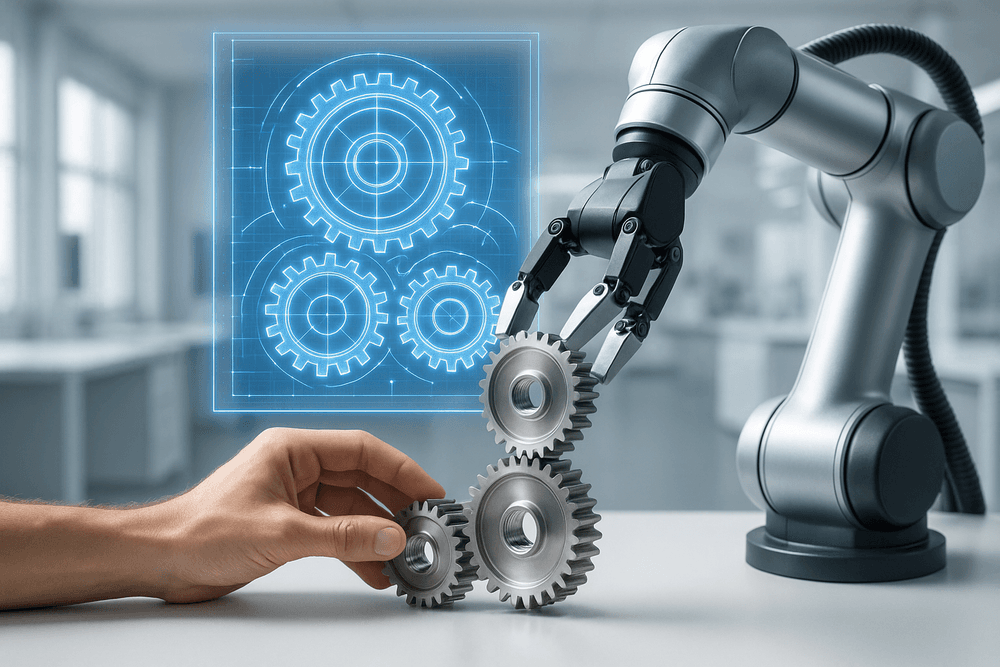
Best Practices for Implementing AI Task Automation Successfully
Jumping into AI task automation without a clear strategy is like setting sail without a map. Success isn’t just about choosing the right tool; it's about thoughtful implementation. By following a structured approach, you can mitigate risks, maximize your return on investment, and seamlessly integrate automation into your existing workflows. Here’s how to get it right.
Start Small: How to Identify the Perfect Pilot Task
The journey to widespread automation begins with a single, well-chosen step. A pilot project is your low-risk testing ground to prove the concept, learn the technology, and build momentum. The ideal first task for ai task automation isn't your most complex or critical process. Instead, look for the "low-hanging fruit" that meets these criteria:
- High-Volume and Repetitive: Think of tasks that are performed hundreds or thousands of times a day or week, like processing standard invoices or categorizing support tickets.
- Rule-Based: The process should follow a clear, predictable set of rules. If you can write a standard operating procedure (SOP) for it, it’s a strong candidate.
- Low-Risk: Choose a task where a potential error won't cause a major operational or financial disruption. Automating initial data entry is safer than automating final payment approvals.
- Measurable Outcome: Success should be easy to quantify. Can you measure time saved, errors reduced, or tasks completed?
By starting with a simple, high-impact pilot, you create a powerful success story that justifies further investment in ai task automation.
The Human-in-the-Loop: Combining AI with Human Oversight
Effective automation isn't about replacing your team; it's about empowering them. The "human-in-the-loop" (HITL) model is a foundational best practice where human intelligence and AI work in partnership. In this system, the AI handles the heavy lifting—the 80-90% of predictable work—while humans step in for critical moments.
This collaboration is crucial for several reasons:
- Handling Exceptions: AI can get stuck on ambiguous or novel situations. A human can quickly resolve these edge cases, ensuring the process doesn't grind to a halt.
- Quality Control: Humans provide the final verification for high-stakes tasks, adding a layer of assurance and accountability.
- Continuous Improvement: Every time a human corrects or validates an AI's output, they are providing valuable feedback that can be used to retrain and improve the model's accuracy over time.
This hybrid approach builds trust in your ai task automation system and ensures it remains robust, accurate, and adaptable.
Ensuring Data Security and Ethical AI Use in Automation
As you automate tasks, you are entrusting an AI with your company's and customers' data. Neglecting security and ethics is a non-starter. A secure and responsible framework is essential for long-term success and compliance.
- Data Security: Prioritize platforms that offer robust security features like data encryption, access controls, and compliance with regulations like GDPR and CCPA. When possible, use data anonymization techniques before feeding sensitive information into an AI model.
- Ethical AI: Be vigilant about potential biases in AI algorithms. If an AI is trained on biased historical data, it will perpetuate and even amplify those biases in its automated decisions. Demand transparency from your AI vendors about how their models work and establish clear internal governance for overseeing your automated processes.
Building your ai task automation strategy on a foundation of security and ethics protects your business and builds lasting trust with your stakeholders.
Measuring ROI: How to Track the True Impact of Automation
To prove the value of your automation efforts, you need to measure their impact. The return on investment (ROI) for ai task automation goes far beyond simple cost-cutting. A holistic approach to measurement will reveal the full scope of benefits.
Track a combination of quantitative and qualitative metrics:
- Efficiency Gains: Calculate the number of employee hours saved per week or month. Measure the reduction in task completion time and the increase in output or throughput.
- Cost Savings: Quantify direct savings from reduced labor costs, fewer errors, and lower operational overhead.
- Quality Improvements: Track the reduction in error rates. Fewer mistakes mean less rework and higher-quality outcomes.
- Employee & Customer Experience: While harder to quantify, note improvements in employee morale as they are freed from tedious work. Monitor customer satisfaction scores, which often rise due to faster response times.
Before you begin, benchmark your current performance. This baseline will allow you to clearly demonstrate the powerful, tangible impact of your ai task automation initiatives.
Real-World Use Cases: AI Task Automation in Action
The theoretical benefits of AI are compelling, but its true transformative power is revealed when you see it in action. Across every department, businesses are leveraging intelligent systems to handle repetitive work, freeing up their teams to focus on strategic, high-value activities that drive growth. By implementing AI task automation, companies are not just improving efficiency; they are fundamentally redesigning their workflows for a competitive edge. Let's explore some concrete examples of how this is revolutionizing key business functions.
Streamlining Marketing with Automated Content Distribution
Modern marketing teams are under constant pressure to maintain a consistent and engaging presence across numerous digital channels. This is where AI task automation shines. Instead of manually scheduling every social media post, AI-powered platforms can analyze audience engagement patterns to determine the optimal time to publish content for maximum reach. These tools can automatically distribute blog posts, videos, and updates across LinkedIn, X, Instagram, and other networks. More advanced systems can even repurpose long-form content, like a webinar, into dozens of micro-assets—such as quotes, clips, and key takeaways—perfectly formatted for each specific platform, ensuring your message resonates everywhere.
Optimizing Sales Pipelines with AI-Driven Lead Nurturing
A common bottleneck in sales is the time spent chasing and qualifying leads who aren't ready to buy. AI-driven lead nurturing systems solve this problem by automating the top-of-funnel engagement. These platforms can score leads in real-time based on their behavior, such as website pages visited, emails opened, or content downloaded. Once a lead reaches a certain score, the AI can trigger a personalized email sequence that delivers relevant information and case studies to guide them through the buyer's journey. This ensures that by the time a salesperson makes contact, the lead is already educated, engaged, and much closer to a purchasing decision, dramatically boosting pipeline velocity and conversion rates.
Revolutionizing HR with Automated Candidate Screening
For any popular job opening, HR professionals can be inundated with hundreds or even thousands of applications. Manually sifting through this volume of resumes is a monumental and time-consuming task. AI-powered applicant tracking systems (ATS) are changing the game with automated candidate screening. These tools use natural language processing to scan resumes for essential keywords, required skills, years of experience, and educational qualifications outlined in the job description. The AI then ranks candidates, presenting recruiters with a pre-vetted shortlist of the most qualified individuals. This powerful form of AI task automation accelerates the hiring cycle and helps ensure top talent doesn't get lost in the shuffle.
Enhancing Customer Support with Intelligent Ticket Routing
In customer service, speed and accuracy are everything. When support tickets are manually sorted and assigned, delays and errors are inevitable, leading to frustrated customers. Intelligent ticket routing uses AI to instantly analyze the content of incoming support requests—whether from email, chat, or a web form. The system identifies the issue's topic (e.g., billing, technical problem, shipping), urgency, and sentiment. Based on this analysis, it automatically routes the ticket to the correct department or the agent best equipped to handle it. This ensures customers connect with the right person faster, leading to quicker resolutions, higher satisfaction scores, and a more efficient support operation.

Conclusion: Your Next Steps in AI Task Automation
We've journeyed through the transformative world of AI task automation, moving from abstract concepts to concrete strategies you can implement today. You now understand that this isn't just a futuristic buzzword; it's a practical, accessible technology that can redefine productivity for you and your team. By automating the mundane, you unlock the invaluable human potential for creativity, strategic thinking, and innovation. The path from manual processes to intelligent, streamlined workflows is clearer than ever, and it’s time to take the first step.
A Quick Recap of Your Automation Journey
Before you move forward, let's briefly revisit the ground we've covered. You're now equipped with a solid foundation in AI task automation.
- The 'Why': You’ve seen the compelling benefits—slashed operational costs, dramatically enhanced accuracy, reduced human error, and empowered teams who are free from the drudgery of repetitive tasks.
- The 'What': You can now confidently identify the prime candidates for automation within your own daily work, from data processing and report generation to customer service inquiries and marketing content scheduling.
- The 'How': You're familiar with the diverse ecosystem of AI tools, understanding that powerful automation is no longer reserved for developers alone. The rise of no-code and low-code platforms has democratized this technology for every business professional.
How to Start Your First AI Task Automation Project This Week
Moving from knowledge to action is the most crucial step. Don't let "analysis paralysis" stall your progress. Here’s a simple, five-step plan to get your first automation live in the next few days.
- Pinpoint a 'Quick Win': Forget overhauling an entire department. Find one small, repetitive, and rule-based task that consumes 30-60 minutes of your or your team's day. Is it manually categorizing support tickets? Copying data between spreadsheets? Transcribing meeting audio? Start there for a high-impact, low-risk victory.
- Select a User-Friendly Tool: Choose a platform with a gentle learning curve. Tools like Zapier, Make, or specific AI assistants for email or data entry are perfect starting points. Prioritize a tool that offers good tutorials and a free trial to experiment without commitment.
- Map the Simple Workflow: On paper or a digital whiteboard, outline the process. What is the trigger (e.g., "New form submission on website")? What is the AI-powered action (e.g., "AI summarizes the submission and determines sentiment")? What is the final outcome (e.g., "Data is added to a spreadsheet and a Slack notification is sent to the relevant channel")?
- Build, Test, and Refine: Follow your map and build the automation in your chosen tool. Send several test cases through the workflow to see if it behaves as expected. It likely won’t be perfect on the first try. Tweak the logic, adjust the prompts, and test again. This iterative process is key to success.
- Launch and Monitor: Once it’s working reliably, let it run. Keep a simple log of the time you’re saving or the errors you’ve eliminated. This small victory will be your most powerful evidence for tackling larger, more complex AI task automation initiatives.
Your Blueprint for Success: Download Our Free Checklist
Feeling motivated but want a little extra guidance? To ensure your first project is a resounding success, we've condensed our best advice into a practical, one-page guide.
Our "AI Task Automation Starter Checklist" is your step-by-step blueprint for a flawless launch. It includes:
- A scoring matrix to help you choose the perfect first task to automate.
- Key evaluation questions for selecting the right AI tool for your specific needs.
- A fill-in-the-blanks workflow template to prevent common setup errors.
Stop just reading about the future of work—start building it today.
[Download Your Free AI Task Automation Checklist Now]