
August 10, 2025
What is AI Slide Generation and Why is it a Game-Changer?
What is AI Slide Generation and Why is it a Game-Changer?
Imagine turning a single idea, a brief document, or a simple text prompt into a fully designed, content-rich presentation in a matter of minutes. That’s the revolutionary power of AI slide generation. At its core, it’s a technology that leverages artificial intelligence to automate the entire process of creating slide decks. Instead of manually choosing layouts, writing text, and searching for images, you simply provide the AI with your topic, and it builds a complete, ready-to-present slideshow for you.
This isn't just a faster way to use PowerPoint; it's a fundamental transformation of how we communicate ideas. The traditional process is often tedious and time-consuming, filled with writer's block and design dilemmas. AI slide generation eliminates these hurdles, acting as your co-pilot for creation. It analyzes your input, structures a logical narrative, writes relevant content for each slide, and then designs a visually cohesive presentation with appropriate layouts, fonts, colors, and imagery. What once took hours of meticulous work can now be accomplished during a single coffee break.
The AI-Powered Transformation of Presentations
The shift from manual to AI-assisted creation is a true game-changer because it addresses the most common pain points of making presentations.
- Unprecedented Speed: The primary advantage is efficiency. You can generate a comprehensive first draft instantly, freeing up valuable time to focus on refining your message and practicing your delivery rather than wrestling with formatting.
- Defeating "Blank Page Syndrome": Staring at an empty slide is daunting. An AI presentation maker provides a structured starting point, complete with suggested talking points and layouts, making it infinitely easier to begin.
- Professional Design for Everyone: You no longer need a graphic design degree to create a beautiful presentation. AI tools ensure aesthetic consistency, applying professional design principles to produce slides that are clean, modern, and impactful.
- Enhanced Content and Ideation: Beyond design, these tools are smart. They can summarize long documents, generate outlines, and suggest content you might not have considered, effectively acting as a research assistant and a structural editor.
Who Should Use AI Slide Generation Tools?
While this technology is useful for anyone, certain groups stand to benefit immensely from integrating AI slide generation into their workflow:
- Business Professionals: From sales teams needing to create customized pitches on the fly to marketers developing campaign reports and executives preparing for board meetings, AI accelerates productivity and ensures a high standard of professionalism.
- Educators and Students: Teachers can instantly generate engaging visual aids for their lessons. Students can build presentations for school projects quickly, allowing them to focus more on the research and substance of their work.
- Entrepreneurs and Startups: When time and resources are scarce, creating a compelling investor pitch or product demo is critical. AI-powered slides enable founders to produce high-quality materials without hiring a designer.
- Freelancers and Content Creators: For those who produce webinars, online courses, or client proposals, these tools are a massive time-saver, helping them scale their output while maintaining quality.
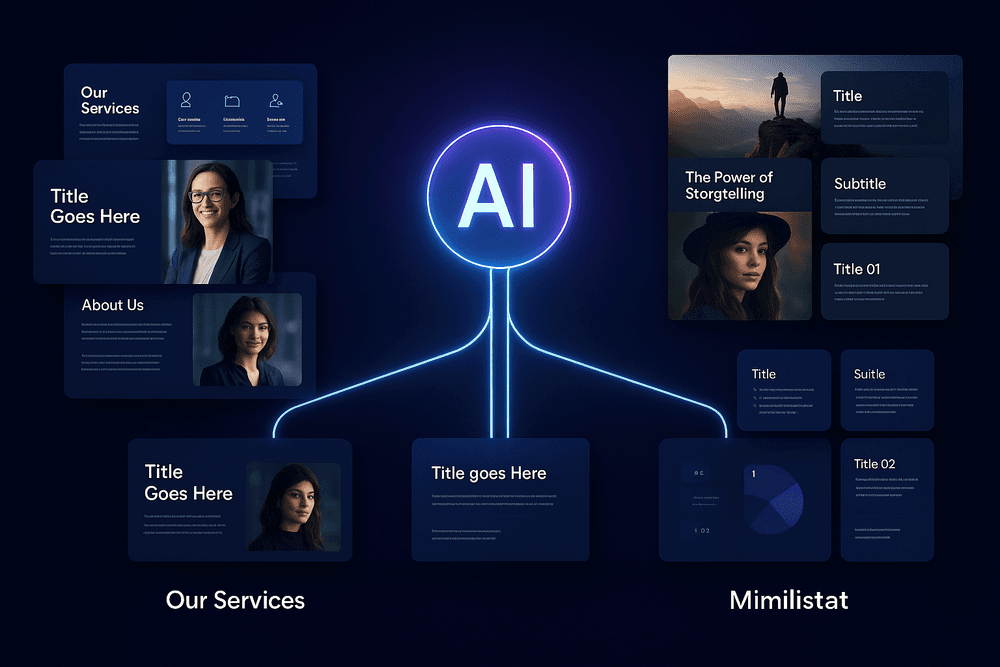
The Top AI Slide Generation Platforms Reviewed and Compared
Navigating the world of AI slide generation means understanding that not all tools are created equal. Different platforms excel in different areas, from crafting compelling stories to enforcing strict corporate branding. Here, we break down the top contenders based on their unique strengths.
Best for Narrative Storytelling: Tome vs. Gamma
If your goal is to move beyond dry bullet points and create a presentation that tells a story, Tome and Gamma are the leading innovators. They transform the very idea of a slide deck into a more dynamic, web-native experience.
- Tome: The Digital Storyteller. Tome is designed for building beautiful, interactive narratives from the ground up. Instead of thinking in "slides," you think in "pages" that flow like a microsite. Its AI excels at interpreting prompts to generate a full story arc, complete with compelling text and AI-generated imagery (powered by DALL-E 2). Tome’s polished output is ideal for founder pitches, in-depth reports, and visual portfolios where aesthetic and flow are paramount. It’s less a slide creator and more a complete AI slide generation platform for immersive storytelling.
- Gamma: The Rapid Idea-to-Deck Engine. Gamma shines when speed and content flexibility are key. It operates on a unique "card" system, allowing you to generate, re-order, and "remix" content blocks with incredible ease. You can feed it a simple prompt, a document, or notes, and Gamma will produce a clean, well-structured presentation in seconds. While it also produces a web-first presentation, its strength lies in rapid iteration and content-heavy decks. Think of it as the fastest way to get from a messy brain dump to a shareable, professional-looking presentation.
Best for Professional Branding: Beautiful.ai Deep-Dive
For businesses and corporate teams, maintaining brand consistency is a non-negotiable. This is where Beautiful.ai separates itself from the pack. While other tools focus on initial creation, Beautiful.ai’s core strength is its "design-aware" AI that enforces your brand guidelines.
Its approach to AI slide generation is built on smart templates with built-in design rules. You can’t move an element one pixel to the left or choose an off-brand color. The AI automatically adapts the layout as you add content, ensuring every slide remains perfectly composed and on-brand. Key features for professionals include:
- Centralized Brand Library: Lock in your company's logos, color palettes, and fonts for team-wide access.
- Smart Templates: The AI suggests layouts and adjusts them automatically to fit your content, preventing common design mistakes.
- Team Collaboration: A shared slide library ensures everyone is using the most current, on-brand materials.
Beautiful.ai is the ideal solution for sales teams, marketing departments, and any organization that needs to produce a high volume of consistently branded presentations without relying on a design team for every edit.
Best Free AI Slide Generation Tools for Quick Projects
Don't have a budget? No problem. Several platforms offer robust free tiers perfect for students, freelancers, or one-off internal projects.
- Canva Magic Design: Already a design powerhouse, Canva has integrated a powerful AI slide generation tool. With its free plan, you can enter a prompt and Magic Design will generate several fully designed presentation options using its vast library of templates, photos, and graphics. It’s incredibly intuitive and perfect for those already familiar with the Canva ecosystem.
- Slidesgo: Known for its massive library of high-quality Google Slides and PowerPoint templates, Slidesgo now has an AI Presentation Maker. The free tier allows you to generate AI-powered presentations, giving you a fantastic, well-designed starting point that you can then easily customize.
Evaluating Key Differences in Pricing and Features
Choosing the right tool ultimately comes down to your primary need and budget.
| Feature | Tome | Gamma | Beautiful.ai |
| :--- | :--- | :--- | :--- |
| Best For | Narrative Storytelling | Rapid Content Generation | Corporate Branding |
| AI Input | Text Prompt | Text Prompt, Notes, Docs | Text Prompt, Content-Aware Layouts |
| Design Control | High (but guided) | Flexible & Remixable | Restricted & Rule-Based |
| Pricing Model | Credit-based & Subscription | Credit-based & Subscription | Subscription |
| Free Tier | Generous, with credits | Generous, with credits | Limited to basic features |
Most platforms use a freemium model. Free tiers often include watermarks and have limits on AI credits or advanced features. Paid plans (typically $10-$20/month per user) unlock unlimited AI generation, premium templates, branding controls, and advanced export options like PPTX and PDF.
Core Features of a Powerful AI Slide Generation Tool
Not all AI presentation makers are created equal. While the market is flooded with options, the truly powerful tools share a set of core features that transform the entire process of creating a slideshow. When evaluating your options for AI slide generation, look for these four essential capabilities that separate the best from the rest.
Automated Content and Outline Creation
The most significant time-saver is the ability to go from a simple idea to a fully structured presentation in minutes. A top-tier AI slide generation tool does more than just create pretty templates; it acts as your research assistant and content strategist. You should be able to provide a simple text prompt (e.g., "a presentation on the future of renewable energy"), paste a long document, or even drop in a URL to a blog post or report. The AI then intelligently analyzes the source material, identifies the key themes, and generates a logical, coherent outline. It populates each slide with summarized text, relevant talking points, and even suggested speaker notes, effectively conquering the dreaded "blank page" syndrome and giving you a solid foundation to build upon.
Intelligent Design and Branding Customization
A great presentation is as much about visual appeal as it is about content. The best AI tools have a sophisticated design engine that understands context. Based on your topic, the AI will recommend appropriate layouts, imagery, and icons, ensuring your slides are not just informative but visually engaging. Beyond automated design, superior platforms offer robust branding customization. This is a critical feature for businesses needing to maintain brand consistency. Look for the ability to upload your company logo, define a custom color palette, and set specific brand fonts. This ensures every AI slide generation output aligns perfectly with your organization's visual identity, creating a professional and polished look every time.
Seamless Integration with Data and Media Sources
Modern presentations are dynamic and data-rich. A standalone tool that forces you to manually import every asset is inefficient. A powerful AI presentation platform must integrate seamlessly with the data and media sources you already use. This means connecting to services like Google Sheets or uploading Excel files to automatically generate charts and graphs that update in real-time. It also includes built-in libraries for high-quality stock photos (like Unsplash or Pexels) and videos, allowing you to find and insert compelling visuals without ever leaving the platform. This level of integration streamlines your workflow, making it effortless to incorporate diverse and dynamic content into your AI-powered slides.
Real-Time Collaboration and Sharing Capabilities
Creating a presentation is often a team effort. The leading AI slide generation tools have embraced this reality by building in real-time collaboration features, much like you’d find in Google Slides or Figma. Team members should be able to work on the same presentation simultaneously, see each other's edits as they happen, and leave comments on specific slides or elements. Once the presentation is complete, flexible sharing options are essential. Look for the ability to generate a shareable link, export the presentation as a PDF or an editable PowerPoint (.pptx) file, and even track analytics on who has viewed your presentation. These features make the entire lifecycle of a presentation—from creation to delivery and feedback—a smooth, collaborative experience.

Best Practices: How to Master AI Slide Generation
Harnessing the power of AI for your presentations is more than just typing a topic and hitting 'enter.' True mastery lies in the partnership between human insight and artificial intelligence. By guiding the tool effectively and applying a critical eye, you can transform a good starting point into a great final product. Mastering ai slide generation means treating the AI as a brilliant but junior assistant who needs clear direction and final approval.
Crafting the Perfect Initial Prompt
The quality of your presentation is directly tied to the quality of your initial prompt. Think of yourself as a director setting the scene for an actor. The more context you provide, the better the performance.
- Be Hyper-Specific: Don't just say, "a presentation on marketing." Instead, try: "Create a 12-slide presentation for a Q3 board meeting on our new digital marketing strategy for a Gen Z audience. The tone should be professional yet energetic."
- Provide an Outline: Guide the AI's structure. You can list the exact slide titles you want: "1. Title Slide, 2. The Gen Z Challenge, 3. Our 3-Pillar Strategy: TikTok, Influencers, & Experiential Events, 4. Budget Allocation..."
- Define the Audience and Goal: Who are you speaking to, and what do you want them to do? Including this in your prompt helps the AI tailor the language, complexity, and call-to-action.
A detailed prompt is the single most important step in an effective ai slide generation workflow.
Refining AI-Generated Content and Visuals
The AI’s first draft is a powerful launchpad, not the finished rocket. Your expertise is crucial for refinement.
- Fact-Check Everything: AI tools can occasionally "hallucinate" or pull outdated information. Verify all stats, data points, and key claims against reliable sources.
- Sharpen the Narrative: Read the text on each slide aloud. Does it flow logically? Is the language compelling? Edit for clarity, conciseness, and to ensure it aligns with your brand's voice. Cut jargon and rephrase robotic-sounding sentences.
- Curate the Visuals: AI-selected images are often good, but are they perfect? Scrutinize every visual. Is the stock photo truly relevant, or just generic? Does the chart accurately represent the data? Don't hesitate to swap out images, upload your own branded assets, or adjust color schemes to match your style guide.
Tips for Adding Your Personal Touch and Final Polish
This is where you infuse the presentation with your unique voice and authority.
- Inject Personal Stories: Weave in a relevant personal anecdote, a specific client success story, or a unique industry insight that only you can provide.
- Add Proprietary Data: Replace generic statistics with your company's own data and findings to make the presentation more impactful and credible.
- Perfect the Flow: Review slide transitions. Does the story build momentum? Ensure your opening is captivating and your closing slide has a clear, strong call-to-action.
- Proofread Meticulously: A single typo can undermine your credibility. Do a final, thorough check for any spelling or grammar mistakes.
Avoiding Common Pitfalls with Automated Tools
Even the best ai slide generation platforms have potential traps. Stay aware of these common issues:
- The Generic Trap: If you provide a vague prompt, you'll get a generic, cookie-cutter presentation. Always customize the content to make it your own.
- Blind Trust: Never assume the AI's output is 100% accurate or complete. Always act as the final editor and fact-checker.
- Ignoring Brand Identity: Don't settle for the default design template if it doesn't match your brand. Use the tool's customization features to apply your logos, fonts, and color palette for a consistent, professional look.
Real-World Use Cases for AI Slide Generation
The true power of any new technology lies in its practical application. While the idea of creating presentations with a single prompt is impressive, AI slide generation truly shines when applied to real-world challenges, saving professionals, educators, and creators their most valuable asset: time. This technology isn't just about making slides faster; it's about making communication more effective and accessible, regardless of your design skills. Let's explore how AI is revolutionizing presentations across different sectors.
For Business: Accelerating Sales Pitches and Investor Decks
In the fast-paced business world, opportunity rarely waits. Sales teams and founders are in a constant race against the clock to create compelling, data-driven presentations that can win deals and secure funding. The traditional process is a bottleneck, often involving days of manually arranging slides, formatting charts, and sourcing on-brand imagery.
This is where AI slide generation becomes a strategic advantage.
- Speed to Market: Imagine your sales team needs a customized pitch for a new client by the end of the day. Instead of starting from scratch, they can input the client's industry, pain points, and your proposed solution. The AI instantly generates a tailored first draft, complete with relevant visuals and a logical narrative flow. This allows the team to focus on refining the strategy and personalizing the message, not wrestling with PowerPoint layouts.
- Data-Driven Storytelling: For investor decks or quarterly business reviews, you can upload raw data from a CSV file or paste in key metrics. An advanced AI slide generation tool can automatically interpret this data, creating clean, easy-to-understand charts and graphs. It transforms numbers on a spreadsheet into a persuasive story about growth and potential, ensuring your presentation is both beautiful and substantive.
- Brand Consistency: Maintaining a consistent brand image is crucial. AI platforms can be trained on your company's brand guidelines, automatically applying the correct logos, color palettes, and fonts to every presentation, ensuring a professional and cohesive look every time.
For Education: Building Engaging Lecture Materials Instantly
Educators are passionate about teaching, but their time is often consumed by administrative tasks, including the laborious creation of lecture materials. An AI slide generation platform acts as a powerful teaching assistant, freeing up educators to focus on what truly matters: their students.
A history professor can input a lengthy academic article or a Wikipedia page on the French Revolution and receive a well-structured, visually rich presentation in minutes. The AI can pull out key dates, figures, and events, organizing them into a digestible format and sourcing public-domain images and maps to enhance student understanding. Similarly, a science teacher can describe a complex process like photosynthesis, and the AI can generate a slide deck with clear diagrams and step-by-step explanations, making abstract concepts more tangible and engaging. This instant generation of baseline materials allows educators to spend more time developing interactive activities and providing personalized student support.
For Personal Projects: Creating Workshop or Event Presentations
Not every presentation is for a boardroom or a classroom. Individuals frequently need to create high-quality slides for personal and community-based projects—a workshop on urban gardening, a talk at a local meetup, or a presentation for a non-profit fundraiser. For those without a design budget or advanced software skills, AI slide generation democratizes professional design.
If you’re an expert in a specific niche but not in graphic design, you can simply provide the AI with an outline of your workshop content. It will handle the rest, suggesting layouts, choosing complementary colors, and finding high-quality stock photos to bring your ideas to life. This empowers subject-matter experts to share their knowledge effectively without the barrier of design complexity, ensuring their passion projects look as polished and professional as any corporate presentation.

Conclusion: The Future of Presentations and Your Next Step
We stand at a pivotal moment in communication. The once-dreaded task of building a slide deck from scratch—a process that consumed hours of formatting, design, and content organization—is being fundamentally reshaped. As we've explored, the rise of AI slide generation isn't just about saving time; it's about democratizing design, unlocking creativity, and allowing us to focus on the most critical element: our message. The future of presentations is collaborative, intelligent, and remarkably efficient, with AI as your indispensable partner.
Choosing the Right AI Slide Generation Tool for Your Goal
Throughout this guide, we've navigated the landscape of powerful AI presentation platforms. But the question remains: which one is right for you? The answer isn't a one-size-fits-all solution. The "best" tool is the one that aligns perfectly with your specific objective.
- For the Business Professional: If your priority is brand consistency, data visualization, and seamless team collaboration, look for tools with robust customization options, advanced analytics integration, and enterprise-level features. Your goal is to create polished, on-brand presentations that drive decisions, and the right AI platform will serve as a powerful extension of your professional toolkit.
- For the Educator or Student: Your focus is on clarity, engagement, and accessibility. The ideal tool for you will be intuitive, offer visually compelling templates, and likely have a generous free or educational plan. The power of AI slide generation in this context is its ability to transform complex topics into digestible, memorable lessons.
- For the Creative or Personal User: If you're pitching a passion project or sharing a personal story, your primary need is design flexibility and narrative impact. Seek out platforms known for their unique aesthetic, multimedia integration, and storytelling-focused features. Here, AI becomes your creative muse, helping you build a visually stunning narrative.
A Quick Recap of Pro Tips for Success
Harnessing the full potential of any AI tool requires a strategic approach. As you embark on your journey with AI slide generation, keep these core principles in mind to ensure your presentations are not just fast, but fantastic.
- Master the Prompt: Your initial input is the blueprint for the AI. Be specific and detailed. Instead of "make a presentation about marketing," try "Create a 10-slide presentation for a Q3 marketing kickoff, focusing on our new social media strategy for Gen Z, including a competitive analysis and key performance indicators." The richer the prompt, the more relevant the output.
- Treat AI as Your Co-Pilot: The AI generates an exceptional first draft, but your expertise provides the finishing touch. Use the generated content as a foundation. Refine the text, fact-check the data, and inject your unique voice and insights. The most powerful presentations blend AI's speed with human intelligence.
- Customize and Refine: Never settle for the default template. Use the platform's editing tools to apply your brand's color palette, fonts, and logo. Reorder slides, swap out images, and adjust layouts to better serve your narrative flow. This final 10% of effort is what elevates a good presentation to a great one.
Your Call to Action: Create Your First AI Presentation Today
Reading about the revolution is one thing; leading it is another. The theoretical knowledge you've gained is valuable, but the true "aha!" moment comes from direct experience. The barrier to entry for AI slide generation has never been lower, and the potential impact on your productivity and creativity has never been higher.
Don't wait for the perfect moment or the next big project. The best way to understand the transformative power of these tools is to dive in. Pick one of the platforms we've reviewed that resonates with your goals, sign up, and give it a simple task. Turn your meeting notes into a summary deck. Outline your next school project. Reimagine a presentation you've given before.
You are just one prompt away from creating a professional, engaging, and visually stunning presentation in a fraction of the time it used to take. Embrace the future of communication and create your first AI-powered presentation today.