
August 2, 2025
What Is AI Image Upscaling and Why Should You Care?
What Is AI Image Upscaling and Why Should You Care?
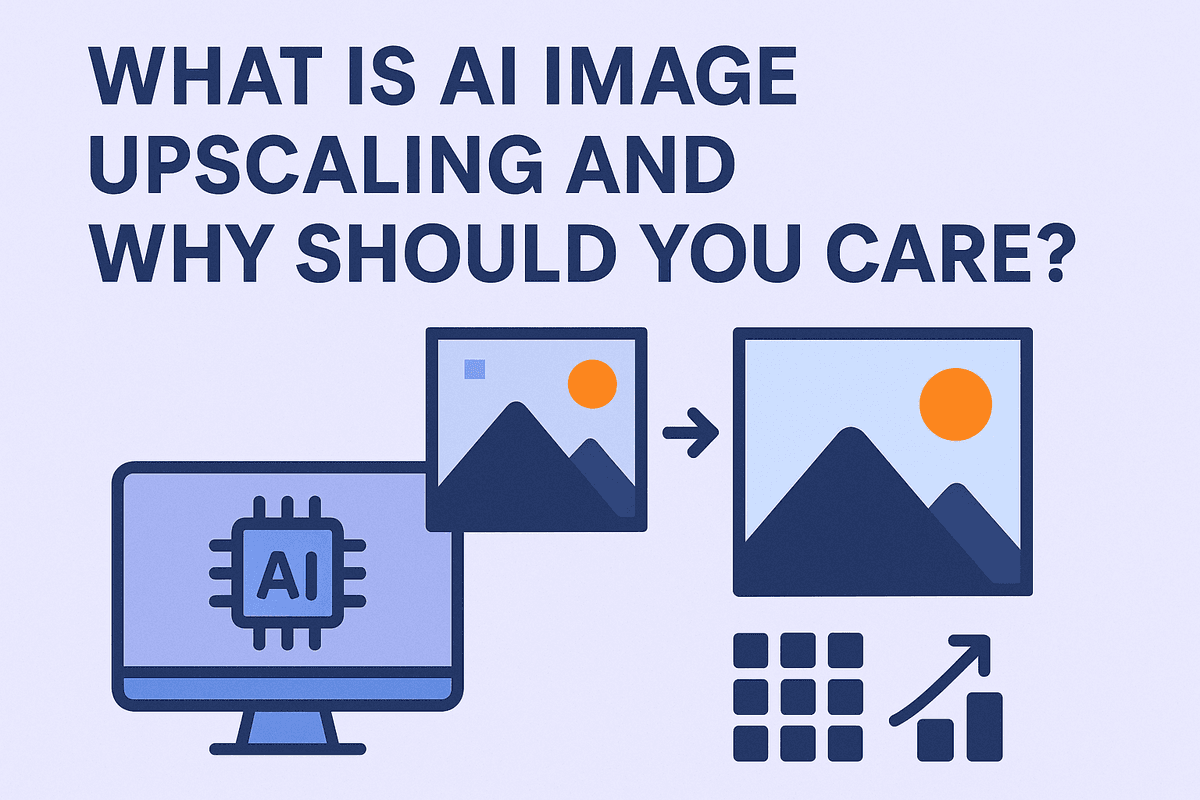
We’ve all been there. You find the perfect image—a cherished memory, a crucial graphic for a presentation, or a product shot for your online store—but it’s frustratingly small and low-resolution. When you try to enlarge it, you’re left with a blurry, pixelated mess. That’s the core problem that digital imaging has struggled with for decades: you can’t create data that isn’t there. Or can you?
This is where AI image upscaling changes the game entirely. It’s not just another "zoom" tool; it’s a revolutionary technology that uses artificial intelligence to intelligently rebuild and enhance an image at a higher resolution. Instead of simply stretching the existing pixels and causing blurriness, AI models analyze the image, recognize the objects and textures within it, and then generate brand-new, contextually-aware pixels to fill in the gaps. It’s the difference between enlarging a photo and genuinely restoring it.
How AI Image Upscaling Beats Traditional Methods
For years, the standard for enlarging images was a process called interpolation, with methods like Bicubic or Lanczos. These algorithms work by looking at the pixels immediately around a new, empty space and making a mathematical guess about what color should go there. While better than nothing, this process is fundamentally limited. It can only average out existing information, which almost always leads to a soft, fuzzy, or "waxy" result. It smooths out details rather than adding them.
AI image upscaling operates on a completely different level. It uses deep learning models, specifically Generative Adversarial Networks (GANs), that have been trained on millions of pairs of low-resolution and high-resolution images. Through this extensive training, the AI learns what things are supposed to look like in high detail.
- It knows the texture of denim.
- It understands the fine strands of hair.
- It can reconstruct the sharp edges of text.
When you feed it a low-resolution image, the AI doesn't just guess—it reconstructs. It adds plausible, realistic details that were lost, resulting in an upscaled image that is remarkably sharp, clean, and full of texture that traditional methods could never create.
Who Benefits Most from High-Resolution Enhancements?
While anyone can use this technology to fix a blurry photo, its impact is transformative for a wide range of professionals and creators:
- Photographers and Designers: Rescue older digital photos, crop compositions aggressively without losing quality, or prepare images for large-format printing.
- E-commerce Businesses: Turn standard, low-quality supplier images into crisp, detailed product photos that build trust and drive sales.
- Marketers and Content Creators: Upgrade user-generated content, old brand assets, or video stills for use in modern, high-resolution campaigns and 4K video.
- Archivists and Historians: Restore and clarify historical photos, revealing details that were previously lost to time and low-quality scanning.
- Real Estate Agents: Enhance property photos taken on a standard phone, making them look professional, sharp, and more appealing in online listings.
Behind the Curtain: How AI Image Upscaling Technology Works
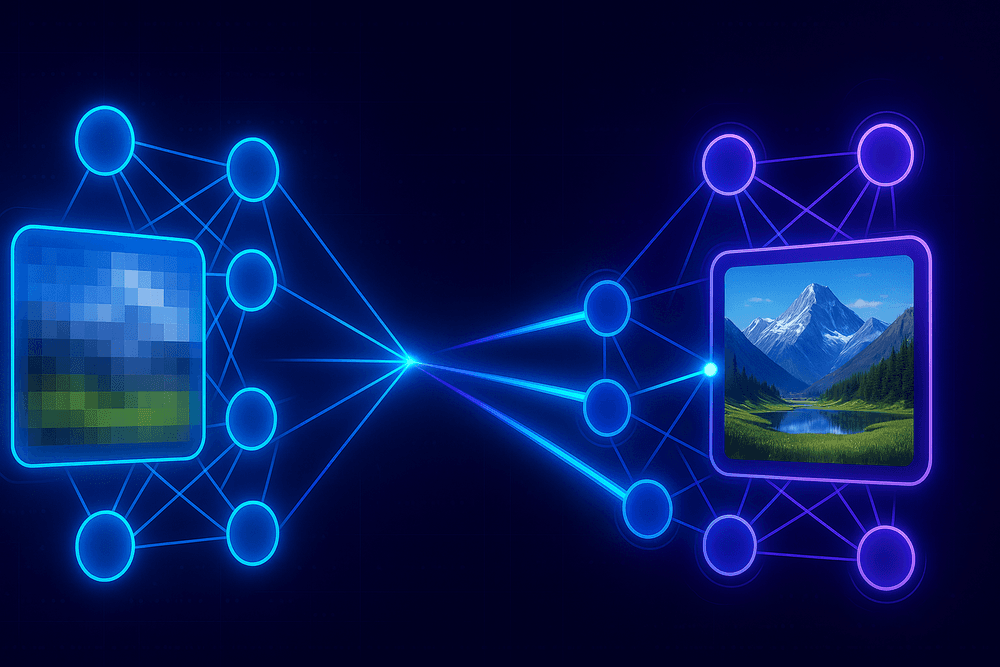
Traditional upscaling methods simply stretch an image, duplicating existing pixels to fill in the gaps. The result is often a blurry, pixelated mess that lacks detail. AI image upscaling operates on a completely different principle: it doesn’t just enlarge pixels; it intelligently recreates them. By leveraging complex machine learning models, this technology can generate new, photorealistic details that never existed in the original low-resolution file. Let's pull back the curtain on the core components that make this possible.
Understanding Generative Adversarial Networks (GANs) in Upscaling
At the heart of many advanced AI image upscaling systems are Generative Adversarial Networks, or GANs. A GAN consists of two dueling neural networks: the Generator and the Discriminator. You can think of it as an artist (the Generator) and a sharp-eyed art critic (the Discriminator) working in a perpetual cycle.
- The Generator: Its job is to take a low-resolution image and "paint" in the missing details to create a high-resolution version. Its initial attempts might be blurry or unnatural.
- The Discriminator: This network has been trained on thousands of real, high-resolution images. Its sole purpose is to look at the image created by the Generator and determine if it's a "fake" or a "real" high-quality image.
The two networks are locked in a competitive game. The Discriminator provides feedback to the Generator on what looks fake, forcing the Generator to refine its technique. Over millions of cycles, the Generator becomes so proficient at creating convincing details—from fine hair strands to subtle fabric textures—that its output can fool the Discriminator. This adversarial process is what allows GAN-based upscalers to produce incredibly sharp and natural-looking results.
Training the AI: How Models Learn to Predict Missing Pixels
An AI model isn't inherently smart; it must be trained. The training process for an AI image upscaling model involves feeding it a massive dataset containing millions of image pairs. Each pair consists of a low-resolution image and its corresponding high-resolution original.
During training, the AI analyzes these pairs to learn the intricate relationships between low-resolution artifacts and high-resolution details. It learns that a certain blocky, pixelated pattern in a low-res image corresponds to a sharp, clean edge in the high-res version. It learns how blurry patches translate into detailed textures like grass, wood grain, or skin pores.
Essentially, the AI builds a vast internal library of visual patterns. When you give it a new low-resolution image to upscale, it isn't just guessing. It's making highly educated predictions about what the missing pixels should look like based on the context of the surrounding pixels and the patterns it learned during its extensive training.
Key Differences in AI Models and What They Mean for Quality
Not all AI image upscaling tools are created equal, because the underlying models and their training data vary significantly.
- Model Architecture: While GANs are popular, other architectures like ESRGAN (Enhanced Super-Resolution Generative Adversarial Networks) and diffusion models exist, each with its own strengths in producing sharpness or reducing artifacts.
- Training Data Specificity: This is the most critical factor for final quality. A model trained exclusively on a dataset of portraits will be exceptionally good at recreating realistic skin texture, eyes, and hair. Conversely, an AI trained on architectural photos will excel at generating sharp lines and clean geometric patterns. A general-purpose model is trained on a wide variety of images, making it a jack-of-all-trades but a master of none.
This is why some upscalers perform better on anime and illustrations, while others are superior for photorealistic images. The quality and specificity of the AI's "education" directly determine its ability to produce the high-quality results you need.
Reviewing the Top AI Image Upscaling Tools on the Market
With a vast landscape of AI image upscaling tools available, choosing the right one can feel overwhelming. The market is generally split into two camps: fast and free web-based tools for occasional use, and powerful, dedicated software for professionals who require the absolute best quality and control. Understanding the strengths and weaknesses of each category is the first step toward finding the perfect solution for your needs.
Best Free AI Image Upscaling Tools for Quick Fixes
When you need to quickly enhance an image for a social media post, a presentation, or a personal project, free online tools are your best friend. They are designed for speed and simplicity, requiring little more than a drag-and-drop.
- Upscale.media: A popular choice known for its straightforward interface. It allows you to upscale images up to 4x their original size and includes options for AI-powered background removal. It’s an excellent all-in-one tool for quick edits without the need to download any software.
- Clipdrop Image Upscaler: Backed by Stability AI, Clipdrop offers a clean and efficient upscaling service. It provides a fast 2x upscale for free, with higher resolutions available for Pro members. Its strength lies in its speed and integration with a wider suite of AI-powered editing tools.
While incredibly convenient, these free services often have limitations. You may encounter restrictions on file size, the number of upscales per day, or the maximum output resolution. For casual users, these trade-offs are usually acceptable for the zero-cost convenience they provide.
Professional-Grade Software for Photographers and Designers
For professionals whose livelihood depends on image quality, investing in specialized software is non-negotiable. These applications offer superior algorithms, greater control, and features tailored for a high-end workflow.
- Topaz Gigapixel AI: Widely regarded as the industry leader, Gigapixel AI uses deeply trained neural networks to produce stunningly detailed and natural-looking results. It excels at enlarging photos for large-format printing, restoring old family pictures, and rescuing low-resolution shots. It offers specialized AI models for different image types (e.g., portraits, landscapes, architectural) and provides fine-grained control over noise and blur reduction.
- Adobe Photoshop (Super Resolution): Integrated directly into Adobe Camera Raw and Lightroom, the Super Resolution feature is a massive advantage for photographers already in the Adobe ecosystem. With a single click, it doubles the horizontal and vertical resolution of an image, effectively quadrupling the pixel count. While it offers less granular control than Gigapixel, its seamless integration into a professional workflow makes it a powerful and efficient option for AI image upscaling.
Key Features to Compare When Choosing a Tool
Beyond just the final image quality, several key features differentiate a basic upscaler from a professional powerhouse.
Batch Processing
For anyone working with large volumes of images—like event photographers or e-commerce businesses—the ability to upscale an entire folder of photos at once is a critical time-saver. Professional tools almost always include robust batch processing, while free online versions typically work on a one-by-one basis.
API Access
For developers and businesses, API (Application Programming Interface) access is a game-changer. It allows you to integrate AI image upscaling technology directly into your own applications, websites, or content management systems. This is ideal for automating image enhancement on an e-commerce platform or a stock photography site.
Output Formats and Controls
Basic upscalers usually output to standard formats like JPG or PNG. Professional software, however, provides support for high-fidelity formats like TIFF and DNG, preserving maximum image data. Furthermore, they offer sliders and toggles to manually adjust noise suppression, artifact removal, and sharpness, giving you complete creative control over the final result.
Real-World Wins: Practical Use Cases for AI Image Upscaling
Beyond the technical wizardry, AI image upscaling is a powerful problem-solver with tangible applications across numerous industries and creative fields. It’s not just about making pictures bigger; it’s about adding value, preserving history, and unlocking new possibilities. Let’s explore how this technology delivers real-world wins every day.
Transforming E-commerce with Crystal-Clear Product Photography
In the digital marketplace, your product photos are your storefront. Customers can’t touch or inspect items, so they rely on high-resolution images to zoom in on details, texture, and quality. A blurry or pixelated photo can instantly erode trust and lead to a lost sale. This is where AI image upscaling becomes an e-commerce game-changer.
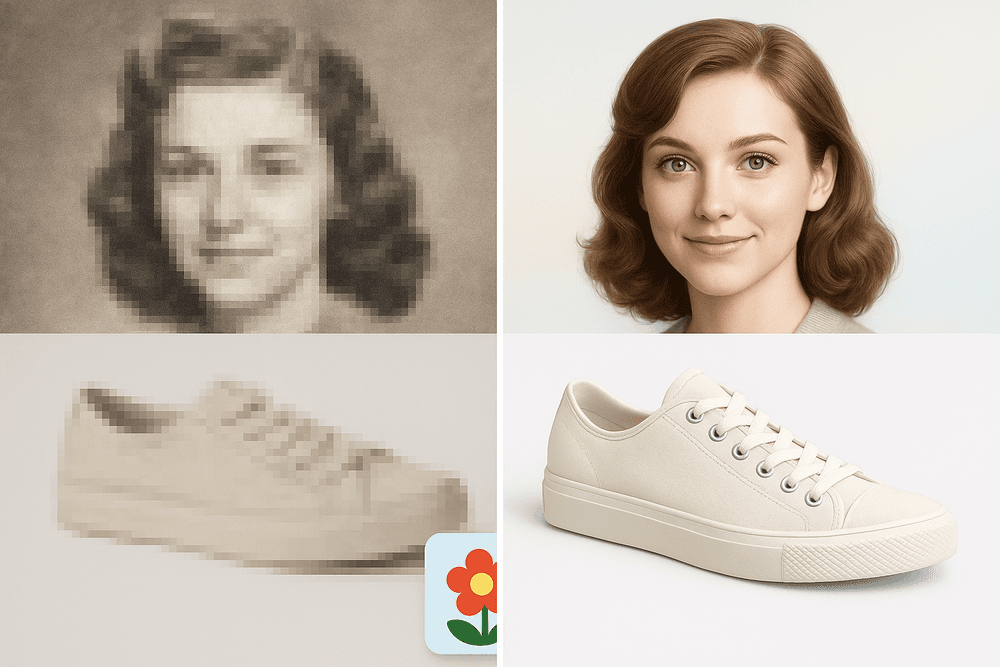
Imagine you receive a batch of product photos from a supplier, but they are too small for your website's high-detail zoom feature. Or perhaps your older product catalog was shot with now-outdated cameras. Reshooting everything is a costly and time-consuming nightmare. Instead, AI image upscaling can take those low-resolution source files and intelligently enlarge them, creating crisp, clean, and professional-looking images. It reconstructs details in fabric, materials, and fine print, giving customers the clarity they need to click "Add to Cart" with confidence.
Breathing New Life into Old Family Photos and Archives
Our most cherished memories are often trapped in aging formats. Faded photo prints, tiny digital files from early cameras, and scanned images can suffer from low resolution, compression artifacts, and a general lack of detail. These precious moments deserve to be seen in their best light.
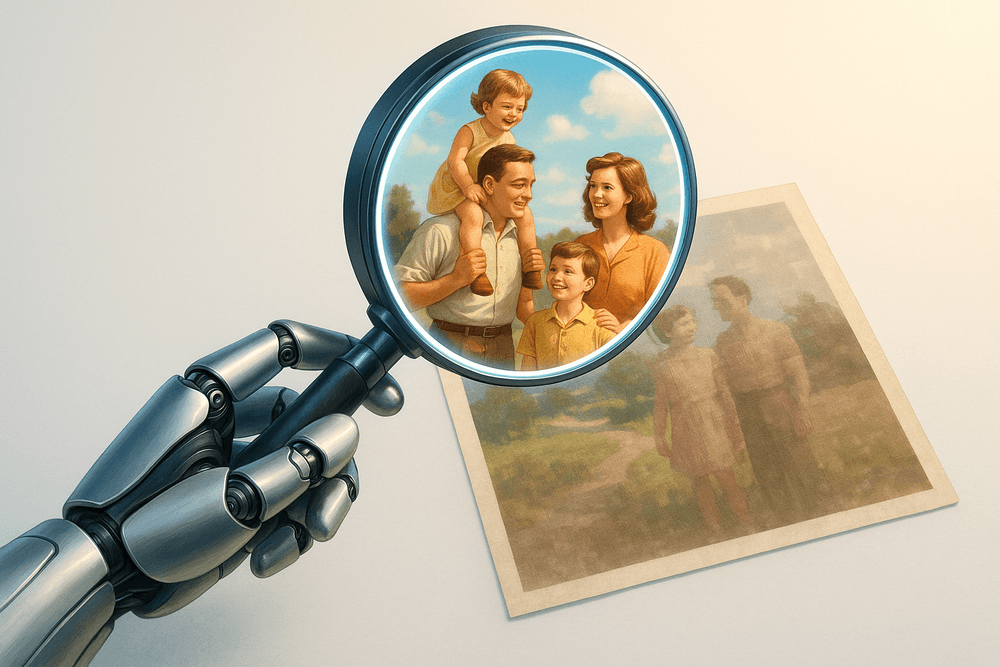
AI image upscaling acts as a digital restorer. By feeding an old, pixelated family photo into an AI upscaler, you can dramatically increase its resolution and clarity. The technology is adept at recognizing and reconstructing facial features, sharpening soft edges, and reducing digital noise, all without that artificial, "over-sharpened" look. This process allows families to create beautiful, large-format prints from once-unusable files, preserve their heritage for future generations, and share their history in stunning high-definition.
Upscaling Digital Art and Illustrations for High-Quality Prints
For digital artists, illustrators, and graphic designers, a finished piece is often just the beginning. The next step is turning that creation into physical merchandise like posters, canvas prints, t-shirts, and book covers. A common and frustrating roadblock is creating a piece at a resolution perfect for a screen, only to find it's too small for high-quality printing.
Rather than painstakingly recreating the artwork at a larger size, artists can leverage AI image upscaling to bridge the gap. Unlike traditional resizing methods that can blur crisp lines and muddy colors, AI models trained on millions of illustrations can enlarge the artwork while preserving sharp vectors, smooth gradients, and intricate textures. This empowers creators to effortlessly meet the demands of print-on-demand services and clients, saving countless hours and unlocking new revenue streams.
Enhancing Low-Resolution Video Frames and Animation Cels
The film and media industry is sitting on a treasure trove of classic content created in the era of standard definition. Simply stretching this old footage to fit modern 4K and 8K displays results in a blurry, unwatchable experience.
Media restoration specialists now use AI image upscaling as a key tool for remastering films, TV shows, and classic animations. The AI processes the video frame by frame, intelligently adding detail and clarity to bring the content up to modern standards. This same principle applies to preserving individual animation cels, allowing them to be scanned and upscaled for archival purposes or for use in new high-definition productions. It’s a vital technology for ensuring that cinematic history isn’t lost to low resolution.
Best Practices for Flawless AI Image Upscaling Results
Unlocking the full potential of AI image upscaling isn't just about clicking a button; it's about mastering the process. While the technology is incredibly powerful, your input and oversight are the keys to transforming a good result into a flawless one. By following a few best practices, you can ensure your final images are crisp, detailed, and free from distracting errors.
Start with a Quality Source: Garbage In, Garbage Out
This is the golden rule of any image processing task, and it's especially true for AI image upscaling. The principle of "Garbage In, Garbage Out" (GIGO) means that the quality of your starting image directly dictates the quality of the final, upscaled version.
An AI model works by analyzing the existing pixels in your image to intelligently predict and create new ones. If your source image is a heavily compressed, blocky JPEG riddled with artifacts, the AI has very little clean data to work with. It will try its best, but it may end up amplifying the existing noise and compression blocks, resulting in a larger, but still messy, image.
What makes a good source?
- Clarity over Resolution: A low-resolution image that is in focus and well-lit will almost always produce better results than a higher-resolution image that is blurry or poorly exposed.
- Minimal Compression: Use the highest quality original you can find. A PNG file or a high-quality JPEG is far superior to a re-saved, heavily compressed image from social media.
- Good Data: The AI needs information. A clear shot of a face, even if small, gives the AI facial features to enhance. A blurry, indistinct blob gives it nothing to build upon.
Choosing the Right Upscale Factor (2x, 4x, 8x) for Your Needs
Not all projects require a massive size increase. Selecting the appropriate upscale factor is crucial for balancing quality with file size and avoiding an over-processed look. An upscale factor multiplies the image's dimensions; a 2x upscale doubles the width and height, resulting in four times the total pixels.
- 2x Upscale: This is your go-to for subtle enhancements. It's perfect for preparing standard web images for high-DPI (Retina) screens, making a good photo slightly better for a digital portfolio, or when you want the most natural-looking result with minimal risk of artifacts.
- 4x Upscale: This is the sweet spot for many AI image upscaling tasks. A 4x factor can transform a low-resolution photo into something suitable for a standard 8x10 print, or turn a small digital graphic into a full-screen hero image. It offers a significant and noticeable quality jump for most common use cases.
- 8x Upscale and Beyond: Reserve these higher factors for specific, demanding situations. Use them when starting with a very small source image (like an old avatar) or when preparing an image for large-format printing, such as a poster or trade show banner. Be aware that at these extreme levels, the AI has to "hallucinate" a vast amount of detail, which increases the chance of introducing strange artifacts. Always scrutinize the results carefully.
How to Spot and Correct Common AI Artifacts and Glitches
Even the most advanced AI models can make mistakes. Knowing what to look for allows you to perform minor touch-ups that elevate your image to a professional standard.
Common Artifacts to Spot:
- Waxy or Plastic Skin: The AI can sometimes over-smooth skin, removing natural pores and textures, which creates an unnatural, "waxy" appearance.
- Uncanny Valley Eyes: Eyes are complex, and AI can struggle. Look for misshapen pupils, strange reflections, or an overly "painted" look that lacks life.
- Garbled Textures: Fine, repeating patterns on fabrics, brickwork, or foliage can confuse the AI, leading to wavy moiré patterns or blurry, illogical textures.
- Hallucinated Details: In areas with very little information, the AI might invent bizarre details—think distorted faces in a crowd, nonsensical text on a sign, or warped background elements.
Simple Correction Techniques:
- Post-Upscale Editing: Use a photo editor like Adobe Photoshop or Affinity Photo for final touch-ups.
- Layer Masking: Place the upscaled image on a layer above the original. Add a layer mask and use a soft, low-opacity brush to carefully paint back some of the original's natural texture in problem areas like skin or clothing. This hybrid approach often yields the most realistic results.
- Try Another Tool: Different AI image upscaling models are trained on different data. If one tool struggles with a particular feature, another might handle it perfectly.
The Future is Clear: Conclusion and Your Next Steps
We’ve journeyed through the incredible world of AI-powered image enhancement, and one thing is certain: the way we handle digital images has been fundamentally and permanently upgraded. The days of accepting blurry, pixelated results as an unchangeable reality are over. AI image upscaling has shifted from a futuristic concept to a practical, accessible, and indispensable tool for professionals and creators alike.
A Quick Recap: The Transformative Power of AI
Let's quickly revisit what makes this technology so revolutionary. Unlike traditional methods that merely stretched pixels, leading to a soft, blurry mess, AI understands context. By training on millions of image pairs, deep learning models learn what features like brick, fur, skin, and text should look like. When you upscale an image, the AI doesn’t just enlarge it; it intelligently reconstructs it, adding realistic detail and texture that was lost or never even captured.
From breathing new life into cherished old photographs and preparing marketing materials for stunning large-format prints to enhancing satellite imagery and refining medical scans, the applications are as vast as they are impactful. This is more than a simple resolution boost; it's a second chance for every image to achieve its full potential.
What's Next? Emerging Trends in AI Resolution Enhancement
The field of ai image upscaling is advancing at a breathtaking pace. While today’s tools are already impressive, the future holds even more exciting possibilities. Here are a few key trends to watch:
- Real-Time Video Upscaling: Imagine streaming a movie in 4K, even with a slower internet connection, because your device is upscaling it in real time. This will revolutionize everything from video conferencing and live sports to gaming and telemedicine.
- Hyper-Realistic Detail Generation: Future AI models will become even more adept at "hallucinating" plausible details. Instead of just sharpening a blurry face, the AI will generate realistic skin pores, individual strands of hair, and lifelike reflections in the eyes, creating results that are virtually indistinguishable from a high-resolution photograph.
- Specialized AI Models: We are seeing a rise in AI upscalers trained for specific niches. An AI optimized for anime will produce clean lines and vibrant colors, while one trained on architectural photos will excel at recreating sharp edges and intricate textures. This specialization will lead to superior, purpose-built results.
- On-Device Processing: As AI chips in smartphones and computers become more powerful, more upscaling will happen directly on your device. This means faster processing, enhanced privacy, and the ability to perform high-quality enhancements without an internet connection.
Your Turn: Upscale Your First Image Today
Theory is one thing, but seeing the magic for yourself is another. The best way to truly grasp the power of ai image upscaling is to try it. You don't need to be a graphic designer or a tech expert to get started. The process is now simpler than ever.
Find an image that you thought was a lost cause—a pixelated family photo from an old phone, a grainy logo you downloaded from the web, or a product shot that’s just too small for your e-commerce store. Choose a user-friendly AI upscaling tool (many offer free trials) and upload your image. With just a few clicks, you can select your desired enhancement level—2x, 4x, or even 8x—and let the AI work its wonders.
Don't wait to rescue your images from digital obscurity. Step into the future of clarity and detail. Go ahead, upscale your first image now and witness the transformation firsthand.