
August 26, 2025
What is AI Image Upscaling and Why Does It Matter?
What is AI Image Upscaling and Why Does It Matter?
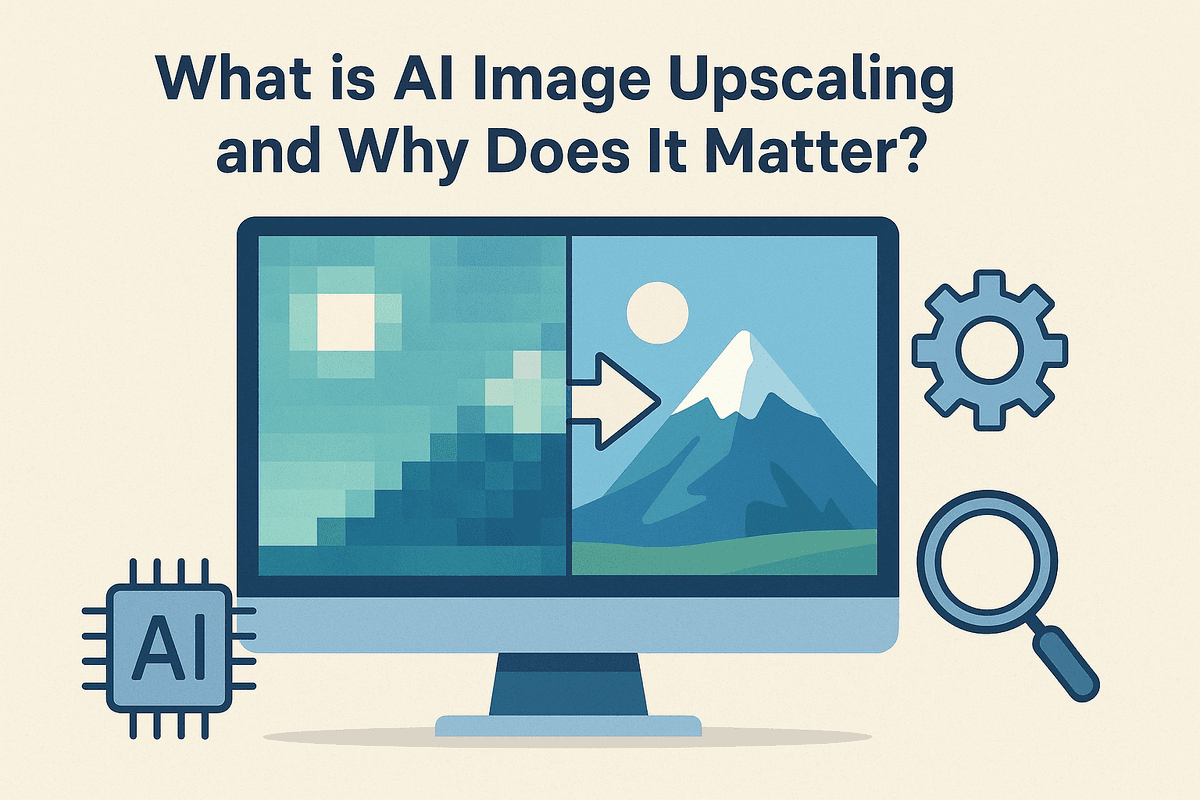
Have you ever found the perfect image, only to realize it's too small and low-resolution? When you try to enlarge it, the result is a blurry, pixelated mess. For decades, this was an unavoidable digital reality. But today, AI image upscaling is changing the game, turning those once-unusable images from pixelated to perfect.
At its core, AI image upscaling is a sophisticated process that uses artificial intelligence to increase an image's resolution while intelligently adding new detail. Unlike traditional methods that simply stretch the existing pixels, an AI model analyzes the image and reconstructs it at a larger size, filling in the gaps with realistic, context-aware information. It’s the difference between enlarging a photograph on a photocopier versus having a master artist repaint it on a larger canvas.
The Limitations of Traditional Image Resizing
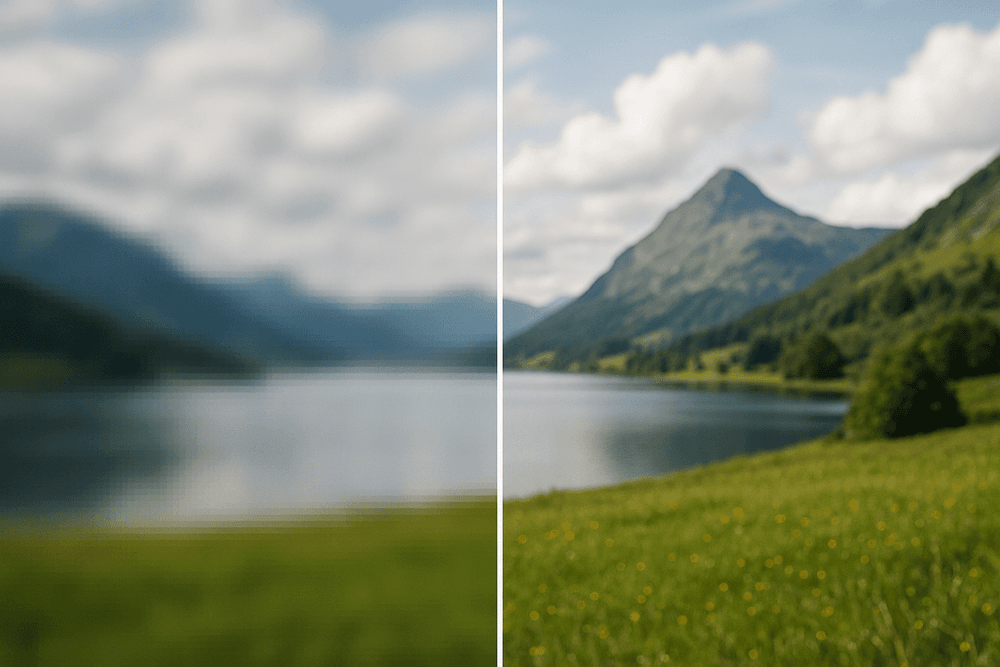
To understand why AI is such a breakthrough, we first need to look at the old way of doing things. Traditional resizing tools, like those using Bicubic or Bilinear interpolation, work by performing a mathematical calculation. When you enlarge an image, the software looks at the pixels surrounding a new, empty space and averages their colors to create a new pixel.
The result?
- Blurriness: Sharp edges become soft and fuzzy as the software smooths everything out.
- Pixelation: At larger sizes, you begin to see the blocky squares that make up the image.
- Loss of Detail: Fine textures, like fabric grain, skin pores, or delicate lines, are lost in the averaging process.
Essentially, traditional resizing is a form of educated guessing that doesn't add any new information. It just spreads the existing information more thinly, leading to a significant drop in quality.
How AI Models Add Detail Without Guessing
This is where AI image upscaling fundamentally differs. Instead of simple mathematical averaging, AI employs complex neural networks that have been trained on millions of pairs of low- and high-resolution images. Through this deep learning process, the AI learns the characteristic patterns, textures, and features of real-world objects.
Think of it like a forensic artist. The AI has studied countless examples of what human hair, blades of grass, or brick textures look like in high definition. When it encounters a blurry patch of pixels in your low-resolution image that it identifies as "hair," it doesn't just smudge the colors. Instead, it uses its learned knowledge to generate new, plausible pixels that form realistic strands of hair.
This process, often powered by technologies like Generative Adversarial Networks (GANs), allows the AI to:
- Reconstruct fine details that were lost in the original image.
- Sharpen edges without creating artificial halos or artifacts.
- Reduce noise and compression artifacts for a cleaner final result.
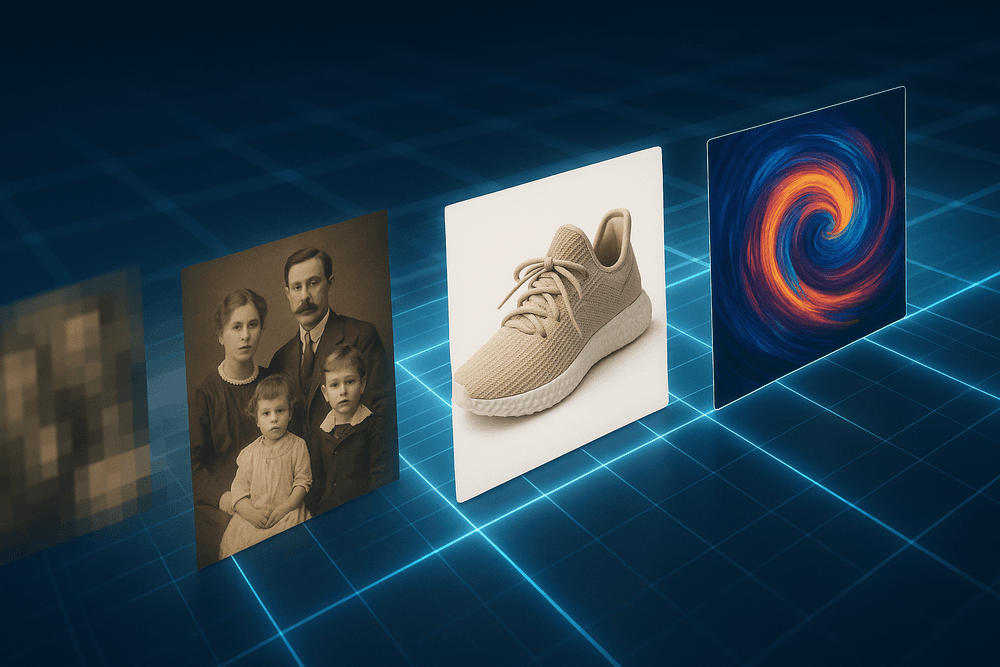
Because of this intelligent reconstruction, AI image upscaling matters tremendously. It empowers everyone—from photographers and graphic designers to historians and hobbyists—to rescue old family photos, prepare web graphics for high-resolution print, enhance e-commerce product shots, and breathe new life into any image that was previously considered too small or low-quality to use.
Comparing the Best AI Image Upscaling Tools on the Market
With a growing number of options available, choosing the right AI image upscaling software can feel overwhelming. The best tool for you depends on your specific needs, from professional-grade quality for large prints to quick, on-the-fly enhancements for social media. The key is to match the software’s strengths to your workflow and quality requirements. Let's break down some of the top contenders on the market to help you make an informed decision.
Topaz Gigapixel AI: The Professional's Choice
Often considered the gold standard in AI image upscaling, Topaz Gigapixel AI is built for users who demand the absolute best quality. It uses a highly trained deep-learning model to intelligently analyze and reconstruct image data, adding genuine detail and texture rather than just stretching pixels. This makes it the go-to choice for professional photographers, print specialists, and digital artists who need to make significant crops, restore low-resolution archival photos, or prepare images for large-format printing. While its premium price and system resource demands place it in the professional tier, its unparalleled ability to recover fine details and produce clean, natural-looking enlargements justifies the investment for serious work.
VanceAI Image Enlarger: For Speed and Simplicity
At the other end of the spectrum is VanceAI Image Enlarger, a tool that prioritizes speed and accessibility. As a primarily web-based platform, it allows you to upload an image and receive an upscaled version in seconds, without needing to install any software. This makes it perfect for casual users, social media managers, and bloggers who need a fast, hassle-free solution for improving image quality on the fly. While its results for highly detailed work may not match the granular precision of a dedicated desktop application like Gigapixel, its user-friendly interface and free-tier option make it an excellent entry point into the world of AI image upscaling.
Adobe Photoshop Super Resolution: Integrated Workflow Benefits
For the millions of creatives already embedded in the Adobe ecosystem, the Super Resolution feature is a game-changer. Integrated directly into Adobe Camera Raw (ACR) and Lightroom, this tool leverages Adobe’s powerful Sensei AI to double an image’s resolution with a single click. Its greatest strength is its seamless workflow integration. Photographers can upscale a RAW file at the very beginning of their editing process, ensuring they are working with the maximum amount of data possible. This makes it an incredibly efficient tool for Adobe Creative Cloud subscribers. The primary drawback is that it offers fewer customization options than specialized software and is only available as part of a subscription.
Free vs. Paid AI Image Upscaling: Which Should You Choose?
Your final choice often comes down to budget and project requirements.
When to Use Free Tools
Free AI image upscaling services are fantastic for occasional use, experimenting with the technology, or for projects where perfection isn't the primary goal. They are ideal for quickly enhancing a social media post or a small web graphic. However, be prepared for common limitations such as processing queues, watermarks, resolution caps, and advertisements.
When to Invest in a Paid Solution
If you are a professional or an enthusiast who frequently requires high-quality enlargements, a paid tool is a worthwhile investment. Paid solutions deliver superior image fidelity, batch processing for handling large volumes of images, much higher resolution limits, and advanced features like noise reduction and face recovery. This makes them essential for any commercial or critical creative work.
Must-Have Features in Modern AI Image Upscaling Software
Not all upscaling tools are created equal. As the technology has matured, a new standard has emerged, separating basic enlargers from professional-grade software. When you're looking to achieve truly stunning results, the best ai image upscaling platforms come equipped with a specific set of powerful features. These tools go beyond simply adding pixels; they intelligently reconstruct and refine your image for a flawless finish. Here’s what to look for.
Enhancing Faces and Natural Details Automatically
One of the biggest giveaways of a subpar upscale is the "plastic" or blurry look of human faces. Early algorithms struggled to interpret complex features, but modern AI has changed the game. A crucial feature is a dedicated face enhancement model. This AI is specifically trained on millions of portraits to recognize and realistically reconstruct facial features—from individual eyelashes and hair strands to natural skin texture.
This intelligence extends beyond faces to other organic details. Look for software that can convincingly render the texture of fabrics, the intricate patterns of leaves in a landscape, or the soft fur of an animal. This capability ensures your upscaled images don't just look bigger, but more lifelike and detailed than the original.
Removing Noise and Compression Artifacts
Enlarging an image also means enlarging its flaws. Digital noise (that grainy look in low-light photos) and compression artifacts (the blocky, pixelated mess common in JPEGs) become glaringly obvious when you upscale.
A must-have feature is intelligent denoising and artifact removal that works in tandem with the upscaling process. Instead of just making the noise bigger, the AI identifies and cleans it up, resulting in a crisp, smooth image. This is a non-negotiable for anyone restoring old photos, working with compressed web images, or cleaning up shots taken in poor lighting. The goal of ai image upscaling isn't just a larger file; it's a higher-quality one.
Batch Processing for High-Volume Workflows
For professionals, time is money. Whether you’re a photographer processing an entire wedding shoot, an e-commerce store owner enhancing thousands of product images, or an archivist digitizing a collection, upscaling photos one by one is simply not feasible.
Batch processing is an essential efficiency feature. It allows you to drag and drop an entire folder of images, apply your desired upscaling and enhancement settings once, and let the software handle the rest. This not only saves countless hours but also ensures perfect consistency across your entire project, making it indispensable for any high-volume workflow.
Choosing the Right Upscale Factor (2x, 4x, 8x)
Flexibility is key. A one-size-fits-all approach doesn't work for image enhancement, which is why you need control over the upscaling magnitude. Premier software offers multiple scaling factors to suit different needs:
- 2x Upscale: Ideal for a subtle quality boost. Perfect for making standard web graphics look razor-sharp on high-resolution Retina or 4K displays.
- 4x Upscale: This is often the sweet spot for major transformations. It can turn a low-resolution photo from an old smartphone into a beautiful, print-ready image suitable for a photo album or frame.
- 8x Upscale and Beyond: Reserved for extreme enlargements. This is what you need to create large-format prints, billboards, or to crop in heavily on a small subject within a larger photo without losing clarity.
Having these options ensures you can tailor the output precisely to your project's requirements, from digital displays to physical prints.
Real-World Use Cases for AI Image Upscaling
The theory behind AI-powered enhancement is impressive, but its true value shines in its practical, everyday applications. Across industries and personal projects, ai image upscaling is solving common resolution problems and unlocking new creative potential. It’s not just a tool for tech enthusiasts; it’s a practical solution for photographers, marketers, artists, and families alike. Here are four powerful examples of how this technology is making a tangible impact.
Reviving Old Family Photos for Print
In shoeboxes and aging albums lie priceless memories captured on film. When you scan these old photographs, the resulting digital file is often too small and low-resolution for a large, high-quality print. Traditional upscaling methods would simply stretch the image, resulting in a blurry, pixelated mess.
This is where AI image upscaling works like digital magic. By analyzing the scanned photo, the AI can intelligently identify faces, textures, and objects, then meticulously reconstruct them at a higher resolution. It fills in missing details based on its training, sharpening facial features, clarifying faded backgrounds, and even reducing film grain. The result is a crisp, clear image ready for a large canvas print, a photo book, or a beautifully framed gift, breathing new life into cherished family history.
Preparing E-commerce Product Images for Zoom
In the competitive world of e-commerce, a picture isn't just worth a thousand words—it’s worth a sale. Modern online shoppers expect to zoom in on product photos to inspect fabric textures, intricate details, and build quality. If that zoom reveals a blurry, pixelated image, it instantly erodes customer trust and can lead to a lost sale.
Instead of costly and time-consuming reshoots of entire product catalogs, businesses are turning to ai image upscaling. They can take existing, good-quality images and increase their resolution to support a crystal-clear zoom function. The AI ensures that every stitch, wood grain, or metallic finish remains sharp and detailed, providing a superior shopping experience. This small enhancement builds confidence, reduces returns, and directly contributes to higher conversion rates.
Enhancing Digital Art and Illustrations
For digital artists and graphic designers, resolution can be a creative constraint. An illustration created for a website banner may not be suitable for a large-format poster or trade show display. Recreating artwork from scratch at a higher resolution is a laborious process that drains valuable time.
AI image upscaling offers artists incredible flexibility. Unlike photographs, digital illustrations often contain sharp lines, flat colors, and subtle gradients. AI models trained on this type of imagery can enlarge the artwork while preserving its unique characteristics, keeping edges crisp and colors smooth. This allows artists to easily repurpose their portfolio for different mediums, from small social media icons to massive print advertisements, without losing an ounce of quality.
Upscaling Video Frames for 4K Production
Video is simply a sequence of still images. When filmmakers and video editors need to incorporate older, lower-resolution footage (like archival news clips or scenes shot in standard definition) into a modern 4K or 8K production, the quality difference can be jarring.
To solve this, production houses use ai image upscaling on a frame-by-frame basis. Advanced AI video enhancers analyze motion and context between frames to add detail in a temporally consistent way, preventing flickering or strange artifacts. This powerful process allows for the stunning remastering of classic films, the seamless integration of historical footage into documentaries, and the salvaging of valuable shots that were captured on less-advanced equipment.
How to Get Flawless Results With AI Image Upscaling
AI tools are incredibly powerful, but achieving professional, print-ready results requires more than just clicking a button. The quality of your output is directly influenced by your input and your process. By following a few best practices, you can harness the full potential of ai image upscaling to transform your low-resolution images into stunning, high-definition masterpieces.
Start with the Highest Quality Source Image
The old adage "garbage in, garbage out" holds true for AI. While ai image upscaling can work wonders on poor-quality files, its best results always come from the best possible source. The AI analyzes existing pixels to intelligently generate new ones. When the source image is clean, sharp, and free of compression artifacts, the AI has more accurate data to work with, leading to a more detailed and natural-looking enlargement.
Whenever possible, start with an uncompressed or minimally compressed format like RAW, TIFF, or a high-quality PNG. If you only have a JPEG, use the one with the highest resolution and lowest compression. A slightly blurry but clean original is often a better candidate for upscaling than a heavily compressed image riddled with blocky artifacts, as the AI won't have to waste processing power trying to "fix" the compression before it can add detail.
Experiment with Different AI Models and Settings
Not all ai image upscaling algorithms are created equal. Most advanced software offers several specialized AI models tailored for different types of content. A model designed for photorealistic portraits might handle skin textures beautifully but struggle with the sharp lines of a graphic design. Conversely, a model for digital art might excel at clean edges but create an unnatural, "painted" look on a photograph.
Don't settle for the default settings. Take the time to experiment:
- AI Model: Test different models (e.g., Standard, Photo, Digital Art, Low-Res) to see which best suits your specific image.
- Upscale Factor: Compare a direct 4x upscale with two consecutive 2x upscales. Sometimes, a staged approach yields cleaner results.
- Enhancements: Toggle features like Noise Reduction or Face Enhancement. These can be powerful but may not be necessary for every image.
Avoid Over-Sharpening and Unnatural Textures
One of the most common mistakes in image enhancement is pushing the sharpening and detail sliders too far. Aggressive sharpening can introduce unwanted "halos" around edges and create a brittle, over-processed look. It can also cause subtle textures like fabric, skin, or wood grain to appear artificial and plastic-like.
The goal of ai image upscaling is to enhance, not to fabricate. Start with conservative settings for sharpening and texture enhancement. It's often better to produce a slightly softer but clean upscale and apply precise, final sharpening later in a dedicated photo editor like Photoshop or Lightroom. This gives you far more control and helps you maintain a natural, believable aesthetic. Always zoom in to 100% to check for artifacts before finalizing your image.
Combine Upscaling with Final Color Adjustments
Think of ai image upscaling as a critical step in your image editing workflow, not the final destination. The primary job of the AI is to increase pixel dimensions and reconstruct detail. While doing so, it can sometimes cause minor shifts in color, contrast, or saturation.
Once your image has been successfully upscaled, bring it into your preferred photo editing software for the final polish. This is where you can make critical adjustments to ensure the image is perfect. Tweak the exposure, fine-tune the white balance, adjust the contrast, and boost the vibrance or saturation as needed. This final, human-guided step ensures that your high-resolution image not only looks sharp and detailed but also has the perfect tone and color to match your creative vision.
Conclusion: The Future is High-Resolution with AI Image Upscaling
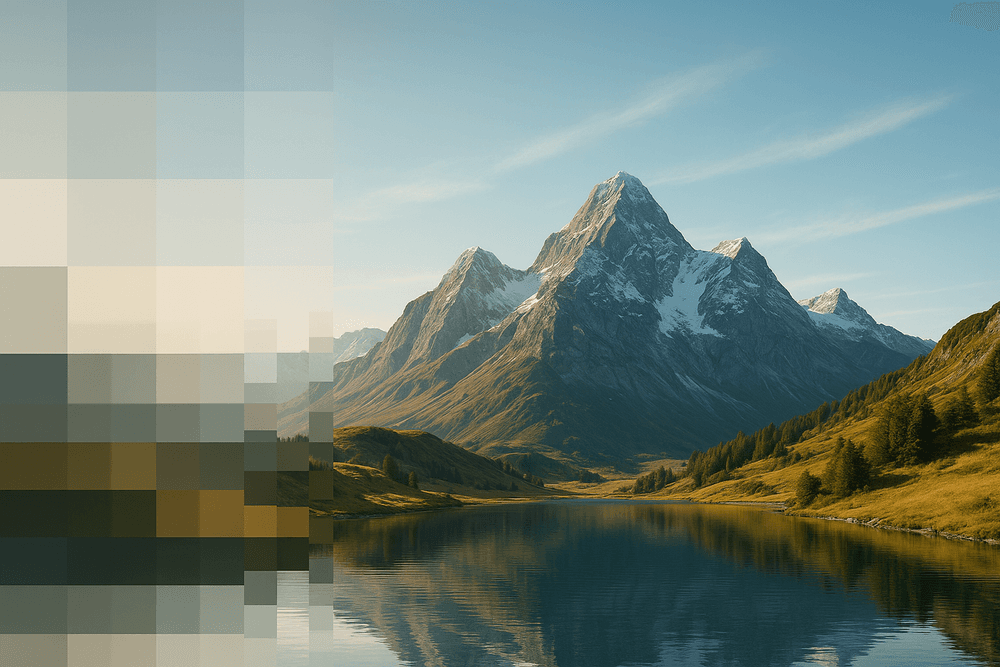
We’ve journeyed from the foundational pixels to the cutting-edge algorithms that define modern imaging. The core takeaway is clear: AI image upscaling is no longer a niche technology but an essential tool for anyone working with digital visuals. It has fundamentally democratized the ability to rescue, restore, and repurpose images, breaking the long-held constraints of fixed resolution. By leveraging sophisticated neural networks, these tools don’t just enlarge images; they intelligently reconstruct and enhance them, adding realistic detail that was previously impossible to achieve. The age of sacrificing quality for size is officially over.
Recap: Which AI Upscaler Fits Your Needs?
As we've explored, the "best" AI upscaler is highly dependent on your specific goals. Making the right choice is crucial for an optimal workflow.
- For the Professional Photographer & Designer: If you demand granular control, RAW file processing, and seamless integration with software like Lightroom and Photoshop, advanced desktop applications are your best bet. These platforms offer precise adjustments for noise reduction, sharpening, and artifact removal, ensuring your final output meets the highest professional standards.
- For the Marketer & Content Creator: Speed and efficiency are paramount. Web-based AI image upscaling tools that offer batch processing and simple, intuitive interfaces are game-changers. They allow you to quickly elevate product photos, social media graphics, and website banners without a steep learning curve.
- For the Casual User & Hobbyist: If you’re looking to breathe new life into old family photos or simply improve a blurry smartphone shot, free and user-friendly online tools are the perfect starting point. With just a few clicks, you can achieve dramatic improvements and preserve precious memories in stunning high-resolution detail.
Emerging Trends in AI Image Enhancement
The field of AI image upscaling is evolving at a breathtaking pace. What seems revolutionary today will be standard tomorrow. Keep an eye on these emerging trends that are set to redefine the landscape:
- Real-Time Video Upscaling: The technology is expanding beyond static images into the realm of video. Soon, we’ll see AI-powered upscaling integrated directly into streaming services, video conferencing, and broadcast software to deliver crisp 4K or even 8K video from lower-resolution sources in real-time.
- Generative Refinement: Future AI models won't just sharpen existing details—they will intelligently generate new, contextually accurate information. Imagine an AI that can reconstruct an unreadable sign in a photograph or add realistic texture to a fabric that was previously a blur.
- On-Device Processing: As mobile chipsets become more powerful, sophisticated AI image upscaling algorithms will run directly on our smartphones and cameras. This means instant, private, and offline image enhancement without ever needing to upload your files to the cloud.
Start Upscaling Your First Image Today
The theory is compelling, but the real magic happens when you see it for yourself. The future of high-resolution imagery isn’t a distant concept; it’s an accessible tool waiting for you to use it. The best way to understand the transformative power of AI image upscaling is to experience it firsthand.
Find that low-resolution photo you’d written off as unusable—a grainy event picture, a pixelated logo, or a cherished but blurry digital scan. Choose one of the tools we’ve discussed that aligns with your needs and upload your image. Within moments, you will witness a level of restoration and clarity that feels nothing short of miraculous. Don’t let resolution dictate the potential of your visuals. The era of limitless detail is here, and your journey into it starts with a single click.