
August 9, 2025
What Is AI Image Upscaling and Why Is It a Game-Changer?
What Is AI Image Upscaling and Why Is It a Game-Changer?
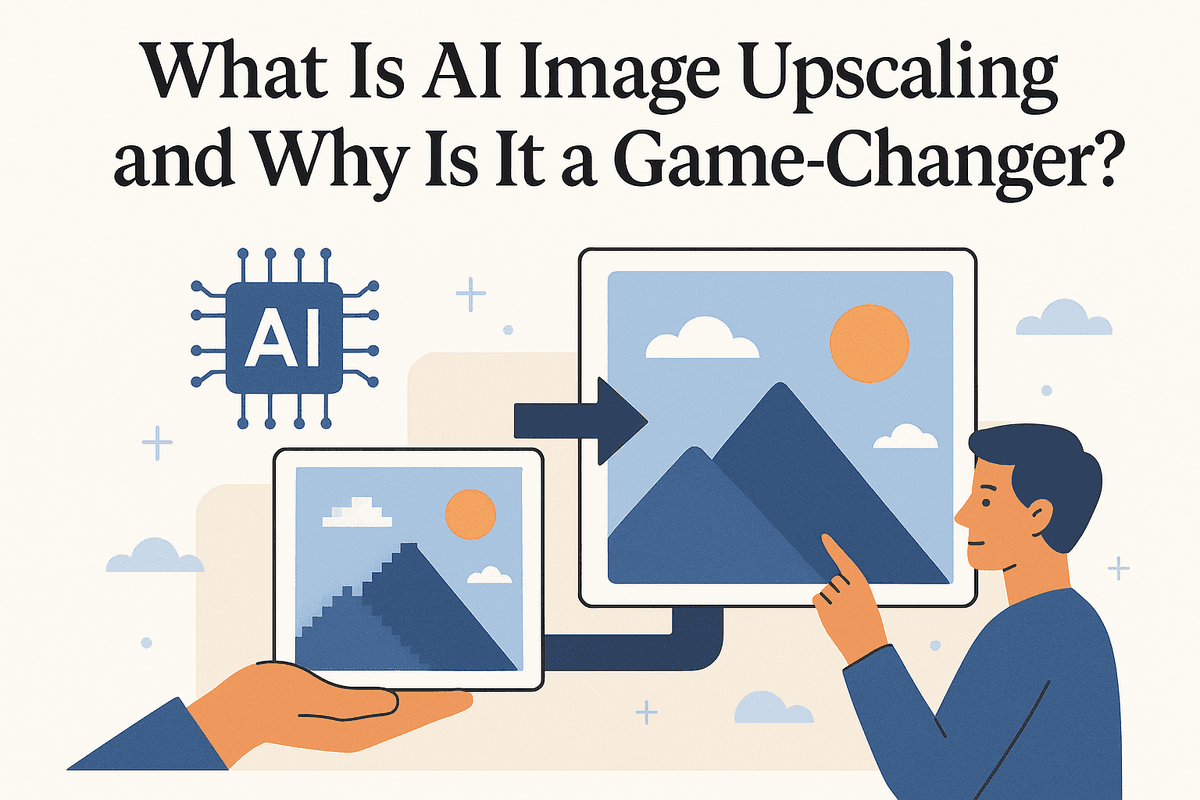
Have you ever found the perfect image, only to realize it's too small and pixelated for your project? Enlarging it with traditional software often results in a blurry, unusable mess. This is where AI image upscaling steps in, transforming low-resolution images into crisp, high-quality visuals. It’s not just a minor improvement; it's a fundamental shift in how we handle digital imagery.
Unlike simple resizing, which merely stretches existing pixels, AI image upscaling intelligently creates new pixels. It’s a revolutionary technology that breathes new life into old photos, enhances digital art, and provides professionals with unprecedented flexibility.
From Pixels to Perfection: The Magic Behind AI Enhancement
So, how does AI accomplish this digital alchemy? The process is rooted in machine learning. Developers train a sophisticated neural network on a massive dataset containing millions of image pairs—one low-resolution and its corresponding high-resolution version.
By analyzing these pairs, the AI learns the intricate relationships between pixels. It identifies common patterns, textures, shapes, and details—like the texture of wood grain, the strands in a piece of fabric, or the subtle gradients in a sky. When you feed it your low-resolution image, the AI doesn't just guess; it makes highly educated predictions based on this extensive training. It "imagines" and generates the missing details, filling in the gaps with new, contextually accurate pixels to produce a sharp, clear, and natural-looking result.
Traditional Upscaling vs. AI Image Upscaling: A Quick Comparison
To appreciate the power of AI image upscaling, it's helpful to compare it to traditional methods.
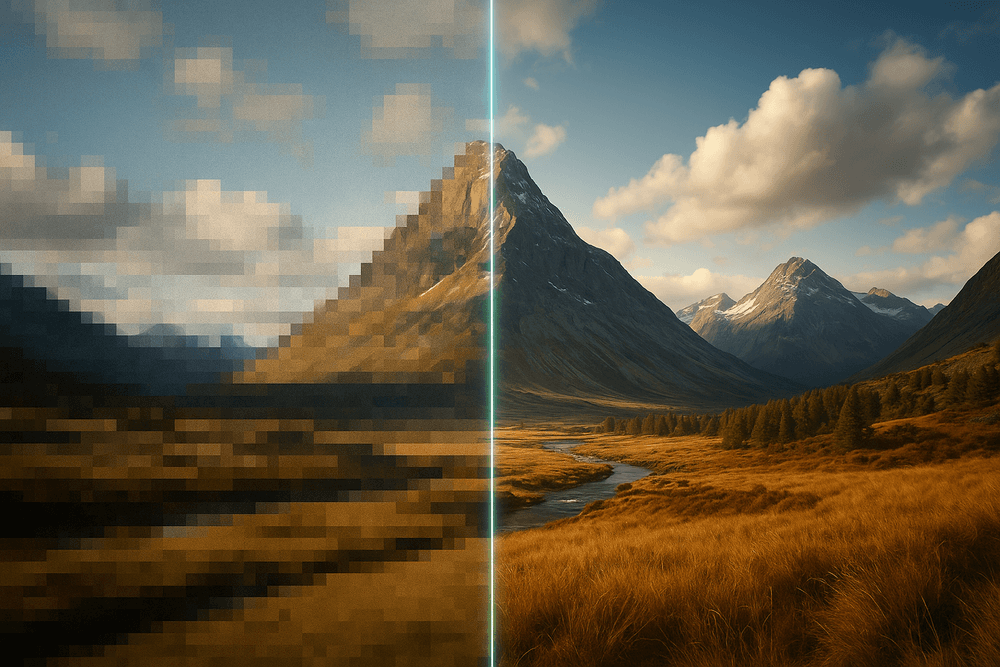
- Traditional Upscaling (e.g., Bicubic, Bilinear): These methods rely on simple mathematical algorithms. They look at the immediate neighboring pixels and calculate an average color to create new pixels. While functional for small increases in size, this process inevitably leads to a loss of sharpness, resulting in the familiar blurry, blocky, or "soft-focus" effect. They are essentially guessing based on limited local information.
- AI Image Upscaling: This approach is predictive and generative. Instead of just averaging colors, the AI model uses its vast knowledge base to reconstruct details. It can recognize an eye and add realistic eyelashes, or identify a brick wall and add convincing texture. The result is a significantly sharper, more detailed, and artifact-free image that often looks like it was originally captured in high resolution.
Understanding Generative Adversarial Networks (GANs) in Upscaling
One of the most powerful technologies driving modern AI image upscaling is the Generative Adversarial Network, or GAN. A GAN consists of two competing neural networks working in tandem:
- The Generator: Its job is to create the upscaled image. It takes the low-resolution input and attempts to generate a realistic, high-resolution version.
- The Discriminator: Its role is to act as an art critic. It is trained on real high-resolution images and learns to distinguish between them and the AI-generated fakes from the Generator.
This adversarial process creates a feedback loop. The Generator constantly tries to fool the Discriminator, while the Discriminator gets better at spotting fakes. This competition forces the Generator to produce increasingly convincing and high-quality images, pushing the boundaries of what's possible in image enhancement. This is the sophisticated engine behind many of today's most impressive AI upscalers.
The Best AI Image Upscaling Tools Compared
Navigating the world of AI image upscaling can be daunting, with a sea of options all promising to bring your low-resolution images back to life. The right tool, however, depends entirely on your specific needs, budget, and workflow. Let's break down some of the top contenders and the key features you should be looking for.
Topaz Labs Gigapixel AI: The Professional Standard?
When quality is non-negotiable, professionals often turn to Topaz Labs Gigapixel AI. This desktop application has earned a reputation for producing some of the most detailed and artifact-free enlargements available. Rather than a one-size-fits-all algorithm, Gigapixel AI uses multiple specialized AI models trained on millions of images. This allows it to intelligently identify and enhance different subjects, such as faces, architectural lines, or natural textures, with stunning accuracy.
Because it's a standalone program, it offers robust performance and privacy for sensitive client work. The trade-off is the cost; it's a one-time purchase, but it represents a significant investment compared to free alternatives. For professional photographers, print designers, and digital artists who require the absolute best AI image upscaling results, Gigapixel AI is often considered the industry benchmark.
VanceAI & Icons8: Best for Quick, Web-Based Upscaling
For those who need a fast, convenient solution without installing software, web-based tools like VanceAI Image Upscaler and the Icons8 Smart Upscaler are excellent choices. Their primary advantage is accessibility—simply upload your image, select your scaling factor, and download the result in minutes.
These platforms are perfect for enhancing images for social media, blog posts, or e-commerce listings where speed and ease of use are paramount. Most offer a free tier that allows you to process a few images with some limitations, such as resolution caps or watermarks. While they may not match the granular control or sheer output quality of a dedicated tool like Gigapixel AI, their convenience makes them the go-to option for quick, on-the-fly enhancements.
Free vs. Paid Tools: Which AI Image Upscaling Solution Fits Your Needs?
The decision between a free or paid tool comes down to a simple cost-benefit analysis.
- Free Tools are ideal for casual users, students, or anyone who only needs to upscale an image occasionally. They provide a fantastic, no-risk way to experience the power of AI image upscaling. Be prepared for potential limitations like slower processing speeds, ads, watermarks, and caps on the maximum output resolution.
- Paid Tools are a worthwhile investment for professionals or serious hobbyists. The subscription or one-time fee unlocks superior image quality, advanced features like batch processing, support for professional file formats (like RAW and TIFF), and significantly higher resolution outputs, making them essential for print or high-end digital work.
Key Features to Look For
When comparing different AI image upscaling services, keep an eye out for these critical features:
- Batch Processing: A must-have for professionals. This feature allows you to upload and process entire folders of images at once, saving an immense amount of time.
- Supported File Types: Ensure the tool supports the formats you work with. While most handle JPG and PNG, professionals may need support for uncompressed formats like TIFF or camera RAW files for maximum quality retention.
- Maximum Resolution & Scale Factor: Check the tool's limits. Some may only allow 2x or 4x upscaling, while more advanced solutions can go up to 6x, 8x, or even higher, which is crucial for large-format printing.
- Specialized AI Models: The best tools offer different AI models tailored to specific content (e.g., portraits, landscapes, digital art, text). This ensures a more nuanced and accurate enhancement than a generic upscaling algorithm.
How to Use AI Image Upscaling for Flawless Results
Transforming a low-resolution image into a high-quality masterpiece is more than just a single click. The magic of ai image upscaling lies in a thoughtful process that balances technology with artistic intent. By following a few key steps and understanding the nuances of the software, you can achieve consistently stunning and professional results.
Step 1: Selecting the Right Source Image for Upscaling
The old computing adage "garbage in, garbage out" applies perfectly to AI image enhancement. While AI can work wonders, its success is fundamentally tied to the quality of the source material. For the best ai image upscaling results, start with the highest-resolution version of the image you have available.
Look for a source image that is as clear and well-defined as possible, even if it's small. An image that is blurry due to camera shake or being out of focus is much harder for an AI to interpret than a sharp image with a low pixel count. Similarly, images with heavy JPEG compression artifacts (the blocky, distorted patterns you see in heavily saved files) can confuse the AI, sometimes causing it to enhance those artifacts instead of the actual image details. The cleaner your starting point, the more data the AI has to work with, leading to a more accurate and detailed upscale.
Step 2: Choosing Your Upscaling Factor (2x, 4x, or Higher)
Your upscaling factor determines the final size of your image. A 2x upscale will double the width and height, resulting in four times the total pixels. A 4x upscale will quadruple the dimensions, giving you sixteen times the pixels.
The key is to choose a factor that matches your end goal.
- For web use or social media: A 2x upscale is often more than enough to make a small image look crisp and clear on digital screens.
- For high-resolution displays or small prints: A 4x upscale is a common choice that provides significant detail enhancement without creating an unmanageably large file.
- For large-format printing or detailed cropping: You might consider 6x, 8x, or even higher, but be mindful. Aggressively upscaling can sometimes introduce minor imperfections or create very large files. Always ask yourself: "How much resolution do I actually need?" Don't overdo it if a smaller upscale will suffice.
Step 3: Fine-Tuning Settings for Noise and Blur Reduction
This is where you move from operator to artist. Most advanced ai image upscaling tools offer granular controls to refine the final output, primarily focused on noise and sharpness.
- Noise Reduction: This feature is brilliant for cleaning up digital noise from old photos, scans, or images taken in low light. However, be cautious. Applying too much noise reduction can scrub away fine textures like fabric weave or skin pores, resulting in an unnatural, "plastic" look. Start with a low setting and increase it incrementally until the unwanted grain is gone, but the essential details remain.
- Blur Reduction & Sharpening: This setting helps counteract softness in the original image, making edges and details pop. Again, a delicate touch is required. Over-sharpening can create harsh, bright outlines (halos) around objects and make the image look brittle and artificial.
The best practice is to use the tool’s preview function. Make small adjustments to these settings and toggle the preview on and off to compare the result with the original. Aim for a natural enhancement, not an over-processed effect.
Common Pitfalls in AI Image Upscaling and How to Avoid Them
Even with powerful tools, it’s easy to make mistakes. Here’s how to sidestep common issues:
- Pitfall: Unrealistic Expectations. AI is predictive, not magic. It can’t recreate intricate details from a source image that is just a blurry mess. It makes highly educated guesses to fill in the gaps.
- Solution: Start with the best source possible and have realistic goals. Use ai image upscaling to enhance, not to perform miracles.
- Pitfall: Over-processing the Image. Pushing the noise reduction and sharpening sliders to their maximum values is a frequent mistake that leads to artificial-looking results.
- Solution: Adopt a "less is more" philosophy. Make subtle, targeted adjustments and always prioritize a natural-looking outcome.
- Pitfall: Using the Wrong AI Model. Many upscalers offer different AI models trained for specific content, such as photographs, digital art, or text.
- Solution: If available, select the model that matches your image type. Using a "realistic photo" model on a cartoon, for example, might introduce strange textures and artifacts.
- Pitfall: Saving in a Low-Quality Format. You can undo all your hard work by exporting the beautifully upscaled image as a heavily compressed JPEG.
- Solution: Save your final masterpiece in a high-quality or lossless format like PNG or TIFF, especially if it’s intended for printing or further professional editing.
Real-World Applications of AI Image Upscaling
The magic of AI image upscaling isn't confined to tech demos; it’s a powerful, practical tool that’s reshaping workflows across numerous professional fields. By intelligently adding detail and clarity, this technology solves common visual quality problems, saves time, and unlocks new creative possibilities. From preserving precious memories to driving sales, AI-powered enhancement is making a tangible impact. Let’s explore how different professionals are leveraging this game-changing tool in their daily work.
For Photographers: Rescuing Low-Res Shots and Restoring Vintage Photos
Every photographer has felt the dread of discovering a perfect shot was captured at the wrong resolution. Whether it was an incorrect camera setting or a client needing a massive print from a cropped image, AI image upscaling provides a powerful solution. Instead of just stretching pixels, AI algorithms analyze the image content and intelligently generate new, realistic details. This allows photographers to salvage otherwise unusable shots, turning a low-resolution file into a stunning, print-worthy piece of art.
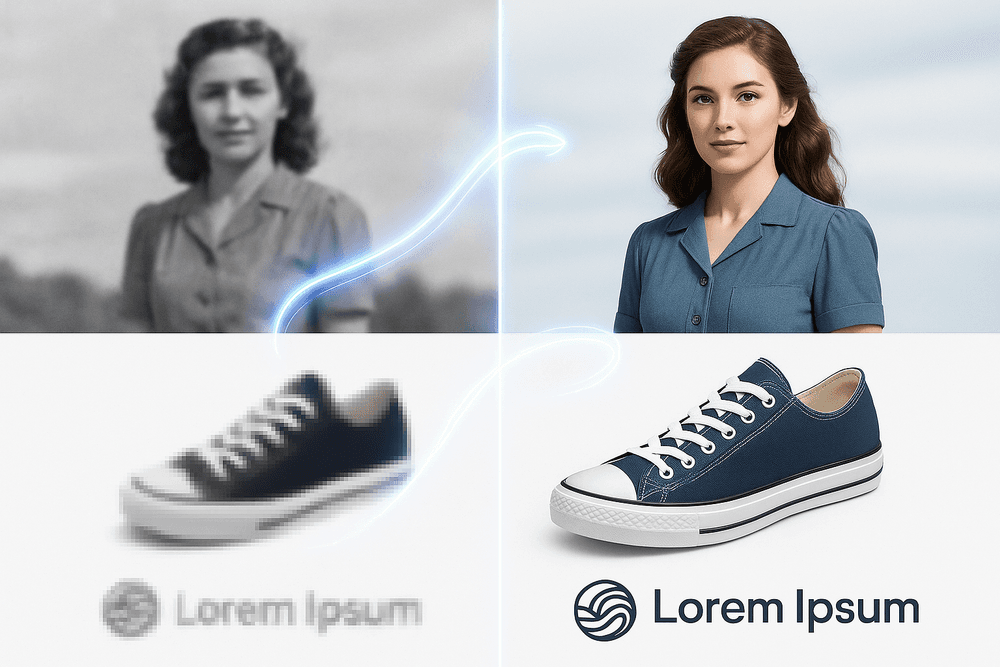
This technology is also a miracle worker for photo restoration. When you scan old family photos, the resulting digital files are often small and lack detail. Traditional enlargement only emphasizes the grain and imperfections. AI image upscaling, however, can transform these faded memories. It sharpens blurry faces, reconstructs fabric textures, and clarifies backgrounds, breathing new life into vintage photographs while preserving their nostalgic charm.
For E-commerce: Creating Stunning, High-Resolution Product Listings
In the competitive world of e-commerce, visuals are everything. Customers rely on high-quality images to inspect product details, texture, and craftsmanship before making a purchase. Blurry or pixelated photos erode trust and lead to lost sales. This is where AI image upscaling becomes an essential tool for online retailers.
Businesses can take existing product photos—even those from older catalogs or supplied by manufacturers at a lower quality—and enhance them to meet modern standards. The technology creates crisp, zoomable images that allow customers to get up close and personal with the product. This not only improves the user experience but also demonstrably boosts conversion rates. Instead of investing in costly and time-consuming reshoots for an entire inventory, companies can use AI to elevate their product listings quickly and affordably.
For Graphic Designers: Enhancing Logos and Graphics for Print
Graphic designers frequently face a classic client request: "Can you make this tiny logo bigger for a billboard?" Often, the only asset available is a low-resolution JPEG pulled from a website. In the past, the only options were a time-intensive manual vector recreation or a blurry, unprofessional result.
AI image upscaling offers a revolutionary alternative. It allows designers to increase the resolution of raster images—like logos, icons, and illustrations—while maintaining sharp edges and clean lines. The AI is smart enough to understand the difference between a soft gradient and a hard edge, adding pixels in a way that respects the original design intent. This makes it possible to prepare web graphics for high-quality print media like brochures, banners, and merchandise without starting from scratch, saving valuable time and budget.
For Content Creators: Improving Video Thumbnails and Social Media Visuals
On platforms like YouTube, Instagram, and TikTok, the first impression is the only impression. A compelling, high-quality visual is critical for grabbing a viewer's attention. Content creators can leverage AI image upscaling to gain a significant competitive edge.
A common workflow is to pull a still frame from a video to use as a thumbnail. However, video frames are often not as sharp or high-resolution as a dedicated photograph. By running this frame through an AI upscaler, a creator can produce a crystal-clear, eye-catching thumbnail that stands out in a crowded feed. Similarly, it can be used to enhance user-generated content for a feature or improve the quality of older posts to maintain a polished and professional social media aesthetic, ensuring every visual they share is of the highest possible quality.
The Future of Image Resolution: What's Next for AI Image Upscaling?
The world of AI image upscaling is not standing still. What was once a niche tool for digital artists and photo restoration experts is rapidly becoming a mainstream technology, pushing the boundaries of what we consider possible for digital media. The algorithms are getting smarter, faster, and more integrated into the tools we use every day. As we look ahead, the evolution of AI-powered resolution enhancement promises even more revolutionary changes.
Emerging Trends: Pushing the Boundaries of Pixel Perfection
The most exciting developments are happening in real-time applications, where speed is as crucial as quality. This is where AI image upscaling is transitioning from a post-production fix to a dynamic, on-the-fly process.
Real-Time AI Upscaling in Video and Gaming This is the frontier. Technologies like NVIDIA's Deep Learning Super Sampling (DLSS) and AMD's FidelityFX Super Resolution (FSR) are already transforming the gaming industry. These systems work by rendering a game at a lower, less demanding resolution and then using a highly trained AI model to upscale the image to your screen's native resolution in milliseconds. The result? Gamers get a massive performance boost—higher frame rates and smoother gameplay—with a visual quality that is often indistinguishable from, or even sharper than, native resolution rendering.
This same principle is poised to revolutionize video streaming. Imagine streaming services using real-time AI upscaling to deliver crystal-clear 4K or 8K video, even on a slower internet connection. The service could send a smaller 1080p data stream, and your device would use AI to upscale it flawlessly, reducing buffering and data consumption for everyone.
Final Checklist: Is AI Image Upscaling Right for Your Project?
Wondering if this technology is the solution you've been looking for? Run through this quick checklist to see if an AI image upscaler fits your needs.
- Do you need to enlarge an image without losing quality? If you have a small source file that needs to be printed large, displayed on a high-resolution screen, or cropped heavily, AI upscaling is your best bet. Traditional methods will only stretch the existing pixels, causing blurriness and pixelation.
- Is detail restoration a priority? For old family photos, compressed JPEGs from the web, or stills from a low-resolution video, AI image upscaling is uniquely powerful. It doesn't just make the image bigger; it intelligently reconstructs and adds fine details—like fabric textures, facial features, and sharp lines—that were lost or obscured.
- Are you working on a tight deadline or budget? Reshooting a photograph or recreating a complex graphic from scratch is expensive and time-consuming. An AI upscaler can often provide a "good enough" or even perfect result in minutes, saving invaluable time and resources.
- Do you want to improve the overall clarity of your visuals? Even if you aren't drastically changing the size, running an image through a high-quality AI upscaler can reduce noise, sharpen edges, and create a cleaner, more professional-looking final product.
Your Next Step: Try an AI Upscaler and See the Difference
Reading about the benefits of AI image upscaling is one thing; seeing it in action is another. The best way to truly understand its power is to experience it yourself.
Take a moment to find an image you thought was a lost cause—a blurry photo from an old phone, a pixelated logo downloaded from the web, or a cherished but grainy family picture. Upload it to one of the AI upscaling tools available today and compare the before and after. The transformation is often stunning and is the clearest demonstration of how this technology can unlock the hidden potential in your digital assets.