
October 3, 2025
What is AI Image Upscaling and How Does It Transform Your
What is AI Image Upscaling and How Does It Transform Your Images?
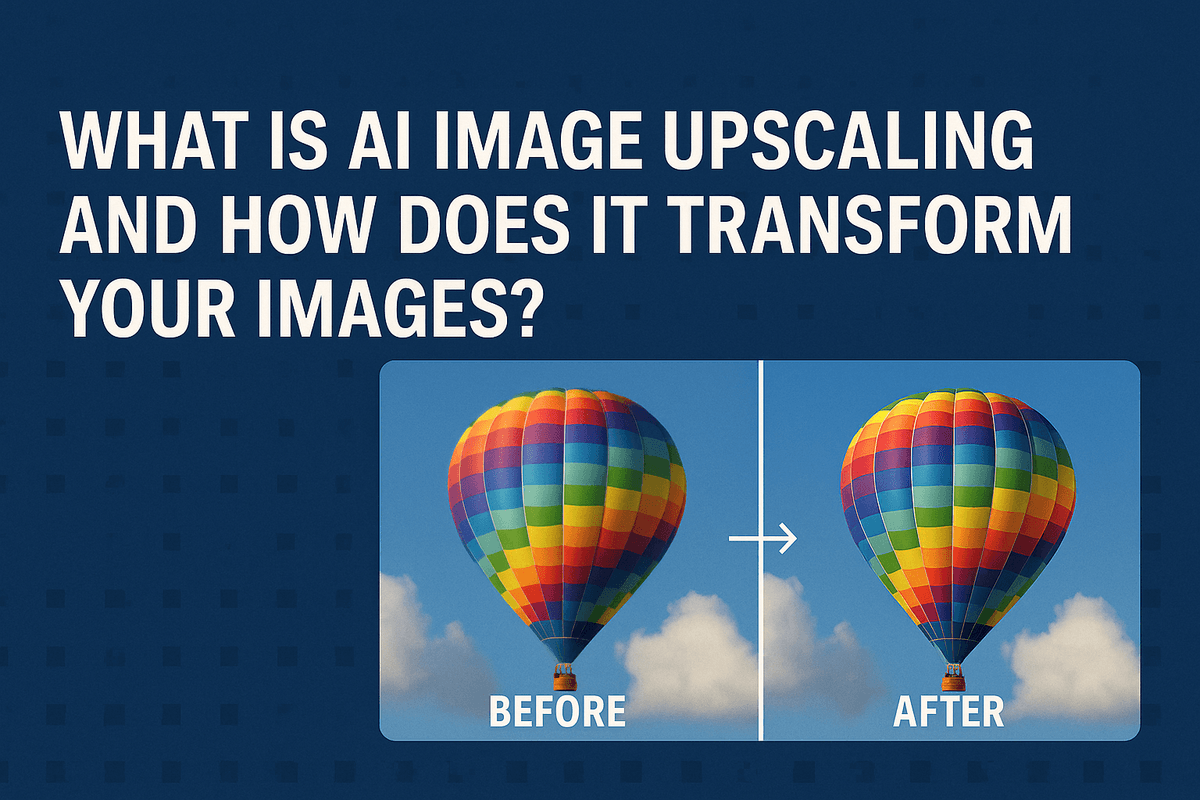
Have you ever tried to enlarge a small photo, only to end up with a blurry, pixelated mess? That’s a common limitation of traditional resizing methods. But what if you could not only increase an image's size but also enhance its detail and clarity? This is the magic of AI image upscaling, a revolutionary technology that uses artificial intelligence to intelligently increase image resolution, turning low-quality pictures into stunning, high-definition visuals.
From Pixels to Perfection: The Core Technology Explained
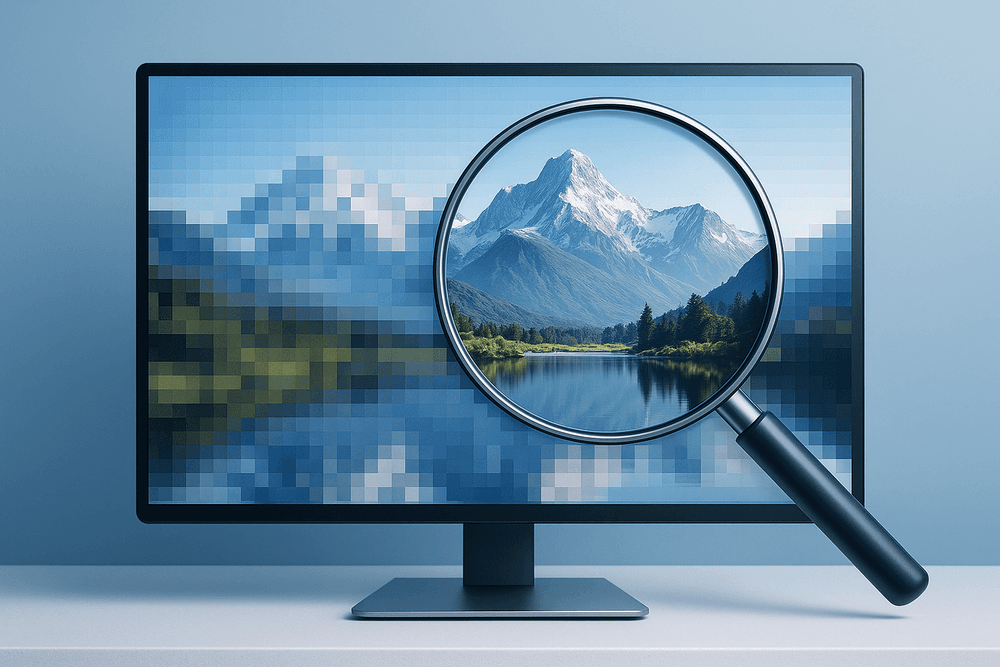
At its heart, AI image upscaling is about more than just making an image bigger; it's about making it smarter. A low-resolution image suffers from a lack of data—there simply aren't enough pixels to create a sharp picture when enlarged. Traditional software tries to solve this by stretching the existing pixels and guessing the colors of the new ones, which almost always results in a soft or blocky appearance.
AI, however, takes a completely different approach. It leverages deep learning models, specifically convolutional neural networks (CNNs), that have been trained on millions of pairs of low- and high-resolution images. This extensive training teaches the AI to recognize patterns, textures, edges, and objects. When you upload a low-resolution image, the AI doesn't just stretch it. Instead, it analyzes the content and intelligently predicts and generates new pixels that are contextually appropriate, effectively recreating the details that were lost. It's like having a digital artist who can look at a blurry face and realistically paint in the missing eyelashes and skin texture.
Traditional vs. AI Image Upscaling: A Side-by-Side Comparison
The difference between old-school resizing and modern AI image upscaling is night and day. Understanding this comparison reveals why AI is a game-changer for photographers, designers, and anyone working with digital images.
| Feature | Traditional Upscaling (e.g., Bicubic) | AI Image Upscaling |
| :--- | :--- | :--- |
| Underlying Method | Mathematical Interpolation | Machine Learning & Neural Networks |
| Process | Averages the colors of nearby pixels to fill in gaps. | Analyzes image content to generate new, realistic pixels. |
| Detail Handling | Loses detail and introduces blurriness or artifacts. | Recreates and enhances fine details like textures and edges. |
| Typical Result | A soft, blurry, or "pixelated" image. | A sharp, clean, and natural-looking high-resolution image. |
While traditional methods serve as a quick way to change dimensions, they fundamentally cannot add new information. AI excels because its core function is to generate new, believable information based on its vast training, leading to vastly superior results.
Understanding GANs in Modern Upscaling
To achieve an even higher level of realism, many of the best AI image upscaling tools employ a sophisticated technology called Generative Adversarial Networks (GANs). A GAN consists of two competing neural networks working together:
- The Generator: This network’s job is to create the upscaled image. It analyzes the low-resolution input and generates new pixels to increase the resolution, trying its best to make the result look like a genuine high-resolution photo.
- The Discriminator: This network acts as an expert art critic. It has been trained on thousands of real high-resolution images and its sole purpose is to determine if the image from the Generator is "real" or "fake" (AI-generated).
This adversarial process creates a powerful feedback loop. The Generator constantly tries to fool the Discriminator, forcing it to get progressively better at creating incredibly realistic details—from the subtle texture of a brick wall to the intricate patterns in a piece of fabric. This "competition" is what pushes GAN-based upscalers to produce the most detailed and photorealistic results possible.
Key Benefits of Using AI Image Upscaling for Your Projects
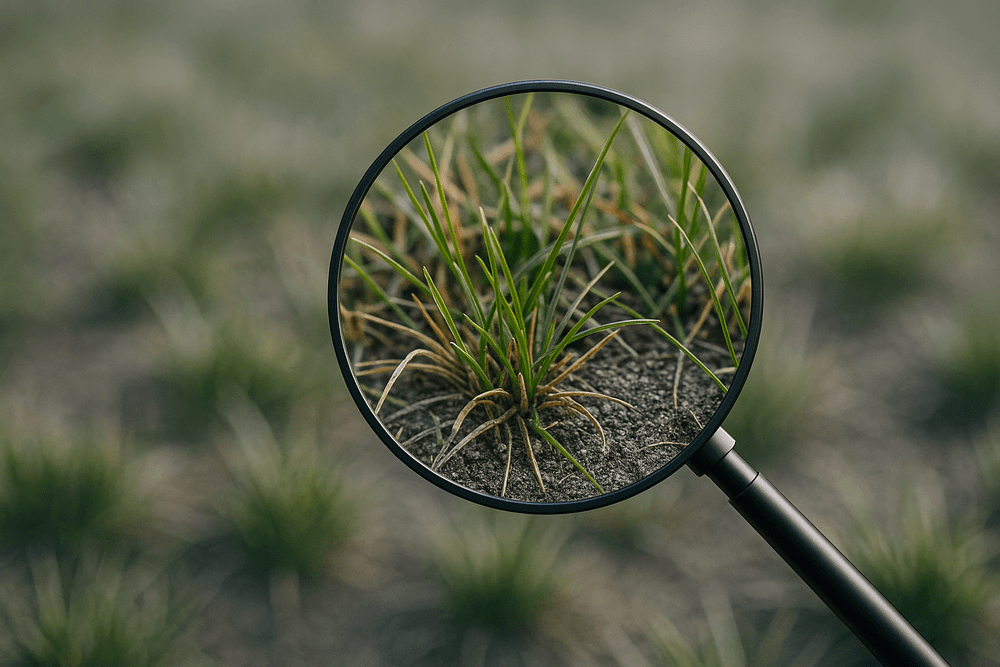
In a world driven by visual content, the quality of your images can make or break a project. Low-resolution, blurry, or pixelated photos can appear unprofessional and fail to capture your audience's attention. This is where AI image upscaling steps in, transforming from a niche tool into an essential asset for creators, marketers, and businesses. By intelligently rebuilding and enhancing your visuals, this technology offers powerful benefits that go far beyond simple resizing.
Rescue Low-Resolution Images for Flawless Print and Web Display
We’ve all been there: you find the perfect image for your website banner, social media campaign, or print brochure, only to realize it’s a tiny, low-resolution file. Traditional resizing methods simply stretch the existing pixels, resulting in a blurry, pixelated mess. AI image upscaling fundamentally changes the game. Instead of stretching, AI algorithms analyze the content of your image and intelligently generate new, realistic pixels to fill in the gaps. This sophisticated process allows you to take a small, web-quality image and transform it into a large, high-resolution masterpiece that looks sharp and professional, whether it’s displayed on a 4K monitor or printed on a large-format poster.
Enhance Critical Details and Textures in Photos and Digital Art
The magic of AI image upscaling isn't just about making images bigger; it’s about making them better. Because the AI is trained on millions of diverse images, it understands context. It recognizes textures like fabric weaves, wood grain, skin pores, and foliage and can reconstruct them with astonishing accuracy. For photographers, this means bringing out the subtle details in a landscape or sharpening the focus in a portrait. For e-commerce businesses, it means showcasing product materials with crystal-clear precision. Digital artists can use it to add crispness to intricate brushwork, ensuring their creations look stunning at any size. The AI acts like a digital artisan, enhancing the very elements that give an image its depth and realism.
Save Time and Resources on Professional Photo Restoration
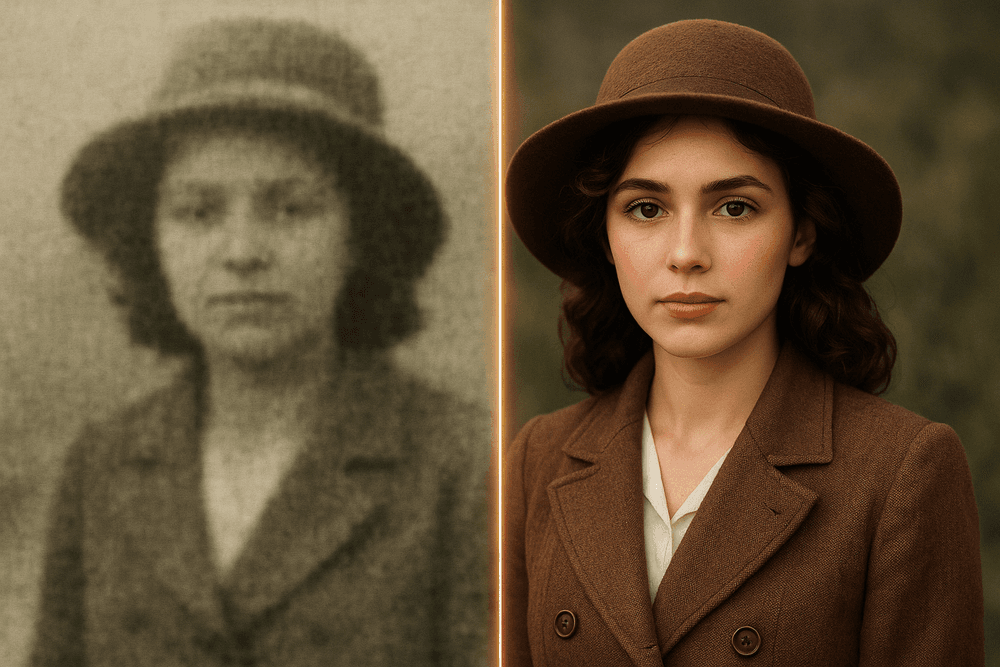
Before the advent of accessible AI tools, restoring an old, faded, or low-quality photograph was a costly and time-consuming process that required the expertise of a professional retoucher. Manually fixing imperfections, reducing noise, and sharpening details could take hours of meticulous work. Today, AI image upscaling automates much of this process. In minutes, an AI tool can analyze a vintage family photo or a compressed digital image, correct common flaws, and upscale it to a modern standard. This democratizes photo restoration, empowering small businesses, content creators, and individuals to breathe new life into their archives without breaking the budget or spending days in editing software.
Improve the Quality of AI-Generated Artwork Without Artifacts
AI art generators like Midjourney and DALL-E are revolutionizing creative workflows, but they often produce initial images at a standard, web-friendly resolution. While many of these platforms have built-in upscalers, they can sometimes produce results that look overly smooth or introduce strange visual artifacts. Using a dedicated AI image upscaling tool is the perfect final step in the AI art workflow. These specialized models are trained to enlarge and refine images while preserving a natural, detailed look. They can clean up minor imperfections from the generation process and add a layer of professional polish, turning a great AI-generated concept into a flawless, high-resolution piece ready for any professional application.
The Best AI Image Upscaling Tools: A Head-to-Head Comparison
With a sea of options available, choosing the right AI image upscaling tool can feel overwhelming. Whether you're a hobbyist looking for a quick fix or a professional demanding pixel-perfect quality, the best choice depends on your specific needs, budget, and desired outcome. Let's break down the top contenders to help you decide where to start.
Top Free AI Upscalers for Quick and Easy Enhancements
For those one-off projects or casual enhancements, a free AI image upscaler is an excellent starting point. Tools like Upscale.media and Clipdrop's Image Upscaler offer a straightforward, browser-based experience that delivers impressive results in seconds. You simply upload your image, and the AI handles the rest. They are perfect for sharpening old family photos, clarifying a low-resolution graphic for social media, or simply seeing the power of AI in action without any financial commitment. However, be aware of the common limitations: most free services cap the output resolution (usually 2x or 4x), may add a watermark, and typically lack advanced features like batch processing.
Professional Paid Tools: When to Invest for Pro-Grade Results
When your work demands the highest fidelity, investing in a professional tool is a game-changer. Software like Topaz Gigapixel AI and Adobe Photoshop’s Super Resolution feature are industry standards for a reason. These platforms use more sophisticated AI image upscaling models that excel at creating natural-looking textures, preserving fine details, and intelligently removing compression artifacts. They are designed for high-resolution print work, professional photography portfolios, and commercial projects where quality is non-negotiable. The investment pays off through superior results, greater control, and time-saving workflows.
Feature Breakdown: Resolution Limits, Batch Processing, and Supported Formats
The difference between free and paid tools often comes down to the fine print. Here’s a comparative look at key features that separate the casual from the professional:
- Resolution Limits: Free tools typically offer a 2x or 4x upscale. Paid solutions like Gigapixel AI can enlarge images up to 6x or more, providing massive files suitable for large-format printing and detailed digital work.
- Batch Processing: This is a critical feature for professionals. Paid applications allow you to apply the same upscaling settings to hundreds of photos in a single run, a massive time-saver that free, one-at-a-time web tools can't match.
- Supported Formats: While most services handle JPGs and PNGs, professional AI image upscaling software offers crucial support for RAW and TIFF files, preserving maximum image data for the best possible enhancement.
- AI Models & Controls: Advanced tools often let you choose between different AI models tailored for specific content (e.g., realistic photos vs. digital art) and provide sliders to fine-tune noise reduction and sharpness.
Comparing Ease-of-Use and User Experience Across Platforms
User experience varies significantly between platforms. Free online upscalers prioritize simplicity with intuitive drag-and-drop interfaces that require zero learning curve—ideal for quick tasks. In contrast, professional desktop software presents more controls and options, offering greater creative command but requiring a brief familiarization period. These tools also integrate seamlessly as plugins for programs like Adobe Photoshop and Lightroom, fitting directly into an established professional workflow. The choice here is between the immediate convenience of a web tool and the powerful, integrated control of a dedicated application.
How to Get Professional Results with AI Image Upscaling: A Step-by-Step Guide
Transforming a low-resolution image into a high-quality masterpiece isn't just about clicking a button; it's a process. To achieve truly professional results, you need to guide the AI. This step-by-step guide will walk you through the essential stages of the ai image upscaling workflow, ensuring your final image is sharp, detailed, and free of distracting artifacts.
Step 1: Choose the Right Source Image for Upscaling
The old computer science adage "garbage in, garbage out" applies perfectly to ai image upscaling. While the technology is powerful, it works best when it has good data to analyze. A high-quality source image, even if small, will always yield a better result than a heavily compressed or blurry one.
Before you begin, evaluate your source image for:
- Clarity: Is the subject matter reasonably in focus? AI can enhance details, but it can't invent them from a complete blur.
- Compression Artifacts: Look for blocky patterns or "halos," especially in JPEG images saved at low quality. While some AI tools have features to reduce these, excessive artifacts can confuse the algorithm and lead to a messy upscale.
- Lighting and Composition: A well-lit photo with a clear subject gives the AI more information to interpret, resulting in a more accurate and aesthetically pleasing enlargement. Starting with a solid foundation is the most critical step.
Step 2: Select the Optimal Upscaling Factor (2x, 4x, 8x)
The upscaling factor determines the final resolution of your image. Most tools offer presets like 2x, 4x, and 8x. Choosing the right one depends entirely on your end goal.
- 2x Upscaling: This is a safe and reliable choice for modest improvements. It’s perfect for taking a standard web image and making it suitable for a slightly larger display or a small 4x6 print. It almost always produces the most natural-looking results with the lowest risk of introducing strange textures.
- 4x Upscaling: This is the sweet spot for many use cases and where the magic of ai image upscaling truly becomes apparent. A 4x upscale can turn a 1080p image into a stunning 4K-equivalent, making it ideal for high-resolution digital displays, professional portfolios, and medium-sized prints.
- 8x Upscaling and Beyond: Use this with caution. This level of magnification is best for very small source images (like an old avatar) or for creating massive files needed for large-format printing. Pushing the AI this far increases the risk of generating unnatural details. Always ask: do I really need this resolution?
Step 3: Fine-Tune Settings to Avoid Unnatural Textures
The default settings won't always be perfect. Professional-grade ai image upscaling tools provide advanced options that give you creative control.
- Noise Reduction: If your original image has digital noise or film grain, this setting can clean it up. However, be gentle. Applying too much noise reduction can scrub away fine details, leaving skin and surfaces looking waxy or plastic-like.
- Sharpening & Blurring: These settings help define edges. Some tools offer a single "sharpen" slider, while others might have "remove blur" functionality. A little sharpening can add crispness, but overdoing it creates harsh outlines and a brittle, over-processed look.
- Specialized AI Models: Many upscalers let you choose a model tailored to your image content, such as "Standard," "Portrait," "Architectural," or "Art & CG." Using a portrait model for a headshot, for example, will yield better results for skin and hair than a generic model.
Step 4: Review and Post-Process Your Upscaled Image
The AI has done its work, but your job isn't quite finished. Always perform a final quality check. Zoom in to 100% and pan around the image. Look closely at key areas like eyes, text, fabric patterns, and foliage. Are the details clean, or are there strange artifacts?
Compare the upscaled version side-by-side with the original. Has the mood and character of the photo been preserved? Sometimes, a final touch-up in an external editor like Adobe Photoshop or Lightroom is necessary. A minor adjustment to contrast, a slight color correction, or even adding a hint of natural-looking grain can integrate the AI-generated details and give your image that final, polished, professional look.
Real-World Use Cases for AI Image Upscaling Technology
The theoretical power of AI to enhance images is impressive, but its true value shines in practical, everyday applications. Across various industries, AI image upscaling is not just a novelty; it’s a powerful tool that solves common problems, saves resources, and delivers tangible results. From boosting e-commerce sales to preserving precious memories, this technology is transforming how we work with digital visuals.
E-commerce: Creating Crystal-Clear Product Photos that Convert
In the competitive world of e-commerce, product photography can make or break a sale. Customers rely on high-quality images to assess quality, detail, and features. However, businesses often work with supplier photos that are too small or user-generated content that lacks professional polish. AI image upscaling provides a direct solution, allowing retailers to enlarge and enhance these images without a costly reshoot. By increasing the resolution, you can enable crisp zoom functionality, showcase intricate details, and present products in the best possible light. The result is a more trustworthy and visually appealing online store that drives conversions and reduces return rates.
Digital Marketing: Sharpening Social Media Graphics and Ad Creatives
Marketers need a constant stream of high-impact visuals for social media, display ads, and email campaigns. A single creative often needs to be repurposed across multiple platforms, each with different resolution requirements. A low-quality graphic can make a brand look unprofessional and diminish campaign effectiveness. Using an AI-powered photo enhancer, marketers can take a base image and upscale it for any format—from a large-scale web banner to a vertical Instagram Story—without sacrificing clarity. This technology ensures that every ad creative and social post is sharp, engaging, and professional, maximizing audience impact and brand perception.
Photography: Revitalizing Old Family Photos and Archived Shots
For photographers and families alike, AI image upscaling offers a remarkable way to breathe new life into old images. Scanned family photos, often faded and low-resolution, can be intelligently enlarged to reveal forgotten details in faces and backgrounds, making them suitable for printing and framing. Professional photographers can also benefit by revisiting their archives. Early digital photos taken on lower-megapixel cameras or heavily cropped shots can be rescued and enhanced to meet today’s high-resolution standards. This technology acts as a digital time machine, preserving precious memories and unlocking the hidden potential in older photographic work.
Real Estate: Enhancing Property Images for More Appealing Listings
First impressions are everything in real estate, and online listings are the new curb appeal. Buyers often decide whether to visit a property based solely on the photos. While professional photography is ideal, agents sometimes have to work with smartphone pictures or older images. AI image upscaling empowers agents to improve these visuals significantly. It can sharpen architectural details, clarify landscape shots, and increase the overall resolution to make images look stunning on large monitors. By enhancing property photos, agents create more attractive and compelling listings that capture buyer interest, leading to more inquiries and faster sales.
Conclusion: The Future is Clear with AI Image Upscaling
We've journeyed through the intricate and powerful world of AI image upscaling, uncovering how it transforms low-resolution images into high-definition masterpieces. This technology is no longer a futuristic concept but a practical, accessible tool that empowers creators, photographers, and hobbyists alike. By intelligently generating new pixels and reconstructing lost details, AI upscaling breathes new life into everything from cherished family photos to professional marketing assets. As we wrap up, it's clear that the ability to enhance visual quality without compromise is a game-changer. To help you move forward, let's distill the key takeaways into a final checklist and look toward the exciting future of this technology.
Final Checklist: Choosing the Right AI Upscaler for Your Needs
Selecting the perfect tool depends entirely on your specific goals. Before you commit to a platform, run through this quick checklist to ensure it aligns with your requirements:
- Primary Use Case: Are you upscaling photographs, digital illustrations, or scanned documents? Some tools are optimized for photorealism, while others excel at preserving the sharp lines of graphic art.
- Desired Output Quality: Do you need a simple 2x upscale for web use, or are you aiming for a massive 8x or 16x enlargement for high-resolution printing? Check the maximum resolution capabilities of the tool.
- Batch Processing: Will you be enhancing one image at a time or do you need to process hundreds? For high-volume work, a tool with efficient batch processing is essential to save time and effort.
- Ease of Use vs. Control: Do you prefer a straightforward, one-click solution, or a desktop application with advanced settings for noise reduction, color correction, and sharpness?
- Budget: Determine if a free, web-based tool with basic features is sufficient, or if the consistent, high-quality results and advanced features of a paid subscription are a worthwhile investment for your projects.
What’s Next in AI-Powered Image Enhancement?
The field of AI image upscaling is evolving at a breathtaking pace. The technology we see today is just the beginning. In the near future, we can expect even more sophisticated models that can generate hyper-realistic textures, from skin pores to fabric weaves, with uncanny accuracy.
Expect to see a convergence of AI enhancement features, where a single tool can not only upscale but also colorize, remove objects, and restore severe damage in one seamless process. Furthermore, real-time AI video upscaling will become more mainstream, allowing us to watch classic films and old home movies in stunning 4K and 8K. This technology will also be integrated directly into devices, with smartphone cameras using AI to instantly enhance and upscale photos as they are taken.
Start Your First AI Image Upscaling Project Today
The theory is fascinating, but the real magic happens when you see the results for yourself. Now is the perfect time to act. Grab that pixelated image you thought was unusable, choose one of the powerful tools we’ve explored, and witness the transformation. Whether you're a marketer looking to create crisp ad visuals, a photographer restoring a client's old portrait, or simply someone wanting to rescue precious digital memories, AI image upscaling provides the solution. The era of compromising on quality is over. You now have the power to redefine clarity and bring every visual story into sharp, brilliant focus.