
August 20, 2025
What Is AI Image Upscaling and How Does It Redefine Quality?
What Is AI Image Upscaling and How Does It Redefine Quality?
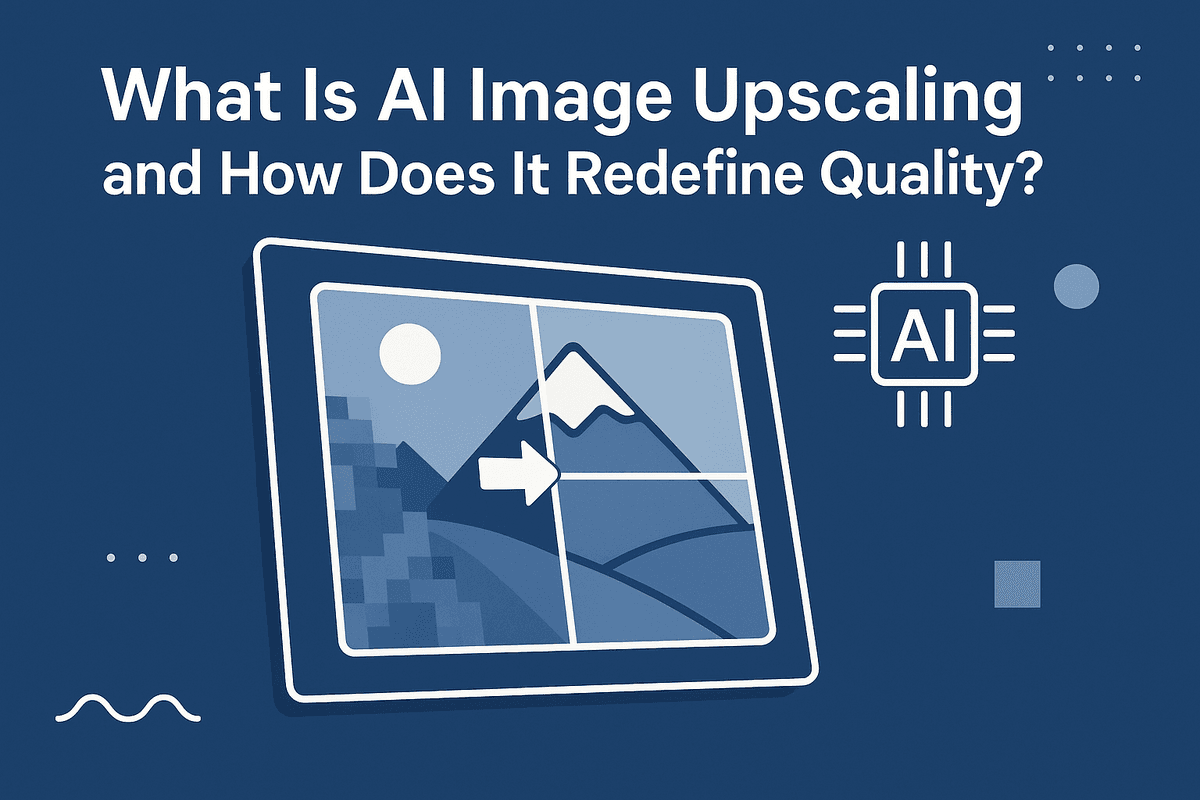
Have you ever tried to enlarge a small photo, only to end up with a blurry, pixelated mess? It’s a common frustration. For years, increasing an image’s size meant sacrificing its quality. But that’s no longer the case. AI image upscaling is a revolutionary technology that intelligently reconstructs and enhances photos, allowing you to increase resolution without the typical loss of detail. It doesn’t just make your image bigger; it makes it better.
Beyond Simple Resizing: The Magic of Generative AI
At its heart, AI image upscaling is powered by complex neural networks, often a type called Generative Adversarial Networks (GANs). Think of it like teaching a computer to be a master art restorer. Developers train these AI models on millions of pairs of images—one low-resolution and one high-resolution version of the same picture.
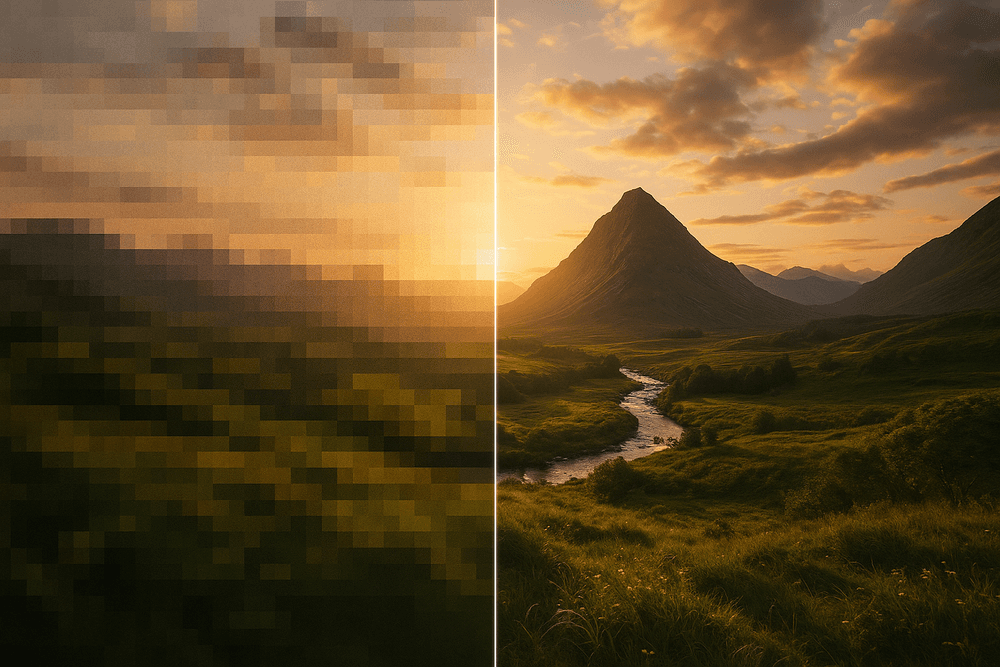
Through this extensive training, the AI learns the relationship between blurry, pixelated patterns and the sharp, detailed features they represent. When you upload your low-quality image, the AI doesn’t just stretch the existing pixels. Instead, it analyzes the context of the image—identifying faces, textures, and edges—and generates brand new, realistic pixels to fill in the gaps. It intelligently predicts what the missing details should look like, effectively recreating the image at a much higher resolution with stunning accuracy. This predictive power is what sets AI image upscaling apart as a truly transformative tool.
Why Traditional Upscaling Methods Fall Short
Before AI, the go-to methods for enlarging images were based on simple mathematical algorithms like Bilinear or Bicubic interpolation. These traditional techniques work by looking at the pixels immediately surrounding a new, empty pixel and guessing its color by averaging the neighbors.
While this approach can make an image larger, it’s a fundamentally flawed process for preserving quality.
- Blurriness: Because the software is just averaging colors, sharp lines and distinct edges become soft and blurry.
- Pixelation: At higher magnifications, you’ll see jagged edges and blocky artifacts because the algorithm has no real understanding of the image content.
- No New Detail: Most importantly, these methods cannot create or restore detail that isn’t already there. They can only stretch and smooth what exists, which inevitably leads to a significant drop in visual quality.
The Core Benefits: Speed, Clarity, and Detail Restoration
The advantages of using AI image upscaling are immediate and impactful, fundamentally changing what’s possible with your digital photos.
- Clarity and Detail Restoration: This is the technology's most significant benefit. The AI can miraculously restore fine details lost in low-resolution images. Think of individual strands of hair, the texture of fabric, the subtle blades of grass in a landscape, or crisp lettering on a sign. The AI rebuilds these elements, resulting in a final image that is sharp, clear, and rich with detail.
- Speed and Efficiency: What once required hours of meticulous manual work by a skilled photo editor can now be accomplished in seconds. This incredible speed makes high-quality image enhancement accessible to everyone, from professional photographers and designers to hobbyists and marketers looking to improve their assets.
- Noise and Artifact Reduction: Besides adding detail, the AI is also trained to identify and remove unwanted digital noise, compression artifacts (like those in JPEGs), and graininess, delivering a clean and polished final product.
The Best AI Image Upscaling Tools Compared
With a crowded market, choosing the right AI image upscaling software can be daunting. The best tool for you depends entirely on your specific needs, budget, and technical expertise. We’ve broken down the top contenders into distinct categories to help you find the perfect match for your workflow.
For Professionals: Topaz Gigapixel AI vs. Adobe Photoshop Super Resolution
When every pixel counts, professionals turn to dedicated, high-powered tools. This is where the debate between a specialized application and an integrated feature truly comes to life.
- Topaz Gigapixel AI: Widely regarded as the industry leader, Gigapixel AI is a standalone application focused exclusively on AI image upscaling. It excels at recovering fine details, reducing noise, and providing multiple AI models to handle different types of images, from portraits to landscapes. Its batch processing capabilities are a massive time-saver for photographers and print designers handling large volumes of images.
- Adobe Photoshop Super Resolution: Integrated directly into Adobe Camera Raw and Lightroom, Super Resolution is an incredibly convenient option for anyone already invested in the Adobe ecosystem. With a single click, it doubles the resolution of an image, using AI to generate clean and believable details. While it offers less granular control than Gigapixel, its seamless integration into a professional workflow is a major advantage.
Verdict: Choose Topaz Gigapixel AI for maximum control and the absolute highest output quality. Opt for Adobe Photoshop Super Resolution for excellent results and unbeatable workflow convenience if you're an Adobe Creative Cloud subscriber.
For Quick Enhancements: VanceAI vs. Fotor AI Image Upscaler
If you need to quickly enhance an image for a blog post, social media, or an e-commerce listing, web-based tools offer the perfect blend of speed and simplicity.
- VanceAI Image Upscaler: This online tool is built for speed and ease of use. You simply upload your image, choose an upscaling factor (2x, 4x, etc.), and let the AI do the work. It’s an excellent choice for users who need a fast, no-fuss solution without downloading any software.
- Fotor AI Image Upscaler: Fotor is a comprehensive online photo editor, and its AI image upscaling tool is one of its many features. It’s incredibly user-friendly and provides solid results for general use cases. If you also need access to other editing tools like cropping, filters, and text overlays, Fotor provides great all-in-one value.
Verdict: Both are fantastic for rapid enhancements. Use VanceAI for a dedicated, quick upscaling task, and choose Fotor if you need an upscaler within a broader online editing suite.
For Free & Open Source Enthusiasts: Upscayl and ImageMagick
For those who prefer free, community-driven software, the open-source world offers powerful alternatives.
- Upscayl: A user-friendly, free desktop application that brings powerful AI image upscaling to everyone. With a simple drag-and-drop interface, Upscayl allows you to enlarge images using various AI models without any cost. It runs locally on your machine and is available for Windows, macOS, and Linux.
- ImageMagick: This is not for the faint of heart. ImageMagick is a powerful command-line software suite for image manipulation. While it has a steep learning curve, it offers unparalleled flexibility for developers and tech-savvy users who want to script and automate their upscaling workflows.
Verdict: Upscayl is the best choice for anyone wanting a free, easy-to-use desktop app. ImageMagick is the go-to for developers and power users who need scripting and ultimate control.
Key Factors to Consider When Choosing
- Price: Solutions range from completely free (Upscayl) to one-time purchases (Topaz Gigapixel) and monthly subscriptions (Adobe Creative Cloud). Evaluate whether your usage justifies a recurring cost.
- Speed: Online tools are quick for single images but depend on server speed. Desktop applications leverage your computer's hardware (especially the GPU) and are often faster for batch processing.
- Output Quality: Professional tools provide superior detail and artifact control. For web use, the quality from simpler online tools is often more than sufficient. Always consider your final output medium—digital screen or physical print—when making your choice.
Unlocking Key Features of AI Image Upscaling Platforms
Modern AI image upscaling platforms offer more than just a simple resolution boost. They are sophisticated toolkits packed with intelligent features designed to tackle specific challenges and streamline professional workflows. Understanding these key capabilities will help you choose the right tool and unlock the full potential of your images, transforming them from low-resolution files into stunning, high-quality assets.
Noise & Artifact Reduction for Cleaner Images
Low-resolution images often suffer from digital "noise"—that grainy, speckled look—and compression artifacts, like blockiness or blurring, especially in JPEG files. Basic upscalers can amplify these imperfections, making the problem worse. Advanced ai image upscaling tools, however, use deep learning to intelligently identify and eliminate these flaws. The AI is trained on millions of image pairs to distinguish between unwanted noise and essential image detail. As it enlarges your picture, it simultaneously cleans it, resulting in a final image that is not only bigger but significantly crisper and more professional.
Specialized Models: AI Face Enhancement and Texture Generation
One of the most groundbreaking advancements in ai image upscaling is the use of specialized models. A one-size-fits-all approach doesn't always work, especially for complex subjects.
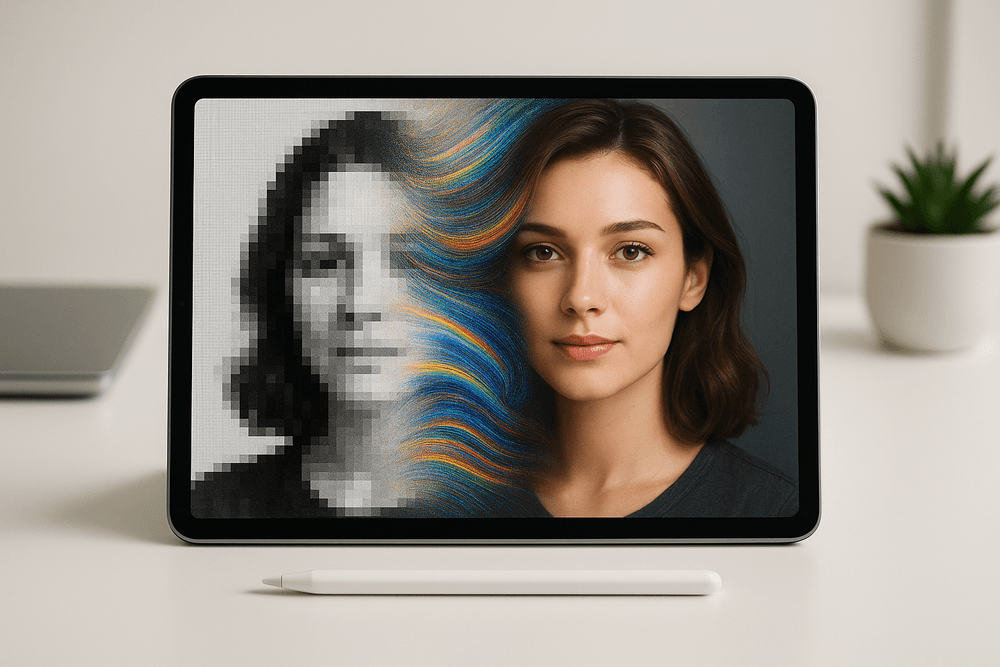
- AI Face Enhancement: When upscaling portraits or group photos, generic algorithms can leave faces looking soft or unnatural. Specialized face enhancement models are trained exclusively on human faces to reconstruct fine details with incredible accuracy. They can realistically restore eyes, sharpen eyelashes, refine skin texture, and define strands of hair, breathing new life into cherished memories or professional headshots.
- Texture Generation: Similarly, dedicated models can regenerate complex textures. Whether it's the weave of fabric, the grain of wood, or the rough surface of a brick wall, these AI models don't just sharpen existing pixels—they generate new, contextually appropriate details. This prevents the "plastic" or overly smooth look that can plague older upscaling methods, ensuring your enlarged images retain a rich, authentic feel.
Batch Processing for High-Volume Workflows
For professionals like photographers, e-commerce store owners, or graphic designers, time is money. Processing hundreds of images one by one is simply not feasible. This is where batch processing becomes an essential feature. Top-tier ai image upscaling platforms allow you to upload and process an entire folder of images simultaneously. You can apply the same settings across the board—such as a 4x upscale with noise reduction—and let the tool handle the rest. This feature transforms the technology from a neat trick into a powerful, scalable solution for high-volume projects, dramatically boosting productivity.
Choosing Your Upscale Factor: From 2x to 16x Resolution
The "upscale factor" determines how much larger your final image will be. Most platforms offer a range of options, typically from 2x up to 8x or even 16x. Choosing the right factor depends entirely on your end goal.
- 2x to 4x: This is the most common range, perfect for preparing images for high-resolution web displays, social media, or standard-sized prints. It provides a significant quality boost without creating massive file sizes.
- 8x to 16x: These higher factors are reserved for demanding applications. Use them when you need to create large-format prints for posters or banners, when you're working with heavily cropped images, or when restoring extremely low-resolution historical photos. While powerful, remember that extreme upscaling works best with a reasonably good source image to avoid a potentially artificial look.
From Blurry to Brilliant: Real-World Use Cases for AI Image Upscaling
The theory behind AI-powered image enhancement is impressive, but where does it truly make a difference? The practical applications of AI image upscaling are transforming workflows across numerous industries. This technology is no longer a niche tool for tech enthusiasts; it’s a powerful, accessible solution for everyday visual challenges. From boosting sales to preserving precious memories, here’s how professionals are using AI image upscaling to turn low-resolution assets into high-impact visuals.
E-commerce: Creating Crisp, High-Resolution Product Photos
In the world of online retail, a picture isn't just worth a thousand words—it's worth the sale. Customers can't touch or inspect a product, so they rely entirely on images to judge its quality, texture, and detail. A blurry photo or a pixelated zoom function can instantly erode trust and send a potential buyer clicking away.
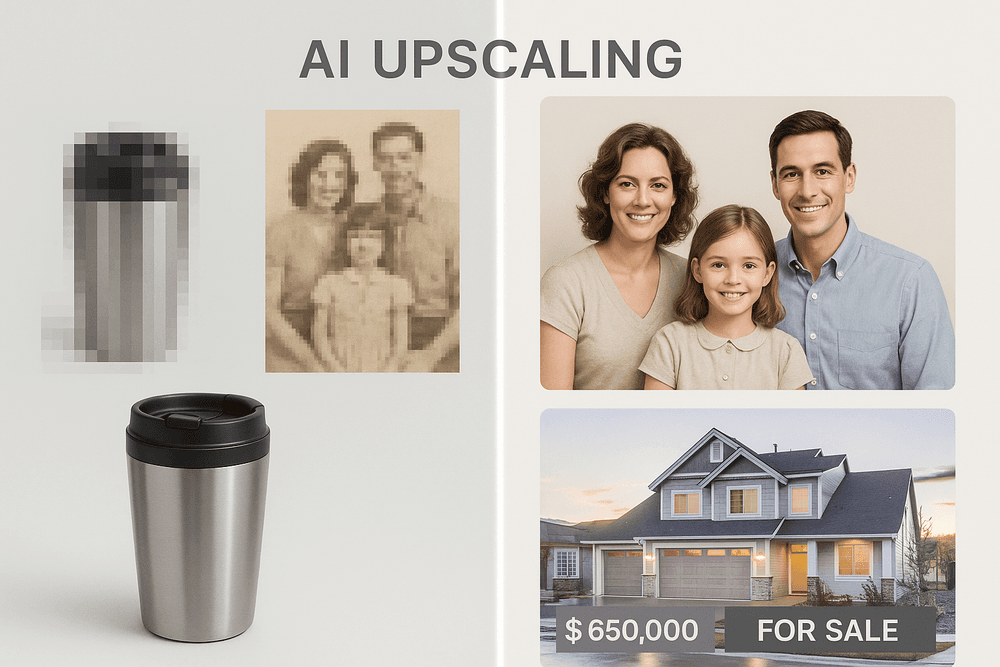
This is where AI image upscaling becomes an e-commerce superpower. Sellers can take standard-resolution product photos and enlarge them 2x, 4x, or even 8x without the typical loss in quality. This allows them to meet the strict high-resolution requirements of major platforms like Amazon and Shopify, enable crystal-clear zoom capabilities, and present their products in the best possible light. The result is a more professional-looking storefront, increased customer confidence, and a direct impact on conversion rates.
Photography: Rescuing Old, Low-Resolution Prints and Digital Files
Every family has a treasure trove of memories locked away in old photo albums or stored on aging hard drives. These images—scanned prints from decades past or snapshots from early 2-megapixel digital cameras—are priceless but often lack the resolution needed for modern displays or large-format printing.
For photographers and hobbyists, AI image upscaling is a revolutionary tool for photo restoration. Instead of simply stretching pixels, the AI intelligently analyzes the image and reconstructs missing details. It can sharpen facial features, recreate the texture of fabric, and clean up digital noise, effectively breathing new life into faded photographs. This allows cherished memories to be preserved, shared on social media, or printed for display without sacrificing clarity.
Digital Marketing: Enhancing Graphics for Social Media and Ads
Marketers are constantly juggling visual assets for a multitude of platforms, each with its own unique size and resolution requirements. A company logo that looks perfect on a website header can become a pixelated mess when repurposed for a large trade show banner. Likewise, user-generated content or a low-resolution stock photo may not be sharp enough for a high-stakes ad campaign.
AI image upscaling offers a fast and cost-effective solution. Marketers can instantly increase the resolution of logos, icons, and campaign images to ensure brand consistency across all channels. This technique is invaluable for making social media posts, web graphics, and digital ads look crisp and professional, which directly correlates with higher engagement and better campaign performance.
Real Estate: Making Property Listings Pop with Sharper Images
In a competitive real estate market, the first impression is the only impression. Property listings live and die by the quality of their photos. Grainy, poorly lit, or low-resolution images can make a beautiful home look unappealing, causing potential buyers to scroll right past.
Real estate agents are leveraging AI image upscaling to give their listings a powerful competitive edge. By enhancing property photos, they can bring out the fine details that sell a home: the grain in hardwood floors, the veining in a marble countertop, or the crisp lines of architectural features. Sharper, clearer images create more visually compelling listings that capture buyer attention, generate more inquiries, and ultimately help properties sell faster and for a better price.
Best Practices for Perfect AI Image Upscaling Results
Harnessing the power of AI image upscaling is more than just clicking a button. While the technology is incredibly advanced, achieving professional, print-ready results requires a strategic approach. Think of the AI as a powerful assistant; your input and oversight are what guide it toward perfection. By following these best practices, you can consistently produce stunning, high-resolution images that look natural and sharp.
Start with the Highest Quality Source Image Possible
The most fundamental rule in any image enhancement process is "garbage in, garbage out." An AI upscaler works by analyzing existing pixels and intelligently generating new ones to fill in the gaps. The more clean, clear data you give it to start with, the better its predictions and the more convincing the final result will be.
Before you begin, select the best version of your image. This means choosing an uncompressed or minimally compressed file like a TIFF, PNG, or a high-quality JPEG over a heavily compressed, artifact-ridden version saved from social media. A small but sharp source image will almost always yield better ai image upscaling results than a larger, blurry, or noisy one. The AI has less "damage" to correct and more accurate information to build upon.
Experiment with Different AI Models for Optimal Results
Not all AI upscaling tools are created equal, and even within a single software, different models can produce vastly different outcomes. Some models are trained specifically on photographic data and excel at creating realistic skin textures and natural landscapes. Others are optimized for digital art, anime, or architectural renderings, preserving sharp lines and flat colors with precision.
Don't settle for the first result you get. If you're upscaling a portrait and it looks slightly "plastic-y," try a different model or tool known for its photorealism. Many applications offer settings to control noise reduction, sharpening, or specific enhancements like "face recovery." Toggle these options and compare the outputs. Spending a few extra minutes testing different approaches can be the difference between a good upscale and a flawless one.
How to Spot and Correct Unnatural AI-Generated Textures
A common pitfall of ai image upscaling is the occasional creation of artificial-looking textures. As the AI "invents" new detail, it can sometimes over-smooth surfaces or create repetitive, unnatural patterns.
What to look for:
- Skin: Look for an overly smooth, "waxy" or "porcelain doll" appearance that lacks natural pores and blemishes.
- Nature: Check for foliage, grass, or water that looks smudged, painted, or plasticky.
- Fabrics and backgrounds: Watch out for strange, repeating patterns or textures that look too uniform.
How to correct it: The best fix is often done in post-processing. Open the upscaled image in a program like Adobe Photoshop or GIMP. Add a very subtle layer of photographic grain or noise to break up the artificial smoothness and reintroduce a natural texture. You can also use layer masks to blend parts of the original image's texture back into the upscaled version, combining AI's sharpness with the source's authenticity.
Integrating AI Upscaling into Your Creative Workflow
AI image upscaling shouldn't be just a final, one-off step. It's a versatile tool that can be integrated throughout your creative process to save time and unlock new possibilities.
- For Photographers: Rescue cherished but low-resolution family photos from old digital cameras or bring scanned film negatives to life for large-format printing.
- For Graphic Designers: Take a small, low-cost stock image, icon, or texture and upscale it to fit a high-resolution canvas, giving you more creative flexibility on a budget.
- For 3D Artists: Create textures at a lower resolution to speed up your workflow, then use AI to upscale them to 4K or 8K for the final render, saving immense amounts of time.
By treating ai image upscaling as an integral part of your toolkit, you can work more efficiently and push the boundaries of your source material further than ever before.
Conclusion: The Future is High-Resolution with AI Image Upscaling
We've journeyed through the intricate world of AI image upscaling, uncovering how complex algorithms are making pixelated, low-resolution images a thing of the past. This technology is no longer a futuristic concept; it's an accessible and powerful tool that empowers creators, marketers, and enthusiasts to breathe new life into their visuals. From restoring cherished family photos to preparing crystal-clear product images for e-commerce, the applications are as vast as they are transformative. As we wrap up, let's consolidate how you can choose the right tool and look ahead at what's next in this exciting field.
Final Checklist: How to Choose the Right AI Image Upscaling Tool
Selecting the perfect tool depends entirely on your specific needs. Before you commit, run through this checklist to ensure you find the best fit:
- Output Quality: Does the upscaler produce natural-looking details, or do the results feel artificial? Look at before-and-after examples, paying close attention to textures, fine lines, and the absence of digital artifacts.
- Ease of Use: How intuitive is the interface? Is it a simple drag-and-drop web tool, or a more complex desktop application with a steeper learning curve? Your technical comfort level is key.
- Core Features: Does the tool offer the upscaling factors you need (e.g., 2x, 4x, 16x)? Does it include other valuable enhancements like noise reduction, color correction, or specialized AI models for faces or animation?
- Speed and Workflow: If you’re a professional, time is money. Can the tool handle batch processing to upscale multiple images at once? How quickly does it deliver the final results?
- Pricing Model: Is the service free with limitations, a monthly subscription, or based on a credit system? Evaluate the cost against your projected usage to find a plan that offers the best value.
What's Next in AI-Powered Image Enhancement?
The technology behind AI image upscaling is evolving at a breathtaking pace. The future promises even more sophisticated capabilities that will further blur the line between enhancement and creation. We can expect to see AI models that not only add pixels but also understand the context of an image, leading to hyper-realistic texture generation—imagine an AI that knows the difference between silk and wool and renders it perfectly.
Furthermore, we'll see a convergence of upscaling with generative AI. Tools will seamlessly blend enhancement with features like generative fill (removing unwanted objects) and outpainting (expanding the canvas of an image). The principles of AI image upscaling are also being applied more effectively to video, promising real-time, high-fidelity video enhancement that will revolutionize everything from streaming to digital restoration.
Take the Next Step: Try an AI Image Upscaler Today
The theory is compelling, but the true magic happens when you see it for yourself. The best way to understand the power of AI image upscaling is to put it to the test. Dig up that old, blurry photo you thought was unusable, or grab a low-resolution graphic you’ve wanted to use for a project.
Many of the top-tier tools offer free trials or a set number of free credits, giving you a risk-free opportunity to experiment. Upload your image, select your settings, and witness the transformation firsthand. You're not just increasing pixels; you're unlocking hidden detail and unlocking the full potential of your visual assets. Welcome to the high-resolution future.