
July 6, 2025
What is AI Image Editing and How is it Changing Creativity?
What is AI Image Editing and How is it Changing Creativity?
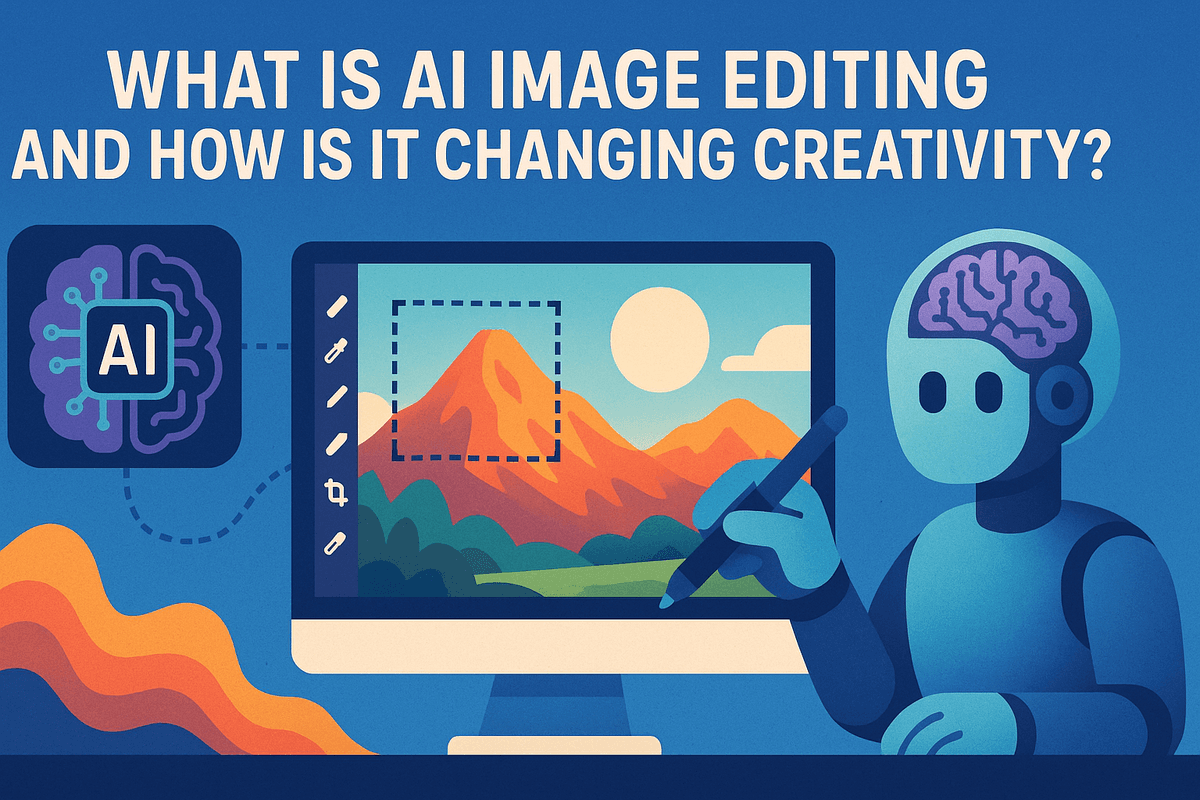
Move beyond the simple presets and one-click filters of yesterday. AI image editing represents a seismic shift in digital creativity, transforming photo manipulation from a manual, often tedious process into an intelligent, collaborative conversation with software. It's no longer just about adjusting sliders for brightness and contrast; it's about leveraging powerful algorithms that understand the content and context of your images. This new era moves beyond basic corrections, empowering you to perform complex edits, generate new realities, and bring your wildest visual ideas to life with unprecedented speed and ease. Whether you're a professional photographer streamlining your workflow or a hobbyist exploring new artistic frontiers, AI is fundamentally changing what's possible.
How AI Understands and Edits Your Images
At its core, AI image editing is powered by sophisticated machine learning models, primarily deep neural networks. Think of these models as digital brains that have been meticulously trained on vast datasets containing millions, or even billions, of images and their corresponding descriptions. Through this extensive training, the AI learns to identify and understand the elements within a photo—not just as a collection of pixels, but as distinct concepts.
This is known as semantic understanding. The AI recognizes a face, a tree, the sky, a body of water, and the intricate relationships between them. When you ask an AI tool to "make the sky more dramatic," it doesn't just blindly increase blue saturation. It precisely identifies the sky's boundaries, understands what a "dramatic sky" typically looks like (e.g., moody clouds, vibrant sunset colors), and applies changes that appear natural and contextually appropriate, even adding realistic reflections in a lake if one is present. This deep, contextual awareness is what enables the magic of seamless object removal and intelligent, one-click enhancements that once required hours of expert work.
Generative vs. Corrective AI Editing: What's the Difference?
The world of AI image editing can be broadly split into two powerful categories: corrective and generative. While they often work in tandem, they serve fundamentally different creative purposes, marking the distinction between perfecting what you captured and creating something entirely new.
Corrective AI: Perfecting Reality
Corrective AI focuses on improving, fixing, or enhancing the existing pixels in your photograph. It’s the logical evolution of traditional photo editing, now supercharged with intelligence and automation. It handles the complex, time-consuming tasks, allowing you to focus on the creative vision. Common corrective AI features include:
- Smart Enhancement: Automatically adjusting exposure, color balance, and sharpness with a single click.
- Noise Reduction & Upscaling: Cleaning up grainy low-light photos or increasing image resolution without losing detail.
- Intelligent Object Removal: Erasing unwanted people, distracting objects, or blemishes seamlessly as the AI intelligently fills in the background.
- Sky Replacement: Swapping a dull, overcast sky for a stunning sunset, complete with automatic masking and relighting of the foreground.
Generative AI: Creating New Realities
This is where the true revolution lies. Generative AI doesn't just fix what's there; it creates entirely new pixel data from scratch based on your instructions, which are typically simple text prompts. It’s the ultimate tool for imagination, blurring the line between photography and digital art. You can now type "add a flock of birds flying across the mountain" and watch them appear, perfectly integrated with the scene's lighting and perspective. Key generative features include:
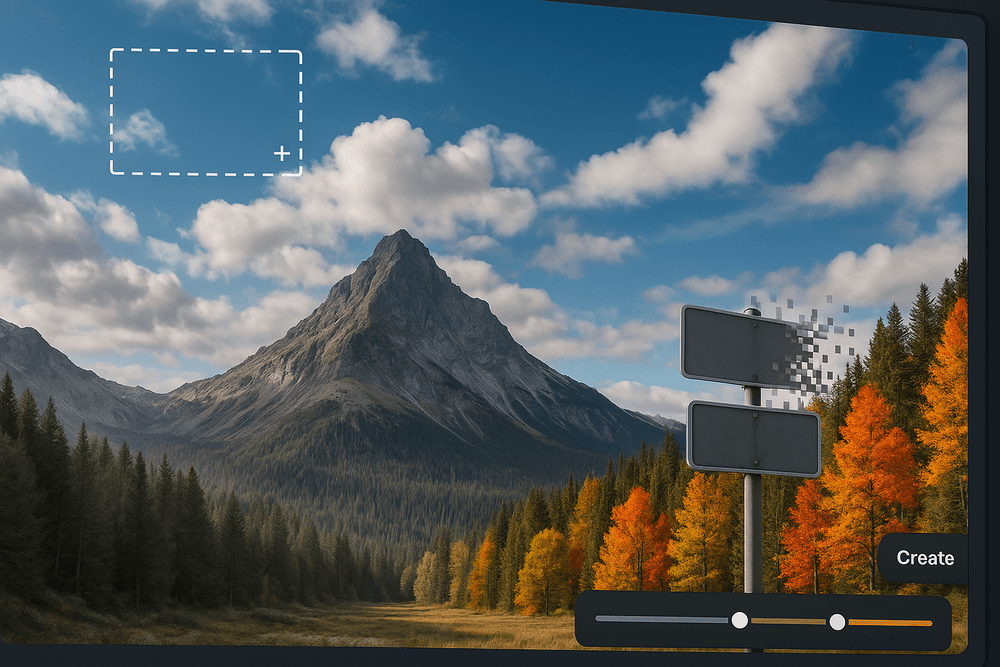
- Generative Fill: Selecting an area of your image and describing what you want to add, change, or replace within it.
- Outpainting: Expanding the borders of your image, with the AI imagining and creating what might exist beyond the original frame.
- Style Transfer: Applying the artistic style of one image (like a Van Gogh painting) to the content of your photo.
- Text-to-Image Creation: Generating a complete, unique image from nothing but a descriptive text prompt.
Core Features: Exploring the Power of AI Image Editing
The true revolution of ai image editing lies in its powerful, intuitive features that transform complex, time-consuming tasks into simple operations. These tools don't just speed up your workflow; they unlock creative possibilities once reserved for seasoned professionals. Let's delve into the core features that define the modern AI-powered photo editor.
One-Click Enhancements: Auto-Correction for Perfect Light and Color
Forget painstakingly tweaking dozens of sliders. The most fundamental feature of modern ai image editing is the one-click enhancement. By analyzing thousands of data points within your photo—from the histogram and exposure levels to color balance and saturation—the AI can instantly apply intelligent corrections. In a single click, a dull, underexposed image can become vibrant and balanced. This auto-correction is more than just a filter; it's a sophisticated analysis that provides a perfect, professional-grade starting point for any further edits, saving you invaluable time and effort.
Effortless Object Removal and Background Replacement
One of the most celebrated advancements in ai image editing is the ability to manipulate a scene's composition with surgical precision. Have a perfect shot ruined by a stray tourist or an unsightly trash can? AI-powered object removal tools allow you to simply select the unwanted element, and the software intelligently removes it, realistically generating the background that was hidden behind it.
Similarly, background replacement, once a nightmare of meticulous masking, is now effortless. AI algorithms excel at detecting complex edges, like fine strands of hair or the fur on an animal, allowing you to isolate your subject and place it in a new environment with stunning realism. This feature is a game-changer for product photography, creative composites, and professional headshots.
Generative Fill and Expand: Adding to Your Photos with AI
This is where ai image editing transcends simple correction and enters the realm of creation. Powered by generative AI, these features allow you to add, extend, and reimagine your photos using simple text prompts.
- Generative Fill: Select any area of your image and type a description of what you want to add. Want to place a vintage sailboat on a barren seascape? Just select the water and type "vintage sailboat." The AI will generate a photorealistic object that seamlessly matches the original image's lighting, shadows, and perspective.
- Generative Expand (Outpainting): Need to change a vertical photo to a horizontal one for a banner? Generative Expand allows you to extend the canvas of your image in any direction. The AI analyzes the existing scene and intelligently generates new content to fill the empty space, continuing the landscape, sky, or pattern flawlessly.
AI-Powered Portrait and Face Retouching
AI offers a sophisticated and nuanced approach to portraiture, moving beyond the "plastic skin" look of older editing methods. AI tools can automatically identify specific facial features, allowing for targeted, natural-looking enhancements. This includes smoothing skin while preserving natural texture, removing blemishes, whitening teeth, and adding a subtle sparkle to the eyes. More advanced ai image editing software can even relight a face, realistically adding or softening shadows to sculpt features and improve the overall mood of the portrait. The result is a professionally retouched photo that enhances the subject's best features without looking artificial.
Top AI Image Editing Tools Compared: Which is Best?
The world of AI image editing is exploding with options, but the "best" tool truly depends on your goals, skill level, and budget. Are you a professional designer needing pixel-perfect control, a marketer creating social media posts on the fly, or a photographer looking to speed up your workflow? Let's break down the leading contenders to help you decide.
Adobe Photoshop (Firefly): The Industry Standard Reimagined
For decades, Photoshop has been the undisputed king of photo manipulation. With the integration of its generative AI engine, Adobe Firefly, it's not just a tool—it's a creative powerhouse.
- Key AI Features: The star of the show is Generative Fill. This groundbreaking feature allows you to select any area of your image and use a simple text prompt to add, remove, or replace content seamlessly. You can expand a photo's canvas and have AI generate a believable extension (Generative Expand), or remove distracting objects without a trace.
- Best For: Professional photographers, graphic designers, and digital artists who demand granular control. The AI features are integrated directly into the layers-based workflow you already know, combining the precision of manual editing with the speed of AI.
- The Bottom Line: If you need the highest quality output and deep integration into a professional ecosystem, Photoshop is unparalleled. Its power comes with a subscription cost and a steeper learning curve, but for pros, its comprehensive AI image editing capabilities are a game-changer.
Canva's Magic Studio: AI Editing for Everyone
Canva democratized design, and now its Magic Studio is doing the same for AI image editing. Built for speed and simplicity, it packs powerful AI tools into an incredibly intuitive, browser-based interface.
- Key AI Features: Magic Edit lets you "paint" over an object and type what you want to replace it with (e.g., turn a cupcake into a flower). Magic Eraser removes unwanted elements with a single click, while Magic Expand intelligently widens your photo. These tools are part of a larger suite that includes background removal and text-to-image generation.
- Best For: Marketers, small business owners, content creators, and anyone who isn't a professional designer. If your goal is to create stunning visuals for social media, presentations, or marketing materials quickly, Canva is your best friend.
- The Bottom Line: Canva prioritizes ease of use over granular control. It delivers fast, impressive results that are perfect for 90% of everyday business and personal design needs.
Luminar Neo: The Dedicated AI-First Photo Editor
Unlike Photoshop or Canva, Luminar Neo by Skylum was built from the ground up with AI at its core. It’s not a graphic design suite; it's a dedicated photo editor designed to automate and simplify complex enhancements for photographers.
- Key AI Features: Luminar Neo shines with specialized, photography-focused tools. Sky AI replaces a dull sky with a dramatic one in a single click, complete with realistic lighting adjustments. Portrait Bokeh AI and Skin AI streamline portrait retouching, while tools like Structure AI and Relight AI intelligently improve detail and lighting across the entire image.
- Best For: Amateur and professional photographers who want to drastically cut down their editing time. Its slider-based interface makes sophisticated AI image editing accessible without requiring deep technical knowledge.
- The Bottom Line: If your primary focus is enhancing photos and you want AI to do the heavy lifting, Luminar Neo is a powerful and efficient choice, available as a standalone app or a plugin.
Fotor and Other Freemium Online AI Editors
For those who need a quick fix without any commitment, the world of freemium online editors is a great starting point. Tools like Fotor, Pixlr, and Kapwing offer a suite of AI-powered features directly in your browser.
- Key AI Features: These platforms typically offer a core set of AI tools: one-click photo enhancers, background and object removers, and basic generative AI functions. They are designed to be straightforward and solve common editing problems instantly.
- Best For: Students, casual users, and anyone needing a one-off edit without downloading software or paying for a subscription. They are perfect for quickly touching up a photo before posting it online.
- The Bottom Line: The "free" in freemium often comes with limitations, such as watermarks, lower-resolution downloads, or a credit system for AI usage. While they lack the power of dedicated software, their accessibility makes them a valuable resource for fast, simple AI image editing tasks.
Real-World Magic: Practical Use Cases for AI Image Editing
AI image editing has moved far beyond simple filters and novelties. It's now a powerhouse tool with tangible, real-world applications that are reshaping industries and empowering creators. From boosting online sales to preserving precious memories, the practical magic of AI is unlocking new levels of efficiency and creativity. Let's explore some of the most impactful ways this technology is being used today.
Transforming E-commerce Product Photography
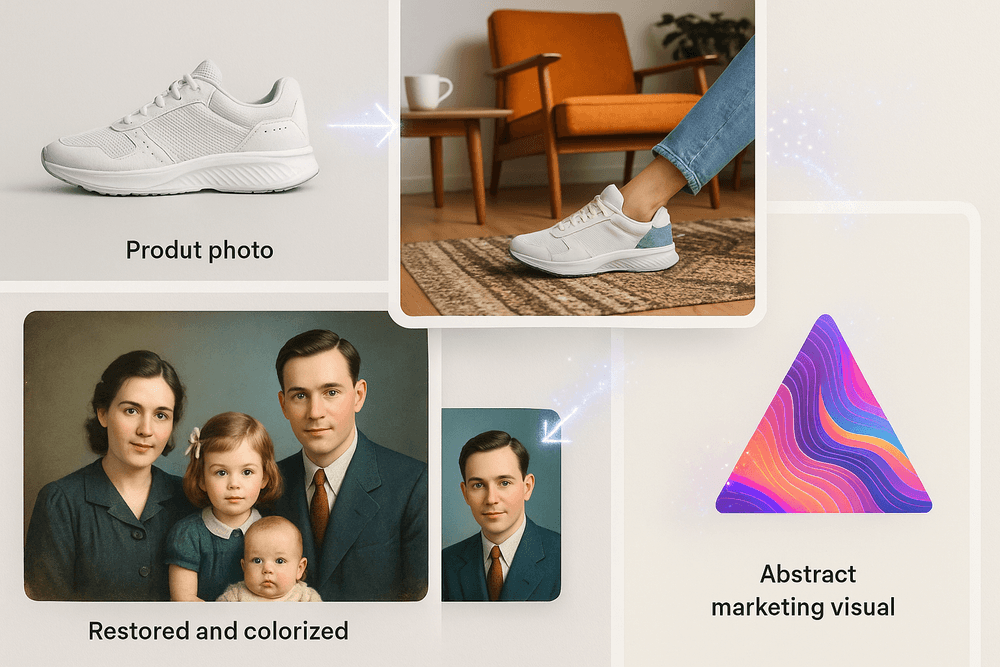
High-quality product photos are non-negotiable for online stores, but traditional photoshoots are expensive and time-consuming. This is where ai image editing provides a game-changing solution. Instead of booking a studio and hiring models, sellers can now take a simple photo of their product on a plain background and let AI do the rest. Powerful tools can instantly remove the background with perfect precision, generate realistic shadows, and even place the product into a variety of AI-generated lifestyle scenes. Imagine your handbag on a café table in Paris or your hiking boots on a mountain trail—all created in seconds from one original image. This not only slashes costs but also enables sellers to create a vast, diverse catalog of images to A/B test for higher conversion rates.
Creating Stunning Social Media Content in Minutes
The relentless pace of social media demands a constant stream of fresh, visually appealing content. For small businesses and solo creators, this can be overwhelming. AI image editing acts as a creative co-pilot, dramatically speeding up the content creation workflow. Need to extend a photo to fit an Instagram Story? AI Outpainting can intelligently generate the missing parts of the image. Want to remove a photobomber from a great team picture? Object removal tools can erase it seamlessly. Generative AI features allow you to add imaginative elements, transform a daytime scene into a golden-hour masterpiece, or instantly apply a cohesive aesthetic across all your posts. This empowers anyone to produce professional-grade, engaging content without needing years of design experience.
Restoring and Colorizing Old Family Photos with AI
Beyond the commercial world, AI offers a deeply personal benefit: bringing family history back to life. Old photographs are priceless heirlooms, but they often suffer from fading, scratches, tears, and discoloration. Traditional restoration is a meticulous, expensive process. Now, powerful ai image editing algorithms can analyze and repair this damage automatically. These tools can sharpen blurry faces with stunning accuracy, fix cracks, and, most magically, colorize black-and-white photos. The AI intelligently predicts the original colors of clothing, skin tones, and environments, transforming a monochrome memory into a vibrant, relatable moment. It’s a powerful way to connect with the past and preserve family legacies for future generations.
Conceptual Art and Digital Storytelling for Marketers
How do you visually represent an abstract concept like "digital security" or "creative synergy"? For marketers and advertisers, this has always been a challenge. AI-powered generative editing provides an incredible solution. By using text prompts, marketing teams can now create entirely original, conceptual art that perfectly aligns with their campaign's message. They can generate surreal imagery, mock up complex ad visuals without a photoshoot, and develop a unique brand aesthetic that stands out from the competition. This form of ai image editing is not just about enhancement; it's about pure creation. It serves as an infinite brainstorming partner, allowing for rapid ideation and the production of compelling digital stories that capture audience attention and communicate complex ideas effortlessly.
Mastering AI Image Editing: Best Practices for Flawless Results
Harnessing the full potential of AI image editing goes beyond simply clicking a button; it's a craft that blends technical instruction with artistic intuition. To move from novice user to expert creator, you need to understand how to guide the AI, refine its output, and make conscious, ethical choices. These best practices will help you achieve professional-level results that are both stunning and seamless.
Writing Effective Prompts for Generative Edits
The quality of your generative edits hinges on the quality of your prompts. Think of yourself as an art director giving precise instructions to an artist. Vague commands yield vague results.
- Be Descriptive and Specific: Instead of “add a boat,” try “add a small wooden fishing boat with peeling blue paint, gently rocking on the water.” Include details about the object, material, color, and state.
- Dictate the Environment: Control the context by describing the lighting and atmosphere. For example, add phrases like “in soft morning light,” “on a wet pavement,” or “casting a long shadow to the left.” This helps the AI integrate the new element realistically.
- Use Negative Prompts: Many tools allow you to specify what you don’t want. If you’re adding a crowd to a street but want to avoid cars, you might add a negative prompt like
--no carsorempty street. This refines the output and saves you editing time.
Maintaining Realism: How to Avoid the 'AI Look'
One of the biggest challenges in AI image editing is overcoming the sterile, overly perfect, or slightly "off" look that screams artificial intelligence. To maintain realism, focus on the subtleties.
- Light and Shadow are King: The most common giveaway of an AI edit is inconsistent lighting. Does the shadow on your newly added object match the direction and softness of other shadows in the photo? If not, you may need to manually adjust it or re-run the prompt with more specific lighting instructions.
- Texture and Grain: Real-world photos have texture, noise, and grain. AI-generated elements can sometimes look too smooth or "plasticky." To blend everything together, consider adding a faint layer of photographic grain or noise over the entire image after your edits are complete.
- Embrace Imperfection: Perfection looks fake. A perfectly symmetrical face or a flawless, textureless wall can trigger the uncanny valley effect. Don’t be afraid to use manual tools to add back minor imperfections that make the image feel authentic.
Layering AI Edits with Manual Adjustments for Pro Results
The most powerful workflow combines the speed of AI with the precision of traditional editing. Don't think of AI as a replacement for tools like Photoshop or Affinity Photo, but as an incredibly powerful assistant.
Generate your AI elements on a separate layer. This non-destructive approach is crucial. It allows you to use layer masks to paint in only the best parts of the AI's creation, erasing any awkward or incorrect sections. From there, use your manual toolset:
- Clone Stamp & Healing Brush: Clean up minor artifacts or seams where the AI-generated content meets the original image.
- Adjustment Layers: Use Curves, Levels, and Color Balance layers clipped to your AI layer to perfectly match the brightness, contrast, and color temperature of the original photo.
Understanding Ethical Considerations and AI Artifacts
Using these powerful tools comes with responsibility. On a technical level, you need to watch for AI artifacts—unwanted visual glitches like distorted patterns, smeared textures, or warped objects in the background. If you spot them, try refining your selection area or prompt, as a different generation might solve the issue.
More importantly, consider the ethical implications. While AI image editing is fantastic for creative expression or restoring old photos, it can also be used to create misleading or deceptive content. For professional work, especially in advertising or journalism, transparency is key. Disclosing significant AI alterations helps maintain trust with your audience and upholds ethical standards in a rapidly evolving digital landscape.
Conclusion: Your Next Steps in AI Image Editing
The world of ai image editing is no longer a futuristic concept—it's a vibrant, accessible, and powerful reality available to you right now. We've journeyed through what AI editing is, explored its revolutionary features from one-click fixes to mind-bending generative fills, and seen how it's fundamentally reshaping the creative landscape. The key takeaway is simple: AI is not here to replace your skills but to amplify them, acting as a tireless creative partner that can handle the tedious tasks and unlock new avenues for your imagination. As you stand at this exciting crossroads, here are your definitive next steps to master this new frontier.
Recap: Choosing the Right AI Tool For Your Workflow
Selecting the perfect AI tool is the most critical step. As we've discussed, there is no single "best" option; there is only the best option for you. Your decision should be guided by your specific needs and workflow.
- For the Professional Photographer: Look for tools that integrate seamlessly into your existing software, like Adobe Photoshop's Generative Fill or a robust Lightroom plugin. Prioritize features like high-fidelity noise reduction, intelligent masking, and precise color grading. Your goal is efficiency and enhancement, and the right ai image editing software will feel like a natural extension of your professional toolkit.
- For the Digital Artist and Creative: Your playground is vast. Explore standalone platforms with advanced generative AI capabilities. Tools that excel at prompt-based editing, style transfer, and outpainting will give you the ultimate freedom to build worlds from scratch, blend disparate elements, and push the boundaries of visual art.
- For the Hobbyist and Social Media User: Focus on user-friendly, often browser-based or mobile-first, applications. You need tools that offer quick, impressive results—think automatic background removal, one-click enhancers, and fun generative filters. Accessibility and speed are your primary allies.
Embrace AI to Unlock Your Creative Potential
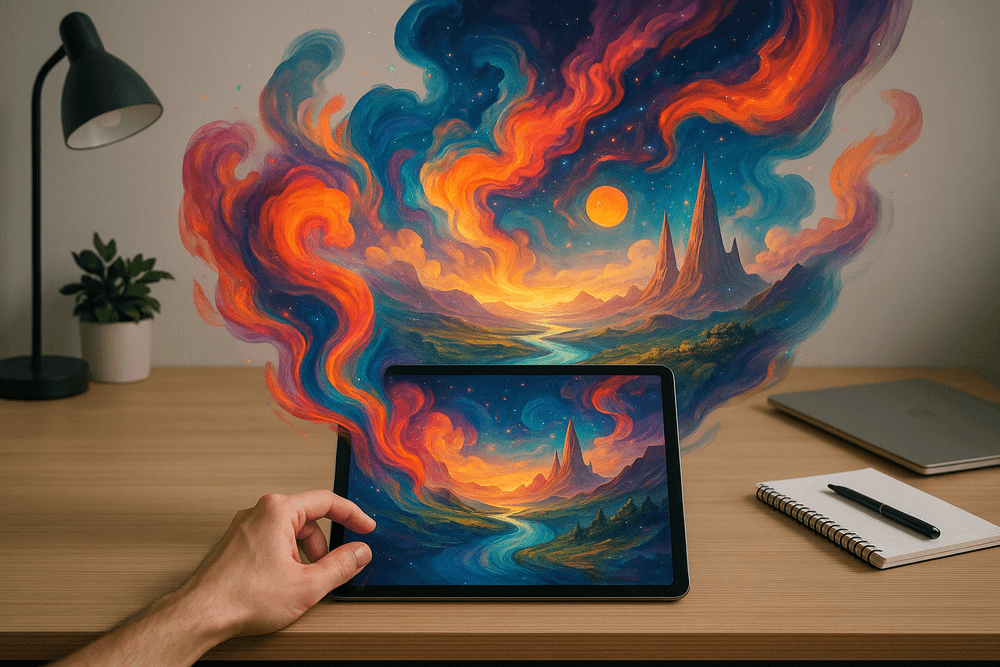
The true revolution of ai image editing isn't just about cleaning up an image faster; it's about fundamentally changing how you approach the creative process. Move beyond thinking of AI as just a problem-solver and start seeing it as a collaborator. Use Generative Fill not just to remove a stray object, but to imagine what could be there instead. Use style transfers not just to mimic a famous painter, but to create a unique visual signature for your work.
Challenge yourself. Feed the AI vague, poetic prompts and see what it returns. Use it to brainstorm compositions, test lighting scenarios, or create impossible scenes that would otherwise require a massive budget and team. This technology removes technical barriers, leaving you with the purest form of creativity: the idea itself.
Where to Learn More and Stay Updated on AI Trends
The field of ai image editing is evolving at an astonishing pace. To stay ahead of the curve and continuously refine your skills, you must remain a perpetual student. Here are the best places to continue your education:
- YouTube and Educational Platforms: Follow channels dedicated to digital photography, graphic design, and specific software like Photoshop or Midjourney. Many creators offer deep-dive tutorials on the latest AI features.
- Tech Blogs and AI Newsletters: Subscribe to publications that cover the intersection of technology and creativity. They are often the first to report on new model releases, software updates, and emerging trends.
- Online Communities: Join subreddits (like r/StableDiffusion or r/PhotoshopAI) and Discord servers focused on AI art and editing. These are invaluable for seeing real-world examples, troubleshooting issues, and exchanging prompts and techniques with a global community of peers.
- Official Software Documentation: Don't forget the source. The developers of these AI tools—Adobe, Skylum, Topaz Labs, and others—regularly post detailed guides, blogs, and video tutorials on their own websites.
Your journey into ai image editing is just beginning. By choosing the right tools, embracing a collaborative mindset, and committing to continuous learning, you're not just adapting to the future of image manipulation—you're actively shaping it. Now, go create something amazing.