
September 28, 2025
What is AI API Integration and Why Does It Matter?
What is AI API Integration and Why Does It Matter?
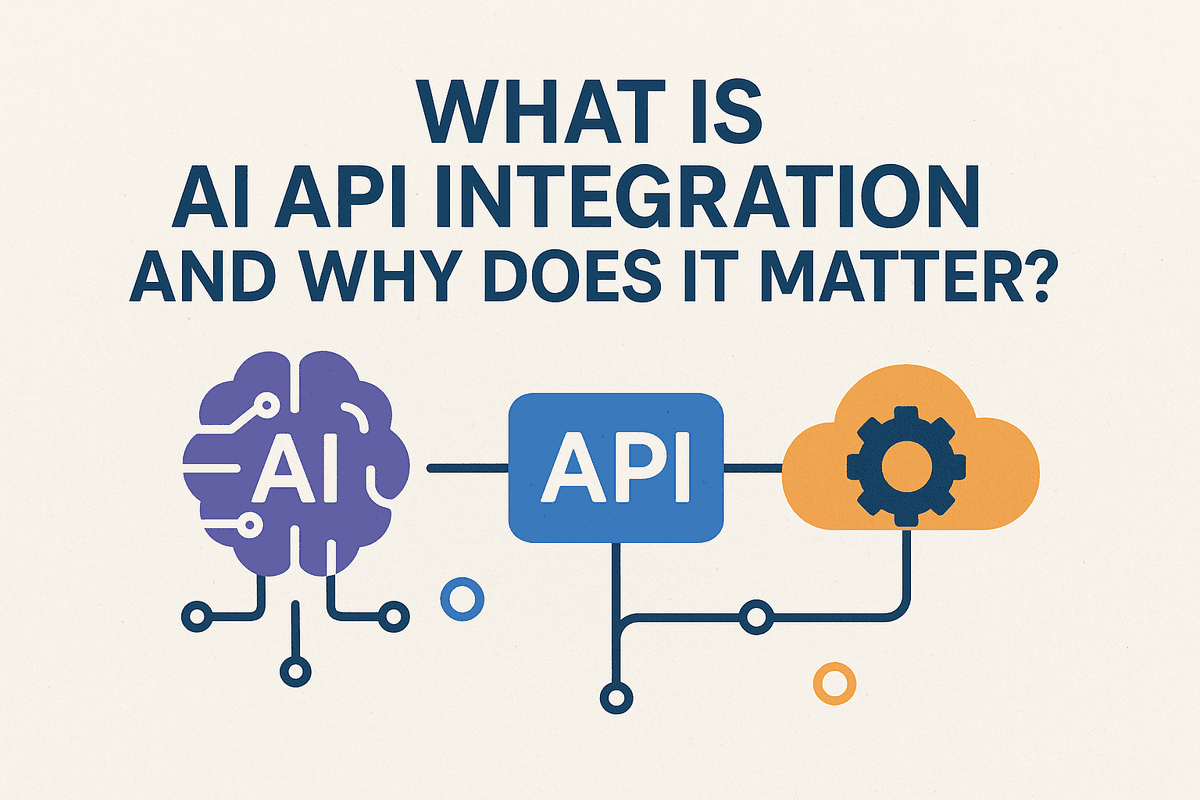
At its core, AI API integration is the process of connecting your software application to a pre-built Artificial Intelligence model through an API (Application Programming Interface). Think of an API as a messenger that allows different software systems to talk to each other. In this case, your application sends a request (like "analyze the sentiment of this text" or "identify the objects in this image") to the AI model, and the API brings back the intelligent response.
Instead of spending years and millions of dollars building a complex AI model from scratch, you can simply "plug in" to a world-class AI service. This is the difference between building your own power plant versus plugging into the national grid. You get immediate access to immense power without the prohibitive upfront investment, allowing your application to become smarter, faster.
The Business Case: How AI Integration Drives Growth and Innovation
So, why is this a game-changer for modern businesses? Implementing a smart AI API integration strategy isn't just a technical upgrade; it's a direct path to competitive advantage and sustainable growth. The benefits are clear and compelling:
- Accelerated Speed to Market: Launching an AI-powered feature is no longer a multi-year research project. With AI APIs, you can prototype, test, and deploy sophisticated capabilities like chatbots, recommendation engines, or fraud detection systems in weeks, not years.
- Significant Cost Reduction: The resources required to develop, train, and maintain a cutting-edge AI model are immense. APIs offer a cost-effective, pay-as-you-go model, giving you access to powerful technology without the massive investment in hardware and a specialized data science team.
- Superior Customer Experiences: Integrate AI to understand customer intent, personalize interactions, and offer 24/7 intelligent support. From analyzing sentiment in customer reviews to providing real-time language translation, you can create more engaging and responsive user journeys that build loyalty.
- Democratized Innovation: You no longer need to be a tech giant to innovate with artificial intelligence. Startups and established businesses alike can leverage the same powerful tools, leveling the playing field and fostering a new wave of smart, efficient applications.
From Manual to Automated: The Core Value of an AI API Integration Strategy
The most profound value of an AI API integration strategy lies in its ability to transform your operations, shifting workflows from manual and repetitive to intelligent and automated. This is where you see a tangible return on investment.
Consider these common business scenarios:
- Before: Manually sifting through thousands of customer support tickets to categorize issues and gauge sentiment—a slow and error-prone process.
- After: An NLP (Natural Language Processing) API instantly analyzes, tags, and routes tickets based on urgency and topic, freeing up support agents to solve complex problems.
- Before: A marketing team manually reviewing user-generated photos to ensure they comply with brand guidelines.
- After: An image recognition API automatically scans and flags inappropriate or off-brand content in real-time, protecting your brand’s integrity at scale.
This transition doesn't just save time; it unlocks human potential. By letting AI handle the repetitive, data-heavy lifting, your team can focus on high-value, strategic work that requires human creativity and critical thinking. Ultimately, AI API integration empowers your business to operate with greater speed, accuracy, and intelligence.

Choosing the Right Tools for Your First AI API Integration
Selecting the right API is the foundational step for a successful AI API integration. The market is brimming with powerful options, each with unique strengths. Your choice will depend entirely on your specific use case, budget, and technical ecosystem. Let's break down some of the leading contenders in natural language processing and image recognition, and then cover the universal factors you must consider.
NLP and Text Generation: OpenAI's GPT-4 vs. Google's Gemini
For tasks involving language, the two titans are OpenAI and Google. Your decision here will shape your application's conversational and creative abilities.
- OpenAI's GPT-4: Widely regarded for its powerful reasoning, creativity, and nuanced text generation, GPT-4 is a versatile choice. Its API is famously developer-friendly with extensive documentation and a massive community, making it easier to get started. It excels in applications like sophisticated chatbots, advanced content creation, code generation, and complex data analysis where following intricate instructions is key. If your priority is state-of-the-art text-based performance and rapid development, GPT-4 is a formidable option.
- Google's Gemini: Gemini's primary advantage is its native multimodality. Built from the ground up to understand and process text, images, audio, and video simultaneously, it's the ideal choice for applications that need to synthesize information from various sources. Tightly integrated with the Google Cloud ecosystem, it offers a streamlined workflow if you're already using Google services. Consider Gemini for use cases like analyzing video content, creating descriptive product information from images, or building interactive educational tools.
Image and Data Recognition: Google Cloud Vision AI vs. Amazon Rekognition
When your application needs to see and understand the world, Google and Amazon offer robust, mature platforms.
- Google Cloud Vision AI: This tool is a powerhouse for extracting granular detail from images. It uses pre-trained models to detect objects and faces, read printed and handwritten text (OCR), and recognize explicit content. Its real strength lies in its accuracy and the sheer amount of metadata it can provide, making it perfect for digital asset management, content moderation, and transcribing text from documents.
- Amazon Rekognition: Fully integrated into the Amazon Web Services (AWS) ecosystem, Rekognition is incredibly easy to implement for developers already on the platform. It provides fast and accurate facial analysis, object detection, and celebrity recognition. It also excels in real-time video analysis, making it a go-to for security applications, live event monitoring, and identity verification workflows.
Key Factors to Consider
Beyond features, a successful AI API integration hinges on three practical considerations:
- Pricing: Most AI APIs operate on a pay-as-you-go model. For language models, this is often priced per token (a piece of a word), while vision APIs typically charge per image or per API call. Always use the provider’s pricing calculator to estimate your costs and be mindful of how they might scale with user growth.
- Scalability: A major benefit of using APIs from large providers like Google, OpenAI, and AWS is that they handle the infrastructure for you. These platforms are built to serve millions of requests, ensuring your application can grow without performance degradation. Your primary concern with scalability will be managing the associated costs.
- Documentation and Support: Excellent technology is useless without clear instructions. Evaluate the quality of the API documentation, the availability of Software Development Kits (SDKs) for your programming language, and the size of the developer community. Strong documentation accelerates development and makes troubleshooting far less painful.
The Blueprint for a Successful AI API Integration
Embarking on an AI API integration project can feel like navigating uncharted territory. However, with a clear roadmap, you can transform this complex process into a series of manageable steps. This blueprint breaks down the journey into four essential stages, ensuring your integration is not only functional but also secure, resilient, and aligned with your business goals.
Step 1: Define Clear Objectives and Success Metrics
A successful AI API integration begins long before you write a single line of code. It starts with a clear understanding of why you're doing it. Before diving into documentation, ask critical questions:
- What specific problem will this AI capability solve? Are you trying to automate customer support with a chatbot, enhance content moderation with image recognition, or provide personalized recommendations?
- What does success look like? Define tangible Key Performance Indicators (KPIs). This could be reducing customer service ticket resolution time by 30%, increasing user engagement by 15%, or achieving 95% accuracy in data classification.
Without these foundational objectives, you risk building a technically sound but commercially ineffective feature. Clear goals guide your development, help you choose the right API, and provide a benchmark for measuring your return on investment.
Step 2: Authenticate Securely and Manage API Keys
With your objectives set, the next step is establishing a secure connection to the AI service. This is almost always handled through API keys or authentication tokens. Think of an API key as the password for your application; it proves your identity to the AI provider and grants you access.
Best practices for key management are non-negotiable:
- Never Hardcode Keys: Do not embed API keys directly in your source code. Instead, use environment variables or a dedicated secrets management service. This prevents your keys from being exposed in public code repositories.
- Restrict Key Permissions: If the provider allows, create keys with the minimum required permissions for the task at hand.
- Implement Rotation Policies: Regularly rotate your API keys to minimize the risk associated with a potential leak.
Secure authentication is the bedrock of a reliable and trustworthy AI API integration.
Step 3: Make Your First API Call and Handle Responses
This is where the magic happens. Making your first API call is the "hello, world!" moment of your integration. The process generally involves:
- Identifying the Endpoint: Find the specific URL provided by the AI service for the function you need (e.g.,
/v1/chat/completions). - Structuring the Request: Craft a request that includes the HTTP method (like
POST), necessary headers (such asContent-TypeandAuthorizationwith your API key), and a body (often in JSON format) containing the data you want to process (e.g., text for analysis). - Parsing the Response: Once you send the request, the API will return a response, typically in JSON. Your application needs to parse this data to extract the useful information—be it a generated text, a classification label, or a set of coordinates.
Step 4: Implement Robust Error Handling and Logging
In a perfect world, every API call would succeed. In reality, they don't. Networks fail, inputs are malformed, and services experience downtime. A production-ready AI API integration must anticipate these issues.
- Handle HTTP Status Codes: Your code should differentiate between success codes (
2xx), client-side errors (4xx- like a bad request or invalid key), and server-side errors (5xx). - Use Try-Catch Blocks: Wrap your API calls in error-handling logic (like
try...catchblocks) to prevent a failed call from crashing your entire application. Implement retries with exponential backoff for transient errors like rate limiting. - Log Everything: Implement comprehensive logging for both successful and failed API calls. Log the request, response, and any errors. This data is invaluable for debugging issues, monitoring performance, and understanding usage patterns.

AI API Integration Best Practices to Avoid Common Pitfalls
Integrating a powerful AI API can feel like unlocking a superpower for your application. But without a strategic approach, this power can introduce significant vulnerabilities and performance bottlenecks. A successful AI API integration isn't just about making the first successful call; it's about building a robust, secure, and scalable system. By following these best practices, you can avoid common pitfalls and ensure your integration is a long-term asset, not a future liability.
Ensuring Data Privacy and Security in Your Integration
When you send data to a third-party AI service, you are entrusting it with potentially sensitive information. Neglecting security can lead to data breaches, loss of user trust, and severe regulatory fines.
- Secure API Key Management: Never hardcode API keys or credentials directly into your source code. Use environment variables, a secrets management service (like AWS Secrets Manager or HashiCorp Vault), or your hosting platform's secure configuration tools. Regularly rotate keys to limit the window of opportunity for attackers if a key is compromised.
- Encrypt Everything: Ensure all data is encrypted in transit using TLS 1.2 or higher. This is standard for most modern APIs but always verify. If you store API responses that contain sensitive data, ensure that data is also encrypted at rest in your database or storage system.
- Understand Data Handling Policies: Before committing to an AI API integration, thoroughly review the provider’s privacy policy and terms of service. Understand where your data will be stored, how it will be used (e.g., for model training), and for how long it will be retained. This is crucial for compliance with regulations like GDPR and CCPA.
- Anonymize Data: Whenever possible, anonymize or pseudonymize Personally Identifiable Information (PII) before sending it to the API. If the AI model doesn't need to know who a user is to perform its task, don't send that information.
Designing for Scalability to Future-Proof Your Application
An integration that works flawlessly with ten test users can crumble under the pressure of ten thousand. Designing for scale from day one prevents performance degradation and ensures a smooth user experience as your application grows.
- Implement Asynchronous Processing: Many AI tasks, like transcribing a long audio file or analyzing a video, aren't instantaneous. Forcing a user to wait for the response will create a poor user experience. Decouple the API call from the user interface by using background jobs and message queues (e.g., Redis, RabbitMQ). Your application can make the request, and the user can be notified when the result is ready.
- Respect Rate Limits with Graceful Handling: Every API has rate limits. Instead of letting your application crash or freeze when a limit is hit, implement strategies like exponential backoff and jitter. This pattern involves retrying a failed request after a progressively longer waiting period, preventing a "thundering herd" of retries that could overwhelm the API.
- Cache Strategically: Reduce latency and costs by caching API responses that are likely to be requested again. For example, if your application translates common UI elements or analyzes the same product image repeatedly, storing the result locally for a set period (Time to Live, or TTL) can significantly improve performance.
Monitoring API Performance, Latency, and Costs Effectively
Your integration is a living component of your system and requires ongoing observation. Without effective monitoring, you're flying blind to performance issues, escalating costs, and critical errors.
- Track Key Performance Metrics: Use an Application Performance Monitoring (APM) tool to track the latency (response time) and error rate of your API calls. Set up alerts to be notified immediately of unusual spikes, which could indicate an issue with the provider or your own implementation.
- Manage Your Budget: AI APIs are often priced on a pay-as-you-go basis, which can lead to surprise bills. Take advantage of the provider's dashboard to set up strict budget alerts and billing caps. Log each API call along with its associated cost to identify which features are driving expenses and optimize accordingly.
- Implement Robust Logging and Error Handling: A failed API call should trigger more than just a generic error message. Log the full request (minus sensitive data), the API’s response, and relevant application context. Centralized logging makes it easier to debug issues when a user reports a problem with your AI API integration.
Real-World Examples of Powerful AI API Integration
The true power of AI is unlocked when it moves from a theoretical concept to a practical tool that solves tangible business problems. The most effective way to achieve this is through strategic AI API integration. By connecting specialized AI services to existing applications, businesses can innovate, automate, and deliver superior user experiences. Let's explore three powerful, real-world examples that showcase how this integration is transforming industries.
Use Case: Automating Customer Support with AI-Powered Chatbots
The Challenge: Businesses face a constant deluge of customer inquiries, from simple questions about order status to complex troubleshooting requests. Manning support channels 24/7 with human agents is expensive and often leads to long wait times, impacting customer satisfaction.
The AI API Integration Solution: Companies can integrate a Natural Language Processing (NLP) or Large Language Model (LLM) API, such as Google's Dialogflow or OpenAI's GPT series, into their website, mobile app, or messaging platforms. When a customer types a question, the application sends the query to the AI API. The API processes the natural language, understands the user's intent, and pulls the correct information from a knowledge base or triggers an action. For more complex issues, the chatbot can seamlessly escalate the conversation to a human agent, providing them with the full chat history for context.
The Impact: This AI API integration enables instant, 24/7 support for common queries, drastically reducing customer wait times. It frees up human agents to focus on high-value, complex problems, improving both operational efficiency and the overall quality of customer service.
Use Case: Enhancing E-commerce with Personalized Recommendation Engines
The Challenge: In a crowded online marketplace, generic product listings can overwhelm customers, leading to cart abandonment and low conversion rates. To stand out, e-commerce platforms need to create a tailored shopping experience that feels personal and intuitive.
The AI API Integration Solution: By integrating a machine learning API like Amazon Personalize or a custom-built model, e-commerce sites can deliver dynamic product recommendations. These APIs analyze a vast amount of data in real-time, including a user's browsing history, past purchases, items viewed, and the behavior of similar users. Each time a user visits a page, the platform makes an API call, sending the user's data and receiving a curated list of relevant products to display—whether under "You Might Also Like" or in a personalized email campaign.
The Impact: This creates a highly personalized shopping journey, making it easier for customers to discover products they’ll love. The result is increased user engagement, higher average order values through effective cross-selling, and improved customer loyalty.
Use Case: Streamlining Content Creation with Generative AI APIs
The Challenge: The demand for high-quality digital content—from blog posts and social media updates to product descriptions and marketing emails—is relentless. Content teams often struggle to keep up with the volume and variety required, leading to burnout and creative bottlenecks.
The AI API Integration Solution: This is a cutting-edge example of AI API integration. Marketing teams can connect their Content Management Systems (CMS) or internal tools directly to a generative AI API like Anthropic's Claude or Cohere. A content creator can simply input a prompt, such as "Generate five headlines for a blog post about sustainable packaging," and the API returns creative, context-aware suggestions in seconds. This can be used for drafting articles, generating social media copy, or even writing initial versions of product descriptions.
The Impact: This integration doesn't replace human creativity but augments it. It dramatically accelerates the content lifecycle, helps overcome writer's block, and allows teams to scale their content production exponentially while maintaining a consistent brand voice.
Your Next Steps in Mastering AI API Integration
You've journeyed through the landscape of integrating AI capabilities into your applications. Now, it's time to turn knowledge into action. This final section provides a condensed summary of key principles, a practical checklist for your first project, and a direct path to the tools you need to start building today.
Key Takeaways for a Seamless Integration Process
A successful AI API integration hinges on more than just code. It requires a strategic approach. As you move forward, keep these core principles at the forefront of your development process:
- Start with 'Why': Always tie your integration to a specific, measurable business objective. Are you automating a tedious workflow, enhancing user experience, or unlocking new data insights? A clear goal will guide your technical decisions.
- Documentation is Your Compass: Thoroughly vet an API provider’s documentation before committing. Look for clarity, comprehensive code examples, and active support channels. Good documentation is the single most important factor for a smooth integration.
- Prioritize Security and Scalability: From the outset, implement best practices for managing API keys and handling data securely. Choose APIs built on robust infrastructure that can scale gracefully as your application's usage grows.
- Iterate and Evolve: Don't aim for a perfect, all-encompassing integration on day one. Start with a Minimum Viable Feature (MVF) to prove the concept and gather feedback. Build, measure, learn, and then expand functionality.
Start Your First Project: A Simple Checklist to Get Going
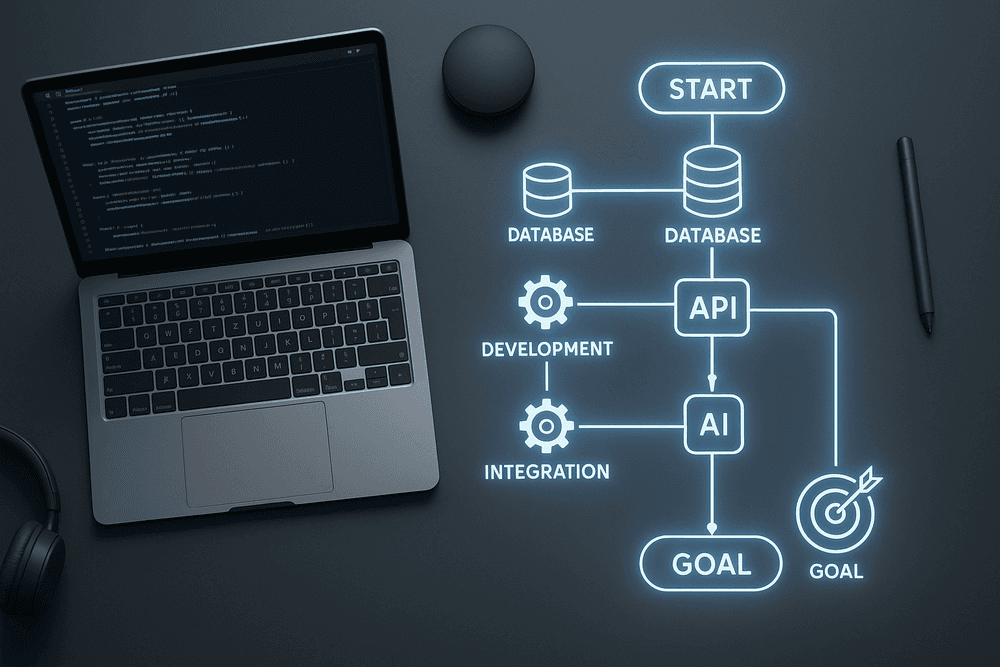
Ready to make your first API call? This checklist breaks down the initial steps into a manageable workflow, taking the guesswork out of getting started with your AI API integration.
- Define a Micro-Goal: Choose one simple, specific task. For example: "Translate a single sentence from English to Spanish" or "Generate a product description from three keywords."
- Research and Select an API: Find a provider that specializes in your chosen task (e.g., a language translation or text generation API). Prioritize those with a free tier or trial period for development.
- Get Your API Credentials: Sign up on the provider’s developer portal, create a new project or application, and generate your unique API key. Treat this key like a password—keep it secure!
- Set Up Your Sandbox: Create a simple local development environment. A basic Python script using the
requestslibrary or a JavaScript file withfetchoraxiosis all you need. - Make the "Hello, World!" Call: Using the API documentation as your guide, write the few lines of code needed to send a request to a basic endpoint.
- Handle the Response: Print the API’s full response to your console. Get comfortable with the JSON structure and identify where the useful data is located.
- Build a Mini-Feature: Integrate the call into a simple function. For instance, create a function that accepts a string of text and returns the AI-generated output. Test it with various inputs to see how it performs.
Ready to Build? Explore Our Developer Resources
Theory and checklists provide the map, but writing code is the journey. You now have the foundational knowledge and a clear plan to begin your AI API integration adventure. To help you move from concept to creation, we’ve built a comprehensive hub of resources designed to support and accelerate your development process.
Our developer portal is your one-stop shop for everything you need to succeed. Dive into our extensive API documentation, experiment with interactive tutorials, and copy-paste ready-to-use code snippets directly into your project. When you’re ready, join our community forum to connect with other innovators and share your work. Your next breakthrough application is waiting to be built.