
August 9, 2025
What Are AI Tools for Task Automation (and Why Do They
What Are AI Tools for Task Automation (and Why Do They Matter)?
The term "AI" is everywhere, but when it comes to business operations, it’s more than just a buzzword. It’s a powerful engine for efficiency. So, what are AI tools for task automation? In short, they are sophisticated software applications that use artificial intelligence, machine learning, and natural language processing to handle repetitive, rule-based, and even complex tasks that traditionally require human intervention.
Beyond the Hype: Defining True AI Task Automation
It’s crucial to distinguish true AI automation from simpler, macro-based automation. While a basic script can follow a rigid set of pre-programmed steps (like "if this, then that"), AI-powered automation is dynamic and intelligent. It can learn, adapt, and make decisions.
Think of it this way:
- Basic Automation: Merging a list of names into a standard email template. The process is identical every time.
- AI Task Automation: Analyzing incoming customer support emails, understanding the sentiment and intent of each message, categorizing the issue, and routing it to the correct department—all without a human reading it first.
True AI tools for task automation excel at handling unstructured data (like text from emails or PDFs), recognizing patterns, and improving their performance over time. They don't just follow rules; they interpret information and execute workflows with a level of cognitive ability that mimics human judgment.
The ROI of Automation: How Much Time and Money Can You Save?
The primary reason AI automation matters is its clear and compelling return on investment (ROI). By offloading tedious work, you free up your most valuable asset: your team's time and brainpower.
Consider a mid-sized team where each of the 10 members spends just five hours per week on manual tasks like data entry, report generation, and invoice processing. That’s 50 hours of skilled labor lost to repetitive work every single week—over 2,500 hours a year. By implementing AI tools for task automation, you can reclaim a significant portion of that time. This translates directly into:
- Cost Savings: Reduced need for temporary staff or overtime to manage high-volume tasks.
- Increased Productivity: Employees can focus on strategic, creative, and revenue-generating activities that require a human touch.
- Error Reduction: AI eliminates the risk of human error in data handling, leading to greater accuracy and consistency.
- Enhanced Scalability: Your processes can handle a growing volume of work without a proportional increase in headcount.
Is Your Business Ready to Implement AI for Repetitive Tasks?
How do you know if it's the right time to adopt these tools? Your business is likely a prime candidate for AI task automation if you find yourself nodding along to these questions:
- Are your skilled employees getting bogged down in administrative or manual data-related tasks?
- Do you frequently encounter costly errors or inconsistencies in your operational workflows?
- Are your processes struggling to keep up with the volume of work, leading to delays or backlogs?
- Do you have clearly defined, repeatable workflows that consume significant employee hours?
If you answered "yes" to one or more of these, you’re not just ready—you’re poised to gain a significant competitive advantage. Implementing AI for repetitive tasks is no longer a futuristic concept; it’s a practical, strategic step toward building a more efficient, resilient, and innovative business.
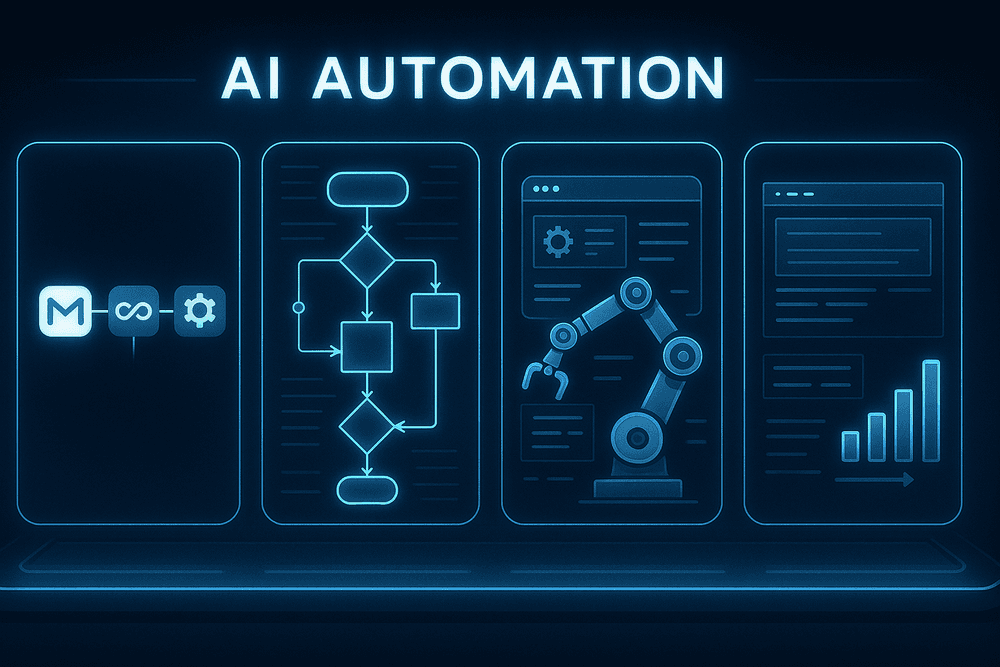
Comparing the Top AI Tools for Task Automation in 2024
Selecting the right platform is the most critical step in successfully implementing AI task automation. The market is filled with powerful options, but they cater to different needs, from simple app connections to enterprise-wide robotic processes. Here’s a breakdown of the leading AI tools for task automation to help you identify the perfect fit for your team.
Zapier: For Seamless Multi-App Integration
Zapier is often the first name that comes to mind in automation, and for good reason. It acts as the universal translator for your cloud applications, connecting over 6,000 apps with a simple "if this, then that" logic. If you need to automatically save email attachments to Dropbox or add new leads from Facebook Ads to a Google Sheet, Zapier is your go-to. Its recent integration of AI features allows you to build more intelligent workflows, such as summarizing long emails before sending them to Slack or classifying customer support tickets by sentiment.
- Key Strength: Unmatched library of integrations and user-friendly interface.
- Ideal User: Individuals, small to medium-sized businesses, and marketing or operations teams who need to quickly connect everyday web apps without writing a single line of code.
- Best for: Linear, straightforward automations that bridge the gap between your most-used software tools.
Make (formerly Integromat): For Complex Visual Workflow Building
Where Zapier excels in simplicity, Make thrives on complexity and visual power. It presents your automations as dynamic, interactive flowcharts, allowing you to build intricate, multi-step scenarios with branching paths, conditional logic, and error handlers. This visual approach makes it easier to design and troubleshoot sophisticated processes, such as a workflow that qualifies a lead, enriches their data via a third-party API, and then routes them to different CRM pipelines based on the results. Make is one of the most versatile AI tools for task automation for those who need more control and flexibility than simpler platforms offer.
- Key Strength: A powerful, visual workflow builder that handles complex logic and multiple pathways.
- Ideal User: Tech-savvy users, developers, and businesses with complex operational processes that require more than a simple A-to-B connection.
- Best for: Building robust, multi-layered automations with advanced logic and data manipulation.
UiPath: For Enterprise-Level Robotic Process Automation (RPA)
UiPath operates on a different scale. As a leader in Robotic Process Automation (RPA), it goes beyond API integrations to deploy software "robots" that mimic human actions directly on a computer's user interface. These bots can log into systems, open applications, copy and paste data, fill out forms, and read documents—automating tasks even in legacy systems that lack modern APIs. UiPath’s platform is built for the enterprise, offering advanced governance, security, and scalability. It’s the definitive choice for large organizations looking to automate high-volume, repetitive back-office tasks in departments like finance, HR, and compliance.
- Key Strength: Enterprise-grade RPA capabilities for automating tasks across any application, including legacy systems.
- Ideal User: Large enterprises and organizations with complex, high-volume processes and stringent security requirements.
- Best for: End-to-end business process automation and digital transformation at scale.
Bardeen: For AI-Powered Browser and Web Scraping Automation
Bardeen is a newer, AI-native player that focuses on automating tasks directly within your browser. It’s designed to eliminate the manual, repetitive work that knowledge workers face daily, such as scraping data from websites, enriching contact lists from LinkedIn profiles, or summarizing articles with a single click. Unlike traditional scrapers, Bardeen uses AI to understand webpage structures, making data extraction more reliable and code-free. It’s an incredibly potent tool for sales, marketing, and research teams looking to streamline their web-based workflows.
- Key Strength: AI-powered, one-click browser automations and intuitive web scraping.
- Ideal User: Individuals and teams in sales, marketing, recruiting, and research who spend significant time gathering information online.
- Best for: On-the-fly data collection, browser-based task automation, and streamlining online research.
Essential Features of Leading AI Task Automation Platforms
When evaluating the crowded market of automation software, it's crucial to look beyond basic "if this, then that" functionality. True powerhouse platforms are defined by their intelligent capabilities. The best AI tools for task automation share a core set of sophisticated features that enable them to handle complex, dynamic, and mission-critical business processes. Here’s what to look for.
Intelligent Triggers and Advanced Conditional Logic
Standard automation relies on simple triggers, like receiving a new email. Intelligent automation takes this a giant leap forward. Instead of a basic trigger, AI-powered platforms use intelligent event detection. This means an automation can be initiated based on the sentiment of a customer support ticket, the urgency detected in a Slack message, or a pattern of user behavior on your website.
Furthermore, advanced conditional logic allows for multi-step, multi-contingency workflows. An AI can hold a process, wait for several conditions across different applications to be met, and then choose one of several paths based on a complex analysis of the combined data. This moves automation from a rigid, linear process to a dynamic, decision-making engine that mimics human judgment.
Natural Language Processing for Unstructured Data Tasks
A significant portion of business data is "unstructured"—it lives in emails, documents, chat logs, and support tickets. Historically, this data was off-limits to automation because it required human reading and comprehension. Natural Language Processing (NLP) is the game-changing feature that unlocks this potential.
Leading AI tools for task automation use NLP to:
- Read and Categorize: Automatically analyze incoming emails or support tickets, determine their subject (e.g., "Billing Inquiry," "Technical Issue"), and route them to the correct department.
- Extract Key Information: Pull specific data points like names, invoice numbers, addresses, or contract dates from PDFs and text documents, then input that data directly into a CRM or ERP system.
- Summarize Content: Generate concise summaries of long reports, articles, or meeting transcripts, saving hours of manual reading.
Pre-Built Templates vs. Custom Workflow Creation
The ideal automation platform strikes a balance between ease of use and powerful customization.
- Pre-Built Templates: These are ready-to-use automation recipes for common tasks like onboarding a new employee, processing expense reports, or syncing leads between a CRM and an email marketing platform. They are invaluable for getting started quickly and allow non-technical team members to deploy powerful automations immediately.
- Custom Workflow Creation: This is where the real power lies. A visual, drag-and-drop workflow builder allows you to create highly specific automations tailored precisely to your unique business processes. The ability to build from scratch ensures the tool can adapt to any challenge, rather than forcing you to adapt your processes to the tool's limitations.
Top-tier platforms offer a rich library of templates that can also be used as a starting point for deeper customization.
Scalability, Security, and API Integration Capabilities
These foundational pillars ensure an automation tool is enterprise-ready.
- Scalability: The platform must be able to grow with your business, handling an increasing volume of automated tasks—from hundreds to millions per month—without a drop in performance.
- Security: Entrusting a platform with your business data requires robust security. Look for enterprise-grade features like SOC 2 or ISO 27001 compliance, data encryption at rest and in transit, and granular, role-based access controls.
- API Integration: No tool exists in a vacuum. A comprehensive library of pre-built connectors to popular apps (like Salesforce, Slack, Google Workspace) is essential. Critically, a powerful and well-documented API (Application Programming Interface) is non-negotiable, as it allows developers to connect the platform to any custom or niche software your business relies on.
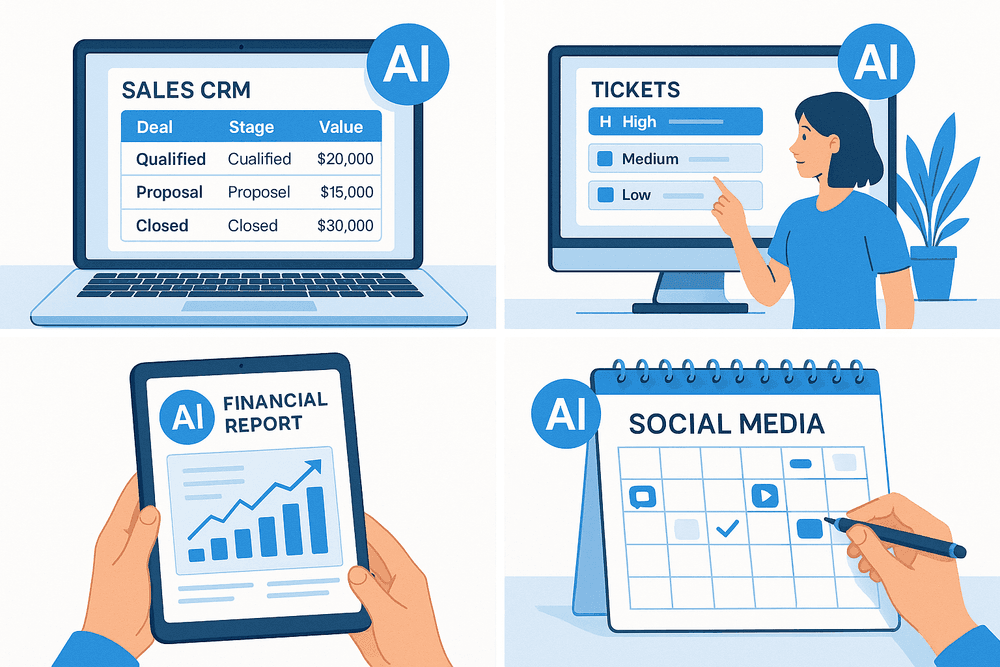
Real-World Wins: Use Cases for AI Tools for Task Automation
Theory is one thing, but the true value of technology is revealed in its practical application. The right AI tools for task automation are not just futuristic concepts; they are actively transforming how businesses operate today. By offloading repetitive, time-consuming work, these platforms empower teams to focus on strategic, high-impact activities. Let’s explore four powerful use cases where AI automation is delivering measurable results.
Automating Lead Nurturing and CRM Data Entry for Sales Teams
For any sales team, time is money. Yet, countless hours are lost to manual administrative tasks like logging calls, updating contact records, and sending follow-up emails. This is where AI automation creates a significant competitive advantage. AI-powered tools can integrate directly with a sales rep’s email and calendar, automatically capturing and logging every interaction in the CRM. This eliminates manual data entry and ensures the CRM is always up-to-date.
Furthermore, these tools can automate lead nurturing. Based on a lead’s behavior—such as opening an email or visiting a pricing page—the AI can trigger a personalized sequence of follow-up messages. This ensures no lead falls through the cracks and that every prospect receives timely, relevant communication, freeing up sales professionals to concentrate on what they do best: building relationships and closing deals.
Streamlining Customer Support with AI-Powered Ticket Routing
In customer support, speed and accuracy are paramount. When a customer submits a support ticket, manual triage can create a bottleneck, leading to slow response times and frustration. AI-powered ticket routing solves this problem with remarkable efficiency. Using Natural Language Processing (NLP), the system instantly analyzes the content of an incoming ticket to understand its topic, urgency, and sentiment.
Based on this analysis, the AI automatically routes the ticket to the correct department or the agent with the most relevant expertise. For example, a ticket mentioning “billing error” is sent directly to the finance team, while a complex technical query is assigned to a senior support engineer. This intelligent distribution of work reduces resolution times, balances agent workloads, and significantly boosts customer satisfaction.
Simplifying Financial Reporting and Invoice Processing
Finance departments have long been burdened by manual, error-prone processes like invoice processing and financial report generation. The adoption of specific AI tools for task automation is revolutionizing this landscape. AI can scan and read invoices, receipts, and other financial documents, using Optical Character Recognition (OCR) to extract key data like vendor names, dates, and amounts.
The system then automatically categorizes these expenses and syncs the data with accounting software. This virtually eliminates the need for manual data entry, drastically reducing the risk of human error. When it's time to generate reports, the AI can compile accurate, real-time financial statements in seconds, providing leadership with the up-to-the-minute insights needed for agile, data-driven decision-making.
Managing Social Media Scheduling and Content Distribution
Maintaining a vibrant and consistent social media presence is crucial for brand building, but it can be a relentless time-sink. AI automation tools for social media management act as a tireless marketing assistant. These platforms can analyze audience engagement patterns to determine the optimal times to post on different platforms, ensuring maximum visibility for your content. They can also suggest relevant hashtags, help brainstorm content ideas, and even rephrase a single piece of content into multiple variations tailored for Twitter, LinkedIn, and Instagram. This strategic automation allows marketing teams to execute a sophisticated content strategy without being chained to their keyboards.
Best Practices for Implementing AI Task Automation Successfully
Adopting new technology is more than just a purchase; it's a strategic shift. To truly unlock the potential of AI task automation tools, you need a thoughtful implementation plan. A successful rollout focuses on identifying the right tasks, empowering your team, measuring results, and sidestepping common obstacles. By following these best practices, you can ensure your investment delivers maximum productivity and a significant return.
Identify High-Impact Tasks for Automation First
Before you can harness the power of ai tools for task automation, you need to know where to point them. The most effective strategy is to target the "low-hanging fruit" first—tasks that are both simple to automate and offer a significant return in saved time and effort.
Start by conducting an "automation audit." Ask your teams to list their daily and weekly tasks and identify which ones are:
- Repetitive and Time-Consuming: Think data entry, generating standard reports, scheduling meetings, or sorting customer support tickets.
- Rule-Based: Processes that follow a clear, predictable set of steps with little need for subjective judgment.
- Prone to Human Error: Automating tasks like data transfer or calculations can drastically improve accuracy.
Focusing on these high-impact, low-complexity tasks provides immediate, visible wins. This builds momentum and demonstrates the value of your automation strategy to the entire organization, making it easier to gain buy-in for more complex projects later.
Train Your Team to Work Alongside AI Assistants
The introduction of AI can create uncertainty. The key to a smooth transition is framing AI not as a replacement, but as a collaborative assistant designed to eliminate tedious work and free up employees for more strategic, creative, and fulfilling responsibilities.
Effective change management starts with comprehensive training. Your program should cover:
- Tool Proficiency: Hands-on training on how to use the chosen ai tools for task automation.
- Prompt Engineering Basics: Teaching your team how to communicate instructions to the AI clearly and effectively to get the desired output.
- Validation and Oversight: Establishing protocols for reviewing AI-generated work to ensure quality and accuracy.
- Focusing on High-Value Work: Guiding employees on how to leverage their newfound free time for critical thinking, problem-solving, and customer interaction.
Set KPIs to Measure Your Automation Success
You can't manage what you don't measure. To justify your investment and fine-tune your strategy, you must establish clear Key Performance Indicators (KPIs) to track the success of your automation initiatives. Quantifiable data proves ROI and highlights areas for improvement.
Consider tracking metrics such as:
- Time Saved: Hours per week reclaimed by individuals and teams.
- Productivity Gains: Increase in the volume of tasks completed (e.g., reports generated, leads processed).
- Cost Reduction: Lower operational costs, reduced need for overtime, or optimized resource allocation.
- Error Rate Reduction: A direct comparison of error frequency in a process before and after automation.
- Employee Satisfaction: Survey your team to gauge their morale and job satisfaction as mundane work is reduced.
Avoid Common Pitfalls in Your Automation Strategy
Many organizations stumble when implementing ai tools for task automation. Being aware of common pitfalls can help you navigate the process smoothly.
- Don't Automate a Broken Process: Automation can make a bad process faster, but it won't fix its fundamental flaws. Always analyze and optimize a workflow before you automate it.
- Don't Neglect Security: When AI tools handle sensitive company or customer data, security is paramount. Choose reputable platforms with robust data privacy policies and security features.
- Don't Forget the Human-in-the-Loop: Especially in the beginning, AI requires human oversight. Implement a system for quality control and validation to ensure outputs meet your standards. AI should augment human intelligence, not operate in a vacuum.
- Don't Set Unrealistic Expectations: AI is a powerful tool, not a magic wand. Start with small, manageable projects, learn from the results, and scale your successes gradually.

Conclusion: The Future of Productivity with AI Automation
The journey into artificial intelligence is no longer a futuristic concept—it's a present-day reality transforming how we work. We've moved beyond the hype and into a phase of practical application, where AI tools for task automation are becoming as essential as a word processor or a spreadsheet. The goal isn't to replace human ingenuity but to amplify it, freeing up your team's valuable time and cognitive energy from the clutches of repetitive, manual tasks. By embracing this evolution, you position your organization not just to keep up, but to lead the charge in efficiency and innovation.
Choosing the Right AI Tool for Your Specific Needs
As we've explored, the market is brimming with powerful solutions, but the "best" tool is entirely subjective to your unique environment. A platform that revolutionizes a marketing agency's workflow might be a poor fit for a software development team. Before you commit, resist the allure of flashy features and focus on core functions. Ask yourself and your team these critical questions:
- What is our primary pain point? Identify the exact administrative, data-related, or communication tasks that consume the most hours and create the biggest bottlenecks.
- Does it fit our ecosystem? The most effective AI tool integrates seamlessly with the software you already use daily, like your CRM, project management platform, and communication channels.
- What is the total cost of ownership? Look beyond the monthly subscription. Consider any implementation fees, training time required, and the potential need for paid add-ons as you scale.
- Is it user-friendly? A complex tool with a steep learning curve can create more friction than it resolves. Opt for solutions with intuitive interfaces that your team can adopt with minimal disruption.
A Quick Checklist for Getting Started Today
Taking the first step is often the hardest part. To demystify the process, follow this simple, actionable checklist to begin your automation journey immediately.
- Identify & Prioritize: Brainstorm with your team to list all recurring, low-value tasks. Select the top 2-3 "quick wins"—tasks that are high-frequency and easy to define, such as scheduling meetings, transcribing notes, or generating standard reports.
- Research & Shortlist: Based on your prioritized needs, use the information in this guide to select two or three promising AI tools for task automation that specialize in those areas. Look for free trials or demos to test them in a low-risk environment.
- Launch a Pilot Program: Don't aim for a company-wide overhaul from day one. Assign a small, enthusiastic team or individual to pilot a single tool for a specific workflow. This contained experiment will provide invaluable real-world insights.
- Measure and Gather Feedback: Establish simple metrics to track success. This could be hours saved per week, a reduction in human error, or faster project turnaround times. Crucially, collect qualitative feedback from your pilot team on their experience.
- Scale Intelligently: Once you have a proven success story, use it as a case study to drive wider adoption. Expand the tool's use to other teams, applying the lessons learned from your pilot to ensure a smoother rollout.
How to Integrate AI Tools for Task Automation into Your Workflow
Successful integration is a matter of people and process, not just technology. To weave AI automation into the fabric of your company culture, focus on a human-centric approach. Clearly communicate that these tools are assistants designed to eliminate drudgery, enabling employees to focus on strategic thinking, problem-solving, and creative work that drives real value.
Provide comprehensive training and create a central resource hub with tutorials and best practices. Appoint "AI champions" within teams who can offer peer support and share success stories. Finally, remember that automation is not a "set it and forget it" activity. The landscape of AI is constantly advancing. Schedule regular reviews of your automated workflows to refine them and identify new opportunities, ensuring your organization remains on the cutting edge of productivity.