
September 29, 2025
Welcome to the New Era of AI Image Editing
Welcome to the New Era of AI Image Editing
The world of digital imagery is undergoing a seismic shift. Gone are the days when professional-grade photo manipulation was the exclusive domain of experts who had mastered complex software over countless hours. Today, we stand at the threshold of a new era, powered by a technology that feels less like a tool and more like a creative partner. Welcome to the world of AI image editing, where your imagination is the only true limit.
What is AI Image Editing, Really?
At its core, AI image editing leverages sophisticated artificial intelligence—specifically machine learning models and neural networks—to understand and manipulate the content of a picture with incredible intelligence. Unlike a traditional filter that applies a uniform change across an entire image, an AI algorithm sees a photo the way a human does. It recognizes objects, understands depth, and distinguishes between a person's hair, the sky behind them, and the ground beneath their feet.
This contextual understanding is the magic ingredient. When you ask an AI tool to remove an unwanted person from a crowded beach photo, it doesn’t just smudge pixels. It analyzes the surrounding sand, waves, and sky to intelligently generate a new, seamless background that looks completely natural. It's a leap from simply adjusting pixels to collaboratively creating them.
How AI is Revolutionizing Traditional Photo Editing Workflows
For decades, the photo editing workflow has been a manual, often tedious process. A professional might spend hours meticulously tracing an object with a pen tool to create a mask, painstakingly using a clone stamp to remove a blemish, or blending multiple layers to replace a dull sky. While these techniques are powerful, they are time-consuming and require a steep learning curve.
AI image editing flips this workflow on its head.
- Old Way: Spending 30 minutes manually masking a complex subject.
- AI Way: Clicking "Select Subject" and getting a near-perfect mask in two seconds.
- Old Way: Carefully painting over a distracting power line with a healing brush.
- AI Way: Highlighting the line and watching it vanish as the AI rebuilds the sky behind it.
- Old Way: Sourcing a new image to composite into a scene.
- AI Way: Typing "add a hot air balloon in the sky" and letting generative AI create one that matches the lighting and style of your photo.
This revolution shifts the editor’s role from a technical operator to a creative director. The focus moves away from the "how" and puts it squarely on the "what," freeing up invaluable time for experimentation and artistry.
The Core Benefits: Speed, Creativity, and Accessibility
The advantages of integrating AI into your editing process are transformative, boiling down to three fundamental pillars.
Unprecedented Speed
Complex tasks that once consumed hours can now be completed in mere moments. One-click sky replacement, instant object removal, and automated portrait retouching dramatically accelerate post-production. For professionals, this means faster turnaround times for clients and more capacity for new projects. For casual users, it means getting a stunning result without a significant time investment.
Boundless Creativity
AI is more than just an efficiency tool; it's a powerful creative catalyst. Features like Generative Fill, which allows you to expand an image's canvas (outpainting) or add entirely new elements from a text prompt, open up avenues of expression that were previously impossible. You can change the season, alter a subject's outfit, or conjure fantastical landscapes, making the AI a true collaborator in your artistic vision.
Radical Accessibility
Perhaps the most profound benefit of AI image editing is its democratization of creative power. Professional results are no longer locked behind a paywall of expensive software and years of training. With intuitive interfaces, simplified tools, and powerful mobile apps, anyone—from small business owners and social media managers to hobbyist photographers—can now produce high-quality, polished images that capture their vision perfectly.
Exploring the Core Features of AI Image Editing Tools
The revolution in ai image editing isn't about adding a few new filters; it's about fundamentally redefining what's possible. Complex, time-consuming tasks that once required years of expertise are now accessible through intelligent, context-aware algorithms. These core features are not just incremental improvements—they are transformative tools that empower both seasoned professionals and everyday creators to achieve stunning results with unprecedented ease and speed. Let's delve into the standout capabilities that form the backbone of modern AI-powered photo editors.
Mastering One-Click Object Removal and Replacement
We've all been there: a perfect photo ruined by a stray tourist, a distracting power line, or an unsightly piece of trash. In the past, removing these imperfections meant hours of meticulous work with clone stamps and patch tools, carefully blending pixels to create a seamless fix. Today, AI makes it a matter of seconds.
AI-powered object removal tools go far beyond simple content-aware fill. By selecting an unwanted element, you instruct the AI to not just cover it up, but to understand the scene’s context. It intelligently reconstructs the background, predicting what should be behind the object—whether it's the texture of a brick wall, the pattern of ocean waves, or the blades of grass in a field. The result is an undetectable edit. Taking this a step further, AI can also replace objects. You can highlight a boring coffee mug on a table and ask the AI to replace it with an ornate teacup, and it will generate a new object that matches the scene’s lighting, shadows, and perspective.
Expanding Canvases with AI Generative Fill
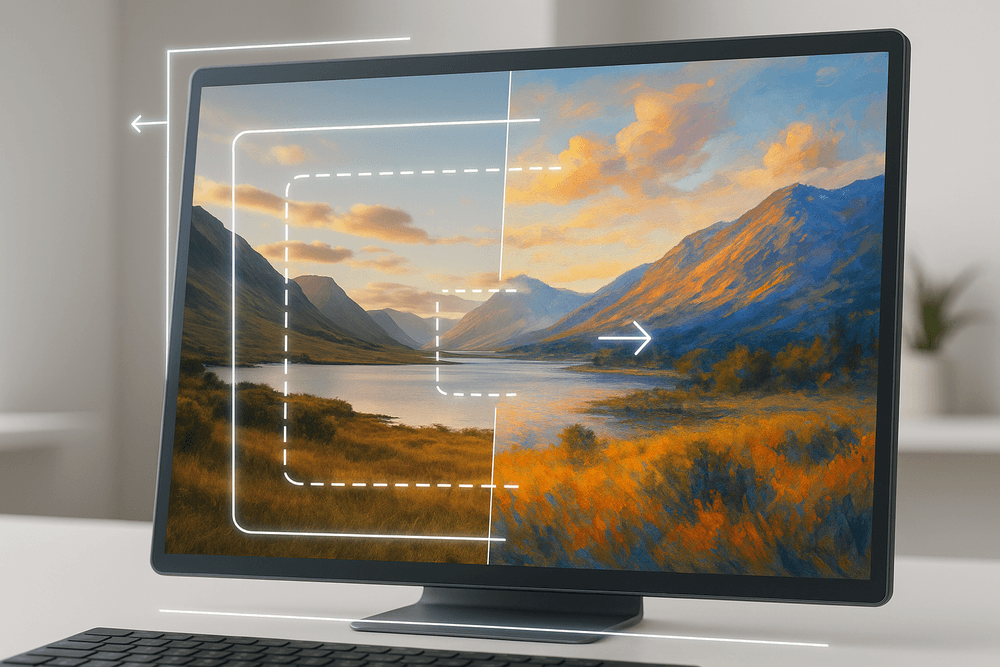
Have you ever taken a great vertical photo but needed a horizontal version for a website banner? Or wished you could zoom out on a photo to reveal more of the beautiful landscape? AI Generative Fill, often called "outpainting," makes this possible.
This groundbreaking feature allows you to extend the borders of your image in any direction. The AI analyzes the existing content, style, and lighting of your photo and generates new, original content to fill the expanded space. It can seamlessly add more sky to a sunset, extend a forest, or complete the architecture of a building that was cropped out. This isn't just about adding empty space; it’s about creatively and realistically expanding the world of your photograph, giving you ultimate control over composition and aspect ratio.
Transforming Aesthetics with Neural Style Transfers
For those looking to infuse their images with artistic flair, neural style transfer is a game-changer. This feature uses deep learning models to separate the stylistic elements of one image (like the brushstrokes of a Van Gogh painting) from the content of another (like your personal photograph). It then brilliantly merges the two.
You can instantly transform a simple landscape photo into a vibrant impressionist masterpiece, a portrait into a stark comic book illustration, or a cityscape into a futuristic cyberpunk scene. This goes beyond a simple filter by genuinely restructuring the image's textures, color palettes, and forms to match the source artwork. It’s a powerful tool for artists, marketers, and social media creators looking to develop a unique and unforgettable visual identity.
Enhancing and Upscaling Images Beyond Their Original Quality
Dealing with low-resolution, noisy, or blurry images has always been a major challenge. Traditional upscaling methods simply enlarged the existing pixels, resulting in a blocky or blurry mess. AI image editing takes a radically different approach.
AI upscalers don't just stretch an image; they reconstruct it. Trained on millions of high-quality images, the AI understands what a sharp, detailed image should look like. When you upscale a low-resolution photo, it intelligently generates new pixel data, adding realistic texture to fabrics, sharpening facial features, and clarifying fine details that were lost. This technology is invaluable for restoring old, scanned family photos, preparing web images for high-quality printing, or rescuing a shot that was taken with a low-quality camera. Similarly, AI-powered denoising and sharpening tools can clean up grainy photos and correct motion blur with a level of precision that manual editing could rarely achieve.
The Ultimate Showdown: Best Software for AI Image Editing
With a flood of new tools on the market, choosing the right platform for your AI image editing needs can feel overwhelming. The "best" software isn't a one-size-fits-all solution; it's about matching powerful features to your specific workflow, skill level, and goals. Are you a professional designer demanding pixel-perfect control, a photographer looking to speed up your edits, or a marketer needing quick, eye-catching visuals? Let's break down the top contenders to find your perfect match.
Adobe Photoshop AI: The Industry Standard Reimagined
For decades, Photoshop has been the undisputed king of image manipulation, and its integration of AI has only solidified its reign. Powered by the Adobe Firefly generative AI model, Photoshop turns complex tasks into simple, intuitive actions.
Key AI Features:
- Generative Fill & Expand: Seamlessly add, remove, or extend content in your images using simple text prompts. Need to widen a landscape or remove a distracting person from a group photo? This tool does it with stunning realism.
- Neural Filters: A suite of AI-driven filters that can change a subject's expression, smooth skin, transfer color grades, and even restore old photos with a single click.
- Remove Tool: An advanced, context-aware healing brush that lets you "paint over" unwanted objects, which are then intelligently removed and replaced by AI-generated content that blends perfectly with the surroundings.
Best For: Creative professionals, photographers, and digital artists who require maximum control, precision, and integration with the broader Adobe Creative Cloud ecosystem. The learning curve is steeper, but the power it offers is unparalleled.
Luminar Neo: The Photographer's AI-Powered Assistant
Luminar Neo by Skylum carves its niche by focusing squarely on the needs of photographers. It's designed to be an intelligent assistant that automates tedious editing tasks, allowing you to focus on the creative aspects of your work. Its interface is clean and result-oriented, making powerful AI image editing accessible to hobbyists and pros alike.
Key AI Features:
- Sky AI: Replace a dull, overcast sky with a dramatic sunset or a clear blue expanse in seconds. The tool automatically handles reflections, relighting, and masking.
- Relight AI & Portrait Bokeh AI: Intelligently adjust lighting and depth of field after the shot has been taken, giving you incredible control over the final mood and focus of your portraits and landscapes.
- Structure AI: Enhance detail and clarity in a subject-aware manner, bringing out textures without creating unnatural halos or artifacts.
Best For: Professional and enthusiast photographers who want to dramatically speed up their workflow without sacrificing quality. It excels at landscape, portrait, and travel photography enhancements.
Canva Magic Studio: AI Editing for Marketers and Casual Creators
Canva has democratized design, and its Magic Studio suite brings the same simplicity to AI image editing. Built directly into Canva’s user-friendly, browser-based platform, these tools are perfect for creating social media posts, presentations, and marketing materials without any technical expertise.
Key AI Features:
- Magic Edit: Select an area of your image and describe what you want to add or change, like turning a hat blue or adding flowers to a vase.
- Magic Eraser: Quickly remove unwanted objects or people from your photos to create a cleaner composition.
- Magic Expand: Intelligently expand your image in any direction to fix awkward framing or repurpose a vertical image for a horizontal banner.
Best For: Marketers, social media managers, small business owners, and anyone who needs fast, good-looking results with zero friction. It’s the ultimate tool for practical, everyday design and editing tasks.
Mobile vs. Desktop: Which AI Editing App is Right for You?
The platform you choose can be as important as the software itself.
- Desktop Apps (Photoshop, Luminar Neo): Offer superior processing power, higher precision with a mouse or tablet, and a wider range of professional-grade tools. They are ideal for high-resolution work, complex composites, and batch editing large photo sets. This is the choice for serious, detailed work where quality is paramount.
- Mobile Apps (Lensa AI, Remini, Canva Mobile): Prioritize convenience, speed, and social sharing. They excel at quick touch-ups, applying trendy filters, and on-the-go content creation. While they lack the depth of desktop software, their intuitive interfaces make powerful AI image editing accessible to everyone, anywhere, anytime.
Practical AI Image Editing: Real-World Use Cases
The power of AI image editing extends far beyond simple filters and novel effects. Today, these intelligent tools are revolutionizing workflows across various industries and personal projects, turning complex, time-consuming tasks into simple, efficient operations. Let's explore how AI is being applied in the real world to solve practical challenges and unlock new creative possibilities.
Creating Flawless Product Shots for E-commerce
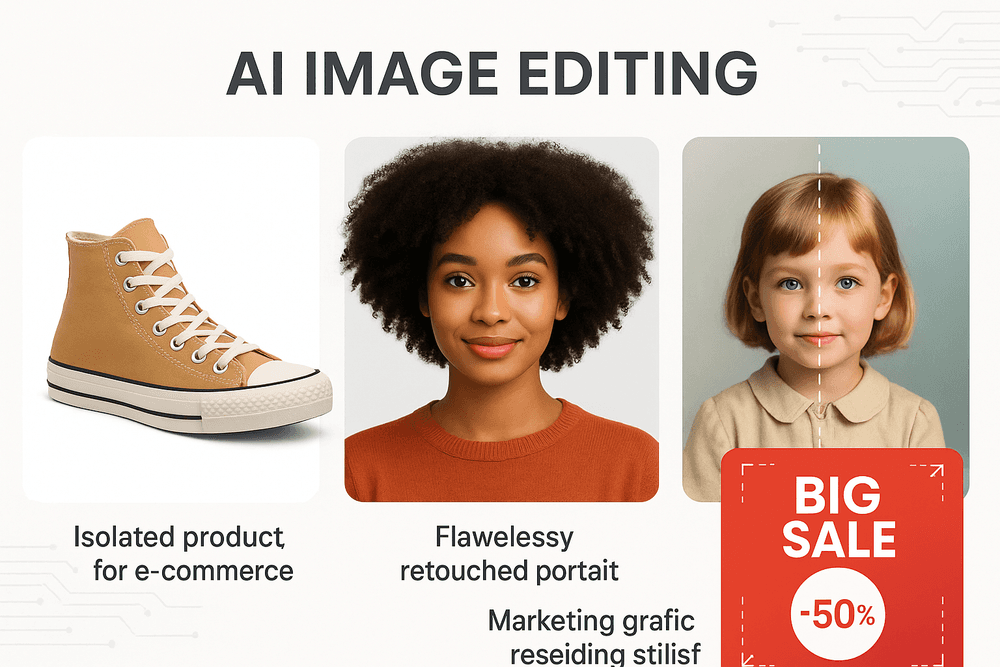
In the competitive world of e-commerce, high-quality product photography is non-negotiable. It can be the deciding factor between a customer adding an item to their cart or scrolling past. Traditionally, achieving clean, consistent, and appealing product shots required expensive studio setups and hours of meticulous post-production.
AI image editing completely changes the game. With tools like AI-powered background removal, you can instantly isolate a product from its original setting and place it on a pure white or custom-branded background. Need to add a realistic shadow for depth? Generative fill can create one in seconds. AI can also remove unwanted reflections, fix minor product imperfections, and even generate entire lifestyle scenes around your product, helping customers visualize it in a real-world context—all without a physical photoshoot. This not only saves immense time and money but also ensures brand consistency across your entire online catalog.
Streamlining Portrait Retouching for Photographers
For professional photographers, retouching portraits is an art form that demands a delicate touch and significant time investment. Manually smoothing skin, removing blemishes, and adjusting lighting can take hours for a single gallery. AI-powered tools act as a highly skilled assistant, dramatically accelerating the editing process without sacrificing quality.
Modern AI image editing software can intelligently detect and smooth skin while preserving natural texture, avoiding that "plastic" look. It can remove blemishes, stray hairs, and distracting background objects with a single click. Advanced AI can even analyze facial features to make subtle, realistic adjustments like brightening eyes or whitening teeth. By automating these repetitive tasks, photographers can reclaim valuable time to focus on the more creative aspects of their craft, like color grading and composition, leading to faster turnaround times and happier clients.
Designing Compelling Social Media and Marketing Visuals
Marketers and content creators are under constant pressure to produce a high volume of engaging visuals for social media feeds, ads, and websites. AI image editing is the ultimate tool for rapid content creation and adaptation. Features like generative fill and "outpainting" allow you to seamlessly extend an image's canvas to fit any aspect ratio—turning a single horizontal photo into a vertical version for Instagram Stories or a wide banner for a website header.
Need a unique graphic for a campaign? Use text-to-image generation to create custom visuals from scratch. Want to remove a competitor's logo from a stock photo or add your own product into a scene? AI object removal and generative fill make it effortless. This level of flexibility empowers marketers to test more creative concepts, maintain a consistent brand aesthetic, and produce stunning visuals at a scale that was previously unimaginable.
Restoring and Colorizing Old Family Photos with AI
Beyond the professional realm, AI image editing offers a deeply personal benefit: bringing old memories back to life. Faded, scratched, and torn family photos that have been tucked away in albums can be digitally restored with incredible accuracy. AI algorithms trained on millions of images can identify and repair damage like creases, spots, and tears.
Furthermore, AI-powered colorization can breathe new life into black-and-white photographs, intelligently analyzing the scene to apply realistic and historically appropriate colors. AI can also enhance and sharpen blurry faces, revealing details in cherished portraits that were once lost to time. For anyone looking to preserve their family history, AI provides an accessible way to restore and share precious moments with future generations in vibrant, stunning detail.
Best Practices for Getting Professional Results
Unlocking the full potential of AI-powered image editing goes beyond simply clicking a button. To achieve truly professional, polished results, you need to combine technical know-how with creative strategy. These best practices will help you master the art of AI-assisted creativity, ensuring your final images are flawless and compelling.
How to Write Effective Prompts for Generative AI Features
The quality of your AI-generated content hinges on the quality of your prompt. Vague instructions lead to generic results. To command the AI effectively, think like an art director. Be specific, descriptive, and use a clear structure.
- Subject: Clearly define the main element. (e.g., "a majestic lion with a flowing mane")
- Action & Setting: Describe what the subject is doing and where. (e.g., "standing on a rocky cliff at sunrise")
- Style & Mood: Specify the artistic direction. (e.g., "photorealistic, cinematic lighting, dramatic mood")
- Technical Details: Include camera angles, lens types, or color palettes. (e.g., "wide-angle shot, golden hour lighting")
Instead of "add a bird," try "add a hyper-realistic bald eagle soaring in the sky, wings outstretched, viewed from a low angle." Iteration is key; start with a solid base prompt and refine it until you achieve your vision.
Combining AI Tools with Manual Adjustments for a Perfect Finish
The most powerful workflow in modern ai image editing is a hybrid one. Treat AI as an incredibly skilled assistant, not a one-click finalizer. Let the AI handle the heavy lifting—like making impossibly complex selections, removing distracting objects, or generating initial concepts for a background extension.
Once the AI has done its part, take back control for the final polish. Use traditional tools to refine the details. Manually blend the edges of a generative fill using a soft brush and a layer mask. Use adjustment layers like Curves or Color Balance to seamlessly match the lighting and color of AI-generated elements with the original photo. This combination of AI speed and human artistry is what separates amateur edits from professional masterpieces.
Understanding Resolution and Artifacts in AI-Generated Images
While AI is powerful, it has technical limitations. Two common hurdles are resolution and artifacts. Most generative AI tools produce images at a fixed, often modest, resolution. Expanding a small AI-generated section to fit a large, high-resolution photo can result in blurriness or a loss of detail. Always be mindful of your project's final output requirements.
Artifacts are small errors or bizarre details that can appear in AI-generated content, such as distorted textures, illogical shapes, or strange blending. To minimize these issues, start with a high-quality source image. Carefully inspect AI-generated areas by zooming in. Often, these artifacts can be corrected with manual tools like the Clone Stamp or Healing Brush.
Ethical Considerations: Navigating the World of AI Photo Manipulation
With great power comes great responsibility. As ai image editing becomes more accessible, understanding the ethical implications is crucial.
- Transparency: Be upfront about the use of AI, especially in contexts like photojournalism, product advertising, or portraiture where authenticity is expected. Misleading viewers by presenting a heavily manipulated image as reality erodes trust.
- Authenticity: Avoid creating deceptive content. The technology used for simple object removal can also be used to create misleading "deepfakes" or false narratives. Use your skills to enhance reality, not to fabricate it maliciously.
- Copyright: The legal landscape surrounding the copyright of AI-generated images is still evolving. Be aware of the terms of service for the AI tools you use and understand the usage rights for the content you create. Responsible creation means respecting intellectual property and using these powerful tools with integrity.
Conclusion: The Future of Your Creative Workflow
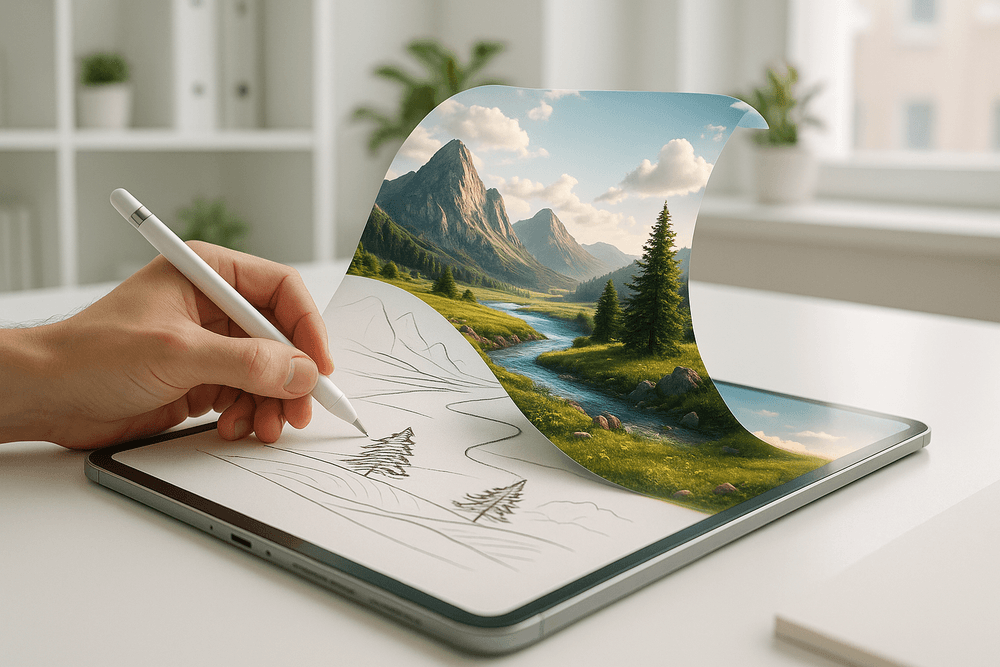
We've journeyed through the transformative landscape of AI-powered image editing, from the core technologies that make it possible to the incredible tools that put this power at your fingertips. It’s clear that we are no longer on the cusp of a revolution; we are in the midst of it. The integration of artificial intelligence into our creative processes isn’t just a fleeting trend—it’s a fundamental shift that is redefining the boundaries of visual expression. This technology is more than a set of features; it's a new creative partner, ready to help you bring your most ambitious ideas to life with unprecedented speed and ease.
Why AI Image Editing is a Game-Changer
Let's recap the core advantages. At its heart, AI image editing acts as a massive accelerator for your workflow. Tedious, repetitive tasks that once consumed hours—such as masking complex subjects, removing unwanted objects, or manually retouching portraits—can now be accomplished in seconds with a single click or a simple text prompt. This isn't about cutting corners; it's about reclaiming valuable time that can be reinvested into the most important part of the process: your creativity.
Features like Generative Fill and Style Transfer have democratized techniques once reserved for seasoned experts, empowering both professionals and hobbyists to experiment and innovate. Whether you're a photographer looking to perfect a shot, a marketer creating compelling ad creatives, or a social media user wanting to make your posts stand out, AI image editing provides the tools to achieve stunning, professional-grade results without a steep learning curve. It’s not about replacing human artistry but augmenting it, turning your vision into a finished masterpiece faster than ever before.
Emerging Trends to Watch in AI-Powered Visuals
The pace of innovation is breathtaking, and what's on the horizon is even more exciting. Keep an eye on these emerging trends that will further shape the future of AI image editing:
- AI Video Integration: The technology powering static image generation is rapidly moving into video. Soon, editing video clips, changing backgrounds in motion, or even generating short films from text prompts will become just as accessible as editing a photo is today.
- Hyper-Personalized AI: Future AI editing tools will learn your unique style. Imagine an assistant that knows your preferred color grading, composition, and aesthetic, suggesting edits that perfectly align with your brand or artistic voice before you even think to make them.
- 3D and Spatial Awareness: AI models are becoming increasingly sophisticated in understanding depth, space, and lighting. This will unlock incredible possibilities for relighting scenes in post-production, generating realistic 3D models from 2D images, and creating immersive visual experiences.
Take the Next Step: Choose Your First AI Editing Tool Today
The theory is compelling, but the real magic happens when you put it into practice. The future of your creative workflow isn't something to wait for—it's something to build, starting now. Don't let indecision hold you back. The best way to understand the profound impact of this technology is to experience it firsthand.
Explore the tools we've discussed, from the integrated powerhouses like Adobe Photoshop to the accessible web-based platforms like Canva and Fotor. Many offer free trials or freemium versions, giving you a risk-free playground to experiment. Pick one that aligns with your current needs, upload an image, and try a generative fill or an object removal. See for yourself how a complex edit becomes a simple, enjoyable task. The journey into AI image editing begins with a single click. Your creative potential is limitless, and your new AI-powered co-pilot is ready when you are.