
August 16, 2026
Build Video Scripts Around a Repeatable Agency Brief

Before anyone writes a line of dialogue, the agency needs a brief that removes guesswork. Without it, every draft becomes a negotiation: the strategist thinks the goal is awareness, the client expects leads, the editor needs visual direction, and the writer is trying to infer the brand voice from a homepage and three old posts.
A repeatable brief turns video scripts from one-off creative exercises into a controlled client delivery process.
What Is a Video Script?
A video script is the working document that defines what the viewer will hear, see, and understand in a finished video.
For agencies, it is not just “words for someone to say.” It is the bridge between strategy, brand, production, and client approval. A useful script gives the team enough direction to create the asset without reopening the entire campaign conversation every time a stakeholder comments.
At minimum, a script should make clear:
- The intended viewer
- The message or idea the video must land
- The spoken or on-screen copy
- The brand tone the piece should carry
- Any necessary visual or production notes
- The action the viewer should take next
The more clients an agency serves, the more important this becomes. If every script starts from a blank doc, quality depends too heavily on whoever happens to write it that day. A brief creates a shared source of truth before the creative work begins.
The Minimum Viable Video Brief
A good brief does not need to be long. In fact, long briefs often hide the decisions that matter most. For small agencies, the best version is compact enough to complete quickly, but specific enough to prevent vague feedback later.
A minimum viable video brief should capture:
1. Client and brand context Which client is this for, and what brand rules matter? Include tone, positioning, audience language, claims to avoid, and any phrases the client consistently uses or rejects.
2. Business goal What is the video meant to support: pipeline, retention, education, launch awareness, sales enablement, recruitment, or community growth? A script written for “get attention” will sound very different from one written to help a buyer understand value.
3. Audience segment Name the viewer as specifically as possible. “Founders” is weaker than “non-technical SaaS founders comparing onboarding tools.” Specificity keeps the message from becoming generic.
4. Core message What should the viewer remember after watching? If the team cannot state this in one sentence, the script will likely drift.
5. Offer or next step Even when the video is not directly sales-focused, define the intended next action: visit a page, book a call, watch another asset, share internally, or understand a product feature.
6. Required inputs Add source links, product notes, campaign messaging, customer proof points, and any client-approved language. This keeps writers from inventing claims the account team will later have to unwind.
How Brand Inputs Prevent Rewrite Loops
Most script rewrites are not caused by bad writing. They happen because the brand was under-specified at the start.
A client says, “This doesn’t sound like us,” but the agency was never given a usable definition of “us.” One stakeholder wants punchy and bold. Another wants polished and cautious. A founder dislikes a phrase because it clashes with how they sell, even though that preference never made it into the brief.
Brand inputs reduce those loops by making voice concrete before drafting begins. Instead of relying on subjective reactions, the team can anchor decisions to documented guidance: preferred vocabulary, tone boundaries, audience sophistication, proof points, differentiators, and messaging hierarchy.
For agencies managing multiple clients, this is where margin is won or lost. The first draft does not need to be final, but it should feel recognizably on-brand. When the brief captures the client’s voice upfront, feedback shifts from “start over” to “tighten this point,” which is a much cheaper revision.
The goal is simple: every script begins with enough brand context that the writer, strategist, account lead, and client are evaluating the same thing. That is what makes quality repeatable.
Choose the Right Script Structure for the Video Type
Once the brief is locked, the next margin-protecting decision is structure. The same client message can turn into a clear tutorial, a punchy paid social spot, or a conversion-focused product demo—but each format needs a different spine.
Tutorial Scripts: Teach One Outcome Clearly
A tutorial should help the viewer complete one specific task, not understand an entire category. For agency teams, this is where scope creep often sneaks in: the client wants “a quick how-to,” then asks to add background, edge cases, and three related features.
Keep tutorial scripts narrow:
- Name the outcome immediately
“In this video, you’ll learn how to schedule your first campaign in under five minutes.”
- Set the starting point
Clarify what the viewer needs before the steps begin: account access, a file, a setting, a product, or a decision already made.
- Break the process into visible steps
Each step should map to something the viewer can see or do. Avoid abstract narration that production can’t show.
- Close with confirmation
End by showing what success looks like: the published page, completed setup, sent report, or finished asset.
For client work, tutorials are strongest when the agency resists over-teaching. If the viewer needs five prerequisites explained first, the video is probably not one tutorial—it is a sequence.
Marketing Video Scripts: Hook, Problem, Proof, CTA
Marketing videos need momentum. The structure is less about “explaining everything” and more about moving the viewer from attention to action before they drift.
A reliable structure:
Script beat | Job to do | Example direction |
|---|---|---|
Hook | Stop the scroll or earn the next five seconds | “Your design team is not slow—your feedback loop is broken.” |
Problem | Name the pain in the client’s customer language | Missed deadlines, inconsistent assets, wasted ad spend |
Proof | Show why the brand is credible | Customer result, product feature, statistic, testimonial, visual before/after |
CTA | Tell the viewer what to do next | Book a demo, download, start trial, visit landing page |
The mistake to avoid is leading with the company. Most viewers do not care who the client is until they recognize their own problem. Put the audience’s pain first, then use the brand as the path forward.
For small agencies managing multiple client voices, this structure also keeps reviews focused. Instead of debating taste, you can ask: Is the hook sharp enough? Is the problem specific? Is the proof believable? Is the CTA clear?
Product Demo and Social Scripts: Show Value Fast
Product demos and social videos both reward speed, but they use it differently.
A product demo should get to the “aha” moment quickly. Do not open with a full product overview if the video is meant to sell one feature, workflow, or use case. Start with the user’s situation, show the product solving it, then reinforce the result.
A simple demo flow:
- Context: “You need to turn client feedback into assigned tasks.”
- Action: Show the feature or workflow in motion.
- Result: “Now every comment has an owner, deadline, and status.”
- Next step: Invite the viewer to try, book, or learn more.
Social scripts need an even tighter frame. One idea. One visual premise. One takeaway. If a 20-second video needs multiple scene changes, disclaimers, and three CTAs, it will likely underperform and cost more to produce.
For social, write around the first three seconds:
- A bold claim
- A recognizable frustration
- A visual contrast
- A surprising stat
- A direct question
The format should dictate the script—not the other way around. When your agency matches structure to video type, video scripts become easier to sell, easier to produce, and easier for clients to approve.
Write for Clarity, Retention, and Production Efficiency
Once the structure is chosen, the work shifts from “what should this video say?” to “can a real person say this clearly, on camera, without creating extra production drag?”
Turn Strategy Into Speakable Lines
A strong message can still fail if it reads like a positioning deck. Scripts need to sound like someone talking to one specific viewer, not presenting to a committee.
For agency teams, the fastest way to improve draft quality is to translate strategic language into spoken language before the client ever sees it.
Instead of:
“Our platform enables cross-functional collaboration across distributed teams.”
Write:
“Your team can plan, review, and approve work in one place, even if everyone’s remote.”
Instead of:
“We help brands unlock operational efficiency through automation.”
Write:
“We take the repetitive work off your team’s plate, so they can spend more time on the work clients actually notice.”
A useful test: read every line out loud. If the writer has to pause, restart, or explain what a sentence means, the talent will struggle too.
For client-facing drafts, keep lines short and intentional:
- One idea per sentence
- Concrete nouns over abstract claims
- Active verbs over brand-speak
- Natural contractions where appropriate
- No paragraph that looks intimidating on a teleprompter
This is where small agencies can protect margin. Clearer lines reduce internal debates, client rewrites, awkward voiceover takes, and edit-room fixes.
Use Visual Cues Without Overloading the Script
A script should give production enough direction to execute, but not so much that every sentence becomes a mini storyboard.
The goal is to separate what is said from what is seen.
A practical format:
Column | Purpose | Example |
|---|---|---|
Voiceover / Dialogue | The exact spoken line | “Approve client feedback without chasing five separate threads.” |
Visual Direction | What the viewer sees | Screen recording of comments being resolved in the dashboard |
Notes | Optional production guidance | Highlight notification badge; keep shot under 4 seconds |
Visual cues are most useful when they clarify meaning, show proof, or prevent production ambiguity. They become a problem when they prescribe every camera move, facial expression, or micro-transition too early.
For most agency video scripts, visual direction should answer three questions:
- What should be on screen while this line is spoken?
- Is there a product action, graphic, caption, or b-roll moment that reinforces the point?
- Does the editor have enough context to assemble the scene without guessing?
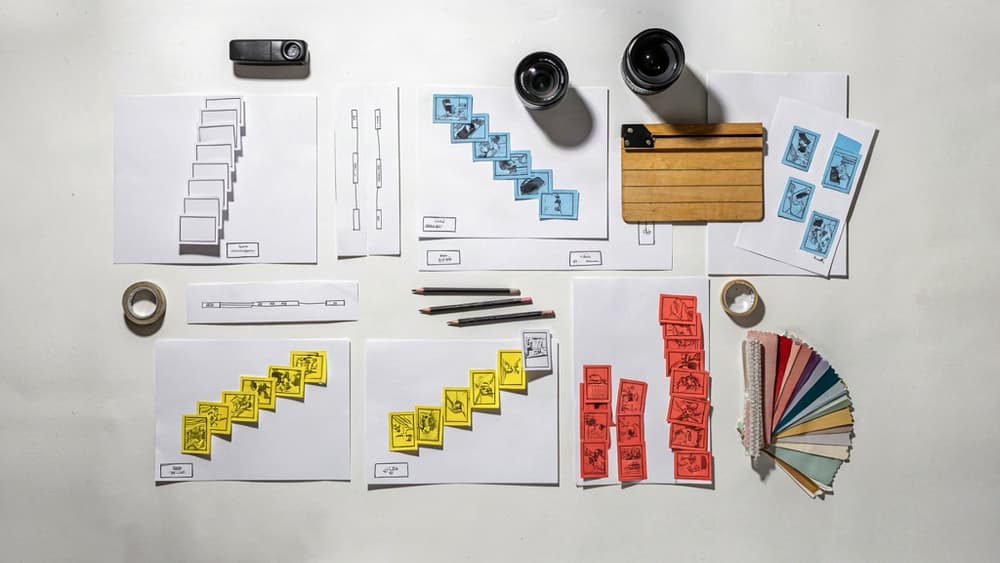
That’s enough. Save detailed shot planning for the storyboard or production doc if the project needs one.
Keep Timing, Pacing, and Transitions Practical
A script that is “only two pages” can still become a three-minute video if no one checks pacing. Build timing into the draft early so the client approves something production can actually deliver.
A rough rule: spoken voiceover lands around 125–150 words per minute. For tighter social cuts, assume less. Pauses, product screens, captions, and transitions all need breathing room.
Before delivery, check each section for:
- Opening speed: Does the first 5–10 seconds get to the point quickly?
- Idea density: Are too many claims packed into one segment?
- Transition logic: Does each beat naturally lead to the next?
- Production feasibility: Can the visuals be created within the budget and timeline?
- Cut potential: Can the script be trimmed without breaking the message?
Transitions matter because they keep viewers oriented. Use simple connective tissue:
- “Here’s how it works.”
- “That’s where most teams get stuck.”
- “Now let’s look at the client side.”
- “The result is a cleaner approval process.”
For agencies managing multiple clients, this discipline makes video scripts easier to estimate, easier to review, and easier to produce consistently without adding headcount.

Use AI to Draft Faster Without Losing the Client’s Voice
Once the brief, structure, and production logic are locked, AI can remove the blank-page drag. The risk is letting every tool invent its own version of the client’s voice. For agencies, the win is not “more drafts.” It’s faster drafts that already sound like the brand.
A Brand-Safe AI Workflow for Video Scripts
Treat AI as a drafting layer inside your agency process, not a separate creative process.
A simple workflow looks like this:
- Start with the approved brand source of truth
Pull from the client’s positioning, audience notes, messaging pillars, tone examples, banned phrases, offer details, and previous approved work.
- Generate from the script brief, not from a vague request
“Write a 60-second launch script” will produce generic output. Feed the AI the actual video goal, audience, format, key message, CTA, and required proof points.
- Draft one structured version first
Ask for the script in the format your team uses: voiceover, on-screen text, visual direction, timing, and CTA. This keeps the output usable for writers, designers, editors, and clients.
- Revise against brand rules before polishing
The first edit should check voice, claims, terminology, and audience fit. Only then should you tighten pacing, hooks, transitions, and production details.
- Store the winning version
Every approved script becomes training material for the next project. Over time, your agency builds a reusable pattern library for each client instead of restarting every engagement.
This is where a brand-ingestion tool like Aethera helps: the client’s voice is loaded once, so each draft starts closer to approved language instead of relying on whoever writes the best prompt that day.
Prompt Inputs That Improve First Drafts
Better prompts are less about clever wording and more about complete context. Before asking AI to draft video scripts, include:
- Client voice: tone traits, sample phrases, words to avoid, preferred level of formality
- Audience: role, pain point, awareness stage, objections, desired action
- Video type: tutorial, paid social ad, product demo, case study, founder-led message, landing page video
- Channel and length: TikTok, YouTube pre-roll, LinkedIn, website hero, sales enablement; include target duration
- Core message: the one idea the viewer should remember
- Proof: stats, customer quotes, product features, differentiators, before/after details
- CTA: what the viewer should do next and how direct the ask should feel
- Production limits: available footage, talent, motion graphics, screen recording, locations, budget constraints
A practical agency prompt might be:
Draft a 45-second LinkedIn video script for [client] targeting [audience]. Use the approved brand voice: [voice notes]. The goal is to [goal]. The main message is [message]. Include these proof points: [proof]. Avoid [banned claims/phrases]. Format as a table with voiceover, on-screen text, visual notes, and approximate timing.
Human Review Points Before Client Delivery
AI can get a draft to 70% quickly. Your team protects the final 30%—the part clients actually pay for.
Before a script leaves the agency, review for:
- Brand fit: Does it sound like this client, or just like polished marketing copy?
- Message accuracy: Are product claims, differentiators, pricing, and customer details correct?
- Audience relevance: Is the language written for the buyer, not the agency or the client’s internal team?
- Strategic focus: Does every line support the video’s objective?
- Pacing: Can the script realistically fit the target duration when spoken aloud?
- Production feasibility: Can the visuals be captured or created within scope?
- CTA strength: Is the next step clear, specific, and appropriate for the channel?
The goal is not to make AI invisible. It’s to make the agency’s standards visible in every draft—so clients get faster turnaround without a drop in voice, clarity, or quality.
Turn Video Scripts Into a Scalable Client Delivery System
Once the draft workflow is working, the next margin lever is consistency: the same quality, the same approval path, and the same performance standard across every client account.
Create Reusable Script Templates by Use Case
Templates should reduce decision fatigue without making every client sound the same. Build them around the recurring deliverables your agency sells most often, then leave room for client-specific voice, offer, audience, and proof points.
Useful template categories include:
- 30-second paid social ad: hook, pain point, product angle, proof, CTA
- 60–90 second explainer: audience problem, category context, solution, differentiator, next step
- Product demo: use case, feature sequence, benefit callouts, objection handling, CTA
- Founder or expert video: credibility opener, key insight, supporting example, takeaway
- Customer story: situation, challenge, decision moment, outcome, quote or proof point
The template should define the shape of the script, not the exact language. For example, a premium B2B SaaS client may need calm, precise phrasing, while a challenger ecommerce brand may need sharper hooks and punchier transitions. If your team stores those voice rules alongside the template, junior writers and AI-assisted workflows can produce stronger first drafts without waiting on a senior strategist.
Set Approval Checkpoints That Protect Margin
The biggest profit killer is getting detailed creative feedback after the script is already polished. Split approval into checkpoints so clients approve the thinking before your team invests in refinement.
A practical approval flow looks like this:
Checkpoint | Client approves | Why it protects margin |
|---|---|---|
Brief approval | Goal, audience, offer, key message | Prevents strategic rewrites later |
Outline approval | Structure, sections, CTA, key proof | Catches narrative issues before drafting |
Script approval | Final language, pacing, voice | Keeps feedback focused on execution |
Production lock | Script, visuals, timing, deliverables | Stops last-minute scope creep |
Make the rules explicit in your process: one consolidated feedback round per checkpoint, one decision-maker responsible for approvals, and any post-lock changes treated as a billable revision. This is not about being rigid; it is about keeping creative work commercially viable.
For retainers, bake these checkpoints into your project management system. For one-off projects, include them in the proposal and kickoff email. The earlier the client understands how feedback works, the easier it is to keep the project moving.
Measure Script Quality Across Engagement, Clarity, and Brand Fit
If every script review depends on subjective taste, scaling becomes difficult. Create a simple scorecard your team can use before client delivery and after performance data comes in.
Evaluate each script across three dimensions:
- Engagement: Does the opening create a reason to keep watching? Are there pattern changes, useful tension, or clear payoffs?
- Clarity: Can the viewer understand the message without rewatching? Is there one primary idea, one next step, and no unnecessary explanation?
- Brand fit: Does the language sound like the client? Are claims, tone, vocabulary, and CTA style aligned with the approved brand inputs?
Score each area from 1–5, then track common failure points. If scripts score high on clarity but low on engagement, your hooks need work. If engagement is strong but brand fit is inconsistent, your team needs better access to client voice rules. Over time, this turns video scripts from a bespoke writing task into a measurable delivery system your agency can improve, delegate, and scale.