
January 9, 2026
An Introduction to AI Tools for Task Automation
Unlocking Efficiency: An Introduction to AI Tools for Task Automation
In the modern business landscape, time is the only non-renewable resource, yet a staggering amount of it is squandered on low-value, high-repetition work. From copying data between spreadsheets to drafting routine email responses, these "micro-tasks" seem harmless in isolation. However, when aggregated across a work week, they represent a massive hidden cost. This phenomenon, often referred to as "productivity leakage," doesn't just drain financial resources; it creates cognitive fatigue, stifles creativity, and leads to employee burnout.
The opportunity cost is even higher. Every hour a skilled professional spends scheduling meetings or formatting reports is an hour stolen from strategic planning, relationship building, or product innovation. To combat this, forward-thinking organizations are turning to ai tools for task automation, a technology shift that promises to redefine how we view work itself.
The Evolution: Intelligent Agents vs. Rule-Based Scripts
To understand the potential of current technology, it is crucial to distinguish between traditional automation and Artificial Intelligence. For decades, businesses have used rule-based automation (often called Robotic Process Automation or RPA). These traditional systems function like a train on a track: they follow a rigid, pre-defined script. If "Event A" happens, do "Action B." While efficient for static processes, these scripts are fragile. If the format of a dataset changes slightly or an email arrives with an unexpected subject line, the automation breaks.
AI automation represents a quantum leap forward. Unlike their rule-based predecessors, ai tools for task automation are built on machine learning and Natural Language Processing (NLP). They don’t just follow instructions; they understand context, intent, and nuance.
- Adaptability: AI can handle unstructured data, such as summarizing a chaotic email thread or extracting insights from a PDF invoice, whereas traditional scripts require perfectly structured databases.
- Learning: These tools improve over time. If a user corrects an AI’s output, the system learns from that interaction, reducing future errors without requiring a programmer to rewrite code.
- Decision Making: While scripts execute commands, AI agents can make low-level decisions, such as prioritizing support tickets based on customer sentiment rather than just keywords.
Who Benefits Most from AI Adoption?
The narrative that automation is only for enterprise-level IT departments is outdated. The democratization of AI means that scalable efficiency is now accessible to solopreneurs, SMEs, and large corporations alike.
1. Creative and Marketing Teams Marketers often find themselves bogged down by asset management and social media scheduling. AI tools can now generate captions, resize images automatically, and analyze engagement data to suggest optimal posting times, freeing up creatives to focus on campaign strategy and storytelling.
2. Administrative and HR Professionals Human Resources departments are plagued by paperwork. AI assistants can screen resumes, schedule interviews based on complex calendar availability, and automate onboarding workflows, ensuring a smoother experience for new hires and less admin time for staff.
3. Developers and Project Managers Even those who build software benefit from automation. AI coding assistants can write boilerplate code, while project management AI can predict timeline delays based on historical data, allowing managers to mitigate risks before they become problems.
By integrating ai tools for task automation, businesses aren't just speeding up old processes; they are unlocking a new tier of operational agility where human talent is finally utilized for its highest purpose.
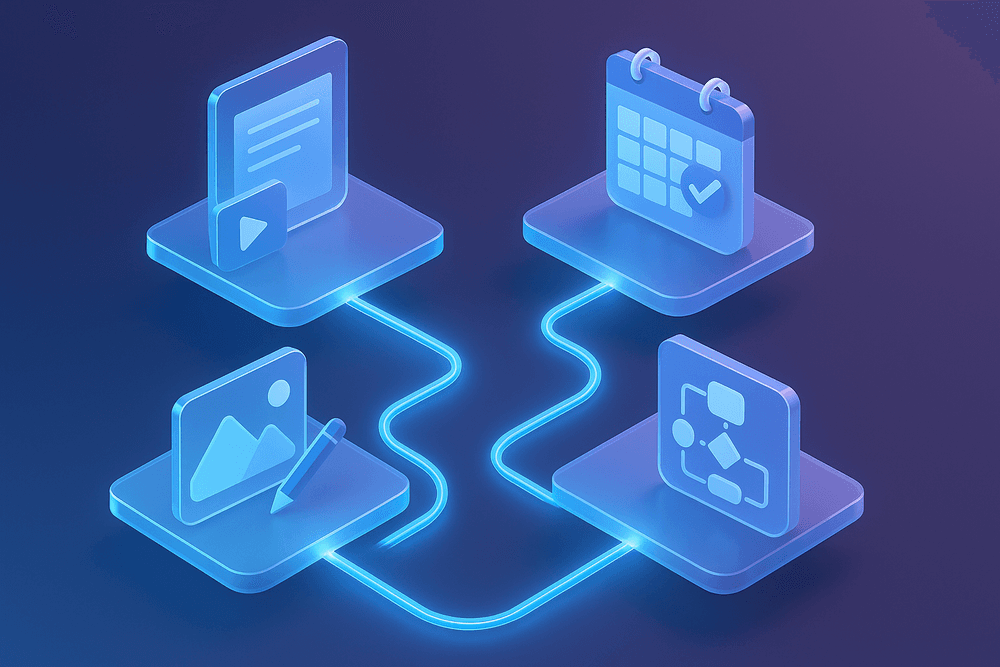
The Best AI Tools for Task Automation by Category
Navigating the rapidly expanding software marketplace can be overwhelming. To truly optimize your operations, you need to match the specific bottleneck in your workflow with the right solution. Whether you are looking to link disparate apps, generate marketing copy, or reorganize your calendar, there is a specialized platform designed to handle the heavy lifting. Below is a breakdown of the top AI tools for task automation, categorized by their primary function to help you build a tech stack that drives efficiency.
General Workflow Connectors
These tools act as the "digital glue" of your business, allowing different applications to talk to one another without requiring custom code.
- Zapier: Widely considered the industry standard for beginners and enterprises alike, Zapier connects over 5,000 apps. It operates on a linear "Trigger and Action" logic (Zaps). It is ideal for simple, linear automations, such as saving Gmail attachments to Dropbox automatically.
- Make (formerly Integromat): For those requiring more complex, non-linear workflows, Make offers a visual drag-and-drop interface. It allows for branching paths, data manipulation, and deeper logic, making it a favorite among power users who need granular control over their data pipelines.
- Bardeen: Unlike the cloud-based triggers of Zapier and Make, Bardeen lives in your browser. It excels at client-side automation, such as scraping data from LinkedIn directly into a Google Sheet or summarizing meeting notes with a single click.
Content Creation and Communication
Generative AI has transformed how we approach blank pages and overflowing inboxes. These AI tools for task automation focus on output and correspondence.
- Jasper: While general LLMs can write text, Jasper is engineered specifically for marketing. It learns your brand voice to generate blog posts, social media captions, and ad copy that sounds authentic rather than robotic.
- ChatGPT: The versatile all-rounder. Beyond answering questions, it can be integrated via API to draft customer support responses, summarize long email threads, or format messy text inputs into clean tables.
- Automated Email Assistants: Tools like Lavender or AI add-ons for Outlook and Gmail help optimize email capability. They analyze recipient psychology to suggest the best time to send emails and draft replies that increase response rates, automating the cognitive load of daily communication.
Project Management and Scheduling
Managing time is often harder than managing tasks. AI-driven project management tools create dynamic schedules that adapt to real-time changes.
- Motion: This tool uses AI to build a daily schedule for you. Instead of a static to-do list, you input tasks with priorities and deadlines, and Motion automatically slots them into your calendar, reshuffling them if a meeting runs late.
- ClickUp: A massive all-in-one platform that has integrated "ClickUp Brain." It automates project updates, summarizes threads within tasks, and creates subtasks instantly from descriptions, turning project management into a semi-autonomous process.
- Reclaim AI: Designed to defend your time, Reclaim integrates with Google Calendar to block out time for habits (like lunch or deep work) and automatically reschedules them if a conflict arises, ensuring your work-life balance remains intact.
Specialized Solutions for Niche Workflows
Finally, specific industries benefit from highly targeted automation. In software development, GitHub Copilot automates the coding process by suggesting snippets and debugging in real-time. For administrative heavy lifting, intelligent OCR (Optical Character Recognition) tools automate data entry by scanning invoices and uploading the figures directly into accounting software. Similarly, HR departments leverage platforms like Leena AI to automate employee onboarding workflows and answer policy questions, freeing up human resources for strategic initiatives.
Key Features to Look for in AI Automation Software
Selecting the right software is arguably the most critical step in modernizing your workflow. With the market flooded with SaaS solutions, distinguishing between a flashy trend and a robust utility can be difficult. To ensure a high return on investment, you must evaluate ai tools for task automation based on how well they function within your specific business ecosystem, not just on their standalone capabilities.
Seamless Integration with Your Existing Tech Stack
The primary goal of automation is to eliminate friction, not create new silos. If an AI tool requires you to manually export data from one platform and import it into another, it defeats the purpose of automation. The best ai tools for task automation offer native integration capabilities with the software you already use daily, such as CRMs (Salesforce, HubSpot), communication platforms (Slack, Microsoft Teams), and project management boards (Asana, Jira).
When evaluating a tool, look for:
- Native API Connectors: Pre-built links to major software platforms.
- Webhooks: The ability to send real-time data to other applications when specific events occur.
- Middleware Compatibility: Easy pairing with connector tools like Zapier or Make if direct integrations aren't available.
The Usability Spectrum: No-Code vs. Low-Code Interfaces
Adoption rates often hinge on how accessible the software is to your team. You shouldn't need a computer science degree to automate an email sequence or a data entry task. This is where the distinction between no-code and low-code becomes vital.
- No-Code Interfaces: These are designed for non-technical teams (marketing, HR, sales). They typically feature drag-and-drop visual builders where you connect "trigger" nodes to "action" nodes. This democratizes access to AI, allowing subject matter experts to build their own workflows without waiting for IT support.
- Low-Code Platforms: These offer visual builders but allow developers to inject custom scripts (Python, JavaScript) for complex transformations.
For maximum organizational agility, look for hybrid platforms that offer a simple visual interface for general users while retaining a "developer mode" for advanced customization.
Scalability and Uptime Reliability
A tool might perform perfectly when handling fifty tasks a day, but what happens when your business scales to fifty thousand? Scalability is often overlooked during the trial phase. You need ai tools for task automation that can handle high-volume data processing without lagging or crashing.
Furthermore, reliability is non-negotiable. If your AI agent is responsible for responding to customer support tickets or processing invoices, downtime translates directly to lost revenue. Always investigate a vendor’s Service Level Agreement (SLA) regarding uptime guarantees (look for 99.9% uptime) and check their historical status pages for frequent outages.
Enterprise-Grade Data Security
When you employ AI, you are often feeding it sensitive proprietary data or customer information to train its responses or trigger actions. Security should be a deal-breaker feature.
Ensure the platform adheres to rigorous compliance standards appropriate for your industry, such as GDPR, CCPA, or HIPAA. Key security features to verify include:
- SOC 2 Type II Compliance: Proves the vendor follows strict security procedures.
- Data Encryption: Data should be encrypted both at rest and in transit.
- Role-Based Access Control (RBAC): Ensures only authorized personnel can alter automation workflows or access sensitive logs.
Real-World Use Cases: AI Tools for Task Automation in Action
Understanding the theoretical capabilities of artificial intelligence is one thing, but seeing how these technologies function in a live business environment provides the clearest path to ROI. Across industries, organizations are moving beyond simple experimentation and are actively deploying ai tools for task automation to solve specific, high-friction operational challenges. By integrating these tools into daily workflows, companies are not replacing human creativity; they are liberating it from the shackles of administrative drudgery.
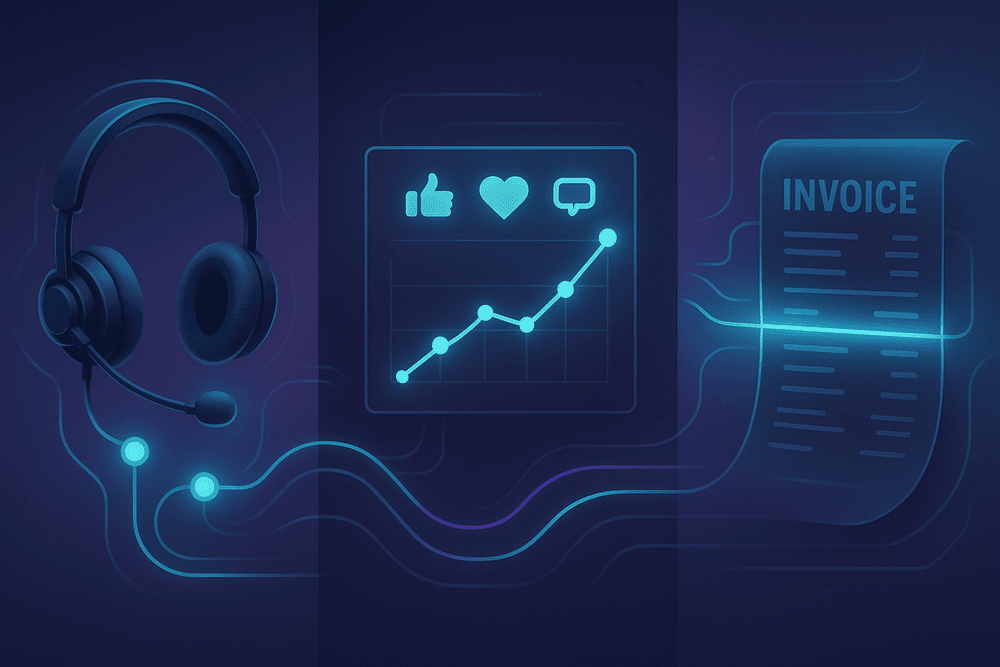
Here is how modern businesses are leveraging AI to transform three critical operational pillars: customer support, marketing, and finance.
Automating Customer Support with Intelligent Chatbots
The era of waiting 24 hours for an email response is effectively over. Modern ai tools for task automation have revolutionized the help desk by serving as the first line of defense. Unlike the rigid, rule-based bots of the past that frustrated users with looped responses, today’s intelligent agents utilize Natural Language Processing (NLP) to understand intent, sentiment, and context.
In a practical workflow, when a customer submits a ticket regarding a login issue or a refund status, the AI instantly analyzes the query. It cross-references internal databases and knowledge bases to provide an immediate solution. If the issue is complex and requires human empathy—such as a complaint about service quality—the AI automatically routes the ticket to the appropriate specialized agent, complete with a summary of the conversation thus far. This hybrid model ensures that human agents focus only on high-value interactions, drastically reducing resolution times and boosting customer satisfaction scores.
Streamlining Social Media Management and Analytics
For marketing teams, the sheer volume of content required to stay relevant can be overwhelming. AI automation has stepped in to manage the end-to-end lifecycle of social media content. It is no longer just about queuing posts; it is about intelligent scheduling and deep data analysis.
Advanced AI tools analyze historical engagement data to determine the precise time a specific audience is most active, automatically scheduling content for those peak windows to maximize visibility. Furthermore, automation tools can now generate comprehensive analytics reports without manual data entry. By aggregating metrics from LinkedIn, X (formerly Twitter), and Instagram, these tools identify trends and even suggest content adjustments based on performance. This allows social media managers to pivot strategies in real-time, moving from reactive posting to proactive community growth.
Accelerating Invoice Processing and Financial Extraction
Perhaps the most tangible efficiency gain provided by ai tools for task automation is found in the finance department. Manual invoice processing is traditionally error-prone, slow, and tedious. It involves data entry clerks manually typing figures from PDF invoices into accounting software—a recipe for fatigue-induced mistakes.
AI-driven Optical Character Recognition (OCR) combined with machine learning has changed this dynamic. In this workflow, an AI tool automatically scans incoming invoices, identifies key fields (such as vendor name, invoice number, line items, and tax amounts), and extracts the data with near-perfect accuracy. It then validates this data against purchase orders and flags any discrepancies for human review. Once validated, the system can automatically approve standard payments and update the general ledger. This drastically reduces the "days sales outstanding" (DSO) and ensures financial data is always current, providing leadership with a real-time view of cash flow.
Best Practices for Implementing AI Task Automation
Adopting the latest technology is often the easy part; integrating it effectively into your daily operations is where the real challenge lies. Simply subscribing to premium ai tools for task automation does not guarantee an immediate spike in productivity. Without a strategic implementation plan, businesses risk creating complex, unmanageable systems that confuse team members rather than supporting them. To truly optimize productivity, you must approach automation as a structural change, not just a software update.
Map Your Workflows to Identify High-Impact Bottlenecks
Before you ask an algorithm to take over a task, you must fully understand the manual process behind it. A common mistake is attempting to automate a broken or inefficient process, which only results in automated chaos. Start by conducting a thorough workflow audit. Visualizing your processes using flowcharts or process maps allows you to see where data enters your organization, how it moves, and where it gets stuck.
Look for "high-impact bottlenecks"—tasks that are low-value but high-frequency. These are the prime candidates for ai tools for task automation. For example, if your sales team spends two hours a day manually entering leads from email to a CRM, that is a high-impact bottleneck. However, if a task is complex, requires high emotional intelligence, and only occurs once a month, the time spent automating it may exceed the time saved.
Balance Human Oversight with Machine Efficiency
The goal of automation is to augment human capabilities, not to remove human judgment entirely. While AI models have improved drastically, they are still prone to "hallucinations" or context errors. Implementing a "human-in-the-loop" (HITL) system is essential for maintaining quality control.
When configuring your ai tools for task automation, design the workflow so that the AI handles the repetitive heavy lifting—such as data aggregation, drafting emails, or sorting tickets—but a human retains final approval authority. For instance, an AI tool can draft responses to customer inquiries based on your knowledge base, but a support agent should review and hit "send." This approach prevents embarrassing errors and ensures that the personal touch, which is vital for customer relationships, is not lost to efficiency.
Avoid Automation Sprawl and Maintain Data Hygiene
As you discover new efficiencies, it is tempting to create an automation for everything. This leads to "automation sprawl"—a tangled web of disconnected scripts, zaps, and bots that become impossible to troubleshoot. If one tool updates an API and breaks a link, the entire chain can collapse without warning.
To combat this, aim for a consolidated tech stack. Choose versatile ai tools for task automation that integrate natively with your existing ecosystem rather than patching together a dozen niche apps.
Furthermore, AI is only as good as the data it processes. If your input data is inconsistent, outdated, or duplicated, the AI’s output will be flawed—a concept known as "Garbage In, Garbage Out." Regular data hygiene practices are non-negotiable. Schedule quarterly reviews to clean your databases and audit your automation logs. By keeping your digital environment clean and your toolset streamlined, you ensure that your automation infrastructure remains a robust asset rather than a technical liability.

Conclusion: Choosing the Right AI Tools for Task Automation
Navigating the rapidly expanding marketplace of productivity software can feel overwhelming. We have explored the features, comparisons, and integration capabilities of top-tier platforms, but the final decision rests on alignment rather than popularity. Merely adopting technology for the sake of novelty rarely yields results. Instead, successfully integrating ai tools for task automation requires a strategic approach grounded in your unique operational reality.
Assessing Your Business Needs and Budget Constraints
Before committing to a subscription, it is crucial to conduct a gap analysis of your current workflow. The "best" tool is relative; a robust enterprise solution like UiPath might be overkill for a freelancer needing simple email sorting, while a lightweight browser extension might fail to support a growing marketing agency.
When evaluating potential tools, consider the following criteria:
- Scalability: Will the tool grow with your data volume and team size, or will you hit a ceiling in six months?
- Integration Ecosystem: Does the AI seamlessly connect with your existing tech stack (CRM, Project Management, Communication apps), or will it create data silos?
- Total Cost of Ownership: Look beyond the monthly fee. Factor in the cost of implementation, employee training, and potential API usage fees.
The goal is to find a balance where the time saved significantly outweighs the financial and temporal investment of setup.
The Future of Work: Hyper-Automation and AI Agents
As we look toward the horizon, the definition of productivity is shifting. We are moving past simple automation—where a trigger causes a single action—into the era of hyper-automation. This involves orchestrating multiple technologies, including Machine Learning (ML), Natural Language Processing (NLP), and Robotic Process Automation (RPA), to automate complex, end-to-end business processes.
The next generation of ai tools for task automation will feature autonomous AI agents. Unlike passive tools that wait for commands, these agents will proactively identify bottlenecks, suggest workflow improvements, and execute multi-step objectives with minimal human oversight. For businesses, this means shifting the human role from "operator" to "architect," focusing on strategy and creative problem-solving while AI handles the execution of logic-based tasks.
Call-to-Action: Start Your 30-Day Automation Audit Today
Reading about efficiency is the first step, but implementation is where transformation happens. You don't need to overhaul your entire business overnight. Instead, commit to a manageable, actionable plan.
Start your 30-day automation audit today:
- Week 1 (Track): manually log every task you perform. Highlight anything repetitive, data-heavy, or rule-based.
- Week 2 (Research): Select one bottleneck from your list and match it with one of the ai tools for task automation discussed in this guide.
- Week 3 (Pilot): Run a low-stakes test. Automate that single process and measure the time saved versus the time spent debugging.
- Week 4 (Review): If the pilot is successful, standardize the workflow and look for the next opportunity to automate.
The future of productivity isn’t about working harder; it’s about building a smarter infrastructure that works for you. Start your audit now and reclaim your time.