
January 10, 2026
Unlocking Efficiency with AI Tools for Task Automation
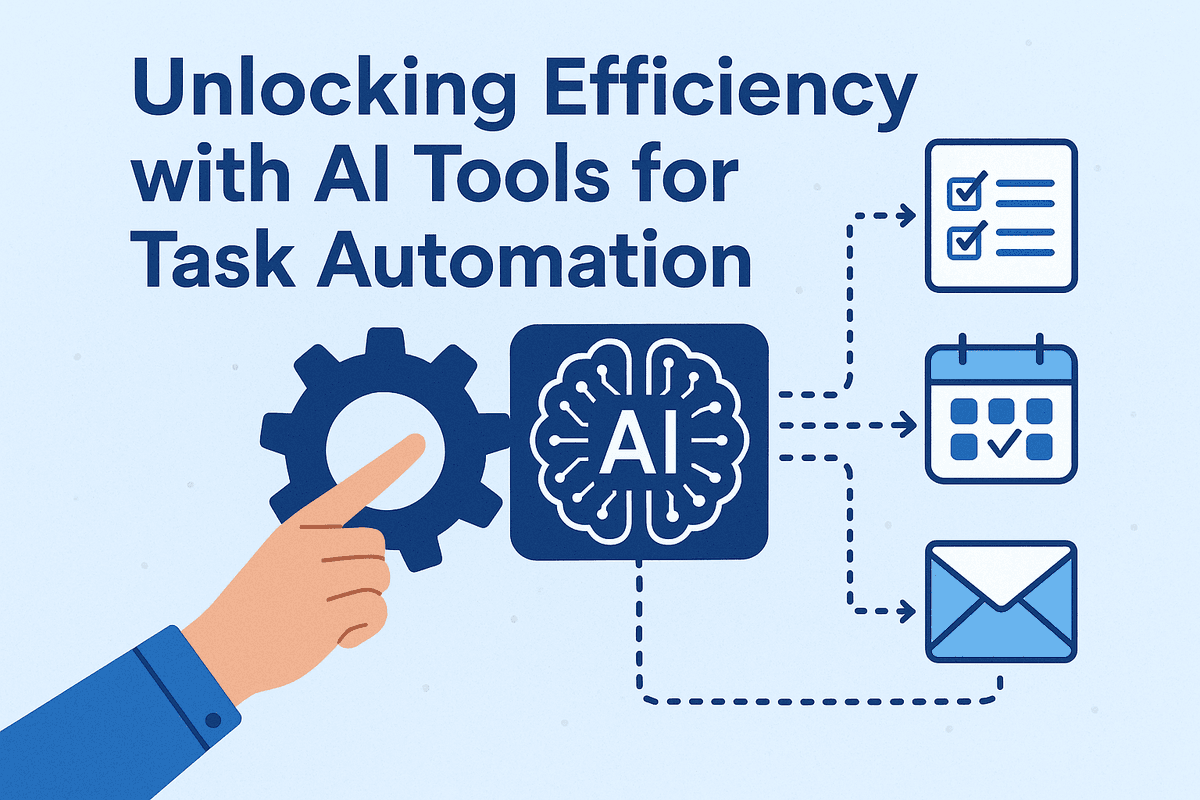
Unlocking Efficiency with AI Tools for Task Automation
In the modern digital landscape, the most valuable currency isn't just capital—it is time. Yet, for countless businesses and creative professionals, a significant portion of the workday is consumed not by strategic innovation, but by the "death by a thousand cuts" of administrative upkeep. This is where the integration of ai tools for task automation ceases to be a luxury and becomes a necessity for survival and growth.
The Hidden Costs of Manual Workflows
The true cost of manual repetition goes far beyond the billable hours spent on data entry, scheduling, or file management. It creates a "productivity leak" that is often invisible until it reaches a breaking point. When high-value employees spend hours copy-pasting data between spreadsheets or manually sorting customer support tickets, the business suffers from:
- Opportunity Cost: Every hour spent on a rote task is an hour stolen from high-level strategy, creative development, or client relationship building.
- Cognitive Load and Burnout: Repetitive tasks are mentally draining. The monotony leads to "decision fatigue," lowering the quality of work in areas that actually require critical thinking.
- Human Error: No matter how diligent a team is, manual data handling invites errors. A misplaced decimal or a forgotten email follow-up can have cascading effects on revenue and reputation.
While these tasks are necessary for business operations, they do not require human intuition to complete. By clinging to manual workflows, organizations unknowingly place a ceiling on their own scalability.
Beyond Rigid Scripts: The AI Difference
For decades, "automation" meant rigid, rule-based scripts. These were the "If This, Then That" (IFTTT) protocols or Excel macros. They were useful, but fragile. If a variable changed—for example, if an invoice format shifted slightly or an email subject line didn't match the keyword trigger—the automation would fail, requiring human intervention to fix the script.
AI tools for task automation represent a fundamental shift from "doing" to "thinking." Unlike traditional scripts that follow a linear path, modern AI solutions utilize Machine Learning (ML) and Natural Language Processing (NLP). This allows them to:
- Understand Context: AI can read an unstructured email, understand the sender's sentiment and intent, and draft a relevant reply, rather than just auto-responding based on a keyword.
- Adapt to Change: If a website layout changes during a data scraping task, AI agents can often recognize the data patterns regardless of the visual shift, maintaining workflow continuity.
- Learn Over Time: The more data these tools process, the more accurate and efficient they become, optimizing their own pathways without constant reprogramming.
A Roadmap to Reclaiming Your Time
Adopting these technologies is not about replacing human workers; it is about liberating them. This guide serves as your roadmap to navigating the rapidly evolving ecosystem of AI automation. In the following sections, we will move beyond the theoretical and dive into actionable solutions.
We will analyze the top AI tools for task automation available today, examining how they integrate with your current tech stack to handle everything from complex project management workflows to daily communication. The goal is simple: to help you construct a business environment where the busy work handles itself, leaving you free to focus on the work that truly matters.
Top-Rated AI Tools for Task Automation by Category
Navigating the sprawling landscape of software solutions can be overwhelming, especially when looking for reliable ways to reduce manual labor. To build a truly efficient ecosystem, it is essential to look beyond generic solutions and select specialized platforms that address specific operational bottlenecks. Below, we break down the industry-leading ai tools for task automation, categorized by their primary function, to help you curate a tech stack that drives seamless productivity.
Workflow Orchestration: The Connective Tissue
Workflow orchestration is the backbone of modern automation, allowing disparate apps to "talk" to one another without requiring custom coding.
- Zapier AI: Long regarded as the king of integrations, Zapier has evolved with significant AI capabilities. Its "Zapier Central" allows users to teach AI bots how to handle behaviors across thousands of apps. You can describe a workflow in plain English—such as "When a lead arrives in Gmail, categorize it and add it to HubSpot"—and the AI constructs the logic for you. It lowers the barrier to entry for complex automation.
- Make (formerly Integromat): For those who prefer a visual approach to complex logic, Make offers a drag-and-drop interface that visualizes data flows. While slightly steeper in learning curve than Zapier, it excels at handling complex branches and data manipulation. Its AI assistant helps optimize scenarios, ensuring that data moves flawlessly between CRM, project management, and communication tools.
Content & Marketing: Scaling Production
Marketing teams often face the "blank page" problem. Generative AI tools specifically designed for workflows—rather than just chat—solve this by scaling content creation while maintaining brand integrity.
- Jasper: Jasper distinguishes itself from generic LLMs by focusing on enterprise-grade brand voice alignment. It automates entire campaigns; you can input a product brief, and Jasper acts as an orchestration layer to generate blog posts, social captions, and email sequences simultaneously. Its API also integrates into CMS platforms, automating the publishing pipeline.
- Copy.ai: With its dedicated "Workflows" feature, Copy.ai allows teams to build content engines. You can create a specialized workflow that automatically scrapes a competitor's URL, analyzes the content, and generates a counter-argument article for your blog. This moves beyond simple writing assistance to automating the strategic research and execution phases of marketing.
Meeting Intelligence: From Talk to Action
Meetings are often where productivity goes to die, but AI can transform conversations into structured data and automated tasks.
- Otter.ai: Otter goes beyond transcription. Its "OtterPilot" joins meetings automatically, captures slides, and generates real-time summaries. Crucially, it automates the follow-up process by emailing key takeaways to all participants immediately after the call, ensuring that action items are not lost in the shuffle.
- Fireflies.ai: Fireflies shines in its integration capabilities. It records meetings and uses AI to detect tasks, then automatically routes those tasks to project management boards like Asana, Trello, or Jira. By turning voice commands into tickets, it removes the administrative burden of post-meeting data entry.
Customer Support: Instant Resolution
In the support sector, ai tools for task automation are measured by deflection rates—how many tickets are resolved without human intervention.
- Intercom Fin: Fin is an AI bot that consumes your existing help center content to answer customer queries accurately. Unlike old chatbots that rely on decision trees, Fin engages in natural conversation to resolve issues instantly. It automates the triage process, only passing complex, high-touch issues to human agents.
- Zendesk AI: Zendesk leverages AI to analyze incoming ticket sentiment and intent. It automates the routing process, prioritizing urgent tickets (like billing errors) over general inquiries. This ensures that support teams are always working on the highest-impact tasks, improving both agent efficiency and customer satisfaction scores.
Key Features to Look for in AI Automation Software
As the demand for operational efficiency skyrockets, the market has become saturated with platforms claiming to revolutionize your workflow. However, not all ai tools for task automation are created equal. To distinguish a high-value investment from a fleeting trend, decision-makers must look beyond flashy marketing and scrutinize the core technological capabilities of the software. A robust solution should not only automate actions but also understand, learn, and protect your business data.
Here are the four critical pillars to evaluate when selecting an AI automation platform.
Natural Language Processing (NLP) for Contextual Understanding
The defining characteristic of modern AI is its ability to interpret human language, not just execute binary commands. Legacy automation relied on strict keywords; if a user didn’t say the exact trigger phrase, the automation failed.
Superior ai tools for task automation utilize advanced Natural Language Processing (NLP). This feature allows the software to parse unstructured data—such as emails, customer support tickets, or Slack messages—and understand the intent and context behind the text. For instance, an NLP-enabled tool can distinguish between a customer asking for a refund due to a defect versus a customer asking about a refund policy. This capability ensures that workflows are triggered accurately based on meaning, significantly reducing the need for human intervention in complex communication loops.
No-Code Integration with Your Existing Tech Stack
The most powerful automation engine is useless if it operates in a silo. The goal of automation is to connect disparate systems, creating a seamless flow of data between your CRM, ERP, project management tools, and communication platforms.
Look for solutions that offer extensive, native API integrations and, crucially, a user-friendly no-code or low-code interface. Your marketing and HR teams should be able to build and manage automated workflows without constantly relying on the IT department or writing complex scripts. A drag-and-drop builder that visualizes the logic flow ensures that adoption spreads across the organization, allowing subject matter experts to automate their own repetitive tasks quickly.
Real-Time Machine Learning Adaptivity
Traditional Robotic Process Automation (RPA) is notoriously brittle; if a button moves on a website or a UI element changes, the "bot" breaks. True AI automation solves this through Machine Learning (ML) adaptivity.
You need software that possesses self-healing capabilities. High-quality AI tools constantly monitor the success rates of their tasks. If the AI encounters an error or an anomaly, it shouldn't just crash. Instead, it should utilize real-time machine learning to analyze the deviation, attempt to self-correct based on past data, or flag the issue while suggesting a fix. Over time, the software learns your specific business patterns, becoming faster and more accurate the longer you use it. This "learning" aspect is what transforms a static tool into a dynamic productivity partner.
Enterprise-Grade Security and Data Privacy
When you automate tasks, you are often handing over access to sensitive company data, customer lists, and financial records. Therefore, security cannot be an afterthought.
Before committing to a platform, verify that it adheres to enterprise-grade security standards. This includes SOC 2 Type II compliance, encryption in transit and at rest, and adherence to global privacy regulations like GDPR or CCPA. Furthermore, the AI model itself should be secure; ensure the vendor has strict governance regarding how your data is used—specifically, that your proprietary data is not being used to train public models without your consent. Trust is the foundation of automation; without rigorous security features, the efficiency gains are not worth the risk.

Real-World Applications: AI Tools for Task Automation in Action
While understanding the technology behind artificial intelligence is valuable, the true value lies in its practical implementation. Businesses across industries are moving beyond theoretical discussions and are actively deploying ai tools for task automation to solve critical operational bottlenecks. By handing over repetitive, high-volume, and data-intensive responsibilities to intelligent algorithms, organizations are seeing a tangible shift from administrative maintenance to strategic growth.
Here is how these solutions are reshaping four key operational pillars in real-world scenarios.
Streamlining HR Onboarding Without Paperwork
The traditional onboarding process is often a maze of physical forms, manual data entry, and endless email chains. AI-driven automation transforms the "Day One" experience by creating a seamless, paperless environment.
Instead of HR managers manually sending documents, AI agents trigger a specialized workflow the moment a candidate accepts an offer. These tools can automatically parse data from resumes to populate employment contracts, tax forms, and benefits enrollment platforms. Furthermore, conversational AI chatbots serve as 24/7 assistants for new hires, answering questions about company policy or IT setup immediately. This ensures that the human resources team focuses on culture and retention strategies rather than chasing signatures, while new employees feel supported instantly.
Automating Financial Reporting and Invoice Processing
Finance departments are historically burdened with manual data entry—a process that is not only slow but prone to human error. AI tools for task automation are revolutionizing this sector through Intelligent Document Processing (IDP) and predictive analytics.
In practice, this looks like an autonomous system that monitors an inbox for invoices. Using Optical Character Recognition (OCR) combined with machine learning, the tool extracts key data points—vendor name, date, line items, and total amounts—and inputs them directly into the ERP system. It can cross-reference this data against purchase orders to validate accuracy. Beyond invoices, AI automates complex financial reporting by aggregating data from disparate sources, reconciling accounts in seconds, and generating real-time cash flow forecasts, allowing CFOs to make decisions based on live data rather than month-old spreadsheets.
Scaling Personalized Sales Outreach
In the past, sales teams faced a difficult trade-off: send generic mass emails to reach more people, or spend hours crafting personalized messages for a few leads. AI automation eliminates this compromise.
Modern sales tools utilize Generative AI to scrape public data, such as a prospect's LinkedIn profile or recent company news, to draft highly personalized outreach messages at scale. These systems don't just send emails; they manage the entire engagement lifecycle.
- Dynamic Sequencing: If a prospect opens an email but doesn't click, the AI schedules a specific follow-up.
- CRM Hygiene: AI automatically updates the CRM with every interaction, ensuring data integrity without forcing sales reps to manually log calls or emails.
- Lead Scoring: Algorithms analyze behavioral signals to prioritize which leads are ready to buy, ensuring sales professionals spend their time on high-value targets.
Optimizing Project Management and Updates
Project friction often stems from a lack of visibility and the administrative burden of status reporting. AI acts as an invisible project manager that keeps teams aligned without the need for constant status meetings.
Advanced project management platforms now use AI to analyze team workload and capacity. If a team member is overloaded, the system can suggest redistributing tasks to prevent burnout and project delays. Furthermore, natural language processing (NLP) bots integrated into communication channels like Slack or Microsoft Teams can "listen" for project updates. When a task is marked complete in a chat, the AI automatically updates the project board, notifies stakeholders, and unlocks the next dependent task. This keeps the project moving forward fluidly, ensuring that the software manages the process so the team can manage the work.
Best Practices for Implementing AI Task Automation
Adopting AI tools for task automation is a transformative step for any business, but simply purchasing a subscription isn't enough to guarantee success. To truly unlock productivity gains and avoid operational chaos, organizations must approach implementation strategically. A successful deployment requires a blend of technical auditing, human-centric change management, and rigorous performance tracking.
Auditing Your Workflows for Automation Potential
Before deploying any AI agents, you must identify where they will offer the highest value. Not every process requires AI intervention. The most effective strategy starts with a comprehensive workflow audit to pinpoint bottlenecks and high-volume, low-complexity tasks.
Focus on identifying tasks that are "rule-based" rather than "judgment-based." If a process follows a strict "if this, then that" logic—such as data entry, invoice processing, or standard email responses—it is a prime candidate for automation. Conversely, workflows requiring high emotional intelligence or complex creative strategy should remain in human hands. By mapping out your existing processes, you can determine exactly where AI tools for task automation will reduce friction rather than add complexity.
Balancing Human Oversight with Autonomous Agents
A common misconception is that AI is a "set it and forget it" solution. While modern AI agents are increasingly autonomous, they function best with a "human-in-the-loop" architecture. This balance is critical for maintaining quality control and brand integrity.
- Establish Guardrails: Define strict parameters for what the AI can and cannot do without approval. For example, an AI might draft a client proposal, but a human should review it before sending.
- Handle Edge Cases: AI thrives on patterns but struggles with anomalies. Ensure your team is ready to intervene when the software encounters a scenario that falls outside its training data.
- Ethical Oversight: Regular human review ensures that automated outputs remain unbiased and align with company values.
Training Teams for Effective AI Collaboration
The introduction of automation often sparks anxiety regarding job security. To mitigate this and foster adoption, leadership must frame AI as a "co-pilot" rather than a replacement. Training should focus on upskilling employees to become the managers of these new digital assistants.
Effective training involves more than just learning the software interface. It requires teaching staff how to write effective prompts, how to troubleshoot automation errors, and how to leverage the time saved for higher-value strategic work. When teams understand that AI tools for task automation are there to handle the drudgery—freeing them to focus on creativity and client relationships—resistance turns into enthusiasm.
Measuring ROI and Efficiency Gains
To justify the investment and refine your strategy, you must measure the impact of your automation efforts. Post-implementation, move beyond vague feelings of "productivity" and look at hard data.
Key Performance Indicators (KPIs) to track include:
- Time Saved per Task: Compare the duration of a process before and after automation.
- Error Reduction Rate: Measure the decrease in human error (e.g., typos in data entry) since implementing the AI.
- Employee Satisfaction: Survey your team to see if the reduction in repetitive tasks has improved job satisfaction.
- Cost Savings: Calculate the monetary value of the hours reclaimed by your workforce.
By continuously monitoring these metrics, you can iterate on your workflows, scaling what works and recalibrating what doesn’t to ensure long-term efficiency.

Conclusion: Future-Proofing with AI Tools for Task Automation
As we reach the end of this comprehensive guide, one reality stands out: adopting ai tools for task automation is no longer a futuristic luxury—it is an operational necessity. The business landscape is shifting rapidly, moving away from manual, time-consuming processes toward a model where human creativity is amplified by machine efficiency. By integrating the solutions we have analyzed, you are not just saving hours in a workweek; you are building a resilient, future-proof infrastructure capable of scaling with your ambitions.
Summary: The Top Tools to Start Your Journey
Throughout this analysis, we have explored a diverse ecosystem of solutions designed to streamline workflows and enhance team productivity. To successfully navigate this landscape, it helps to categorize the tools into the core pillars of automation we discussed:
- Integration Platforms (iPaaS): Tools that act as the connective tissue between your disparate apps, allowing data to flow seamlessly from your CRM to your project management boards without human intervention.
- Generative AI Assistants: Solutions that go beyond simple commands to draft content, summarize meetings, and generate code, acting as always-on creative partners.
- Specialized Workflow Agents: Niche tools designed for specific verticals—whether it is automating accounts payable, handling customer support queries via chatbots, or managing complex HR onboarding sequences.
The best ai tools for task automation share a common trait: they integrate effortlessly with your existing business systems to drive efficiency, ensuring that you don't have to overhaul your entire tech stack to see immediate results.
The Evolution of AI Agents: What’s Coming Next?
While current automation tools rely largely on triggers and pre-defined rules (logic-based automation), the horizon holds something far more powerful: Agentic AI. We are transitioning from "automated tasks" to "autonomous agents."
In the near future, AI agents will not just wait for a trigger. They will possess the cognitive ability to plan, reason, and execute complex goals with minimal oversight. Imagine an AI agent that doesn't just send an invoice when a project is marked "complete," but actively monitors project scope, identifies potential overages, negotiates schedule adjustments based on calendar availability, and drafts the final report for your approval.
This shift toward hyper-automation means tools will become proactive rather than reactive. They will self-correct errors in workflows, suggest optimizations based on usage data, and handle multi-modal inputs (text, voice, and video) simultaneously. The organizations that start building their automation foundations today will be the ones best positioned to deploy these advanced agents tomorrow.
Take the First Step: Select Your Tool and Automate a Task Today
Understanding the technology is only half the battle; implementation is where value is realized. It is easy to fall into analysis paralysis given the sheer volume of ai tools for task automation available. However, the most effective strategy is to start small to win big.
Your Action Plan:
- Audit Your Week: Identify one task that you do daily that requires low cognitive effort but high time investment (e.g., data entry, file organization, or meeting follow-ups).
- Select Your Pilot Tool: Choose one of the user-friendly platforms highlighted in this guide that addresses that specific bottleneck.
- Build Your First Workflow: Don't aim for perfection. Set up a simple "If This, Then That" sequence.
- Test and Iterate: Run the automation, verify the results, and refine.
The goal isn't to replace your workforce but to liberate them. By taking that first step today, you unlock the potential for a more strategic, creative, and efficient tomorrow. The future of work is automated—make sure you are the one holding the controls.