
January 7, 2026
Unlocking Creativity with AI Image Editing Technology
Unlocking Creativity with AI Image Editing Technology
The landscape of digital design is undergoing a seismic shift, moving away from labor-intensive manual processes toward a future defined by automation and intelligence. At the heart of this revolution is ai image editing, a technology that is not merely updating existing tools but fundamentally reimagining how we interact with visual content. For professionals used to spending hours on pixel-perfect adjustments, understanding this evolution is the first step toward reclaiming time and boosting creative output.
Beyond the Brush: AI vs. Traditional Retouching
To understand the magnitude of this change, one must look at how traditional photo manipulation operates compared to modern solutions. Traditional retouching is inherently manual and destructive. It requires a designer to physically select pixels, create masks, and manipulate layers using tools like the clone stamp or healing brush. It is a process of "painting over" reality, requiring a high degree of technical dexterity and significant time investment.
AI image editing differs radically because it is generative and interpretive. Instead of relying solely on the user’s hand movements, these tools utilize machine learning algorithms trained on millions of images. When you ask an AI tool to remove an object, it doesn’t just smudge the surrounding colors over the gap; it analyzes the texture, lighting, and geometry of the scene to generate new pixels that seamlessly fill the void. The software ceases to be a passive canvas and becomes an active collaborator.
The Shift: From Pixel Manipulation to Semantic Understanding
The most profound technical leap in ai image editing is the transition from simple pixel manipulation to "semantic understanding." In the past, editing software viewed an image as a grid of colored squares. If you wanted to brighten a face, you had to manually tell the software which pixels constituted the face.
Today, AI models possess semantic awareness. They "see" the image much like a human does. The algorithms can identify specific elements—distinguishing a "tree" from a "mountain" or a "person" from the "background." This semantic understanding allows for:
- Context-Aware Edits: The AI understands light sources and shadows, ensuring that inserted objects cast realistic shadows relative to the environment.
- Generative Expansion: Tools can extend the borders of a photo by predicting what lies beyond the frame based on the context of the visible image.
- Style Transfer: Applying the aesthetic characteristics of one image to another without losing the structural integrity of the original subject.
Immediate Benefits for the Modern Ecosystem
The integration of ai image editing into professional workflows offers immediate, tangible benefits across the business spectrum. It creates a productivity boomerang, where time saved on technical execution returns as time available for strategy and innovation.
For Designers
The era of the "grunt work" is ending. Tasks that used to consume hours—such as intricate masking, hair selection, or skin smoothing—are now executed in seconds. This liberates designers to focus on composition, storytelling, and high-level creative direction rather than zooming in to 400% to fix jagged edges.
For Marketers
Speed to market is critical. With AI-driven tools, marketers can repurpose a single asset into dozens of variations for different platforms instantly. Whether it is changing the aspect ratio without losing content or swapping product backgrounds to match seasonal themes, ai image editing enables rapid A/B testing and agile campaign adjustments.
For Business Owners
Ultimately, this technology democratizes high-quality visual assets. It lowers the barrier to entry for producing professional-grade imagery, reducing reliance on expensive outsourcing for minor edits and ensuring that brand consistency is maintained with scalable, automated workflows.
Essential Features of Modern AI Image Editing Software
The landscape of digital design has undergone a seismic shift with the introduction of artificial intelligence. What once required hours of meticulous manual labor and advanced technical expertise can now be achieved in seconds. Modern AI image editing platforms have moved beyond simple filters and auto-corrections to become comprehensive suites capable of understanding visual context. For businesses and creatives alike, understanding the core capabilities of these tools is the first step toward unlocking a new level of productivity and visual excellence.
Leveraging Generative Fill for Composition Control
Perhaps the most revolutionary feature in the current generation of editing tools is "generative fill." This technology does not simply clone pixels from one area to another; it understands the geometry, lighting, and texture of a scene to create entirely new content that blends seamlessly with the original image.
Generative fill empowers designers to manipulate reality with text-based prompts. If a marketing photo was shot in portrait mode but needs to fit a wide banner ad, AI can "outpaint" the image, mathematically predicting and generating the extended background to fill the empty space. Furthermore, it allows for effortless inpainting—changing a model’s clothing, adding props to a table, or altering the weather in a landscape—without ever leaving the software interface. This capability allows brands to repurpose a single asset across multiple campaigns, saving significant time and budget on photoshoots.
Automating the Tedious: Erasure and Extraction
For decades, the most dreaded tasks in photo editing involved the pen tool and the magnetic lasso. Isolating a subject from a complex background or removing an unwanted element required surgical precision and patience. Today, AI image editing software handles these masking tasks instantly.
- Background Removal: AI algorithms can instantly detect the focal point of an image—whether it’s a person, a product, or a vehicle—and strip away the background with hair-level precision. For e-commerce businesses managing thousands of SKUs, this automation transforms a week-long project into a momentary batch process.
- Object Erasure: Beyond simple removal, "magic eraser" tools use context-aware technology to delete distractions. Whether it is a stray power line, a photobomber in a travel shot, or dust on a product lens, the software removes the object and intelligently fills the void with background textures, leaving no trace of the alteration.
Smart Upscaling and Noise Reduction
Creating high-fidelity visuals often poses a challenge when working with older digital assets or low-light photography. Modern AI tools address this through neural networks trained to enhance image quality for print-ready results.
Smart upscaling goes beyond traditional resizing, which often results in pixelation and blur. Instead, AI models "hallucinate" realistic details, adding definition to edges and textures to increase resolution by 400% or more without degrading quality. This allows businesses to print large-format physical marketing materials using images originally shot for social media. Simultaneously, AI-driven noise reduction creates clean, crisp images by distinguishing between critical detail and digital grain, salvaging photos taken in less-than-ideal lighting conditions. By combining these restoration features, organizations can ensure every visual output meets the highest professional standards.
Comparing the Best AI Image Editing Tools on the Market
Navigating the current landscape of creative software can feel overwhelming. The surge in generative technology has flooded the market with applications ranging from simple mobile apps to complex enterprise suites. Finding the right ai image editing solution depends less on finding the tool with the most features and more on aligning the software’s capabilities with your specific workflow, technical expertise, and business goals.
Adobe Photoshop vs. Canva Magic Studio: Professional vs. Accessible
The most prominent debate in the industry centers on the divide between deep technical control and streamlined accessibility.
Adobe Photoshop remains the gold standard for creative professionals. With the integration of Adobe Firefly, its generative AI engine, Photoshop offers features like Generative Fill and Generative Expand. These tools allow designers to add, extend, or remove content non-destructively using simple text prompts. The primary advantage here is precision; professionals can manipulate AI-generated layers with traditional tools—masks, blend modes, and filters—ensuring the final output is pixel-perfect. However, this comes with a steeper learning curve and a higher price point.
On the other side of the spectrum is Canva Magic Studio. Tailored for social media managers, marketers, and business owners who need speed over granular control, Canva utilizes ai image editing to democratize design. Features like Magic Edit and Magic Grab allow users to swap out objects or transform distinct elements of a photo in seconds. While it lacks the deep compositing capabilities of Photoshop, Canva excels at rapid iteration and template-based creation, making it the superior choice for high-volume content production where speed is the priority.
Specialized AI Tools for E-Commerce and Product Photography
While generalist tools like Photoshop and Canva cover a broad base, a new wave of specialized AI software is revolutionizing e-commerce. For online retailers, the bottleneck is often post-production: removing backgrounds, color-correcting, and staging products.
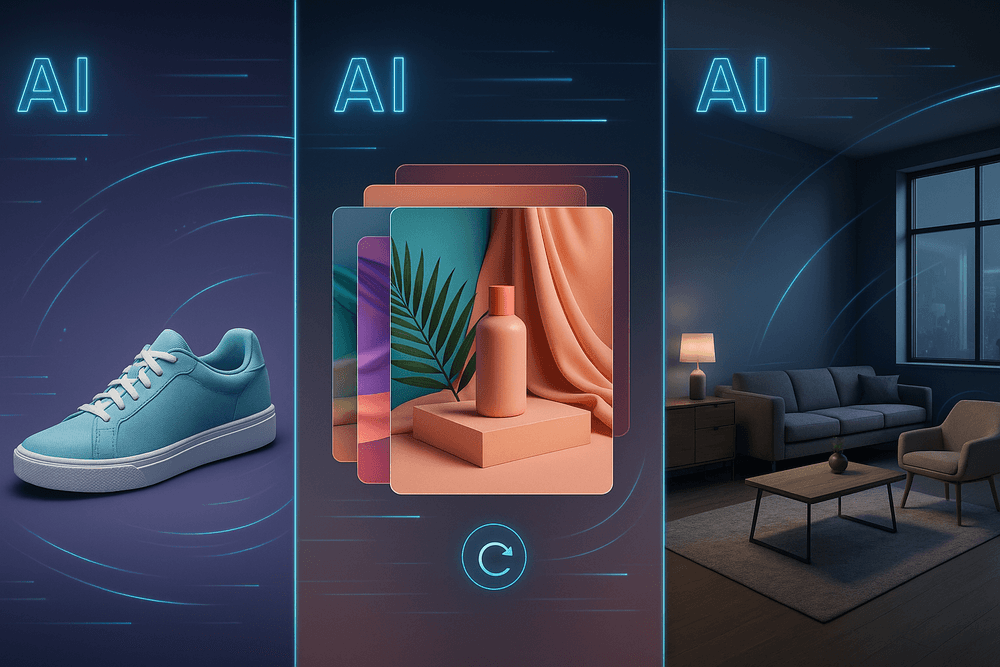
Specialized platforms focus specifically on these pain points. For example, AI tools designed for product photography can automatically generate lifestyle backgrounds for a plain product shot. Instead of organizing an expensive photo shoot in a kitchen for a coffee maker, the AI can generate a realistic kitchen setting around the product image, matching lighting and perspective. These tools also offer bulk processing capabilities, allowing merchants to standardize thousands of SKUs with consistent framing and white backgrounds in a fraction of the time required for manual editing.
Cloud-Based Editors vs. Local Desktop Solutions
Finally, businesses must decide where the computing power should reside.
- Cloud-Based Editors: Most modern ai image editing platforms (like Midjourney or browser-based editors) operate in the cloud. The heavy lifting is done on remote servers, meaning you can generate high-quality images on a standard laptop or even a tablet. These services usually operate on a subscription model and ensure you always have the latest updates. However, they rely entirely on internet connectivity and may raise data privacy concerns for enterprise clients.
- Local Desktop Solutions: Tools that run locally (such as Stable Diffusion interfaces or plugins for local software) utilize your computer’s GPU. These solutions offer maximum privacy, as no data leaves your machine, and they work without an internet connection. They also avoid the recurring subscription costs of SaaS platforms. The trade-off is the hardware requirement; running advanced AI models locally requires a powerful, expensive workstation to achieve reasonable render times.
Real-World Applications of AI Image Editing in Business
In the competitive landscape of modern digital marketing and sales, efficiency is not just a perk—it is a necessity. While the technology behind generative models and neural networks is fascinating, what matters most to business stakeholders is the impact on the bottom line. AI image editing has moved beyond simple novelty filters to become a cornerstone of operational efficiency. By automating complex visual tasks, companies are slashing production times, reducing overhead costs, and scaling their visual output in ways that were previously impossible without an army of retouchers.
Accelerating E-Commerce Workflows with Batch Processing
For online retailers, the sheer volume of assets required to maintain a fresh catalog can be overwhelming. A single product launch might require dozens of images from various angles, all needing to meet strict marketplace guidelines. Traditional manual retouching—adjusting white balance, removing backgrounds, and correcting colors—is often a major bottleneck in the supply chain.
Modern ai image editing software solves this through intelligent batch processing. Unlike standard presets that apply a blanket filter, AI tools analyze the content of each specific photo. For example, an e-commerce brand can upload hundreds of raw product shots, and within minutes, the AI can:
- Precision-cut subjects from complex backgrounds (even with hair or transparent materials).
- Standardize lighting and exposure across the entire batch to ensure catalog consistency.
- Retouch skin or remove dust and scratches from products automatically.
This automation frees up creative teams to focus on high-concept hero shots rather than repetitive pixel-peeping, significantly accelerating the time-to-market for new inventory.
Creating Rapid Variations for High-Speed A/B Testing
Social media algorithms demand a constant stream of fresh content. Using the same creative asset repeatedly leads to ad fatigue and skyrocketing customer acquisition costs. However, organizing new photoshoots for every campaign is cost-prohibitive. Here, generative AI image editing shines by enabling rapid iteration for data-driven marketing.
Marketers can now use generative fill and object replacement to repurpose a single high-quality image into dozens of variations for A/B testing. Without a reshoot, a team can:
- Swap Backgrounds: Test a product against a minimalist studio color versus a lifestyle outdoor setting.
- Alter Attributes: Change the color of a model’s clothing or the texture of a product to match seasonal trends.
- Expand Aspect Ratios: Use "outpainting" to instantly extend an image's borders, creating perfectly sized assets for Instagram Stories, Facebook Feeds, and website banners from a single source file.
This capability allows businesses to test visuals aggressively, identifying exactly which aesthetics convert best with their audience.
Enhancing Real Estate and Interior Design Visuals Instantly
In the real estate and design sectors, the "first showing" almost always happens online. Dark, cluttered, or empty rooms fail to capture a buyer's imagination. AI image editing has revolutionized this sector through automated HDR blending and virtual staging.
Real estate agents no longer need to rely exclusively on expensive physical staging companies to make a property look inviting. AI tools can digitally insert modern furniture, rugs, and decor into photos of empty rooms, adhering to accurate perspective, lighting, and shadow casting. Furthermore, AI can instantly enhance exterior shots by performing "sky replacements," turning a gloomy, overcast day into a bright, sunny selling point. This ensures that visual limitations do not hinder the sales cycle, allowing properties to be presented in their best possible light instantly.
Best Practices for Professional AI Image Editing Results
While modern generative models are incredibly powerful, they are not magic wands that function independently of human guidance. To transition from amusing experiments to production-ready assets, creative professionals must adopt a strategic approach. Mastering AI image editing requires a blend of precise communication with the algorithm and traditional post-production skills. By combining prompt engineering with manual refinement, businesses can achieve a standard of quality that is indistinguishable from traditional photography or graphic design.
Mastering the Art of the Text Prompt
The quality of generative output is directly proportional to the specificity of the input. In the world of AI image editing, this is known as prompt engineering. Vague instructions like "make it look professional" will yield generic results. Instead, users should treat the prompt prompt as a director briefing a cinematographer.
To generate high-quality edits or new elements, structure your prompts using the following formula:
- Subject: Define exactly what is in the scene.
- Action/Context: Describe what the subject is doing or where they are placed.
- Artistic Style: Specify the medium (e.g., "photorealistic," "vector art," "oil painting").
- Technical Specs: Include lighting (e.g., "rembrandt lighting," "soft diffuse light") and camera parameters (e.g., "85mm lens," "f/1.8 aperture," "4k resolution").
Furthermore, do not underestimate the power of negative prompts. This feature allows you to tell the AI what not to include, such as "blur," "distorted hands," "oversaturated," or "low resolution." This filtering process is essential for maintaining brand consistency and visual fidelity.
Refining Outputs: The Hybrid Workflow
Even the most advanced AI image editing platforms occasionally struggle with consistency, particularly regarding hands, text, or complex lighting scenarios. Relying solely on the "generate" button is rarely enough for final delivery. A professional workflow involves a hybrid approach known as "inpainting" and manual compositing.
- Targeted Masking: Rather than regenerating an entire image to fix a small flaw, use masking tools to isolate specific areas. If an AI-generated model has an unnatural smile, mask only the mouth and prompt the AI to regenerate that specific section.
- Color Grading and Grain Matching: AI-inserted elements often look "too clean" compared to the original photograph. To ensure seamless integration, designers should manually apply color correction curves to match the black levels and white balance. Additionally, applying a uniform layer of film grain or digital noise over the entire composition helps bind the AI-generated pixels with the original photography, eliminating the "cut-and-paste" look.
Navigating Copyright and Ethical Considerations
As businesses integrate these tools, navigating the legal and ethical landscape is paramount. Currently, copyright laws regarding AI-generated content are in flux. In many jurisdictions, images created entirely by AI cannot be copyrighted; however, human-modified works involving significant creative input may be eligible for protection.
To mitigate risk, businesses should:
- Prioritize Commercially Safe Models: Utilize AI image editing platforms trained on licensed or public domain datasets (such as Adobe Firefly or Getty Images AI) rather than open models trained on scraped internet data. This reduces the risk of inadvertent intellectual property infringement.
- Verify Likeness Rights: Never use generative AI to create endorsements involving the likeness of celebrities or public figures without explicit permission.
- Transparency: Maintain ethical standards by labeling AI-generated marketing materials where appropriate, ensuring consumer trust is maintained in an era of deepfakes and synthetic media.
Conclusion: Future-Proofing Your Workflow with AI Image Editing
As we have explored throughout this guide, ai image editing is no longer a futuristic novelty—it is an operational necessity for modern businesses and creative agencies. The technology has evolved from simple auto-correct filters into sophisticated systems capable of generative creation and complex semantic understanding. By offloading repetitive tasks like background removal, retouching, and asset variation to machine learning algorithms, organizations can reclaim thousands of hours annually. This shift allows creative teams to transition from manual execution to high-level visual strategy, ensuring that productivity gains translate directly into better creative output and faster time-to-market.
However, the sheer volume of tools available can be overwhelming. To future-proof your workflow effectively, you must move beyond the hype and select a solution that aligns with your specific operational architecture.
How to Choose the Right AI Solution
Not all ai image editing tools serve the same purpose. When evaluating potential software for your tech stack, consider the following three pillars to ensure long-term viability:
- Generative vs. Corrective Capabilities: Determine if your primary bottleneck is creation or processing. If you need to generate marketing assets from scratch, look for models specializing in text-to-image synthesis. Conversely, if you are an e-commerce brand with thousands of product photos, prioritize tools offering bulk automation, API access, and batch processing for retouching and standardization.
- Workflow Integration: The best tool is one that fits seamlessly into your current environment. Does the solution offer plugins for Adobe Photoshop or Figma? Does it have a robust API that can connect to your CMS or DAM (Digital Asset Management) system? Avoid siloed tools that require constant downloading and uploading, as this introduces friction.
- Scalability and Cost Structure: Analyze the pricing model carefully. Credit-based systems may become prohibitively expensive for high-volume enterprises. Look for flat-rate subscriptions or enterprise tiers that offer unlimited processing to ensure your costs remain predictable as your content needs grow.
A Step-by-Step Guide to Integrating AI Tools Today
Adopting these technologies requires a strategic approach to avoid disrupting current operations. Follow this roadmap to integrate ai image editing into your business starting today:
- Audit Your Visual Bottlenecks: Before purchasing a subscription, track your team's time for one week. Identify the top three repetitive visual tasks (e.g., resizing for social media, removing backgrounds, color grading). These are your immediate targets for automation.
- Run a "Pilot" Program: Select two competing AI tools that address your identified bottlenecks. Assign a small task force to use these tools on a specific project. Measure the results against your traditional benchmarks regarding speed and quality.
- Establish Quality Control Protocols: AI is powerful but not infallible. Create a "Human-in-the-Loop" review process where AI handles the heavy lifting, but a human designer gives the final sign-off. This ensures brand consistency while maintaining the speed of automation.
- Train for "Prompt Engineering": If utilizing generative AI, invest in training your team on how to write effective text prompts. The quality of the output is heavily dependent on the quality of the input; skilled operators are essential for maximizing the tool's potential.
By systematically auditing your needs and selecting the right tools, you can transform ai image editing from a buzzing trend into a sustainable competitive advantage, ensuring your creative workflow is ready for the demands of tomorrow.