
May 30, 2025
An Introduction to Your Next Email Drafting AI Tool
Unlock Your Inbox: An Introduction to Your Next Email Drafting AI Tool
The constant ping of new messages, the pressure to respond promptly and professionally, the sheer volume – sound familiar? Email remains a cornerstone of modern communication, but managing it effectively can feel like a full-time job. If you're drowning in your inbox, it's time to discover a revolutionary assistant: the email drafting AI tool. This isn't just another productivity hack; it's a fundamental shift in how we approach email communication, promising to save you time, enhance your messaging, and free you up for what truly matters.
What Exactly is an Email Drafting AI Tool and How Does It Work?
At its core, an email drafting AI tool is a sophisticated software application powered by artificial intelligence, specifically designed to help you write emails faster and more effectively. Think of it as your intelligent co-writer. These tools leverage advanced technologies like Natural Language Processing (NLP) and machine learning, often built on powerful Large Language Models (LLMs).
How does it work its magic? You typically provide a brief prompt – a few keywords, a desired outcome, or even a previous email thread. The AI then analyzes your input and generates a complete email draft, which can range from a short reply to a detailed outreach message. Key features of an advanced email drafting AI tool often include:
- Tone adjustment: Switch between formal, casual, or persuasive tones.
- Subject line generation: Craft compelling subject lines to boost open rates.
- Content summarization: Quickly grasp the essence of long email threads.
- Reply suggestions: Get context-aware suggestions for rapid responses.
- Grammar and style checks: Ensure your emails are polished and professional.
Essentially, an email drafting AI tool automates the more tedious parts of email writing, allowing you to focus on your core message and strategy.
The Evolution of Email: Why AI is Becoming Essential for Communication
Email has evolved significantly from simple text messages into a complex hub for all communication, file sharing, and record-keeping. This evolution, however, presents challenges: we're bombarded with more emails than ever, leading to information overload and constant pressure. Crafting thoughtful, well-phrased emails demands significant time and mental energy, often scarce resources. Writer's block and the need for consistent professionalism across numerous communications add to the burden.
This is precisely where AI, and specifically an email drafting AI tool, steps in as an indispensable ally. As communication demands escalate, AI offers a scalable solution. It's no longer just about spell-checking; AI now assists with the entire composition process. An email drafting AI tool can:
- Enhance efficiency: Drastically cut down time spent composing emails.
- Improve quality: Help generate clear, concise, and grammatically correct content.
- Ensure consistency: Maintain a uniform tone and style, vital for brand representation.
- Overcome writer's block: Provide an excellent starting point when you're stuck.
In today's fast-paced digital world, leveraging an email drafting AI tool is rapidly becoming a necessity, not a luxury, for effective and streamlined communication.
Are You Spending Too Much Time on Emails? Discover the AI Solution
Let's be honest: how many hours a week do you really spend wrestling with your inbox? Studies show that professionals can spend upwards of 2-3 hours daily managing emails. That's a significant portion of your workday, detracting from strategic thinking, core responsibilities, or innovation. If you're constantly playing catch-up, obsessing over phrasing, or dreading the task of crafting another email, you're not alone – and there's a powerful AI solution.
An email drafting AI tool is engineered to directly combat this time-drain. By automating much of the initial drafting, these tools can slash the time you spend per email. Imagine turning a 15-minute drafting ordeal into a 2-minute review and send. This reclaimed time translates directly into:
- Increased productivity: Focus your energy on higher-value tasks.
- Reduced email fatigue: Lessen the mental strain of constant email management.
- Faster response times: Address communications more promptly.
- Improved work-life balance: Streamlining this major time consumer can help reclaim personal time.
If a lighter inbox and more productive days appeal to you, exploring an email drafting AI tool is a smart strategic move to optimize your communication workflow and unlock new levels of efficiency.
Why an Email Drafting AI Tool is a Game-Changer for Productivity
In today's fast-paced digital world, email remains a cornerstone of professional communication. Yet, the sheer volume can be overwhelming, turning your inbox into a productivity black hole. Imagine reclaiming those lost hours, communicating more effectively, and finally achieving that elusive inbox zero. This isn't a far-fetched dream; it's the reality an email drafting AI tool offers. These intelligent assistants are revolutionizing how we handle email, transforming it from a time-consuming chore into a streamlined, efficient process. Let's explore how an email drafting AI tool can be your secret weapon for supercharged productivity.
Skyrocket Your Efficiency: Slash Email Writing Time with AI
How much time do you really spend composing emails each day? For many, it's a significant chunk of the workday. An email drafting AI tool directly tackles this by dramatically reducing the time it takes to write, revise, and send messages. Instead of staring at a blank cursor, you can leverage AI to:
- Generate instant first drafts: Provide a few key points or a brief prompt, and the AI can construct a coherent, well-structured email in seconds.
- Automate repetitive responses: Many emails, like follow-ups or thank-you notes, have similar structures. An email drafting AI tool can learn your style and automate these, freeing you for more complex tasks.
- Suggest compelling subject lines: Grab your recipient's attention and improve open rates with AI-generated subject lines optimized for impact.
- Offer smart completions: As you type, the AI can predict and suggest phrases or entire sentences, speeding up your composition process significantly.
By offloading the heavy lifting of initial composition and repetitive phrasing, an email drafting AI tool allows you to focus your mental energy on the core message, not the mechanics of writing.
Conquer Your Inbox: The Path to Inbox Zero for Busy Professionals
For busy professionals, the relentless influx of emails can feel like a never-ending battle. An overflowing inbox leads to stress, missed opportunities, and a constant feeling of being behind. An email drafting AI tool is a powerful ally in your quest for inbox zero. Here’s how:
- Faster response times: By accelerating the drafting process, you can reply to emails more quickly. This not only impresses recipients but also prevents messages from piling up.
- Reduced decision fatigue: Deciding how to phrase an email, especially a delicate one, can be mentally taxing. AI assistance provides a solid starting point, reducing the cognitive load associated with each message.
- Consistent follow-up: An email drafting AI tool can help you create templates or quick drafts for follow-ups, ensuring no important conversation falls through the cracks.
When you can process and respond to emails with greater speed and less effort, managing your inbox becomes a far less daunting task. This efficiency allows you to stay on top of your communications, clear your backlog, and experience the productivity boost that comes with a well-managed inbox.
Beyond Speed: Elevate Email Quality and Tone with AI Precision
While speed is a significant advantage, the benefits of an email drafting AI tool extend far beyond mere efficiency. These tools are also adept at enhancing the overall quality, clarity, and appropriateness of your communications. Consider how AI can refine your emails:
- Flawless grammar and spelling: AI algorithms are excellent at catching errors that human eyes might miss, ensuring your emails are always professional and polished.
- Improved clarity and conciseness: An email drafting AI tool can help you articulate your thoughts more clearly, cutting through jargon and unnecessary fluff to deliver your message effectively.
- Tone adjustment: Need to sound more formal, persuasive, empathetic, or casual? Many AI tools can analyze and adjust the tone of your email to match your intended audience and purpose, preventing misinterpretations.
- Enhanced professionalism: By ensuring consistency in style, language, and formatting, AI helps maintain a professional image in all your email correspondence.
This means your messages are not only sent faster but are also more impactful, professional, and likely to achieve their intended outcome.
Calculate Your ROI: Unlocking Time and Cost Savings with an Email Drafting AI Tool
The investment in an email drafting AI tool isn't just an expense; it's a strategic move that can deliver a significant return on investment (ROI). Think about the tangible benefits:
- Time Savings: Calculate the average time you spend on emails daily. If an email drafting AI tool shaves off even 30-60 minutes per day, that translates to 2.5-5 hours per week, or 10-20 hours per month. For a team, these savings multiply rapidly.
- Cost Savings: Time is money. The hours saved by using an AI email drafter can be reallocated to core business activities, revenue-generating tasks, or strategic planning. For businesses, this means reduced labor costs per email and increased overall operational efficiency.
- Increased Productivity: When less time is spent on email drudgery, professionals can focus on higher-value work, leading to increased output and innovation.
- Improved Employee Satisfaction: Reducing the burden of email management can decrease stress and improve job satisfaction, potentially leading to lower turnover rates.
By quantifying the time saved and translating it into monetary value or reallocated productive hours, the ROI of implementing an email drafting AI tool becomes compellingly clear. It’s an investment in efficiency, quality, and ultimately, your bottom line.
Choosing Wisely: Essential Features of a Top-Tier Email Drafting AI Tool
The market for AI-powered communication aids is booming, and an email drafting AI tool can be a game-changer for your productivity and communication effectiveness. But with so many options, how do you pick the one that truly delivers? It’s not just about speed; it's about smarts, synergy, and security. Let's dive into the essential features that separate a merely good email drafting AI tool from a truly top-tier assistant.
Core Functionality: The Non-Negotiables in an Email Drafting AI Tool
Before you get dazzled by flashy extras, ensure your chosen email drafting AI tool masters the fundamentals. These are the bedrock features that provide immediate value:
- Intelligent Autocompletion and Suggestions: Look beyond basic word prediction. A superior email drafting AI tool offers context-aware suggestions, anticipates your phrasing, and helps complete sentences, even entire paragraphs, intelligently. This dramatically speeds up the drafting process.
- Versatile Tone Adjustment: The ability to effortlessly switch between formal, casual, persuasive, empathetic, or concise tones is crucial. Whether you're addressing a new client, a long-term colleague, or handling a delicate customer complaint, your email drafting AI tool should help you strike the perfect note.
- Compelling Subject Line Generation: A great email can be DOA with a weak subject line. Top tools analyze your email's content and suggest engaging, click-worthy subject lines designed to improve open rates.
- Advanced Grammar, Style, and Clarity Checks: This goes far beyond standard spell-checking. An effective email drafting AI tool should act as a sophisticated editor, flagging awkward phrasing, suggesting more concise language, ensuring consistent style, and enhancing overall readability.
- Robust Template Management: Access to a library of pre-designed templates for common scenarios (sales outreach, follow-ups, meeting requests, customer support) is a huge time-saver. Even better is the ability to create, save, and easily access your own custom templates, further personalizing your use of the email drafting AI tool.
- Contextual Reply Assistance: Some advanced tools can analyze incoming emails and help you draft relevant, context-aware replies, significantly cutting down response times.
Beyond Generic: Personalization in Your Email Drafting AI Tool
A truly powerful email drafting AI tool doesn't just write for you; it learns to write like you. Generic, robotic-sounding emails can do more harm than good. This is where personalization capabilities come into play:
- Writing Style Adaptation: Does the AI learn your unique voice, preferred vocabulary, sentence structure, and common phrases over time? The best tools adapt to your individual or brand style, ensuring authenticity and consistency in every message. This reduces editing time and makes the AI-generated content feel genuinely yours.
- Contextual Memory: For maximum impact, especially in sales or customer service, an email drafting AI tool that can (with appropriate integrations) remember past interactions or key details about recipients can help craft highly personalized and relevant messages.
- Custom Instructions and Brand Voice Guidance: The ability to provide the AI with specific instructions, brand guidelines, or "do's and don'ts" ensures that the generated content aligns perfectly with your communication strategy. This is vital for maintaining brand integrity when using an email drafting AI tool across a team.
Seamless Workflow: Integration Power of Your Email Drafting AI Tool
Even the most feature-rich email drafting AI tool will fall short if it doesn't integrate smoothly into your daily routine. Clunky workarounds and constant app-switching defeat the purpose of an efficiency tool.
- Email Client Compatibility: This is paramount. Look for robust integrations with your primary email platform, whether it's Gmail, Outlook, Apple Mail, or others. Browser extensions or native integrations ensure the email drafting AI tool is available right where you write your emails.
- CRM and Sales Platform Synergy: For sales, marketing, and customer support teams, integration with CRM systems (like Salesforce, HubSpot) or sales engagement platforms is a massive advantage. This allows the email drafting AI tool to pull recipient data for personalization, log communications automatically, and even tailor suggestions based on customer history or deal stage.
- Connectivity with Other Productivity Apps: While less critical for the drafting process itself, integrations with tools like Slack, project management software, or note-taking apps can provide useful context for the AI, leading to more informed and relevant email drafts. A well-integrated email drafting AI tool becomes an unobtrusive yet powerful part of your existing tech stack.
Your Data, Your Trust: Security and Privacy in an Email Drafting AI Tool
When you entrust your communications to an AI, you're also entrusting it with potentially sensitive information. Therefore, the security and privacy measures of an email drafting AI tool are non-negotiable.
- Robust Data Encryption: Ensure the tool employs strong encryption protocols for your data, both when it's being transmitted (in transit) and when it's stored (at rest).
- Transparent Privacy Policies: Scrutinize the provider's privacy policy. Understand how your data is used, whether it's used to train their AI models (and if you can opt-out), data retention periods, and who has access to it. A reputable email drafting AI tool will be transparent about its data handling practices.
- Compliance and Certifications: Depending on your industry and location, look for compliance with regulations like GDPR (for EU data), CCPA (for California), or certifications like SOC 2, which demonstrate a commitment to security best practices.
- Access Controls and Permissions: If you plan to use the email drafting AI tool within a team, check for features that allow you to manage user access and permissions, ensuring data security and appropriate usage.
Choosing an email drafting AI tool is an investment in your communication efficiency. By prioritizing these essential features, you can select a solution that not only saves you time but also enhances the quality of your emails, strengthens your relationships, and safeguards your valuable data.
Mastering Your Email Drafting AI Tool: Best Practices for Optimal Results
Unlocking the full potential of your email drafting AI tool extends beyond simply clicking "generate." It's about fostering a smart collaboration between human insight and artificial intelligence. By adopting these key best practices, you can elevate your AI from a basic assistant to a powerful partner, crafting emails that are efficient, impactful, and authentically you.
Crafting the Perfect Prompt: Guiding Your Email Drafting AI Tool Effectively
The quality of your AI-generated email directly reflects the quality of your prompt. Consider your prompt the detailed blueprint for your email drafting AI tool. Clearer instructions enable the AI to better grasp your intent and deliver an email that truly resonates.
- Be Specific and Contextual: Avoid vague requests. Instead of "write a follow-up," provide details: "Draft a polite follow-up to [Client Name] at [Client Company] regarding our proposal for [Project Name] sent on [Date]. Reiterate benefits like [Benefit 1] and [Benefit 2]. Aim for a warm, professional tone, and include a CTA to schedule a 15-minute call next week."
- Define Audience and Purpose: Who is the email for? What action do you want them to take? This helps your email drafting AI tool choose appropriate language and structure.
- Specify Tone and Style: Need a formal, persuasive, or empathetic tone? Inform your AI. Include style preferences like "use bullet points for benefits" or "keep paragraphs concise."
- Provide Key Information: Include all essential names, dates, product mentions, or data points. Equally important, specify what to exclude.
A detailed prompt empowers your email drafting AI tool to be a precise and effective communication instrument.
Review and Refine: Collaborating with AI for Flawless Emails
Your email drafting AI tool is a brilliant assistant, but it's not infallible. Always treat its output as a strong first draft, requiring human oversight for perfection. Effective collaboration is key.
- Fact-Check Rigorously: Verify all names, dates, figures, and product specifications. AI can occasionally "hallucinate" or use outdated information.
- Assess for Clarity and Conciseness: Is the message easily understood? Does it get straight to the point? Trim any unnecessary jargon or verbosity.
- Evaluate the Tone: Does the email feel right for the recipient and the situation? Adjust wording to align with your intended emotional impact.
- Proofread Meticulously: Even sophisticated AI can miss subtle grammatical errors or awkward phrasing. A final human review is non-negotiable.
- Strengthen the Call to Action (CTA): Ensure your CTA is clear, compelling, and easy to act upon.
Don't hesitate to tweak, rewrite, or ask your email drafting AI tool to regenerate sections with more refined prompts. This iterative process leads to email excellence.
Maintaining Your Voice: Customizing AI Suggestions to Sound Like You
A common concern with AI content is its potential to sound impersonal. The goal is to leverage the efficiency of your email drafting AI tool without sacrificing your unique communication style.
- Inject Your Personality: Read the AI draft and weave in your characteristic phrases, preferred vocabulary, or appropriate humor.
- Adjust Sentence Structure: If AI sentences don't match your typical flow—too long, short, or using passive voice—make changes.
- Incorporate Specific Knowledge: Add company-specific language, relevant internal references, or personal touches that make the email authentic.
- Utilize Style Customization: Many advanced email drafting AI tools can learn your writing style or accept style guides. Use these features to train the AI.
Remember, the AI assists; it doesn't dictate. Thoughtful edits make an AI-drafted email unmistakably yours.
Avoiding Common Pitfalls with Your Email Drafting AI Tool
While an email drafting AI tool offers significant advantages, awareness of potential pitfalls ensures you maintain professionalism and effectiveness.
- Over-Reliance: Never send an AI-generated email without a thorough review. Blind trust can lead to embarrassing errors.
- Ignoring Contextual Nuances: AI may not grasp subtle business politics, cultural sensitivities, or relationship history without explicit guidance.
- Compromising Confidentiality: Be cautious with highly sensitive data. Understand your email drafting AI tool's privacy and security policies.
- Generic Salutations and Closings: Personalize these elements. AI defaults might not suit your relationship with the recipient.
- Tone Mismatches: Without clear direction, the AI might select an inappropriate tone. Always guide and verify.
Proactively addressing these points ensures your email drafting AI tool remains a valuable asset, enhancing your communication.
Email Drafting AI Tool in Action: Real-World Success Stories
The true measure of any technology lies in its practical application and the tangible results it delivers. An email drafting AI tool is no different. Across industries and diverse job functions, professionals are leveraging these intelligent platforms to overcome communication challenges, boost efficiency, and achieve remarkable outcomes. From supercharging sales outreach to refining customer interactions and streamlining internal workflows, the versatility of an email drafting AI tool is making a significant impact.
From Sales Outreach to Customer Support: Versatile Use Cases
The power of an email drafting AI tool extends far beyond a single application. Businesses and professionals are discovering its versatility in transforming their communication strategies. Whether it's crafting compelling sales pitches or delivering empathetic customer support, an email drafting AI tool adapts to diverse needs.
- For Sales Outreach: Sales teams leverage an email drafting AI tool to personalize cold emails at scale, craft irresistible subject lines that boost open rates, and generate timely, relevant follow-ups. This translates to more qualified leads and significantly less time spent on manual drafting, allowing sales professionals to focus on building relationships and closing deals.
- For Customer Support: An email drafting AI tool empowers support agents to provide faster, more consistent, and empathetic responses. It can help generate replies to common queries, ensure brand voice consistency, and maintain a professional tone, even during high-volume periods, ultimately improving customer satisfaction and loyalty.
- Beyond Sales and Support: The applications don't stop there. Marketing teams utilize their email drafting AI tool for creating engaging newsletter content and promotional campaigns. HR departments streamline internal announcements and policy updates, while project managers use it to draft concise progress reports. Essentially, any scenario requiring clear, efficient, and effective email communication can benefit from an email drafting AI tool.
Case Study 1: How a B2B SaaS Startup Boosted Response Rates with an Email Drafting AI Tool
AcmeTech Solutions, a dynamic B2B SaaS startup, faced a common yet critical challenge: their sales team was dedicating countless hours to manually drafting outreach emails, but response rates remained stubbornly low. They urgently needed a method to personalize communication at scale without sacrificing quality or overwhelming their lean team.
Integrating an advanced email drafting AI tool into their sales workflow proved to be a game-changer. The AI meticulously analyzed patterns from previously successful emails, suggested compelling subject lines designed to capture attention, and helped generate highly personalized email bodies precisely tailored to address specific prospect pain points. This empowered the sales team to A/B test different email versions rapidly and refine their outreach approach based on insightful AI-driven suggestions.
The results were transformative. Within just three months of implementing the email drafting AI tool, AcmeTech Solutions witnessed a significant 40% increase in email open rates and a remarkable 25% boost in qualified responses. Furthermore, each sales representative reclaimed an average of 5 hours per week—valuable time they could now dedicate to nurturing leads, building stronger client relationships, and ultimately closing more deals, all thanks to the enhanced efficiency brought by their email drafting AI tool.
Case Study 2: Streamlining Internal Communications at a Distributed Tech Company Using an Email Drafting AI Tool
Innovatech Global, a rapidly growing technology company with a fully distributed workforce, encountered significant hurdles in maintaining consistent and clear internal communications. With teams spread across different continents and time zones, ensuring everyone received timely, coherent updates on projects, policy changes, and company news was becoming increasingly complex and resource-intensive. Managers found themselves spending valuable time drafting and redrafting internal memos, often leading to delays and occasional misunderstandings.
To address this internal communication bottleneck, Innovatech Global strategically introduced an email drafting AI tool across all departments. The platform provided standardized, yet customizable, templates for common internal announcements, helped managers draft concise and impactful project updates, and even assisted in generating clear summaries of virtual meetings. The AI's sophisticated ability to refine language for optimal clarity and maintain a consistent professional tone proved invaluable for their remote-first operational model.
The impact of the email drafting AI tool was immediate and positive. It drastically reduced the time spent on drafting routine internal emails, freeing up managers to concentrate on more strategic, high-value tasks. Employees reported a noticeable improvement in the clarity and timeliness of communications, leading to fewer misunderstandings and a more synchronized, efficient workflow across the distributed teams. The email drafting AI tool quickly became an essential component in fostering a more connected and productive internal environment at Innovatech Global.
Transforming Your Daily Grind: Testimonials from Email Drafting AI Tool Users
Don't just take our word for it. Here’s what real users are saying about how an email drafting AI tool has revolutionized their workday and enhanced their productivity:
"Our sales outreach was effective but incredibly time-consuming. Since implementing an email drafting AI tool, we've not only cut down drafting time by over 60% but also seen a 35% increase in engagement on our cold emails. It’s like having a super-efficient assistant dedicated to crafting perfect messages!" – Maria V., Head of Sales, SparkGrowth Ltd.
"As a customer support manager, ensuring consistent and empathetic responses is absolutely key. Our email drafting AI tool helps my team handle inquiries faster, maintain our brand voice accurately, and even suggests ways to de-escalate tricky situations effectively. Customer satisfaction scores are up, and my team feels less pressure, even during peak times." – Ben R., Customer Support Manager, ConnectWell Inc.
"I used to spend hours, sometimes days, perfecting internal announcements and critical project updates. With our new email drafting AI tool, I can generate a professional, clear, and concise draft in mere minutes. This has freed me up to focus on more strategic HR initiatives. It’s an indispensable part of my daily toolkit now." – Chloe T., HR Business Partner, BuildBright Corp.
Find Your Perfect Match: Selecting the Right Email Drafting AI Tool & Future Trends
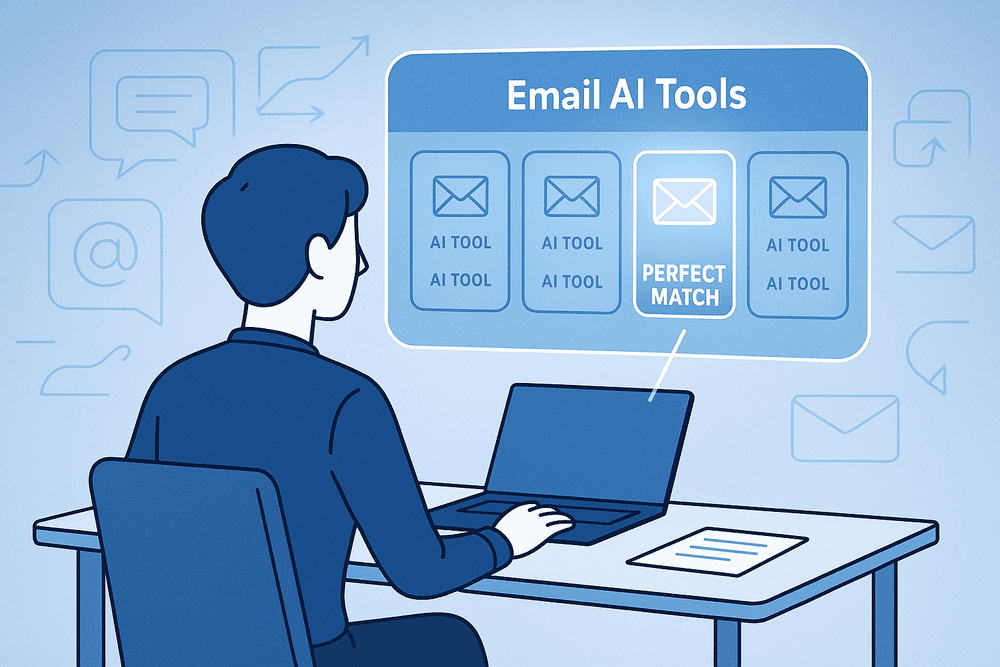
Navigating the expanding universe of AI-powered solutions can be daunting. However, finding the ideal email drafting AI tool for your specific needs is achievable with a structured approach. This section will guide you through selecting the best tool, offer a glance at market options, explore the exciting future of AI in email communication, and encourage you to take the first step.
Your Essential Checklist: Choosing the Right Email Drafting AI Tool
Choosing the right email drafting AI tool is simpler with a clear strategy. Here’s your selection guide to ensure you pick a winner:
- Pinpoint Your Needs & Use Cases: What types of emails dominate your workload (e.g., sales outreach, customer support, internal memos, marketing campaigns)? What volume do you typically handle? Understanding this clarifies essential features for your email drafting AI tool.
- Scrutinize Core Features: Look beyond basic text generation. Does the email drafting AI tool offer robust tone adjustment (formal, casual, persuasive), a variety of relevant and customizable templates, and strong personalization capabilities using your data? Is multi-language support necessary? Advanced grammar and spell-checking are non-negotiable.
- Prioritize User Experience & Integration: An intuitive interface and a gentle learning curve are vital for adoption. Crucially, check integrations with your email client (Gmail, Outlook), CRM, and other key apps for the email drafting AI tool.
- Verify Security & Privacy: Since you'll be inputting information, verify the provider's security measures and clear privacy policy for data handling. Understand how your data will be used, stored, and protected by the email drafting AI tool.
- Align Pricing with Value & Scalability: Does the pricing model fit your budget, and are free trials or freemium versions available to test the email drafting AI tool? Ensure the solution can scale with your business growth.
- Leverage Reviews & Demos: Consult user reviews, testimonials, and case studies. If possible, request a live demo to see the email drafting AI tool in action and get your specific questions answered.
A Glimpse at the Market: Comparing Email Drafting AI Tool Options
The email drafting AI tool market is diverse, with key categories catering to different requirements:
- Standalone AI Writing Platforms: These often provide a comprehensive suite of writing tools, including dedicated modules or robust templates for crafting various email types. They are ideal for users needing versatile AI assistance beyond email, often with rich customization and project management features.
- Browser Extensions & In-Client Integrations: These tools operate directly within your email clients (e.g., Gmail, Outlook). This type of email drafting AI tool offers real-time suggestions, rephrasing capabilities, and quick template access for ultimate convenience without switching applications.
- CRM-Embedded AI Email Assistants: Many Customer Relationship Management (CRM) platforms now include native AI features for email drafting, especially beneficial for sales and marketing. These tools leverage your existing customer data for highly personalized outreach and can help automate follow-up sequences.
- Specialized AI Email Tools: Some solutions concentrate on niche areas like B2B cold outreach, customer support ticket responses, or optimizing internal communications. These specialized email drafting AI tool options often boast highly tailored features and analytics for their specific purpose.
When comparing, consider which type of email drafting AI tool best aligns with your daily workflow and the integration points identified in your checklist.
The Horizon of Email: What’s Next for AI in Communication?
The current email drafting AI tool is just the start. The future promises an even more intelligent and integrated email experience, fundamentally changing how we communicate:
- Profound Hyper-Personalization: Future AI will analyze vast data sets to tailor email content, tone, and timing to individual recipient preferences, histories, and even predicted needs, moving far beyond simple {{FirstName}} placeholders.
- Predictive Email Drafting & Assistance: Imagine your email drafting AI tool anticipating your communication needs, proactively drafting responses to common inquiries, suggesting timely follow-ups, or even scheduling emails by learning your patterns and priorities.
- Intelligent Email Management & Summarization: AI will not only help draft emails but also intelligently sort, prioritize, and summarize incoming messages, highlighting key information and action items to help you conquer inbox overload.
- Seamless Multimodal Interaction & Data Synthesis: Voice commands for drafting and sending emails will become more sophisticated. Furthermore, your email drafting AI tool will better incorporate information from diverse sources like documents, meeting notes, or web browsing into relevant email drafts.
- Enhanced Emotional Intelligence (EQ): Expect AI to become more adept at detecting subtle emotional nuances in incoming emails and crafting responses that are not just grammatically correct but also emotionally appropriate and empathetic—vital for customer service and sensitive communications.
- Proactive Goal Achievement: Your email drafting AI tool could evolve into a strategic assistant, guiding you toward specific communication goals (e.g., securing a meeting, closing a deal, resolving an issue) by suggesting optimal phrasing, timing, and follow-up strategies.
This ongoing evolution of the email drafting AI tool points towards a future where professional communication is more efficient, personalized, and impactful than ever before.
Take the Leap: Start Your Journey with an Email Drafting AI Tool Today!
Transform your email communication with an email drafting AI tool. It’s not just about saving precious minutes; it’s about crafting clearer, more compelling, and more effective messages that achieve your strategic goals, whether in sales, customer service, marketing, or daily operational management.
Don't let the burden of email drafting slow you down. Explore the available options, use the checklist provided, and find the email drafting AI tool that perfectly fits your unique needs and workflow. Embrace the future of communication and start your AI-powered email journey today to unlock new levels of productivity and engagement!