
June 21, 2025
An Introduction to the Modern Email Drafting AI Tool
Unlock Your Inbox: An Introduction to the Modern Email Drafting AI Tool
Tired of battling writer's block every time you open your email client? The modern workplace demands constant, clear, and effective communication, and email remains a cornerstone. But let's be honest, drafting the perfect email can be a time-consuming and often frustrating task. This is where the email drafting AI tool steps in, transforming how we approach our inboxes.
What is an Email Drafting AI Tool and How Does It Revolutionize Your Workflow?
Ever stared at a blank email draft, unsure where to begin? Or spent precious minutes crafting the 'perfect' reply, only to second-guess its tone? Enter the email drafting AI tool, your new secret weapon for conquering your inbox. But what exactly is this innovative technology?
At its core, an email drafting AI tool is sophisticated software powered by artificial intelligence, leveraging natural language processing (NLP) and machine learning (ML). These tools understand, generate, and refine human language specifically for email. Think of it as an intelligent assistant that doesn't just correct typos; it helps compose entire emails, suggests improvements, and automates repetitive email tasks. You provide context – bullet points, a previous thread, or a desired outcome – and the email drafting AI tool generates a coherent, structured, and contextually appropriate draft, significantly streamlining your workflow.
The Evolution of Email: Why AI is a Game-Changer for Modern Communication
Email has journeyed far from basic text messaging, evolving with features like attachments, rich formatting, and early spellcheckers, each aiming for greater efficiency. Yet, today's email volume and complexity often overwhelm professionals. This is where AI, particularly in an email drafting AI tool, marks the next monumental leap—a true game-changer for communication.
Previous email improvements focused on delivery and presentation. Now, AI tackles the core challenge: crafting effective communication. Traditional email writing is a notorious time drain, involving hours of drafting, rephrasing, and tone-checking. An email drafting AI tool directly confronts these pain points. It’s not just about speed; it’s about elevating message quality and impact. By automating significant drafting portions and offering smart suggestions, these AI tools free your mental bandwidth for strategic thinking, transforming your approach to correspondence and boosting productivity with every email sent using an email drafting AI tool.
Beyond Spellcheck: Supercharging Your Writing with an Email Drafting AI Tool
For years, spellcheck and basic grammar tools were standard writing aids. While useful, their capabilities are eclipsed by what a modern email drafting AI tool offers. It’s a significant leap from mere error correction to comprehensive writing enhancement, supercharging your email efforts. These advanced AI platforms go far beyond identifying simple typos or grammatical slips.
Imagine an email drafting AI tool as your personal writing super-assistant, capable of:
- Generating complete email drafts: Provide a prompt, and the AI crafts a full email, from subject line to sign-off.
- Refining tone and style: Need to sound more formal, persuasive, or empathetic? The email drafting AI tool adjusts your text to match the desired tone for your specific audience.
- Summarizing lengthy threads: Quickly grasp the essence of long email chains for informed replies.
- Personalizing communications at scale: Create emails that feel unique for multiple recipients by intelligently incorporating personalized elements.
- Enhancing clarity and conciseness: Transform complex ideas into clear, direct, and impactful statements.
Ultimately, an email drafting AI tool doesn’t just fix your writing; it elevates it, empowering you to communicate more effectively, efficiently, and with greater confidence. It’s about reclaiming your time and ensuring every email you send makes the right impression.

Why You Need an Email Drafting AI Tool: Reclaim Your Time & Sanity
Is your inbox a source of stress rather than a tool for success? Do you spend countless hours staring at a blinking cursor, wondering how to phrase that crucial email? If so, you're not alone. The sheer volume and demand of email communication can be overwhelming, but there's a powerful ally ready to help you reclaim your valuable time and restore your peace of mind: an email drafting AI tool. This isn't just about sending emails faster; it's about communicating smarter, more effectively, and with significantly less effort. Let's explore how.
Conquer Writer's Block: Generate Drafts in Seconds
The dreaded blank page – a universal hurdle for anyone who needs to write. Writer's block can strike at the most inconvenient times, turning a simple email into a time-consuming ordeal. An email drafting AI tool acts as your instant creative partner. Simply provide a few key points, a desired outcome, or even just a general topic, and watch as it generates well-structured email drafts in mere seconds. No more agonizing over opening lines or struggling to find the right words. This immediate assistance not only saves time but also frees up mental energy, allowing you to focus on the core message and strategic aspects of your communication. With an email drafting AI tool, you can bypass the initial friction and get straight to refining a solid draft.
Achieve Inbox Zero Faster: Automate Repetitive Email Tasks
Think about how many similar emails you send each day or week: follow-ups, thank you notes, responses to frequently asked questions, meeting confirmations. These repetitive tasks, while necessary, can consume a significant chunk of your productive hours. An email drafting AI tool excels at automating these routine communications. You can create templates for common scenarios, or even better, allow the AI to intelligently generate personalized versions of these repetitive emails based on context. By delegating these tasks to your AI email assistant, you can slash the time spent on manual email processing, making the elusive "inbox zero" a far more achievable goal and freeing you to concentrate on high-impact activities.
Craft the Perfect Tone Every Time: Ensure Professional and Effective Communication
The tone of your email can make or break its effectiveness. A message that's too casual might seem unprofessional, while one that's overly formal could feel cold and impersonal. Striking the right balance for different recipients and situations is a nuanced skill. An email drafting AI tool often includes features that help you analyze and adjust the tone of your messages. Whether you need to be persuasive, empathetic, informative, or strictly professional, the AI can provide suggestions or rewrite sentences to ensure your communication hits the right note. This capability is invaluable for maintaining positive relationships, avoiding misunderstandings, and ensuring every email you send reflects positively on you and your organization. With an email drafting AI tool, consistent, appropriate, and effective communication becomes the norm.
Boost Response Rates: Writing Compelling Messages
Ultimately, the goal of most emails is to elicit a response, whether it's a reply, a click, or a specific action. An email drafting AI tool can be instrumental in crafting messages that are not just well-written but also compelling and persuasive. From suggesting attention-grabbing subject lines that increase open rates to helping you formulate clear and concise calls to action, these tools are designed to optimize your emails for engagement. By leveraging AI-powered insights into what makes an email effective, an email drafting AI tool helps you write messages that resonate with your audience, clearly convey your value proposition, and make it easy for recipients to understand what you need from them, thereby significantly boosting your response rates and overall email marketing success.
Not All AI Is Equal: Key Features of a Powerful Email Drafting AI Tool
The market is buzzing with AI solutions, but when it comes to an email drafting AI tool, discernment is key. Not all platforms are created equal. To truly elevate your email communication and reclaim valuable time, you need an AI assistant that’s more than just a glorified spellchecker. Here’s what to demand from a powerful email drafting AI tool:
Beyond Basic Suggestions: Intelligent Autocompletion & Subject Line Generation
Forget clunky, generic autocompletion. A top-tier email drafting AI tool offers intelligent autocompletion, leveraging sophisticated algorithms to understand the context of your entire message, not just the last few words. It should predict and suggest relevant phrases, complete sentences, and even entire paragraphs that align with your intent, significantly speeding up the composition process.
Equally crucial is its ability to generate compelling subject lines. Your subject line is the gatekeeper to your message. A truly effective email drafting AI tool doesn't just offer random suggestions; it crafts attention-grabbing, concise, and relevant subject lines designed to pique interest and dramatically boost your open rates. Demand an AI that understands the art and science of a great first impression.
Crafting Emails That Resonate: Tone Adjustment & Readability Scores
The impact of an email hinges significantly on its tone. A message intended to be persuasive can fall flat if it sounds demanding, or an attempt at empathy can feel insincere if the wording is off. A sophisticated email drafting AI tool provides robust tone adjustment features, allowing you to effortlessly shift your message's voice—be it formal, casual, confident, empathetic, or persuasive—with a few clicks. This ensures your communication always strikes the right chord with your audience.
Beyond tone, clarity is paramount. Look for an email drafting AI tool that incorporates readability scores (e.g., Flesch-Kincaid). This feature analyzes your text for complexity, sentence length, and vocabulary, helping you simplify your language and structure. The result? Emails that are easy to understand, accessible to a wider audience, and more likely to achieve their objective.
Streamlining Your Workflow: Seamless Integration Capabilities
The most powerful email drafting AI tool doesn’t operate in isolation; it becomes an integral part of your existing digital ecosystem. Demand seamless integration capabilities with the tools you use daily. This includes popular email clients like Gmail and Outlook, CRM systems (e.g., Salesforce, HubSpot), project management software, and other business applications.
Such connectivity transforms your email drafting AI tool from a standalone utility into a true productivity hub. It allows for effortless data flow, context sharing, and a reduction in the need to switch between multiple applications, saving time and minimizing disruptions to your workflow.
The Personal Touch, Magnified: Personalization at Scale with Your Email Drafting AI Tool
Generic, one-size-fits-all emails are increasingly ineffective. True engagement comes from personalization, making each recipient feel seen and understood. But how do you achieve this when communicating with dozens, hundreds, or even thousands of contacts? This is where a smart email drafting AI tool demonstrates its power in enabling personalization at scale.
By intelligently drawing upon data from integrated systems, like customer history from your CRM or specific project details, your chosen email drafting AI tool can help you tailor message intros, incorporate relevant details, and customize calls to action for different segments or individuals. This ability to craft highly relevant messages efficiently makes your outreach far more impactful.
Breaking Language Barriers: Exploring Multi-Language Support
In today's interconnected global marketplace, your communication reach shouldn't be limited by language. A forward-thinking email drafting AI tool will offer comprehensive multi-language support. This extends beyond simple, direct translation. The best tools will assist in drafting emails that are not only linguistically accurate but also consider cultural nuances, ensuring your message is well-received across different international audiences. Whether you're reaching out to international clients, partners, or internal teams, multi-language capabilities empower you to communicate clearly and effectively, fostering stronger global relationships.
From Novice to Pro: Best Practices for Your Email Drafting AI Tool
Unlocking the full potential of your email drafting AI tool goes beyond simply typing a request and hitting "generate." To truly transform your email communication from time-consuming to time-saving, and from generic to genuinely engaging, adopting a set of best practices is key. These strategies will help you guide your AI effectively, maintain quality control, maximize efficiency, and use this powerful technology responsibly.
Providing Clear Prompts: Getting the Most Out of Your Email Drafting AI Tool
To maximize your email drafting AI tool, clear, specific prompts are essential. Vague requests lead to generic emails. Think like a director: precise guidance ensures a stellar AI performance.
- State the Goal: What should the email achieve (e.g., sales pitch, follow-up, apology)? This gives your email drafting AI tool its core objective.
- Define Audience & Tone: Who is it for (client, prospect)? This shapes the tone (formal, casual, empathetic, persuasive). Example: "Draft a friendly follow-up to client Sarah about our premium package, noting her interest in X feature."
- Include Key Details: Provide all necessary information: names, company info, product specifics, dates, previous discussion points, and the desired call-to-action (e.g., "schedule a 15-minute call," "download our new whitepaper"). Context is crucial for your email drafting AI tool.
- Specify Exclusions: Sometimes, telling the AI what not to include is just as important, like "avoid technical jargon unless explaining feature Y" or "do not mention pricing in this initial outreach." The more context and specific details your email drafting AI tool receives, the more tailored, effective, and human-sounding its drafts will be, significantly minimizing your editing time.
Review and Refine: Why Human Oversight is Still Crucial with an AI Email Drafter
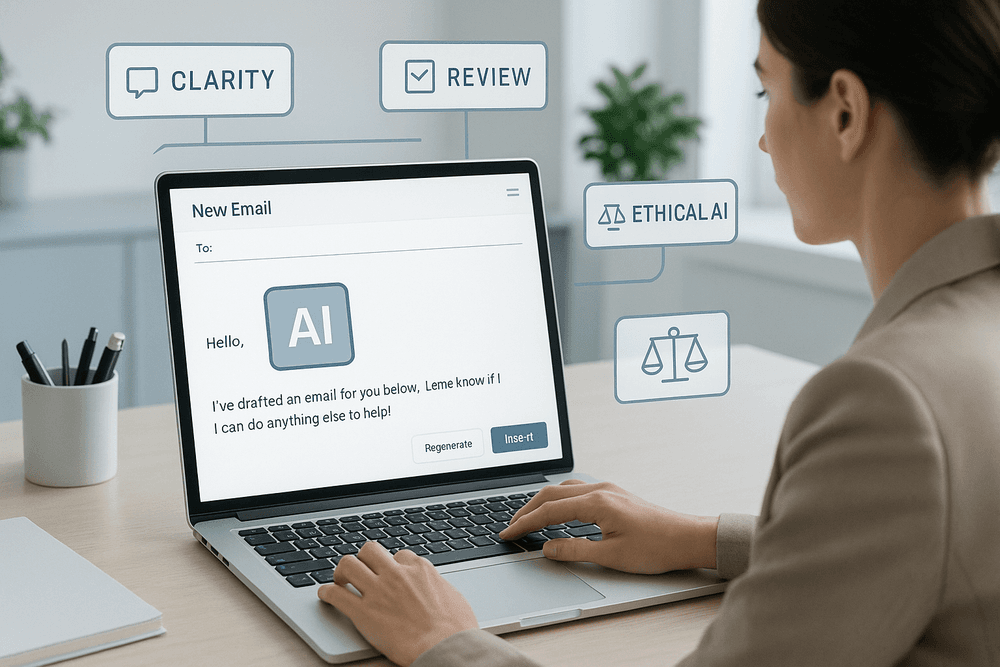
Your email drafting AI tool is a powerful assistant, not an infallible replacement for your professional judgment. Human oversight remains absolutely essential because Artificial Intelligence still needs your intelligence, empathy, and crucial contextual awareness. Think of the AI as a highly capable junior copywriter – talented, but still requiring guidance and a final quality check from a seasoned pro: you. Here’s why this human review step is non-negotiable:
- Accuracy Checks: AI can occasionally misinterpret prompts, hallucinate facts, or use outdated information. Always verify names, dates, figures, and any factual claims before an email is sent.
- Tone and Nuance: An email drafting AI tool might not always perfectly capture the subtle nuances of human emotion or the specific tone required for a delicate situation. Your review ensures the email feels right and aligns precisely with your intended message and brand voice.
- Authentic Personalization: While AI can incorporate personalized elements, true authenticity often comes from adding a specific human touch – a reference to a shared experience, a genuine compliment based on recent interaction, or a bespoke solution that the AI might not conceive on its own.
- Brand Voice Consistency: Your email drafting AI tool needs to learn and reflect your unique brand voice. Regular review and refinement help train it, but you are the ultimate guardian of your brand's communication style.
- Ethical and Compliance Guardrails: Ultimately, you are responsible for the content of your emails. Human review is essential to catch any unintended bias, ensure compliance with privacy regulations (like GDPR or CCPA), and avoid any potentially problematic or ambiguous language. Treat the output from your email drafting AI tool as a strong first draft, not the final product. Your critical review and thoughtful refinement transform a good AI-generated email into a great, effective piece of communication that achieves its goals.
Leveraging Templates and Custom Instructions for Your Email Drafting AI Tool for Maximum Efficiency
To truly elevate your productivity with an email drafting AI tool, move beyond one-off prompts. Tapping into its capabilities for templates and custom instructions can transform your workflow, especially for recurring email tasks. This is where you teach your AI to become an even more efficient extension of your communication style and operational needs.
AI Templates for Speed and Consistency: Many modern email drafting AI tool platforms allow you to create or utilize pre-built templates for common communication scenarios. This is invaluable for:
- Welcome Emails: Consistently onboard new subscribers or clients with a polished message.
- Follow-Up Sequences: Nurture leads effectively with a series of timed, relevant messages.
- Customer Support Responses: Provide quick, standardized, yet helpful answers to frequently asked questions.
- Sales Outreach: Streamline initial contact, pitch emails, and proposal follow-ups.
- Meeting Confirmations & Reminders: Automate logistical communications efficiently. By having your email drafting AI tool populate these established templates with specific details from your prompts (like recipient name, company, or specific interest), you save enormous amounts of time while maintaining a high professional standard across all communications.
Custom Instructions for Precision and Brand Alignment: This feature allows you to truly personalize your email drafting AI tool. Custom instructions provide overarching guidance that the AI remembers and applies across multiple email drafts, ensuring consistency without repetitive prompting. Consider setting up instructions for:
- Your Preferred Tone and Style: "Always maintain a professional yet approachable and helpful tone." or "Use active voice and concise sentences."
- Brand-Specific Language or Terminology: "Refer to our customers as 'community members'." "Always mention our commitment to [core value]."
- Standard Greetings, Sign-Offs, and Disclaimers: "Start emails with 'Hi [Name],' and end with 'Best regards, [Your Name & Title]'." "Include our standard confidentiality notice on all external emails."
- Information to Always Include or Avoid: "If relevant, briefly mention our upcoming webinar series." "Never use exclamation points excessively." Investing a little time in setting up templates and custom instructions empowers your email drafting AI tool to generate drafts that are not only faster but also more aligned with your specific requirements and brand voice from the outset, minimizing edits and maximizing your efficiency gains.
Ethical Considerations: Using Your Email Drafting AI Tool Responsibly and Transparently
The significant power and convenience offered by an email drafting AI tool come with an inherent responsibility to use it ethically and transparently. While these tools offer incredible benefits for productivity and the quality of your communications, navigating their use with integrity is paramount to maintaining trust with your recipients and upholding your professional and personal standards.
Key ethical considerations to keep in mind include:
- Transparency and Disclosure: While there's no universal rule, consider the context of your communication. For routine, impersonal emails, explicit disclosure of AI use might be unnecessary. However, if the email drafting AI tool is generating highly personalized or sensitive content, or if authenticity is a core brand value, a subtle disclosure (e.g., "This email was drafted with AI assistance and reviewed by me") can build trust and manage expectations. The key is to avoid any form of deception; your AI tool should assist, not impersonate you without awareness.
- Authenticity and Personal Connection: The goal of using an email drafting AI tool should be to enhance communication, not to create a facade of connection. Even with AI assistance, strive to inject genuine human insight, empathy, and relevant personalization that goes beyond simple data merges. Over-reliance on generic AI outputs can make your communications feel impersonal and ultimately damage relationships.
- Data Privacy and Security: Be exceptionally mindful of the information you input into your chosen email drafting AI tool. Thoroughly understand the tool's data privacy policy and how it handles your input and any recipient data. Avoid inputting highly sensitive personal data, proprietary company information, or third-party confidential details unless you are absolutely certain of the tool's security measures and data handling practices. The responsibility for protecting data shared via email, even those assisted by AI, ultimately lies with you.
- Bias Mitigation and Fairness: AI models can inadvertently learn and perpetuate biases present in their vast training datasets. Always critically review AI-generated content for any language that could be discriminatory, stereotypical, unfair, or offensive. Actively work to ensure your email drafting AI tool is used to promote inclusive, equitable, and respectful communication with all audiences.
- Accountability for Output: Remember, the email drafting AI tool is a tool, and like any tool, its operator is responsible for its use. You are accountable for the final message sent. Never send an AI-drafted email without careful review, editing, and explicit approval. You are responsible for its accuracy, tone, clarity, and any potential impact it may have on the recipient or your reputation.
Using your email drafting AI tool responsibly means leveraging its remarkable power to communicate more effectively and efficiently, while always prioritizing honesty, respect, and the irreplaceable value of the human element in your interactions.
See It In Action: Use Cases & Success with an Email Drafting AI Tool
The true power of an email drafting AI tool isn't just theoretical; it's proven in its practical applications across diverse professional landscapes. From boosting sales figures to ensuring crystal-clear internal messages, AI is reshaping how we communicate via email. Let's explore some compelling use cases and the success stories they generate.
Revolutionizing Sales & Outreach: Skyrocketing Conversion Rates
In the competitive world of sales, every email counts. Sales teams often struggle with the sheer volume of outreach required, the challenge of personalization at scale, and crafting messages that genuinely convert. This is where an email drafting AI tool becomes a game-changer. Imagine empowering your sales representatives to:
- Generate Hyper-Personalized Emails: An email drafting AI tool can analyze prospect data (from LinkedIn, CRM, etc.) to help craft highly relevant and personalized outreach emails, moving beyond generic templates. This tailored approach significantly boosts engagement.
- Scale Outreach Effectively: Instead of spending hours writing individual emails, sales teams can use AI to generate multiple unique variations for different segments, significantly increasing their reach without sacrificing quality. An email drafting AI tool ensures each message feels personal.
- Optimize for Conversions: Many AI tools offer suggestions for more compelling subject lines, stronger calls-to-action (CTAs), and even A/B test different versions to see what resonates best with your audience, leading to higher conversion.
- Automate Follow-Up Sequences: An email drafting AI tool can help design and draft intelligent follow-up sequences that nurture leads, ensuring no opportunity slips through the cracks and maintaining consistent communication.
The result? Sales teams using an email drafting AI tool often report significant uplifts in open rates, click-through rates, and ultimately, a substantial increase in conversion rates and revenue. It’s about working smarter, not just harder, to close more deals.
Transforming Customer Support: Delivering Faster, More Consistent Responses
Customer expectations for support are higher than ever: they demand fast, accurate, and empathetic responses. For support teams, especially those handling large volumes of inquiries, maintaining consistency and speed can be a major hurdle. An email drafting AI tool offers a powerful solution by:
- Accelerating Response Times: AI can instantly suggest or draft complete responses to common customer queries, drawing from a knowledge base or past interactions. This drastically reduces the time agents spend typing, allowing them to handle more inquiries.
- Ensuring Consistent Tone and Accuracy: An email drafting AI tool helps maintain a consistent brand voice and ensures that information provided is always accurate and up-to-date, regardless of which agent is handling the query. This builds trust and reliability.
- Improving Agent Productivity: By handling the initial drafting of routine responses, the email drafting AI tool frees up human agents to focus on more complex or sensitive customer issues that require deeper critical thinking and empathy.
- Facilitating 24/7 Support: AI can help draft initial responses or acknowledgments even outside of business hours, improving customer satisfaction by setting expectations and providing immediate, albeit preliminary, assistance.
The impact is clear: organizations leveraging an email drafting AI tool in their customer support operations see reduced ticket resolution times, higher customer satisfaction (CSAT) scores, and a more empowered, efficient support team.
Streamlining Internal Communications: Crafting Clear Team Updates, Effortlessly
Effective internal communication is the bedrock of a productive and aligned organization. However, managers and team leads often find themselves short on time, struggling to craft clear, concise, and engaging updates, announcements, or meeting summaries. An email drafting AI tool can significantly streamline this process:
- Drafting Clear Announcements: Need to inform the team about a new policy, project milestone, or company event? An email drafting AI tool can help structure the information logically, suggest appropriate language, and ensure a professional tone.
- Summarizing Key Information: AI can assist in condensing lengthy reports or meeting notes into digestible email summaries, ensuring everyone stays informed without information overload. This ensures key takeaways are easily accessible.
- Maintaining Professionalism and Consistency: Especially for company-wide communications, an email drafting AI tool ensures that messages are well-written, error-free, and maintain a consistent tone, reducing the risk of misinterpretation and fostering clarity.
By using an email drafting AI tool for internal communications, organizations foster better transparency, reduce misunderstandings, and save valuable time for leaders, allowing them to focus on strategic initiatives rather than laborious email composition.
Empowering Job Seekers: Crafting Compelling Application Emails with AI Assistance
The job market is fiercely competitive, and a well-crafted email can make all the difference. For job seekers, an email drafting AI tool can be a powerful ally in creating communications that stand out and capture attention:
- Tailoring Cover Letters: Instead of generic cover letters, AI can help analyze a job description and assist in drafting a letter that highlights the most relevant skills and experiences, truly tailored to the specific role. An email drafting AI tool helps match your profile to employer needs.
- Crafting Professional Networking Emails: Reaching out to industry contacts or potential employers requires a delicate balance of professionalism and personalization. An email drafting AI tool can help strike the right tone and structure for these crucial outreach emails.
- Writing Impactful Interview Follow-Ups: A timely and well-written follow-up email can reinforce interest and leave a lasting positive impression. AI can help draft concise and impactful thank-you notes that reiterate key qualifications.
- Overcoming Writer's Block: Staring at a blank page can be daunting. An email drafting AI tool provides a starting point, offering suggestions and frameworks that help job seekers articulate their qualifications and enthusiasm effectively.
With AI assistance from an email drafting AI tool, job seekers can present themselves more professionally and persuasively, increasing their chances of securing interviews and ultimately landing their desired role. It levels the playing field, offering sophisticated writing support to everyone.
Find Your Perfect Match: Choosing the Right Email Drafting AI Tool & What's Next
So, you're ready to harness the power of AI for your emails? Fantastic! But with a growing market, selecting the right email drafting AI tool can seem daunting. This guide will help you navigate the options, understand what's on the horizon, and take your first confident steps towards email mastery.
Navigating the Choices: Key Factors for Your Ideal Email Drafting AI Tool
Choosing the right email drafting AI tool means matching its capabilities to your specific needs. Consider these key factors:
- Core Functionality & Features: Evaluate core features: Does it offer smart composition, tone adjustment, subject line generation, robust grammar/spell check, summarization, or translation if needed? Advanced tools might include AI reply suggestions or automation.
- Integration Capabilities: Prioritize seamless integration. Your chosen email drafting AI tool should connect easily with your email client (Gmail, Outlook), CRM, and other essential business applications to save time.
- Ease of Use & Learning Curve: Assess ease of use. An intuitive interface, clear instructions, and available support are crucial for quick adoption. A trial period helps test usability.
- Customization & Control: Seek customization options. Can you tailor output to your brand voice, create templates, and define tones (formal, casual)? This maintains authenticity.
- Data Security & Privacy: Verify data security and privacy. For sensitive content, check the provider’s data policies, encryption, and compliance (e.g., GDPR, CCPA) for your email drafting AI tool.
- Language Support: If you communicate in multiple languages, ensure the tool offers robust support for them, not just basic translation but nuanced drafting.
Free vs. Paid: Which Email Drafting AI Tool Option Fits Your Needs?
Deciding between a free or paid email drafting AI tool hinges on your budget and feature requirements. Each has its pros and cons:
Free Email Drafting AI Tools:
- Pros: Cost-effective for individuals or light users, offering basic drafting, grammar checks, and some templates. Ideal for exploring AI capabilities.
- Cons: Often include usage limits, fewer advanced features, potential ads, limited support, and sometimes weaker data privacy.
- Best for: Personal use, occasional drafting, or initial AI exploration on a tight budget.
Paid Email Drafting AI Tools:
- Pros: Unlock advanced features: analytics, extensive customization, robust integrations, higher/unlimited usage, priority support, enhanced security, and team collaboration. Businesses often see quick ROI from time savings.
- Cons: The main drawback is the subscription cost.
- Best for: Businesses, sales/support teams, and frequent emailers needing top efficiency and features from their email drafting AI tool.
Evaluate your essential features against your budget. Many paid tools offer trials to test their full capabilities.
The Evolving Landscape: Future Trends in AI Email Drafting Technology
The field of AI email drafting technology is evolving rapidly. Watch for these future trends set to transform email communication:
- Hyper-Personalization at Scale: Expect hyper-personalization, with AI crafting emails uniquely tailored to recipient history, preferences, and predicted needs for deeper engagement.
- Proactive & Predictive Assistance: Your email drafting AI tool will become more proactive, suggesting optimal send times, recipients, and even drafting follow-ups based on engagement.
- Enhanced Emotional Intelligence (EQ): AI will gain enhanced emotional intelligence (EQ), better understanding and mimicking nuanced human emotion for perfect tonal accuracy.
- Seamless Multimodal Integration: Look for seamless multimodal integration: voice-to-email, AI summarizing meeting notes into emails, and easier platform transitions.
- Autonomous Email Management: Autonomous email management will rise, with AI handling inbox categorization, prioritization, and routine responses, saving significant time.
- Ethical AI and Bias Reduction: A key focus will be ethical AI development, ensuring fairness, transparency, and bias reduction in AI email drafting technology.
Staying informed on these advancements helps you maximize future AI email drafting technology.
Take the Leap: Your First Steps to Email Mastery with an AI Tool
Ready for email mastery? Implementing an email drafting AI tool is your launchpad. Here’s how to start:
- Identify Your Core Needs: What specific email challenges do you want to solve: faster outreach, better customer service responses, or consistent brand messaging? This clarity guides your email drafting AI tool choice.
- Utilize Free Trials or Freemium Plans: Test features, UI, and workflow fit before committing.
- Dive into Tutorials and Resources: Understanding the tool's nuances unlocks its full potential.
- Practice with Prompts and Settings: Experiment with tone, length, and style to see how your chosen email drafting AI tool responds to clear instructions.
- Integrate and Customize: Connect the tool to your email client and other software. Create custom templates for frequent emails to maximize time savings.
- Review and Refine AI Drafts: Treat the AI as a skilled assistant; your expertise and oversight are crucial. Learn from each iteration.
- Continuously Learn: Stay curious, explore new features, and refine your prompting for optimal results with your AI tool.
These steps will set you on course to master AI-powered email communication, making it more efficient and impactful.