
June 24, 2026
What UI Interface Design Must Deliver for Agency Clients

For agency clients, interface work is not “making screens look good.” It is the visible layer of a digital product where brand, business goals, content, and user action meet. If that layer feels uncertain, generic, or hard to approve, the agency absorbs the cost in extra rounds, delayed launches, and diluted client confidence.
Define UI interface design in business terms
UI interface design is the design of the screens, controls, visual cues, and content presentation people use to interact with a website, app, portal, dashboard, or digital tool.
In agency terms, it must help a client answer three practical questions:
- Does this feel like our business?
- Can users understand what to do next?
- Will this support the commercial goal of the project?
That commercial goal may be leads, purchases, demo requests, account signups, quote submissions, repeat usage, or faster internal workflows. The interface is where those goals either become easy to act on or quietly get buried.
For a small agency, this framing matters because it moves UI conversations away from subjective taste. Instead of “Can we make it pop?”, the discussion becomes:
- Does the interface support the primary user action?
- Does it reflect the client’s market position?
- Does it make the product or service easier to trust?
- Does it give developers enough direction to build without guessing?
- Does it give the client a clear basis for approval?
That is the difference between decorative design and commercially useful interface work.
Separate UI from UX without creating silos
UI and UX need different attention, but they should not become separate worlds.
UX is concerned with the user’s path: what they need, what steps they take, what decisions they make, and where friction appears. UI is concerned with how those decisions and actions are presented on screen.
A simple way to explain it to clients:
- UX defines the journey.
- UI shapes the moment.
- Together, they determine whether the experience feels natural enough to complete.
For example, UX may determine that a pricing page needs to help users compare plans quickly. UI then decides how those options are presented visually, how calls to action appear, how supporting details are exposed, and how the page feels aligned with the client’s brand.
The risk for agencies is treating UI as something that happens after “the real thinking” is done. That creates late-stage redesigns, awkward compromises, and approval battles because the screen no longer reflects the strategy everyone agreed on.
Instead, UI should be connected to UX decisions from the start. When wireframes, content priorities, and interface direction evolve together, clients see a more coherent path from strategy to execution.
Set the quality bar before design begins
Before opening a design file, the agency should define what “good” means for this client and this project. Otherwise, quality gets judged by personal preference after the fact.
A useful pre-design quality bar includes:
- The primary business objective of the interface
- The most important user action on each key screen
- Client-approved brand inputs and visual boundaries
- Required content, messaging, and terminology
- Platform or development constraints
- Stakeholders involved in approval
- Examples of what feels right and wrong for the brand
- A clear definition of done for design handoff
This does not need to become a heavy strategy phase. Even a short alignment workshop or written design brief can prevent weeks of avoidable revisions.
For small agencies, the payoff is operational as much as creative. A defined quality bar makes feedback easier to manage, junior designers easier to guide, and client approvals easier to secure. It gives the team a shared standard before opinions enter the room.
Core Principles That Keep Interfaces Clear and On-Brand
Once the quality bar is set, the work becomes less about “making screens look good” and more about making every interface decision repeatable across pages, campaigns, products, and client teams.
Consistency across components, states, and content
For agencies, inconsistency is rarely one big mistake. It shows up as small drift: one CTA style on the homepage, another in the app, a different empty state in the dashboard, and copy that sounds slightly off from screen to screen.
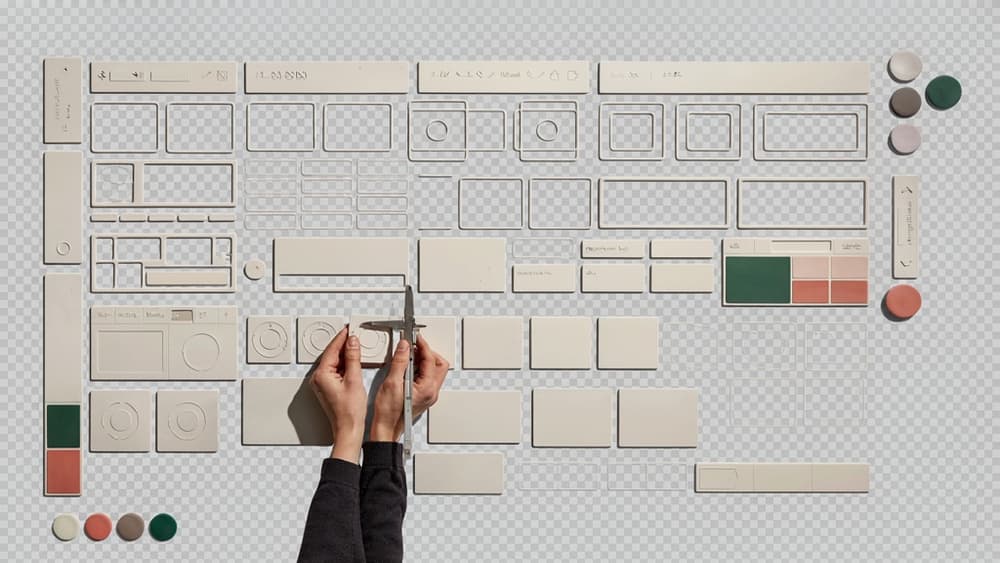
Strong ui interface design prevents that drift by treating the interface as a system, not a set of isolated mockups.
That means defining and reusing:
- Button styles, hierarchy, hover states, disabled states, and loading states
- Form fields, validation patterns, helper text, and error messages
- Navigation behavior across desktop and mobile
- Card layouts, modal patterns, filters, tabs, and accordions
- Voice and terminology for labels, prompts, confirmations, and alerts
This is where brand becomes operational. A premium hospitality client may need spacious layouts, quiet interaction states, and polished microcopy. A high-energy SaaS startup may need sharper contrast, punchier labels, and bolder CTAs. The interface should feel unmistakably like the client even before the logo appears.
For small agencies, the practical win is speed. When component and content rules are clear, designers are not re-solving the same decisions on every screen, and clients have fewer subjective reasons to push back.
Clarity through restraint and purposeful choices
Clear interfaces are edited interfaces. Every color, type size, icon, animation, and content block should earn its place.
Restraint does not mean bland. It means choosing fewer elements and making them work harder. If every section has a bright background, no section feels important. If every CTA is visually dominant, users have to pause and interpret priority. If every screen introduces a new layout pattern, the experience starts to feel assembled rather than designed.
A useful agency test: can someone understand the primary action on a screen in five seconds without reading every word? If not, the interface is probably asking too much at once.
Purposeful choices often look like:
- One primary CTA per view or decision moment
- A limited color palette tied to function, not decoration
- Type scale that separates headings, labels, body copy, and supporting text
- Icons used to clarify meaning, not fill space
- Motion reserved for orientation, feedback, or emphasis
This is especially important when multiple stakeholders want their priorities represented. The agency’s role is to translate business needs into a clear visual order, not give every request equal weight.
Accessibility as a baseline for professional delivery
Accessibility should not be framed as an optional enhancement or late-stage compliance pass. It is part of delivering a usable, professional interface.
At a minimum, agencies should design with sufficient color contrast, readable type sizes, visible focus states, clear form labels, logical tab order, and error messages that explain what happened and how to fix it. These choices improve the experience for users with disabilities, but they also make interfaces easier for everyone: mobile users in bright light, rushed buyers scanning a pricing page, or internal teams working through dense dashboards.
Accessibility also protects brand quality. A luxury brand with pale text users cannot read does not feel premium; it feels careless. A fintech product with unclear form errors does not feel innovative; it feels risky.
For agency teams, the best approach is to make accessibility part of the design system and review process from the start. When contrast, states, labels, and interaction rules are already defined, accessible delivery becomes repeatable instead of dependent on individual memory or last-minute QA.
Layout and Visual Hierarchy for Faster User Decisions
Once the visual system is consistent, the next test is speed: can users understand the screen quickly enough to act without hesitation?
Use grids, spacing, and alignment to reduce friction
A strong layout makes the interface feel calm before the user reads a word. For agency teams, grids are what keep that calm intact across landing pages, dashboards, portals, and campaign microsites—especially when multiple designers touch the same client account.
Start with a clear column structure and spacing scale. If one card uses 24px internal padding and another uses 31px “because it looked right,” the interface starts to feel assembled instead of designed. That inconsistency slows reviews, creates more client comments, and makes future production harder.
Alignment does similar work. Left-align related content. Keep form labels, inputs, helper text, and buttons visually connected. Avoid floating elements that force the eye to search for relationships. In practical terms, the user should not have to ask:
- Which headline belongs to this image?
- Is this button tied to the section above or below?
- Where does this form field explanation apply?
- What should I look at first?
For small agencies, this is also a workflow advantage. A disciplined layout system means junior designers, freelancers, and production teams can extend screens without reinventing structure every time.
Prioritize content with scale, contrast, and position
Visual hierarchy is how the interface tells users what matters most. In client work, this often means separating business priorities from visual noise.
A pricing page, for example, may need users to notice the recommended plan first, compare core differences second, and read legal details last. That order should be visible in the design. Use larger type, stronger contrast, and prominent placement for primary decisions. Use softer treatments for secondary or supporting information.
Position matters as much as styling. High-priority content should sit where attention naturally lands: top-left for orientation, central areas for key decisions, and predictable action zones for conversion. If the primary CTA is visually weaker than a testimonial badge, the layout is working against the client’s goals.
A useful agency review question: “If someone scanned this screen for five seconds, what would they remember?” If the answer is not tied to the intended action, the hierarchy needs tightening.
Effective ui interface design should make priority feel obvious, not argued for in a presentation deck.
Design responsive screens without losing hierarchy
Responsive design is not just shrinking the desktop layout. It is preserving decision order across screen sizes.
On mobile, side-by-side comparisons may need to become stacked cards. Navigation may collapse. Supporting content may move below the primary action. But the user’s path should remain clear: understand, evaluate, act.
The common mistake is treating mobile as a layout cleanup task at the end. That usually leads to buried CTAs, oversized hero sections, repeated content, and screens that require too much scrolling before anything useful happens.
Instead, define the hierarchy for each breakpoint:
- What must be visible first?
- What can move lower?
- What can be condensed?
- What should remain persistent, such as a booking or checkout action?
For agencies managing multiple client brands, responsive hierarchy is where quality often slips under deadline pressure. A strong layout approach keeps the experience intentional from desktop to mobile, without needing extra headcount to redesign every screen from scratch.

Interaction Patterns That Make Interfaces Feel Predictable
Once the screen hierarchy is clear, the next risk is behavior: what happens when someone taps, submits, filters, saves, edits, or gets stuck. Predictable interaction patterns reduce client-side revisions because the interface behaves the way users already expect.
Choose familiar patterns before inventing new ones
Novel interactions are expensive. They take longer to design, longer to build, and longer for users to understand. For most agency client work, familiar patterns usually convert better because they remove hesitation.
Use established conventions for common actions:
- Primary CTA in the most expected location, not hidden inside a clever layout
- Search with visible input, filters, and clear reset behavior
- Forms that move from broad to specific, with required fields marked upfront
- Navigation patterns users already recognize: top nav, sidebar, tabs, breadcrumbs, accordions
- Ecommerce actions like “Add to cart,” quantity edits, and checkout steps following standard flows
This does not mean every interface should look generic. Brand expression belongs in visual treatment, content, motion, and component styling—not in making users relearn how to complete a basic task.
A useful agency rule: only create a custom pattern when it improves the user’s ability to act, not because the concept presentation needs a standout moment. If the client sells complex services, for example, an interactive comparison tool may justify custom behavior. A contact form probably does not.
Design feedback, states, and error handling
The fastest way for an interface to feel unfinished is to ignore what happens between actions. Every interactive element needs states, and every user action needs a response.
For buttons, links, forms, cards, menus, and modals, define the practical states before handoff:
- Default
- Hover
- Focus
- Active or pressed
- Loading
- Disabled
- Success
- Error
- Empty state
These details prevent engineering guesswork and protect the polish of the final product. A “Submit” button should not just sit there after being clicked. It should confirm that the action is processing, prevent duplicate submissions, and give the user a clear next step when complete.
Error handling deserves the same level of design attention as the happy path. Avoid vague messages like “Something went wrong.” Tie the message to the issue and the fix: “Enter a work email address” or “Upload a file under 10MB.” For agency clients, this is where good ui interface design directly reduces user frustration and support requests.
Empty states are another missed opportunity. A dashboard with no data, a saved-items page with nothing saved, or a filtered search with no results should explain what happened and guide the next action.
Document microcopy and interaction rules for handoff
Small agencies lose margin when designers, developers, strategists, and clients each interpret interface behavior differently. Documentation keeps the system intact after the approved mockup leaves Figma.
Capture the rules that affect repeatable behavior:
- Button labels: “Book a demo” vs. “Submit” vs. “Get started”
- Form validation timing: on blur, on submit, or inline
- Modal behavior: close icon, escape key, outside click, confirmation requirements
- Loading messages and progress indicators
- Success messages after forms, purchases, downloads, or account changes
- Tooltip usage: when to explain, when not to clutter
- Character limits for labels, cards, and helper text
Microcopy should sound like the client’s brand, but it also needs to be functional. A playful brand can still give direct instructions. A premium brand can still be warm and clear.
For handoff, pair each component with behavior notes, not just visual specs. That gives developers fewer assumptions to make and gives account teams a stronger basis for client feedback. The result is an interface that feels intentional at every click, not just impressive in static comps.
How AI Helps Small Agencies Scale On-Brand UI Output
Once the interface rules are defined, the next bottleneck is usually repetition: applying those decisions across more screens, more variants, and more clients without adding another designer to every project.
Turn client brand knowledge into reusable AI context
Small agencies lose margin when every AI prompt has to restate the same client background: tone, audience, product positioning, visual preferences, terminology, approved CTAs, accessibility expectations, component rules, and “never do this” notes.
Instead, treat the client brand as reusable context.
That means ingesting the brand once, then using it to guide UI-related outputs such as:
- Screen content for dashboards, forms, empty states, and onboarding flows
- Button and label options that match the client’s voice
- Component usage notes for designers and developers
- Landing page section drafts aligned with the client’s positioning
- Variant ideas that stay inside the approved visual and verbal lane
For agencies managing five, ten, or twenty active clients, this is where AI becomes operationally useful. The value is not “generate a screen.” The value is “generate a screen direction that already understands this client.”
That shift matters because ui interface design is rarely slowed down by a lack of ideas. It is slowed down by translating the same brand context over and over across tools, teammates, and deliverables.
Reduce review cycles with brand-aware drafts
Most review rounds are not caused by major strategic disagreement. They come from small mismatches that pile up: a CTA sounds too casual, a form label feels off-brand, a dashboard card uses the wrong emphasis, or a proposed layout supports the function but not the client’s category norms.
Brand-aware AI can reduce those avoidable rounds by giving the team a stronger first pass.
For example, instead of asking a general AI tool for “three onboarding screen options,” an agency can generate options that already reflect the client’s:
- Audience maturity and vocabulary
- Preferred level of formality
- Product benefits and proof points
- Naming conventions
- Approved messaging hierarchy
- Competitive positioning
That does not replace creative direction. It gives designers, strategists, and account leads a better starting point before anything reaches the client.
For a small agency, fewer “this doesn’t sound like us” comments can mean a project stays profitable. It also protects client confidence: the work feels connected from the first draft, not patched together after feedback.
Protect quality while increasing production capacity
AI tool sprawl creates a real risk for agencies. One designer uses ChatGPT, another uses a writing assistant, a strategist has their own prompt library, and an account manager drafts client-facing copy somewhere else. The result is faster output, but not necessarily consistent output.
The better model is centralized brand context that supports the team wherever production happens.
That lets an agency scale common UI deliverables without diluting quality:
- More screen states can be drafted without reinventing language each time
- More page variations can be explored while staying within brand boundaries
- More handoff notes can be produced without leaving developers to interpret intent
- More client work can move in parallel without every senior person becoming a bottleneck
This is especially important for agencies that cannot solve capacity problems by hiring ahead of revenue. AI should help the existing team produce more usable, on-brand work—not create more material for senior staff to clean up.
For owners and partners, the commercial upside is straightforward: tighter delivery, fewer internal rewrites, more consistent client output, and a clearer path to taking on additional UI interface design work without expanding headcount at the same pace.