
January 3, 2026
The Rise of the AI Chat Assistant in Modern Workflows
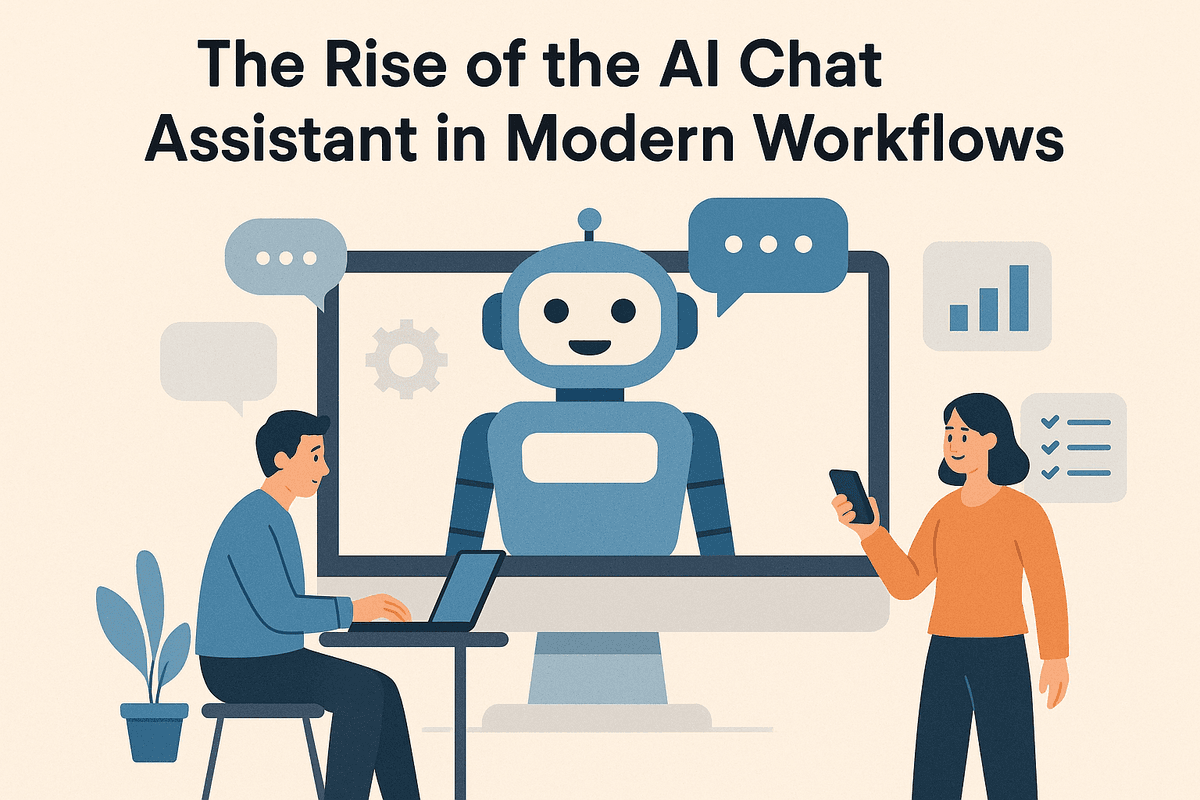
The Rise of the AI Chat Assistant in Modern Workflows
For years, the concept of a "chatbot" evoked images of frustrating customer service loops and rigid, pre-programmed responses that failed to understand basic human nuance. However, the technology landscape has shifted dramatically. We have moved beyond simple script-readers to a new era of cognitive computing. Today, an AI chat assistant is no longer a novelty; it is a sophisticated productivity partner capable of reasoning, synthesizing vast amounts of data, and executing complex tasks within your daily workflow.
Beyond Simple Chatbots: Defining the Modern Assistant
To understand the value of this technology, we must first distinguish it from its predecessors. Traditional chatbots relied on decision trees—if a user says X, reply with Y. They were static and incapable of improvisation.
In contrast, a modern AI chat assistant utilizes Large Language Models (LLMs) and natural language processing (NLP) to understand context, intent, and tone. It does not merely retrieve answers; it generates solutions. Whether integrated into Slack, Microsoft Teams, or functioning as a standalone browser copilot, these assistants act as always-on junior analysts. They can summarize hour-long meetings in seconds, draft email responses based on bullet points, and debug code, effectively bridging the gap between human creativity and machine speed.
The Productivity Crisis: Why Manual Workflows Are Failing
The rapid adoption of these tools is not just a trend; it is a response to a critical breaking point in the modern workplace. We are currently facing a productivity crisis driven by "digital debt." Professionals are inundated with more emails, chats, and meetings than they can process.
The core of this issue lies in manual workflows and context switching. Research suggests that the average knowledge worker switches between apps hundreds of times a day. Every time you leave a focused state to manually copy data from a spreadsheet to a CRM, or search through three different messaging platforms to find a file, you experience a cognitive penalty. This "work about work" consumes hours of valuable time, leading to burnout and a significant drop in high-value creative output. Manual workflows simply cannot scale at the speed of modern business information.
What You Will Learn: A Roadmap to AI-Driven Efficiency
Implementing an AI chat assistant is the most effective way to reclaim this lost time. By offloading the cognitive load of routine retrieval and drafting, you free up mental bandwidth for strategic decision-making.
In the following sections of this guide, we will move beyond theory and into practical application. We will provide a comprehensive roadmap for integrating AI into your professional ecosystem, covering:
- Automating Routine Tasks: How to set up your assistant to handle scheduling, reminders, and data entry.
- Drafting and Editing: leveraging AI to accelerate content creation, from internal memos to marketing copy.
- Information Management: Using your assistant as a "second brain" to organize and retrieve institutional knowledge instantly.
The goal is not to replace the human element of work, but to optimize it, allowing you to achieve more with less friction.
Core Capabilities of an Advanced AI Chat Assistant
To truly optimize professional workflows, it is essential to look beyond basic chatbots that simply answer static questions. The modern landscape of productivity relies on the sophisticated architecture of an ai chat assistant designed for cognitive labor. These advanced tools are no longer just text generators; they are orchestrators of complex tasks, capable of acting as a central nervous system for your daily operations. Understanding their core capabilities is the first step toward unlocking their full potential.
Contextual Understanding and Long-Term Memory
The defining characteristic that separates a standard bot from an advanced ai chat assistant is the ability to maintain context over time. Early iterations of AI suffered from "amnesia," where the system would forget the premise of a conversation the moment a new topic was introduced.
Today’s leading assistants utilize expansive context windows and persistent memory architecture. This allows the AI to recall details from previous interactions, understand the nuance of specific project constraints, and adapt to your unique tone of voice without needing constant re-prompting. For a project manager, this means the assistant remembers the stakeholders mentioned last week and the specific deadlines discussed yesterday. This continuous thread of understanding transforms the interaction from a series of disjointed queries into a fluid, ongoing collaboration that mimics working with a human executive assistant who knows your business inside and out.
Seamless Integration with Your Tech Stack
Productivity often stalls at the "toggle tax"—the time and mental energy lost switching between applications. An effective ai chat assistant combats this by functioning as a connective layer between your essential business tools.
Through API connections and plugins, these assistants can interact directly with:
- CRM Platforms: You can ask the AI to "Update the deal stage for Client X in Salesforce" or "Draft a follow-up email based on the last hubspot activity."
- Email Clients: Beyond just drafting text, the assistant can summarize long email threads, extract action items, and queue draft replies within Outlook or Gmail.
- Project Management Tools: The AI can generate tasks in Asana, Trello, or Jira based on a strategy discussion you just had in the chat window.
By centralizing these commands, the assistant reduces administrative friction, allowing teams to execute workflows without constantly jumping between browser tabs.
Multimodal Processing: Text, Code, and Data
The most versatile assistants are multimodal, meaning they can process and generate various types of information simultaneously. This capability turns the ai chat assistant into a Swiss Army knife for professionals across different departments.
- Text Generation: At its core, it handles drafting, editing, and summarizing with high proficiency.
- Code Interpretation: For technical teams or non-technical users needing quick scripts, the AI can write, debug, and explain code in languages like Python, SQL, or JavaScript. It can automate data scraping or build simple macros on the fly.
- Data Analysis: Perhaps the most powerful workflow optimization is the ability to upload documents (PDFs, CSVs, Excel sheets). The assistant can analyze raw data, identify trends, visualize statistics through charts, and provide executive summaries.
By combining these modalities, a user can upload a spreadsheet of sales data, ask the AI to write a Python script to analyze seasonal trends, and then draft a memo explaining those trends to the board—all within a single conversation interface.
Practical Ways to Deploy an AI Chat Assistant for Productivity
Implementing an ai chat assistant into your daily workflow is not just about adopting new technology; it is about fundamentally restructuring how you approach time management. By offloading repetitive, low-value tasks to an intelligent interface, professionals can reclaim hours previously lost to administrative friction. Whether you are a solo entrepreneur or managing a large team, the deployment of these tools generally falls into three high-impact categories: administrative automation, content acceleration, and knowledge management.
Automating Administrative Drudgery
The average workday is often fragmented by small, necessary, but ultimately distracting tasks. An ai chat assistant shines as an always-on administrative aide that handles these interruptions efficiently.
- Smart Scheduling: Instead of the endless email ping-pong required to find a mutual meeting time, an AI assistant can access your calendar, propose available slots to external stakeholders, and book the appointment automatically.
- Email Triage: Modern assistants can integrate with your inbox to prioritize incoming messages. They can flag urgent client requests, categorize newsletters for later reading, and even draft quick replies for routine inquiries, allowing you to focus on deep work.
- Contextual Reminders: Beyond simple alarm clocks, an AI interface can set reminders based on context. For example, you can instruct it to "remind me to follow up with the marketing team once the Q3 report is uploaded," turning static to-do lists into dynamic workflows.
Accelerating Content Creation
One of the most powerful capabilities of an ai chat assistant is its ability to cure "blank page syndrome." It serves as a tireless brainstorming partner and drafter, significantly speeding up the production of written materials.
When drafting reports, you can provide the assistant with raw data points and request a structured outline or a full executive summary. For marketing teams, these tools can generate blog post ideas, create variations of social media captions, or draft email newsletters in seconds. The goal isn’t to replace human creativity but to produce a "ver 0.1" rapid prototype. This allows you to spend your energy editing and refining the message rather than struggling to write the first sentence. From crafting sensitive internal communications to generating technical documentation, the AI acts as a force multiplier for your writing output.
Knowledge Management and Data Retrieval
In the information age, the challenge is rarely a lack of data, but rather the inability to find it quickly. An ai chat assistant can be deployed as a central knowledge hub, capable of ingesting vast amounts of information and retrieving it instantly.
- Document Summarization: Instead of reading a 50-page PDF to find one specific regulation or statistic, you can upload the document to the chat interface and ask it to extract the key findings or summarize specific sections.
- Internal Data Retrieval: When integrated with internal databases or wikis, the assistant becomes a search engine for your company’s institutional knowledge. You can ask natural language questions like, "What were our sales figures for product X in May?" or "How do I process a refund request?" and receive an immediate, accurate answer without digging through file folders.
By streamlining these three core areas, an ai chat assistant transforms from a novelty tool into an essential engine for professional productivity.

Enhancing Team Collaboration with AI Chat Assistant Integration
In the modern digital landscape, the biggest bottleneck to productivity is often not a lack of individual talent, but friction in communication. As organizations scale and remote work becomes the standard, teams frequently find themselves navigating a labyrinth of disconnected tools, buried documents, and endless message threads. Integrating an ai chat assistant into your collaborative ecosystem is no longer just a novelty—it is a strategic necessity for unifying disjointed workflows.
By serving as an intelligent intermediary between team members and their data, an AI assistant transforms the way information flows through an organization, turning chaotic noise into streamlined, actionable insights.
Centralizing Information Access to Break Down Silos
One of the most persistent challenges in team collaboration is the existence of data silos. Marketing data lives in one platform, development documentation in another, and HR policies in a third. Historically, finding answers required interrupting a colleague or embarking on a digital scavenger hunt.
An ai chat assistant solves this by acting as a universal search engine and knowledge retriever. When integrated with your company’s internal knowledge bases—such as Google Drive, Notion, or Confluence—the assistant allows team members to query the database using natural language. Instead of asking "Where can I find the Q3 brand guidelines?" in a general channel and waiting for a human response, an employee can ask the assistant, which instantly retrieves the specific document or summarizes the relevant policy. This democratizes access to information, reduces repetitive questions, and allows subject matter experts to focus on high-value work rather than acting as human encyclopedias.
Streamlining Asynchronous Communication
Asynchronous work is vital for productivity, but it often leads to "thread fatigue," where critical updates are lost in a sea of chat messages. An ai chat assistant acts as a dynamic secretary for project management, ensuring that staying in the loop doesn't require reading every single message.
These assistants can be configured to monitor specific project channels and generate daily summaries. If a team member returns from time off, they can simply ask the assistant, "What key decisions were made regarding the website launch while I was away?" The AI parses the conversation history, identifies action items, and presents a concise digest. Furthermore, the assistant can bridge the gap between communication platforms and project management tools (like Asana or Jira). A team member can command the assistant to "Create a ticket for the bug mentioned above," converting casual chat into structured tasks without ever leaving the conversation window.
Real-Time Translation and Cross-Border Collaboration
For global organizations, language barriers can inadvertently create a two-tier system where non-native speakers feel marginalized or hesitant to contribute. Standard translation tools often miss the mark on context and professional nuance.
Advanced ai chat assistant technology bridges this gap by offering real-time, context-aware translation within the team chat interface. This goes beyond simple word-for-word conversion; the AI understands idiomatic expressions and technical jargon, ensuring that the intent of the message is preserved. This allows a developer in Tokyo to type in Japanese while a product manager in New York reads the message in English instantly. By removing the friction of language, the assistant fosters a more inclusive environment, unlocking the full creative potential of a diverse, cross-border workforce.
Best Practices for Training Your AI Chat Assistant
Integrating an AI chat assistant into your workflow is rarely a "set it and forget it" endeavor. While modern Large Language Models (LLMs) are incredibly capable out of the box, their output quality is directly proportional to the quality of the input they receive. To truly optimize professional workflows and automate complex tasks, you must treat your AI tool less like a search engine and more like a talented junior employee who needs specific guidance, boundaries, and feedback.
Mastering Prompt Engineering for Business Precision
The cornerstone of effective AI utilization is prompt engineering. In a corporate setting, vague instructions yield generic results. To get precise business outputs, you need to provide context, constraints, and clear objectives.
A highly effective technique is "Persona Assignment." Start your interaction by telling the AI chat assistant exactly who it should be. For example, instead of asking, "Write an email about the project delay," try:
"Act as a senior project manager communicating with high-level stakeholders. Draft an email explaining a two-week delay in the Alpha Project. Tone: Professional, reassuring, and solution-oriented. Include a bulleted list of mitigation strategies."
By framing the request with a specific persona and output format, you drastically reduce the need for revisions. Additionally, consider using "Chain-of-Thought" prompting for complex analytical tasks. Ask the AI to explain its reasoning step-by-step before providing the final answer. This not only improves accuracy but also helps you verify the logic behind automated decisions.
Prioritizing Data Privacy and Security
As you integrate these tools into daily operations, data security becomes paramount. A common pitfall in corporate environments is inadvertently feeding sensitive proprietary data into public AI models.
To ensure security while using an AI chat assistant:
- Anonymize Data: Never paste Personally Identifiable Information (PII), client financial records, or unreleased trade secrets directly into the chat interface. Replace real names with placeholders (e.g., "Client X" or "Employee A") and redact specific financial figures before processing.
- Review Vendor Policies: If you are using an enterprise version of an AI tool, ensure that your data is not being used to train the public model. Most enterprise tiers offer "zero-data retention" policies, which are essential for compliance with GDPR or HIPAA regulations.
- Establish Internal Guidelines: Create a clear company policy regarding what can and cannot be shared with AI tools. Training your team on these boundaries is just as important as training the AI itself.
Leveraging Iterative Feedback Loops
The first response you get from an AI is rarely the perfect one. To improve accuracy over time, you must engage in iterative feedback loops. When the AI chat assistant provides an answer that is slightly off-mark, do not simply start a new chat. Correct it.
Reply with specific critiques, such as, "The tone is too casual; make it more formal," or "This summary misses the point about Q3 budget cuts; please revise." The AI remembers the context of the current conversation (the context window), allowing it to refine its output based on your corrections.
Finally, document your successes. When you craft a prompt that delivers a perfect result, save it to a shared "Prompt Library" for your team. This standardizes the way your organization interacts with the AI, ensuring that everyone leverages the tool’s full potential for boosting productivity and collaboration.

Future-Proofing Your Business with an AI Chat Assistant
In the rapidly evolving landscape of digital business, agility is the ultimate currency. Adopting an ai chat assistant is no longer just about enjoying a novelty tech feature; it is a strategic necessity for organizations aiming to remain competitive. By integrating these tools today, businesses are not only solving immediate productivity bottlenecks but are also laying the infrastructure for a more autonomous, data-driven future.
Evaluating ROI: Measuring Time Saved and Output Increased
To justify the integration of AI into your daily operations, you must look beyond the "wow factor" and focus on tangible Return on Investment (ROI). The value of an ai chat assistant becomes undeniable when you quantify the friction it removes from professional workflows.
When measuring the success of your implementation, focus on these key metrics:
- Task Velocity: Measure the reduction in time spent on low-leverage tasks. For example, if drafting a client update email typically takes 15 minutes, but an assistant reduces this to a 2-minute review process, the compounded time savings across a team can equal hundreds of hours annually.
- Information Retrieval Speed: In traditional setups, employees spend nearly 20% of their time searching for internal information. An AI assistant connected to your knowledge base can retrieve specific data points instantly, significantly reducing this wasted time.
- Content Volume and Consistency: Track the output of your creative and support teams. Are marketing teams producing more blog posts? Is customer support closing tickets faster? An effective AI tool should act as a force multiplier, increasing total output without requiring additional headcount.
The Next Generation: Predictive Agents and Autonomous Workflows
While today’s tools are impressive, the technology is moving quickly from "reactive" to "proactive." Currently, most users interact with an ai chat assistant by prompting it—asking a specific question to get a specific result. However, the next generation of AI focuses on predictive agents and autonomous workflows.
Future-proofing means preparing for "agentic AI." These are systems capable of observing workflow patterns and acting without constant human intervention. Instead of waiting for you to ask for a summary of a meeting, a predictive assistant might recognize a recurring Tuesday stand-up, join the call, transcribe the notes, and email action items to the relevant stakeholders automatically.
We are moving toward a model where the AI detects anomalies—such as a dip in sales figures or a delay in project timelines—and proactively suggests a course of action or drafts a report for management review. This shift transforms the assistant from a tool you use into a partner that works alongside you.
Getting Started: Choosing the Right AI Partner
Selecting the right platform is the final, critical step in future-proofing your operations. Not all LLMs (Large Language Models) are created equal, especially regarding enterprise needs. When evaluating an ai chat assistant for your business, prioritize the following criteria:
- Data Privacy and Security: Ensure the provider guarantees that your proprietary data will not be used to train their public models. Look for SOC 2 compliance and enterprise-grade encryption.
- Ecosystem Integration: The AI must live where your team works. A standalone tool is less useful than one that integrates seamlessly with Slack, Microsoft Teams, your CRM, and your project management software.
- Customizability: Your business has a unique voice and unique data. The ability to upload internal knowledge bases and fine-tune the assistant’s tone is essential for long-term viability.
By making a calculated choice today and focusing on measurable ROI, you position your organization to seamlessly adapt to the autonomous workflows of tomorrow.