
September 25, 2025
An Introduction to AI-Powered Productivity Tools
The Revolution in Your Workflow: An Introduction to AI-Powered Productivity Tools
In today's fast-paced digital landscape, the line between being “busy” and being “productive” has become dangerously blurred. Answering emails, scheduling meetings, and organizing data can easily consume an entire day, leaving little time for the strategic, high-impact work that truly moves the needle. This is where the next wave of innovation comes in. Welcome to the era of AI-powered productivity tools, a revolutionary category of software designed not just to help you work faster, but to fundamentally change how you work.
What Exactly Are AI-Powered Productivity Tools?
At their core, AI-powered productivity tools are intelligent software applications that leverage artificial intelligence (AI), machine learning (ML), and natural language processing (NLP) to automate tasks, analyze information, and assist with complex decision-making. This goes far beyond the simple automation of a pre-programmed macro or a calendar reminder.
These tools learn from your behavior and data to become personalized assistants. Think of an AI writing assistant that not only corrects your grammar but helps you perfect your tone for a specific audience. Imagine a project management tool that doesn’t just track deadlines but predicts potential bottlenecks before they happen. Or consider a smart meeting scheduler that negotiates a time for ten attendees across multiple time zones in seconds. These applications are designed to handle the cognitive load of repetitive and administrative tasks, functioning as a true partner in your workflow.
How AI is Shifting the Paradigm from 'Busy' to 'Productive'
For too long, professional value has been mistakenly tied to the appearance of being busy. A full calendar and a flooded inbox were seen as badges of honor. AI is systematically dismantling this outdated notion. By delegating the time-consuming, low-value tasks to intelligent systems, professionals can finally escape the "busy trap" and refocus their energy on what humans do best: strategizing, innovating, and building relationships.
This paradigm shift redefines productivity from an input-based metric (hours worked, tasks completed) to an outcome-based one (goals achieved, value created). When an AI tool can summarize a two-hour meeting into five key takeaways with action items, you reclaim those two hours for creative problem-solving. When it automates data entry, your focus can shift to interpreting what that data actually means for your business. This transition is the key to unlocking unprecedented levels of efficiency and job satisfaction.
The Core Benefits: Saving Time, Reducing Errors, and Boosting Creativity
The advantages of integrating AI-powered productivity tools into your daily routine are tangible and transformative, centering on three key pillars.
Saving Time
The most immediate benefit is the reclamation of your most valuable asset: time. By automating everything from transcribing audio and sorting emails to generating initial drafts of reports, these tools can shave hours off your workweek. This newfound time can be reinvested into deep work, professional development, or simply achieving a healthier work-life balance.
Reducing Errors
Human error is inevitable, especially when performing repetitive tasks. AI excels at consistency and precision. It can scan thousands of lines of code for errors, cross-reference financial documents for inconsistencies, or ensure brand messaging is uniform across all platforms with an accuracy no human team could match. This not only improves the quality of your work but also mitigates costly mistakes.
Boosting Creativity
Perhaps the most exciting benefit is AI's role as a creative catalyst. Instead of replacing human ingenuity, these tools augment it. An AI can serve as a brainstorming partner, generating dozens of ideas in seconds to help you overcome a creative block. It can create design mockups, compose musical accompaniments, or analyze market data to reveal non-obvious trends, providing the spark needed for true innovation. By clearing the mental clutter of mundane work, AI creates the space for creativity to flourish.
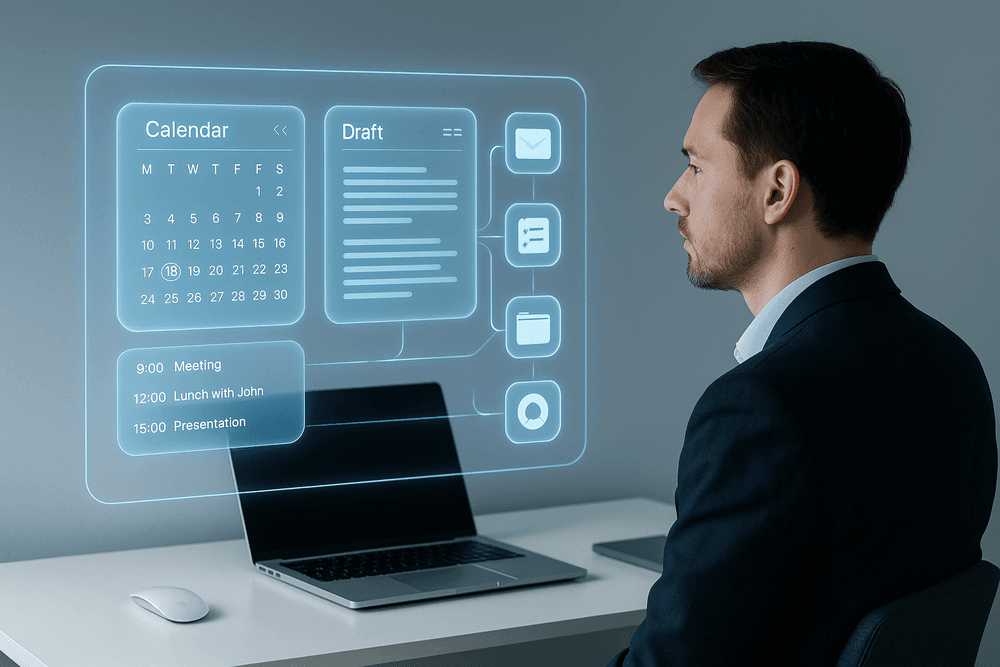
A Curated List of the Best AI-Powered Productivity Tools in 2024
Navigating the vast landscape of software can be overwhelming, but a select few ai-powered productivity tools stand out for their ability to truly transform your workflow. Instead of adding another app to your plate, these platforms use intelligent automation to reclaim your time and focus. We've curated this list to highlight the leaders in key categories, from managing complex projects to automating everyday digital chores.
For Automated Project Management
Manual task planning and resource allocation are relics of a bygone era. Modern AI project managers don't just store your to-do list; they intelligently organize it for you, ensuring deadlines are met with minimal stress.
- Motion: This tool acts as a true AI assistant by integrating your tasks, projects, and calendar into a single, intelligent schedule. Simply list your tasks and deadlines, and Motion’s algorithm will automatically build your day, reorganizing priorities in real-time if a meeting runs over. It’s perfect for professionals and teams looking to eliminate the mental overhead of "what to work on next."
- Asana AI: Building on its robust project management foundation, Asana now incorporates AI to provide intelligent insights. Its features can generate project briefs, create smarter goals, and summarize long status update threads, helping teams identify risks and bottlenecks before they derail a project.
For Intelligent Writing and Content Creation
Whether you're battling writer's block or need to scale your content output, AI writing assistants are indispensable. These tools go beyond simple grammar checks to help brainstorm, draft, and refine compelling copy across any format.
- Jasper: A versatile and powerful AI content platform, Jasper offers a suite of templates for everything from blog posts and ad copy to video scripts and social media captions. Its "Brand Voice" feature allows it to learn your company's style, ensuring all generated content remains consistent and on-brand.
- Copy.ai: Known for its user-friendly interface and strong creative brainstorming capabilities, Copy.ai is excellent for generating fresh ideas and high-converting marketing copy. It provides a structured workflow that guides you from a basic concept to a polished final draft in minutes.
For Seamless Meeting Transcription and Summarization
Meetings are essential, but the administrative work that follows—transcribing notes, identifying action items, and sharing summaries—is a major time sink. These AI tools join your calls and do the heavy lifting for you.
- Fireflies.ai: This AI notetaker connects to your calendar and automatically joins and records your virtual meetings. Within minutes of the call ending, it delivers a searchable transcript, an AI-generated summary, and a list of key action items, which can be sent directly to your project management apps.
- Otter.ai: Offering real-time transcription, Otter.ai is fantastic for capturing conversations as they happen. It identifies different speakers and creates a live, interactive transcript that you can highlight and comment on. It’s an invaluable tool for journalists, students, and anyone who needs an accurate record of a live discussion.
For Everyday Task Automation
The most powerful ai-powered productivity tools are often the ones working quietly in the background, connecting your favorite apps and eliminating repetitive manual tasks.
- Zapier: As the industry leader in no-code automation, Zapier acts as the digital glue connecting over 6,000 web applications. You can create simple "Zaps" (e.g., "When I receive a new email with an attachment in Gmail, save the attachment to Dropbox"). Its AI features can now help you build more complex, multi-step workflows with natural language prompts.
- Make.com: A visually intuitive and powerful alternative, Make.com allows you to build intricate automations by dragging and dropping apps in a flowchart-style interface. It offers more complex logic and data manipulation capabilities, making it ideal for users who need to automate core business processes.
Essential Features of Top-Tier AI-Powered Productivity Tools
Not all AI is created equal. While many apps now boast "AI-powered" features, the truly transformative tools share a common set of sophisticated capabilities. When evaluating which solutions will genuinely enhance your workflow, look for these essential features that separate the best ai-powered productivity tools from the rest.
Predictive Task Scheduling and Prioritization
Forget static to-do lists. The most advanced AI platforms don't just store your tasks—they understand them. By analyzing deadlines, project dependencies, communication patterns, and even your personal work habits, these tools can intelligently predict and suggest what you should focus on next.
Imagine an assistant that automatically reshuffles your schedule when an urgent task lands in your inbox, ensuring you stay focused on high-impact activities without dropping the ball on existing commitments. This predictive capability cuts through the noise, minimizes decision fatigue, and proactively organizes your day for peak efficiency. Top-tier ai-powered productivity tools move beyond simple reminders to become strategic partners in managing your time and energy.
Natural Language Processing for Commands and Summaries
The best technology feels invisible, and Natural Language Processing (NLP) is key to this experience. This feature allows you to interact with your software using everyday language, just as you would with a human assistant. Instead of clicking through complex menus, you can simply type or say, "Summarize my unread emails from the marketing team" or "Create a new project called 'Website Redesign' and invite Sarah and Tom."
This capability extends to comprehension. An AI tool with strong NLP can digest a 20-page report, a one-hour meeting transcript, or a long email thread and instantly provide you with a concise summary and key action items. This is a hallmark of sophisticated ai-powered productivity tools, dramatically lowering the barrier to entry and accelerating how you find information and execute tasks.
Deep Integration with Your Existing Software Stack
An AI tool that operates in a silo is a liability, not an asset. The most valuable platforms serve as an intelligent hub that connects the apps you already rely on. Look for deep, native integrations with your entire software stack—from your email and calendar (Google Workspace, Microsoft 365) to your project management software (Asana, Jira), CRM (Salesforce), and communication channels (Slack, Teams).
When deeply integrated, the AI can automate workflows across these platforms. For example, it can automatically create a task in your project manager based on an email, log a meeting from your calendar into your CRM, and then draft a follow-up note. A truly effective ai-powered productivity tool doesn’t force you to change your habits; it enhances them by becoming the central nervous system for your entire digital ecosystem.
Collaborative AI: How Teams Can Leverage Shared Intelligence
Productivity is rarely a solo endeavor. The future of work is powered by AI that enhances team collaboration. These features create a shared intelligence that elevates the entire group, not just the individual.
Think of an AI meeting assistant that transcribes conversations in real-time, identifies action items, and automatically assigns them to the correct team members. Consider a shared AI knowledge base that can instantly answer questions by pulling information from all your company's documents, chats, and project histories. This collaborative intelligence ensures everyone is aligned, reduces redundant communication, and captures institutional knowledge that would otherwise be lost. The best ai-powered productivity tools build a collective brain for your team, fostering smarter, faster, and more synchronized work.

Real-World Impact: Use Cases for AI-Powered Productivity Tools
Theory is one thing, but results are what truly matter. The real power of AI-powered productivity tools is revealed when they are applied to solve everyday business challenges. Let's explore how different professionals are leveraging these tools to transform their workflows, save time, and drive significant growth.
How a Marketing Team Automated Their Content Calendar
The Challenge: A mid-sized tech company's marketing team was trapped in a cycle of chaotic content planning. Brainstorming sessions were unproductive, writers struggled with repetitive topic generation, and the content calendar was a patchwork of last-minute decisions. They were creating content but lacked a cohesive, data-driven strategy.
The Solution: The team integrated a suite of AI-powered productivity tools into their process. They started using a tool like Jasper AI to generate dozens of blog titles, social media hooks, and email subject lines based on target keywords. For drafting, they used a combination of ChatGPT and Grammarly to create clean, well-structured first drafts, cutting writing time in half. Finally, they connected these tools to an AI-enhanced project manager like Notion AI, which automatically assigned tasks, set deadlines, and even suggested optimal posting times based on past engagement data.
The Outcome: The team automated over 60% of their content planning and scheduling tasks. This freed them up to focus on higher-value activities like analyzing performance metrics, interviewing customers for case studies, and refining their overall marketing strategy.
A Solopreneur's Guide to Reclaiming 10+ Hours a Week
The Challenge: As a freelance graphic designer, Maria was drowning in administrative work. Between scheduling client calls, sending invoices, drafting proposals, and managing her social media, she was spending more time on non-billable tasks than on creative work. Burnout was looming.
The Solution: Maria decided to build a "virtual team" using AI-powered productivity tools. She adopted an AI calendar assistant like Motion to handle all her scheduling automatically, finding the perfect meeting times for her and her clients without the endless email back-and-forth. She used an AI writer to draft proposals and email templates, and an AI-powered accounting tool to track expenses and send invoice reminders.
The Outcome: By offloading these repetitive tasks, Maria reclaimed over 10 hours each week. She now dedicates that time to taking on more clients, learning new design skills, and maintaining a healthier work-life balance.
Streamlining Client Communication for a Consulting Firm
The Challenge: A boutique consulting firm prided itself on providing personalized client service, but as they grew, their communication became a bottleneck. Partners were overwhelmed with emails, and the quality of follow-up reports was inconsistent from one project to the next.
The Solution: The firm implemented AI-powered productivity tools focused on communication. They adopted an AI email manager that prioritized urgent messages, drafted replies, and summarized long email threads. For reporting, they used AI to transcribe client interviews and automatically generate executive summaries, ensuring every client received a professional, comprehensive, and timely update.
The Outcome: Client response times improved by 40%, and the quality of their reports became a key differentiator. The firm was able to maintain its high-touch service model even as it scaled.
From Meeting Overload to Actionable Insights: A Manager’s Story
The Challenge: A product manager was spending nearly his entire day in back-to-back virtual meetings. He struggled to stay engaged while taking detailed notes, and crucial action items were often lost in the shuffle, leading to delayed projects and team misalignment.
The Solution: He started using an AI meeting assistant like Fireflies.ai. The tool joined his calls, transcribed the entire conversation in real-time, and identified key decisions and action items. After each meeting, it automatically sent a concise summary to all attendees with a clear list of who was responsible for what.
The Outcome: Meeting follow-through improved dramatically. The manager could participate fully in discussions, confident that the AI was capturing every detail. His team had a clear, searchable record of every decision, eliminating confusion and boosting accountability across the board.
Best Practices: How to Integrate AI Tools into Your Daily Workflow
Adopting new technology can feel overwhelming, but a strategic approach makes all the difference. Successfully integrating ai-powered productivity tools isn't about overhauling your entire system overnight. It’s about making targeted, incremental improvements that deliver real value. Follow these best practices to seamlessly weave AI into your daily routine and unlock significant efficiency gains.
Start with a Single Pain Point: Identify Your Biggest Bottleneck
The fastest way to get discouraged is by trying to solve every problem at once. Instead of a broad "I want to be more productive" goal, get specific. Pinpoint the single biggest bottleneck in your day.
What is the one repetitive, time-consuming task that you wish you could offload? Conduct a quick audit of your workweek. Is it:
- Email Overload: Spending hours sorting, flagging, and drafting responses?
- Content Creation: Staring at a blank page, struggling to outline a blog post or social media update?
- Meeting Inefficiency: Drowning in note-taking and struggling to summarize key action items?
- Data Entry: Manually transferring information between spreadsheets and applications?
Once you’ve identified your primary pain point, you have a clear target. This focused approach ensures your first foray into AI solves a tangible problem, demonstrating immediate ROI and building momentum for future integrations.
Choosing the Right Tool for Your Specific Needs (Not Just the Hype)
With new AI applications launching every day, it's easy to fall for the most hyped-up platform. But the most popular tool isn't always the right one for you. Base your decision on your specific bottleneck, not trends. When evaluating ai-powered productivity tools, ask yourself:
- Integration: Does it connect seamlessly with the software I already use (e.g., Google Workspace, Slack, Microsoft 365, your CRM)?
- Usability: Is the interface intuitive? How steep is the learning curve for my team and me?
- Security: What are its data privacy and security protocols? Where is my data stored and how is it used?
- Scalability: Can the tool grow with my needs? Does it offer a free trial or a flexible pricing plan to test its value first?
Setting Up and Training Your New AI Assistant
Think of your new AI tool as a new employee—it needs proper onboarding to perform at its best. The initial setup is crucial. Take the time to connect your accounts, import relevant documents, and configure your preferences.
The real magic happens during the "training" phase. The more context you provide, the more effective your AI assistant becomes.
- For a writing assistant: Feed it your brand style guide, examples of past articles, and information about your target audience.
- For a scheduling tool: Teach it your meeting preferences, typical work hours, and the priority levels of different colleagues.
- For a project manager: Provide details on past projects, team roles, and communication styles.
This upfront investment in customization pays massive dividends, transforming a generic tool into a highly personalized productivity partner.
Measuring Success: How to Quantify Your Productivity Gains
How do you know if your new tool is actually working? Don't just rely on a "feeling" of being more productive—track it with data. Before you start, establish a baseline. For example, measure how many hours you currently spend on email each week.
After integrating the AI tool for 30 days, measure again. Look for quantifiable improvements in key metrics like:
- Time Saved: Hours per week reclaimed from your identified bottleneck task.
- Increased Output: Number of reports generated, articles drafted, or sales emails sent.
- Faster Turnaround: Reduction in project completion times or client response times.
- Error Reduction: Decrease in manual data entry mistakes or typos in communications.
By tracking these metrics, you can objectively prove the tool's value and make informed decisions about expanding the use of AI in other areas of your workflow.

Conclusion: Your Next Step into an AI-Enhanced Future
The journey into the world of AI-driven efficiency isn't about finding a single magic bullet; it's about building a personalized arsenal. We've explored a wide array of powerful solutions, from AI assistants that manage your calendar to sophisticated platforms that automate entire project workflows. Now, it's time to turn that knowledge into a strategic advantage.
Recap: Making the Right Choice for Your Goals
Choosing the right ai-powered productivity tools is a deeply personal or team-specific decision. The best AI writing assistant for a content marketer may be entirely different from the ideal project management tool for a software development team. The key is to move beyond the hype and focus on your core objectives. Before you commit to a new platform, ask yourself:
- What is my biggest bottleneck? Identify the most time-consuming, repetitive, or frustrating tasks in your daily workflow.
- What outcome am I trying to achieve? Are you aiming to save time, reduce errors, generate more creative ideas, or gain deeper insights from data?
- How does this tool integrate with my existing systems? The most effective tools don't operate in a silo; they enhance the software you already rely on.
By starting with your specific needs, you ensure that you’re not just adopting new technology, but strategically implementing a solution that delivers a tangible return on investment.
The Future of Work: What's Next for AI in Productivity?
The current landscape of ai-powered productivity tools is just the beginning. We are rapidly moving beyond simple task automation and into an era of true AI collaboration. The future isn't about software that simply does what you tell it to; it's about a proactive digital partner that anticipates your needs, identifies opportunities you might have missed, and personalizes your entire work environment.
Expect to see a rise in hyper-integrated AI ecosystems, where your project manager, email client, and CRM all communicate seamlessly, orchestrated by a central AI that understands the context of your work. These future systems will act as "AI co-pilots," capable of drafting strategic proposals, summarizing complex meeting outcomes with action items, and even flagging potential project risks before they become problems. This evolution will free up human professionals to focus on what we do best: high-level strategy, creative problem-solving, and building meaningful relationships.
Take Action: Download Our Free AI Tool Integration Checklist
Feeling inspired is one thing; taking action is another. To bridge that gap, we’ve created a practical, step-by-step guide to help you get started. The future of work won't wait, and your journey toward enhanced efficiency can begin today.
Download our free AI Tool Integration Checklist to get a hands-on resource that will walk you through:
- Assessing your team’s unique productivity needs.
- Evaluating and comparing different ai-powered productivity tools.
- Planning a smooth and successful implementation process.
- Measuring the impact and ROI of your new AI stack.
Don't just read about the future—start building it. Equip yourself with the right framework to make intelligent, impactful decisions and transform your workflow from the ground up.