
September 8, 2025
An Introduction to AI-Powered Productivity Tools
The Revolution in Your Workflow: An Introduction to AI-Powered Productivity Tools
We’ve all been there: a to-do list that never shrinks, a calendar packed with back-to-back meetings, and the constant feeling of being busy without being truly productive. For decades, software has helped us organize this chaos. But today, a new wave of technology isn't just organizing our work; it's actively participating in it. We're talking about the rise of ai-powered productivity tools—a category of software poised to fundamentally change how we approach our daily tasks, projects, and goals. This isn't just about working faster; it's about working smarter on a scale we've never seen before.
What Defines an AI-Powered Productivity Tool?
At first glance, these tools might seem like enhanced versions of the apps we already use. However, the key differentiator lies in their core intelligence. Unlike traditional software that follows rigid, pre-programmed rules, an AI-powered tool can learn, adapt, and even anticipate your needs.
Key characteristics that set them apart include:
- Contextual Understanding: They don’t just see data; they understand its context. An AI email assistant can draft a reply that matches your tone and references previous conversations.
- Generative Capabilities: They can create new content, from drafting a marketing brief to summarizing a dense research paper or even generating code.
- Predictive Analysis: They analyze patterns to forecast outcomes, identify potential project bottlenecks, or suggest the best time to schedule a meeting.
- Intelligent Automation: They go beyond simple "if-then" commands to manage complex, multi-step workflows, such as automatically triaging customer support tickets based on sentiment and urgency.
Think of it as the difference between a simple calculator and a financial advisor who understands your goals. One follows commands; the other provides intelligent assistance.
How AI is Shifting the Paradigm from 'Busy' to 'Productive'
For too long, the measure of a hard day's work has been "busyness"—how many emails were answered, how many meetings were attended. AI challenges this notion by targeting and eliminating the very tasks that create this illusion of productivity. This low-impact, high-volume work includes transcribing meeting notes, manually searching for information, and drafting routine communications.
By delegating this cognitive load to sophisticated ai-powered productivity tools, professionals reclaim their most valuable resource: their mental energy. This liberation allows for a strategic shift from executing menial tasks to focusing on high-value activities like creative problem-solving, strategic planning, and building meaningful client relationships. You're no longer just checking boxes; you're moving the needle.
The Real-World Impact on Efficiency and Focus
The benefits aren't just theoretical; they are tangible and immediate. In terms of efficiency, tasks that once consumed hours can now be completed in minutes. An AI transcription tool can deliver a full meeting summary with action items before you’ve even returned to your desk. An AI research assistant can sift through hundreds of documents to pull out the most relevant insights, saving days of manual work.
Perhaps more importantly, AI enhances focus. By automating administrative overhead and filtering out digital noise, these tools create an environment conducive to "deep work." Instead of being constantly pulled away by notifications and minor requests, you can dedicate sustained, uninterrupted blocks of time to your most challenging projects. This consolidation of attention not only improves the quality of your output but also reduces stress and the risk of burnout, making your work more sustainable and rewarding.
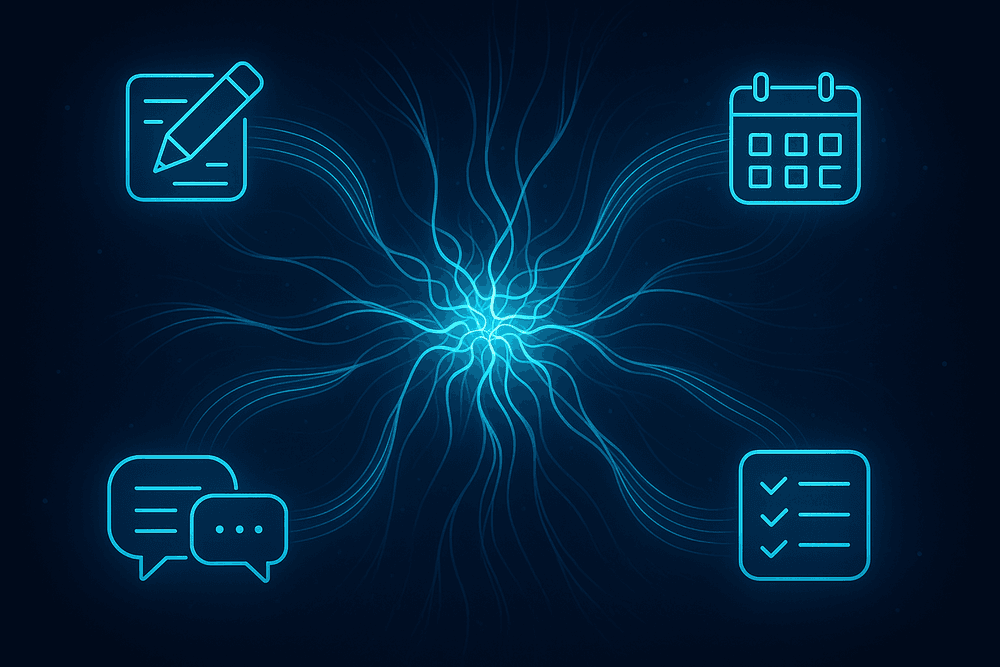
Navigating the Ecosystem: Key Categories of AI-Powered Productivity Tools
The world of AI-powered productivity tools is vast and growing daily. To truly leverage its potential, it’s helpful to break down this ecosystem into key categories, each designed to tackle a specific set of challenges. Understanding these domains will help you identify the right solutions to streamline your unique workflow and reclaim your most valuable asset: time.
Automated Content Creation and AI Writing Assistants
Writer’s block, be gone. This category of tools acts as a co-pilot for anyone who writes, whether it’s crafting marketing copy, drafting internal reports, or simply composing an email. AI writing assistants do more than just check your spelling and grammar; they can brainstorm ideas, generate outlines, summarize long documents, and even produce entire drafts of text based on a simple prompt. By handling the heavy lifting of content generation and refinement, these platforms free up your cognitive energy to focus on strategy, creativity, and the core message you want to convey. They are essential AI-powered productivity tools for content creators, marketers, and managers alike.
Intelligent Project Management and Task Schedulers
Modern project management is about more than just Gantt charts and to-do lists. AI-infused platforms are transforming the field by adding a layer of predictive intelligence. These tools can automatically schedule tasks based on priority and team availability, forecast project timelines with greater accuracy, and identify potential bottlenecks before they derail your progress. By analyzing historical data and current workloads, intelligent schedulers can suggest optimal resource allocation and even automate routine status updates. This proactive approach shifts project management from a reactive, administrative chore to a strategic, forward-looking discipline that keeps teams aligned and projects on track.
AI-Powered Meeting Assistants and Transcription Services
Meetings are necessary, but the administrative overhead that comes with them—taking notes, tracking action items, and sharing summaries—is a significant productivity drain. AI meeting assistants solve this problem by joining your calls as a silent partner. They provide real-time, speaker-identified transcriptions, making the entire conversation searchable. More importantly, they automatically generate concise summaries, highlight key decisions, and extract a clean list of action items. This allows all participants to remain fully engaged in the discussion instead of being distracted by note-taking. The result is more focused meetings and flawless follow-through, ensuring no critical task falls through the cracks.
Smart Email Management and Communication Platforms
The relentless flood of emails is one of the biggest obstacles to deep work. Smart email management platforms use AI to help you regain control of your inbox. These tools can automatically categorize and prioritize incoming messages, allowing you to instantly see what’s important and what can wait. They offer features like AI-suggested "smart replies" that let you respond with a single click, summarize long email threads into a few bullet points, and help you draft perfectly toned responses. By automating the sorting, processing, and even the writing of emails, these platforms turn your inbox from a source of stress into a streamlined communication hub.
Essential Features That Define the Best AI-Powered Productivity Tools
The market is flooded with options, but what truly separates a game-changing AI tool from a glorified gadget? The most effective ai-powered productivity tools aren’t just about single-task automation; they are intelligent, integrated systems built on a foundation of core features. When evaluating a new platform, look for these four defining characteristics that transform a simple application into a true productivity partner.
Seamless Integration With Your Current Software Stack
A powerful AI tool that can't communicate with your existing software is like a brilliant employee who refuses to attend meetings. It creates isolated data silos and manual workarounds, defeating the very purpose of its adoption. The best ai-powered productivity tools offer seamless integration with your entire tech stack—from your CRM and project management boards to your communication channels and cloud storage. Look for robust API access and a rich library of pre-built connectors for essential platforms like Slack, Google Workspace, Microsoft 365, Asana, and Salesforce. This ensures the AI becomes a central, data-aware hub that enhances your current workflows, rather than forcing you to build new ones from scratch.
Customizable Automation and Workflow 'Recipes'
True productivity isn't about one-size-fits-all solutions. Top-tier AI tools empower you to become the architect of your own efficiency. They move beyond rigid, pre-programmed automations and offer customizable "recipes" or "blueprints" that allow you to chain actions together based on specific triggers. This means you can design unique, multi-step processes tailored to your exact needs. For example, you could create a workflow where a new customer support ticket in Zendesk automatically triggers the AI to search your knowledge base for relevant articles, draft a personalized reply in Gmail, and create a follow-up task in Trello. This level of user-driven customization ensures the tool adapts to your business, not the other way around.
Natural Language Processing for Command and Control
The most intuitive technology feels less like a machine and more like a conversation. This is the magic of Natural Language Processing (NLP), a core feature in leading ai-powered productivity tools. NLP gives you the ability to command and control the software using plain, everyday language. Instead of navigating complex menus to find a file, you can simply ask, "Find the Q3 financial report from last year." Want a quick overview of a long document before a meeting? Just type, "Summarize the key takeaways from this PDF." This capability dramatically lowers the learning curve and makes sophisticated automation accessible to everyone, turning complex operations into simple, conversational commands.
Predictive Analytics for Smarter Decision-Making
Good tools help you get work done. The best tools help you decide what work to do next. This is where predictive analytics elevates an AI tool from a digital assistant to a strategic advisor. By analyzing historical data and recognizing patterns in your current work, these platforms can forecast outcomes, identify potential bottlenecks, and offer intelligent recommendations. Imagine a project management tool that flags a project as "at-risk" for missing a deadline based on the team's current velocity, or a sales tool that prioritizes your lead list by predicting who is most likely to convert this week. This proactive insight allows you to address problems before they arise and focus your energy where it will have the greatest impact.
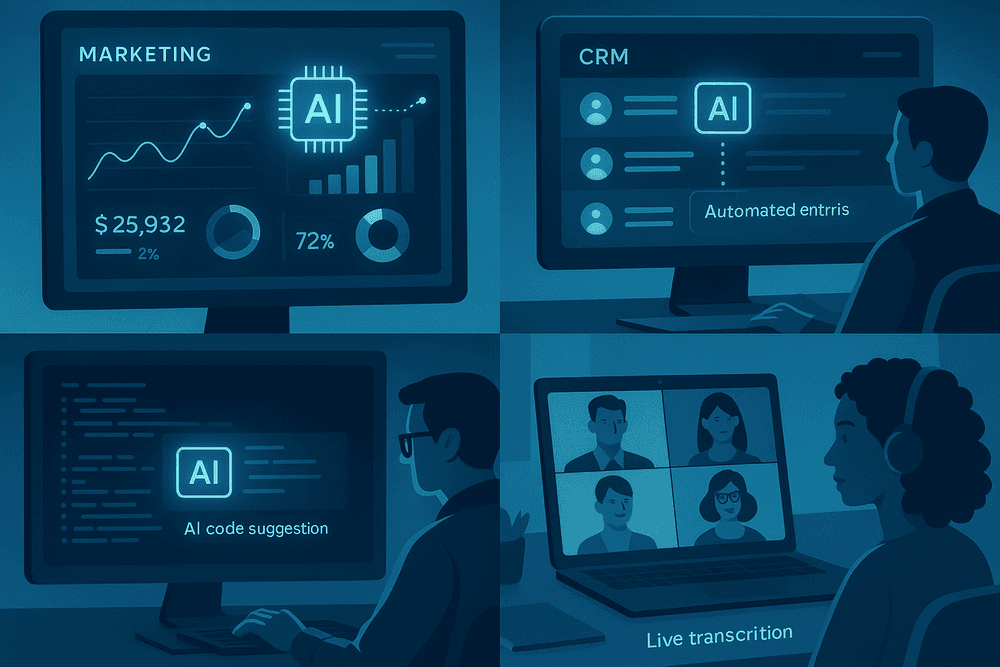
Putting AI to Work: Real-World Use Cases for Maximum Impact
Theory is one thing, but tangible results are what truly matter. The real power of AI is unlocked when it's applied to specific, everyday challenges across different departments. Moving beyond the abstract, let's explore how ai-powered productivity tools are revolutionizing workflows and driving measurable impact for marketing, sales, development, and remote teams. These aren't futuristic concepts; they are practical applications you can implement today.
Streamlining Marketing Campaigns from Creation to Analysis
For marketers, the pressure to produce high-quality, engaging content at scale is relentless. AI tools act as a force multiplier. In the creation phase, generative AI can brainstorm blog post ideas, draft ad copy variations for A/B testing, write compelling social media captions, and even generate scripts for video content in minutes. This frees up creative teams to focus on high-level strategy and brand voice.
Once a campaign is live, AI shifts from creator to analyst. Instead of manually sifting through mountains of data, ai-powered productivity tools can analyze performance metrics, identify which audience segments are most responsive, and provide predictive insights on campaign trajectory. They can pinpoint the exact moment a user is likely to convert, allowing for hyper-targeted retargeting and budget optimization, turning data into actionable intelligence.
Automating Sales Outreach and CRM Data Entry
A sales professional's most valuable asset is time spent with customers. Yet, a significant portion of their day is often consumed by administrative tasks. AI tackles this head-on. Intelligent sales assistants can draft personalized outreach emails based on prospect data from LinkedIn and other sources, schedule follow-ups automatically, and even analyze the sentiment of email replies to prioritize the warmest leads.
The dreaded task of CRM data entry becomes a thing of the past. AI can automatically log calls and meetings, transcribe conversations, and update contact records and sales opportunities in systems like Salesforce or HubSpot. By eliminating this manual drudgery, sales teams leveraging ai-powered productivity tools can dedicate their energy to what they do best: building relationships and closing deals.
Boosting Developer Efficiency with AI Coding Partners
In software development, efficiency is paramount. AI coding assistants like GitHub Copilot have emerged as indispensable partners for programmers. These tools integrate directly into the developer's coding environment, offering intelligent, context-aware code suggestions in real-time. They can complete entire functions, help debug complex issues by suggesting fixes, and even translate code from one programming language to another. This dramatically reduces the time spent on boilerplate code and searching for solutions, allowing developers to maintain their flow state and tackle more complex architectural challenges. The impact is faster development cycles, fewer bugs, and a more empowered engineering team.
Optimizing Remote Team Collaboration and Communication
In the era of hybrid and remote work, maintaining alignment and clear communication is a major hurdle. AI-powered tools are bridging the gap. AI meeting assistants can join virtual calls, provide real-time transcriptions, and automatically generate concise summaries with clearly defined action items and owners. This ensures that team members who couldn't attend or are in different time zones can catch up instantly. Furthermore, AI can help summarize long, chaotic chat threads, assist in drafting clearer, more effective emails, and even offer real-time translation, breaking down language barriers for global teams and fostering a more inclusive and efficient collaborative environment.
Best Practices for Integrating AI Productivity Tools into Your Team's Workflow
Successfully weaving AI into your team's daily operations requires more than just a software subscription—it demands a strategic and thoughtful approach. The goal is to make these powerful tools a seamless extension of your team's capabilities, not another complex system to manage. By following a structured implementation plan, you can ensure high adoption rates, tangible productivity gains, and a strong return on your investment.
Start with a Pilot Program to Measure ROI
Before committing to a company-wide rollout, launch a pilot program with a small, focused group. This could be a single department or a cross-functional team working on a specific project. This controlled environment allows you to test the capabilities of ai-powered productivity tools in a real-world setting, identify potential hurdles, and gather invaluable user feedback without disrupting the entire organization.
The primary goal of the pilot is to build a data-backed business case. Track key metrics like time saved on routine tasks, speed of project completion, and the quality of the output. This tangible evidence of ROI is crucial for getting buy-in from leadership and demonstrating the tool's value to the rest of the team, paving the way for a smoother, more enthusiastic company-wide adoption.
Prioritize Tools with Strong Data Security and Privacy Policies
In the age of AI, data is your most valuable asset. Introducing any new tool into your workflow, especially one that processes company information, requires rigorous security vetting. Before you integrate any ai-powered productivity tools, thoroughly examine their security posture. Look for enterprise-grade credentials such as SOC 2 or ISO 27001 compliance, which verify that the provider adheres to strict security and operational standards.
Furthermore, dive deep into their privacy policy. You need to know precisely how your data is handled. Is it used to train their public models? Do you retain full ownership of your inputs and the generated outputs? Choosing platforms with transparent policies and robust, end-to-end encryption is non-negotiable for protecting your intellectual property and maintaining client trust.
Develop a Training Plan to Ensure Team-Wide Adoption
A powerful tool is only effective if your team knows how to use it proficiently. To avoid your new AI software becoming expensive shelfware, create a comprehensive training plan. Kick things off with a formal session that covers not just the "how" but the "why"—demonstrate specific use cases that are directly relevant to your team's daily challenges and goals.
Support this initial training with a library of on-demand resources, such as video tutorials, best-practice guides, and prompt-writing cheat sheets. Consider appointing "AI champions"—tech-savvy team members who can act as go-to resources for their peers. This fosters a culture of continuous learning and encourages employees to move beyond basic functions and explore more advanced, innovative ways to leverage ai-powered productivity tools.
Set Clear KPIs to Track Productivity Gains
To truly measure success, you must define it first. Vague goals like "boost efficiency" are difficult to quantify. Instead, establish clear Key Performance Indicators (KPIs) that directly align with the outcomes you expect from your new AI tools.
These metrics should be specific and measurable. Examples include:
- Time Reduction: A 25% decrease in the time spent writing first drafts of reports.
- Increased Throughput: A 15% increase in the number of customer support tickets resolved per day.
- Faster Turnaround: Shortening the concept-to-creation cycle for marketing content by two days.
Regularly monitor these KPIs to objectively assess the tool's impact. This data will not only justify the investment but also highlight which workflows are benefiting the most and where further optimization is needed.

Conclusion: Your Next Step in the Age of AI-Powered Productivity
The revolution isn't coming; it's already here. We've journeyed through the dynamic landscape of ai-powered productivity tools, from intelligent writing assistants to automated project managers. The question is no longer if you should adopt these technologies, but how you can strategically integrate them to reclaim your time, amplify your creativity, and achieve unprecedented efficiency. Your next step is to move from understanding to action.
Choosing the Right AI Productivity Tool for Your Specific Needs
With a seemingly endless ocean of options, selecting the perfect tool can feel daunting. The key is to ignore the hype and focus on your unique pain points. The best AI productivity tool is the one that solves a real problem for you. Before you commit, ask yourself these critical questions:
- What is my biggest time sink? Identify the repetitive, manual tasks that consume most of your day. Is it drafting emails, summarizing meetings, organizing data, or creating first drafts of content?
- What is my primary goal? Are you aiming to streamline team collaboration, automate personal workflows, or gain deeper insights from data? Clarity on your objective will narrow the field significantly.
- Does it integrate with my current ecosystem? A powerful tool that doesn't work with your existing software (like Slack, Google Workspace, or your CRM) will create more friction than it removes.
- What is the learning curve? The most effective tools are intuitive and easy to adopt. Look for a user-friendly interface and good customer support to ensure a smooth transition.
The Future Outlook: What's Next for AI in the Workplace?
The evolution of AI in the workplace is accelerating. We are moving beyond single-function gadgets toward deeply integrated, predictive systems. The next wave of ai-powered productivity tools will likely feature:
- Hyper-Personalization: AI assistants will learn your individual work patterns, communication style, and priorities to proactively manage your schedule, filter your inbox, and even anticipate your needs before you articulate them.
- Autonomous Agents: Imagine AI agents that can independently execute complex, multi-step tasks across different applications—from booking travel based on your calendar to compiling and analyzing quarterly reports while you sleep.
- Ambient Intelligence: AI will become a seamless, invisible layer in our work environment. Instead of actively commanding a tool, it will operate in the background, offering real-time suggestions, optimizing workflows, and facilitating collaboration organically.
Take Action: A Checklist for Your First AI Tool Integration
Ready to get started? Don’t try to overhaul your entire workflow at once. Follow this simple checklist for a successful and low-stress adoption of your first AI tool.
- Identify One High-Impact Task: Choose a single, recurring task that is relatively low-risk but high in time consumption. Good starting points include transcribing meeting notes, generating social media post ideas, or drafting routine emails.
- Select and Pilot One Tool: Based on that task, research and choose one specific tool. Sign up for a free trial and commit to using it exclusively for that single task for one week.
- Measure the Difference: At the end of the week, evaluate the impact. How much time did you save? Was the quality of the output better or faster? Did it reduce cognitive load? Use simple metrics to gauge success.
- Gather Feedback: If you’re piloting with a team, gather their honest feedback. What worked well? What was frustrating? This insight is crucial for a wider rollout.
- Expand or Pivot: If the pilot was a success, gradually introduce the tool to more team members or apply it to similar tasks. If it wasn’t a good fit, don’t be discouraged. Take your learnings and pivot to testing a different solution.