
September 1, 2025
An Introduction to AI Lesson Planning
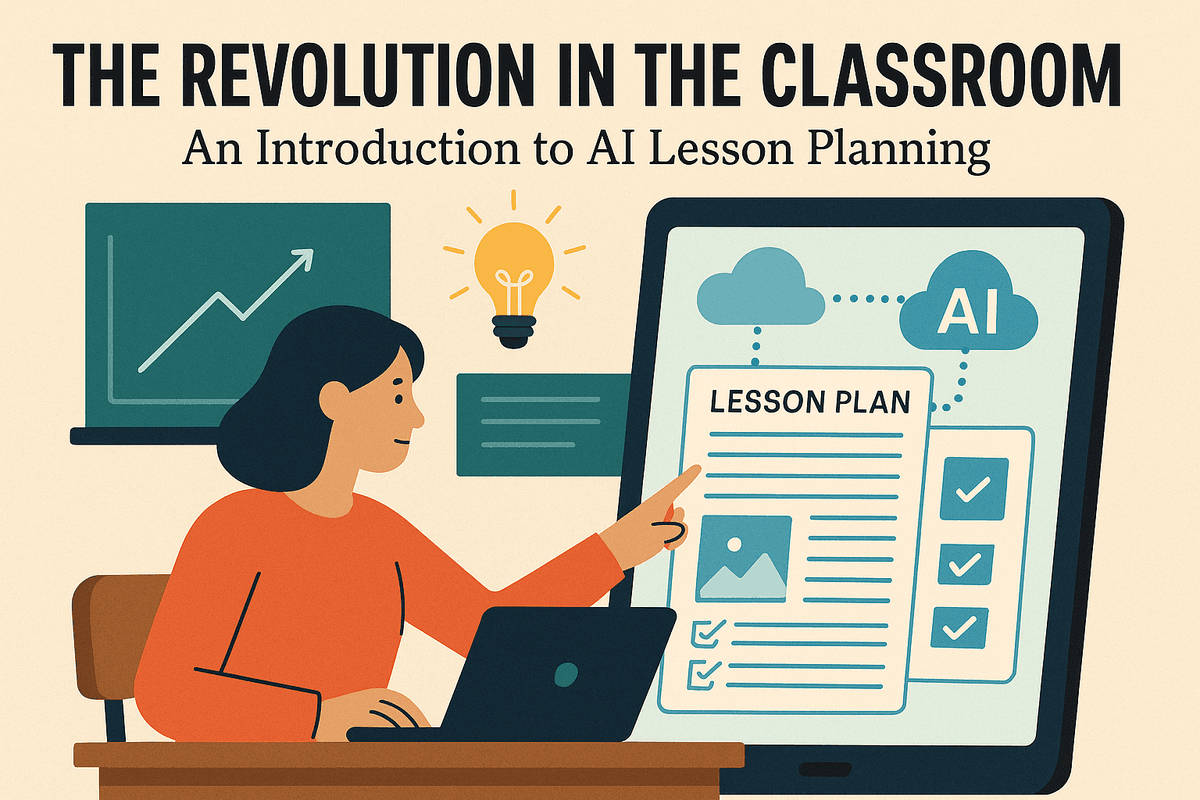
The Revolution in the Classroom: An Introduction to AI Lesson Planning
Imagine reclaiming hours of your week, sparking creativity on demand, and effortlessly tailoring lessons to meet the unique needs of every student. This isn't a glimpse into a far-off future; it's the current reality for educators embracing the power of AI lesson planning. Artificial intelligence is no longer just a buzzword—it's a transformative tool that is fundamentally reshaping the landscape of education, acting as a dynamic co-pilot for teachers navigating the complexities of the modern classroom. Let’s explore what this revolution looks like in practice.
What is AI Lesson Planning (And What It's Not)?
At its core, AI lesson planning is the process of using intelligent software to assist in the creation, organization, and refinement of educational materials. Think of it as a brilliant, endlessly patient teaching assistant. You provide the prompts—the grade level, subject, learning objectives, and specific standards—and the AI generates a structured lesson plan, complete with activity ideas, assessment questions, and even differentiated resources.
However, it's crucial to understand what it is not. AI lesson planning is not about replacing the teacher. It doesn't remove the invaluable human element of intuition, empathy, and professional judgment that lies at the heart of great teaching. Instead, it’s a powerful augmentation tool. It handles the heavy lifting of initial brainstorming and structuring, freeing you to focus on the art of teaching: connecting with students, adapting to the classroom's energy, and providing meaningful feedback. It’s the difference between building a house brick by brick and using a power tool to get the foundation laid faster and more efficiently.
From Hours to Minutes: The Core Benefits for Educators
The most immediate and celebrated benefit of AI lesson planning is the incredible time it saves. The days of spending entire evenings and weekends drafting plans from scratch are fading. AI-powered platforms can condense hours of administrative work into mere minutes, directly combating teacher burnout and restoring work-life balance.
The advantages go far beyond just speed:
- Idea Generation: Stuck for a creative way to teach photosynthesis or the Pythagorean theorem? AI can instantly suggest dozens of engaging hooks, hands-on activities, and project-based learning ideas.
- Streamlined Alignment: AI tools can automatically align your lesson with specific curriculum standards (like Common Core or NGSS), ensuring every objective is covered without tedious cross-referencing.
- Resource Creation: Need a quick exit ticket, a summary of a complex topic, or a set of practice problems? An AI lesson planner can generate these materials on the fly, tailored to your exact specifications.
- Effortless Differentiation: The AI can instantly modify a lesson for different learning levels, creating scaffolding for struggling students and extension activities for advanced learners.
How AI is Personalizing Student Learning Experiences
While the benefits for educators are profound, the ultimate goal of AI lesson planning is to enhance student outcomes. This is achieved through unprecedented levels of personalization. Traditional lesson planning often forces a one-size-fits-all approach, but AI allows teachers to become architects of customized learning journeys.
By leveraging AI, an educator can quickly generate multiple versions of a single lesson. For instance, an AI can create reading passages on the same topic at three different reading levels, design math word problems that cater to varying skill proficiencies, or suggest project topics that align with diverse student interests. This ensures that every student is challenged appropriately, remains engaged, and feels seen and supported in their individual learning path. The result is a more equitable, effective, and dynamic classroom where technology empowers the teacher to unlock each student's full potential.

Exploring the Top AI Lesson Planning Tools for Teachers
With a rapidly growing number of options available, choosing the right AI lesson planning tool can feel overwhelming. The landscape is divided between powerful, free-to-use assistants and specialized subscription platforms, each offering a distinct set of advantages. Understanding the key differences will help you find the perfect AI partner to streamline your workflow and enhance your teaching.
Comparing the Best Free AI Lesson Planning Assistants
For educators new to ai lesson planning, free tools are an excellent, no-risk starting point. Platforms like ChatGPT, Google Gemini, and Microsoft Copilot can be powerful idea generators. With a well-crafted prompt, you can ask them to brainstorm project ideas, outline a unit on photosynthesis, or create a list of vocabulary words for a history lesson.
Pros of Free Tools:
- No Cost: The most obvious benefit is that they are completely free to use.
- Versatility: They are general-purpose models, capable of helping with a wide range of tasks beyond just lesson planning, such as drafting parent emails or creating study guides.
- Accessibility: They are widely available and easy to access through a web browser.
Cons of Free Tools:
- Lack of Specialization: They aren't built specifically for educators. You won't find features like curriculum standards alignment or built-in differentiation tools.
- Requires Prompt Engineering: The quality of the output is highly dependent on the quality of your input. It can take time to learn how to write effective prompts to get the lesson plan you envision.
- Limited Memory & Context: Free versions may not remember previous conversations or allow you to build upon a single, evolving lesson plan over time.
Subscription Platforms: Are They Worth the Investment?
When you’re ready to move beyond basic idea generation, dedicated ai lesson planning subscription platforms offer a more structured and powerful experience. Tools like Education Copilot, MagicSchool AI, and Curipod are designed from the ground up with a teacher’s needs in mind.
These platforms often justify their cost by providing a suite of integrated features that save significant time. Instead of crafting a perfect prompt, you simply fill in fields like grade level, subject, learning objectives, and desired standards. The AI then generates a comprehensive and well-structured lesson plan, often complete with suggested activities, assessments, and materials. The investment is often a trade-off: a monthly fee in exchange for hours of reclaimed planning time each week. For many educators, this makes a subscription well worth it.
Key Differentiators: Usability vs. Advanced Features
As you evaluate different AI lesson planning tools, your decision will likely come down to finding the right balance between ease of use and the depth of features offered.
Usability and Ease of Use
A tool is only effective if you actually use it. The best platforms feature an intuitive, clean interface that doesn't require a steep learning curve. Look for a tool that feels like a helpful assistant, not another complicated piece of software to master. Key usability features include clear navigation, pre-built templates for different lesson types (e.g., 5E model, project-based learning), and simple options to export or share your finished plans.
Advanced Features and Customization
This is where specialized platforms truly shine. Advanced features are what transform a simple text generator into a comprehensive teaching assistant. Key capabilities to look for include:
- Curriculum Standards Alignment: The ability to tag lessons with specific state or national standards.
- Automated Differentiation: Generating modified content, activities, or assessments for students at different learning levels.
- Resource Generation: Creating supporting materials like worksheets, exit tickets, rubrics, or even slideshow presentations with a single click.
- Integrations: The ability to connect with other ed-tech tools you already use, such as Google Classroom or Canvas.
Ultimately, the best tool for you depends on your individual needs. An educator looking for quick inspiration might be perfectly happy with a free assistant, while a teacher managing multiple preps may find immense value in the advanced, time-saving features of a paid ai lesson planning platform.
Unlocking Creative Potential: Essential Features in AI Lesson Planning
The true power of modern ai lesson planning platforms lies not just in generating ideas, but in their suite of intelligent features designed to handle the most time-consuming aspects of curriculum design. These tools act as a hyper-efficient teaching assistant, transforming a simple prompt into a rich, multi-faceted learning experience. By understanding these essential features, you can move beyond basic lesson outlines and unlock a new level of creativity and efficiency in your classroom.
Differentiated Instruction on Demand
One of the greatest challenges for any educator is meeting the diverse needs of every student in the room. AI-powered tools tackle this head-on by generating differentiated materials almost instantly. Imagine you've created a core lesson on photosynthesis. With a simple command, an AI can:
- Adapt reading levels: Produce a simplified version of a text for struggling readers and a more complex, vocabulary-rich version for advanced students.
- Modify assignments: Create alternative worksheets, tiered questions, or different project options based on student readiness.
- Support diverse learners: Generate visual aids, glossaries for English Language Learners (ELLs), or even audio script prompts to support various learning styles.
This capability transforms differentiation from a weekend-long task into a seamless part of the ai lesson planning process.
Seamless Curriculum Standards Alignment
Ensuring every lesson aligns with district, state, or national standards (like Common Core or NGSS) is a non-negotiable, yet often tedious, task. Advanced AI platforms can integrate this requirement directly into the creation process. You can instruct the AI to build a lesson plan that specifically targets certain standards. The tool will then weave the relevant objectives, terminology, and assessment criteria directly into the lesson plan, saving you hours of cross-referencing and guaranteeing your curriculum is compliant and pedagogically sound.
From Concept to Classroom-Ready Activities
A great lesson plan is incomplete without the materials to bring it to life. This is where the best ai lesson planning tools shine, moving beyond the outline to generate a host of engaging, ready-to-use resources. Based on your lesson topic, an AI can create:
- Assessments: Quizzes (multiple choice, true/false, short answer), exit tickets, and check-for-understanding questions.
- Engaging Activities: Debate prompts, role-playing scenarios, project-based learning outlines, and hands-on experiment instructions.
- Supporting Materials: Vocabulary lists with definitions, discussion questions, and even rubrics for grading projects.
Effortless Presentation Creation
The final frontier of AI integration is bridging the gap between the written plan and the visual presentation. Some cutting-edge platforms now include AI-powered presentation builders. After generating your lesson plan, the AI can automatically convert the key points, objectives, and activities into a polished slide deck. It organizes the information into a logical flow with headings, bullet points, and speaker notes, providing a professional-looking presentation that is ready for the classroom with minimal tweaking. This feature alone can reclaim hours of your time, allowing you to focus on delivery and student interaction.

A Teacher's Guide: Best practices for AI Lesson Planning
Leveraging artificial intelligence can revolutionize your workflow, but getting the best results requires strategy. Think of AI as an incredibly knowledgeable but inexperienced teaching assistant—it needs clear direction and expert oversight. These best practices will help you master the art of AI lesson planning, turning a powerful tool into your greatest classroom ally.
Crafting Effective Prompts for Targeted Lesson Outcomes
The quality of your output depends entirely on the quality of your input. Vague requests yield generic results. To get a lesson plan that’s truly useful, you must be specific and provide context. This is the most critical skill in effective AI lesson planning.
- Weak Prompt: "Make a lesson plan about the American Revolution."
- Strong Prompt: "Generate a 60-minute lesson plan for an 8th-grade U.S. History class on the causes of the American Revolution. The objective is for students to identify three key events leading to the war (e.g., The Stamp Act, Boston Massacre, Boston Tea Party). Include a 10-minute 'hook' activity using a primary source image, a 30-minute interactive lecture with guided notes, and a 20-minute small group activity where students create a timeline. Align with state standard HSS-8.1."
Your prompt should always include the grade level, subject, specific topic, learning objectives, duration, and desired activity types. The more detail you provide, the less revision you’ll have to do later.
The 'Human in the Loop': Reviewing and Refining AI Content
Never copy and paste an AI-generated lesson plan directly into your teaching materials without a thorough review. You are the "human in the loop"—the subject matter expert and pedagogical professional who must vet the content.
When reviewing, ask yourself:
- Is it factually accurate? AI models can occasionally "hallucinate" or present incorrect information. Double-check dates, names, and concepts.
- Is it developmentally appropriate? Is the language, complexity, and activity type suitable for your students' age and cognitive level?
- Is it pedagogically sound? Does the lesson flow logically? Does it align with proven teaching strategies? Does it meet the needs of all your learners, including those requiring differentiation?
Your expertise is what transforms a generic AI script into a high-quality, effective lesson for your specific classroom.
Integrating AI-Generated Plans into Your Unique Teaching Style
An AI doesn’t know your students, your sense of humor, or that brilliant hands-on activity you do every year. The plan it creates is a framework, not a finished product. The next step is to infuse it with your unique teaching style.
- Personalize Activities: Swap a suggested worksheet for a gallery walk or a debate you know your students will love.
- Inject Your Voice: Add your own analogies, personal stories, or discussion questions that reflect your teaching persona.
- Differentiate with Precision: Use the AI's suggestions for differentiation as a starting point, then tailor them to the specific needs of students like Maria, who excels with visual aids, or David, who needs sentence starters.
Ethical Considerations: AI as a Co-Pilot, Not an Autopilot
Using AI in lesson planning comes with professional responsibility. Viewing the AI as a co-pilot ensures you remain in command, making the critical decisions that impact student learning.
First, protect student privacy. Never input personally identifiable student information into a public AI tool. Second, be aware of potential bias. AI models are trained on vast amounts of internet data and can sometimes reflect societal biases. Critically evaluate materials for fairness and inclusivity.
Ultimately, AI lesson planning is a tool to augment your professional judgment, not replace it. It frees you from the tedious parts of planning so you can focus on what matters most: connecting with and inspiring your students.
Real-World Impact: Case Studies in AI Lesson Planning
Theory is one thing, but practice is another. How does AI lesson planning actually perform in a real classroom? The results are transformative, not just for student engagement, but for teacher well-being. Let’s look at how educators are using these tools to reclaim their time and revolutionize their teaching.
Case Study: Revamping a 5th Grade Science Unit on Ecosystems
The Challenge: Ms. Albright, a veteran 5th-grade teacher, found her ecosystems unit was becoming stale. The textbook was dated, and finding fresh, standards-aligned, hands-on activities each year was a time-consuming scavenger hunt that ate into her evenings and weekends. She needed a way to inject new life into the curriculum without starting from scratch.
The AI Solution: Turning to an AI lesson planning platform, Ms. Albright entered a simple prompt: "Generate a 5-day unit plan for 5th graders on local ecosystems, including a hands-on project, a digital vocabulary game, and differentiated exit tickets." Within minutes, the AI generated a complete outline. It suggested a "Bio-Blitz" activity where students identify flora and fauna in the schoolyard, provided a link to a customizable Kahoot! game for vocabulary, and created three versions of an exit ticket based on complexity.
The Outcome: Student engagement soared. The hands-on Bio-Blitz was a massive hit, and the competitive vocabulary game reinforced key terms effectively. Ms. Albright reported saving over six hours of planning time, which she used to give more individualized feedback to students. The AI acted as a creative partner, allowing her to focus on what she does best: teaching.
Case Study: Differentiating Reading for a High School English Class
The Challenge: Mr. Davis faced a common hurdle in his 10th-grade English class: a wide spectrum of reading abilities. He wanted to teach a complex novel but knew that while some students were ready for deep thematic analysis, others struggled with basic comprehension. Differentiating materials manually for 30 students felt like an impossible task.
The AI Solution: Mr. Davis used an AI tool to support his novel unit. He pasted a challenging chapter into the tool and asked it to:
- Generate a summary at an 8th-grade reading level.
- Create a list of the 10 most challenging vocabulary words with student-friendly definitions.
- Develop five higher-order thinking questions for advanced learners.
The Outcome: This targeted use of AI lesson planning was a game-changer for classroom equity. Struggling readers used the AI-generated summaries and vocabulary lists as scaffolds, enabling them to access the core text and participate confidently in discussions. Meanwhile, advanced students were pushed to think more critically with the tailored questions. Mr. Davis could facilitate a single, cohesive classroom conversation where every student had a meaningful entry point.
Testimonials: How Educators are Saving Time and Reducing Burnout
“I used to spend my entire Sunday dreading the week’s planning. With AI, I can generate first drafts for my entire week of ELA stations in about 45 minutes. It’s not just a time-saver; it’s a burnout-preventer. I’ve gotten my weekends back.”—Jenna R., 4th Grade Teacher
“As a history teacher, I’m always looking for new ways to connect the past to the present. AI is my brainstorming assistant. I can ask it for debate topics, project-based learning ideas, or primary source analysis questions. It breaks through my creative blocks and helps me design more dynamic and relevant lessons.”—Carlos M., 8th Grade Social Studies Teacher
Conclusion: Embracing the Future with AI Lesson Planning
We've explored the transformative potential of artificial intelligence, moving from theoretical benefits to practical applications. The journey into AI lesson planning isn't about replacing the invaluable expertise of educators; it's about augmenting it. By embracing these tools, you can reclaim precious time, spark student curiosity with innovative content, and dedicate more energy to the human connections that lie at the heart of teaching. As you take the next step, use this conclusion as your launchpad.
Your Quick-Start Guide to Creating Your First AI Lesson
Ready to dive in? Creating your first AI-assisted lesson plan is simpler than you think. Follow these five steps to get started today.
- Define Your Objective: Start with the end in mind. What is the single most important thing you want your students to know or be able to do by the end of the lesson? Be specific. Example: "Students will be able to identify the three main stages of the water cycle."
- Choose Your Tool: Select one of the AI platforms discussed earlier. For your first attempt, a user-friendly, education-specific tool might be best.
- Craft a Specific Prompt: This is the most crucial step. Provide the AI with clear, detailed instructions. Include the grade level, subject, learning objective, state standards, desired activities (e.g., a hands-on experiment, a group discussion), and any differentiation needs (e.g., "for English language learners and students needing kinesthetic activities").
- Review and Refine: The AI's output is your first draft, not the final product. Use your professional judgment to edit, add your unique teaching style, and ensure the content is accurate, engaging, and appropriate for your specific students. This human touch is irreplaceable.
- Integrate and Assess: Implement the lesson in your classroom. Observe how students engage with the material and assess their understanding, just as you always would.
Final Checklist for Choosing the Right Tool for Your School
When moving from individual use to a school-wide or district-wide adoption, the stakes are higher. Use this checklist to evaluate and select the best AI lesson planning platform for your institution.
- ✅ Ease of Use: Is the interface intuitive for teachers with varying levels of technological proficiency?
- ✅ Curriculum Alignment: Can the tool easily align with your specific state, national, or international curriculum standards?
- ✅ Data Privacy & Security: Does the platform comply with student data privacy laws like FERPA and GDPR? How is user data stored and protected?
- ✅ Integration Capabilities: Does it integrate smoothly with your existing Learning Management System (LMS), such as Google Classroom, Canvas, or Schoology?
- ✅ Differentiation Features: Does the tool effectively generate resources for diverse learners, including students with disabilities, gifted students, and multilingual learners?
- ✅ Scalability and Pricing: Is the pricing model transparent and sustainable for your budget? Can it scale from a few teachers to the entire district?
- ✅ Support and Professional Development: What kind of training, tutorials, and customer support are offered to ensure successful implementation?
The Future of AI in Education: What to Expect Next
The current state of AI lesson planning is just the beginning. The next wave of innovation will move beyond generating static plans to creating dynamic, responsive learning ecosystems. Expect to see AI that can analyze student performance data in real-time to suggest immediate lesson modifications and interventions. Imagine AI co-pilots that not only help plan lessons but also curate personalized learning paths for every student, automatically assigning resources based on their demonstrated mastery.
The future isn’t about a robot at the front of the classroom. It’s about an intelligent assistant that empowers the teacher, handling the administrative and logistical burdens of planning so educators can focus on what they do best: inspire, mentor, and foster a lifelong love of learning. By embracing these tools now, you are not just optimizing your workflow—you are stepping into the future of education.