
September 4, 2025
What is AI Image Editing?
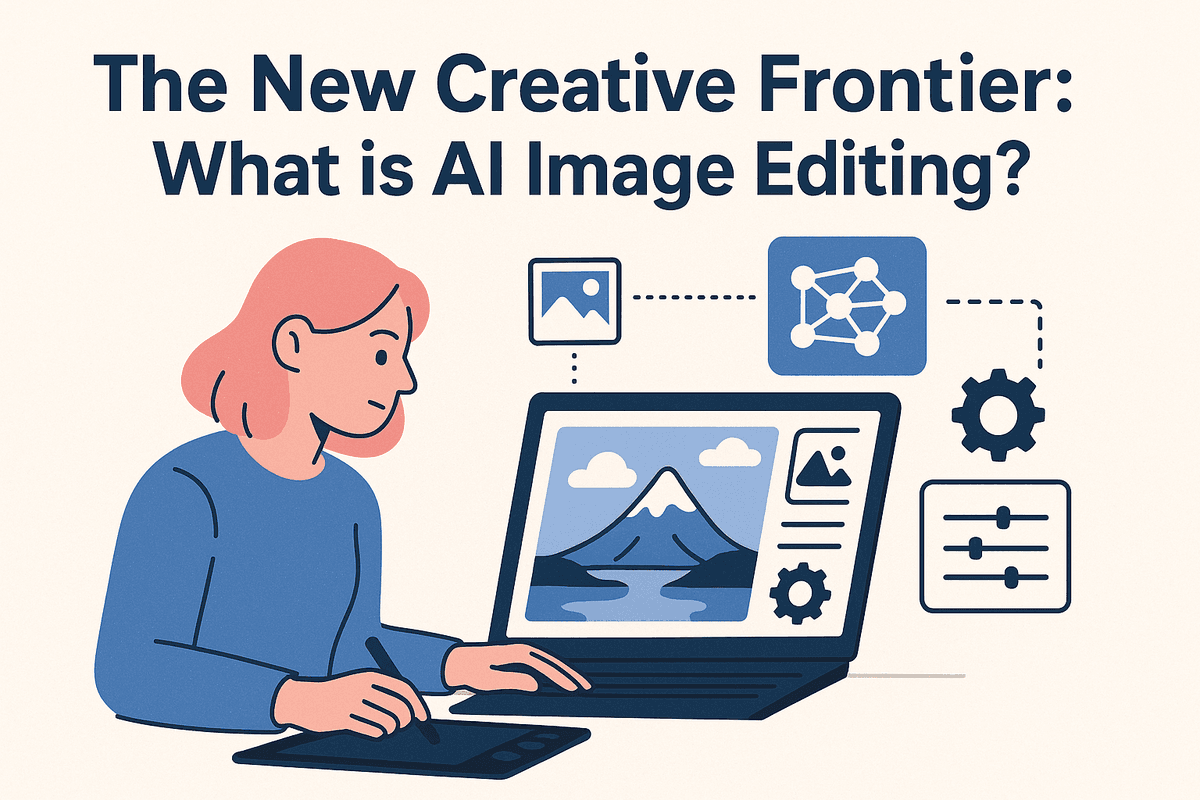
The New Creative Frontier: What is AI Image Editing?
Forget the simple, one-size-fits-all filters of the past. The world of digital photography is undergoing a seismic shift, powered by a technology that doesn’t just overlay an effect—it understands your image. This is the core of AI image editing: a revolutionary approach that uses artificial intelligence to analyze, interpret, and intelligently manipulate photos in ways that were once the exclusive domain of highly skilled professionals.
Beyond Filters: Defining AI-Powered Photo Enhancement
At its heart, AI image editing leverages complex algorithms, including machine learning and neural networks, to perform context-aware adjustments. Unlike a traditional filter that applies a uniform change across the entire picture, an AI tool recognizes the individual elements within your photo. It knows the difference between a sky, a face, a mountain, and a tree.
This semantic understanding allows for incredibly precise and sophisticated enhancements. The AI can:
- Select subjects with a single click: No more tedious hours spent with the pen tool tracing around hair and complex edges.
- Make intelligent adjustments: Instead of just globally increasing brightness, it can brighten a subject’s face while leaving the background untouched.
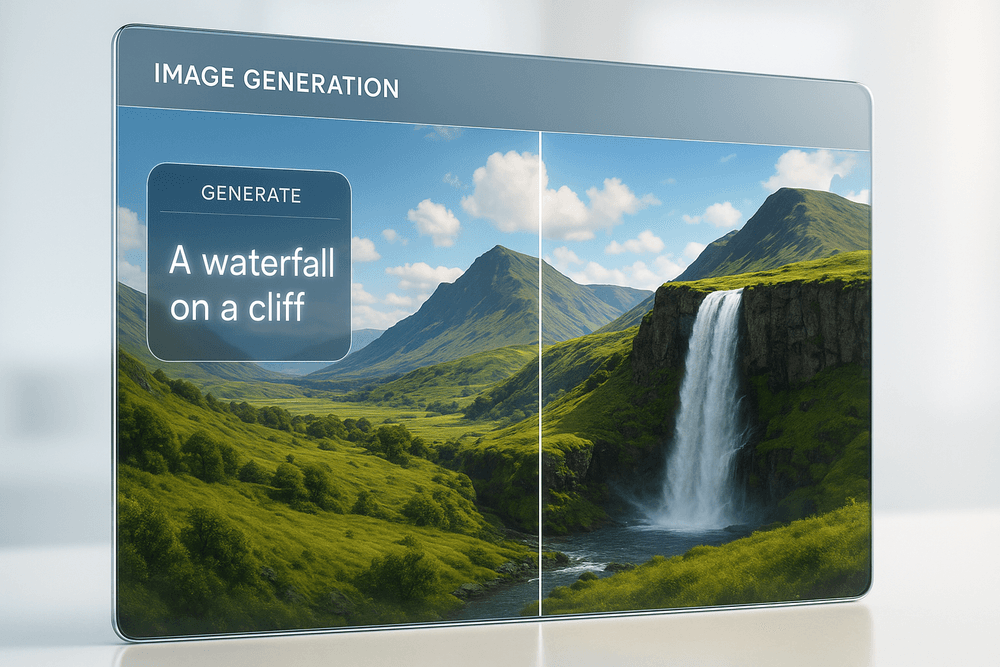
- Generate new content: With generative AI, it can realistically remove unwanted objects (like a photobomber) or even expand the canvas of an image, creating scenery that never existed.
In essence, AI-powered photo enhancement is less about applying a preset look and more about having an intelligent assistant who helps you achieve your specific creative vision.
How AI is Changing the Game for Professionals and Hobbyists
This technological leap is democratizing creativity and transforming workflows for everyone.
For professional photographers and designers, AI image editing is a massive productivity booster. Tedious, time-consuming tasks like skin retouching, background removal, and color grading can be automated, slashing editing time from hours to minutes. This frees up professionals to focus on the more artistic aspects of their craft—composition, storytelling, and client collaboration.
For hobbyists and social media enthusiasts, the barrier to entry for high-quality editing has vanished. Complex techniques that once required expensive software and extensive training are now accessible through intuitive apps and simple sliders. With AI, anyone can rescue a poorly lit photo, replace a boring sky with a dramatic sunset, or remove distracting elements to create a polished, professional-looking image with minimal effort.
Key Benefits: Speed, Creativity, and Accessibility
The advantages of embracing AI image editing can be distilled into three core benefits:
- Speed: The most immediate impact is the dramatic acceleration of the editing process. What used to take dozens of manual steps—masking, layering, cloning, and healing—can often be accomplished with a single command or click. This efficiency is a game-changer for anyone working with a high volume of images.
- Creativity: AI isn't just a tool for correction; it’s a partner in creation. Features like Generative Fill, Style Transfer, and AI-powered outpainting open up entirely new artistic avenues. You can seamlessly add, remove, or transform elements in a scene, pushing the boundaries of what’s possible and turning a simple photo into a unique piece of art.
- Accessibility: Perhaps the most profound benefit is making powerful editing tools available to everyone. You no longer need to master complex software to achieve stunning results. With AI-driven features integrated into both desktop and mobile applications, powerful visual storytelling is now in the hands of millions.
Top AI Image Editing Tools to Transform Your Photos
The world of AI image editing is no longer a niche corner of the internet; it’s a booming ecosystem of powerful, accessible tools. The right software for you depends entirely on your needs, whether you're a professional photographer demanding pixel-perfect control or a social media manager needing to create stunning visuals in minutes. Let’s dive into the top contenders transforming the creative landscape.
Adobe Photoshop's Generative Fill: The Industry Standard?
For decades, Adobe Photoshop has been the undisputed king of image manipulation. With the integration of its Firefly AI model, features like Generative Fill and Generative Expand have fundamentally changed the game. Instead of just editing existing pixels, you can now add, remove, and extend your images with simple text prompts.
Need to remove a distracting tourist from a landscape shot? Just select them and let the AI seamlessly rebuild the background. Want to turn a vertical photo into a wide banner? Generative Expand intelligently creates new content that matches the original's style and lighting. This isn't just a feature; it's a paradigm shift in creative workflow, making Photoshop’s approach to AI image editing the benchmark for professionals who require ultimate control and integration.
Luminar Neo: For Photographers Seeking Advanced Control
While Photoshop is a jack-of-all-trades, Luminar Neo by Skylum is a master of one: photography. This software is built from the ground up to solve common problems photographers face. Its AI-powered tools feel like magic wands for complex tasks. With a single click, Sky AI can replace a dull, overcast sky with a dramatic sunset, automatically relighting the scene to match.
Other standout features include Enhance AI, which intelligently balances tone and color, and Portrait Bokeh AI, which creates a beautiful, creamy background blur without complex masking. Luminar Neo is the perfect AI image editing solution for photographers who want to spend less time on tedious edits and more time shooting, delivering professional results without the steep learning curve of traditional software.
Canva Magic Studio: AI Editing for a Seamless Workflow
Canva has already revolutionized design for non-designers, and its Magic Studio suite brings that same accessibility to AI image editing. Its strength lies in its seamless integration within a complete design workflow. You don’t edit a photo in one app and import it into another; you do it all in one place.
With Magic Edit, you can "paint" over an area of your photo and type what you want to replace it with—like turning a simple bouquet into an exotic floral arrangement. Magic Erase effortlessly removes unwanted objects, while Magic Expand can resize any image for different social media formats. Canva is the ideal tool for marketers, content creators, and small business owners who need to produce high-quality, branded visuals quickly and efficiently.
Mobile Solutions: The Best AI Editing Apps for On-the-Go
The power of sophisticated AI image editing is no longer tethered to a desktop. A new generation of mobile apps puts a creative studio right in your pocket.
- Lensa AI: Famous for its viral "Magic Avatars," Lensa also provides a robust suite of one-tap editing tools that can enhance portraits and fix lighting with impressive accuracy.
- Fotor: A fantastic all-rounder, Fotor combines classic photo editing with powerful AI features, including an AI image generator, object remover, and photo enhancer.
- Snapseed: Google's free-yet-powerful editor uses subtle AI to enhance details with its "Structure" and "Ambiance" tools, offering professional-grade control in a minimalist interface.
These apps make high-quality editing accessible to everyone, allowing you to capture, edit, and share stunning images directly from your phone.
Core Features: Your Guide to AI Image Editing Capabilities
The magic of AI image editing lies in its ability to understand the content of your photos and perform complex tasks with unprecedented speed and simplicity. Instead of manually manipulating pixels, you're now collaborating with a smart assistant that handles the heavy lifting. Let's explore the core features that are transforming how everyone, from professionals to hobbyists, creates stunning visuals.
Mastering One-Click Background Removal and Replacement
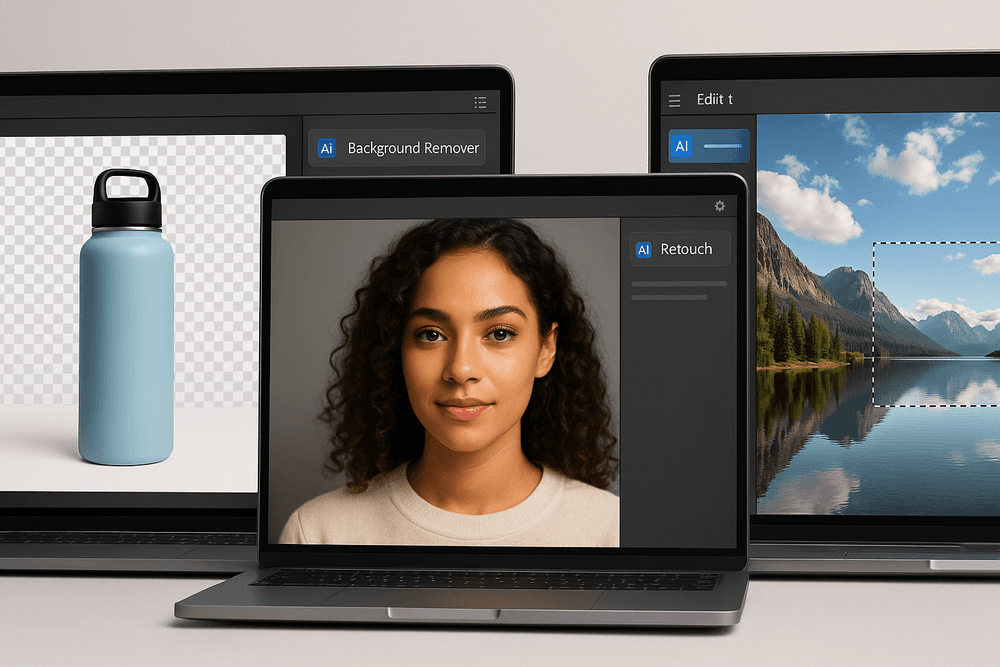
Gone are the days of painstakingly tracing around subjects with a lasso or pen tool. One of the most revolutionary features in modern AI image editing is automated background removal. AI algorithms are trained to identify the main subject in a photo—be it a person, a product, or a pet—and can flawlessly separate it from its background in a single click. The precision is remarkable, capable of handling tricky details like wisps of hair or the gaps in a bicycle frame.
This capability is a game-changer for e-commerce, allowing for clean, professional product shots on a pure white or transparent background. For social media creators, it means instantly dropping a selfie into a new, more exciting location. The AI-powered tool does the complex masking, leaving you free to focus on the creative composition.
Effortless Object Deletion and Generative Fill Techniques
Imagine effortlessly erasing a distracting power line from a beautiful landscape or removing an unwanted photobomber from a cherished group photo. AI-powered object deletion makes this a reality. Simply select the object you want to remove, and the AI will intelligently analyze the surrounding pixels to fill in the space, making it look as if the object was never there. This is a far more advanced version of traditional "content-aware fill."
Taking this a step further is Generative Fill. This groundbreaking technology doesn't just fill in a blank space; it creates entirely new content based on a text prompt. You can select an area of your image and type "add a flock of birds" or "replace the gravel path with a cobblestone street," and the AI will generate a realistic addition that seamlessly blends with the existing lighting, perspective, and style of your photo.
Automated Portrait Enhancement and Retouching
Achieving a professional-quality portrait no longer requires hours of meticulous retouching. AI image editing tools offer sophisticated portrait enhancement features that can analyze a face and apply subtle, flattering adjustments automatically. This includes:
- Skin Smoothing: Intelligently reduces blemishes and softens skin while preserving natural texture, avoiding the dreaded "plastic" look.
- Eye and Mouth Enhancement: Brightens eyes, enhances catchlights, and whitens teeth for a more vibrant and engaging expression.
- Facial Lighting: Some advanced tools can even relight a subject's face, adding or adjusting shadows and highlights to create more depth and drama.
These automated tools provide a fantastic starting point, saving photographers immense time and allowing amateurs to produce polished, professional-looking portraits with ease.
Smart Color Correction and Style Transfer
Getting the perfect color and tone can be one of the most challenging aspects of photo editing. AI simplifies this with smart color correction. By analyzing the content of your image—be it a sunset, a forest, or a city street—the AI can suggest or automatically apply adjustments to exposure, contrast, and color balance to make the photo pop. It understands context, ensuring that skin tones remain natural while landscapes become more vibrant.
For those looking to push their creative boundaries, AI-powered Style Transfer is an incredible tool. It allows you to apply the artistic style of one image (like a famous painting by Van Gogh) to another. The AI analyzes the color palette, brush strokes, and texture of the source style and reinterprets your photo in that aesthetic, transforming a simple snapshot into a unique piece of art.
Real-World Applications of AI Image Editing
The power of AI image editing isn't just a futuristic concept; it's a practical reality revolutionizing how professionals across various industries create and manipulate visual content. From high-speed marketing campaigns to meticulous photo restoration, AI tools are becoming indispensable assistants. Here’s how different professionals are leveraging this technology today.
For Marketers: Creating Stunning Campaign Visuals in Minutes
In the fast-paced world of marketing, speed and impact are everything. Marketers are constantly under pressure to produce a high volume of compelling visuals for ads, social media, and landing pages. This is where AI image editing becomes a game-changer.
Instead of spending hours manually cutting out subjects or waiting on a design team, marketers can use AI to:
- Generate Instant Ad Variations: Need to test five different backgrounds for a single ad creative? AI tools can replace backgrounds in seconds, allowing for rapid A/B testing to find the highest-converting visuals.
- Upscale Logos and Images: Turn a low-resolution brand asset into a crisp, print-ready image with AI-powered upscaling, ensuring brand consistency across all mediums.
- Create On-Brand Scenery: Use generative AI to place a product in a completely new, imagined environment that perfectly matches the campaign's aesthetic—from a tropical beach to a futuristic cityscape.
This immediate creative power allows marketing teams to be more agile, responsive, and ultimately, more effective in their campaigns.
For E-commerce: Producing Flawless Product Photography at Scale
For any e-commerce business, high-quality, consistent product photography is non-negotiable. It builds trust and directly impacts conversion rates. However, achieving this standard across thousands of SKUs is a massive logistical and financial challenge. AI image editing automates the most tedious aspects of this process.
E-commerce brands are using AI to:
- Achieve Perfect Consistency: Automatically remove backgrounds from thousands of product photos in a single batch, placing them all on a perfectly uniform white or branded background.
- Add Realistic Shadows: Generate natural-looking shadows for products, giving them depth and making them appear more professional and tangible to online shoppers.
- Enhance and Color Correct: Use AI to automatically adjust lighting, fix color inaccuracies, and ensure that the product on the screen looks exactly as it does in real life, reducing returns.
By automating these tasks, businesses can get products online faster and at a fraction of the traditional cost of studio reshoots.
For Content Creators: Crafting Unique Social Media Graphics
Content creators live and die by their ability to capture attention in a crowded feed. AI image editing provides an endless well of creative possibilities to help them stand out. It’s no longer just about applying a simple filter; it’s about fundamentally transforming images to tell a better story.
Creators leverage AI tools to:
- Reimagine Photos with Generative Fill: Effortlessly extend a vertical photo into a horizontal banner for YouTube or a blog by having AI intelligently generate the missing parts of the image.
- Remove Distractions in One Click: Erase unwanted photo-bombers, trash cans, or distracting elements from travel photos to create a cleaner, more impactful shot.
- Develop a Unique Aesthetic: Apply artistic styles from famous painters or generate entirely new visual effects to create a signature look that is instantly recognizable to their followers.
For Photographers: Accelerating Your Creative Workflow
For professional photographers, time is money. While creativity is paramount, hours spent on repetitive post-production tasks can be a major drain. AI image editing tools act as a hyper-efficient assistant, handling the busywork so photographers can focus on the art.
Modern photography workflows are being enhanced with AI for:
- Intelligent Culling: AI can analyze an entire photoshoot and suggest the best images based on focus, composition, and facial expressions, saving hours of manual sorting.
- Advanced Retouching: Automatically smooth skin, whiten teeth, and reduce blemishes with a natural-looking finish that preserves skin texture, accomplishing in seconds what used to take an hour.
- Complex Masking Made Easy: Select and mask difficult subjects like hair or tree lines with a single click, allowing for precise, localized adjustments without tedious manual outlining.
Best Practices for Effective AI Image Editing
Harnessing the power of AI is more than just clicking a button; it’s about developing a workflow that maximizes the technology's strengths while retaining your creative control. To truly master ai image editing, you need to blend smart preparation with skillful execution. These best practices will help you move from novice user to expert creator, ensuring your final images are polished, professional, and precisely what you envisioned.
Start with High-Quality Base Images
The old saying "garbage in, garbage out" is especially true for AI. The quality of your starting image directly dictates the quality of the final result. An AI model has more data to work with when it analyzes a high-resolution, well-lit, and sharply focused photograph.
- Resolution: A higher pixel count provides the AI with more detail for tasks like upscaling, object removal, or generative fill. Low-resolution images can lead to muddy, artifact-filled results.
- Lighting and Clarity: Images with good, clear lighting and minimal noise give the AI a better understanding of a scene's depth, textures, and shadows. This is crucial when you want the AI to add new elements that seamlessly match the existing environment.
- Composition: Start with a strong composition. While AI can extend backgrounds or remove distractions, a fundamentally well-composed shot gives you a superior foundation to build upon.
Write Clear and Concise Prompts for Generative AI
When using generative AI features, your text prompt is your primary tool of control. Vague instructions lead to generic or unpredictable outcomes. The key to effective prompting is specificity. Think like an art director giving instructions to a human artist.
Instead of a simple prompt like "add a boat," a more effective prompt would be: "add a small wooden fishing boat with peeling blue paint, gently floating on calm water, morning light."
Include details about:
- Subject: What is the object or person?
- Attributes: Describe its color, texture, size, and style.
- Action: What is the subject doing?
- Environment: Describe the lighting, weather, and surroundings to ensure the generated element fits perfectly.
Mastering prompts is a core skill in modern ai image editing.
Combine AI Tools with Manual Adjustments for a Perfect Finish
The most effective ai image editing workflow is a hybrid one. Use AI for the heavy lifting and time-consuming tasks, then switch to manual tools for the final, nuanced refinements. AI is an incredibly powerful assistant, not a complete replacement for artistic skill.
For example, use an AI tool to remove a distracting object from the background in seconds. Afterward, zoom in and use a traditional clone stamp or healing brush to clean up any minor imperfections or unnatural-looking textures the AI may have left behind. Similarly, you can use AI to generate a new sky and then use manual adjustment layers to fine-tune its color and contrast to perfectly match the foreground. This combination of speed and precision gives you the best of both worlds.
Understand Common Pitfalls and How to Avoid Them
As powerful as AI is, it's not flawless. Being aware of common issues can help you troubleshoot and achieve better results.
- The "Uncanny Valley": AI can sometimes generate elements that look almost real but have subtle inconsistencies in lighting, perspective, or texture that make them feel off. To avoid this: Be very specific in your prompts about lighting direction and use manual tools like Dodge and Burn to refine shadows and highlights.
- Digital Artifacts: Look for strange, blocky distortions or blurry edges where the AI has manipulated pixels. To avoid this: Work on high-resolution images and use precise selections or masks to limit the area the AI is allowed to modify.
- Loss of Natural Texture: AI-powered noise reduction or skin smoothing can sometimes be too aggressive, resulting in a plastic-like, unnatural finish. To avoid this: Apply these effects on a separate layer and use a layer mask to dial back the intensity or selectively apply the effect only where it’s needed.
The Future is Smart: Getting Started with AI Image Editing
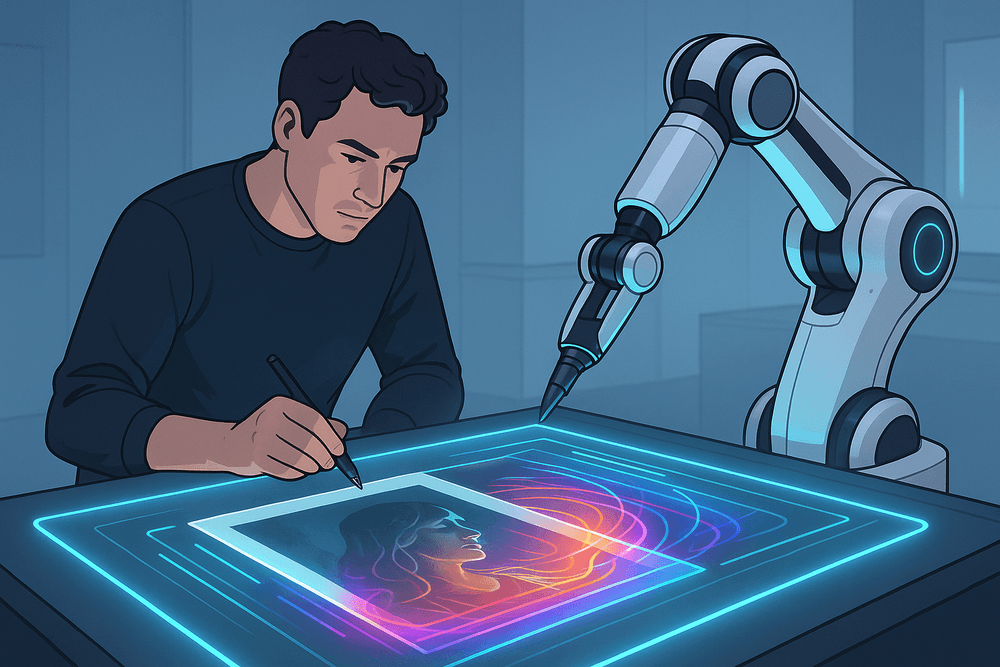
The leap into AI-powered workflows can feel like a big one, but the rewards in time saved and creative potential unlocked are immense. The era of manual, pixel-by-pixel adjustments for every tedious task is fading. Today, AI image editing acts as a brilliant co-pilot, handling the heavy lifting so you can focus on your unique artistic vision. Getting started is simply a matter of choosing the right tools and integrating them intelligently.
Which AI Image Editing Tool is Right for You?
Navigating the crowded market of AI tools can be daunting. Instead of getting lost in feature lists, ask yourself these key questions to find your perfect match:
- What is your skill level? If you're a beginner or hobbyist, look for user-friendly standalone applications with one-click presets and intuitive sliders. Professionals will benefit more from powerful plugins that integrate directly into existing software like Adobe Photoshop or Lightroom, offering granular control without disrupting an established workflow.
- What are your primary tasks? The best AI image editing tool for a portrait photographer is different from one for a landscape artist or e-commerce business. Do you need flawless skin retouching, dramatic sky replacements, perfect object cutouts, or generative fills? Identify your most common and time-consuming tasks and prioritize tools that excel in those areas.
- What is your budget? The landscape includes everything from powerful free tools to subscription-based platforms and one-time purchases. Subscription models often provide the latest updates and cloud-based features, while perpetual licenses can be more cost-effective in the long run.
- How does it fit your workflow? Do you prefer an all-in-one solution, or would a specialized plugin for a specific task be more efficient? Consider whether you need batch processing capabilities, RAW file support, or seamless integration with other creative apps.
Final Checklist for Integrating AI into Your Workflow
Once you’ve chosen a tool, use this checklist to ensure a smooth transition:
- Identify Bottlenecks: Pinpoint the most repetitive and time-consuming parts of your current editing process. Tasks like culling photos, masking complex subjects, or removing blemishes are prime candidates for AI automation.
- Start Small: Don't try to change everything at once. Begin by incorporating one AI feature into your routine. Master AI-powered noise reduction or sky replacement before moving on to more complex generative tools.
- Learn the Language of Prompts: For generative AI features, your results are only as good as your text prompts. Invest time in learning how to write clear, descriptive, and specific instructions to guide the AI effectively.
- Maintain Creative Control: Remember that AI image editing is a tool to serve your vision, not dictate it. Use AI-generated results as a starting point. Always make the final creative decisions, adjusting opacity, blending modes, and fine-tuning details to match your style.
- Stay Curious and Adapt: The world of AI is evolving at an incredible pace. Follow industry news, watch tutorials, and don't be afraid to experiment with new features and tools as they become available.
A Glimpse into the Future of Photo Manipulation
What we see today is just the beginning. The future of AI image editing promises a deeper, more intuitive partnership between human and machine. Imagine AI that learns your personal editing style from your portfolio and can apply it to a new shoot with a single click. We're moving toward tools that can transform a 2D photograph into a 3D parallax video or a fully textured model. The next frontier is true semantic understanding, where you can give commands like, "Make this photo feel more like a warm autumn evening," and the AI will adjust light, color, and even atmospheric elements to evoke that specific emotion. This evolution isn't about replacing the artist; it's about providing them with an infinitely more powerful brush.