
August 23, 2025
An Introduction to AI Image Editing
The New Creative Frontier: An Introduction to AI Image Editing
The world of digital imagery is in the midst of a profound transformation. For decades, photo editing was a craft honed through hours of meticulous, hands-on work with complex software. Today, a new force has entered the creative suite: artificial intelligence. This shift isn’t just about new filters or automated adjustments; it’s a fundamental change in how we create, manipulate, and imagine visual content. Welcome to the era of AI image editing.
What Exactly Is AI Image Editing?
At its core, AI image editing uses sophisticated artificial intelligence and machine learning algorithms to understand and alter images in ways that were once impossibly complex or time-consuming. Instead of manually applying adjustments pixel by pixel, you can now instruct an AI to perform a task.
How does it work? These AI models are trained on massive datasets containing millions of images. By analyzing this data, they learn to recognize objects, understand lighting, differentiate between a foreground and a background, and even grasp artistic styles. This deep contextual understanding allows AI-powered tools to perform intelligent tasks like:
- Removing an unwanted person from a crowded photo seamlessly.
- Changing a dreary, overcast sky to a brilliant sunset with realistic lighting.
- Upscaling a low-resolution image without losing clarity.
- Generating entirely new visual elements from a simple text description.
Essentially, AI acts as an incredibly skilled and fast assistant, interpreting your creative intent and executing it with precision.
From Hours to Minutes: How AI Is Revolutionizing Creative Workflows
The most immediate impact of AI image editing is a massive boost in efficiency. Tasks that once required a specialist and hours of painstaking labor can now be completed in minutes, or even seconds.
Consider the classic challenge of cutting a subject out from its background. A creative professional might spend an hour carefully tracing hairlines and complex edges. An AI tool can now achieve a near-perfect result with a single click. This dramatic acceleration applies across the board—from automatic skin retouching in portraits to color grading an entire photo series to match a specific mood.
This newfound speed isn't just about saving time; it’s about reclaiming creative energy. By automating tedious and repetitive work, AI image editing frees up artists, photographers, and designers to focus on what truly matters: ideation, composition, storytelling, and refining their unique vision. It collapses the distance between a creative idea and the final, polished asset.
Key Differences: AI Editing vs. Traditional Photo Editing
While both approaches aim to enhance an image, their methods and capabilities differ significantly. Understanding these distinctions is key to leveraging both effectively.
- Process vs. Intent: Traditional photo editing (think Photoshop or GIMP) is process-oriented. You use specific tools like brushes, layers, and masks to manually build toward your desired result. AI image editing is more intent-oriented. You describe the outcome you want—"remove the car," "make the background blurry"—and the AI executes the steps for you.
- Manipulation vs. Generation: Traditional editing is primarily about manipulating existing pixels. You can brighten them, change their color, or move them around. AI editing can do all that, but its true power lies in generation. It can create entirely new pixels that are contextually aware, filling in a removed object's space (inpainting) or extending the borders of a photo (outpainting).
- Learning Curve: While professional tools remain complex, many AI features are designed for accessibility, lowering the technical barrier for high-level edits. This democratizes creative power, allowing more people to bring their ideas to life.
The future isn't about choosing one over the other. The most powerful creative workflows combine the precise control of traditional software with the intelligent speed of AI, creating a hybrid approach that offers the best of both worlds.
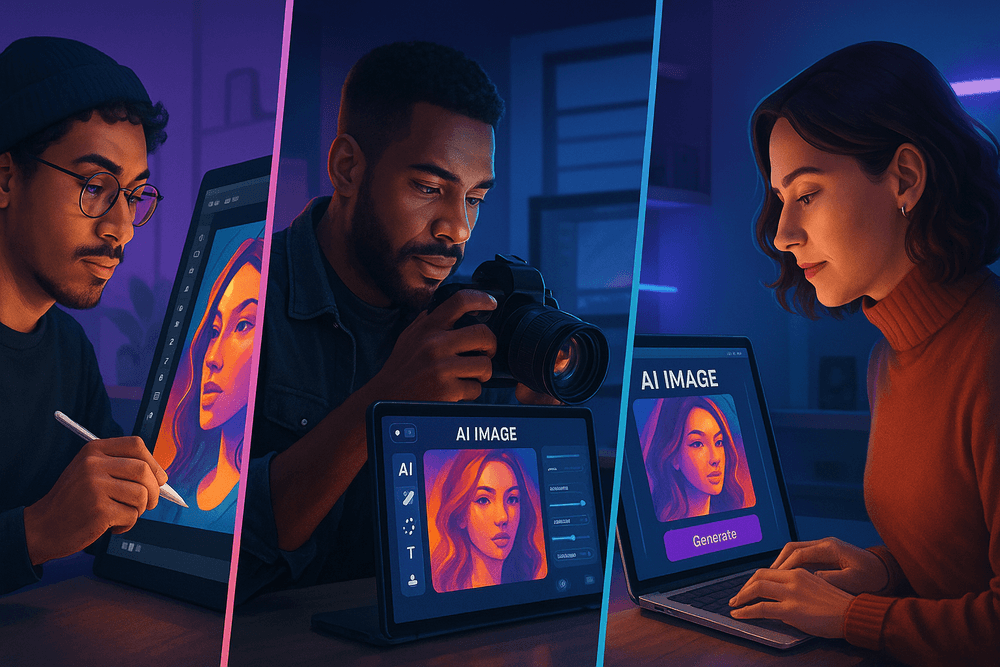
Comparing the Best Software for AI Image Editing in 2024
The landscape of AI image editing is bustling with incredible tools, but the best one for you depends entirely on your needs, budget, and skill level. Whether you're a seasoned professional, a passionate photographer, or a busy marketer, there's an AI-powered solution built to streamline your workflow. Let's compare three of the top contenders and weigh the value of free versus paid options.
Adobe Photoshop (Firefly): The Integrated Powerhouse
For decades, Photoshop has been the undisputed king of image manipulation, and its integration of the Adobe Firefly generative AI engine has solidified its position. This isn't just a tool; it's a complete ecosystem. Features like Generative Fill and Generative Expand allow you to seamlessly add, remove, or extend parts of an image with simple text prompts, making complex composites astonishingly simple.
- Key Features: Generative Fill, Generative Expand, Neural Filters (e.g., Skin Smoothing, Smart Portrait), advanced selection tools powered by AI.
- Best For: Professional graphic designers, photographers, and digital artists who require a comprehensive, layer-based editor with maximum control. If you're already invested in the Adobe Creative Cloud, Photoshop’s AI capabilities are a natural and powerful extension of your existing workflow. Its approach to AI image editing is deeply integrated, providing precision that other tools can't match.
Luminar Neo: The Photographer's AI Assistant
Where Photoshop offers a universe of tools, Luminar Neo by Skylum focuses on making a photographer's life easier. It's designed to accelerate the editing process with stunning, one-click results. Instead of navigating complex menus, you use intuitive sliders powered by sophisticated AI. Tools like Sky AI can replace a bland sky in seconds, while Enhance AI intelligently adjusts over a dozen settings for a perfectly balanced photo.
- Key Features: Sky AI, Enhance AI, Relight AI, Portrait Bokeh AI, Supersharp AI, and a suite of tools for noise reduction and upscaling.
- Best For: Amateur and professional photographers who want to achieve high-quality results quickly. If your primary goal is to enhance photos rather than create graphic designs from scratch, Luminar Neo is a fast, effective, and user-friendly alternative to more complex software.
Canva Magic Studio: AI Editing for Marketers and Social Media
Canva has democratized design, and its Magic Studio suite brings powerful AI image editing to the masses. Built directly into its template-driven platform, these tools are made for speed and convenience. Magic Eraser lets you remove unwanted objects with a simple brushstroke, while Magic Edit can transform an object in your photo based on a text prompt. It’s all designed to help you create polished marketing assets without a design degree.
- Key Features: Magic Edit, Magic Eraser, Magic Expand, Background Remover, and seamless integration with Canva's massive library of templates and assets.
- Best For: Marketers, social media managers, small business owners, and anyone who needs to create eye-catching visuals for online content quickly. Canva's strength is its all-in-one platform for creation and editing.
Free vs. Paid Tools: What's the Best Value for You?
The allure of free software is strong, but it often comes with trade-offs.
- Free Tools: Options like GIMP with AI plugins or free tiers of web-based editors are excellent for casual users, students, or those testing the waters. However, they often come with limitations, such as lower-resolution exports, watermarks, feature restrictions, and less reliable performance.
- Paid Tools: Investing in a paid subscription or license (like the ones above) unlocks a world of professional-grade features. You get higher-quality outputs, more advanced AI algorithms, regular updates, customer support, and a more seamless user experience.
For anyone serious about their creative output, the value of a paid tool is clear. The time saved, the superior quality of the results, and the advanced creative possibilities make it a worthwhile investment for achieving professional-level AI image editing.
Core Techniques: Mastering the Most Powerful AI Image Editing Features
The real power of AI-powered image editing lies in its ability to understand the content and context of your photos. This leap forward has given rise to a new class of tools that perform complex tasks in seconds, tasks that once required hours of meticulous manual work. By mastering these core techniques, you can dramatically accelerate your workflow and unlock creative possibilities you never thought possible. Let's dive into the features that are redefining the landscape of digital imaging.
Generative Fill: Add, Remove, and Replace Objects Seamlessly
Imagine selecting an unwanted person in a group photo and having them vanish, with the background perfectly reconstructed behind them. Or perhaps you want to add a flock of birds to an empty sky. This is the magic of Generative Fill. This groundbreaking AI image editing feature allows you to select any area of your image and, using a simple text prompt, fill it with new, context-aware content. The AI analyzes the surrounding pixels—lighting, texture, and perspective—to generate a result that blends in flawlessly. From removing distracting elements to extending the canvas of a photo, Generative Fill is one of the most transformative tools available today, turning complex composites into a simple, intuitive process.
One-Click Background Removal and Replacement
For decades, painstakingly tracing around a subject with a pen or lasso tool was a rite of passage for designers and photographers. Thanks to AI, that era is over. Modern AI image editing software can identify the primary subject in a photo with astonishing accuracy, separating it from the background with a single click. This feature is a game-changer for e-commerce product shots, professional headshots, and graphic design projects. Once the background is removed, you can make it transparent, replace it with a solid color, or drop in an entirely new scene to completely change the photo's context and mood.
AI Upscaling: Enhance Image Resolution Without Losing Quality
You’ve found the perfect photo, but it’s too small and low-resolution. In the past, enlarging it would result in a blurry, pixelated mess. AI upscaling solves this problem by intelligently rebuilding the image at a higher resolution. Instead of just stretching pixels, the AI algorithm analyzes the photo and generates new, realistic detail to fill in the gaps. It can sharpen edges, refine textures, and produce a high-resolution file that’s suitable for large prints or high-definition displays. This technology is invaluable for restoring old family photos, improving stills captured from video, or rescuing images that were simply taken with older equipment.
Automated Color Correction and Style Transfer
Achieving the perfect color balance can be a subjective and time-consuming task. AI simplifies this by analyzing your image and automatically suggesting adjustments to exposure, contrast, white balance, and saturation. It provides a professionally graded starting point that you can accept or fine-tune. Taking this a step further is AI Style Transfer. This feature moves beyond simple filters by allowing you to apply the complete artistic style of one image—like a famous painting or a specific cinematic look—to your own photo. The AI doesn't just overlay a texture; it reinterprets your image's content in the chosen style, creating a unique and compelling piece of art.
Best Practices for Professional-Quality AI Image Editing
Mastering AI-powered tools is more than just clicking a button; it’s about developing a strategy that maximizes the technology's strengths while retaining your creative control. Effective AI image editing combines smart preparation, clear communication with the AI, and a discerning eye for detail. By following these best practices, you can elevate your results from simple fixes to truly professional-quality masterpieces.
Starting With the Right Image for Optimal Results
The age-old principle of "garbage in, garbage out" is especially true for AI. While many tools are fantastic at upscaling or denoising low-quality photos, you will always achieve superior results by starting with a clean, high-resolution source image.
A sharp, well-lit photo provides the AI with more data to analyze, leading to more accurate selections, cleaner object removal, and more realistic generative fills. When an algorithm has clear information about textures, edges, and lighting, it can make more intelligent decisions. For example, removing a person from a blurry, low-light photo is likely to leave behind a smudged, artifact-filled background. The same edit on a crisp, clear image will be virtually undetectable. Think of your source image as the foundation—the stronger it is, the more impressive the final structure will be.
Writing Effective Prompts for Generative AI Features
When using generative AI features like Adobe Firefly's Generative Fill, your prompt is the primary way you direct the outcome. The quality of your prompt directly impacts the quality of the result. To get the best results in your AI image editing workflow, be specific, descriptive, and clear.
- Be Specific: Instead of "add a boat," try "add a rustic wooden fishing boat with a blue sail, gentle morning light." The details guide the AI toward a more precise and contextually appropriate generation.
- Use Descriptive Adjectives: Words that convey mood, texture, and style are your best friends. Use terms like "cinematic lighting," "hyper-realistic," "soft focus background," or "vintage sepia tone" to control the aesthetic.
- Iterate and Refine: Your first prompt might not be perfect. Don't be afraid to regenerate a few times or tweak your wording. Changing a single word can significantly alter the outcome. This iterative process is a core part of mastering prompt engineering.
Blending AI Edits With Manual Adjustments for a Flawless Finish
The most skilled professionals use AI as a powerful assistant, not a complete replacement for their expertise. The secret to a seamless final product often lies in a hybrid approach. Let the AI handle the heavy lifting—like removing complex objects or generating a new background—and then step in to add the finishing touches.
After using a generative fill, zoom in and use the Clone Stamp or Healing Brush to smooth out any slightly unnatural-looking edges or blend textures perfectly. If an AI color grade is 90% there, use a manual Curves or Levels adjustment layer to fine-tune the contrast and color balance. This final, human-guided 10% is what separates a good edit from a great one, ensuring the AI-generated elements are perfectly integrated with the original photo.
Understanding AI Artifacts and How to Avoid Them
AI artifacts are the small, unwanted glitches that can appear during generation or processing, such as warped textures, strangely blended edges, or distorted details (the infamous six-fingered hand is a classic example). These occur when the AI has to make a guess to fill in missing information and doesn't get it quite right.
To minimize artifacts in your AI image editing:
- Use High-Quality Sources: As mentioned, a better source image gives the AI more information to work with, reducing guesswork.
- Make Precise Selections: When adding or removing objects, a clean, well-defined selection helps the AI understand exactly where the edit should begin and end.
- Inspect Your Work: Always zoom in to 100% or more to check for subtle artifacts that aren't visible from a distance.
- Regenerate if Necessary: If you spot an artifact, sometimes the easiest fix is to regenerate the result. Most tools provide multiple variations for this exact reason.
Real-World Use Cases: AI Image Editing in Action
The theory behind AI-powered image editing is impressive, but its true value shines in its practical, everyday applications. Across industries and personal projects, this technology is not just a novelty; it's a transformative tool that saves time, boosts creativity, and achieves results that were once impossible without hours of manual labor. Let's explore how ai image editing is making a tangible impact in the real world.
Streamlining E-commerce Product Photography
For any online retailer, high-quality, consistent product photos are non-negotiable. This is where ai image editing becomes an e-commerce game-changer. Tedious tasks that once consumed entire workdays can now be completed in minutes.
- Instant Background Removal: AI tools can instantly and precisely remove backgrounds from thousands of product images, replacing them with a pure white or custom brand-colored backdrop for a professional, uniform look across your store.
- Realistic Shadow Generation: To avoid the "floating" look of a removed background, AI can analyze the product's shape and lighting to generate natural, soft shadows, adding depth and realism to the shot.
- Smart Object Retouching: AI can automatically detect and remove dust, smudges, or minor imperfections from products, ensuring every item looks its absolute best without painstaking manual cloning and healing.
Creating Compelling Marketing and Social Media Content
In the fast-paced world of digital marketing, speed and versatility are key. Marketers are leveraging ai image editing to create a high volume of engaging visuals without sacrificing quality.
- Generative Fill and Expansion: Need to turn a horizontal ad image into a vertical story? AI's generative fill can intelligently expand the canvas, creating new, context-aware content that seamlessly matches the original photo. This is perfect for adapting creative for different social media platforms.
- Consistent Brand Aesthetics: AI-powered filters and style transfers allow marketers to apply a consistent visual identity across all their content with a single click, reinforcing brand recognition.
- Object Removal for Cleaner Ads: A stray object or person distracting from the main message? AI can remove it in seconds, creating a cleaner, more focused composition that directs the viewer's attention exactly where you want it.
Accelerating Workflows for Professional Photographers
For professional photographers, time is money. AI image editing acts as a hyper-efficient virtual assistant, automating the most repetitive parts of the post-production process and freeing up photographers to focus on their creative vision.
- Automated Culling: AI can analyze an entire photoshoot and suggest the best images by identifying out-of-focus shots, closed eyes, or poor compositions, saving hours of manual sorting.
- Intelligent Portrait Retouching: Modern AI tools offer subtle and powerful portrait enhancement. They can smooth skin, reduce blemishes, and whiten teeth while preserving natural texture, avoiding the "plastic" look of older editing methods.
- Advanced Noise Reduction: When shooting in low-light conditions, AI is unparalleled at removing digital noise and grain while retaining sharp details, salvaging shots that would have otherwise been unusable.
Restoring and Colorizing Old Family Photos with AI
Beyond commercial applications, ai image editing has a profoundly personal use: breathing new life into cherished memories. Anyone can now become a photo restoration expert, preserving their family history for future generations.
- AI Photo Repair: AI algorithms can be trained to identify and repair scratches, tears, creases, and faded spots on old, damaged photographs with remarkable accuracy.
- Vivid Colorization: Perhaps the most magical feature, AI can analyze a black-and-white photo and apply realistic, historically appropriate colors. Seeing a grandparent's wedding photo in full color for the first time is a powerful experience made accessible by AI.
- Resolution Upscaling: Old photos are often small and low-resolution. AI upscalers can intelligently increase the pixel count, allowing for larger, clearer prints without digital artifacts.
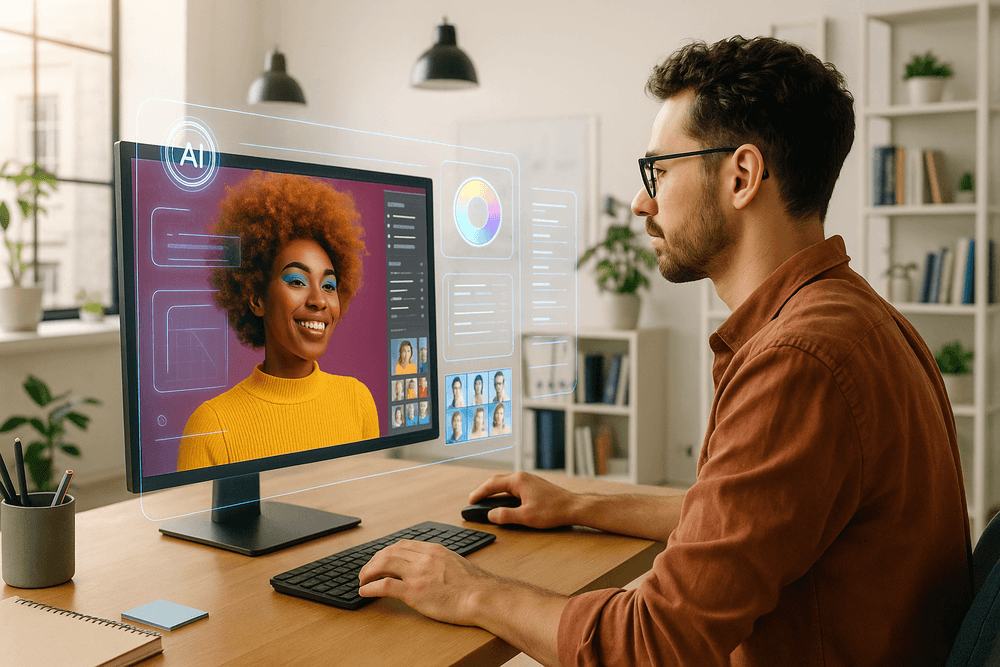
Conclusion: The Future of Your Creative Workflow with AI Image Editing
We've journeyed through the transformative landscape of AI-powered image enhancement, from one-click fixes to complex generative edits. It's clear that AI image editing is no longer a futuristic concept—it's a practical, powerful, and accessible tool that is reshaping creative workflows for photographers, designers, and marketers alike. The question is no longer if you should adopt AI, but how you can integrate it to elevate your work from good to truly exceptional.
Choosing the Right AI Tool for Your Needs
As we've explored, the market is brimming with innovative AI-powered software. The "perfect" tool is the one that seamlessly fits your specific goals. Are you a professional photographer needing high-fidelity upscaling and noise reduction? A dedicated tool or a robust plugin for Lightroom might be your best bet. Are you a social media manager who needs to quickly remove backgrounds and create eye-catching product shots? A user-friendly, web-based platform will deliver speed and efficiency.
Before you commit, consider your primary tasks (object removal, background replacement, upscaling), your budget, and your current software ecosystem. Think of this choice not as a final commitment, but as finding the right creative assistant for your unique style of AI image editing. The best tool is the one that feels like a natural extension of your own creativity.
Your Quick-Start Guide to Your First AI Edit
Ready to dive in? The best way to understand the power of AI image editing is to try it yourself. It’s simpler than you think. Follow these four steps to complete your first AI-assisted edit in minutes.
- Select a Test Image: Don't start with a critical project photo. Pick a casual snapshot with a clear objective, like an unwanted photobomber in the background or a sky you'd like to make more dramatic.
- Choose a Beginner-Friendly Tool: Start with a free, web-based editor we mentioned earlier. These platforms offer intuitive interfaces that guide you through the process without a steep learning curve.
- Perform a Single, Focused Edit: Concentrate on one function. Use the "Object Removal" tool to erase the photobomber or the "Sky Replacement" feature to swap the sky. Use simple text prompts if the tool supports them.
- Review and Iterate: Analyze the result. The AI's first attempt is often impressive, but don't be afraid to undo and refine your selection or prompt. Learning how to communicate with the AI is a key part of mastering this new workflow.
Embracing AI to Unlock Your Creative Potential
The true revolution of AI image editing extends far beyond simply fixing imperfections. It's about fundamentally changing how we approach creativity. By automating tedious and time-consuming tasks like complex masking, manual object removal, and repetitive color corrections, AI liberates you. It hands back your most valuable asset: time.
This reclaimed time can be reinvested where it truly matters—in ideation, composition, and storytelling. Imagine instantly testing a dozen different background concepts for a product shoot or generating imaginative elements to build a surreal composite that would have previously taken days of meticulous work. The future of creative work isn't about artists being replaced by algorithms. It’s about artists being amplified by them. By embracing AI image editing as a collaborative partner, you can break through technical barriers, accelerate your workflow, and unlock a new level of creative expression that turns your boldest visions into reality. Your future workflow is waiting.