
December 29, 2025
From Pixelated to Pristine
The Magic of AI Image Upscaling: From Pixelated to Pristine
For decades, television crime dramas perpetuated the "CSI Effect." We have all seen the scene: a detective stares at a hopelessly grainy security camera feed, barks a command to "zoom and enhance," and suddenly, a smudge of pixels transforms into a crystal-clear license plate or a suspect’s face. For years, graphic designers and photographers rolled their eyes at this trope, knowing that in reality, you couldn't create data where none existed. However, recent advancements in ai image upscaling have blurred the line between Hollywood fiction and technological reality.
The capability to transform low-resolution assets into high-definition masterpieces is no longer magic; it is the result of sophisticated deep learning models. Understanding how this technology works is the first step in leveraging it to save ruined shots, restore vintage photography, or repurpose web assets for print.
Beyond the Stretch: How Deep Learning Changes the Game
To appreciate the power of AI, one must understand the limitations of traditional methods. historically, increasing an image's size relied on a process called linear or bicubic interpolation. Think of this as stretching a rubber sheet. When you force a small image to become larger, the software pulls the pixels apart and fills the empty space with mathematical averages of the surrounding colors.
While this prevents the image from looking like a mosaic of square blocks, it results in a soft, blurry mess. The computer is essentially guessing blindly, repeating existing data without understanding the content of the image.
AI image upscaling operates on an entirely different premise. instead of simple stretching, it utilizes Convolutional Neural Networks (CNNs) and Generative Adversarial Networks (GANs). These systems have been trained on millions of pairs of low-resolution and high-resolution images. When an AI tool processes your pixelated photo, it doesn't just guess color values; it recognizes features. It understands that a specific texture is likely brick, hair, or skin, and it hallucinates (in a controlled manner) the missing details based on what it has learned from its training data.
Why Creators Are Ditching Bicubic Interpolation
The shift among professional content creators has been rapid and decisive. In a visual-first digital landscape, clarity is currency. Relying on legacy resizing tools in Photoshop is no longer sufficient when 4K monitors and Retina displays are the standard viewing platforms.
Designers and marketers are abandoning bicubic interpolation for AI tools because the latter solves the "fidelity problem." In the past, if a client provided a 500-pixel wide logo for a billboard, the project was dead on arrival. Today, AI upscalers can increase that resolution by 400% or more while simultaneously sharpening edges and reducing noise. This capability allows agencies to breathe new life into archived assets, ensuring that older content doesn't look dated alongside modern, high-res photography.
From Low-Res to Print-Ready Masterpieces
What can you actually expect when running a blurry asset through these algorithms? While AI cannot recover a face that is completely obscured by shadow or compression artifacts, it excels at reconstruction. The goal of ai image upscaling is to bridge the gap between digital previews and physical media.
By intelligently reconstructing texture and sharpening lines, these tools facilitate the conversion of 72 DPI web images into 300 DPI print-ready files. This process effectively rescues images that were once considered unusable, turning a pixelated thumbnail into a sharp, professional asset suitable for magazines, posters, or large-format displays. The era of "zoom and enhance" has finally arrived, and it is reshaping the standard for visual quality.
How AI Image Upscaling Technology Actually Works
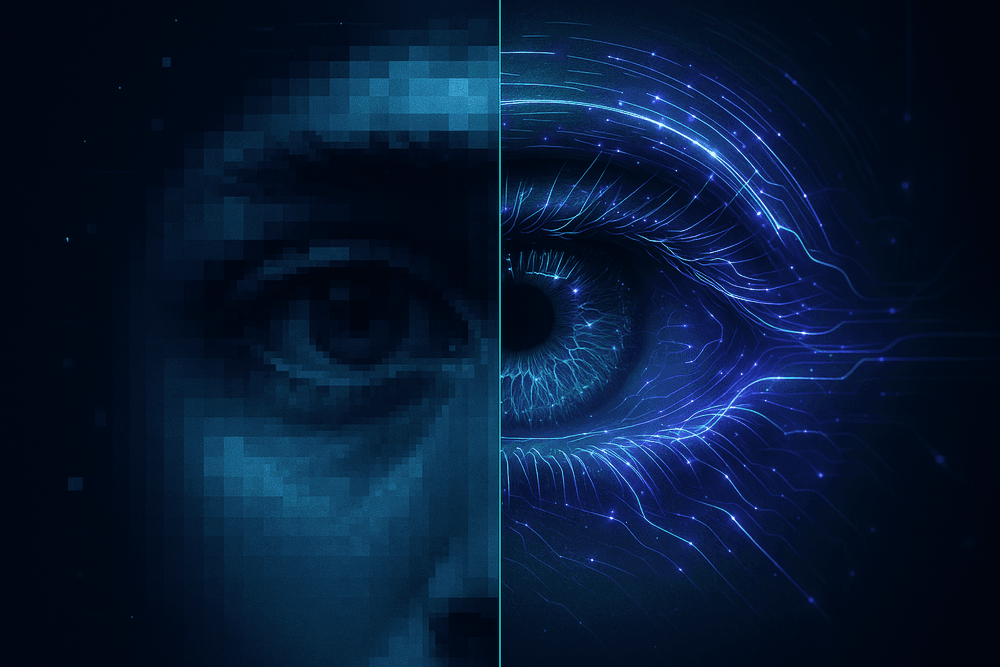
To the uninitiated, modern photo enhancement tools can seem like magic—reminiscent of the "enhance" trope seen in sci-fi movies and crime dramas. However, the mechanism behind ai image upscaling isn't magic; it is a sophisticated application of probability and pattern recognition. To understand how we can turn a pixelated thumbnail into a print-ready poster, we must look at the fundamental difference between traditional stretching and intelligent reconstruction.
Beyond Stretching: The End of Interpolation
For decades, increasing the size of a digital image relied on a process called bicubic interpolation. Imagine drawing a face on a deflated balloon and then blowing it up. The features get larger, but they also become distorted, blurry, and undefined. Traditional software simply took existing pixels and multiplied them, guessing the color of the gaps based on the surrounding pixels. The result was a larger image, but one that lacked definition—a "soft" look that betrayed its low-resolution origins.
AI image upscaling abandons this "stretching" approach entirely. Instead of guessing values based on neighbors, it uses deep learning models to predict what the missing data should be. It treats the low-resolution image not as a final product to be stretched, but as a blueprint for a completely new, high-definition asset.
Enter the GANs: The Artist and the Critic
The engine driving this technology is often a specialized architecture known as Generative Adversarial Networks, or GANs. This system utilizes two competing neural networks that train against each other to achieve perfection.
- The Generator (The Forger): This network takes the low-quality input and attempts to create a high-resolution version, effectively "hallucinating" details that aren't present in the source file. It might add individual strands of hair, pores on skin, or texture to brickwork based on its training data.
- The Discriminator (The Detective): This network evaluates the Generator's work against a massive dataset of real, high-resolution photos. It determines if the upscaled image looks authentic or artificial.
Through millions of iterations, the Generator gets so good at hallucinating realistic details that the Discriminator can no longer distinguish the upscaled image from a native high-resolution photo. This process allows the software to infer details that were effectively lost, adding clarity that mathematically did not exist in the original file.
Noise Reduction and Artifact Removal
A major challenge in upscaling is that low-resolution images often carry "garbage" data—digital noise, grain, and JPEG compression artifacts (those blocky, pixelated squares). If you simply upscale an image without context, you upscale the ugliness, too.
Advanced ai image upscaling algorithms are trained to distinguish between essential image details (like the edge of an object) and unwanted artifacts. During the reconstruction process, the AI performs a dual function: it sharpens the structural elements of the photo while simultaneously smoothing out compression blocks and color noise. The result is a clean, crisp image where the "hallucinated" pixels fill in the gaps, creating a seamless high-definition visual that retains the character of the original without the digital clutter.
Top AI Image Upscaling Tools and Software Compared
Navigating the rapidly expanding market of resolution enhancement software can be overwhelming. The "best" tool often depends entirely on your specific workflow, hardware capabilities, and the type of imagery you are processing. While the underlying goal of AI image upscaling remains consistent—increasing pixel count while preserving fidelity—the user experience varies wildly between desktop applications, cloud-based platforms, and open-source projects.
Desktop Powerhouses: Heavy Lifting for Professionals
For photographers and designers who require maximum control and offline processing power, desktop applications remain the gold standard. These tools leverage your computer’s GPU to handle heavy batch processing and typically offer the highest fidelity results.
Topaz Gigapixel AI is widely regarded as the industry leader in this category. Unlike basic interpolation tools, Gigapixel AI uses proprietary deep learning models trained on millions of images to hallucinate missing details with startling accuracy. It excels at face recovery and architectural detail, allowing users to upscale images by up to 600%. It is ideal for printing large formats from older, low-resolution digital files.
On the other hand, Adobe Super Resolution (integrated into Photoshop and Lightroom via Camera Raw) offers a seamless workflow for existing Adobe Creative Cloud subscribers. While Topaz functions as a standalone specialist, Adobe’s solution is designed for convenience. It doubles the linear resolution (quadrupling the total pixel count) with a single click. While it may lack the granular control of Gigapixel AI, its integration makes it the most efficient choice for photographers looking to enhance raw files without leaving their primary editing environment.
Best Browser-Based Solutions: Quality on the Go
Not every user has a high-end graphics card or the desire to install heavy software. Browser-based AI image upscaling platforms process images in the cloud, making high-definition upscaling accessible from any device, including tablets and smartphones.
- Let’s Enhance: This platform is a favorite among e-commerce managers and marketers. It offers specific presets for "Printing," "Smart Enhance," and "Digital Art." Its ability to correct color and lighting while upscaling makes it a versatile all-in-one tool.
- Upscale.media: Known for speed and simplicity, this tool supports bulk processing and is excellent for quick web optimizations. It creates sharp assets ready for social media without the need for manual tweaking.
- Icons8 Smart Upscaler: Part of the larger Icons8 design ecosystem, this tool is optimized for graphic assets, icons, and illustrations. It manages to keep flat design elements crisp without introducing the "noise" that often occurs when photo-centric algorithms attempt to upscale vector-like graphics.
Open Source Options: Specialized Enhancement
The open-source community provides powerful alternatives for users with technical know-how or niche requirements. The most prominent player in this space is Waifu2x.
While the name suggests a focus on anime ("Waifu"), the underlying technology—Deep Convolutional Neural Networks—is exceptional for any 2D illustration or line art. Traditional photo upscalers often interpret the sharp lines of illustrations as noise, resulting in a smudged look. Waifu2x specifically targets line clarity and solid color blocks, making it superior to many premium photo tools when working with digital art, scans of comics, or animation frames. It remains a free, highly effective solution for artists who need to upscale their digital drawings for print without losing line definition.
Real-World Use Cases for AI Image Upscaling
While the theoretical mechanics of deep learning and pixel reconstruction are fascinating, the true value of this technology is realized through its practical application across various industries. AI image upscaling has evolved beyond a novelty tool for tech enthusiasts into a critical component of professional workflows. By intelligently adding pixel data where none existed before, businesses and creatives are salvaging unusable assets and elevating the visual standard of their projects.
Reviving Vintage Photography and Restoring Historical Archives
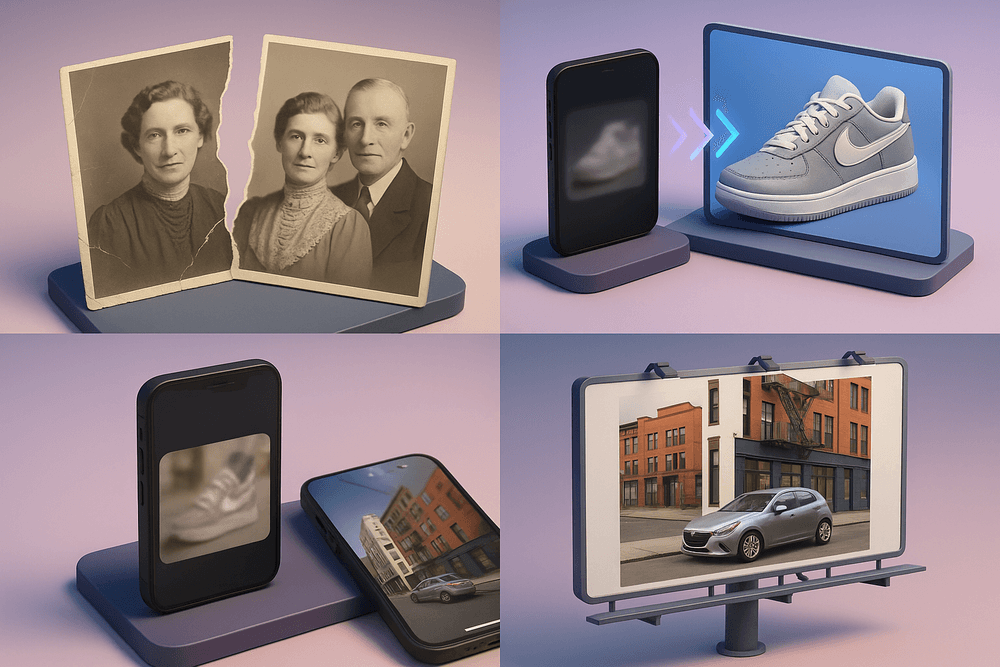
One of the most emotionally resonant applications of AI image upscaling is found in digital preservation. Historical archives, museums, and genealogists often possess extensive collections of physical photographs that have degraded over decades. These images are frequently plagued by film grain, scratches, motion blur, or simply the limitations of early camera technology.
Traditional digital restoration is a painstaking, manual process requiring hours of cloning and healing in photo editing software. AI-powered tools streamline this by analyzing the texture and context of the vintage image. The algorithms can distinguish between essential details—like the fabric of a dress or facial features—and unwanted noise or degradation. By upscaling these scans, the software not only increases the resolution for modern 4K displays but also effectively "de-noises" the image, recovering clarity that was thought to be lost to time. This allows documentary filmmakers and historians to present archival footage in high definition, preserving cultural heritage with unprecedented fidelity.
Optimizing Low-Res Product Thumbnails for E-Commerce
In the competitive world of e-commerce, visual clarity correlates directly with conversion rates. Customers equate high-quality imagery with product quality and vendor trustworthiness. However, online retailers frequently face a significant hurdle: supplier-provided assets. Manufacturers often supply only low-resolution thumbnails or compressed web images that look pixelated when displayed on modern high-DPI (Retina) screens or when a customer attempts to zoom in.
AI image upscaling solves this logistical nightmare by transforming small, jagged product shots into crisp, high-definition assets. Unlike basic bicubic interpolation, which simply blurs pixels to make an image larger, AI models recognize edges, textures, and geometric shapes common in manufactured goods. This allows for the reconstruction of sharp typography on labels and the refinement of textures like leather or metal. Retailers can essentially generate studio-quality assets from subpar source files, ensuring that the zoom function on their product pages reveals detail rather than digital artifacts.
Preparing User-Generated Content (UGC) for Large-Format Print
Modern marketing strategies rely heavily on User-Generated Content (UGC) to build authenticity and social proof. Brands want to feature photos taken by real customers using their products in real-world scenarios. The challenge, however, lies in the "screen-to-print" gap. A photo snapped on a smartphone and uploaded to social media is usually heavily compressed and optimized for small screens. While it looks great on Instagram, it often lacks the pixel density required for large-format print marketing.
When a marketing team needs to feature a customer’s photo on a billboard, a trade show banner, or a full-page magazine ad, standard scaling renders the image unusable. AI image upscaling bridges this gap by boosting the resolution by 400% or more without losing the image's organic look. The AI fills in the missing data required to achieve the industry-standard 300 DPI (dots per inch) needed for print. This capability empowers brands to seamlessly integrate authentic customer experiences into high-end physical advertising campaigns without compromising on professional aesthetic standards.
Best Practices for High-Quality AI Image Upscaling
While modern deep learning models are incredibly powerful, AI image upscaling is rarely a strictly "one-click" miracle. To transition from amateur results to professional-grade high-definition assets, you must treat the AI as a collaborative tool rather than a magic wand. The difference between a jagged, unnatural enlargement and a crisp, organic image often lies in how you prepare the source material and how you refine the output.
Pre-Processing: Cleaning the Canvas
The golden rule of data processing applies heavily here: garbage in, garbage out. AI algorithms are designed to detect edges and patterns, but they struggle to differentiate between essential image details and compression artifacts. If you feed a heavily compressed file into an upscaler, the AI will often interpret macro-blocking and color banding as actual features, ruthlessly sharpening them into high-resolution errors.
Before initiating the AI image upscaling process, engage in light pre-processing:
- Artifact Removal: Use a dedicated artifact removal tool or a "low" setting on your upscaler first to smooth out JPEG compression blocks without increasing resolution.
- Denoising: If the source photo was taken in low light, strip the color noise first. Upscaling grain often results in weird, digital "worms" rather than natural film texture.
- Contrast Adjustment: Flattening the contrast slightly can sometimes help the AI recover shadow detail that might otherwise be crushed into black during the reconstruction phase.
Avoiding the "Plastic" Look
One of the most common complaints regarding generative upscaling is the "wax figure" effect. This occurs when the deep learning model smooths out skin tones or textures so aggressively that the subject loses all organic imperfection, resulting in a sterile, plastic appearance.
To balance sharpness with naturalism, you must reintroduce texture:
- The Blend Method: After upscaling, layer the original (resized) image over the AI version in an editor like Photoshop with a low opacity (10-20%). This brings back just enough original "grit" to ground the image.
- Synthetic Grain: Once the image is upscaled, apply a fine layer of monochromatic noise or film grain. This tricks the eye into perceiving the image as sharper and more organic, breaking up the unnaturally smooth gradients created by the AI.
- Model Selection: Choose models specifically trained for "fidelity" rather than just "sharpness." Fidelity-focused models prioritize retaining the original pixel structure over hallucinating new, potentially fake-looking details.
Efficient Batch Processing Workflows
For professionals dealing with large archives—such as e-commerce catalogs or digitized historical libraries—processing images one by one is unsustainable. However, blind batch processing can lead to inconsistent results.
To optimize large-scale AI image upscaling, categorize your assets before hitting "start." Group your images by type: separate line art, portraits, and landscapes into different folders. Different AI models excel at different tasks; a model trained for architectural geometry will likely ruin a human portrait.
Furthermore, ensure your hardware workflow is managed correctly. If processing locally, utilize "image tiling" features found in advanced software. This breaks the image into smaller chunks for processing and stitches them back together, preventing GPU memory overflows when handling massive files. By categorizing inputs and managing resources, you ensure that high-volume throughput maintains the same quality standard as a single, hand-tuned edit.

Conclusion: Future-Proofing Assets with AI Image Upscaling
As digital displays continue to evolve toward 4K, 8K, and retina-level pixel densities, the demand for ultra-high-definition content has never been higher. Low-resolution visual assets are no longer just an annoyance; they are a liability that can diminish brand perception and user experience. However, as we have explored throughout this guide, the solution does not necessarily require costly reshoots or discarding older libraries. AI image upscaling has emerged as a critical technology, transforming how professionals manage, restore, and future-proof their digital archives.
By leveraging deep learning algorithms to intelligently reconstruct missing pixels, businesses and creators can breathe new life into legacy content, ensuring that every image meets the rigorous standards of modern media.
Essential Features of a Professional Upscaler
Before integrating a tool into your workflow, it is vital to recognize that not all upscaling engines are created equal. The market is saturated with basic interpolation tools masquerading as AI. To ensure you are getting true deep-learning enhancements, focus on these core capabilities:
- Detail Fidelity and Texture Reconstruction: The best tools don't just smooth out edges; they understand the difference between skin texture, brickwork, and foliage. They should generate plausible detail that respects the original artistic intent without creating "wax-like" smoothing effects.
- Compression Artifact Removal: A robust AI image upscaling solution must simultaneously act as a cleaner. It should identify and remove JPEG compression blocks and sensor noise before the upscaling process begins to prevent amplifying imperfections.
- Batch Processing Capabilities: For enterprise usage, the ability to process hundreds of images simultaneously with consistent output settings is non-negotiable.
- Face Recovery Models: If your library consists largely of portraits or event photography, look for software with specialized Generative Adversarial Networks (GANs) dedicated to reconstructing facial features accurately.
The Horizon: Real-Time Video and Beyond
While current technology excels at enhancing still images, the future of resolution enhancement is rapidly moving toward motion and real-time processing. We are already witnessing the early stages of this with technologies like DLSS in gaming, which upscales frames in real-time.
For creative professionals, the next frontier involves applying AI image upscaling principles to video content with temporal stability. Soon, deep learning models will be standard in video editing suites, allowing editors to upscale 1080p archival footage to 4K seamlessly, ensuring no jitter or flickering occurs between frames. Furthermore, as generative AI continues to mature, we expect to see "smart upscaling" that allows users to not only increase resolution but also expand the aspect ratio of an image (outpainting) while maintaining perfect pixel density.
Start Enhancing Your Visual Library Today
The gap between low-resolution inputs and high-definition outputs is closing fast. Waiting to upgrade your visual assets puts you at a disadvantage in a visually driven digital landscape. Whether you are an e-commerce manager looking to sharpen product photos, an archivist restoring historical data, or a graphic designer prepping web assets for print, the tools are ready.
Don't let your visual library become obsolete. diverse deep learning tools are available right now to unlock the hidden potential in your images. Audit your current assets, select an upscaling solution that fits your specific needs, and start transforming your low-quality photos into professional, future-proof high-definition assets today.