
October 15, 2025
An Introduction to AI Project Management Tools
The Future of Productivity: An Introduction to AI Project Management Tools
The world of project management is in the midst of a radical transformation. We’ve moved from sticky notes and whiteboards to digital Gantt charts and Kanban boards, but the next leap forward is already here. Enter AI project management tools, a new class of software designed not just to track tasks, but to intelligently automate, predict, and optimize every facet of your project lifecycle.
But what exactly does this mean in practice?
What Are AI Project Management Tools and How Do They Work?
At their core, AI project management tools are sophisticated platforms that leverage artificial intelligence technologies like machine learning (ML), natural language processing (NLP), and predictive analytics to enhance project execution. Unlike traditional software that relies solely on human input, these tools actively learn from your data to provide intelligent assistance.
Here’s a simplified look at how they operate:
- Data Ingestion: The AI analyzes vast amounts of project data—everything from past project timelines and team member performance to current task dependencies and communication logs.
- Pattern Recognition: Machine learning algorithms sift through this data to identify hidden patterns, correlations, and potential bottlenecks that a human manager might easily overlook.
- Intelligent Automation & Prediction: Based on its analysis, the tool can then automate routine tasks, predict realistic project completion dates, forecast budget variances, and flag potential risks before they escalate into full-blown crises.
Beyond the Hype: The Tangible Impact on Your Workflow
The promise of AI can often feel abstract, but its impact on your daily project management workflow is incredibly concrete. By integrating AI project management tools, teams can move from a reactive to a proactive stance.
- Smarter Scheduling & Resource Allocation: Instead of manually assigning tasks, the AI can suggest the best team member for a job based on their current workload, skill set, and past performance, while automatically creating an optimized project schedule.
- Proactive Risk Assessment: The system can analyze project data and communications to flag tasks that are falling behind or identify team members who might be overloaded, allowing you to intervene early.
- Effortless Reporting: Forget spending hours compiling status updates. AI tools can generate real-time, data-driven reports and dashboards, freeing up your time for more strategic work.
Are AI Tools Replacing Project Managers or Empowering Them?
This is the question on every project manager’s mind. The answer is clear: AI is here to empower, not replace. Think of an AI project management tool as an incredibly capable co-pilot. It handles the complex calculations, monotonous administrative tasks, and data analysis, allowing the project manager to focus on what humans do best.
While the AI manages the quantitative aspects of the project, the human manager can dedicate their energy to strategic leadership, creative problem-solving, stakeholder communication, and team mentorship. By offloading the tedious work to a machine, project managers are elevated from taskmasters to true strategic leaders, guiding their projects and teams to success with unprecedented insight and efficiency.
Comparative Review: The Best AI Project Management Tools in 2024
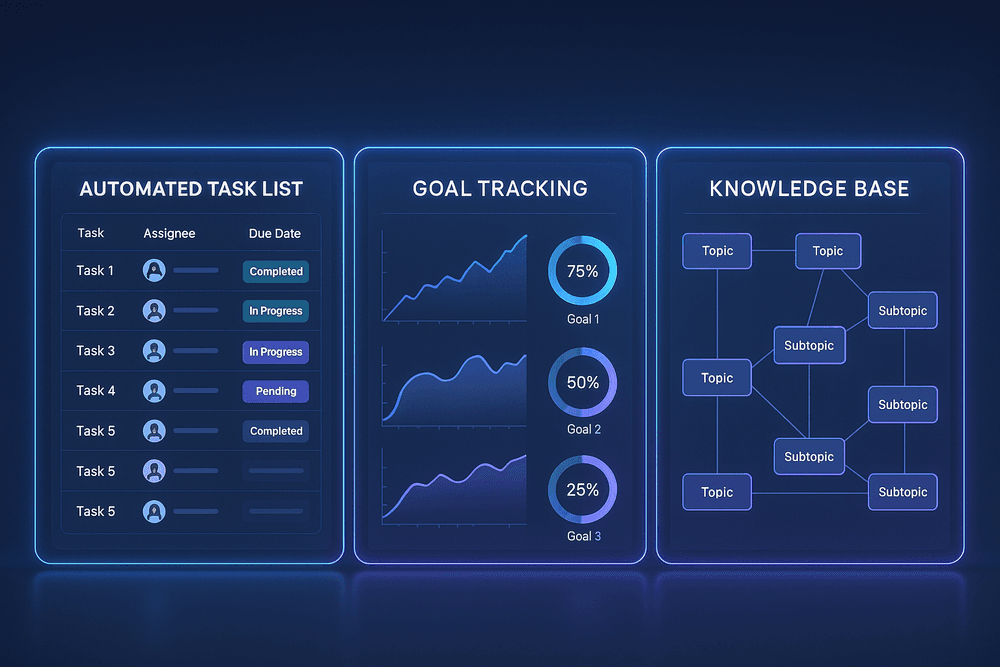
Choosing the right platform is critical for unlocking your team's full potential. While many tools now offer AI, the top contenders have developed distinct specializations. This review breaks down three of the best AI project management tools—ClickUp, Asana, and Notion—to help you identify the perfect fit for your team's unique workflow and goals. We'll explore their core strengths, from task automation to strategic planning, and conclude with a direct feature and pricing comparison.
ClickUp AI: Best for All-in-One Task Automation
ClickUp has long positioned itself as the "one app to replace them all," and its AI features build directly on this philosophy. ClickUp AI is designed to be a universal assistant embedded across every facet of your workspace. Its primary strength lies in its deep integration with task management, automating the granular work that consumes your team's day.
With a simple command, you can ask ClickUp AI to generate action items from meeting notes, create detailed subtasks for a complex project, or draft project status updates based on recent activity. It excels at summarizing long comment threads, clarifying communication, and even writing emails. For teams seeking a powerful, centralized platform where AI can streamline workflows from the ground up, ClickUp AI is an unparalleled choice for hands-on automation.
Asana Intelligence: Top Choice for Smart Goal Tracking
Asana Intelligence takes a more strategic, high-level approach. Instead of focusing solely on individual task completion, its AI is engineered to connect daily work to overarching company objectives. This makes it the leading choice for organizations that are serious about goal alignment and tracking OKRs (Objectives and Key Results).
Asana's AI-powered features provide "Smart status updates," which analyze progress across connected projects to automatically generate clear, concise summaries for stakeholders. It can proactively identify projects at risk of missing their goals and suggest solutions to get them back on track. By clarifying how individual contributions impact the bigger picture, Asana Intelligence empowers leaders with critical insights and helps keep the entire organization moving in the same direction, making it one of the most strategically-focused AI project management tools available.
Notion AI: Ideal for Knowledge Management and Project Planning
Notion AI operates within a unique ecosystem that blends project management with a powerful knowledge base. Its strength is in synthesizing and structuring information. If your team's projects live and die by documentation, research, and collaborative planning, Notion AI is a game-changer.
You can use it to instantly summarize lengthy research documents, brainstorm ideas in a freeform page and have AI organize them into a structured table, or generate a complete project plan from a simple brief. It transforms your knowledge base from a static repository into a dynamic partner in the creative and planning process. For teams that prioritize content, documentation, and integrated planning wikis, Notion AI is the ideal assistant for turning raw information into actionable project frameworks.
Side-by-Side Feature and Pricing Analysis
To make your decision easier, here is a direct comparison of these powerful AI project management tools.
| Feature | ClickUp AI | Asana Intelligence | Notion AI |
| :--- | :--- | :--- | :--- |
| Primary Strength | All-in-one task & subtask automation | Strategic goal alignment & risk assessment | Knowledge synthesis & content generation |
| Best For | Teams needing a single, unified platform | Goal-oriented teams focused on OKRs | Content-heavy, documentation-driven teams |
| Key AI Feature | AI-generated tasks, summaries, and updates | Smart status reports & goal risk analysis | Summarization, brainstorming, and planning |
| Pricing Model | Paid add-on for all plans (approx. $5/member/month) | Included in Premium, Business, and Enterprise plans | Paid add-on for all plans (approx. $8/member/month) |
Ultimately, the best choice depends on your core needs. If you want to automate daily tasks within one platform, choose ClickUp AI. If strategic alignment is your priority, Asana Intelligence is the clear winner. And if your work revolves around documents and knowledge, Notion AI will supercharge your planning process.
Core Features to Look for in AI Project Management Tools
The term "AI" can feel like a buzzword, but in the context of project management, it represents a tangible shift from manual oversight to intelligent automation. To truly leverage this evolution, you need to look beyond basic task trackers. The most effective ai project management tools are equipped with specific, powerful features designed to optimize every stage of a project's lifecycle. Here are the core capabilities you should be looking for.
Automated Task Scheduling and Prioritization
Forget spending hours manually building Gantt charts and shuffling deadlines. A key feature of leading AI tools is the ability to automate scheduling entirely. The system analyzes task dependencies, team member availability, project milestones, and historical data to generate an optimal project timeline.
More importantly, this schedule isn't static. The AI dynamically adjusts the plan in real-time as tasks are completed, delayed, or added. It can also intelligently prioritize tasks based on their urgency, impact on project goals, and resource constraints. This ensures your team is always focused on the most critical activities, preventing bottlenecks and maximizing forward momentum without constant manual intervention.
Intelligent Resource Allocation and Management
One of the biggest challenges in project management is assigning the right person to the right task at the right time. AI excels at this by moving beyond simple availability. Intelligent resource allocation engines analyze a rich set of data points, including:
- Skillsets and Expertise: Matching task requirements with team members' documented skills.
- Current Workload: Preventing burnout by assigning tasks to individuals with available capacity.
- Past Performance: Learning from historical data to know who is most efficient at certain types of work.
This ensures not only that tasks are completed efficiently but also that your team's talent is utilized to its full potential, leading to higher-quality outcomes and improved employee satisfaction.
Predictive Analytics for Proactive Risk Assessment
This is where ai project management tools truly shine, transforming your approach from reactive to proactive. Instead of waiting for problems to arise, the AI acts as an early warning system. By constantly analyzing project data—such as budget burn rates, task completion velocity, and resource dependencies—the platform can predict potential risks before they derail your project.
It can flag the likelihood of missed deadlines, identify potential budget overruns, or highlight a critical path that is in jeopardy. This foresight gives project managers the invaluable opportunity to implement mitigation strategies, reallocate resources, or adjust timelines proactively, ensuring the project stays on track.
AI-Driven Reporting and Performance Insights
Manually compiling status reports for stakeholders is a time-consuming and often biased process. AI automates this by generating clear, data-driven reports and dashboards in real-time. These tools can synthesize vast amounts of project data into easily digestible insights, tracking KPIs like budget adherence, team velocity, and milestone progress. Some advanced platforms even use natural language generation to provide concise, written summaries of project health, making it simple to keep everyone from team members to executives informed and aligned.

Best Practices for Integrating AI into Your Project Workflow
Adopting a new tool can feel daunting, but a strategic approach ensures you get the most value from your investment. Integrating ai project management tools isn’t just about flipping a switch; it’s about fundamentally enhancing how your team works. Follow these best practices for a smooth and successful transition that drives real results.
Step 1: Audit Your Current Processes to Identify Bottlenecks
Before you can find the right solution, you must deeply understand your problem. The first step is to conduct a thorough audit of your existing project management workflow. The goal is to pinpoint the exact friction points, inefficiencies, and repetitive tasks that slow your team down.
Start by asking critical questions:
- Where is time being wasted? Identify manual tasks like creating schedules, generating status reports, or assigning work that could be automated.
- What causes delays? Look for patterns in missed deadlines. Is it poor resource allocation, inaccurate time estimates, or unforeseen risks?
- Where do communication breakdowns occur? Map out how information flows between team members, stakeholders, and departments to find gaps.
- Which tasks are most prone to human error? Data entry, budget tracking, and resource planning are common areas where mistakes can be costly.
By identifying these specific bottlenecks, you create a clear checklist of problems that the right AI tool needs to solve, ensuring you invest in technology that addresses your most pressing needs.
Step 2: Choose the Right AI Tool for Your Team's Needs
With your audit complete, you can now evaluate ai project management tools with a clear set of criteria. Avoid the temptation to choose a tool based on hype or an endless feature list. Instead, focus on finding the perfect fit for the challenges you identified.
Consider these key factors during your selection process:
- Core Functionality: Does the tool excel at solving your specific bottlenecks? If resource conflicts are your main issue, look for a tool with powerful AI-driven resource allocation. If forecasting is a weakness, prioritize one with advanced predictive analytics.
- Integration Capabilities: A tool that operates in a silo is a recipe for frustration. Ensure it integrates seamlessly with your existing tech stack, such as Slack, Microsoft Teams, Jira, or your CRM.
- User Experience (UX): The most powerful tool is useless if your team won't use it. Look for an intuitive interface and a gentle learning curve. Involve potential end-users in the demo process to get their feedback.
- Scalability: Choose a solution that can grow with your team and the complexity of your projects. Will it support more users, larger projects, and more sophisticated workflows in the future?
Step 3: A Rollout Plan for Seamless Adoption and Training
Implementation is just as important as selection. A well-structured rollout plan can make the difference between a successful adoption and a failed investment.
- Start with a Pilot Program: Don't go all-in at once. Select a single, tech-forward team or a low-risk project to pilot the new tool. This allows you to work out any kinks, gather valuable feedback, and create an internal success story to build momentum.
- Appoint Internal Champions: Identify enthusiastic team members who can act as advocates and go-to experts. These champions can help answer questions, share best practices, and drive positive sentiment among their peers.
- Provide Comprehensive Training: Go beyond the vendor’s standard documentation. Create tailored training sessions, short video tutorials, and quick-reference guides that focus on how the tool solves your team’s specific pain points.
Step 4: Measure ROI and Performance Improvements
To justify the investment and fine-tune your usage, you must track the impact of your new tool. Use the bottlenecks from your initial audit as your baseline for measuring success.
Track a mix of quantitative and qualitative metrics:
- Quantitative ROI: Measure the reduction in time spent on administrative tasks, decreases in project overruns (both time and budget), and faster project completion rates.
- Qualitative Improvements: Survey your team on their job satisfaction. Are they less bogged down by tedious work? Is collaboration smoother? Collect feedback from stakeholders on communication and transparency.
By continuously monitoring these metrics, you can clearly demonstrate the value of ai project management tools and identify opportunities to further optimize your workflow.
Real-World Use Cases: AI Project Management in Action
The theoretical benefits of AI in project management are compelling, but the real proof is in the results. Across diverse industries, teams are moving beyond spreadsheets and traditional software to embrace intelligent automation. From creative agencies to construction sites, ai project management tools are not just a concept—they are delivering a tangible competitive edge. Let's look at how these platforms are revolutionizing workflows in the real world.
Case Study: Marketing Agency Cuts Project Planning by 40%
The Challenge: A mid-sized digital marketing agency was drowning in complexity. With dozens of clients, each with multiple active campaigns, their project managers spent nearly a full day each week manually building schedules, assigning tasks, and re-shuffling priorities in response to urgent client feedback. This administrative bottleneck was stealing valuable time that could have been spent on strategy and creative innovation.
The Solution: The agency adopted an AI project management tool with a focus on intelligent scheduling and workload automation. The platform automatically created project timelines based on campaign briefs, assigned tasks to designers and copywriters based on their current workload and skill sets, and instantly re-calculated dependencies whenever a deadline shifted.
The Result: Within three months, the agency reduced its weekly project planning time by 40%. This translated to hundreds of saved hours per quarter. More importantly, team morale improved as workloads became more balanced and predictable. The AI-powered system eliminated guesswork, allowing project managers to function as strategic leaders rather than administrative coordinators.
Use Case: Taming Complex Software Development with Predictive AI
The Challenge: For a growing SaaS company, the agile software development lifecycle was anything but predictable. Sprint planning was often based on optimistic estimates, leading to missed deadlines and developer burnout. Accurately forecasting product release dates was a constant struggle, causing friction between the engineering team and other business departments.
The Solution: They integrated an AI project management tool that specialized in predictive analytics for software development. The AI analyzed historical data from past sprints to provide more accurate time and effort estimates for new tasks. Its risk assessment module continuously scanned the project plan, flagging potential bottlenecks and tasks that were falling behind schedule before they became critical problems.
The Result: The company achieved a 90% accuracy rate in its release date forecasting. The development team was able to proactively address potential delays identified by the AI, leading to a 25% reduction in critical bugs in the final release. The entire development process became smoother, more transparent, and significantly more reliable.
Success Story: Construction Firm Builds Efficiency with AI Resource Allocation
The Challenge: A commercial construction firm faced the timeless industry challenge of resource management. Coordinating skilled labor, heavy machinery, and material deliveries across multiple active job sites was a logistical nightmare. A single delayed concrete delivery or the inefficient scheduling of a crane could cause a costly domino effect, pushing the entire project off-schedule and over-budget.
The Solution: The firm invested in one of the industry-specific ai project management tools designed for construction. The platform's AI analyzed weather forecasts, supply chain data, and daily progress reports to optimize resource allocation. It recommended the most efficient schedule for deploying crews and equipment to minimize idle time and automatically flagged potential material shortages based on supplier transit data.
The Result: The construction firm improved its on-time project delivery rate by 15% in the first year. The intelligent resource allocation drastically reduced equipment rental costs and overtime labor expenses, directly boosting the profitability of each project. They could now anticipate and mitigate disruptions, turning logistical chaos into a streamlined, data-driven operation.

Conclusion: Your Next Step in Adopting AI Project Management Tools
We've explored the landscape of AI in project management, moving from abstract concepts to concrete solutions that are reshaping how teams deliver projects on time and under budget. The question is no longer if artificial intelligence will impact your workflow, but how you will leverage it. Making the leap involves a strategic decision, but it's a step towards building a more resilient, efficient, and data-driven organization.
Final Verdict: Are AI Project Management Tools Right for Your Team?
The short answer is a resounding yes. If your team grapples with recurring issues like inaccurate timelines, inefficient resource allocation, unforeseen risks, or administrative overload, then AI project management tools are not just a luxury—they are a necessary evolution.
These platforms move beyond simple task tracking to become intelligent partners. They automate tedious work, provide predictive insights that a human could miss, and free up your project managers to focus on strategic leadership, stakeholder communication, and creative problem-solving. While the initial investment in cost and training is a valid consideration, the return on investment—measured in saved hours, reduced errors, and higher project success rates—presents a compelling business case. The right tool doesn't replace your team; it empowers them to perform at their best.
Your Quick Checklist for Making the Final Decision
Feeling ready to move forward but unsure where to start? Use this checklist to guide your decision-making process and select the best AI-powered solution for your unique needs.
- Identify Your Biggest Bottlenecks: Pinpoint the top 2-3 challenges in your current project lifecycle. Are you constantly adjusting schedules? Do you struggle with resource conflicts? Is risk assessment a manual, time-consuming process? Match the features of potential tools to these specific pain points.
- Define Clear Objectives: What does success look like? Aim for specific goals, such as "reduce time spent on scheduling by 30%" or "improve budget forecast accuracy by 20%." Clear objectives will help you measure the tool's impact.
- Assess Integration Capabilities: Your project management tool doesn't exist in a vacuum. Ensure your chosen platform integrates seamlessly with your existing software stack, such as Slack, Microsoft Teams, Jira, or your CRM.
- Evaluate User-Friendliness and Team Readiness: A powerful tool is useless if your team won't use it. Prioritize platforms with intuitive interfaces and consider the level of training required. Involve your team in the selection process to foster buy-in.
- Start with a Pilot Project: Before committing to an organization-wide rollout, test your top choice with a single team or a small-scale project. This allows you to gather real-world feedback and demonstrate value with minimal risk.
The Future Outlook: What's Next for AI in Project Management?
The evolution of AI project management tools is far from over. The technology is advancing at an exponential rate, and we're on the cusp of even more profound transformations. Looking ahead, we can anticipate several key trends:
- Hyper-Automation: AI will manage increasingly complex, end-to-end workflows with minimal human intervention, from initial project ideation to final reporting.
- Generative AI for Planning: Imagine describing a project goal in a simple prompt and having an AI generate a complete project plan, including a work breakdown structure, risk register, and stakeholder communication plan.
- Enhanced Predictive Analytics: AI models will become even more sophisticated, offering highly accurate predictions on project timelines, budget adherence, and even team sentiment to proactively identify burnout risks.
By adopting AI tools today, you aren't just solving current challenges. you are building a foundation for the future, ensuring your team remains agile, competitive, and ready for the next wave of innovation in project management.