
November 19, 2025
An Introduction to the AI Grading Assistant
The Future of Grading: An Introduction to the AI Grading Assistant
Every educator knows the feeling: the ever-present stack of assignments waiting for review. While grading is essential for student development, the sheer volume can consume nights and weekends, pulling focus away from lesson planning and direct student interaction. But what if you could reclaim that time without sacrificing the quality of your feedback? Enter the AI grading assistant, a transformative tool poised to revolutionize the modern classroom.
What is an AI Grading Assistant and How Does It Really Work?
An AI grading assistant is not a robot that simply replaces you. Think of it as a highly intelligent, trainable partner designed to learn your specific grading style and apply it consistently across student submissions. Unlike basic software, it goes beyond simple keyword matching or grammar checks.
Here’s the core process:
- You Grade First: You begin by grading a small sample of assignments yourself, just as you normally would, providing feedback and scores based on your rubric.
- The AI Learns: The AI analyzes these initial graded examples. Using sophisticated Natural Language Processing (NLP), it learns the nuances of your feedback, understanding what constitutes a strong argument, how you weigh different rubric criteria, and even your unique tone.
- The AI Assists: Once trained on your style, the AI grading assistant can then process the remaining assignments. It doesn't just assign a grade; it generates suggested feedback and scores for your review.
- You Have Final Say: You remain in complete control. You can quickly review the AI's suggestions, accept them, or make edits before releasing them to students, ensuring every piece of feedback aligns perfectly with your standards.
Beyond the Hype: The Core Problem AI Grading Solves
The primary promise of an AI grading assistant isn't just about speed; it's about restoring balance and enhancing pedagogical impact. The core problem it solves is grading fatigue—the decline in feedback quality and consistency that happens after grading the tenth, twentieth, or fiftieth essay.
By handling the repetitive aspects of grading, this technology frees up an educator’s most valuable resource: cognitive energy. This reclaimed time and mental space can be reinvested into higher-impact activities like designing more creative lesson plans, providing one-on-one student support, and focusing on the art of teaching rather than the labor of marking. It ensures the last student's paper receives the same thoughtful, consistent feedback as the first.
Automated Grading vs. an AI Grading Assistant: Understanding the Key Difference
It's crucial to distinguish an AI grading assistant from traditional automated grading. They are fundamentally different tools with different purposes.
- Automated Grading is typically rigid and rule-based. It excels at objective tasks like scoring multiple-choice quizzes or checking for specific keywords in a short answer. It operates on a simple right-or-wrong basis and cannot interpret nuance, context, or creativity.
- An AI Grading Assistant, on the other hand, is flexible and context-aware. It is built to handle subjective assignments like essays, reports, and open-ended questions. Instead of replacing the educator, it collaborates with them. The AI provides a detailed first draft of feedback based on the educator’s own expertise, turning the monumental task of grading into a more manageable and efficient process of review and refinement.

How an AI Grading Assistant Can Revolutionize Your Workflow
The sheer volume of grading is one of the most significant challenges in modern education. It consumes evenings, weekends, and valuable planning periods, often leaving educators feeling more like administrators than mentors. But what if you could automate the most repetitive aspects of grading, freeing yourself to focus on what truly matters? An ai grading assistant isn’t just a futuristic concept; it’s a practical tool that can fundamentally transform your teaching workflow, making it more efficient, equitable, and impactful.
Reclaim Your Nights and Weekends: The Speed and Efficiency Advantage
Imagine finishing your grading in a fraction of the time it currently takes. This is the most immediate and tangible benefit of implementing an AI grading assistant. These powerful tools can process hundreds of assignments, from multiple-choice questions to complex essays, against your established rubric in mere minutes. Instead of spending hours meticulously marking each paper, you can delegate the initial, time-consuming pass to the AI.
This incredible speed does more than just give you back your personal time. It enables a dramatically faster feedback loop for your students. When learners receive timely, relevant feedback while the material is still fresh in their minds, their ability to comprehend and retain information skyrockets. An ai grading assistant helps you move from a week-long grading turnaround to providing next-day feedback, fostering a more dynamic and responsive learning environment for everyone.
Achieve Unprecedented Fairness: Providing Objective and Consistent Feedback
Even the most dedicated educator can struggle with perfect consistency. Grading the first essay of the day is a different experience than grading the fiftieth. Factors like fatigue, time of day, and unintentional biases can subtly influence the feedback process. This can lead to inconsistencies that, while unintentional, can feel unfair to students.
An AI grading assistant eliminates this variable entirely. It applies your specific rubric and grading criteria with unwavering objectivity to every single submission, every single time. It doesn't get tired, it doesn't have a favorite student, and it doesn't rush through the last few papers. By establishing a consistent baseline for assessment, you ensure that every student is evaluated on the exact same standards. This not only increases the fairness of your assessments but also builds student trust in the grading process, reducing disputes and clarifying expectations.
From Grader to Mentor: Shifting Your Focus to High-Impact Teaching
Perhaps the most revolutionary benefit of adopting an AI grading assistant is how it redefines your role in the classroom. When you’re no longer buried under a mountain of grading, you are free to invest your time and energy in high-impact activities that truly move the needle on student learning.
Think of the possibilities:
- Personalized Interventions: Use the AI’s class-wide performance data to quickly identify students who are struggling with specific concepts and offer them targeted, one-on-one support.
- Richer Lesson Planning: Spend your time designing more creative, engaging, and hands-on learning experiences instead of staring at a stack of papers.
- Deeper Feedback: With the initial grading handled, you can focus your comments on higher-order thinking, conceptual understanding, and providing the nuanced, encouraging feedback that only a human educator can offer.
Ultimately, an ai grading assistant acts as your tireless teaching partner. It handles the monotonous work, empowering you to transition from a grader to a true mentor, coach, and facilitator of learning.
Reviewing the Best AI Grading Assistant Tools of the Year
With a growing market of powerful software, choosing the right AI grading assistant can feel overwhelming. The best tool for you depends entirely on your subject matter, educational level, and budget. Here, we break down the top contenders to help you find the perfect fit for your classroom.
Top Pick for STEM: A Deep Dive into Gradescope's Capabilities
For educators in science, technology, engineering, and math, Gradescope stands out as a clear leader. Its core strength lies in its ability to handle a wide variety of assignment formats, from handwritten problem sets and diagrams to code submissions and bubble sheets. Where this AI grading assistant truly shines is with its AI-assisted grouping feature. The platform intelligently clusters similar answers—even handwritten ones—allowing you to grade an entire group of identical responses at once.
This feature, combined with dynamic rubrics that can be updated on the fly and applied retroactively, ensures unparalleled consistency and fairness. Instead of grading the same mistake dozens of times, you address it once. This transforms the grading of complex technical work from a repetitive chore into a more efficient and insightful process, making it an indispensable tool for STEM instructors.
Best for Writing & Humanities: How Turnitin's AI Features Stack Up
While long known for its world-class plagiarism detection, Turnitin has evolved into a formidable AI grading assistant for writing-intensive courses. Its suite of tools, particularly Gradescope AI (part of the Turnitin family), is designed to provide nuanced, constructive feedback on essays, research papers, and reports. The AI can identify key components of writing, such as thesis statements, evidence, and conclusions, and offer targeted comments based on your specific rubric.
This allows educators to move beyond simple grammar checks and provide high-level feedback on argumentation and structure more efficiently. By automating the initial layer of feedback, instructors can dedicate more time to in-depth analysis and personalized student guidance. Turnitin’s seamless integration of originality checking with advanced grading AI makes it the premier choice for fostering strong writing skills in the humanities and social sciences.
Comparing Emerging AI Grading Platforms for Different Educational Levels
The landscape of AI grading tools is rapidly expanding beyond the established giants. For K-12 educators, platforms like Bakpax and Goobric offer simpler, more accessible interfaces focused on quickly grading worksheets and short-answer questions. These tools are excellent for saving time on daily assignments.
In higher education and for specialized needs, emerging platforms are carving out unique niches. Crowdmark, for example, facilitates collaborative grading for large teams of TAs, while Copyleaks offers a robust AI content detector alongside its grading features, a crucial tool in the age of generative AI. When exploring these options, consider your specific workflow and whether a specialized or all-in-one AI grading platform best suits your needs.
Free vs. Paid: Which AI grading assistant offers the best value?
The decision between a free and paid AI grading assistant often comes down to scale and required features.
- Free Tools: Many platforms offer a freemium model, which is perfect for individual teachers wanting to experiment with the technology. These versions typically have limitations on the number of assignments you can grade or the size of your classes. They provide a fantastic entry point but may lack the power needed for a full course load.
- Paid Tools: Paid plans unlock the full potential of an AI grading assistant. They offer unlimited use, advanced features, dedicated customer support, and, most importantly, seamless integration with your institution’s Learning Management System (LMS).
Ultimately, the best value depends on your context. If you’re a single instructor looking to save a few hours a week, a free tier may be sufficient. However, for departmental or institutional adoption, a paid subscription provides the robust, secure, and integrated solution necessary to truly transform the grading process.
Key Features to Look For in an AI Grading Assistant
Not all AI grading tools are created equal. As you explore your options, it’s crucial to look beyond the promise of speed and focus on features that genuinely enhance your teaching workflow and support student learning. A powerful ai grading assistant should feel like a true partner in the educational process. Here are the essential features that separate the best-in-class tools from the rest.
Seamless Integration with Your LMS
Your Learning Management System (LMS) is the central nervous system of your digital classroom. An effective ai grading assistant must integrate flawlessly with the platforms you already use, such as Canvas, Blackboard, Moodle, or Google Classroom. Look for tools that offer deep, native integration, not just a clunky workaround.
This means your student rosters, assignments, and gradebooks should sync automatically. You should be able to launch the AI grader directly from an assignment within your LMS and have the final scores post back to your gradebook with a single click. Seamless integration eliminates tedious data entry, prevents errors, and keeps your entire workflow contained within a familiar environment, saving you valuable time and administrative headaches.
Customizing Rubrics and Training the AI on Your Standards
A one-size-fits-all approach to grading simply doesn’t work. Your expertise, pedagogical style, and course-specific objectives are unique. The best AI grading platforms respect this by offering robust customization and training capabilities.
A critical feature is the ability to use your own rubrics. You should be able to import or build the exact criteria and performance levels you’ve already developed. More importantly, the ai grading assistant should learn from you. Top-tier tools include a calibration step where you grade a small sample of student submissions yourself. The AI observes your scoring patterns, the nature of your feedback, and your pedagogical priorities. It then applies this learned model to the rest of the submissions, ensuring the AI-generated feedback aligns perfectly with your standards, not a generic algorithm.
Analyzing Student Performance with AI-Powered Dashboards
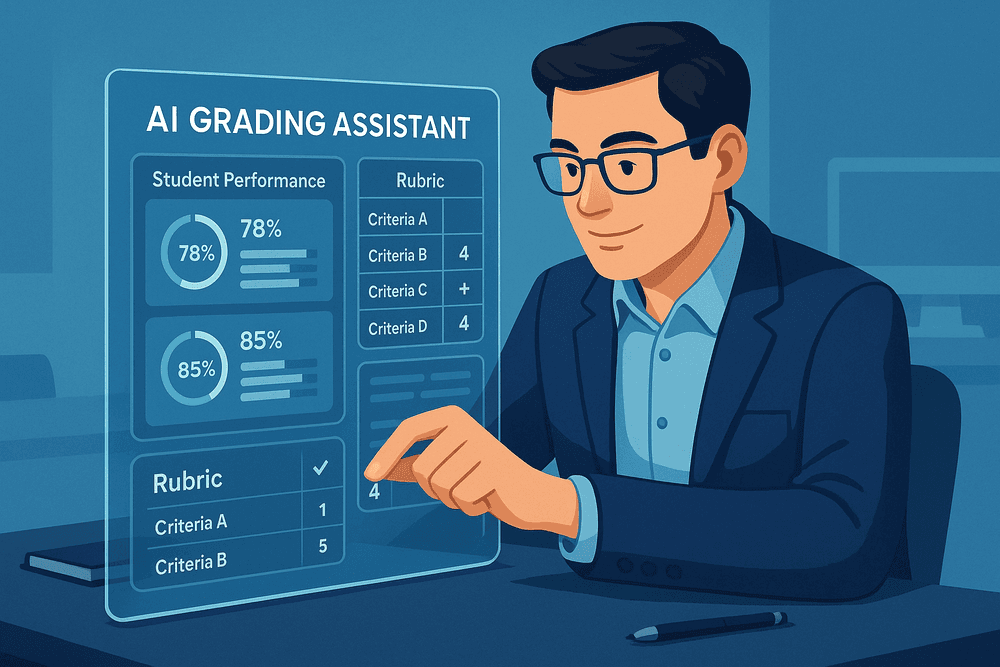
A truly advanced ai grading assistant does more than just assign scores; it provides actionable insights into student learning. Look for platforms that include an analytics dashboard to help you see the bigger picture.
These dashboards can instantly visualize class-wide performance, revealing common trends and patterns that might otherwise go unnoticed. For example, you could quickly identify:
- Which rubric criterion the majority of students struggled with.
- Common misconceptions or errors across multiple submissions.
- Students who are consistently excelling or falling behind.
This data transforms grading from a reactive task into a proactive teaching tool. You can use these insights to tailor your next lecture, design targeted review activities, or offer individualized support where it’s needed most.
Evaluating the Quality and Accuracy of AI-Generated Feedback
Ultimately, you are the final authority in your classroom. Trusting an AI requires transparency and control. A responsible ai grading assistant is built with a "human-in-the-loop" philosophy, meaning you always have the final say.
The tool should provide a clear and intuitive interface where you can review, edit, and approve all AI-generated comments and scores before they are released to students. This allows you to catch any nuances the AI may have missed, add personalized encouragement, and ensure the feedback is 100% accurate and constructive. This essential feature empowers you to leverage the speed of AI without ever sacrificing pedagogical quality or your professional judgment.
Best Practices: Implementing an AI Grading Assistant Ethically
Adopting an AI grading assistant is more than a technical switch; it's a pedagogical one that requires thoughtful implementation. To harness the power of these tools while upholding educational integrity and student trust, it’s essential to follow a set of ethical best practices. This guide will walk you through setting up your system, maintaining human oversight, communicating with students, and protecting sensitive data.
Step-by-Step Guide: Setting Up Your First AI-Graded Assignment
Diving into AI-assisted grading can be seamless if you start strategically. Follow these steps to ensure a smooth and effective first run with your chosen AI grading assistant.
- Start Small and Low-Stakes: Choose a shorter, formative assessment like a weekly reflection, a quiz with short-answer questions, or a single-paragraph response. This minimizes risk while allowing you to learn the tool's nuances and calibration process.
- Build a Clear and Detailed Rubric: AI models thrive on clarity. Before you begin, create a comprehensive, well-defined rubric. Use objective criteria and provide clear examples for each performance level. The more precise your rubric, the more accurate and consistent the AI’s suggestions will be.
- Calibrate the AI with a Sample Set: Most AI grading tools require a "training" phase. Manually grade a small, representative sample of submissions (10-15) to calibrate the AI. This teaches the model how you apply your rubric, aligning its future suggestions with your specific standards.
- Run the Full Batch and Prepare for Review: Once calibrated, allow the AI grading assistant to process the remaining assignments. Remember, this is the first pass, designed to handle the repetitive aspects of grading, not the final word.
The Human in the Loop: Best Practices for Reviewing AI Suggestions
The most effective use of an AI grading assistant involves a partnership, not a replacement. Your professional judgment is irreplaceable.
- Treat AI Scores as Suggestions: Always view the AI's output as a first draft. You are the final authority on every grade.
- Prioritize Spot-Checking: Systematically review a percentage of the AI-graded submissions. Check a few from the top, middle, and bottom scoring ranges to ensure consistency and fairness. Pay special attention to borderline grades.
- Focus on Nuance and Creativity: AI is excellent at identifying rubric-based criteria but may struggle with nuance, creative interpretations, or unique student insights. Your review is critical for recognizing and rewarding these higher-order thinking skills.
- Enhance, Don't Just Accept: Use the time saved to provide more personalized, qualitative feedback. The AI can handle the grammar checks and rubric alignment, freeing you to comment on the student's ideas and arguments.
How to Communicate the Use of AI Grading Tools to Your Students
Transparency is the cornerstone of trust. Being upfront with your students about using an AI grading assistant can prevent misunderstandings and foster a positive learning environment.
- Syllabus Statement: Include a clear statement in your syllabus explaining which tool you are using and why. Frame it as a way to provide faster, more consistent feedback.
- Explain the Process: Clarify that the AI provides initial suggestions but that you, the instructor, review the feedback and assign the final grade. Reassure them that a human is always in the loop.
- Address a Q&A: Dedicate a few minutes in class to explain the system and answer any questions. This open dialogue helps demystify the process and reinforces your role as the primary educator.
Navigating Data Privacy and Security Concerns with AI Graders
Protecting student data is a non-negotiable ethical and legal responsibility. Before committing to any AI grading assistant, perform your due diligence.
- Review the Privacy Policy: Understand how the company handles student data. Where is it stored? Who has access? Is it used to train other models? Look for compliance with regulations like FERPA (in the U.S.) or GDPR (in Europe).
- Choose Reputable Providers: Opt for tools designed specifically for educational institutions, as they are more likely to have robust privacy and security protocols in place.
- Anonymize Submissions if Possible: If the tool allows, anonymize student names and other personally identifiable information (PII) during the grading process to add an extra layer of protection.

Conclusion: Is an AI Grading Assistant Your Next Teaching Partner?
We've journeyed through the landscape of automated assessment, exploring how an AI grading assistant can transform hours of tedious work into meaningful instructional time. The question is no longer if AI can handle grading, but how you can integrate it effectively into your teaching practice. The right tool isn’t a replacement for your expertise; it’s a partner that handles the repetitive tasks, freeing you to focus on the human elements of education—mentorship, inspiration, and deep conceptual guidance.
To make an informed decision, you need a clear framework.
A Quick Checklist for Choosing the Right Tool
Before committing to a platform, run it through this checklist. An ideal AI grading assistant should align with your specific classroom needs.
- ✅ Subject & Assignment Versatility: Does the tool specialize in your field, whether it's humanities essays, STEM problem sets, or coding assignments? Can it handle the variety of question types you use?
- ✅ Seamless LMS Integration: Will it work directly within your existing Learning Management System (like Canvas, Blackboard, or Google Classroom) to avoid clunky workflows?
- ✅ High-Quality, Customizable Feedback: Can you train the AI on your specific rubrics? Does it allow you to edit, approve, and personalize the feedback it generates, ensuring your voice remains central?
- ✅ Teacher-in-Control Interface: Is the platform intuitive? Can you easily override AI suggestions, review its reasoning, and maintain full control over the final grades?
- ✅ Data Privacy and Security: Does the company have a transparent, robust privacy policy? Is it compliant with regulations like FERPA and GDPR to protect student data?
- ✅ Scalable and Clear Pricing: Is the pricing model straightforward and sustainable for your department or institution? Do they offer a pilot program or flexible plan?
The Future Outlook: What's Next for AI in Education?
The AI grading assistant of today is just the beginning. The future points toward a more integrated AI teaching co-pilot. Imagine an assistant that not only grades an essay but also identifies a class-wide misunderstanding of a core concept and suggests a specific resource or mini-lesson to address it. We are moving towards AI that provides predictive analytics, flagging students who are beginning to struggle before they fail a major assignment. The goal is to evolve from automated assessment to data-driven, personalized instruction at scale, allowing educators to intervene with greater precision and impact.
Take the Next Step: Where to Find Free Trials and Demos
The best way to determine if an AI grading assistant is right for you is to try one. Theory is one thing, but hands-on experience is everything.
- Visit the Websites: Most top-tier platforms (like those reviewed earlier in this guide) offer free trials or personalized demos. Schedule one to see the software in action with your own assignment examples.
- Check Your LMS App Store: Many tools offer direct integrations that you can explore through your institution's LMS marketplace.
- Start Small: Begin by piloting a tool with a single, low-stakes assignment. This allows you to test the workflow, evaluate the feedback quality, and gather student reactions without overhauling your entire grading system.
By taking this first step, you can personally discover how the right AI partner can help you reclaim your time and reinvest it where it matters most: with your students.