
September 24, 2025
More Than Just a Command
The Evolution of the AI Voice Assistant: More Than Just a Command
Long before it was a reality, the AI voice assistant was a staple of science fiction. From HAL 9000 in 2001: A Space Odyssey to the conversational computer in Star Trek, we dreamed of interacting with technology through natural speech. What once felt like a distant future has rapidly become our present. The journey from those fictional concepts to the sophisticated devices in our homes and pockets is a story of incredible technological advancement.
Early speech recognition systems, like IBM's "Shoebox" in the 1960s, could understand a handful of spoken digits. Today, the modern AI voice assistant can interpret complex queries, understand context, and even detect sentiment. This leap didn't happen overnight. It’s the result of decades of research and exponential growth in computing power, culminating in the tools we use daily—Siri, Google Assistant, and Alexa—which have transformed the AI voice assistant from a novelty into an indispensable digital companion.
The Engine Under the Hood: NLP and Machine Learning
The magic behind an AI voice assistant lies in a powerful combination of two core technologies: Natural Language Processing (NLP) and Machine Learning (ML). Think of these as the brain and the learning capacity of the system.
- Natural Language Processing (NLP) is the bridge that allows a computer to understand, interpret, and respond to human language. It works in two key stages. First, Natural Language Understanding (NLU) deciphers your intent. When you say, "Remind me to call Sarah at 3 PM," NLU identifies the core command (create a reminder), the subject (call Sarah), and the time (3 PM). Second, Natural Language Generation (NLG) formulates a coherent, human-like response, such as, "Okay, I'll remind you to call Sarah at 3 PM today."
- Machine Learning (ML) is the engine for continuous improvement. Every time you interact with an AI voice assistant, you are providing it with data. ML algorithms analyze these vast datasets to learn your speech patterns, accent, and preferences. This is why your assistant gets better at understanding you over time and can offer more personalized suggestions.
Why Voice is Becoming the New Keyboard
The shift towards voice interaction is more than a trend; it's a fundamental change in how we engage with technology. The keyboard and mouse, while revolutionary, are still intermediaries. Voice, however, is our most natural form of communication, and technology is finally catching up.
The primary driver is efficiency. On average, we can speak about 150 words per minute, while the average person types only 40. This speed makes voice commands ideal for quick tasks like setting timers, sending messages, or searching for information. Furthermore, its hands-free nature provides unparalleled convenience, allowing you to multitask while driving, cooking, or exercising. Voice interfaces also promote accessibility, empowering individuals with physical disabilities to navigate the digital world with greater ease. As the technology moves beyond simple commands to handle complex, multi-turn conversations, the AI voice assistant is solidifying its place not just as a tool, but as the next intuitive interface for our digital lives.

Comparing the Top AI Voice Assistant Platforms of 2024
Choosing the right AI voice assistant depends heavily on your existing tech ecosystem and primary needs. While the core functionality of setting timers and checking the weather is universal, each major platform has carved out a distinct identity. Let’s break down the titans of the industry and the noteworthy challengers.
Google Assistant: The Proactive Organizer
Powered by Google's colossal search index and advanced AI, Google Assistant excels at understanding context and providing detailed, accurate answers. It's the quintessential digital organizer, seamlessly integrating with Google Calendar, Maps, and Gmail to proactively manage your day. If you live within the Google ecosystem, especially on an Android device, this is the most powerful and intelligent ai voice assistant for productivity.
Its conversational abilities are a key differentiator. With features like "Continued Conversation," you can ask follow-up questions without repeating the wake word, making interactions feel more natural. For professionals, it’s invaluable for quickly finding information, dictating notes, and managing a busy schedule across multiple devices, from your phone to your Nest Hub.
Best for:
- Users deeply invested in the Google/Android ecosystem.
- Professionals who need a proactive tool for information retrieval and schedule management.
- Anyone who values conversational intelligence and context-aware responses.
Amazon Alexa: The Smart Home Integrator
Amazon Alexa, housed primarily in the Echo family of devices, is the undisputed champion of smart home control. Its primary strength lies in its vast ecosystem of third-party integrations, known as "Skills." With tens of thousands of Skills available, Alexa can connect to and command an unparalleled number of smart lights, thermostats, locks, and appliances from different manufacturers.
Setting up complex "Routines"—automated sequences triggered by a single voice command—is simple and effective. For instance, saying "Alexa, good morning" can simultaneously turn on the lights, read your calendar, and start the coffee maker. While its general knowledge base isn't as deep as Google's, Alexa is the ultimate orchestrator for home and office automation, making it the go-to ai voice assistant for anyone looking to build a fully connected environment.
Best for:
- Smart home enthusiasts and beginners alike.
- Users who want the broadest compatibility with IoT devices.
- Individuals integrated into the Amazon ecosystem (Prime, Audible, etc.).
Apple's Siri: The Privacy-Focused Choice
Siri’s greatest advantage is its deep, native integration within Apple's walled garden and its unwavering commitment to user privacy. A significant portion of Siri's processing happens directly on your device rather than in the cloud, making it a more secure option for handling personal data.
Siri shines at on-device tasks: setting reminders, sending messages via iMessage, making calls, and controlling Apple HomeKit accessories. Its performance is seamless across the iPhone, Apple Watch, Mac, and HomePod, providing a consistent experience for loyal Apple users. While historically lagging in conversational AI, recent updates have significantly improved its responsiveness and capabilities, making it a reliable digital assistant for those who prioritize security and ecosystem cohesion above all else.
Best for:
- Users exclusively using Apple devices (iPhone, Mac, Apple Watch).
- Individuals who prioritize data privacy and on-device processing.
- Controlling a HomeKit-based smart home.
Emerging Competitors in the AI Voice Space
The market isn't limited to the big three. Samsung’s Bixby offers deep hardware-level control on its Galaxy devices, allowing users to execute complex, multi-step functions within apps using voice alone. Meanwhile, specialized platforms like SoundHound are pushing the boundaries of speed and understanding complex, compound queries. The rise of open-source and customizable voice platforms also points to a future where niche and purpose-built assistants will play a larger role, especially in business and enterprise settings.
Key Features That Define a Modern AI Voice Assistant
The leap from simple command-takers to sophisticated digital partners is marked by a specific set of advanced capabilities. A modern AI voice assistant is no longer just a novelty for setting timers or checking the weather; it's an intelligent hub designed to understand, anticipate, and act. These four core features are what separate a basic tool from a truly powerful assistant.
Advanced Natural Language Understanding and Context Awareness
At the heart of any effective AI voice assistant is its ability to comprehend human language with nuance and precision. This goes far beyond recognizing keywords. Advanced Natural Language Understanding (NLU) allows the assistant to grasp intent, decipher complex sentences, and understand follow-up questions without needing you to repeat the original subject.
This is the power of context awareness. You can ask, "Who directed The Godfather?" and immediately follow up with, "What other movies did he direct?" The assistant remembers the "he" refers to Francis Ford Coppola. This conversational memory makes interactions feel fluid and natural, eliminating the robotic, one-command-at-a-time exchanges of the past. It’s the difference between talking at a device and having a conversation with it.
Seamless Integration Across Multiple Devices and Ecosystems
A modern assistant isn't confined to a single smart speaker. Its value multiplies when it offers a consistent and connected experience across your entire digital life—your smartphone, laptop, car, smartwatch, and home devices. This seamless integration creates an "ambient computing" environment where your assistant is always accessible.
Imagine dictating a to-do list to your smart display in the kitchen, then having that list automatically appear on your phone's app as you head to the office. Or, you can start a podcast on your home speaker and seamlessly continue listening in your car from the exact point you left off. This ecosystem-wide presence ensures that your AI voice assistant is a reliable partner, no matter where you are or what device you’re using.
Customizable Routines and Proactive Automation
Efficiency is a key promise of voice AI, and this is best delivered through customizable and proactive features. Routines allow you to bundle a series of actions under a single, personalized voice command. For example, saying "Good morning" could trigger your assistant to turn on the lights, read your calendar for the day, give you a traffic update, and start your smart coffee maker.
Even more powerful is proactive automation, where the assistant anticipates your needs without being asked. It might alert you to leave for your next meeting early due to unexpected traffic, remind you to pick up an item when you're near a specific store, or suggest a "focus mode" routine when an important work block is approaching in your calendar. This shift from reactive to proactive support is what elevates an AI voice assistant into an indispensable productivity tool.
Third-Party App and Service Integration (Skills)
An assistant’s native abilities are just the starting point. Its true power is unlocked through a rich ecosystem of third-party integrations, often called "skills" or "actions." These are like apps for your voice assistant, connecting it to the services and platforms you already use.
This extensibility allows you to control a vast range of functions with your voice, from ordering a ride with Uber and managing tasks in Trello to controlling your home’s smart thermostat and streaming music from Spotify. For professionals, integrating with work tools like Slack or Microsoft 365 can streamline workflows dramatically. This open platform approach ensures your assistant can adapt and grow to fit your specific personal and professional needs.

Putting Your AI Voice Assistant to Work: Professional Use Cases
An AI voice assistant is more than a novelty for playing music or checking the weather; it's a powerful productivity tool that can fundamentally change how you approach your workday. By offloading administrative burdens and streamlining common tasks, it frees you up to concentrate on strategic, high-impact activities. Let's explore the key professional use cases where your voice assistant can make a tangible difference.
Streamlining Your Workflow: Hands-Free Email and Calendar Management
Imagine starting your commute and, instead of scrolling through your phone, simply asking your ai voice assistant to read your high-priority emails. You can then dictate and send replies, archive messages, or flag items for follow-up, all without touching a screen. This hands-free capability transforms dead time into productive time.
This extends seamlessly to calendar management. Rather than clicking through interfaces to find an open slot, you can say, "Schedule a 30-minute project sync with the marketing team for tomorrow afternoon." The assistant can check everyone's availability, propose a time, and send the invitation. This conversational approach to scheduling removes friction and makes managing a busy day feel effortless and intuitive.
Boosting Meeting Productivity with Voice-Activated Notes and Transcriptions
Meetings are essential, but manual note-taking can distract you from the actual conversation. An ai voice assistant integrated into your meeting software can act as a dedicated scribe. It can provide real-time transcriptions, ensuring a perfect record of the discussion.
The real power comes from interactive commands. During a call, you can say things like, "Hey Assistant, capture that as an action item for Sarah" or "Highlight the last two minutes as a key decision." This allows you to create a summary, assign tasks, and mark important moments without breaking the flow of conversation. After the meeting, you have a fully transcribed, searchable, and summarized record, boosting accountability and saving hours of follow-up work.
Controlling Your Smart Office and Automating Repetitive Tasks
Your voice assistant can become the central hub for your physical and digital workspace. In a smart office, a simple command can adjust the lights for a presentation, lower the blinds to reduce glare, or turn on a conference room display.
Furthermore, you can create powerful automated routines. A single command like "Start my workday" could trigger a sequence of actions: turn on your computer, open your email client, project management tool, and messaging app, and even start playing a focus-enhancing playlist. This automation eliminates dozens of small, repetitive clicks each day, helping you get into a state of deep work faster.
Using Your Voice Assistant for Research and Quick Data Retrieval
Constant context-switching is a major productivity killer. Needing to stop what you're doing to look up a quick fact, definition, or calculation can derail your focus. Your ai voice assistant serves as an instant knowledge base that operates in the background. While on a call or writing a report, you can ask for quick data points like "What is the current stock price of our main competitor?" or "Convert 500 Euros to US dollars." This immediate access to information without opening a new browser tab keeps you in your workflow and ensures you have the data you need, right when you need it.
Best Practices for Maximizing Your AI Voice Assistant's Potential
An AI voice assistant is a powerful tool, but unlocking its full capabilities requires more than just plugging it in. To transform it from a simple novelty into an indispensable productivity partner, you need to understand how to interact with it effectively and configure it for your specific needs. These best practices will help you get clearer answers, protect your privacy, and create a personalized experience for everyone.
Crafting Effective Prompts for Accurate Responses
The quality of your assistant's response is directly tied to the quality of your command. Think of it as "clarity in, clarity out." Vague questions often lead to generic or incorrect answers. To get the precise information you need from your ai voice assistant, master the art of the prompt.
- Be Specific and Add Context: Instead of asking, "What’s the traffic like?" try "What's the traffic like on my commute to the downtown office right now?" This provides the necessary location and timing context for a truly useful answer.
- Speak Naturally, but Directly: While you can use conversational language, avoid ambiguity. "Play that new pop song" is less effective than "Play 'As It Was' by Harry Styles." The more direct you are, the less room there is for misinterpretation.
- Break Down Complex Requests: If you have a multi-step task, issue commands sequentially. For example, say, "Set a timer for 25 minutes." Once confirmed, follow up with, "When the timer goes off, remind me to start the project brief." This ensures each step is registered and executed correctly.
Essential Privacy and Security Settings to Configure
Privacy is a valid concern when you have a device that's always listening for a wake word. Fortunately, you have significant control over your data. Taking a few minutes to configure the settings of your ai voice assistant can provide peace of mind and secure your information.
- Manage Your Voice History: Major platforms like Amazon Alexa and Google Assistant allow you to review and delete your voice recordings. You can often set these to auto-delete after a certain period (e.g., 3 or 18 months) or disable saving them entirely in your account settings.
- Audit Third-Party Skill Permissions: Just like smartphone apps, voice skills or actions may request access to your data, such as your location or contacts. Regularly review the permissions you’ve granted to third-party skills and revoke any that are unnecessary or from services you no longer use.
- Use the Physical Mute Button: The simplest way to ensure your device isn’t listening is to use the physical mute button. This electronically disconnects the microphone, offering a foolproof layer of privacy when you need it.
- Secure Your Account: Protect the master account (Google, Amazon, Apple) linked to your device with a strong, unique password and enable two-factor authentication (2FA) for an extra layer of security.
Personalizing Voice Profiles for a Multi-User Environment
If you share your space with family, roommates, or colleagues, setting up individual voice profiles is a game-changer. This feature allows the ai voice assistant to recognize who is speaking and tailor its responses accordingly, creating a truly personal experience for each user.
When an assistant recognizes your voice, it can:
- Access Personal Calendars: Asking, "What's on my schedule today?" will pull events from your calendar, not your partner's.
- Provide Customized Briefings: Your morning update can include news from your preferred sources and the weather for your specific commute.
- Make Accurate Calls and Messages: Saying "Call Dad" will dial your father, not someone else's in the household.
- Curate Media: The assistant will access your personal music playlists and podcast subscriptions.
The setup process is typically quick, requiring each person to say a few phrases so the AI can learn their unique voiceprint. This small investment of time unlocks a new level of personalized convenience in any shared environment.
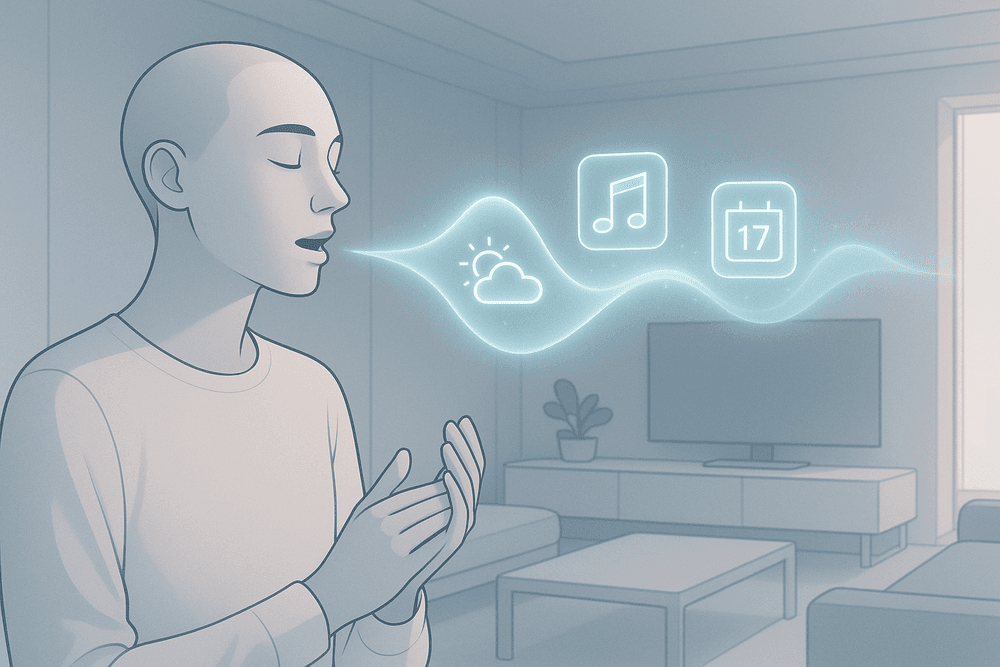
The Future is Listening: What's Next for the AI Voice Assistant?
The AI voice assistant of today is a remarkable tool, but we are only scratching the surface of its potential. The evolution from simple command-and-response devices to truly intelligent companions is accelerating. The future isn't just about more accurate answers; it's about anticipation, understanding, and genuine interaction.
The Road to Hyper-Personalization and Emotional Intelligence
The next generation of AI voice assistant technology is moving beyond being reactive. Get ready for a proactive and deeply personalized experience.
- Proactive Assistance: Imagine an AI voice assistant that doesn’t wait for you to ask. Based on your calendar, location, and habits, it might suggest leaving early for a meeting due to traffic, remind you to pick up milk on your way home because it knows you're low, or queue up a relaxing playlist after a day of back-to-back calls. It will learn your patterns to anticipate your needs.
- Contextual Awareness: The frustration of having to repeat context in every new command is fading. Future assistants will remember the flow of a conversation. You’ll be able to ask follow-up questions naturally, like asking "What's the weather like?" and then "What about in London?" without needing to specify you're still talking about the weather.
- Emotional Intelligence: The most significant leap will be in emotional intelligence. By analyzing vocal tone, pitch, and cadence, a future AI voice assistant could detect stress, excitement, or frustration. This allows for more empathetic and appropriate responses, such as offering to play calming music when it senses you're stressed or celebrating a successfully completed task with a more enthusiastic tone.
How to Choose the Right AI Voice Assistant for Your Needs
With several powerful options on the market, selecting the right AI voice assistant depends entirely on your personal and professional ecosystem. Consider these key factors before committing:
- Ecosystem: Which tech family do you belong to? If your life runs on Apple products, Siri offers seamless integration. Android and Google Workspace users will find Google Assistant to be the most cohesive choice. Amazon's Alexa excels in smart home control and has a vast library of third-party "skills."
- Primary Use Case: What problem do you want to solve? For automating your home and shopping, Alexa is a leader. For managing information, schedules, and getting answers to complex questions, Google Assistant often has the edge. For on-the-go productivity deeply integrated with your phone, Siri is a strong contender.
- Privacy: Voice assistants work by listening. It's crucial to review the privacy policies of each provider. Look for features that let you review and delete voice recordings and give you granular control over what data is collected and used.
- Integrations: A great assistant becomes indispensable when it connects to the services you already use. Check if the AI voice assistant supports your favorite music app, to-do list, project management software, and other critical tools for a truly streamlined workflow.
Getting Started: Your First Steps into Voice-Powered Productivity
Ready to integrate an AI voice assistant into your workflow? The key is to start simple and build the habit. Follow these steps to begin your journey.
- Activate and Learn the Basics: Start by setting timers, asking for the weather, or playing music. These simple, high-success-rate commands build confidence and get you comfortable with voice interaction.
- Connect Your Calendar: The first major productivity win is hands-free schedule management. Link your primary work or personal calendar. Practice adding appointments, asking "What's on my schedule today?" and setting event reminders while your hands are busy.
- Master Dictation: Reclaim time by dictating short emails, messages, and notes. Instead of typing out a quick response, simply say, "Hey Siri, text Jane Doe I'm running five minutes late." It feels awkward at first but quickly becomes a powerful tool for capturing thoughts on the fly.
- Create Your First Routine: All major platforms allow you to create routines or shortcuts. Build a simple "Good Morning" routine that, with a single phrase, turns on the lights, tells you the day's forecast, and reads your first calendar event. This is the first step toward making your AI voice assistant a truly proactive part of your day.