
September 1, 2025
Why You Need an AI Tool for Email Drafting
The End of Blank Pages: Why You Need an AI Tool for Email Drafting
We’ve all been there: staring at a blank screen, a blinking cursor mocking our inability to start a crucial email. Whether it's a delicate client negotiation, a complex project update, or a simple follow-up, that initial inertia can kill productivity. The mental energy spent crafting the perfect opening line, structuring your points, and ensuring the right tone is immense. But what if you could eliminate that "blank page syndrome" forever? This is precisely the problem a modern AI tool for email drafting is designed to solve. These intelligent assistants are transforming the way we communicate, turning a time-consuming chore into a swift, efficient task.
What Exactly is an AI Email Assistant?
Think far beyond the red squiggly line of your spellchecker. An AI email assistant is a sophisticated co-pilot for your inbox, powered by advanced large language models (LLMs). It’s not just about correcting grammar; it’s about understanding context, intent, and nuance.
You can provide a simple prompt—like "write a polite follow-up to Sarah about the pending invoice"—and the AI generates a complete, professional draft in seconds. It comprehends the relationship dynamics, the urgency, and the desired outcome, weaving them into a coherent message. It can summarize long, convoluted email threads to give you the gist, suggest intelligent replies based on the content of a message you've received, and even help you refine your own writing to be more persuasive, formal, or concise. In short, it’s a strategic partner that helps you write better, faster.
Beyond Spellcheck: The Evolution of Email Communication
The journey of writing assistance has been a long one. We started with basic spellcheck, which saved us from embarrassing typos. Then came grammar tools that could spot a misplaced comma or a subject-verb disagreement. These were revolutionary at the time, but they were fundamentally reactive—they corrected mistakes you had already made.
The arrival of a true AI tool for email drafting marks a paradigm shift from reactive correction to proactive creation. Instead of just cleaning up your text, these tools act as your writing collaborator. They can brainstorm ideas with you, help structure your thoughts, and translate a few bullet points into a fully-fleshed-out email. This evolution represents the move from a simple proofreader to an executive assistant who anticipates your needs and helps you articulate your ideas with clarity and impact.
How AI Can Save You Hours Every Week
The most immediate and tangible benefit of adopting an AI email tool is reclaiming your time. The average professional spends over three hours a day on email. By automating and streamlining the most repetitive aspects of drafting, these tools can give you a significant portion of that time back. Here’s how:
- Instant First Drafts: Eliminate the time spent pondering how to begin. A simple command generates a solid draft that you can quickly edit and send.
- One-Click Replies: For common inquiries, the AI can analyze an incoming email and suggest several complete, context-aware responses, allowing you to reply with a single click.
- Effortless Summarization: Instead of spending 15 minutes reading a confusing 10-message thread, get the key takeaways and action items in seconds.
- Rapid Tone Adjustment: Need to make a direct email sound more diplomatic? Or a verbose message more concise? AI can rewrite your text to fit the desired tone in an instant, saving you from painstaking manual revisions.
By handling the heavy lifting of composition, an AI email assistant frees up your cognitive energy to focus on what truly matters: the strategy behind your communication and the high-value work that drives your success.
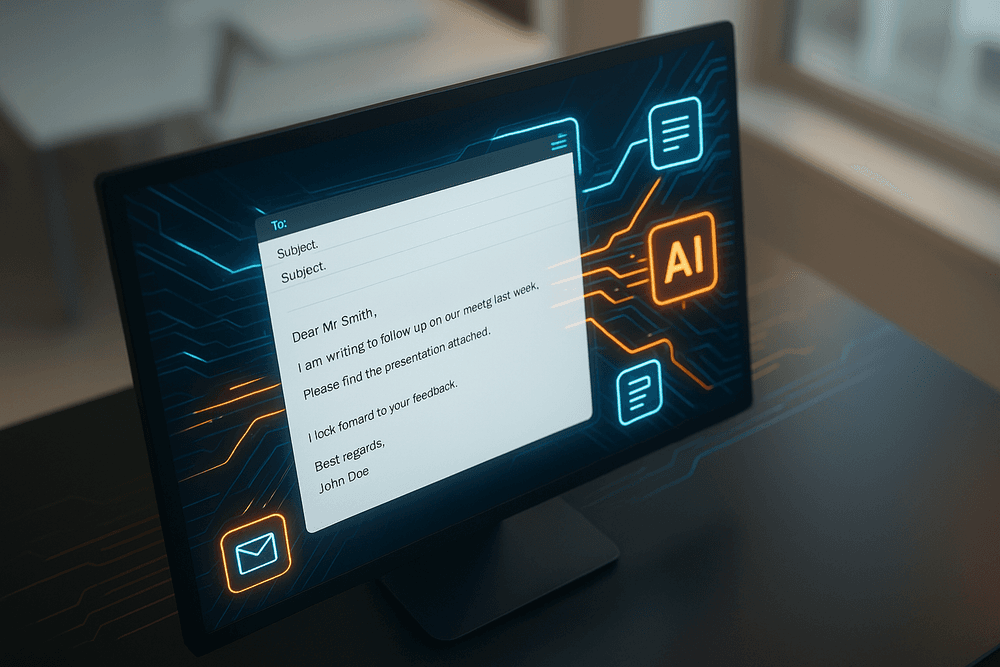
Comparing the Top AI Tools for Email Drafting in 2024
With a crowded market, choosing the right AI tool for email drafting can feel overwhelming. The best choice depends entirely on your specific role and needs. Whether you're a C-suite executive managing a packed inbox, a sales rep driving outreach, or a casual user wanting to sound more professional, there’s a tool designed for you. Here’s a breakdown of the top contenders.
For Busy Professionals: ScribeAI vs. Flowrite
For professionals juggling constant communication, efficiency and polish are non-negotiable. Two leading tools, ScribeAI and Flowrite, tackle this challenge from different angles.
ScribeAI acts as your personal writing assistant, integrating directly into Gmail and Outlook. Its standout feature is its ability to learn your unique voice and style over time. After analyzing your sent emails, it suggests context-aware replies that sound genuinely like you. It excels at summarizing long email threads to help you draft informed responses quickly and can refine your drafts for clarity, tone, and conciseness. ScribeAI is ideal for leaders who need to maintain a consistent, personal communication style without spending hours on their inbox.
Flowrite, on the other hand, is built for pure speed. Operating as a browser extension, it uses a library of smart templates and your short instructions to generate complete, high-quality emails in seconds. You simply provide a few bullet points like "ask about project status / need update by EOD / thanks," and Flowrite expands it into a perfectly structured professional email. It’s the ultimate tool for quickly clearing routine emails, from meeting requests to follow-ups, making it a favorite among consultants and project managers.
The Verdict: Choose ScribeAI for deep personalization and maintaining your unique voice. Opt for Flowrite if your priority is maximum speed and clearing your inbox as fast as possible.
Best for Sales Teams: A Look at OutreachIQ’s Features
Sales communication requires more than just good writing; it demands strategy, personalization, and analytics. General-purpose tools fall short here, which is where a specialized AI tool for email drafting like OutreachIQ shines. It's designed specifically for sales and marketing outreach.
OutreachIQ’s power lies in its campaign-oriented features:
- Hyper-Personalization at Scale: It integrates with your CRM and LinkedIn Sales Navigator to pull prospect data (like company news, recent posts, or job titles) directly into your email templates, creating highly personalized cold emails that boost reply rates.
- Automated Follow-up Sequences: The tool doesn’t just write the first email. It drafts entire multi-touch follow-up sequences, adjusting the tone and call-to-action for each step to nurture leads without manual effort.
- A/B Testing and Analytics: Generate multiple subject lines or body variations and automatically test them to see what performs best. Built-in analytics track open rates, click-through rates, and replies, providing actionable insights to refine your outreach strategy.
For sales teams, OutreachIQ is more than a writer; it’s a strategic partner that optimizes the entire top-of-funnel communication process.
Top Free AI Tool for Email Drafting for Casual Users
If you don't need the advanced features of a paid subscription but want to enhance your daily emails, Compose Assistant is the perfect starting point. As a completely free browser extension, it provides essential AI capabilities for anyone who needs occasional writing support.
Compose Assistant offers core features like tone adjustment (easily switch between formal, friendly, and persuasive tones), grammar and spelling correction, and basic email generation from simple prompts. It's an excellent tool for students crafting emails to professors, job seekers writing cover letters, or anyone who wants to ensure their message is clear, polite, and error-free. While it lacks the deep learning of ScribeAI or the sales focus of OutreachIQ, it provides a significant upgrade over a standard spell checker, making it the best free AI tool for email drafting for everyday use.
Core Features to Look For in an AI Tool for Email Drafting
Navigating the market for an AI tool for email drafting can be overwhelming, with countless options promising to revolutionize your inbox. But not all tools are created equal. To ensure you’re investing in a solution that genuinely enhances productivity and communication, focus on these four indispensable core features. These are the non-negotiables that separate a helpful gadget from a true game-changer.
Automated Tone and Style Adjustment
Ever drafted an email and worried it sounded too harsh? Or too casual for a new client? The best AI tools eliminate this guesswork. A crucial feature is the ability to automatically adjust or suggest changes to your email's tone and style. Imagine writing a quick, blunt draft and, with a single click, transforming it into a formal, professional message or a warm, friendly follow-up.
This feature analyzes your text and offers alternatives to match your intended audience and context. Whether you need to be more persuasive, empathetic, confident, or concise, the AI acts as your personal communication coach. This ensures your message always lands exactly as intended, preventing misinterpretations and strengthening your professional relationships.
One-Click Subject Line Generation
The subject line is your email’s first impression, and a weak one can send your carefully crafted message straight to the trash. Staring at that blank subject field can be paralyzing. A top-tier ai tool for email drafting removes this hurdle with one-click subject line generation.
By analyzing the body of your email, the AI understands the core message and purpose. It then instantly suggests several compelling, clear, and relevant subject lines optimized for high open rates. It can generate everything from direct and professional titles for internal memos to intriguing, benefit-driven lines for outreach campaigns. This single feature saves time, reduces decision fatigue, and significantly boosts the effectiveness of your communication.
Context-Aware Reply Suggestions
Replying to a long, complex email thread can feel like a chore. You have to re-read previous messages, identify key questions, and formulate a comprehensive response. This is where context-aware reply suggestions shine. A sophisticated AI doesn't just offer generic, one-word replies; it reads and understands the entire conversation.
Based on the history of the thread, the AI will suggest relevant, detailed responses that address specific points raised by the sender. It can help you draft acknowledgments, answer questions it identifies in the text, or even suggest next steps. This feature is a massive time-saver, helping you clear your inbox faster while ensuring your replies are always thorough and on-point.
Seamless Integration with Gmail, Outlook, and More
The most powerful ai tool for email drafting is the one you actually use. If you constantly have to switch between your email client and a separate application, the friction will kill your workflow. That’s why seamless integration is paramount.
Look for a tool that operates directly within your existing email environment, whether it's Gmail, Outlook, Apple Mail, or another platform. The ideal solution works as a browser extension or a native add-in, embedding its features directly into the composition window. This creates a frictionless experience, allowing you to access AI-powered suggestions, tone adjustments, and subject line generation without ever leaving your inbox. This tight integration ensures the tool becomes a natural, indispensable part of your daily routine.

Real-World Use Cases: Putting Your AI Email Tool to Work
The true power of an AI-driven email tool isn’t just in correcting typos or suggesting synonyms; it’s in its ability to become a strategic partner in your daily communication. By understanding context, tone, and objectives, these tools can tackle complex writing tasks that traditionally consume hours of your workday. Let's explore three practical scenarios where an ai tool for email drafting can dramatically boost your efficiency and effectiveness.
Drafting a Persuasive Sales Pitch in Seconds
Crafting the perfect sales email is an art form. It requires a compelling hook, a clear value proposition, and a persuasive call-to-action, all tailored to the recipient. This process can be slow and mentally draining, especially when you’re trying to personalize outreach at scale.
This is where your AI email assistant shines. Instead of staring at a blank page, you can provide the tool with a few key inputs:
- Your Product/Service: "A project management SaaS for small creative agencies."
- The Prospect's Pain Point: "Struggling with disorganized client feedback and missed deadlines."
- Key Benefit: "Centralizes communication and streamlines approvals to deliver projects 30% faster."
In seconds, the ai tool for email drafting can generate several versions of a complete sales pitch. It can test different angles—one focusing on ROI, another on easing team frustration, and a third highlighting a specific feature. It helps you A/B test subject lines for better open rates and refines your language to be confident and persuasive without sounding aggressive. What once took 30 minutes of careful composition now takes less than a minute of prompting and editing.
Handling Customer Service Inquiries with Speed and Empathy
In customer support, every interaction matters. A timely, accurate, and empathetic response can turn a frustrated customer into a loyal advocate. However, maintaining that high standard during peak hours or when dealing with repetitive queries is a significant challenge for support agents.
An AI email tool acts as an invaluable co-pilot for your customer service team. By integrating with your helpdesk, it can:
- Analyze Incoming Queries: The tool instantly understands the customer’s issue—be it a refund request, a technical bug, or a shipping question.
- Draft Accurate Responses: It can pull information from your knowledge base to draft a response that includes correct policy details, step-by-step instructions, or relevant tracking links.
- Master the Tone: Most importantly, it ensures every reply is empathetic and professional. If an agent types a blunt, "You need to check the FAQ," the AI can suggest a softer, more helpful alternative like, "I understand your frustration. The quickest way to resolve this is by following the steps in our FAQ here, but I'm happy to walk you through it." This consistency builds brand trust and improves customer satisfaction.
Creating Clear and Concise Internal Team Announcements
Internal communication is the backbone of any successful organization, yet it’s often rushed and unclear. A poorly worded announcement about a policy change, a project update, or a new hire can lead to confusion, misalignment, and wasted time.
Using an ai tool for email drafting ensures your internal messages are always clear, concise, and professional. You can simply provide a list of bullet points or a rough paragraph of your thoughts, and the AI will structure it into a polished announcement. It excels at:
- Summarizing Key Information: It transforms long-winded explanations into easy-to-digest summaries, placing the most critical information at the top.
- Defining Action Items: It clearly outlines what is expected of the team, whether it's reviewing a document, completing a survey, or preparing for a meeting.
- Setting the Right Tone: It can adapt the message to fit the context—whether it’s a formal, serious update about organizational changes or an upbeat, motivational message to kick off a new quarter. This eliminates ambiguity and ensures everyone is on the same page, fostering a more organized and efficient workplace.
Best Practices: Getting Human-Quality Results from Your AI
An AI tool for email drafting is a powerful ally, but it's not a mind reader. To move beyond generic, robotic text and generate truly human-quality emails, you need to treat the AI as a smart assistant, not a magic button. It's a partnership. By mastering a few best practices, you can ensure your AI-generated drafts sound authentic, professional, and, most importantly, like you.
Providing the Right Context for Better Drafts
The quality of your output is directly proportional to the quality of your input. Vague prompts lead to vague emails. To get a draft that's 90% of the way there, you need to provide your AI assistant with rich, specific context. Think of it as briefing a colleague before they write a message on your behalf.
Instead of a generic prompt like: "Write an email to a client about our new service."
Provide a detailed, context-rich prompt: "Draft a professional but friendly email to [Client Name], the Marketing Director at [Company Name]. The goal is to introduce our new SEO analytics service. Key points to include are: real-time keyword tracking, competitor analysis, and a simplified reporting dashboard. The desired tone is helpful and confident. End with a clear call to action: 'Would you be open to a quick 15-minute demo next week?'"
By including the recipient's role, the specific goal, key talking points, desired tone, and a precise call to action, you give your ai tool for email drafting all the necessary ingredients to create a targeted and effective message.
The Importance of Reviewing and Personalizing AI Content
Never hit "send" on a raw, AI-generated draft. Think of the output as a well-structured first draft—a launchpad, not the final product. Your review process is where the magic happens, transforming a good draft into a great email.
First, fact-check everything. AI can occasionally "hallucinate" or misinterpret data, so verify any statistics, dates, or specific claims. Next, refine the tone. Does the draft perfectly match your relationship with the recipient? You might need to make it slightly more formal or add a touch more casual warmth.
Most importantly, inject your personality. This is what separates your message from a thousand other emails. Add a personal touch that the AI couldn't possibly know. Reference a recent conversation, mention a shared interest you discovered on their LinkedIn, or add a closing that’s uniquely yours. This final human layer builds rapport and ensures your email resonates on a personal level, preventing it from feeling cold or automated.
Training Your AI Tool with Custom Instructions and Templates
To truly supercharge your workflow, go beyond one-off prompts and start training your AI. Many advanced AI tools for email drafting now offer features like custom instructions and reusable templates.
Custom Instructions are a game-changer. This is a dedicated section where you can give the AI permanent background information about you and your writing style. You can tell it:
- "My name is [Your Name], and I'm the [Your Title] at [Your Company]."
- "Always use a professional but approachable tone."
- "Avoid using jargon like 'synergy' or 'paradigm shift'."
- "When drafting follow-up emails, always be polite and concise."
By setting these rules once, the AI will remember them for all future drafts, saving you from repetitive editing.
Templates allow you to save the structure and key elements of your most common emails. If you frequently send project update emails or sales follow-ups, you can create a template with a pre-defined structure and prompt. This turns a multi-step process into a single click, making your ai tool for email drafting an even more efficient and personalized assistant.

Conclusion: Is an AI Tool for Email Drafting Worth It?
After exploring the landscape of AI-powered communication, the question isn't just whether an AI tool for email drafting is useful, but how significantly it can transform your daily workflow. The evidence is clear: for professionals drowning in their inboxes, these tools are no longer a luxury but a powerful strategic asset. They save time, reduce mental friction, and elevate the quality of your most frequent form of business communication.
The answer is a definitive yes. An AI assistant tackles the most tedious parts of email management, freeing you to focus on strategy, relationship-building, and high-impact tasks that truly drive your work forward.
Choosing the Right Tool for Your Needs: A Quick Recap
As we've discussed, the "best" AI email assistant is the one that aligns with your specific requirements. To make the right choice, consider these key takeaways:
- Productivity vs. Perfection: Are you looking to clear your inbox faster with quick replies and summaries, or do you need a tool that helps you craft nuanced, persuasive, long-form emails? Identify your primary pain point.
- Integration is Key: The most effective AI tool for email drafting seamlessly integrates into your existing workflow, whether in Gmail, Outlook, or your company's CRM. A tool that requires you to constantly switch tabs creates more friction than it removes.
- Feature Set: Look beyond basic generation. Features like tone adjustment, multilingual support, context-aware suggestions, and personalization capabilities are what separate a good tool from a great one.
- Ease of Use: The technology should feel intuitive. A steep learning curve can defeat the purpose of adopting a tool designed to save you time and mental energy.
Ultimately, the goal is to find a partner that enhances your natural communication style, rather than replacing it.
Start Your Free Trial Today
Reading about the benefits of an AI tool for email drafting is one thing; experiencing it is another. The abstract concept of "reclaiming your time" becomes tangible the first time you generate a professional follow-up email in ten seconds instead of ten minutes.
Nearly every top-tier platform offers a no-commitment free trial. This is your opportunity to test-drive the features in a real-world setting. Use it for a week. See how it handles client inquiries, internal updates, and networking outreach. Measure the difference not just in the hours you save, but in the reduced stress and increased confidence you feel when you hit "send." Take the first step toward a more efficient and effective email experience—you have nothing to lose and countless hours to gain.
The Future of AI in Professional Communication
The evolution of these tools is just beginning. Looking ahead, the role of AI in our inboxes will become even more sophisticated and predictive. Imagine an AI that not only helps you write an email but also suggests the optimal time to send it based on the recipient's habits, predicts their likely response, and automatically drafts follow-up sequences based on your strategic goals.
The future of the AI tool for email drafting is not just about writing; it's about becoming a true communication strategist. It will help us build stronger relationships, close deals faster, and collaborate more effectively. By embracing this technology now, you are not just solving today's inbox overload; you are positioning yourself at the forefront of the future of professional communication.