
November 24, 2025
An Introduction to AI Image Editing
The Dawn of a New Creative Era: An Introduction to AI Image Editing
We stand at a creative crossroads, a point where the meticulous, pixel-by-pixel craft of photo manipulation meets the intuitive power of artificial intelligence. This is the world of AI image editing, a revolutionary approach that’s reshaping the digital darkroom. But what exactly is it, and how does it fundamentally differ from the traditional software we’ve used for decades?
What Makes AI Image Editing a Game-Changer?
For years, image editing has been a manual, labor-intensive process. Tools like Photoshop and GIMP gave creatives incredible power, but they demanded technical expertise and countless hours. You had to master layers, masks, clone stamps, and selection tools to achieve your vision. This process is procedural; you tell the software exactly what to do to which pixels.
AI image editing operates on a different principle: context. Instead of manipulating individual pixels, AI-powered tools understand the content of your image. They can identify a person, a sky, a tree, or a stray object in the background. This contextual awareness is the key differentiator. When you ask an AI tool to remove an object, you don't painstakingly trace its outline; you simply highlight it and the algorithm intelligently fills in the background, understanding light, texture, and perspective. It's the difference between using a manual chisel and a smart, self-guiding sculpting tool.
A Spectrum of Creative Power: From Minor Tweaks to Major Overhauls
The power of AI image editing isn't a single feature; it's a vast spectrum of capabilities that cater to every need. At one end, you have subtle, time-saving enhancements:
- One-Click Fixes: Instantly improve lighting, color balance, and sharpness with algorithms trained on millions of professional photos.
- Intelligent Noise Reduction: Clean up grainy low-light photos without sacrificing critical detail.
- Effortless Object Removal: Erase unwanted people, power lines, or blemishes from a scene in seconds.
Further along the spectrum, AI enables complete creative transformations that were once unimaginable or would have taken a team of experts to produce:
- Generative Fill & Expand: Seamlessly extend the borders of an image or add entirely new elements—like a flock of birds in an empty sky—just by describing them in text.
- Style Transfer: Apply the aesthetic of a famous painting, like Van Gogh's "Starry Night," to your photograph.
- Smart Portrait Editing: Adjust a subject's expression, head position, or the direction of the lighting with simple sliders.
Why AI is the Modern Creative's Co-Pilot
The rise of AI image editing isn't about replacing human creativity; it's about augmenting it. By automating tedious and repetitive tasks, these tools liberate photographers, designers, and artists from technical grunt work. This newfound efficiency means more time and mental energy can be dedicated to the core of the creative process: ideation, composition, and storytelling. AI acts as a powerful co-pilot, handling the complex maneuvers so you can focus on the destination. It democratizes high-end editing, allowing hobbyists to achieve professional-grade results and empowering professionals to push the boundaries of what's possible, faster than ever before.
Top AI Image Editing Tools: A Comparative Review
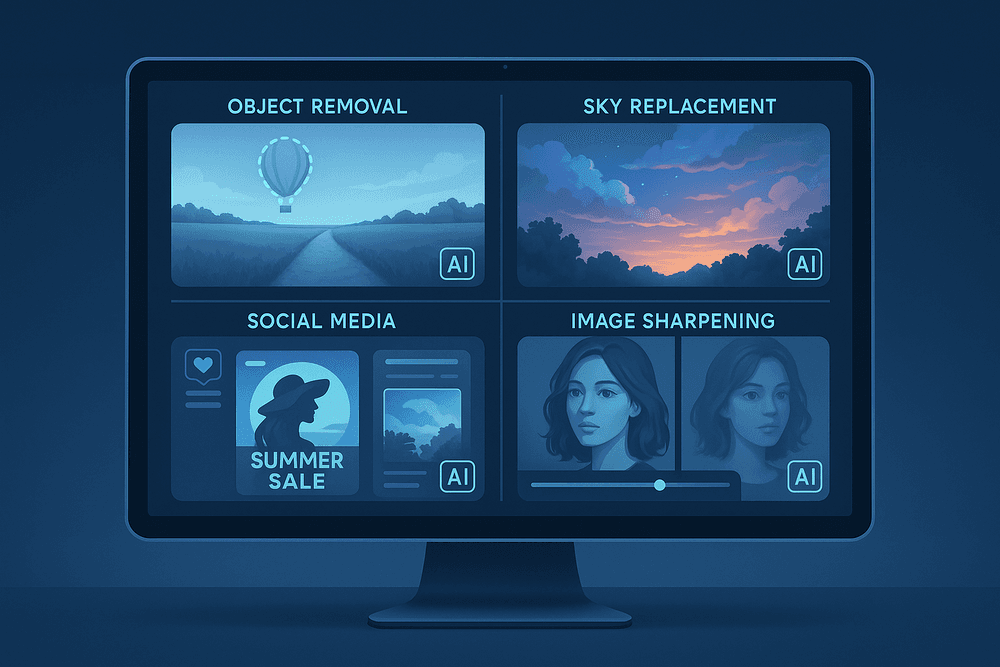
The world of AI image editing is no longer a monolith. Today, a diverse range of tools caters to different needs, from professional retouchers to busy social media managers. Choosing the right software depends entirely on your goals, skill level, and workflow. Let's break down four of the leading contenders to see where each one excels.
Adobe Photoshop's Generative Fill: The Integrated Powerhouse
For decades, Photoshop has been the industry standard, and its integration of AI has only solidified its position. The standout feature, Generative Fill, is a game-changer built directly into the familiar Photoshop interface. Powered by Adobe Firefly, this generative AI tool allows you to select any part of an image and replace, remove, or add content using simple text prompts. Need to remove a distracting tourist from a landscape or extend a cramped photo's background? Generative Fill does it with astonishing realism.
Its greatest strength is its seamless integration into a professional, layer-based workflow. This isn't a separate app; it's a powerful new brush in an already extensive toolkit, giving creatives unparalleled control over their AI-assisted edits.
Best for: Professionals, photographers, and digital artists already comfortable with the Adobe ecosystem who need powerful, integrated generative AI capabilities.
Luminar Neo: For Automated, Breathtaking Enhancements
Where Photoshop offers granular control, Luminar Neo champions speed and simplicity. This powerful AI photo editor is designed to deliver stunning results with minimal effort. Its interface is built around AI-powered tools that automate complex tasks. With features like Sky AI, you can replace a bland sky with a dramatic one in a single click, and the software automatically adjusts the scene's lighting to match.
Other tools like Relight AI, Enhance AI, and Portrait Bokeh AI analyze your photo and apply sophisticated adjustments intelligently. This makes Luminar Neo the perfect tool for photographers who want to streamline their editing process and achieve breathtaking enhancements without spending hours on manual adjustments. It’s a complete solution for high-impact AI image editing.
Best for: Photographers (hobbyist and professional) who want to speed up their workflow and achieve beautiful, automated enhancements.
Canva Magic Studio: AI for Effortless Social Media Graphics
Canva has democratized design, and its Magic Studio suite brings powerful AI image editing to the masses. The tools here are not aimed at pixel-perfect photographic retouching but at creating compelling visual content quickly. Magic Erase lets you effortlessly remove unwanted objects, while Magic Edit allows you to transform an object simply by describing what you want to see.
These features live within the broader Canva ecosystem, meaning you can edit an image and immediately drop it into a social media template, presentation, or poster. It’s the ultimate tool for marketers, content creators, and small business owners who need to produce a high volume of quality graphics without a steep learning curve.
Best for: Marketers, social media managers, and non-designers who need fast, easy, and effective AI tools for creating marketing materials.
Topaz Labs: The Specialist for Sharpening and Noise Reduction
Topaz Labs carves out its niche by focusing on technical perfection. Instead of a do-it-all platform, it offers a suite of specialized tools—Sharpen AI, DeNoise AI, and Gigapixel AI—that are arguably the best in their class. These applications use machine learning to perform specific, critical tasks with incredible precision.
Is your photo slightly out of focus? Sharpen AI can recover detail you thought was lost. Was a shot taken in low light and full of digital noise? DeNoise AI cleans it up while preserving texture. Need to print a low-resolution image at a large size? Gigapixel AI intelligently upscales it, adding realistic detail. Topaz tools are often used as plugins within a larger workflow (like in Photoshop) to rescue or perfect an image before creative editing begins.
Best for: Photographers and perfectionists who need to solve specific technical problems like blur, noise, or low resolution.
Exploring the Core Features of Modern AI Image Editing
The world of ai image editing has evolved far beyond simple filters and basic adjustments. Today’s tools are powered by sophisticated algorithms that understand image context, content, and quality, automating complex tasks and unlocking unprecedented creative possibilities. These core features are not just incremental improvements; they represent a fundamental shift in how we interact with and manipulate digital images. Let's delve into the standout capabilities that define modern AI-powered editing.
Seamless Object and Background Removal
Remember the tedious hours spent with the pen tool, meticulously tracing around a subject to isolate it from its background? AI has made that process obsolete. Modern ai image editing software can identify and separate subjects—people, products, or animals—from their surroundings with a single click. The underlying neural networks are trained on millions of images, allowing them to accurately distinguish between foreground and background, even with complex details like hair or fur. This is a game-changer for e-commerce professionals creating clean product shots, graphic designers making composite images, or even casual users wanting to remove a photobomber from a cherished memory. The result is a perfect, clean cutout in seconds, not hours.
Intelligent Enhancement: Upscaling, Color Correction, and Denoising
Every photo has the potential to be better, and AI acts as an expert assistant to bring out its best. This goes beyond simple "auto-enhance" buttons of the past.
- AI Upscaling: Have a low-resolution photo you wish was sharper? AI upscalers don’t just enlarge pixels; they intelligently analyze the image and generate new, realistic detail to increase its resolution. This technology can resurrect old family photos, improve a cropped image, or prepare a small web graphic for large-format printing without the typical blurriness.
- Automated Color Correction: AI algorithms analyze the lighting, tones, and color palette of your photo to apply professional-grade corrections. They can fix white balance issues, boost vibrancy in a dull landscape, and ensure skin tones look natural, all while maintaining a harmonious and balanced final image.
- Denoising: Photos taken in low-light conditions often suffer from distracting digital noise or grain. AI denoising tools are exceptionally effective at removing this grain while preserving crucial details, resulting in a clean, crisp image that looks like it was shot in perfect conditions.
Generative Fill: Adding, Extending, and Replacing Elements
Perhaps the most revolutionary feature in ai image editing is Generative Fill. This technology uses text prompts to manipulate the very fabric of your image. Instead of just editing what’s there, you can create something entirely new. You can select an empty patch of sky and type "add fireworks" to see it magically appear, seamlessly integrated with the scene's lighting. You can expand the canvas of a photo (a process called "outpainting") and let the AI generate a wider, context-aware background. Need to change an object? Simply select a t-shirt in a portrait and type "blue striped polo shirt" to replace it instantly. This tool bridges the gap between imagination and reality, empowering creators to build, alter, and perfect their visual concepts with unprecedented ease.
Artistic Style Transfer: Applying Famous Art Styles to Your Photos
Ever wondered what your cityscape photo would look like if painted by Van Gogh or a portrait rendered in the style of Picasso? Artistic style transfer makes this possible. This fascinating AI feature analyzes the stylistic elements of a source image—like a famous painting—and applies that aesthetic to your own photo. It intelligently transfers the brushstrokes, color palette, and textures while preserving the core composition of your original image. It’s a powerful and fun way for photographers and artists to experiment with different visual styles, create unique digital art, and find new avenues for creative expression.
Real-World Use Cases: How AI Image Editing Transforms Workflows
The theoretical power of artificial intelligence is impressive, but its true value shines in its practical application. For creatives, marketers, and even families, AI image editing is not a future concept—it's a present-day reality that is fundamentally changing how we create and interact with visual media. These tools are solving real problems, saving countless hours, and unlocking new creative possibilities. Let's explore some of the most impactful use cases.
Streamlining E-commerce Product Photography at Scale
For any online retailer, high-quality product photos are non-negotiable. The traditional process involves expensive photoshoots and tedious post-processing. AI image editing disrupts this model by automating the most time-consuming tasks.
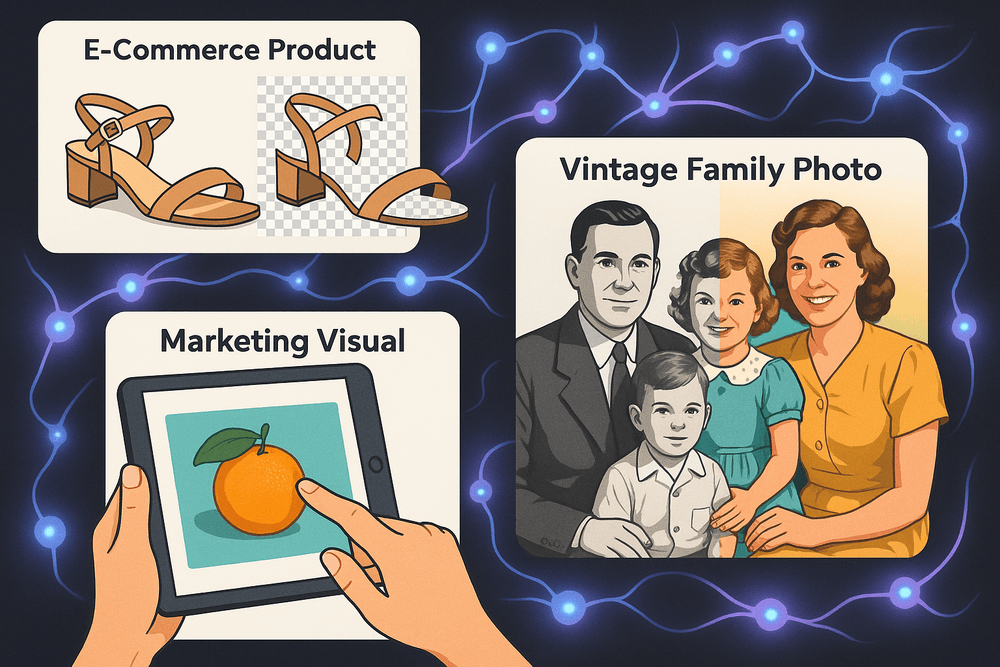
Imagine an online store with thousands of products. Instead of manually cutting out each item, an AI tool can remove backgrounds from entire batches of photos in minutes, placing them on a pure white or custom-branded backdrop with perfect consistency. AI can also automatically adjust lighting, correct colors to be true-to-life, and even generate realistic shadows. Some advanced platforms can take a single product shot and create dozens of lifestyle mockups, showing the item in various settings without ever needing a physical photoshoot. This massive acceleration allows businesses to get products online faster and maintain a polished, professional storefront.
Creating Stunning Marketing Visuals on a Budget
Small businesses and startups often lack the resources for a dedicated graphic designer or expensive stock photo subscriptions. AI image editing democratizes visual content creation, enabling anyone to produce professional-grade marketing materials.
Need a unique background for a social media ad? An AI image generator can create one from a simple text prompt. Have a stock photo that’s almost perfect but for an out-of-place object? AI object removal can erase it seamlessly. You can use AI to upscale low-resolution logos, apply consistent brand filters across a campaign with a single click, or even expand a photo’s canvas (outpainting) to fit different aspect ratios for platforms like Instagram Stories or website banners. This puts powerful creative control into the hands of marketers, allowing them to build a strong visual brand without a big budget.
Restoring and Colorizing Old Family Photos
Beyond the commercial world, AI image editing offers a deeply personal benefit: bringing history to life. Old family photographs, often faded, scratched, or torn, hold priceless sentimental value. AI-powered restoration tools can work miracles on these cherished memories.
With incredible precision, AI algorithms can repair cracks, remove dust and scratches, and sharpen blurry faces. Perhaps the most magical feature is colorization. By analyzing the data in a black-and-white photo, AI can intelligently apply realistic colors, transforming a historical artifact into a vibrant, living moment. What was once a flat, monochrome image of a great-grandparent can suddenly reveal the color of their eyes or the pattern of their clothing, creating a powerful new connection across generations.
Accelerating the Creative Process for Professional Photographers
For professional photographers, time is money. While AI will never replace the creative eye, it serves as an incredibly efficient assistant. The modern AI image editing workflow frees photographers from repetitive, non-creative tasks, allowing them to focus on what they do best: artistry and client interaction.
After a wedding or event shoot, a photographer might have thousands of photos to sort through. AI culling tools can automatically analyze an entire shoot, grouping similar photos and flagging the ones with the best focus and composition. During the retouching phase, AI can handle initial adjustments like skin smoothing, blemish removal, and teeth whitening, providing a clean base for the photographer to add their signature style. Features like one-click sky replacement can salvage a great shot taken on a dull day. By automating the grunt work, AI dramatically speeds up turnaround times, enabling photographers to take on more clients and spend more time behind the lens.
Best Practices for Getting Professional Results with AI Image Editing
Harnessing the power of AI image editing is more than just clicking a button; it’s about developing a workflow that blends technological prowess with creative intuition. To move from amateur adjustments to professional-grade results, you need to adopt a set of best practices. These strategies ensure you get the most out of your AI-powered tools while maintaining full creative control and ethical integrity.
Start with a High-Quality Base Image
The oldest rule of data processing applies perfectly to ai image editing: garbage in, garbage out. An AI algorithm analyzes the existing pixel data in your photo to make its decisions. The more detail, clarity, and information it has to work with, the better the final output will be.
- For Enhancement and Upscaling: Starting with a high-resolution, well-exposed RAW or JPEG file gives AI tools like noise reduction and sharpening a clean canvas. Trying to "fix" a blurry, low-resolution, or heavily compressed image will often result in digital artifacts and an unnatural, over-processed look.
- For Object Removal and Generative Fill: A clean, well-lit background around the object you want to remove allows the AI to more accurately sample textures and patterns to create a seamless patch.
Craft Effective Text Prompts for Generative Features
Generative AI is a conversation between you and the machine. The quality of your prompt directly dictates the quality of the result. Vague commands lead to generic outputs.
- Be Specific and Descriptive: Instead of "add a dog," try "add a golden retriever puppy running on the grass, morning light." Include details about the subject, action, environment, and lighting.
- Use Adjectives to Define Style: Words like "hyperrealistic," "cinematic lighting," "soft focus," "vintage film look," or "dramatic shadows" guide the AI’s aesthetic choices.
- Iterate and Refine: Your first prompt is rarely your last. Use the initial result as a starting point. Refine your prompt to change details, add elements, or adjust the composition. Effective ai image editing is an iterative process.
Know When to Combine AI Tools with Manual Adjustments
The most skilled professionals use AI as a powerful assistant, not a replacement for their expertise. The key is knowing when to let the AI do the heavy lifting and when to step in for the final, nuanced touches.
- Refine AI Selections: Use an AI’s “Select Subject” feature to create a complex mask in seconds, then manually refine the edges with the brush tool for perfect precision.
- Tweak AI Enhancements: After applying an AI-powered "auto-enhance," dive into the manual sliders for curves, color balance, and saturation to fine-tune the look to match your creative vision.
- Clean Up Generative Fills: While generative fill is incredible, it can sometimes leave behind slight imperfections or mismatched textures. Use traditional tools like the Clone Stamp or Healing Brush to seamlessly blend these areas for a flawless finish.
Understand the Ethical Lines of AI Photo Manipulation
With great power comes great responsibility. As ai image editing becomes more sophisticated, it’s crucial to use it ethically.
- Transparency is Key: In contexts like photojournalism, product photography, or scientific imagery, be transparent about significant AI alterations. Misleading viewers can damage credibility.
- Avoid Deception: Creating deepfakes or manipulating images to misrepresent people or events crosses a serious ethical line.
- Respect Copyright: Be mindful of copyright laws. Don’t use generative AI to replicate a copyrighted artist's style without permission, and understand the terms of service of your AI tool regarding the ownership and usage rights of generated content.
Conclusion: Embrace the Future of Your Creative Workflow
The world of digital imagery is undergoing a seismic shift, and the catalyst is artificial intelligence. We've journeyed through the incredible capabilities of modern tools, from one-click object removal to intelligent enhancement that can rescue a once-unusable photo. This is no longer a glimpse into a far-off future; powerful AI image editing is accessible, intuitive, and ready to become an indispensable part of your creative toolkit. The only question left is, how will you harness its power?
Choosing Your Perfect AI Image Editing Companion
With a rapidly growing market, selecting the right software can feel overwhelming. The key is to align the tool with your specific goals. To find your perfect match, consider these factors:
- Define Your Purpose: Are you a professional photographer who needs granular control over RAW files and seamless integration with Adobe Lightroom or Photoshop? Or are you a social media manager looking for fast, high-impact edits and batch processing? A hobbyist might prioritize a user-friendly interface and fun, creative features like style transfer. Your primary use case dictates the complexity you need.
- Prioritize Key Features: Make a list of your most common editing tasks. If you frequently shoot in crowded places, a best-in-class object removal tool is non-negotiable. For portrait photographers, sophisticated AI-powered skin smoothing and facial feature adjustments are paramount.
- Assess Usability and Workflow: The best tool is one you’ll actually use. Some AI solutions are standalone applications, while others function as plugins. Consider your current workflow. A plugin might offer a smoother learning curve, while a dedicated program could provide more specialized, powerful features. Look for free trials to test the software’s interface and see how it feels.
The Evolving Landscape: AI’s Role Tomorrow
The trajectory of AI image editing is pointing towards even deeper integration and smarter assistance. For professionals, the future isn't about AI replacing artistic vision, but about it eliminating creative friction. Imagine AI culling thousands of wedding photos, identifying the best compositions and expressions in seconds. Picture it performing complex, multi-step masking with a single command, freeing up the artist to focus on color, mood, and story.
For personal photography, AI will continue to democratize professional-quality results. We'll see smarter automated enhancements that learn your personal style, generative AI that can realistically extend the background of a poorly framed shot, and tools that can restore old, damaged family photos with breathtaking accuracy. AI will become a silent, supportive partner in preserving our memories and expressing our creativity.
Start Your First AI-Powered Project Today
The best way to understand the impact of this technology is to experience it firsthand. Don’t just read about it—dive in. Your journey into AI image editing begins with a single, simple task.
- Rescue a "Ruined" Photo: Find a picture with an unwanted person or object in the background. Use an AI object removal tool and watch it vanish.
- Revive an Old Memory: Dig up a slightly blurry or poorly lit photo you love. Apply a one-click AI enhancer and see the details come back to life.
- Create Something New: Take a simple photo of a landscape or cityscape. Use an AI style transfer feature to reimagine it in the style of a famous painter.
By embracing these tools, you’re not just speeding up your edits; you’re unlocking new creative possibilities and reclaiming your most valuable asset: time. The future of your workflow is here. It’s intelligent, efficient, and waiting for you to create something amazing.