
September 19, 2025
Your Guide to AI Image Generation Tools
The Creative Revolution: Your Guide to AI Image Generation Tools
Welcome to the new frontier of digital creation. What was once the realm of science fiction—typing a description and watching a unique, high-quality image appear—is now a reality accessible to everyone. This creative explosion is powered by a diverse ecosystem of ai image generation tools, each offering a unique way to turn your imagination into stunning visuals. But how does it all work, and why is it becoming an indispensable part of the modern creator’s toolkit?
From Text to Masterpiece: How Do AI Image Generators Work?
The magic behind AI image generation lies in a type of artificial intelligence called a diffusion model. Think of it as an incredibly skilled digital artist who has studied billions of images and their corresponding text descriptions from across the internet.
When you enter a text prompt, such as "a vibrant impressionist painting of a rain-soaked Parisian street at dusk," the process begins:
- Noise: The model starts with a canvas of pure random static or "noise."
- Denoising: Guided by your prompt, the AI meticulously refines this static over a series of steps. It draws upon its vast training data to understand the concepts of "impressionism," "rain," "Paris," and "dusk."
- Creation: Step-by-step, it sculpts the noise into a coherent image, aligning the emerging shapes, colors, and textures with the meaning of your words until a final, polished masterpiece emerges.
This sophisticated process allows ai image generation tools to interpret both simple commands and complex, abstract ideas with remarkable accuracy.
Why Every Creator Needs an AI Image Tool in Their Toolkit
Whether you’re a graphic designer, a marketer, a blogger, or a filmmaker, integrating AI image tools into your workflow is a game-changer. These platforms are not here to replace creativity but to augment it, acting as a powerful co-pilot for your ideas.
- Accelerate Ideation: Instantly visualize concepts for mood boards, logos, or character designs, cutting down brainstorming time from hours to minutes.
- Break Through Creative Blocks: When you’re stuck for an idea, an AI generator can serve as an endless source of inspiration, offering unexpected visual avenues to explore.
- Generate Bespoke Assets: Create perfectly tailored, royalty-free images for blog posts, social media campaigns, advertisements, or presentations, ensuring your content stands out from the sea of generic stock photos.
- Democratize Artistry: Produce professional-grade visuals without needing years of technical training in digital painting or 3D modeling.
Understanding the Different Types of AI Image Models
While the end goal is the same, not all AI models are built alike. The technology powering your favorite tool influences its style, strengths, and output quality.
- Diffusion Models: This is the dominant technology behind today's leading platforms like Midjourney, DALL-E 3, and Stable Diffusion. They are celebrated for their ability to produce incredibly detailed, coherent, and photorealistic or artistically stylized images. Their step-by-step refinement process gives them a high degree of control and flexibility, making them the top choice for most creative tasks.
- Generative Adversarial Networks (GANs): A foundational technology, GANs use two competing neural networks—a "Generator" that creates images and a "Discriminator" that judges their authenticity. This "artist vs. critic" dynamic was revolutionary. While diffusion models have largely surpassed GANs for text-to-image tasks, GANs are still used effectively in other areas, such as style transfer and image-to-image translation.
The Best AI Image Generation Tools of 2024 Compared
Navigating the vibrant landscape of AI image generation tools can feel like choosing an artist for a commission—each has a unique style, strength, and workflow. While countless platforms have emerged, three titans consistently lead the pack: Midjourney, DALL-E 3, and Stable Diffusion. Understanding their core differences is key to selecting the right tool for your creative or professional needs. Let's break down what makes each of these powerful AI image generation tools stand out.
Midjourney: Best for Artistic and Hyper-Realistic Outputs
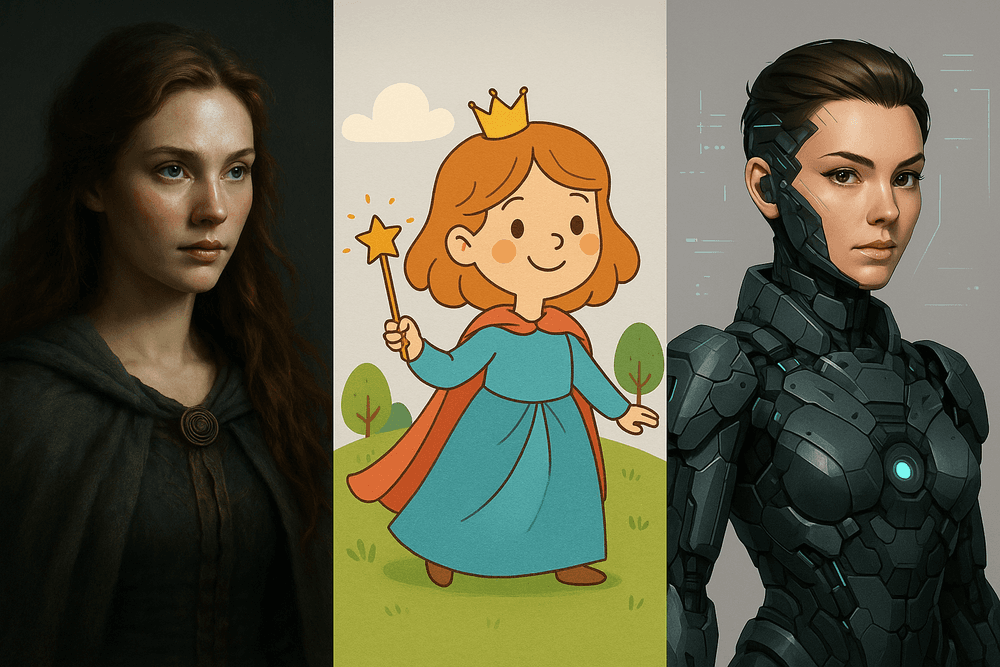
Midjourney is the undisputed champion for users seeking jaw-dropping aesthetics and artistic flair. It excels at creating images that are not just technically proficient but also emotionally resonant, with a distinct, often cinematic quality. Whether you're aiming for gothic fantasy art, a photorealistic portrait, or a sleek product render, Midjourney's model is finely tuned to produce visually stunning results with rich textures and sophisticated lighting.
Its primary interface is Discord, which can be a slight learning curve for newcomers but fosters a vibrant community where users share prompts and creations. This platform is ideal for artists, designers, and concept creators who prioritize final image quality and a specific artistic style over granular control or ease of integration.
DALL-E 3: Best for Ease-of-Use and ChatGPT Integration
Developed by OpenAI, DALL-E 3’s greatest strength is its seamless integration with ChatGPT. This makes the image generation process feel less like writing a complex command and more like having a conversation with a creative assistant. You can describe your vision in natural, everyday language, and ChatGPT helps refine the prompt to get you closer to your desired output.
DALL-E 3 is exceptionally good at understanding complex, detailed prompts and, crucially, is one of the best tools for accurately rendering text within images. This accessibility makes it the perfect choice for marketers, content creators, bloggers, and anyone who needs to quickly generate specific, high-quality visuals without a steep learning curve.
Stable Diffusion: The Open-Source Powerhouse for Customization
For those who want to look under the hood and take full control, Stable Diffusion is the ultimate playground. As an open-source model, it can be run on your local hardware (with a powerful enough GPU) and endlessly customized. This opens the door to a world of possibilities not available on closed platforms.
Users can train the model on their own datasets, create custom "LoRAs" (Low-Rank Adaptations) to replicate specific styles or characters, and leverage a massive ecosystem of community-developed tools and plugins. While this freedom comes with a much steeper technical curve, it offers unparalleled control. Stable Diffusion is the go-to for developers, AI researchers, technical artists, and hobbyists who want to push the boundaries of AI image generation.
Feature & Pricing Showdown: A Quick Comparison Table
To help you decide at a glance, here’s how the top AI image generation tools stack up against each other.
| Feature | Midjourney | DALL-E 3 | Stable Diffusion |
| :--- | :--- | :--- | :--- |
| Key Strength | Unmatched artistic & realistic quality | Ease of use & ChatGPT integration | Ultimate customization & control |
| Ease of Use | Moderate (Discord-based) | Very Easy (Conversational) | Difficult (Requires setup/tech skill) |
| Customization | Limited (Styling parameters) | Very Limited | Extremely High (Fine-tuning, LoRAs) |
| Platform | Discord | ChatGPT Plus / Microsoft Designer | Local PC / Web UIs (e.g., Automatic1111) |
| Pricing Model | Subscription-based Tiers | Included with ChatGPT Plus | Free (Open-source) / Paid cloud services |
Beyond the Prompt: Must-Have Features in Modern AI Image Generation Tools
A well-crafted prompt is your starting line, not the finish line. The best AI image generation tools offer a suite of advanced features that transform you from a passenger into a pilot, giving you precise control over the final output. Moving beyond basic text-to-image commands unlocks a new level of creativity and professional polish. Let's explore the essential features you need to master to produce truly remarkable visuals.
Mastering Advanced Prompting: Negative Prompts, Seeds, and Weights
While your main prompt tells the AI what to create, advanced prompting techniques tell it how to create it with greater specificity.
- Negative Prompts: This is your "do not include" list. If your generated images consistently include unwanted elements like distorted hands, blurry backgrounds, or a specific color, you can add it to a negative prompt. For example,
--no blurry, text, watermarkcan instantly clean up your results. - Seeds: A "seed" is the starting number that initializes the image generation process. By using the same seed number with the same prompt, you can reproduce the exact same image. This is invaluable for iteration, allowing you to keep a composition you like while making small tweaks to the prompt.
- Weights: Not all words in your prompt carry the same importance. Weights allow you to increase or decrease a term's influence. For example, in a prompt like "a photo of a (red:1.4) rose," you are telling the AI to put significantly more emphasis on the color red, ensuring a vibrant result.
Inpainting and Outpainting: Editing Your Creations with Precision
This is where AI image generation tools evolve from simple creators into powerful editors.
- Inpainting: Generated a perfect portrait but want to change the subject’s eye color? Inpainting allows you to mask a specific part of an image and regenerate only that area with a new prompt. It’s perfect for making corrections, adding details, or removing unwanted objects without starting from scratch.
- Outpainting: Also known as "generative fill," this feature lets you expand the canvas of your image. You can seamlessly turn a close-up shot into a wide-angle landscape or change a horizontal image to a vertical one. The AI intelligently generates new content that perfectly matches the style, lighting, and context of the original picture.
Achieving Style and Character Consistency for Your Brand
For businesses and creators, maintaining a consistent look and feel is crucial. Early AI tools struggled with this, producing different character faces or artistic styles with every generation. Modern platforms solve this with features that allow you to define and replicate a specific aesthetic. Using style reference images (img2img) or training custom models (like LoRAs) on your own brand assets, you can ensure your company mascot, product style, or artistic signature remains consistent across every single image created.
Upscaling Images for High-Resolution, Print-Ready Results
Most AI images are generated at a web-friendly resolution (like 1024x1024 pixels), which is too small for high-quality printing or large displays. An integrated AI upscaler is a must-have feature. Unlike traditional resizing that just stretches pixels and causes blurriness, AI upscalers intelligently add new detail, sharpening lines and refining textures to increase the image resolution by 2x, 4x, or even more. This final step is essential for turning your digital creations into professional, print-ready assets for posters, merchandise, and reports.
From Good to Great: Best Practices for Crafting Stunning AI Images
Anyone can type a few words into a prompt, but mastering the art of communication with AI is what separates a mediocre image from a masterpiece. The quality of your output is directly tied to the quality of your input. By understanding how to structure your prompts, refine your ideas, and navigate the technical and ethical landscape, you can unlock the full potential of ai image generation tools.
The Anatomy of a Perfect Prompt: A Step-by-Step Guide
Think of a prompt not as a single command, but as a detailed recipe. The more specific your ingredients, the better the final dish. A great prompt typically includes several key components:
- Subject: Start with a clear and concise description of your main subject. Instead of "a dog," try "a fluffy golden retriever puppy."
- Medium & Style: Define the artistic medium and style. Is it a "digital illustration," a "hyperrealistic photograph," an "oil painting," or a "3D render"? Mention specific artistic movements or styles like "cyberpunk," "art deco," or "in the style of Vincent van Gogh."
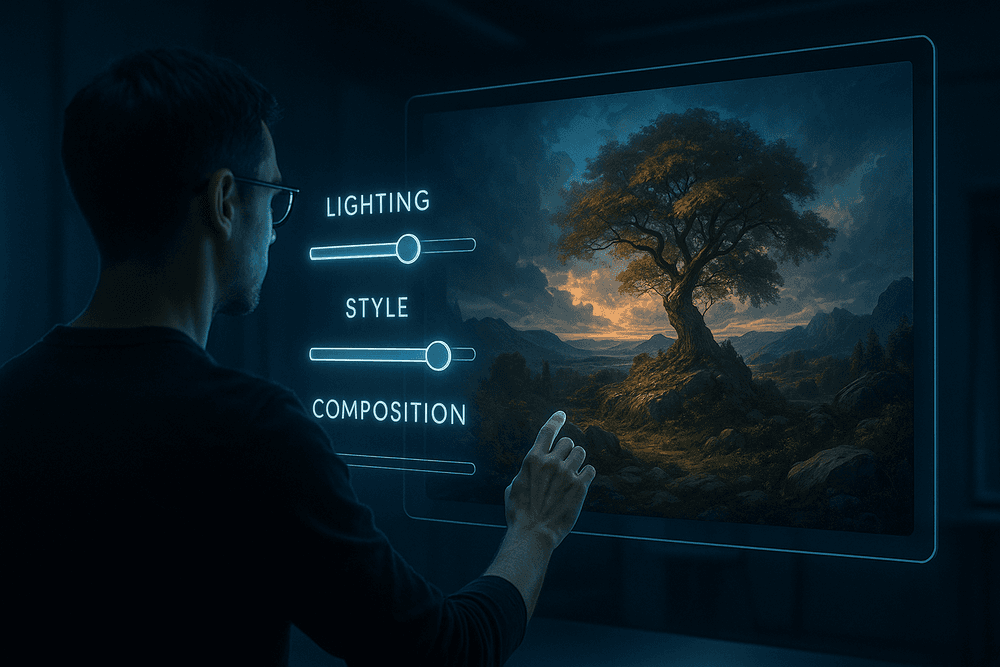
- Composition & Framing: Direct the AI's "camera." Use terms like "extreme close-up," "wide-angle landscape shot," "low-angle view," or "bird's-eye view" to control the perspective and framing of your subject.
- Lighting: Lighting is crucial for mood. Specify the lighting conditions. Words like "cinematic lighting," "soft morning light," "dramatic backlighting," or "neon glow" can completely transform an image.
- Detail & Atmosphere: Add the finishing touches. Include specific color palettes ("vibrant jewel tones"), details ("intricate mechanical parts"), and atmospheric keywords ("serene, ethereal, mysterious, chaotic") to guide the overall feeling of the piece.
How to Iterate and Refine Your Ideas for the Best Outcome
Your first generation is rarely your last. The creative process with AI is a conversation—a cycle of prompting, reviewing, and refining.
- Start Simple: Begin with a core concept and generate a few initial images. See what the AI produces and what you like or dislike.
- Add Complexity Gradually: Build upon your simple prompt. Add a lighting style, then a specific camera angle, then more atmospheric details. This helps you isolate what changes are having the most impact.
- Use Negative Prompts: Most advanced ai image generation tools allow for negative prompts—telling the AI what to avoid. This is incredibly powerful for cleaning up results. Common negative prompts include "blurry, deformed, ugly, extra limbs, text, watermark."
- Experiment with Keywords: If "a beautiful forest" isn't yielding the right results, try swapping "beautiful" with synonyms like "enchanting," "haunting," "lush," or "sun-dappled." Each word carries a different stylistic weight for the AI.
Understanding and Avoiding Common AI Image Artifacts
AI models are not perfect, and they can produce strange errors known as artifacts. The most common issues include mangled hands with too many or too few fingers, distorted faces in the background, and nonsensical, garbled text. These occur because the AI is a master of pattern recognition, not genuine understanding.
To minimize artifacts, you can:
- Simplify complex prompts that might be confusing the model.
- Use negative prompts to specifically forbid common problems (e.g.,
--no extra fingers, malformed hands). - Utilize features like "inpainting" available in some tools to select and regenerate a specific flawed area of an image.
Ethical Considerations and Copyright: What You Need to Know
As AI image generation becomes more accessible, it’s vital to use it responsibly.
- Ethics: Avoid creating misleading content (deepfakes), hateful imagery, or images that infringe on an individual’s privacy and likeness. The power of these tools comes with the responsibility to use them for creative and positive purposes.
- Copyright: The legal landscape for AI-generated art is still evolving. As of now, in many jurisdictions like the United States, works created solely by AI without significant human authorship cannot be copyrighted. However, the policies on commercial use are determined by the ai image generation tools you use. Always read the terms of service for your chosen platform to understand who owns the images you create and how you are permitted to use them.
Putting AI to Work: Real-World Use Cases for AI Image Generation Tools
The true power of AI image generation tools isn't just in creating surreal art; it's in their practical application across countless professional and creative fields. These platforms are revolutionizing how we produce visual content, saving time, reducing costs, and unlocking new creative possibilities. Let's explore some of the most impactful, real-world use cases that are putting these tools to work.
Generating Unique Blog and Social Media Graphics in Seconds
Tired of scrolling through the same generic stock photos everyone else is using? AI image generation tools are the ultimate solution for content creators. Instead of settling for a picture that’s almost right, you can generate a perfectly tailored, completely unique hero image for your blog post or a scroll-stopping graphic for your Instagram feed. Describe the exact scene, style, and mood you need—"a flat lay of a laptop, a steaming cup of coffee, and a notebook on a rustic wooden desk, in a warm, morning light"—and receive a custom, royalty-free image in seconds. This ensures your visual content is always on-brand and a perfect match for your message, helping you stand out in a crowded digital landscape.
Creating Product Mockups and Marketing Materials That Convert
For e-commerce brands and marketers, visualization is everything. Professional product photoshoots are expensive and time-consuming. Now, you can use AI to create high-quality product mockups without ever picking up a camera. Need to see what your new t-shirt design looks like on a model in a bustling city? Or how your new app interface appears on a smartphone held by a user in a café? Simply describe the scene. These AI image generation tools allow you to create endless variations for ad campaigns, A/B test different visual concepts, and produce stunning marketing materials that showcase your products in their best light, ultimately driving more conversions.
Conceptualizing Storyboards and Character Designs for Creative Projects
Writers, game developers, and filmmakers often struggle to translate the vivid worlds in their minds into a shareable visual format. AI image generators act as a powerful creative partner in this process. You can rapidly visualize character concepts, from a "grizzled space pirate with a cybernetic eye" to an "ethereal forest elf with glowing tattoos." Instantly generate storyboard panels for key scenes in a film script or visualize environments for a video game. This accelerates the pre-production and conceptualization phase, making it easier to pitch ideas, align creative teams, and bring fictional worlds to life long before the first line of code is written or the first scene is shot.
Boosting Presentations and Educational Content with Custom Visuals
Say goodbye to boring presentations filled with generic clipart. Educators, trainers, and business professionals can elevate their material by using AI to create custom visuals that clarify complex topics. Imagine generating a specific diagram illustrating cellular mitosis, a historical depiction of an ancient Roman forum, or an infographic element that perfectly represents your quarterly sales data. By using AI image generation tools to create bespoke visuals, you make your content more engaging, memorable, and effective. This tailored approach helps your audience connect with the information on a deeper level, transforming a standard slideshow into a compelling learning experience.
Your Next Step: Choosing the Right AI Image Generation Tool
You've explored the landscape of powerful AI image generation tools, seen what they can do, and learned the art of crafting the perfect prompt. Now, it's time to make a decision and start creating. The world of AI art can feel vast, but finding your perfect starting point is simpler than you think. This final section will help you weigh your options, look toward the future, and take that exciting first step.
Final Verdict: Which AI Image Tool is Right for You?
The truth is, there's no single "best" tool for everyone. The ideal choice hinges entirely on your specific goals, budget, and technical comfort level. To make it easy, here’s a breakdown based on common user profiles:
- For the Curious Beginner & Casual Creator: If you're just starting out and want to experiment without a steep learning curve or financial commitment, your best bet is Microsoft Copilot (using DALL-E 3) or a free-tier service like Leonardo.Ai. These platforms offer an intuitive, chat-based interface where you can generate stunning images for free, making them perfect for exploring your creativity and learning the basics of prompting.
- For the Professional Artist & Designer: If you demand maximum control, artistic flair, and the highest quality output, Midjourney is often the top contender. Its V6 model produces breathtaking, stylized visuals and understands nuanced prompts exceptionally well. For those who need ultimate customization, open-source models like Stable Diffusion (run locally or via a service like DreamStudio) provide unparalleled control over every parameter, from training your own models to intricate inpainting and outpainting.
- For Marketers & Businesses: When your focus is on creating consistent, commercially-viable assets, DALL-E 3 (via ChatGPT Plus or the API) is a fantastic choice. It excels at following complex instructions and embedding text accurately. For specific business needs like product mockups or branded content, specialized AI image generation tools are emerging that offer templates and workflows tailored for commercial use cases.
The Future is Visual: What's Next in AI Image Generation?
The technology we see today is just the beginning. The field of generative AI is evolving at an incredible pace, and the future promises even more revolutionary capabilities. We're on the cusp of AI video generation moving mainstream, where tools like OpenAI's Sora and Runway can turn a simple text prompt into a cinematic clip.
Beyond video, expect to see rapid advancements in 3D model generation, allowing creators to build entire virtual worlds from text. We'll also see AI models that can maintain perfect character and style consistency across dozens of images, solving a major challenge for storytellers and brand managers. Ultimately, these AI image generation tools will become seamlessly integrated into the software you already use, from Adobe Photoshop to your favorite presentation app, making this powerful technology a natural part of every creative workflow.
Start Creating Today: Try Our Recommended Tool for Free
For its powerful combination of accessibility, high-quality output, and a generous free offering, we recommend starting your journey with Microsoft Copilot. Powered by the state-of-the-art DALL-E 3 model, it allows you to start creating incredible images right away without needing an account or subscription. It’s the perfect sandbox to test your new-found prompting skills.
Don’t wait for inspiration to strike—go out and generate it. The age of AI-powered creativity is here, and your imagination is the only limit.
> Click Here to Try Microsoft Copilot for Free and Create Your First AI Image