
October 3, 2025
An Introduction to AI Image Generation Tools
The Creative Revolution: An Introduction to AI Image Generation Tools
Imagine describing a scene in vivid detail—a neon-drenched city street at midnight, rain slicking the pavement, a lone figure holding a glowing umbrella—and watching that exact image materialize on your screen in seconds. This is no longer science fiction; it's the reality made possible by the latest wave of AI image generation tools. We've entered a new era of digital creativity, where your words are the paintbrush and a powerful algorithm is your canvas. This revolution is democratizing art, accelerating workflows, and unlocking visual possibilities we've only ever dreamed of.
What Are AI Image Generation Tools and How Do They Work?
At their core, AI image generation tools are sophisticated software applications that use artificial intelligence to create original images from text descriptions, often called "prompts." You don't need to know how to draw, paint, or use complex design software. You simply need to articulate your vision in words.
The engine driving these tools is a type of AI known as a generative model. These models are trained on massive datasets containing billions of images and their corresponding text descriptions. Through a process called deep learning, the AI learns the intricate connections between words, concepts, objects, styles, and aesthetics. It learns what a "dog" looks like, but also what "sad," "futuristic," or "in the style of Picasso" means in a visual context. When you provide a prompt, the AI uses this vast knowledge to generate a completely new image that matches your description pixel by pixel.
From Text to Masterpiece: The Magic Behind the Models
The process of turning your text into a visual masterpiece feels like magic, but it's rooted in complex computational processes. Most modern AI image generation tools utilize a technique called diffusion.
Think of it like a sculptor starting with a block of marble and chipping away until a statue emerges. A diffusion model starts with a "canvas" of pure random noise—a staticky, chaotic field of pixels. Guided by your text prompt, the AI then begins a meticulous process of "denoising." Step by step, it refines the chaos, pulling recognizable shapes, colors, and textures from the noise until a coherent and detailed image that aligns with your request appears. You are the director providing the script, and the AI is the impossibly fast, endlessly creative artist bringing your scene to life.
Why Everyone is Talking About AI-Generated Art
The buzz around AI-generated art isn't just about the novelty of creating quirky images. It's about a fundamental shift in how we create and interact with visual media.
- Democratization of Creativity: These tools empower anyone, regardless of technical skill, to become a visual creator. Marketers can design ad concepts, writers can illustrate their stories, and hobbyists can bring their wildest imaginations to life.
- Unprecedented Speed and Efficiency: For designers, artists, and content creators, the ability to rapidly prototype ideas is a game-changer. Need a dozen variations of a product mockup or a series of social media graphics? AI image generation tools can produce them in minutes, not days.
- Boundless Imagination: The only true limit is your ability to describe what you want. From photorealistic portraits of historical figures to fantastical landscapes that defy physics, AI can visualize nearly any concept you can conjure, making it an invaluable tool for brainstorming and creative exploration.
Comparing the Titans: Which AI Image Generation Tools Reign Supreme?
The landscape of AI image generation tools is dominated by a few heavyweights, each with a unique philosophy and set of strengths. Your choice depends entirely on your goals: are you chasing artistic perfection, prioritizing ease of use, or demanding complete creative control? To help you decide, we’re breaking down the big three contenders to see which one is the right fit for your projects.
Midjourney: Best for Artistic and Hyper-Realistic Outputs
Midjourney has earned its reputation as the artist's choice in the world of AI image generation. It excels at producing stunningly beautiful, coherent, and often photorealistic images with a distinct, polished aesthetic. Its strength lies in interpreting prompts with an artistic sensibility, creating outputs that feel like carefully composed photographs or intricate digital paintings.
While its unique Discord-based interface can take a moment to get used to, the platform offers powerful commands for fine-tuning your creations. You can use parameters to control aspect ratios, stylization levels (--style), and the degree of artistic randomness (--chaos). Features like "Vary" and "Remix" provide intuitive ways to iterate on an idea, making it a favorite among designers, concept artists, and anyone aiming for top-tier visual fidelity. If your primary goal is to create breathtaking, portfolio-worthy images, Midjourney is hard to beat.
DALL-E 3: The User-Friendly Creative Powerhouse
Integrated directly into ChatGPT Plus and Microsoft Copilot, DALL-E 3 is arguably the most accessible of the top-tier AI image generation tools. Its standout feature is its conversational nature. You don't need to master complex "prompt engineering"; you can simply describe what you want in plain English, and ChatGPT helps refine and expand your idea into a detailed prompt. This seamless integration makes the creative process feel like a natural conversation with a collaborator.
DALL-E 3 is remarkably adept at understanding nuanced, complex requests and is one of the best tools for accurately rendering text within an image—a common challenge for other models. This makes it an ideal starting point for beginners, marketers, and content creators who need high-quality visuals quickly and without a steep learning curve.
Stable Diffusion: The Ultimate Tool for Open-Source Customization
For those who want to look under the hood and take the driver's seat, there's Stable Diffusion. As an open-source model, its core strength is its limitless flexibility. You can run it on your own hardware, fine-tune it with your own datasets, and leverage a massive, community-driven ecosystem of custom models, extensions, and control methods like LoRAs (Low-Rank Adaptations).
This means you can train the AI on a specific art style, a product's appearance, or even your own face to maintain perfect consistency across generations. While it presents the steepest learning curve and requires more technical knowledge to set up, the payoff is unparalleled control. Stable Diffusion is the ultimate playground for developers, tech enthusiasts, and professionals who need to push the boundaries of AI image generation.
Side-by-Side Showdown: A Feature and Pricing Comparison
To make your decision easier, here’s a direct comparison of what each of these powerful tools has to offer.
| Feature | Midjourney | DALL-E 3 | Stable Diffusion |
| :--- | :--- | :--- | :--- |
| Best For | Artistic quality, hyper-realism, stylized aesthetics | Ease of use, complex prompts, text in images | Ultimate control, customization, community models |
| Ease of Use | Moderate (Discord interface) | Very Easy (Conversational via ChatGPT) | Difficult (Requires setup & technical knowledge) |
| Platform | Discord | ChatGPT Plus, Microsoft Copilot, API | Local install, web UIs, cloud services |
| Customization | Moderate (Parameter and style tuning) | Low (Prompt-based) | Extremely High (Fine-tuning, custom models, LoRAs) |
| Pricing Model | Subscription-based (Starts ~$10/mo) | Included with ChatGPT Plus ($20/mo) | Free (Open-source, but requires hardware/hosting) |
Unlocking Advanced Features in Top AI Image Generation Tools
Moving beyond simple "cat on a skateboard" prompts is where the true power of ai image generation tools is revealed. While basic descriptions yield impressive results, mastering the advanced features is what separates casual users from professional creators. By digging into settings like negative prompts, seeds, and post-generation editing, you can gain precise control over your output, transforming the AI from a fun toy into an indispensable creative partner.
Mastering the Art of the Prompt: Beyond Basic Descriptions
The quality of your output is directly tied to the quality of your input. To truly direct the AI, you need to think like an artist and a director. Instead of a simple noun, build a scene with rich, descriptive language.
- Be Specific: Don't just ask for a "car." Ask for a "vintage 1967 cherry red Ford Mustang, gleaming under neon city lights, reflections on wet pavement, cinematic atmosphere, photorealistic."
- Define the Style: Guide the aesthetic. Add terms like "in the style of Hayao Miyazaki," "8-bit pixel art," "Art Deco poster design," or "Unreal Engine 5 render" to dictate the final look and feel.
- Control the Composition: Use keywords to frame your shot. Phrases like "wide-angle shot," "macro photography," "low-angle view," and "golden hour lighting" give the AI clear instructions on how to compose the image.
Using Negative Prompts to Eliminate Unwanted Elements
Just as important as telling the AI what you want is telling it what you don't want. This is where negative prompts come in. Most advanced ai image generation tools include a separate input field where you can list elements to exclude. This is your ultimate clean-up tool, helping you avoid common AI mistakes and refine your vision.
For a professional portrait, your negative prompt might include: blurry, distorted, poorly drawn hands, extra fingers, watermark, text, signature. For a clean graphic design, you might use: shadows, 3D, realistic, photo, noise. Using negative prompts saves you countless re-rolls and gets you closer to the perfect image, faster.
Exploring Advanced Settings: Aspect Ratios, Seeds, and Stylization
Beyond the prompt itself, technical settings offer another layer of command.
- Aspect Ratios: Don’t settle for the default square. Set your aspect ratio to fit the final use case:
16:9for a YouTube thumbnail,9:16for an Instagram Story, or4:5for a feed post. - Seed Numbers: A seed is the starting point for the AI's randomization. By reusing the same seed number with the same prompt, you can generate nearly identical images. This is invaluable for creating consistent characters or applying a specific style across a series of visuals.
- Stylization (CFG Scale): Often called a "Guidance Scale," this setting controls how strictly the AI adheres to your prompt. A lower value gives the AI more creative freedom, which can lead to surprising results. A higher value forces it to follow your instructions more literally, which is ideal for precise commercial work.
Post-Generation Magic: Inpainting, Outpainting, and Upscaling
Your creative control doesn't end once an image is generated. Modern ai image generation tools offer powerful built-in editing features:
- Inpainting: Fix mistakes or add new elements to a specific part of your image. Simply mask the area you want to change (e.g., a character's shirt) and enter a new prompt (e.g., "a red striped t-shirt") to seamlessly replace it.
- Outpainting (Generative Fill): Expand the story beyond the original frame. Outpainting allows you to extend the canvas in any direction, and the AI will intelligently fill in the new space, creating a wider scene or a panoramic view.
- Upscaling: Take your favorite low-resolution generation and transform it into a high-definition masterpiece. Upscalers use AI to intelligently add detail and increase pixel count, making your images sharp, clear, and ready for print or professional display.
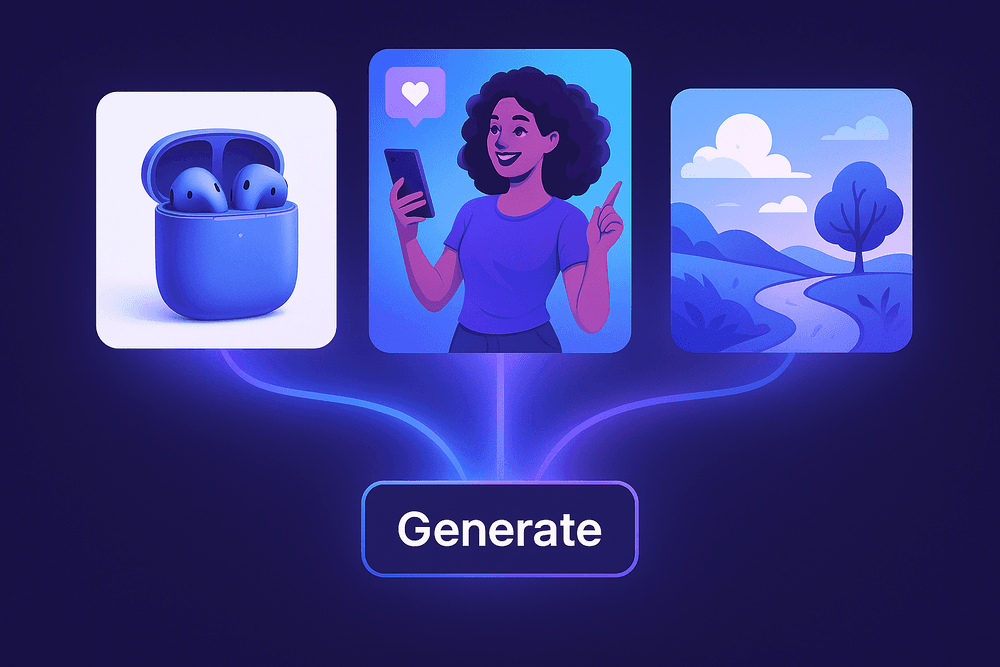
From Concept to Reality: Practical Use Cases for AI Image Tools
The theoretical power of AI-driven creativity is impressive, but its true value is unlocked in practical, everyday applications. Across industries, professionals are discovering that ai image generation tools are not just novelties but powerful assets that solve real-world problems, save time, and open up new creative avenues. From marketing departments to design studios, these platforms are fundamentally changing how visual content is created and utilized. Let's explore some of the most impactful use cases that are transforming workflows and bringing ideas to life with unprecedented speed.
Creating Unique Marketing and Social Media Visuals in Seconds
In the fast-paced world of digital marketing, standing out is everything. Generic stock photos no longer cut it. This is where ai image generation tools become a marketer's best friend. Instead of endlessly searching for a stock image that almost fits, you can generate a perfectly on-brand, eye-catching visual in seconds. Need an image of a cyber-punk-themed coffee shop for a promotional post? A photorealistic shot of your product in a fantasy setting? Simply type your prompt. This allows for rapid A/B testing of different creative concepts for ad campaigns, creating a limitless supply of unique visuals for social media feeds, and ensuring your brand's visual identity remains fresh, engaging, and distinct from competitors.
Accelerating Product Design and Prototyping Workflows
The journey from a product idea to a tangible prototype can be long and resource-intensive. AI image generators are drastically shortening this cycle. Product designers and engineers can now use text prompts to instantly visualize concepts and iterate on them in real-time. Imagine generating dozens of variations for a new sneaker design—exploring different materials, colorways, and shapes—in a single afternoon. These tools can create realistic mockups of how a product would look in various environments or produce detailed concept sketches that bridge the gap between imagination and CAD software. This rapid visualization accelerates the feedback loop, allowing teams to refine ideas faster and make more informed decisions before committing to expensive physical prototypes.
Generating Custom Illustrations for Blogs and Presentations
Content creators, educators, and business professionals constantly face the challenge of finding the perfect image to illustrate a specific point. Relying on the same overused stock illustrations can make your content feel generic. AI image tools provide a powerful solution by enabling the creation of completely custom illustrations. You can generate a specific chart style, a metaphorical image to explain a complex topic, or a unique hero image for a blog post that perfectly matches your article's tone. This ability to create hyper-specific, high-quality visuals on-demand elevates the quality of your presentations, articles, and reports, making them more memorable and professionally polished.
A New Canvas for Digital Artists and Concept Designers
Far from replacing artists, ai image generation tools are emerging as a revolutionary new medium and collaborative partner. For digital artists and concept designers, these platforms offer an incredible canvas for exploration and inspiration. They can be used to brainstorm ideas, rapidly generate mood boards, or create foundational "base plates" that can be painted over and refined in programs like Photoshop. An artist can explore countless stylistic directions for a character or environment in minutes, breaking through creative blocks and discovering unexpected visual pathways. It's a powerful way to augment the creative process, handling the initial groundwork so artists can focus on the nuance, storytelling, and emotional detail that define their unique work.
Best Practices for Crafting Stunning Visuals with AI Image Generators
Mastering ai image generation tools is more than just typing a few words; it’s an art form that blends creativity with technical skill. While these platforms are incredibly powerful, achieving professional-quality results requires a strategic approach. By following a few key best practices, you can move from generating random curiosities to intentionally crafting breathtaking visuals that align perfectly with your vision.
Start with a Clear Vision: The Importance of a Detailed Concept
The most fundamental rule of AI image generation is "quality in, quality out." A vague prompt will yield a vague or generic image. Before you even start typing, take a moment to build a detailed picture in your mind. Think like a director or a photographer. What is your subject? What is the mood? Where is the light coming from? What artistic style are you aiming for? The more specific you are, the better the AI can interpret your intent.
- Vague Prompt:
a knight in a forest - Detailed Prompt:
A photorealistic portrait of a weary medieval knight in ornate silver armor, standing in an ancient, misty forest at sunrise. Golden light filters through the canopy, cinematic lighting, high detail, 8K.
This detailed concept acts as a blueprint, guiding the AI to render the precise scene, style, and atmosphere you envisioned.
Iterate and Refine: The Secret to Perfecting Your Images
Your first generated image is rarely the final one. Think of it as a first draft. Iteration is the process of refining your creation through trial and error. Generate a batch of images with your initial prompt, then critically analyze them. Identify what works and what doesn't. Perhaps the composition is off, the colors are too saturated, or an element is missing.
Use this feedback to tweak your prompt. Add descriptive words, subtract others, or use negative prompts to exclude things you don’t want (e.g., --no blurry, deformed hands). Most advanced ai image generation tools also allow you to lock a "seed" number to create variations of an image you like. This iterative loop—generate, analyze, refine—is the secret to honing in on the perfect visual.
Understanding Ethical Considerations and Copyright
With great power comes great responsibility. When using AI to create images, it’s crucial to be aware of the ethical and legal landscape. Avoid creating harmful, misleading, or defamatory content. A significant ethical debate involves prompting with specific living artists' names to replicate their style, which can be seen as exploitative.
Furthermore, copyright law for AI-generated art is still evolving. In many countries, images created solely by AI without significant human creative input may not be eligible for copyright protection. Always check the terms of service of the platform you are using. Some grant you full commercial rights to your creations, while others may restrict usage. Due diligence is essential to protect yourself and respect the creative ecosystem.
How to Maintain a Consistent Style for Your Brand or Project
For businesses, content creators, and artists, visual consistency is key. To maintain a cohesive aesthetic across a series of images, develop a "style vocabulary" for your prompts. This is a set of specific keywords you consistently include to define your brand’s look. This can include:
- Artistic Medium:
minimalist vector illustration,charcoal sketch,3D isometric icon - Color Palette:
warm earth tones,vibrant pastel colors,monochromatic blue scheme - Lighting and Mood:
soft studio lighting,dramatic film noir,golden hour glow
By reusing these core descriptors and locking in a consistent seed number for variations, you can ensure all your visuals feel like they belong to the same project or brand, creating a strong and recognizable identity.
Your Next Steps: Embracing the Future with AI Image Generation Tools
You've journeyed through the vibrant, often surreal landscape of AI image generation. The power to transform a simple string of text into a breathtaking visual is no longer science fiction—it's a practical tool waiting for you. But where do you go from here? This final step is about turning knowledge into action and embracing your role as a creator in this new digital frontier.
Choosing the Right AI Image Generation Tool: A Quick Recap
Selecting your first creative partner from the many available ai image generation tools can feel daunting, but it boils down to a few key considerations. To make the right choice, reflect on these points:
- Your Creative Goals: What do you want to create? If you need stunning, photorealistic images for marketing, a tool like Midjourney or DALL-E 3 might be your best bet. For artists seeking maximum control and open-source flexibility, Stable Diffusion is the undisputed champion.
- Ease of Use: If you're just starting, prioritize platforms with intuitive interfaces. Tools integrated into platforms like Discord (Midjourney) or web apps (Leonardo.Ai, DALL-E 3) offer a gentle learning curve.
- Pricing and Access: Your budget plays a crucial role. Many services offer free trials or a limited number of free credits, allowing you to experiment before committing. Evaluate whether a monthly subscription or a pay-as-you-go credit system better suits your anticipated usage.
- Feature Set: Do you need advanced features like inpainting (editing a specific area), outpainting (extending the canvas), or maintaining character consistency across multiple images? Assess the tool's capabilities to ensure it aligns with the complexity of your projects.
The Evolving Landscape of AI-Powered Creativity
The field of AI image generation is moving at an incredible pace. The models and features we've discussed are constantly being updated, with new capabilities emerging seemingly every week. What is cutting-edge today will be standard tomorrow.
We are witnessing the dawn of a new era of "co-creation," where human ingenuity is amplified by artificial intelligence. This technology is being integrated directly into professional workflows, from Adobe Photoshop to 3D modeling software. The next wave of innovation promises even more incredible possibilities: high-quality text-to-video, AI-generated 3D assets, and hyper-personalized creative assistants. By learning to use these tools now, you are not just acquiring a novel skill—you are becoming fluent in the visual language of the future.
Start Creating Now: Your First Prompt Awaits
Reading about ai image generation tools is one thing; experiencing the thrill of creation is another. The most important step you can take is the first one. Hesitation is the only real barrier. It's time to close the tutorials and open the prompt box.
Pick one of the tools that resonated with you, sign up, and try this simple prompt to get your creative engine started:
A majestic library inside a giant, ancient tree, sunlight filtering through the leaves, cozy and magical, cinematic detail.
See what the AI generates. Now, change a single word. Swap "library" for "observatory" or "tree" for "crystal cave." Add "in the style of a watercolor painting" or "as an 8K photograph." There are no mistakes here, only experiments. Each image is a stepping stone. Your imagination is the only limit. Go on, your masterpiece is just a few words away.