
October 1, 2025
An Introduction to AI Image Generation Tools
The Creative Revolution: An Introduction to AI Image Generation Tools
Imagine painting a masterpiece, designing a futuristic city, or capturing a photorealistic portrait using only your words. This isn’t science fiction; it’s the reality made possible by the creative revolution happening right now. Welcome to the world of AI image generation tools.
What Exactly Are AI Image Generation Tools?
At their core, AI image generation tools are sophisticated software platforms that use artificial intelligence to transform text descriptions, known as “prompts,” into unique, high-quality images. Powered by complex neural networks like Generative Adversarial Networks (GANs) and, more recently, advanced diffusion models, these platforms have been trained on colossal datasets containing billions of image-text pairs from across the internet.
Think of it like this: the AI has studied nearly every art style, photograph, and illustration imaginable. It understands the relationship between the word "dragon" and the visual concept of a scaly, winged creature, and it knows how the modifier "cyberpunk" or "watercolor" should alter that image. By processing your prompt, it synthesizes these learned concepts to construct an entirely new visual from scratch, pixel by pixel.
From Text to Texture: How Do These Platforms Turn Words into Art?
The process of turning language into a visual reality is a fascinating blend of linguistic understanding and digital creation. While the underlying technology is incredibly complex, the user experience is beautifully simple.
- The Prompt: It all starts with your idea. You type a descriptive prompt, like, "a majestic lion with a crown made of starlight, photorealistic, cinematic lighting."
- Interpretation: The AI model first deciphers your prompt, breaking it down into key concepts: the main subject (lion), its attributes (majestic, wearing a crown), the style (photorealistic), and the atmosphere (cinematic lighting).
- Generation: The model then begins its creative process. Diffusion models, which are a popular technology behind many modern AI image generation tools, start with a canvas of pure digital "noise"—like television static. Step-by-step, the AI refines this noise, gradually shaping it to match the concepts from your prompt until a clear and coherent image emerges. The result is a completely original piece of art tailored to your exact specifications.
Why Everyone is Talking About AI-Generated Images
The buzz surrounding AI image generation tools isn't just about creating pretty pictures; it signifies a fundamental shift in how we approach creativity and content production. Here’s why they’ve captured the world’s attention:
- Democratization of Creativity: You no longer need to be a skilled painter or graphic designer to bring your vision to life. These tools empower anyone with an imagination to become a digital artist.
- Unprecedented Speed and Efficiency: For marketers, designers, and content creators, what once took hours or days of work—like creating concept art or unique blog imagery—can now be accomplished in minutes.
- Boundless Possibilities: The only limit is your imagination. From surreal dreamscapes and impossible architecture to hyper-realistic product mockups, these tools open up a new universe of visual exploration that was previously inaccessible.
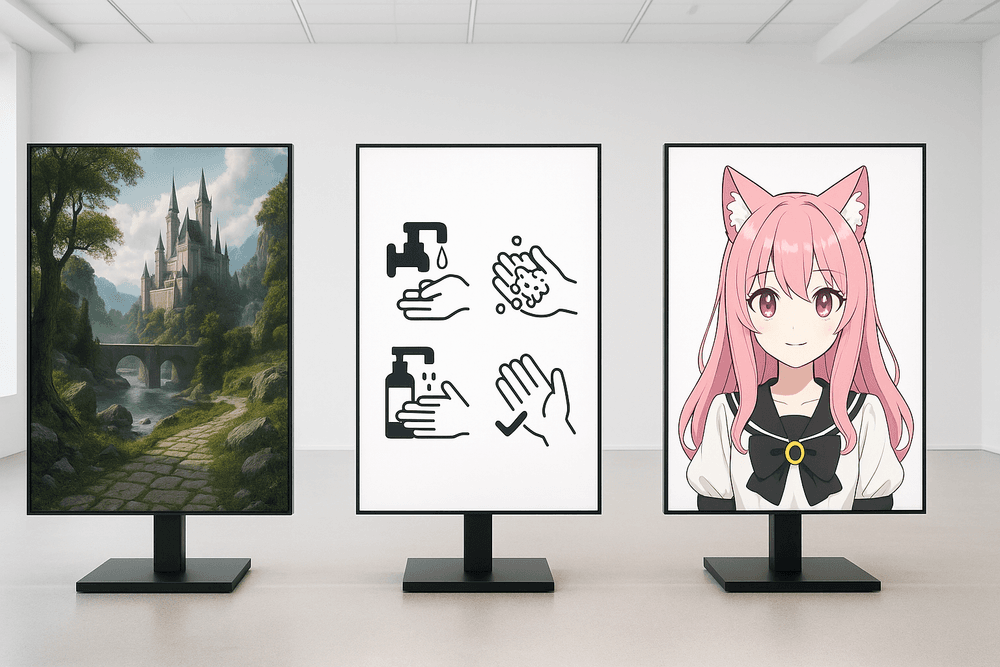
Head-to-Head: A Review of the Best AI Image Generation Tools in 2024
The market for AI image generation tools has exploded, offering a dizzying array of options for creators of all skill levels. While many platforms can turn text into pixels, the leading contenders excel in specific areas, catering to different needs and workflows. Choosing the right one depends entirely on your goals, from creating photorealistic art to quickly mocking up a concept. Let's break down the titans of the industry and the promising newcomers shaking up the scene.
Midjourney: Best for Artistic and Hyper-Realistic Outputs
Known for producing breathtakingly artistic and photorealistic images, Midjourney has carved out its reputation as the go-to tool for high-fidelity visuals. Its outputs often possess a distinct, polished aesthetic that feels more like a curated piece of digital art than a machine-generated image. The platform operates exclusively through Discord, which involves a unique prompting process that can have a slight learning curve. However, for those who master it, the results are unparalleled. It’s the top choice for artists, designers, and anyone seeking to create stunning fantasy landscapes, detailed character portraits, and hyper-realistic product mockups where pure visual quality is the number one priority.
DALL-E 3: The Top Choice for Ease-of-Use and ChatGPT Integration
For sheer accessibility and intuitive use, DALL-E 3 is the undisputed champion. Its native integration within ChatGPT (available to Plus subscribers) transforms the creation process from complex prompt engineering into a simple conversation. You can describe an image in plain language, and ChatGPT helps refine your idea into an effective prompt for DALL-E 3 to execute. This makes it the perfect entry point for beginners. It excels at interpreting long, complex prompts with multiple subjects and actions, and it's one of the few AI image generation tools that can reliably render legible text within images, a common weakness for other models. DALL-E 3 is the ideal all-rounder for everyday users, marketers, and content creators who value a straightforward yet powerful workflow.
Stable Diffusion: The Open-Source Powerhouse for Maximum Customization
Stable Diffusion is not just a tool; it's an entire open-source ecosystem for those who crave ultimate control. Because the base model is open-source, it can be run locally on your own hardware, giving you complete freedom to experiment without usage limits or restrictive content filters. Its true power lies in the vast community-driven development, which has produced thousands of custom models trained for specific styles—from anime to architectural renders. Advanced features like ControlNet allow for precise influence over composition and poses, while techniques like LoRA let you fine-tune the model on your own images. While it demands the most technical expertise, Stable Diffusion is the unmatched powerhouse for developers, hobbyists, and creators who want to push the absolute boundaries of AI image generation.
Emerging Contenders: Adobe Firefly, Ideogram, and More
Beyond the big three, a vibrant landscape of specialized tools is emerging.
Adobe Firefly
Adobe's entry is built on a foundation of ethical and commercial safety, trained exclusively on Adobe Stock's licensed library. Its killer feature is its deep integration into the Adobe Creative Cloud suite, most notably as "Generative Fill" in Photoshop. This makes it an indispensable tool for photographers and designers already working within the Adobe ecosystem.
Ideogram
While many models struggle with text, Ideogram has made reliable typography its primary strength. If your concept requires generating logos, posters, or memes with clear and well-formed text integrated directly into the image, Ideogram is often the most effective solution available.
Unlocking Potential: Must-Have Features in AI Image Generation Tools
The difference between a casual user and a power user of AI image generation tools lies in understanding the features that unlock true creative control. While a simple text prompt can produce surprising results, mastering the advanced settings is what transforms a good image into a spectacular one. Let's explore the essential features you should look for and learn to wield.
Mastering Prompt Accuracy and Negative Prompts
At its core, AI image generation is a dialogue between you and the model. The quality of this conversation depends on your command of language.
- Prompt Accuracy: This goes beyond just listing nouns. The most effective prompts use descriptive adjectives, specify the composition, and even suggest lighting or mood. For example, instead of “a dog,” try “A photorealistic portrait of a joyful golden retriever, backlit by the morning sun, soft focus background.” The more detail you provide, the closer the AI can get to your vision.
- Negative Prompts: Just as crucial as telling the AI what to include is telling it what to exclude. This is where negative prompts come in. If your images are coming out with extra limbs, blurry faces, or an unwanted art style, you can add negative prompts like
-deformed, blurry, watermark, cartoonto clean up the output. The best AI image generation tools offer a dedicated field for these exclusions, giving you a powerful way to refine your creations.
Exploring Different Artistic Styles, Models, and Parameters
A great tool offers a rich palette of options to define the look and feel of your image.
- Artistic Styles & Models: Many platforms provide pre-set styles like “cinematic,” “anime,” “photorealistic,” or “Van Gogh.” Under the hood, these often use different AI models or fine-tuned versions trained on specific datasets. The ability to switch between models or upload custom ones is a hallmark of a versatile tool, allowing you to generate anything from a corporate logo to an epic fantasy landscape.
- Advanced Parameters: For ultimate control, look for settings like:
- Steps: This determines how many iterations the AI runs to refine the image. More steps can add detail but increase generation time.
- CFG Scale (Classifier-Free Guidance): This slider controls how strictly the AI adheres to your prompt. A lower value gives the AI more creative freedom, while a higher value forces it to follow your instructions more literally.
- Seed: A number that initializes the random generation. Saving and reusing a seed allows you to create variations of the same core image.
Advanced Capabilities: Image-to-Image, Inpainting, and Outpainting
Top-tier AI image generation tools are more than just text-to-image converters; they are complete creative suites.
- Image-to-Image (img2img): This feature lets you upload a starting image—be it a rough sketch, a photo, or another AI-generated picture—and use it as a foundation for a new creation based on your prompt. It’s perfect for transforming a doodle into a masterpiece or reimagining a photo in a different style.
- Inpainting: Need to fix a small area or change an object in your image? Inpainting allows you to mask a specific part of the picture and regenerate only that section with a new prompt. You can seamlessly remove unwanted people from a photo, change a character’s clothing, or correct a distorted hand.
- Outpainting (or "Uncrop"): This incredible feature extends your image beyond its original borders. The AI analyzes the existing picture and intelligently generates the surrounding environment, turning a close-up portrait into a sprawling landscape or expanding a scene in any direction.
Understanding Resolution, Aspect Ratios, and Upscaling Options
The technical specifications of your final image are critical, especially for professional use. A powerful tool gives you full control over the output format.
- Aspect Ratios: Whether you need a square image for Instagram (1:1), a wide banner for a website (16:9), or a vertical poster for Pinterest (2:3), the ability to set the aspect ratio before generation is essential. This ensures your image is perfectly composed for its intended platform.
- Resolution and Upscaling: Initial generations are often done at a lower resolution (e.g., 512x512 or 1024x1024 pixels) to save time. However, for printing or high-definition displays, you need more pixels. A built-in upscaler is a must-have feature. It uses AI to increase the image resolution (to 2x, 4x, or more) while intelligently adding detail, preserving sharpness, and avoiding the pixelation that comes with traditional resizing.
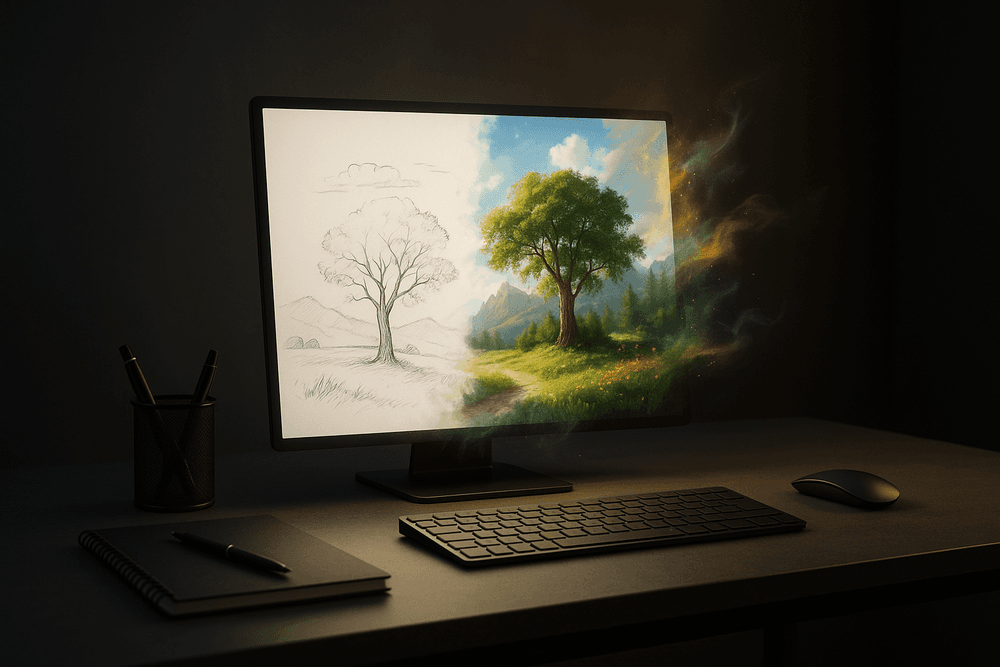
From Blank Canvas to Masterpiece: Best Practices for Prompting
The magic of AI image generation lies in the prompt. This is your dialogue with the AI, your director's notes, your artist's brief. Mastering the art of prompting transforms you from a passive user into a creative force, capable of coaxing breathtaking visuals from the algorithm. Here’s how to refine your skills and navigate the creative landscape responsibly.
The Art of Writing Descriptive and Effective Prompts
Think of the AI as an incredibly talented but extremely literal artist. It will only create what you explicitly describe. Vague prompts lead to generic results. The key is specificity. Instead of simply asking for "a dog," craft a rich, detailed scene.
A powerful prompt includes several key elements:
- Subject: What is the main focus? Be specific (e.g., "a fluffy Samoyed puppy" instead of "a dog").
- Action: What is the subject doing? (e.g., "chasing a glowing butterfly").
- Setting: Where is the scene taking place? (e.g., "in an enchanted, moonlit forest").
- Composition & Lighting: How is the scene framed and lit? (e.g., "dynamic low-angle shot, cinematic lighting, volumetric rays of moonlight").
- Mood & Atmosphere: What feeling do you want to evoke? (e.g., "whimsical, magical, serene").
Simple Prompt: A castle. Effective Prompt: An epic fantasy castle perched on a cliffside at sunset, gothic architecture, dramatic storm clouds, cinematic lighting, hyper-detailed, photorealistic.
How to Use Style Modifiers for Consistent Results
Style modifiers are keywords that dictate the overall aesthetic of your image. They are essential for achieving a specific look and maintaining consistency across a series of creations. By adding just a few words, you can completely change the visual DNA of your output.
Experiment with modifiers like:
- Artistic Styles:
watercolor painting,pencil sketch,art deco,cyberpunk,in the style of Vincent van Gogh. - Photographic Terms:
macro photography,35mm film,long exposure,golden hour,shallow depth of field. - Rendering Engines:
Octane render,Unreal Engine,V-Rayfor photorealistic or CGI-style results.
Using a consistent set of style modifiers (e.g., "minimalist vector art, pastel color palette") across multiple prompts allows you to generate a cohesive set of brand assets, illustrations, or social media graphics. Remember that different ai image generation tools may have their own unique syntax or react differently to certain modifiers.
Iterating and Refining Your Concepts for the Perfect Image
Your first prompt is rarely your last. The creative process with AI is a cycle of prompting, generating, and refining. Don't be discouraged if the initial output isn't perfect. Instead, analyze it. Is the lighting wrong? Is the subject not quite right?
Use that analysis to tweak your prompt. Add clarifying details, remove confusing words, or use negative prompts to exclude unwanted elements (e.g., --no blurry, --no text). This iterative loop is where you truly harness the power of ai image generation tools, guiding the algorithm closer to the masterpiece in your mind's eye with each generation.
Ethical Considerations and Copyright: What You Must Know
As you create, it's crucial to be aware of the ethical and legal landscape. The world of AI-generated content is new and rapidly evolving.
- Copyright: The legal status of AI-generated images can be complex. In many regions, including the US, works created solely by AI without significant human authorship are not eligible for copyright protection. However, the terms of service for various ai image generation tools differ. Some grant you full ownership and commercial rights, while others have limitations. Always read the terms of service of the tool you are using before using images for commercial projects.
- Ethical Use: With great power comes great responsibility. Avoid creating harmful, hateful, or misleading content (like deepfakes). Be mindful of the ongoing debate surrounding AI models trained on vast datasets that may contain copyrighted work. Where possible, consider supporting platforms that ethically source their training data and compensate artists. Using AI responsibly ensures the technology remains a tool for creativity and innovation.
Real-World Magic: Use Cases for AI Image Generation Tools
The initial wonder of turning a simple text prompt into a stunning image is just the beginning. Beyond the novelty lies a powerful toolkit with practical, game-changing applications across countless industries and personal endeavors. AI image generation tools are no longer just a fascinating experiment; they are a legitimate resource for professionals and hobbyists alike, revolutionizing how we create, conceptualize, and communicate visually.
Boosting Marketing with Unique Ad Creatives and Social Media Visuals
In a digital landscape saturated with generic stock photos, standing out is a monumental challenge. Marketers can now leverage AI to create an endless supply of unique, on-brand visuals that capture attention. Imagine A/B testing a dozen different ad concepts in minutes, each with a distinct visual style tailored to a specific audience segment. You can generate hyper-specific scenes—like "a family laughing while eating a plant-based burger on a sunny patio, in a vibrant, photorealistic style"—without the expense and time of a photoshoot. These AI image generation tools empower marketing teams to create captivating social media feeds, dynamic email campaigns, and high-converting ad creatives with unprecedented speed and cost-efficiency.
Conceptualizing Ideas for Artists, Designers, and Content Creators
For creative professionals, AI image generators act as a powerful brainstorming partner, helping to overcome creative blocks and accelerate the ideation process. An artist can instantly visualize a character concept by prompting "a stoic elven warrior with intricate silver armor and glowing runes." A UI/UX designer can generate mockups for a mobile app's home screen in various aesthetic styles, from minimalist to brutalist. Architects can create conceptual renderings of buildings, interior designers can explore different room layouts and color palettes, and fashion designers can iterate on textile patterns—all before committing significant time to manual sketching or complex 3D modeling. The tool doesn't replace the creator; it augments their vision, offering a launchpad for incredible new ideas.
Generating Custom Assets for Blog Posts, Videos, and Presentations
High-quality, relevant visuals are critical for engaging audiences, but sourcing them can be a major hurdle. Bloggers can say goodbye to scouring stock photo sites for a passable image and instead create a perfect featured image that precisely illustrates their article's topic. YouTubers can design one-of-a-kind thumbnails that are guaranteed to stand out in a crowded subscription feed. Professionals can populate their presentations with custom diagrams, icons, and background images that reinforce their message far more effectively than a standard template. This direct control over visual assets ensures a cohesive and professional look across all content platforms, free from copyright concerns or licensing fees.
Fueling Personal Projects: From Custom Avatars to Fictional Worlds
The creative power of AI isn't limited to professional use. It opens up a universe of possibilities for personal projects and hobbies. Dungeons & Dragons players can bring their characters and fantasy worlds to life with custom portraits and environmental art. Aspiring authors can visualize key scenes or character designs from the novel they're writing. You can design a unique profile picture for your social media accounts, create personalized art for your home, or even generate concept art for a video game you’re developing as a passion project. AI image generation tools put the power of a professional artist in everyone's hands, making it easier than ever to turn pure imagination into a tangible reality.
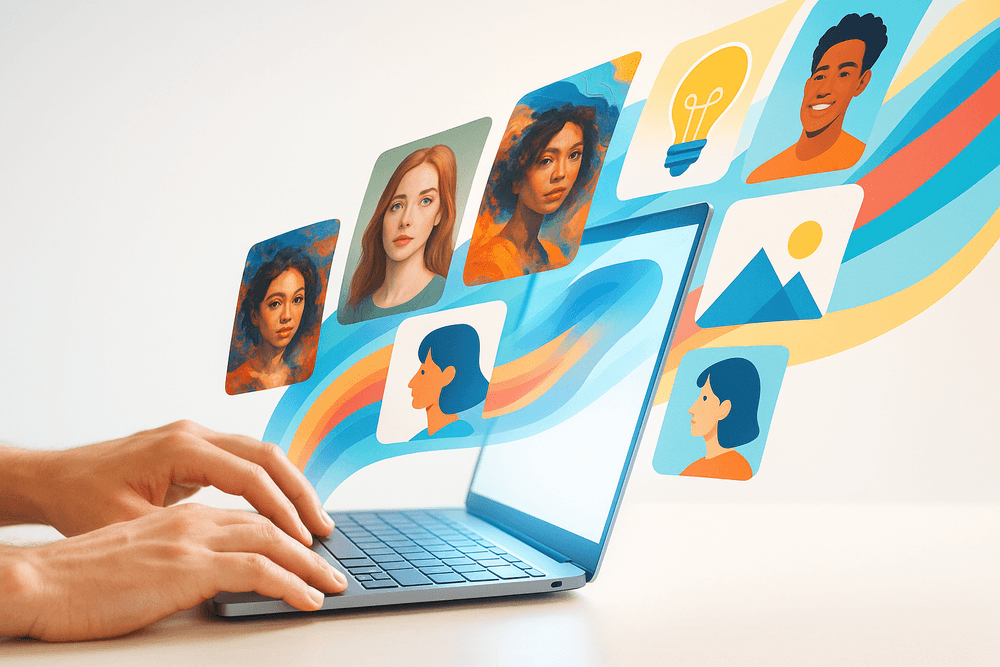
The Future is Visual: Choosing Your AI Image Generation Tool
Navigating the vibrant ecosystem of AI image generation can feel overwhelming, but the perfect tool for you is simply the one that best aligns with your goals. The choice isn't about finding a single "best" platform, but rather identifying the right creative partner for the task at hand. This final verdict will help you pinpoint where to start your journey.
A Final Verdict: Which Platform is Right for Your Needs?
The sheer variety of AI image generation tools means there’s a specialized option for nearly every use case. Your decision should be guided by your end goal.
- For Photorealism and Commercial Use: If your primary need is creating hyper-realistic images for marketing campaigns, product mockups, or architectural visualization, you should gravitate toward models renowned for their sophisticated understanding of light, texture, and physics. These advanced tools are ideal for professionals who require high-fidelity outputs that can stand in for traditional photography. While they may have a steeper learning curve, the results are unmatched in detail and clarity.
- For Artistic Exploration and Concept Art: Artists, designers, and hobbyists looking to explore unique aesthetics will find their match in platforms that prioritize stylistic flexibility. These AI image generation tools often excel at interpreting abstract concepts and can produce stunning results in a wide range of styles, from digital painting and anime to vector illustration and charcoal sketches. They are perfect for brainstorming, developing character concepts, and creating one-of-a-kind digital art.
- For Accessibility and Quick Content Creation: If you're a beginner, a social media manager, or anyone in need of fast, high-quality visuals without a complex process, look for tools with intuitive interfaces and straightforward controls. Many leading platforms offer free or freemium tiers, making them an excellent, risk-free entry point into the world of AI art.
The Evolving Landscape of AI-Powered Creativity
The field of generative AI is expanding at a breathtaking pace. The limitations of today—like generating perfect hands or clear, legible text—are the development targets of tomorrow. The landscape of AI image generation tools is in constant flux, with new features like AI-powered video, 3D model generation, and enhanced in-painting capabilities appearing regularly.
This rapid evolution means that the best practice is to remain curious and adaptable. The tool that’s perfect for you today might be superseded by a new innovation tomorrow. Don’t be afraid to experiment with different platforms as they emerge. This technology is more than just a utility; it's an entirely new creative medium, and we are all at the forefront of exploring its limitless potential.
Your Next Step: Start Creating Your First AI Image Today
Theory can only take you so far. The true magic happens when you type your first prompt and watch an idea materialize on the screen. The barrier to entry has never been lower—you don’t need an expensive computer or formal artistic training, only your imagination.
So, what are you waiting for? Pick one of the beginner-friendly tools we’ve covered and dive in. Don’t worry about crafting the perfect prompt right away. Start with something simple: “a watercolor painting of a Parisian café at sunrise” or “a futuristic sports car speeding down a neon-lit highway.” See what happens. Then, iterate. Add details, change the style, and refine your language. Your journey to mastering AI image generation tools begins with that first spark of creation. The future is visual—go bring it to life.