
November 15, 2025
Why AI Tools for Task Automation Are a Game-Changer
The Automation Revolution: Why AI Tools for Task Automation Are a Game-Changer
The modern workday is a relentless race against the clock. We're all juggling endless to-do lists, overflowing inboxes, and the constant pressure to deliver more, faster. But what if you could reclaim your most valuable asset—your time? This isn't a futuristic dream; it's the reality powered by the rise of intelligent automation. The secret lies in a new class of technology that is fundamentally changing how we work: AI tools for task automation.
What Are AI Task Automation Tools?
At their core, AI task automation tools are sophisticated software applications that use artificial intelligence, machine learning, and natural language processing to perform tasks that traditionally require human intelligence and intervention. Think beyond the simple, rule-based automation of the past. These tools don’t just follow a rigid script; they can understand context, make decisions, learn from data, and adapt to new information.
From automatically transcribing meetings and summarizing long documents to sorting and prioritizing your emails, these platforms act as intelligent assistants. They handle the repetitive, time-consuming, and often mundane parts of your job—such as data entry, report generation, social media scheduling, and initial customer support inquiries—allowing you to focus on strategic and creative work.
Beyond the Hype: The Real-World Impact on Productivity
The buzz around AI is significant, but the practical benefits of using AI tools for task automation are even more impressive. Integrating these tools into your workflow delivers a powerful, multi-faceted boost to productivity that goes far beyond simply saving a few minutes.
- Radical Efficiency: The most immediate benefit is the massive amount of time saved. By offloading routine tasks to an AI, you and your team are free to concentrate on high-impact activities like strategy, innovation, and building client relationships. This shift doesn't just make you faster; it makes your work more valuable.
- Near-Flawless Accuracy: Humans are prone to error, especially when performing monotonous tasks. AI, however, executes its programmed duties with unwavering precision. This leads to higher-quality data, fewer costly mistakes, and more reliable outcomes in everything from financial reporting to inventory management.
- Smarter, Faster Decisions: Many automation tools do more than just do; they analyze. They can process vast amounts of data in seconds, identify trends, and present actionable insights that would take a human hours or days to uncover, empowering you to make better-informed decisions on the fly.
Who Can Benefit from Automating Their Workflow?
The beauty of modern AI tools for task automation is their versatility and accessibility. The question isn't if you can benefit, but how.
- Businesses and Enterprises: From marketing teams automating lead nurturing campaigns to HR departments streamlining onboarding processes, businesses use AI to cut operational costs, enhance customer service with 24/7 chatbots, and accelerate growth.
- Solopreneurs and Freelancers: For the one-person army, these tools are a game-changer. Imagine an AI assistant that handles your scheduling, sends invoices, manages your social media presence, and drafts initial client proposals, giving you the bandwidth to serve more clients.
- Students and Individuals: Anyone looking to be more organized can benefit. Use AI to automate your study schedules, manage personal budgets, organize research notes, or even plan your weekly meals.
Ultimately, anyone burdened by repetitive tasks and looking to unlock their true productive potential stands to gain from this automation revolution. It’s about working smarter, not just harder.
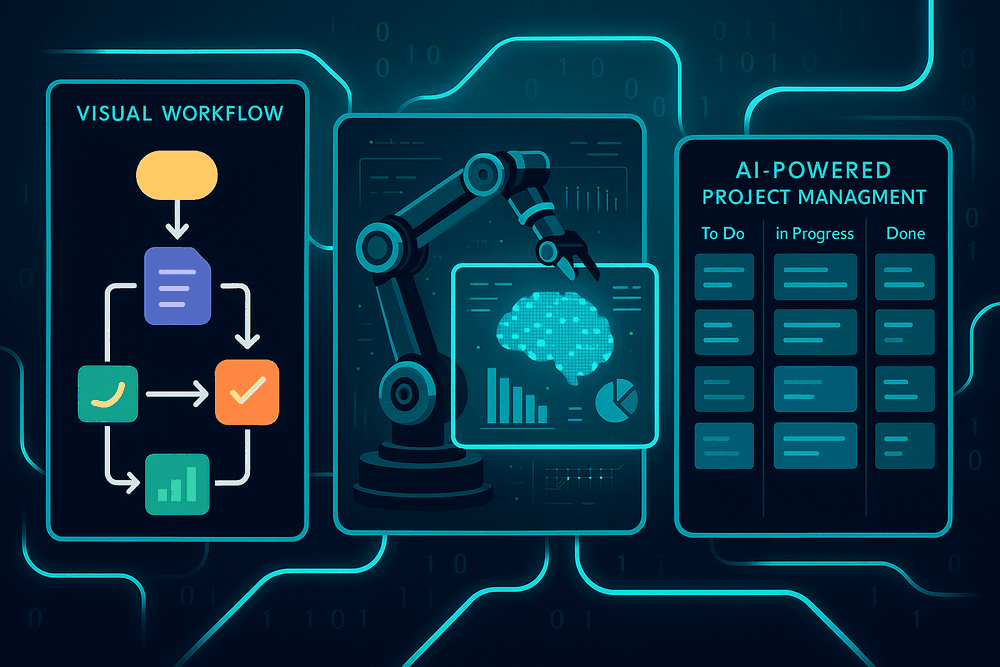
A Comparative Look at the Best AI Tools for Task Automation
The landscape of AI-powered automation is vast, with tools tailored for different scales and purposes. Understanding the key players and their strengths is crucial for selecting the right solution. Let's compare some of the leading AI tools for task automation, grouping them by their primary function and target audience.
Zapier vs. Make: The Integration Powerhouses
For individuals, startups, and small to medium-sized businesses, Zapier and Make (formerly Integromat) are the go-to platforms for connecting cloud applications. They operate on a simple "if this, then that" logic, but their capabilities are supercharged by AI.
- Zapier: Renowned for its user-friendliness and an unparalleled library of over 6,000 app integrations. Setting up a "Zap" (an automated workflow) is incredibly straightforward. Zapier's AI features help by suggesting relevant Zaps based on the apps you use and can even assist in drafting emails or social media posts within a workflow. It’s the perfect entry point for those new to workflow automation.
- Make: Offers a more visual and powerful approach. Its drag-and-drop interface allows you to build complex, multi-step scenarios with branching logic, filters, and error handling that go beyond Zapier's linear paths. Make is often more cost-effective for high-volume tasks. Its strength lies in its flexibility, making it one of the most versatile AI tools for task automation for users who need more control and complexity.
UiPath & Automation Anywhere: For Enterprise-Level Needs
When automation needs to scale across an entire organization and interact with legacy systems, enterprise-grade Robotic Process Automation (RPA) platforms like UiPath and Automation Anywhere take center stage. These are not just app connectors; they are comprehensive platforms for building and managing a digital workforce of software "bots."
- UiPath & Automation Anywhere: Both platforms use AI to create bots that can mimic human actions—logging into systems, filling out forms, extracting data from documents, and more. Their AI capabilities, often involving computer vision and natural language processing (NLP), allow bots to "see" screens and "read" documents like a human would. This makes them ideal for automating complex, repetitive business processes in sectors like finance, healthcare, and manufacturing. These tools represent the heavy-duty side of AI tools for task automation, designed for deep, enterprise-wide integration and significant ROI.
Airtable & Notion AI: For Smarter Project Management
A new breed of automation is emerging from within the tools we use every day. Airtable and Notion have moved beyond simple databases and note-taking apps by embedding AI directly into their platforms, transforming how teams manage projects and information.
- Airtable: This powerful relational database-spreadsheet hybrid uses AI to streamline data management. Its AI features can automatically categorize text inputs, summarize long-form content into key takeaways, generate formulas on command, and even translate text between languages directly within your database. This automates the tedious work of data organization and analysis.
- Notion AI: Acting as a true digital assistant within your workspace, Notion AI can summarize meeting notes, automatically generate action items, draft emails or reports from a simple prompt, and improve your writing. By integrating these capabilities directly into project pages and documents, Notion AI automates a wide range of knowledge-based tasks, helping teams move from discussion to action faster than ever.
Unlocking Efficiency: Core Features of AI Tools for Task Automation
The true power of modern AI tools for task automation lies not just in their ability to perform repetitive actions, but in the sophisticated features that enable them to think, adapt, and connect. These platforms are built on a foundation of core capabilities that transform simple scripts into intelligent, dynamic systems. Understanding these features is key to selecting the right tool and maximizing its impact on your productivity. From intuitive design to predictive insights, these are the components that set leading automation software apart.
Intelligent Workflow Builders and Visual Editors
Gone are the days when automation required a team of developers. A hallmark of today's best AI tools for task automation is the no-code or low-code visual workflow builder. These intuitive, drag-and-drop interfaces allow users to map out complex, multi-step processes with ease. You can visually connect triggers (e.g., "when a new email arrives in this inbox") to a series of actions (e.g., "extract the attachment, save it to Google Drive, and send a Slack notification"). The "intelligent" aspect comes from the AI's ability to suggest the next logical step in a sequence, identify potential loops or errors, and even recommend optimizations to make your workflow more efficient over time. This accessibility empowers team members across all departments to build and manage their own automations.
AI-Powered Data Extraction and Processing
A significant portion of manual work involves pulling information from one source and entering it into another. AI-powered data extraction revolutionizes this process. Using technologies like Natural Language Processing (NLP) and Optical Character Recognition (OCR), these tools can "read" and understand unstructured data from sources like PDFs, emails, invoices, and customer support tickets. Instead of a human manually copying a client's name and invoice amount from a PDF into a spreadsheet, the AI can identify, extract, and correctly format the relevant data automatically. This not only saves countless hours but also dramatically reduces the risk of human error, ensuring data integrity across your systems.
Seamless App Integration and API Connectivity
An automation tool is only as powerful as the systems it can connect to. Leading platforms boast extensive libraries of pre-built integrations with hundreds of popular SaaS applications, from CRMs like Salesforce and HubSpot to communication tools like Slack and Microsoft Teams, and project management software like Asana and Trello. This allows you to create seamless workflows that span your entire technology stack. For more specialized or in-house software, robust API (Application Programming Interface) connectivity is crucial. This allows for custom integrations, giving you the flexibility to connect virtually any application and ensure that your automation platform acts as the central nervous system for your entire organization.
Predictive Analytics and Decision-Making Support
The most advanced AI tools for task automation go beyond simply doing tasks—they help you make smarter decisions. By analyzing historical data from your workflows and integrated apps, these platforms can identify patterns, trends, and anomalies. This predictive capability can be used to forecast sales demand, identify customers at risk of churning, or anticipate potential supply chain bottlenecks before they occur. The AI can then trigger proactive workflows based on these predictions, such as automatically assigning a high-priority task to a sales representative for an at-risk client. This shifts your operations from being reactive to proactive, providing a significant strategic advantage.

From Chaos to Control: Real-World Use Cases for AI Task Automation
The abstract concept of "automation" comes to life when you see it tackle real-world business challenges. Moving beyond theory, AI tools for task automation are transforming cluttered workflows into streamlined, efficient systems across every department. They act as the digital backbone that turns manual chaos into operational control. Let’s explore how this technology is making a tangible impact in key business areas and even in our personal daily routines.
Automating Marketing Campaigns and Lead Nurturing
Marketing teams are often juggling dozens of tasks, from content creation to data analysis. AI automation brings order to this complexity. Imagine a new lead signs up for your newsletter. Instantly, an automation workflow can add them to your CRM, tag them based on their interests, and enroll them in a personalized email nurture sequence. AI-powered platforms can schedule social media posts for optimal engagement times, generate compelling ad copy variations for A/B testing, and even monitor campaign performance, sending you alerts when a key metric changes. This frees up marketers to focus on high-level strategy instead of getting bogged down in repetitive execution.
Streamlining Financial Processes
The finance department runs on precision and timeliness, making it a prime candidate for automation. Manual data entry is not only tedious but also prone to costly errors. AI tools for task automation can revolutionize this space by automatically extracting data from invoices and receipts, categorizing expenses, and syncing the information with your accounting software. They can generate and send recurring invoices to clients, follow up on late payments, and compile weekly or monthly financial reports, delivering them directly to stakeholders' inboxes. This level of workflow automation ensures accuracy, improves cash flow management, and provides real-time visibility into your company's financial health.
Boosting HR Operations
From hiring to retiring, the employee lifecycle is filled with administrative tasks that can be easily automated. Consider the onboarding process: once a candidate accepts an offer, an AI-driven workflow can trigger the creation of their IT accounts, enroll them in benefits, assign mandatory training modules, and schedule introductory meetings. For existing employees, AI can manage timesheet approvals, process payroll with complex calculations, and handle time-off requests. By automating these essential but repetitive HR functions, you create a smoother, more professional experience for employees while allowing your HR team to focus on culture, talent development, and strategic initiatives.
Personal Productivity Hacks to Automate Your Daily Grind
The benefits of automation aren't limited to large teams. You can use AI tools for task automation to reclaim hours in your own workweek. Tired of the back-and-forth of scheduling meetings? An AI assistant can sync with your calendar and manage bookings automatically. Overwhelmed by your inbox? AI can sort, prioritize, and even summarize important emails. You can set up automations that save article links to a reading list, transcribe your meeting notes, or create tasks in your project management tool directly from a Slack message. These small, personal automations compound over time, eliminating mental clutter and freeing you up for deep, focused work.
Best Practices for Implementing AI Automation in Your Business
Adopting AI automation is more than just subscribing to a new tool; it's a strategic shift that requires careful planning and execution. To unlock the full potential of AI-powered efficiency, you need a clear roadmap. These best practices will guide you from initial implementation to long-term success, ensuring your investment delivers tangible results.
Start Small: Identifying the Right Tasks to Automate First
The most effective way to integrate AI is to start with small, manageable wins. Instead of overhauling an entire department at once, identify pilot projects that can demonstrate value quickly. Look for tasks that are:
- Repetitive and Rule-Based: Think data entry, scheduling meetings, generating standard reports, or sorting emails. These high-volume, low-complexity tasks are perfect candidates for automation.
- Time-Consuming: Calculate the hours your team spends on a specific mundane task each week. Automating it can free up significant time for more strategic, high-value work.
- Low-Risk: Choose a process where a potential error won’t disrupt critical business operations. A successful pilot project builds confidence and momentum for adopting more complex ai tools for task automation down the line.
Ensuring Data Security and Compliance in Automated Workflows
As you automate processes, you’ll inevitably handle sensitive company and customer data. Protecting this information is non-negotiable. Before committing to any tool, thoroughly vet its security protocols.
- Prioritize End-to-End Encryption: Ensure data is encrypted both in transit and at rest.
- Verify Compliance Standards: If you operate in a regulated industry, confirm the AI tool complies with standards like GDPR, HIPAA, or CCPA.
- Implement Access Controls: Use tools that allow you to set granular permissions, ensuring employees can only access the data and automations relevant to their roles.
- Review Vendor Policies: Understand how the AI vendor handles, stores, and protects your data. A transparent policy is a sign of a trustworthy partner.
How to Measure ROI on Your Automation Investment
To justify your investment and scale your efforts, you must measure the return on investment (ROI). Track both quantitative and qualitative metrics to get a complete picture of the impact.
Quantitative Metrics:
- Time Saved: (Hours spent on task before AI) - (Hours spent on task after AI) = Hours saved.
- Cost Reduction: Multiply the hours saved by the employee's hourly rate to quantify direct labor cost savings.
- Increased Output: Measure the volume of work completed, such as the number of customer tickets resolved or reports generated in a given period.
Qualitative Metrics:
- Error Reduction: Track the decrease in human errors in automated processes.
- Employee Satisfaction: Survey your team to gauge their morale and job satisfaction now that tedious tasks are off their plates.
- Improved Speed: Measure the reduction in cycle time for key processes.
Training Your Team to Embrace AI-Driven Processes
The most powerful AI tool is useless if your team doesn't use it. Overcoming resistance and fostering adoption is a critical final step. Frame AI not as a replacement, but as a digital assistant designed to augment their skills.
- Communicate Transparently: Clearly explain why you are implementing automation and how it will benefit employees directly by eliminating boring work.
- Provide Comprehensive Training: Host hands-on workshops and provide easy-to-access resources for the new ai tools for task automation.
- Appoint AI Champions: Identify enthusiastic team members who can act as go-to experts and advocates for the new processes.
- Create a Feedback Loop: Encourage your team to share their experiences and suggestions for improving automated workflows. This fosters a sense of ownership and ensures the tools are configured for maximum efficiency.

Conclusion: Your Next Step in Workflow Automation
You've journeyed through the dynamic landscape of AI task automation, discovering tools that can reclaim your time, reduce errors, and unlock new levels of productivity. The initial leap from manual processes to an automated ecosystem can seem daunting, but the power to transform your daily work is closer than you think. The key isn't just knowing what these platforms can do, but strategically implementing them to solve your most pressing challenges. Now, it’s time to turn knowledge into action and build a smarter, more efficient workflow.
Choosing the Right AI Tools for Task Automation for Your Needs
With countless options available, selecting the perfect platform can feel overwhelming. The "best" tool is not a one-size-fits-all solution; it's the one that aligns perfectly with your unique requirements. To find your ideal match, follow this simple framework:
- Identify Your Bottlenecks: Before browsing for software, look inward. What are the most time-consuming, repetitive, and error-prone tasks in your day? Are you drowning in email management, struggling with data entry, or spending too much time scheduling meetings? Pinpointing these pain points will instantly narrow your search.
- Evaluate Core Features and Integrations: Once you know your problem, you can look for the solution. Does the tool integrate seamlessly with the software you already use (like Slack, Google Workspace, or your CRM)? Does it offer the specific triggers and actions you need? Prioritize AI tools for task automation that fit into your existing ecosystem, not ones that force you to overhaul it.
- Start Small and Scale: You don’t need an enterprise-level solution to automate your first task. Look for tools with free trials or tiered pricing plans that allow you to experiment and prove the concept's value before committing significant resources.
How to Get Started with Your First Automated Workflow Today
Theory is valuable, but practice is where the real transformation happens. You can create your first automated workflow in under an hour. Don't aim for perfection; aim for progress.
- Pick One Simple Task: Choose a low-risk, high-frequency task. A great starting point could be automatically saving email attachments to a specific cloud folder, getting a daily summary of industry news in Slack, or creating a task in your project management app from a starred email.
- Select a User-Friendly Tool: Leverage a no-code platform like Zapier, Make, or even the built-in automation features of tools like Notion or Trello. These platforms are designed for beginners, using simple "if this, then that" logic.
- Build, Test, and Activate: Follow the platform’s guided setup to connect your apps, define your trigger (the "if this"), and set your action (the "then that"). Run a quick test to ensure it works as expected, and then turn it on. Congratulations—you're now automating!
The Future of Work: What's Next in AI Automation?
The journey with AI tools for task automation is just beginning. We are rapidly moving beyond simple, rule-based automations into an era of hyperautomation, where AI not only performs tasks but also analyzes, learns, and optimizes entire business processes. The next wave will see the rise of autonomous AI agents that can manage complex projects, negotiate with vendors, and anticipate customer needs before they arise. This evolution will shift the human role from a doer of tasks to a strategist and orchestrator of AI-powered systems.
By taking your first step into workflow automation today, you are not just saving a few minutes; you are building the skills and mindset needed to thrive in the future of work. The most powerful tool is the one you start with. Choose your task, pick your tool, and begin your automation journey now.