
July 23, 2026
Define the Technical Report Brief Before Anyone Starts Writing

A strong brief prevents the most expensive kind of agency rework: a polished draft that answers the wrong question, speaks to the wrong buyer, or gets blocked by the client’s legal, product, or brand team.
Before writing starts, align the client and internal team on three decisions: what asset you’re producing, who it must persuade, and what boundaries it must stay inside.
Technical Report vs. Whitepaper: Choose the Right Asset
Clients often use “whitepaper” and “technical report” interchangeably. Your job is to separate them early, because each asset carries a different promise to the reader.
Asset type | Best used when | Reader expectation | Typical commercial role |
|---|---|---|---|
Whitepaper | The client needs to explain a market problem, frame a point of view, or educate buyers | Strategic argument, accessible explanation, business relevance | Demand generation, thought leadership, lead capture |
Technical report | The client needs to document research, findings, methodology, performance, implementation, or technical recommendations | Specific evidence, precision, traceable reasoning, practical conclusions | Sales enablement, investor or stakeholder confidence, product validation, procurement support |
For agencies, this distinction protects scope. A whitepaper brief that quietly becomes a technical report will demand more SME time, more evidence handling, more review cycles, and more precision. Name the asset correctly before pricing, scheduling, or assigning writers.
A simple question helps: “Will the reader judge this primarily on the strength of the argument, or on the rigor of the evidence?” If it’s the latter, treat it as a technical asset from day one.
Clarify the Reader, Decision, and Commercial Goal
Do not brief the report around a topic. Brief it around a decision.
A weak brief says: “Write a report on cybersecurity readiness for manufacturers.”
A stronger brief says: “Help operations and IT leaders at mid-market manufacturers decide whether they need a managed detection and response partner before their next cyber insurance renewal.”
That version gives the writer direction. It defines the audience, urgency, buying context, and commercial outcome.
Capture:
- Primary reader: job title, technical fluency, objections, and what they already know.
- Secondary readers: procurement, finance, legal, executives, implementation teams.
- Decision the report supports: buy, fund, approve, migrate, adopt, investigate, standardize, or escalate.
- Desired next step: book a consultation, share with the board, enter a pilot, request pricing, approve budget.
- Sales context: top-of-funnel education, late-stage validation, renewal support, investor communications, or product launch.
This is where small agencies can look more senior than larger competitors. You are not just “writing content”; you are shaping a decision asset that gives the client’s sales, product, or leadership team a sharper tool.
Set Brand and Approval Constraints Up Front
Technical assets can stall when brand expectations surface too late. Before drafting, document what the report must sound like, avoid, include, and route through.
Clarify:
- Voice: authoritative, advisory, academic, practical, executive, technical, or challenger.
- Terminology: preferred product names, category language, acronyms, and banned phrases.
- Claims boundaries: what the client is comfortable saying about performance, competitors, outcomes, or future trends.
- Visual identity expectations: whether the report should feel like a formal corporate document, campaign asset, analyst-style report, or premium gated download.
- Approval path: named reviewers, review order, expected turnaround, and final decision-maker.
- Non-negotiables: compliance language, regulatory sensitivities, partner mentions, customer confidentiality, and geographic limitations.
For agency owners, this is margin protection. Every undefined constraint becomes a revision risk later. A tight brief gives your writers a lane, gives the client confidence, and gives your team a clear standard for judging whether the final asset is doing its job.

Organize Research Into a Source-of-Truth System
Once the brief is locked, the next risk is fragmentation: a Slack thread from the client, a sales deck from last quarter, SME comments in a Google Doc, and three “final” spreadsheets. Before drafting, centralize the evidence so your team isn’t rebuilding the same context every time the report moves hands.
Collect Client Inputs, SME Notes, and Data Assets
Create one project repository for every source the report may rely on. For a small agency, this can be a structured Google Drive, Notion workspace, Airtable base, or project management folder—as long as everyone knows it is the canonical home.
Group inputs by type:
- Client materials: brand guidelines, messaging docs, product sheets, sales decks, past reports, customer research, positioning statements.
- SME inputs: interview transcripts, call recordings, written answers, workshop notes, technical clarifications.
- Data assets: survey results, platform exports, analytics screenshots, benchmark studies, test results, financial models.
- External references: analyst reports, academic papers, standards documentation, government sources, market research.
Give every file a plain-language name that tells writers what it is and when it was captured. For example: `SME-interview-CTO-cloud-migration-risks-2026-02-12` is far more useful than `Recording 4`.
Also separate “approved” sources from “background” sources. A client’s old sales deck might help your team understand the category, but that does not mean its claims should appear in the final technical report.
Rank Evidence by Credibility and Usefulness
Not all evidence deserves equal weight. A strong source-of-truth system helps your team decide what to lead with, what to support with, and what to ignore.
Use a simple ranking model:
Evidence type | Credibility | Usefulness | Best use |
|---|---|---|---|
Original client data or primary research | High | High | Core findings, charts, recommendations |
SME interview with named expert | High | Medium-high | Technical explanation, nuance, interpretation |
Peer-reviewed or standards-based source | High | Medium | Definitions, methodology, validation |
Analyst or industry report | Medium-high | Medium | Market context, trend framing |
Vendor blog or competitor content | Low-medium | Low-medium | Background only, unless independently verified |
Unsourced internal claim | Low | Variable | Flag for client confirmation |
This keeps junior writers from overusing the easiest material instead of the strongest material. It also gives account leads a practical way to push back when clients want broad claims included without support.
For agency teams, the goal is speed with judgment. If a source is credible but not useful to the reader’s decision, park it. If it is useful but weak, mark it as needing confirmation. That prevents the final draft from becoming a polished collection of shaky claims.
Build a Citation and Claims Register
Before drafting, create a claims register: a working table that links every important statement to its source, status, and owner.
Include fields such as:
- Claim: the exact point the report may make.
- Source: file name, URL, interview, dataset, or page number.
- Evidence strength: strong, moderate, weak, or unverified.
- Usage: executive summary, findings section, chart, recommendation, appendix.
- Approval status: approved, needs SME review, needs client confirmation.
- Owner: strategist, writer, analyst, or account lead.
Example claim: “Mid-market manufacturers lose visibility during multi-site ERP migrations.” The register should show whether that came from client customer interviews, platform data, or a general industry assumption.
This single habit reduces rework dramatically. Writers draft faster, reviewers can check substance instead of hunting for sources, and clients gain confidence because every major point has a visible trail behind it. For agencies producing reports across multiple clients, it also turns research handling into a repeatable delivery system rather than a scramble at every deadline.
Structure the Argument So the Report Feels Authoritative
With the evidence organized, the next job is sequencing: turning raw inputs into an argument a busy buyer, board member, or technical evaluator can trust quickly.
Turn the Core Thesis Into a Logical Outline
A strong technical report should not read like “everything we found.” It should read like a guided case for a decision.
Start with one controlling thesis:
“Based on the analysis, the client should prioritize X because Y risk is increasing, Z opportunity is measurable, and the recommended path is lower-cost than the alternatives.”
Then build the outline around the proof needed to support that thesis. For most agency-produced reports, a useful structure is:
- Context: What changed, why this matters now, and what decision is on the table.
- Method or scope: What was reviewed, measured, compared, or excluded.
- Key findings: The most important patterns, not every observation.
- Implications: What the findings mean commercially, operationally, or technically.
- Recommendations: What the reader should do next.
- Next steps: Owners, timing, dependencies, or implementation phases.
This keeps the report from becoming a polished research dump. It also helps your team avoid late-stage rewrites because every section has a job: move the reader closer to the decision.
Map Findings, Recommendations, and Proof
Authority comes from traceability. Every recommendation should connect back to a finding, and every finding should connect back to evidence.
A simple mapping pass can prevent weak claims from surviving into the draft:
Finding | Supporting proof | Implication | Recommendation |
|---|---|---|---|
Trial users drop off during onboarding step three | Product analytics, support tickets, user interview themes | Activation friction is likely suppressing conversion | Redesign onboarding around the two highest-intent user paths |
Enterprise buyers ask for security validation before procurement | Sales call notes, RFP excerpts, competitor comparison | Trust assets are blocking late-stage deals | Create a security-focused whitepaper and procurement FAQ |
Content engagement is highest around compliance topics | Search data, CRM attribution, webinar attendance | Compliance pain is pulling qualified demand | Build a report-led campaign around regulatory readiness |
For agencies, this mapping is especially useful when multiple people are involved: strategist, writer, designer, account lead, and client SME. It gives everyone a shared logic layer before copy and design decisions take over.
It also protects brand trust. If a client has a conservative, evidence-led voice, the report should not overstate the conclusion. If the client’s brand is more provocative, the argument can be sharper—but still grounded in the proof map.
Write an Executive Summary That Surfaces the Decision
The executive summary is not a teaser. It is the decision layer.
Assume the primary reader may only read this page before forwarding the report internally. In that case, the summary needs to answer four questions fast:
- What decision needs to be made?
- What did the analysis find?
- What should we do next?
- What is the expected business impact or risk of inaction?
A useful format is:
- One sentence on the situation.
- Two to four bullets with the most decision-relevant findings.
- One clear recommendation.
- One short note on timing, urgency, or next step.
Avoid burying the recommendation at the end of the full report. For client-facing agency work, this is where perceived strategic value is won: the reader should feel that your team has not only documented the evidence, but translated it into a confident path forward.
Draft and Format for Clarity, Trust, and Usability
Once the argument is set, the draft has one job: make complex material easy to use without making it feel thin. For agency teams, this is where a strong technical report stops looking like “content” and starts feeling like a decision asset.
Use Plain-Language Technical Writing Standards
Plain language does not mean basic. It means the reader can understand the point, trust the evidence, and act without rereading every sentence.
A good drafting pass should tighten:
- Sentence length: Keep most sentences under 25 words. Break long technical explanations into sequence, cause, and implication.
- Paragraph focus: One idea per paragraph. If a paragraph explains the finding, its evidence, and the recommendation, split it.
- Active construction: “The platform reduced processing time by 18%” is stronger than “A reduction in processing time was observed.”
- Defined technical terms: Spell out acronyms on first use, then use the same shorthand consistently.
- Useful transitions: Show the relationship between points: “as a result,” “in contrast,” “for implementation teams,” “the operational risk is…”
For agencies, the key is preserving subject-matter authority without letting SME language dominate the page. If a client says, “The solution enables multi-environment orchestration across heterogeneous infrastructure,” the report might say, “The solution lets teams manage workloads across cloud, on-premise, and hybrid environments from one operating model.”
Same meaning. Less friction. More credibility.
Format Tables, Charts, and Visual Evidence Correctly
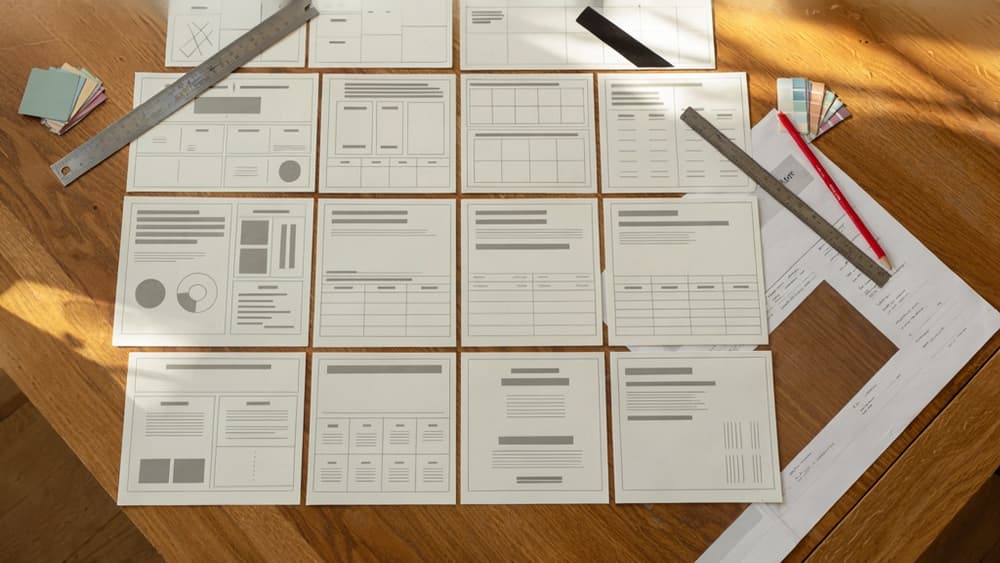
Visuals should reduce cognitive load, not decorate the report. Every table, chart, or diagram needs a clear reason to exist.
Use tables when the reader needs to compare options, specifications, criteria, risks, or findings. Use charts when the shape of the data matters: growth, decline, distribution, variance, or proportion. Use diagrams when the reader needs to understand a process, architecture, workflow, or relationship between components.
For every visual element, include:
- A descriptive title: “Average implementation time by customer segment” is better than “Implementation data.”
- A takeaway caption: One sentence explaining what the reader should notice.
- Labeled units and timeframes: Percentages, sample sizes, dates, currencies, and measurement periods should be visible.
- Source notes where needed: Especially for third-party data, client benchmarks, or survey results.
- Consistent styling: Same colors, labels, number formats, and hierarchy throughout the document.
Avoid screenshots of dense spreadsheets, unlabeled charts, and visuals that require the reader to infer the point. If the evidence is important enough to include, it is important enough to frame.
Apply Consistent Terminology, Voice, and Layout
Consistency is what makes a report feel professionally controlled. Inconsistent naming, shifting tone, or uneven formatting can make strong analysis feel assembled from fragments.
Before final layout, run a consistency pass for:
- Product and service names: Match the client’s approved naming exactly.
- Industry terms: Choose one version and stick with it, such as “mid-market” vs. “middle market.”
- Customer references: Keep segments, personas, and buyer roles named consistently.
- Voice: Decide whether the client sounds advisory, academic, technical, pragmatic, or executive-facing, then maintain it.
- Headings: Use parallel structure so sections feel intentional.
- Lists: Keep bullet syntax consistent across the report.
- Numbers: Standardize decimals, percentages, ranges, currencies, and dates.
This is especially important when multiple writers, strategists, designers, and client reviewers touch the same asset. A polished report should feel like it came from one expert source, not from five contributors with five different habits.
For a small agency, this drafting discipline is also margin protection. The cleaner the language, visuals, and layout are before client review, the fewer revision loops you absorb—and the easier it becomes to turn technical report production into a repeatable, premium service.
Use AI to Scale Technical Report Production Without Losing Brand Control
Once the brief, evidence, argument, and formatting standards are locked, AI can help your agency move faster—but only if it works inside the client’s brand system, not around it.
Ingest the Client Brand Once, Then Reuse It Across Drafts
The biggest risk with AI-assisted report production is inconsistency across drafts, writers, and tools. One prompt sounds polished. The next sounds like a different company. For agencies managing multiple clients, that creates review drag fast.
Instead, treat each client’s brand as reusable infrastructure. Ingest the essentials once:
- Voice and tone guidelines
- Messaging pillars
- Approved terminology
- Product and service descriptions
- Audience segments
- Compliance or legal language
- Preferred structure for long-form assets
- Examples of “on-brand” and “off-brand” writing
Then use that brand layer across every technical report, whitepaper, executive summary, landing page, email sequence, and sales enablement asset tied to the project.
For example, a cybersecurity client may need reports that sound precise, risk-aware, and board-level. A climate tech client may need language that balances scientific credibility with investor-friendly clarity. AI can accelerate both, but only if the brand context travels with the work instead of being rebuilt in every prompt.
This is where agencies can reduce tool sprawl. Rather than each strategist, writer, and account manager using their own AI setup, centralize the client’s brand inputs so every draft starts from the same foundation.
Create AI Drafting Workflows With Human Review Gates
AI should support the production workflow, not become the workflow.
A practical agency process looks like this:
- Strategist loads the approved outline and source material
The AI works from the agreed structure, not a blank page.
- Writer generates section-level drafts
Draft one section at a time to keep claims, tone, and logic easier to control.
- Editor checks brand fit and narrative flow
This is where the report starts sounding like the client, not like a generic industry summary.
- SME or client reviewer checks technical accuracy
Keep factual validation separate from style review so feedback does not become tangled.
- Designer or content producer adapts the final copy
The approved text can then become charts, callout boxes, landing pages, webinar scripts, or sales decks.
The key is to create gates where judgment matters: argument strength, claim accuracy, brand alignment, and commercial usefulness. AI can produce options quickly, but your agency owns the final standard.
For small teams, this prevents senior people from becoming bottlenecks on first drafts while still keeping them involved where their expertise has the most value.
Package Reports Into a Repeatable Agency Service
Once the workflow is stable, a technical report stops being a custom scramble and becomes a productized offer.
You can package it as:
- Research-to-report sprint: client inputs, outline, draft, review, final report
- Quarterly insights report: recurring thought leadership based on internal data or market trends
- Technical content engine: report plus derivative assets for campaigns, sales, and PR
- Client enablement package: report, executive summary, slide deck, and outreach copy
This matters commercially. Agencies often underprice complex writing because every project feels bespoke. A repeatable AI-assisted workflow lets you define scope, timelines, review rounds, and deliverables more confidently.
It also helps you scale without immediately adding headcount. Your senior team can focus on positioning, editorial judgment, and client strategy while AI handles controlled drafting and adaptation inside the client’s brand rules.
The result is not more content for its own sake. It is a more reliable way to produce high-trust reports that sound like the client, support the buyer journey, and give your agency a clearer path to margin.