
January 7, 2026
Revolutionize Your Studies with an AI Student Note Taker
Revolutionize Your Studies with an AI Student Note Taker
We have all been there: sitting in a lecture hall or staring at a Zoom screen, adrenaline spiking as the professor flips to the next slide before you’ve finished copying the previous one. Your fingers cramp from typing furiously, or your handwriting devolves into illegible scribbles as you try to capture every word. In this high-pressure environment, you aren't actually learning; you are merely acting as a human dictation machine. By the time you leave the class, you have pages of text, but very little retention of what was actually discussed.
This common academic struggle highlights a critical flaw in traditional study methods. The human brain struggles to multitask effectively—specifically, it is difficult to critically analyze information while simultaneously trying to transcribe it verbatim. This is where the integration of an ai student note taker into your workflow transforms the academic experience from a test of speed into an opportunity for deep understanding.
From Furious Scribbling to Active Listening
The most significant advantage of automating your notes is the shift toward active listening. Active listening requires full cognitive presence. It involves processing the professor's tone, understanding the nuances of an argument, asking questions in real-time, and making mental connections between new concepts and previous knowledge.
When you offload the mechanical burden of writing to an ai student note taker, you free up your cognitive resources. You can stop worrying about missing a sentence and start focusing on the "why" and "how" of the lecture material. Instead of keeping your head down, you can look up, engage with the visual aids, and participate in class discussions, confident that every detail is being captured accurately in the background.
What Is an AI Student Note Taker?
At its core, an ai student note taker is an intelligent software solution designed to record, transcribe, and analyze spoken language. Unlike a standard voice recorder that leaves you with an hour-long audio file to sift through later, these AI-powered assistants convert speech into text in real-time.
However, the "AI" component goes far beyond simple dictation. These tools utilize advanced Natural Language Processing (NLP) to understand context. They don't just generate a wall of text; they identify key points, separate speakers (differentiating between the professor and a student asking a question), and structure the information into readable formats.
How It Works: The Mechanics of Automated Studying
To understand how an ai student note taker functions, it helps to look at the three-step process occurring "under the hood" during your lecture:
- Audio Capture and ASR: First, the tool captures high-quality audio through your device’s microphone or directly from meeting platforms like Zoom, Google Meet, or Microsoft Teams. It uses Automatic Speech Recognition (ASR) technology to instantly convert sound waves into digital text with high accuracy, even filtering out background noise.
- Contextual Processing: As the text is generated, NLP algorithms analyze the content. The AI looks for keywords, changes in topic, and structural cues (like a professor saying, "The three main causes are..."). This allows the software to highlight action items and definitions automatically.
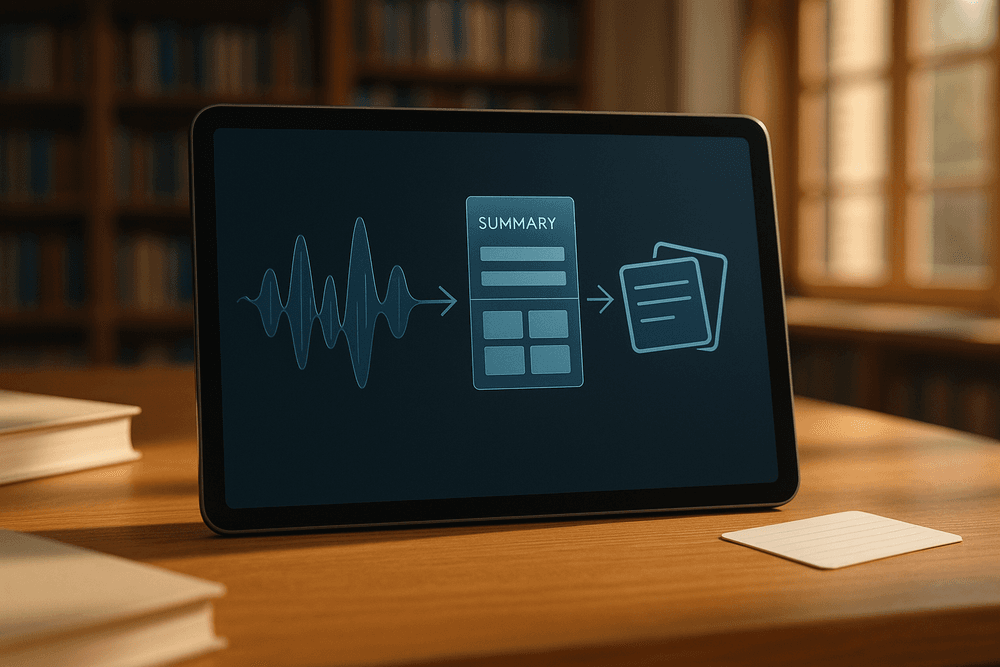
- Synthesis and Summarization: Finally, the tool synthesizes the raw transcript. Rather than forcing you to read 5,000 words of dialogue, the AI generates a concise summary, bulleted lists of main takeaways, and a searchable transcript.
By adopting this technology, students can bridge the gap between merely attending a class and truly mastering the material.
Essential Features of a Top-Tier AI Student Note Taker
Gone are the days of developing hand cramps while frantically trying to scribble down every word a professor says. The modern lecture hall requires a modern solution, and the integration of an AI student note taker into your workflow is arguably the most significant academic upgrade you can make. However, the market is becoming saturated with generic recording apps masquerading as study assistants. To truly transform your academic performance, you need a tool that goes beyond simple voice recording.
When evaluating which software deserves a spot in your digital backpack, prioritizing specific features will ensure you are getting an intelligent assistant rather than just a digital dictaphone. Here are the non-negotiable capabilities that define the best tools on the market.
Real-Time Transcription and Precision Speaker ID
At the foundation of any robust AI student note taker is the ability to capture audio with near-perfect accuracy. Top-tier tools utilize advanced Natural Language Processing (NLP) to provide real-time audio transcription. This means as the lecturer speaks, text appears on your screen instantly. This feature allows students to "search" a lecture while it is happening. If you missed a definition mentioned five minutes ago, you can simply scroll back and read it without losing track of the current discussion.
However, a wall of text can be overwhelming. This is why accurate speaker identification (often called diarization) is essential. In a seminar setting or a lively debate, knowing who said what provides crucial context. High-quality AI distinguishes between the professor, the teaching assistant, and fellow students, labeling the transcript accordingly. This clarity prevents the confusion of attributing a student’s wrong answer to the professor’s lecture material.
Smart Summarization: Turning Hours into Minutes
Raw data is useful, but synthesized information is where learning happens. The most valuable feature of an AI student note taker is its ability to perform smart summarization. Listening to a 90-minute lecture recording to find one specific concept is inefficient.
Advanced algorithms now possess the ability to digest an entire lecture and distill it into concise, structured notes. These tools strip away the "ums," "ahs," and irrelevant tangents, leaving you with a clean summary of key concepts, dates, and definitions. This feature effectively turns hours of passive listening into minutes of active review. By automatically structuring the content into main topics and bullet points, the AI ensures that your revision materials are exam-ready the moment the class ends.
Automated Flashcard and Quiz Generation
The final differentiator between a standard transcription tool and a comprehensive study assistant is the focus on active recall. Passive reading of summaries often leads to the "illusion of competence," where you recognize the material but cannot recall it during an exam.
Leading AI student note taker platforms bridge this gap by offering flashcard generation and quiz creation capabilities. By analyzing the lecture content, the AI identifies core facts and potential exam questions, automatically generating a deck of digital flashcards or a practice quiz. This feature allows you to test your knowledge immediately, reinforcing neural pathways and moving information from short-term to long-term memory without the manual labor of creating study aids from scratch.
Best AI Student Note Taker Apps Compared
With the ed-tech market exploding, choosing the right ai student note taker can feel like a multiple-choice question where every answer looks correct. However, not all tools are created equal. Some excel at verbatim transcription, while others focus on synthesizing complex topics into study guides. Finding the perfect fit depends largely on your specific major, learning style, and technical ecosystem.
The Titans of Transcription: Otter.ai vs. Coconote vs. Notion
To help you decide, let’s break down three of the most popular contenders currently dominating the digital classroom.
Otter.ai: The Lecture Hall Veteran
Otter.ai is widely considered the gold standard for voice-to-text accuracy. It is particularly strong at speaker identification, making it ideal for seminar-style classes where multiple people are talking.
- Best For: Students who want a verbatim record of everything said.
- Key Feature: It creates a searchable transcript synchronized with audio, so you can click on a sentence and hear the professor say it.
Coconote: The Study-First Specialist
While Otter focuses on the transcript, Coconote is designed specifically as an ai student note taker. It goes beyond simple dictation by actively summarizing content into structured formats.
- Best For: Visual learners and students who need immediate study materials.
- Key Feature: Automatically generates flashcards and quizzes from the lecture audio, allowing you to move directly from listening to active recall.
Notion AI: The All-in-One Workspace
Notion isn’t just a note-taker; it’s a "second brain." With its AI integration, it can polish rough notes, summarize long texts, and generate action items.
- Best For: Students who already use Notion to organize their academic life.
- Key Feature: The Q&A feature allows you to "chat" with your notes, asking specific questions about the material you’ve stored.
Integration: Where Does Your Classroom Live?
An effective ai student note taker must integrate seamlessly into your learning environment. If you are taking online or hybrid courses, you cannot afford to toggle between five different tabs.
Zoom, Teams, and Google Meet Compatibility The best tools offer "meeting bots" that join your virtual lectures automatically. Otter.ai is the leader here, creating a distinct "OtterPilot" that enters Zoom, Google Meet, or Microsoft Teams sessions to record even if you arrive late. Coconote and similar student-centric apps are catching up, often allowing you to upload recorded files from these platforms or record system audio directly. Before downloading an app, check if it syncs with your university's preferred video conferencing software to automate your workflow completely.
Free vs. Premium: Balancing Features and Student Budgets
For most university students, budget is the ultimate deciding factor. Fortunately, the "freemium" model is standard across the industry, though limitations vary.
- The Free Tier: usually caps the number of minutes you can transcribe per month (e.g., Otter’s 300 monthly minutes) or limits the number of files you can upload. This is sufficient for light schedules but may fall short during midterms.
- The Premium Upgrade: typically costs between $8 and $15 per month. While this is an added expense, consider the ROI. If a premium ai student note taker saves you five hours of transcribing per week, the time reclaimed for active studying or rest is often worth the price of two campus coffees.
Ultimately, the best strategy is to utilize the free trials during a heavy lecture week. Test which interface helps you retain the most information, then commit to the tool that turns passive listening into active grades.

Strategies for Studying with an AI Student Note Taker
Simply downloading an ai student note taker does not guarantee academic success. While these tools are powerful, they are best viewed as force multipliers rather than replacements for studying. To truly improve performance, you must shift from a passive role—frantically transcribing every word—to an active role where you analyze and synthesize information. By integrating automation with proven study methodologies, you can transform a simple transcript into a comprehensive learning asset.
The AI-Enhanced Cornell Method
The Cornell Note Taking System remains one of the most effective ways to organize and retain information. Traditionally, it involves dividing a page into notes, cues, and summaries. However, trying to listen, write, and summarize simultaneously often leads to cognitive overload.
You can modernize this approach by assigning the heavy lifting to your ai student note taker:
- The Record Column (AI's Job): Let the AI handle the verbatim transcription or detailed bullet points during the lecture. This ensures you never miss a specific date, formula, or definition.
- The Cue Column (Your Job): While the AI records, use your mental energy to formulate questions or keywords in the margins. If the professor emphasizes a concept, note it down as a "potential exam question" rather than copying the definition.
- The Summary (Collaborative): After class, compare your own brief takeaways with the AI-generated summary. Synthesize the two into a 3-4 sentence conclusion.
This hybrid approach ensures that you have a perfect record of the material while forcing your brain to engage with the content in real-time.
Powering Spaced Repetition with AI Summaries
The "Forgetting Curve" suggests that students lose roughly 75% of new information within six days if it isn't reviewed. Spaced repetition is the antidote, but creating study materials for it can be time-consuming.
An ai student note taker accelerates this process by automatically generating the source material for your review cycles. Instead of re-reading an entire hour-long transcript, utilize the AI's "Key Takeaways" feature to create rapid-fire review sessions.
- 24 Hours Later: Read the AI-generated summary to refresh the core concepts.
- 3 Days Later: Take the bulleted list provided by the AI and turn each point into a flashcard (digital or analog).
- 1 Week Later: Use the full transcript only to clarify points you struggled to recall during your flashcard session.
By using the AI to condense the material, you spend less time preparing to study and more time actually encoding the information into long-term memory.
Ethical Considerations: Navigating Consent
Using recording technology in the classroom introduces complex ethical and legal questions. Before activating your ai student note taker, you must navigate the "elephant in the lecture hall": consent.
Many jurisdictions operate under two-party consent laws, meaning it is illegal to record a conversation without the permission of all parties involved. Even in one-party consent states, universities often have strict intellectual property policies regarding the recording of lectures.
- Always Ask First: Send a polite email to your professor or ask in person before the first class. Explain that you are using the tool for personal study aid, not for distribution.
- Respect Intellectual Property: Never share the transcripts or audio online. The lecture content belongs to the instructor.
- Transparency: If you are in a seminar or discussion group, inform your peers that an AI tool is transcribing the session to ensure everyone is comfortable.
Navigating these ethics proactively demonstrates professionalism and protects you from academic misconduct violations.
Real-World Scenarios: Who Needs an AI Student Note Taker?
While almost any student can benefit from organized notes, certain academic paths and learning styles make AI assistance not just a luxury, but a necessity. The modern lecture hall is often fast-paced and information-dense, leading to cognitive overload. An ai student note taker serves as a strategic equalizer in these environments, specifically tailored to handle challenges that traditional pen-and-paper methods simply cannot resolve.
STEM Majors: Managing Complexity and Jargon
For students in Science, Technology, Engineering, and Mathematics (STEM), lectures are rarely linear narratives. They are a complex mix of rapid-fire technical jargon, intricate formulas, and data visualization.
Imagine a biochemistry student trying to copy a complex molecular structure from a slide while simultaneously listening to the professor explain the reaction mechanism. If the student looks down to draw, they miss the explanation. If they listen, they miss the diagram. This is where an ai student note taker becomes indispensable.
- Jargon Capture: AI tools are increasingly trained on technical datasets, allowing them to accurately transcribe complex terminology that a student might mishear or misspell in the heat of the moment.
- Formula Integration: Advanced tools can capture visual data from slides, syncing the audio explanation with the visual representation of mathematical formulas or code snippets.
- Focus on Logic: By offloading the transcription duty, STEM students can focus their mental energy on understanding the logic behind the math, rather than just copying the numbers.
Language Learners: Breaking Down Communication Barriers
For international students and those studying a second language, the academic environment presents a dual challenge: mastering the subject matter while simultaneously decoding the language of instruction. The cognitive load required to translate in real-time often leads to mental fatigue and gaps in understanding.
An ai student note taker acts as a real-time bridge for these learners. Many modern tools offer live transcription and instant translation features. This allows ESL (English as a Second Language) students to see subtitles in their native language or read along with the English transcript to verify their comprehension. It transforms the lecture from a test of listening endurance into an accessible learning resource, ensuring that language barriers do not hinder academic success.
Accessibility and Neurodiversity: Leveling the Playing Field
Perhaps the most profound impact of AI transcription technology is found in the realm of accessibility. For students with learning disabilities, auditory processing disorders, or neurodivergent conditions such as ADHD and dyslexia, traditional note-taking can be an insurmountable hurdle.
- ADHD Support: For students who struggle with focus, a momentary lapse in attention used to mean a permanent gap in their notes. With an AI recorder, the "safety net" is always on. Students can drift and return without the anxiety of having missed critical information.
- Dyslexia and Dysgraphia: Students who struggle with writing speed or spelling often find it impossible to keep up with a speaking professor. AI eliminates the mechanical burden of writing, allowing these students to engage purely with the concepts.
- Auditory Processing: For those who hear the words but struggle to process the meaning instantly, having a verbatim text transcript allows them to review the lecture at their own pace, pausing and re-reading until the concept clicks.
In these scenarios, the software moves beyond being a simple productivity hack; it becomes an essential tool for inclusivity, ensuring every student has the resources they need to thrive.

Future-Proof Your GPA: Selecting Your AI Student Note Taker
By now, the advantage is clear: leveraging artificial intelligence in the classroom is no longer a shortcut; it is a strategic necessity for high performance. However, the market is rapidly becoming saturated with tools claiming to be the ultimate study hack. To truly future-proof your GPA, you cannot simply pick the first app you see on social media. You need an ai student note taker that aligns perfectly with your academic major, learning style, and technical ecosystem.
Choosing the right software is the difference between having a cluttered folder of raw transcripts and possessing a streamlined, searchable database of knowledge. Here is how to make the right choice and integrate these tools into your path toward academic excellence.
The Ultimate Study Companion Checklist
Before committing to a subscription, run potential tools through this rigorous checklist. The goal is to find a platform that reduces friction rather than creating new administrative tasks.
- Transcription Accuracy and Vocabulary: Does the AI handle technical jargon? If you are a medical or engineering student, a generic transcriber might fail to capture complex terminology. Look for an ai student note taker that allows for custom vocabulary or is trained on academic datasets.
- Multi-Modal Input: Your life isn’t limited to Zoom calls. The best tools can process live in-person lectures via your mobile microphone, import pre-recorded audio files, and integrate with video conferencing platforms like Teams or Google Meet seamlessly.
- Synthesis Capabilities: Raw text is overwhelming. Your ideal companion should offer "intelligent summarization." Look for features that automatically extract action items, highlight key dates (like exam schedules), and generate bulleted summaries from dense paragraphs.
- Searchability and Organization: Can you search across all your lectures for a specific concept? A strong tool creates a knowledge base where typing "midterm review" pulls up every relevant instance from the entire semester.
- Export Options: Ensure the platform integrates with your existing workflow. Can it export notes directly to Notion, Google Docs, or Obsidian? Data portability is key to long-term retention.
The Future of AI in Academic Retention
Adopting these tools is about more than just surviving the semester; it is about embracing the future of learning. Educational psychologists suggest that "cognitive offloading"—using technology to handle rote memorization and recording—frees up the brain for higher-order thinking.
When you use an ai student note taker, you stop acting as a stenographer and start acting as an analyst. This shift promotes "active learning." Instead of frantically scribbling down every word a professor says, you remain present in the discussion, asking questions and making connections, secure in the knowledge that the AI is capturing the data.
Furthermore, familiarity with these AI assistants prepares you for the modern workforce. Employers are increasingly looking for graduates who know how to leverage AI to increase productivity. By mastering these tools now, you are building a soft skill set that extends far beyond the classroom.
Ready to Upgrade Your Grades? Next Steps
The technology is ready, and the semester won't wait. Here is your immediate action plan to integrate AI into your study routine:
- Audit Your Schedule: Identify which classes are lecture-heavy and would benefit most from automated transcription.
- The "One-Week" Trial: Select the top two rated tools that meet the checklist above. Use one for the first half of the week and the second for the latter half. Compare the accuracy of the notes and the quality of the summaries.
- Create a Review Ritual: Automation is useless without review. Schedule a 20-minute block at the end of each week to read through your AI-generated summaries and convert them into active recall flashcards.
By making a deliberate choice today, you aren't just buying software; you are investing in a smarter, more efficient academic career.