
August 4, 2026
Build the Launch Content Brief Before You Write Anything
A strong product hunt launch starts before the first post, email, or visual asset exists. For an agency team juggling multiple clients, the brief is what prevents launch content from becoming a pile of disconnected “good ideas” that all sound slightly different.
Define the one launch goal your team will optimize for
Pick one primary outcome and let it shape every content decision.
Not three goals. Not “awareness, signups, feedback, press, and community.” One.
For most agency-led launches, the goal usually falls into one of these buckets:
Launch goal | What content should emphasize | What to avoid |
|---|---|---|
Upvotes and visibility | Clear positioning, shareability, quick value comprehension | Dense feature explanations |
Qualified signups | Use cases, pain points, proof, conversion paths | Broad “everyone can use this” messaging |
Customer research | Discussion prompts, opinion-led framing, open questions | Over-polished claims that shut down conversation |
Credibility for investors or partners | Momentum, category narrative, market signal | Tactical feature-by-feature selling |
This choice matters because it gives your team a filter. If the goal is qualified signups, a clever but vague social post loses to a sharper post that names the buyer, problem, and outcome. If the goal is comments, your content needs to invite response instead of simply broadcasting excitement.
Write the goal at the top of the brief in plain language:
“Our launch content should drive qualified trials from agency owners and marketing leads who need to scale branded content production without adding headcount.”
That sentence becomes the tie-breaker when your team is deciding what to cut, what to publish, and what to say more clearly.
Map the audience segments most likely to upvote, comment, and convert
A launch audience is not one audience. Treating it that way leads to generic content that underperforms everywhere.
Map the groups that matter by likely action:
- Upvoters: existing users, friendly founders, peers, partners, newsletter subscribers, community contacts
- Commenters: power users, category experts, customers with a visible pain point, makers who understand the problem
- Converters: buyers actively feeling the pain your product solves, warm prospects, trial-ready leads, client-side champions
For each segment, capture three things in the brief:
- What they already believe
- What would make them care today
- What action you want from them
For example, a creative agency owner may already believe AI can speed up production, but they care because inconsistent client voice creates rework, internal review loops, and quality risk. The desired action might be to try the product, comment with a workflow pain point, or share it with their team.
This keeps the launch from becoming founder-centric. Your content should not just say what the product is; it should reflect why each high-value audience has a reason to engage now.
Create brand guardrails so every asset sounds like the same company
Launch content moves fast. Without guardrails, the Product Hunt page, founder posts, email copy, and reply drafts can sound like they came from four different brands.
Your brief should lock the voice before production starts:
- Positioning line: the simplest expression of what the product helps people do
- Tone rules: direct, warm, technical, playful, premium, contrarian, or whatever fits the brand
- Approved phrases: terms the company consistently uses for the problem, audience, and outcome
- Banned language: hype, jargon, vague superlatives, or phrases the brand would never say
- Proof points: customer results, workflow details, founder credibility, or usage data the team can reuse
For agencies, this is where tool sprawl can quietly hurt quality. If one person drafts in ChatGPT, another edits in Notion AI, and a third rewrites social posts manually, brand consistency depends on memory. A shared brand brief, or a system like Aethera that keeps client voice and messaging available across outputs, reduces that drift.
The goal is simple: every launch asset should feel unmistakably like the same company, even when multiple people are producing it under deadline.
Write the Product Hunt Page Copy and Maker Comment
With the brief in place, the next job is compression: turn the launch strategy into copy someone can understand while scrolling.
Craft a tagline and description that explain the product in seconds
Your tagline has one job: make the right person stop and think, “That’s for me.”
For agency-led launches, avoid clever lines that only make sense after a demo. Product Hunt visitors are moving fast, comparing dozens of products, and deciding in seconds whether to click, upvote, comment, or ignore.
A strong tagline usually includes:
- Who it helps: “for creative agencies,” “for SaaS teams,” “for solo consultants”
- The outcome: “create on-brand AI content,” “ship launch assets faster,” “turn calls into proposals”
- The mechanism or category: “AI workspace,” “client portal,” “brief builder,” “analytics dashboard”
For example:
“Keep every AI-generated client asset on-brand.”
That works because it names the pain and the promise without asking the reader to decode it.
Your short description can carry the extra context the tagline cannot. Use it to answer three questions:
- What is it?
- Who is it for?
- Why does it matter now?
For a product hunt launch, aim for plain-language copy that connects the product to an urgent workflow. An agency owner should immediately understand whether this helps them reduce revision cycles, unify team output, or scale delivery without hiring.
Structure the maker comment for story, credibility, and action
The maker comment is where you earn attention after the page copy does its job. It should feel human, not like a pasted press release.
A simple structure works best:
- Start with the problem that triggered the product
- Explain what you built and for whom
- Show why your team is credible
- Highlight what people can try today
- Ask for a specific kind of feedback
Example flow:
We kept seeing small agency teams adopt AI tools, only to spend hours fixing tone, formatting, and client-specific brand details afterward. So we built Aethera to help agencies ingest a client’s brand once, then generate outputs that stay aligned across briefs, social posts, emails, and campaign assets. We’re especially interested in feedback from agency owners, strategists, and account leads managing multiple client voices. If you try it, we’d love to know: where does brand consistency break most often in your current AI workflow?
That final question matters. “Let us know what you think” is easy to ignore. A focused prompt gives commenters something useful to respond to, which can create better discussion and sharper social proof.
Prepare concise replies for FAQs, objections, and early feedback
Launch-day replies should not be improvised from scratch. Prepare a response bank before the page goes live so the team can answer quickly without sounding scattered.
Create short replies for the questions you expect:
- Who is this for? Clarify your ideal user without over-expanding the market.
- How is this different from ChatGPT or other AI tools? Anchor the answer in workflow, brand memory, and consistency.
- Does it work for multiple clients? For agencies, this is often the buying question.
- What happens after signup? Set expectations for onboarding or first value.
- Is there a team plan? Be ready for pricing and collaboration questions.
- Can I see examples? Link to a demo, gallery, sample output, or use case page.
Keep replies specific and conversational. A good answer might be:
Great question. The biggest difference is that Aethera is built around client-specific brand systems, not one-off prompting. Agencies can set up each client once, then create AI-assisted content that stays aligned with that client’s voice, positioning, and rules.
Also prepare for critical comments. Thank the person, answer the substance, and, when useful, invite a sharper follow-up. The goal is not to “win” every thread. It is to show potential buyers that your team understands the workflow deeply and responds like people they would trust with their brand.
Plan Social Posts and Email Campaigns That Drive Launch-Day Momentum
With the launch brief and core Product Hunt copy locked, the next job is orchestration: making sure the right people hear about the launch at the right moment, in the right voice, without your team rewriting the same ask twenty times.
Create a channel-by-channel launch cadence
A strong product hunt launch is not one announcement post. It is a timed sequence that builds awareness before the page goes live, concentrates support during the first few hours, and keeps the conversation moving throughout the day.
Channel | Best use | Timing | Content angle |
|---|---|---|---|
LinkedIn founder posts | Credibility and warm professional support | Morning of launch, then mid-day update | Why you built it, who it helps, what feedback you want |
Company LinkedIn/X | Official announcement and milestone updates | Launch hour, mid-day, final push | Clear CTA to view the Product Hunt page |
Founder/personal X | Fast updates and conversation | Multiple light-touch posts throughout the day | Progress, comments, lessons, quick replies |
Direct supporter activation | Launch morning by segment | Specific ask based on relationship | |
Slack/Discord communities | Contextual conversations | Only where you are active already | Ask for feedback, not drive-by promotion |
Internal/team channels | Coordinated replies and amplification | Before launch and during peak windows | Who posts what, when, and where |
For agency teams managing launch content for clients, the cadence should live in one shared tracker: channel, owner, post copy, link, send time, status, and notes. This prevents the common launch-day scramble where three people post the same message while email goes out two hours late.
Write supporter asks that feel specific, not spammy
The fastest way to make a launch feel transactional is to send everyone the same “please upvote us” message. Supporter asks should be short, personal, and tied to why that person might care.
A useful structure:
- Context: “We’re live on Product Hunt today.”
- Relevance: “You’ve seen how painful client brand consistency can get across content, ads, and AI tools.”
- Simple ask: “If the problem resonates, we’d love your comment or support.”
- Low-friction link: Send them directly to the launch page.
- Permission to ignore: Keep the tone human, not entitled.
For example:
We’re live on Product Hunt today with Aethera. Since you’ve seen how much time agencies lose keeping AI-assisted work on-brand across clients, I thought this might be relevant. If it resonates, a comment or bit of support on the launch would mean a lot: [link]
That specificity matters. A client, a former teammate, and a community peer should not receive identical copy. The message should reflect the relationship.
Segment emails for clients, partners, users, and warm prospects
Email is where agencies can turn a broad launch moment into targeted relationship-building. Segmenting matters because each audience needs a different reason to click.
Clients should hear how the launch connects to the outcomes they already care about: faster delivery, clearer positioning, more consistent content, or better campaign execution.
Partners need language they can easily forward or reference. Give them a concise summary, the launch link, and one sentence explaining who the product is best for.
Current users are your strongest credibility layer. Ask them to share what they have experienced, not to paste a generic compliment.
Warm prospects should receive a softer message. Frame the launch as a useful milestone and invite them to take a look, especially if the product addresses a problem you have already discussed with them.
For small agencies, the goal is not maximum blast volume. It is coordinated relevance. When every social post and email feels like it came from the same strategic brief, launch-day attention compounds instead of scattering across disconnected channels.
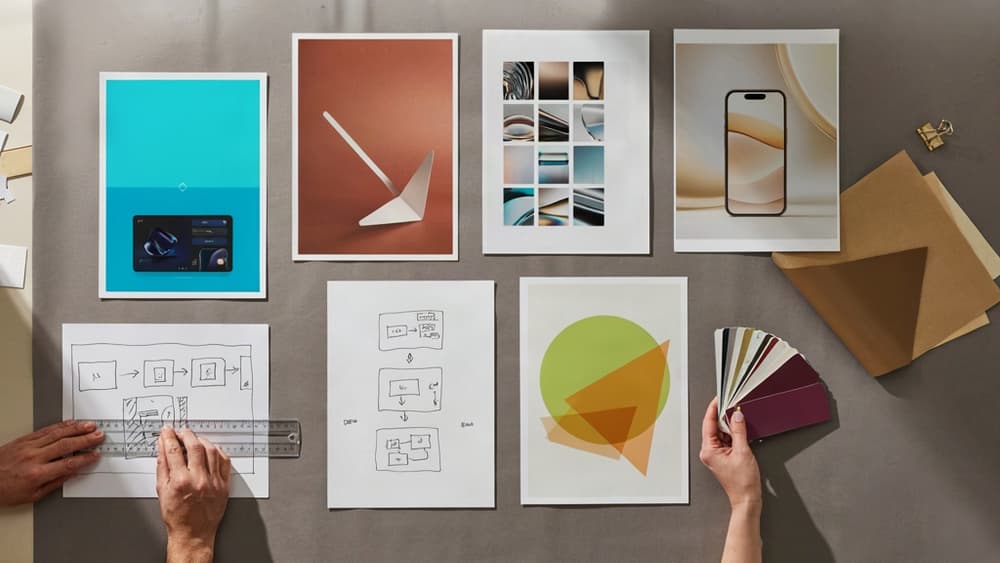
Design Visual Assets That Make the Launch Instantly Understandable
Once the copy and outreach are locked, the visuals need to do one job fast: help a distracted visitor understand what the product does, why it matters, and whether it’s worth clicking.
Turn Product Value Into a Simple Gallery Sequence
Treat the Product Hunt gallery like a mini landing page, not a screenshot dump. Most visitors will skim the images before reading deeply, so the sequence should carry the core story on its own.
A strong gallery flow usually looks like this:
- Outcome slide: Lead with the result, not the interface. For example: “Create on-brand campaign assets for every client in minutes.”
- Problem slide: Show the painful before-state your audience recognizes: scattered docs, inconsistent outputs, slow review cycles, or too many tools.
- How it works slide: Use a simplified 3-step visual, not a full product tour.
- Proof or example slide: Show a realistic output, workflow, dashboard, or client-ready deliverable.
- Use case slide: Anchor the product in a specific scenario, such as launching a campaign, building a landing page, or briefing a content team.
- CTA slide: End with a clear next step: try it, join the waitlist, claim the launch offer, or watch the demo.
For agency clients, push them away from “feature collage” thinking. A gallery that shows six disconnected UI screens usually creates more work for the viewer. A gallery that moves from pain to outcome makes the product feel easier to adopt.
Create Branded Templates for Thumbnails, Banners, and Demo Clips
Launch visuals should feel like they came from the same company, even when they appear in different places: Product Hunt, LinkedIn, X, email headers, founder posts, sales follow-ups, and recap content.
Create a small template set before design production begins:
- Product Hunt thumbnail: bold product name, simple value cue, high contrast at small size.
- Gallery slide template: consistent headline placement, limited text, repeatable frame for screenshots.
- Social teaser template: flexible enough for founder quotes, feature callouts, and launch reminders.
- Email header: lighter-weight version of the main launch visual, optimized for quick recognition.
- Demo clip frame: branded intro/outro, cursor visibility, captions, and a clean background.
The goal is not to make every asset identical. It is to make every asset recognizable. For a small agency managing multiple client launches, templates also reduce production drag: designers aren’t rebuilding layouts from scratch, writers know how much copy fits, and account leads can approve assets faster.
If AI is part of the creative workflow, this is where a brand-ingested system helps most. Instead of generating one-off graphics or captions that need heavy cleanup, your team can produce visual copy, slide headlines, and asset variations that already match the client’s voice and launch positioning.
Run a Visual QA Pass Before Assets Go Live
Before the product hunt launch goes live, review the full visual set in context—not just as individual files in a folder.
Check for:
- Legibility: Can the thumbnail and first gallery image be understood at small sizes?
- Message match: Do the visuals support the tagline, maker comment, and launch goal?
- Sequence clarity: Does the gallery tell a logical story without someone explaining it?
- Brand consistency: Are colors, typography, voice, and screenshot treatments aligned?
- Screenshot quality: Are real names, private data, browser clutter, and outdated UI removed?
- Mobile viewing: Do text-heavy slides still work on a phone?
- CTA alignment: Is the next step visually obvious and consistent across assets?
This final pass prevents the common launch-day scramble: a mismatched banner here, an unreadable thumbnail there, a demo clip that explains the wrong feature. Clean visuals make the product feel more credible before anyone has tried it.
Turn Launch Attention Into Follow-Up Content and User Acquisition
Once the launch assets are live, the job shifts from generating attention to capturing it. A strong product hunt launch gives you a short window where prospects, partners, and curious operators are already paying attention. Don’t let that energy disappear into a thank-you post.
Publish a launch recap that converts curiosity into trust
Your recap should do more than report “we launched.” Treat it as a trust-building asset your sales team, founder, and partners can keep sharing for weeks.
Include:
- The problem you launched to solve
- What resonated most with the community
- A few specific results, such as ranking, comments, signups, demos booked, waitlist growth, or qualitative feedback
- Screenshots of meaningful comments or social proof
- A clear next step: start a trial, book a demo, join the waitlist, read the use case, or share feedback
For agencies, this is also a client-ready proof asset. If you helped a client launch, the recap becomes a polished case study starter: strategy, execution, response, and next steps. Keep it specific enough to show competence, but concise enough that a prospect can understand the win in under two minutes.
A simple structure works well:
- “Why we launched this”
- “What happened on launch day”
- “What we learned from the community”
- “What’s next”
- “How to try it / work with us”
Use comments and questions to create post-launch content
The comment section is market research in public. Instead of treating replies as one-off interactions, turn them into your next content queue.
Look for patterns:
- Repeated objections become comparison posts or FAQ pages
- Feature questions become short demos or product walkthroughs
- Use-case comments become industry-specific landing pages
- Compliments become testimonial snippets
- Confusion becomes clearer website copy
For example, if three people ask whether the product works for multi-client teams, that’s not just a support answer. It’s a blog post, a LinkedIn carousel, a sales enablement note, and possibly a homepage section.
This is where small agencies can get more mileage without adding headcount. Feed the launch comments, approved messaging, and brand voice into your content workflow so every follow-up asset sounds like the same company—not a rushed patchwork of founder posts, designer captions, and AI-generated drafts.
Move new users into onboarding and nurture sequences
Launch traffic is rarely uniform. Some people are ready to buy, some want to explore, and some only showed up because a peer shared the launch. Your follow-up should route them accordingly.
Create simple paths for:
- New signups: a short onboarding sequence focused on activation, not education overload
- Demo requests: a fast founder or sales follow-up with launch context
- Waitlist subscribers: a nurture sequence that reinforces the problem, use cases, and proof
- Commenters and supporters: a thank-you message with one relevant next step
- Trial users: prompts tied to the first meaningful product action
The goal is to turn launch-day curiosity into a measurable pipeline. If someone signs up after seeing your launch, their first few touchpoints should feel connected to what attracted them in the first place: the promise, the pain point, and the proof.
For agencies managing launches across multiple clients, this is where consistency matters most. The recap, nurture emails, onboarding messages, and sales follow-ups should all inherit the same positioning and brand guardrails from the launch brief. That continuity is what makes the campaign feel intentional long after launch day ends.