
June 30, 2025
An Introduction to Meeting Summarization AI
Never Take Meeting Notes Again: An Introduction to Meeting Summarization AI
Remember the feeling? You’re in a crucial meeting, a brilliant idea is forming, but you’re stuck as the designated note-taker. Your focus is split between listening, contributing, and frantically typing to capture every key point. By the end, you have a messy document and a vague memory of the actual discussion. This familiar struggle is precisely what meeting summarization AI is designed to eliminate forever.
So, what is this technology that promises a future without manual note-taking?
What Exactly is Meeting Summarization AI?
At its core, meeting summarization AI is a sophisticated technology that automates the entire process of documenting a meeting. It goes far beyond simple audio recording. These powerful tools join your virtual or in-person meetings to perform several key tasks:
- Live Transcription: The AI listens to the conversation and converts speech to text in real-time, creating an accurate, word-for-word transcript.
- Speaker Identification: It intelligently distinguishes between different speakers, attributing every comment to the correct person.
- Intelligent Summarization: This is the magic ingredient. The AI doesn’t just give you a wall of text. It analyzes the entire conversation to identify the most important information—key decisions, open questions, and critical action items—and condenses it into a concise, easy-to-read summary.
Think of it as having a hyper-efficient virtual assistant in every meeting, ensuring no detail is ever lost.
The Journey from Manual Minutes to Automated Intelligence
The practice of documenting meetings is as old as business itself. For decades, this meant a person with a pen and notepad diligently scribbling "meeting minutes." The process was slow, prone to human error, and often subject to the note-taker's personal interpretation.
The digital age brought us word processors and shared documents, which was an improvement but didn’t solve the core problem: the task still required a human to divert their attention from the meeting itself. Then came transcription services, which could turn an audio recording into text. While useful, they left teams with dense, multi-page transcripts that were time-consuming to review.
Meeting summarization AI represents the true leap forward. It’s the culmination of this evolution, moving from simply capturing what was said to intelligently understanding what mattered. It closes the loop by delivering not just data, but actionable intelligence.
Why This Technology is a Game-Changer for Modern Teams
The shift to automated summaries isn't just a minor convenience; it fundamentally changes how teams work.
- Boosted Engagement and Productivity: When no one is burdened with taking notes, everyone can be fully present and engaged. This leads to more dynamic brainstorming, deeper problem-solving, and a more collaborative atmosphere.
- A Perfect, Unbiased Record: Human memory is fallible, and notes can be biased. An AI provides an objective, searchable source of truth for every meeting. Forget disagreements about "who said what"—now you can know for sure.
- Accelerated Execution: The primary goal of most meetings is to drive action. By automatically identifying and organizing action items and decisions, a meeting summarization AI ensures that momentum isn't lost. Teams can move from discussion to execution almost instantly.
- Enhanced Accessibility and Inclusion: Team members in different time zones, those who were double-booked, or anyone who simply needs a quick refresher can catch up in minutes, not hours. It creates a more inclusive environment where everyone has equal access to information.
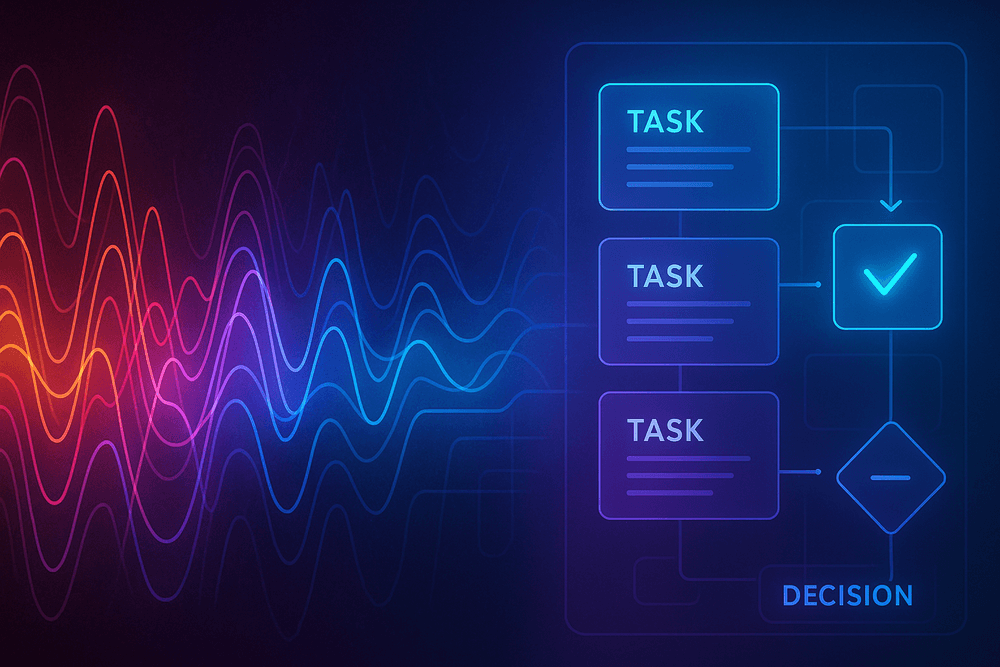
How Does Meeting Summarization AI Turn Talk into Action?
It can feel like magic: you finish a call, and within minutes, a perfectly structured summary with tasks and decisions appears. But behind this seamless experience is a sophisticated, three-step process. A powerful meeting summarization AI doesn't just record audio; it intelligently deconstructs the conversation to extract meaningful value. Let’s pull back the curtain and see exactly how it works.
Step 1: High-Fidelity Audio Capture and Transcription
The foundation of any great summary is a flawless record of the conversation. It all starts with capturing the audio with the highest possible fidelity. Modern AI meeting assistants integrate directly with your calendar and conferencing platforms (like Zoom, Google Meet, and Microsoft Teams) to join the call and record.
The quality of this initial recording is crucial. Advanced systems use noise cancellation and audio processing to filter out background distractions like typing, sirens, or side conversations, focusing only on the speakers' voices. Once the clean audio is secured, the AI’s Automatic Speech Recognition (ASR) engine gets to work. This engine, trained on millions of hours of speech data, converts the spoken words into a detailed text transcript. This isn't just a block of text; it’s a time-stamped, raw transcript that serves as the raw material for the next stage of analysis.
Step 2: Identifying Speakers and Key Topics with NLP
With a complete transcript in hand, the real intelligence of the meeting summarization AI comes into play. This is where Natural Language Processing (NLP), a branch of AI that helps computers understand human language, takes over.
First, the AI performs speaker diarization. This is the technical term for figuring out who said what. By analyzing the unique vocal characteristics of each participant, the system accurately attributes every line of the transcript to the correct person. This is essential for assigning action items later.
Simultaneously, the NLP models scan the entire conversation to identify key topics, concepts, and entities. It recognizes keywords ("budget," "deadline," "Q4 launch"), questions being asked, and the overall sentiment of the discussion. The AI is essentially reading for context, understanding which parts of the conversation were most important, where decisions were made, and what follow-up tasks were agreed upon.
Step 3: Generating Summaries, Action Items, and Key Takeaways
This final step is where the AI synthesizes everything it has learned into a useful, actionable document. Using the contextual understanding gained from Step 2, the system generates several distinct outputs:
- Concise Summary: Instead of making you read the entire transcript, the AI creates a short, paragraph-based summary highlighting the meeting's main purpose, key discussion points, and final outcomes.
- Key Takeaways: The system pulls out the most critical pieces of information—major decisions, important stats, or strategic agreements—and lists them as clear, easy-to-digest bullet points.
- Action Items: This is how talk truly turns into action. The AI identifies tasks, assigns them to the correct speaker (thanks to speaker diarization), and often even suggests deadlines based on conversational cues like "by end of week" or "next Tuesday."
By breaking down the conversation and rebuilding it into a structured format, a meeting summarization AI transforms a transient discussion into a permanent, actionable record, ensuring no critical detail or to-do ever gets lost again.
Core Features to Demand from Your Meeting Summarization AI
Not all AI assistants are built the same. As the market for productivity tools explodes, it's easy to get sidetracked by flashy features that don't deliver real value. To ensure you’re investing in a tool that truly lightens your workload and secures your data, a powerful meeting summarization AI must possess a specific set of core, non-negotiable capabilities. When evaluating solutions, treat the following features as your essential checklist.
Flawless Real-Time Transcription and Speaker ID
The foundation of any great summary is an accurate transcript. Look for a tool that offers high-accuracy transcription in real time. This means the AI can keep up with natural conversation, understand various accents, and correctly interpret industry-specific jargon.
However, a wall of text isn't useful on its own. The magic ingredient is speaker diarization—the ability to identify and label who said what. This feature is critical for context and accountability. It transforms a confusing monologue into a clear, turn-by-turn dialogue, making it easy to attribute action items and decisions to the correct person. Without precise speaker identification, your summary loses its power, and you’ll spend more time correcting the record than you saved by using the tool.
Seamless Integration with Your Existing Workflow
The best technology is the kind you don't have to think about. A top-tier meeting summarization AI should feel like a natural extension of your current workflow, not another app to juggle. This starts with seamless integrations. Your chosen tool must connect directly with your calendar (Google Calendar, Microsoft Outlook) to automatically know when your meetings are scheduled.
Furthermore, it needs native integration with the video conferencing platforms your team already uses, including Zoom, Microsoft Teams, and Google Meet. This allows the AI notetaker to join calls automatically without you needing to manually invite it or fiddle with settings moments before a meeting. The goal is zero friction—the AI simply shows up, does its job, and delivers the summary afterward, letting you focus entirely on the conversation.
Customizable Summary Formats and Templates
Every meeting has a different purpose, and its summary should reflect that. A one-size-fits-all summary is inefficient. A robust meeting summarization AI provides you with control over the final output. Demand customizable summary formats that allow you to dictate what information is prioritized. For example, a sales discovery call summary might highlight customer pain points and next steps, while an internal project sync needs to focus on blockers and action items.
The most advanced tools take this a step further with savable templates. You can create a unique template for each meeting type (e.g., "Weekly Team Stand-up," "Client Kick-off," "Quarterly Review") to ensure consistency and relevance every single time. This level of customization ensures the summaries are immediately actionable for you and your team.
Enterprise-Grade Security and Data Privacy
Your meetings contain sensitive information—from financial projections and product roadmaps to confidential client details. Entrusting this data to an AI platform requires an unwavering commitment to security. This is non-negotiable. Look for a meeting summarization AI provider that offers enterprise-grade security protocols.
Key indicators include SOC 2 Type 2 compliance, which verifies that a company has proven, audited systems in place to protect customer data. The platform should also be compliant with data privacy regulations like GDPR and CCPA. Furthermore, demand end-to-end encryption for your data both in transit and at rest, along with clear, transparent policies about how your data is used, stored, and protected. Never compromise on security; your company’s and clients’ privacy depends on it.
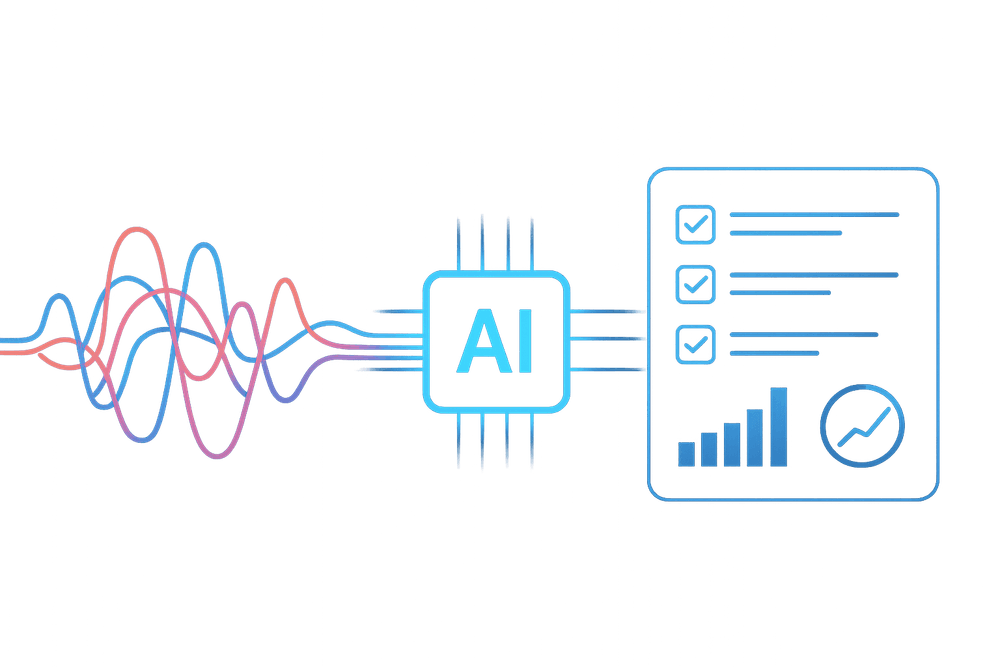
Real-World Wins: Use Cases for AI-Powered Meeting Summarization
The theoretical benefits of saving time and improving memory are compelling, but the true power of meeting summarization ai is revealed in its practical, day-to-day applications. Across various departments and workflows, these tools are not just a novelty; they are a catalyst for tangible business results. Let's explore how teams are leveraging this technology to solve real-world challenges.
Skyrocket Productivity in Project Management Stand-ups
Agile project management hinges on quick, focused daily stand-ups. However, these meetings can easily get bogged down by manual note-taking, with one person designated to capture everyone's updates. This distracts from the core purpose: identifying blockers and aligning on priorities.
By implementing a meeting summarization ai, teams can liberate themselves from the scribe role. The AI diligently transcribes the entire session and generates a concise summary highlighting key updates, progress, and impediments. Team members can remain fully engaged in the conversation, focused on problem-solving. The resulting summary serves as a perfect daily log, easily shareable on platforms like Slack or Jira, ensuring that even those who missed the stand-up can catch up in seconds.
Forge a Single Source of Truth for Client Calls
In client-facing roles, a single misunderstood requirement or forgotten promise can have significant consequences. Relying on handwritten notes or memory creates room for error and conflicting accounts. An AI-powered summarizer eliminates this ambiguity by creating an objective, verifiable record of every client interaction.
This detailed transcript and summary become the ultimate source of truth. Was a new feature request approved? What was the exact feedback on the latest design? The answers are captured and easily searchable. This unified record aligns the entire team—from sales and account management to product and support—ensuring everyone is working from the same information and delivering a consistent, high-quality client experience.
Drive Accountability with Automated Action Item Tracking
One of the most common meeting failures is the "black hole of action items." Great ideas are discussed and tasks are assigned, only to be forgotten moments after everyone leaves the room. This is where a key feature of modern meeting summarization ai shines: automated action item detection.
These intelligent tools are trained to recognize and extract commitments made during a conversation. They identify phrases like "I will follow up on that" or "Sarah will send the report by EOD" and automatically compile them into a clear, actionable list. Often, they can even assign the task to the correct person. This transforms a simple summary into a powerful accountability engine, ensuring that responsibilities are clearly documented and nothing falls through the cracks.
Enhance Accessibility for Global and Remote Teams
In today’s distributed workforce, teams collaborate across multiple time zones and continents. Making every meeting time convenient for everyone is impossible. AI meeting summaries are a game-changer for inclusivity and accessibility. Team members who couldn't attend a live meeting due to time differences or other commitments can get the full context without sitting through a lengthy recording.
Furthermore, these tools are invaluable for non-native English speakers, who can review the transcript and summary at their own pace to ensure complete understanding. By providing a clear, written record of spoken conversations, meeting summarization ai breaks down communication barriers, fostering a more inclusive environment and ensuring everyone, regardless of location or language, is fully informed and empowered to contribute.
Best Practices for Maximizing Your Meeting Summarization AI's Accuracy
A powerful tool is only as good as the input it receives. To truly unlock the potential of your meeting summarization AI, you need to set it up for success. It's not just about hitting 'record'; it's about creating an optimal environment for the AI to listen, understand, and synthesize information with precision. By adopting a few key best practices, you can dramatically improve the quality of your automated summaries, turning a good tool into an indispensable asset for your team's productivity.
Garbage In, Gospel Out: Prioritize High-Quality Audio
The single most important factor for an accurate AI-generated summary is the quality of the audio recording. A meeting summarization AI can't accurately transcribe what it can't clearly hear. Muffled voices, background noise, and people talking over each other are the primary culprits for transcription errors, which then lead to inaccurate summaries.
To ensure pristine audio input:
- Use External Microphones: Ditch the built-in laptop mic. Invest in quality external USB microphones or a central conference room microphone that can capture everyone's voice clearly.
- Establish Speaking Etiquette: Encourage a "one person at a time" rule. This minimizes crosstalk and allows the AI to clearly distinguish between speakers and their points.
- Minimize Background Noise: Hold meetings in a quiet space. Close the door, silence phone notifications, and avoid shuffling papers or typing loudly near the microphone.
High-fidelity audio is the bedrock of an accurate transcription, which is the foundation for a truly useful meeting summary.
Provide a Roadmap: Use a Clear Agenda to Guide the AI
Think of a meeting agenda as a roadmap for your AI. When you provide a clear, structured agenda, you give the meeting summarization AI essential context. It helps the system understand the key topics, identify the primary goals of the discussion, and structure the final summary in a logical, coherent way. Many advanced platforms allow you to upload your agenda directly into the tool before the meeting begins. The AI can then use the agenda items as signposts, helping it to better categorize discussion points, recognize when a new topic begins, and assign action items to the correct context. This simple step helps the AI focus on what matters most, ensuring your summary is concise and aligned with the meeting's objectives.
The Human Touch: Reviewing and Editing for Perfection
Even the most advanced AI is a co-pilot, not an autopilot. The "human-in-the-loop" approach is crucial for guaranteeing 100% accuracy. Think of the AI as a brilliant junior assistant—it does 90% of the heavy lifting by transcribing and drafting the summary, but a final review from a team member is what makes the output flawless. This quick editing pass (which takes minutes, not hours) allows you to:
- Correct any misinterpretations of nuance or intent.
- Verify the accuracy of critical data, deadlines, and decisions.
- Ensure action items are correctly assigned and clearly articulated.
This collaborative process ensures the final output from your meeting summarization AI is not just fast, but polished, reliable, and ready to be shared.
Teach It Your Language: Customizing for Jargon and Acronyms
Does "Project Titan" refer to the new software build or the Q3 marketing campaign? Every organization has its own unique lexicon of acronyms, project codenames, and industry-specific jargon. A generic AI won't know this internal language out of the box. To achieve the highest level of accuracy, you need to teach it your language. Most sophisticated meeting summarization AI tools offer a custom vocabulary feature. You can build a glossary of specific terms, product names, and acronyms unique to your team. By adding these terms, you train the AI to recognize and transcribe them correctly every time, transforming it from a general tool into a specialized, integrated member of your team.
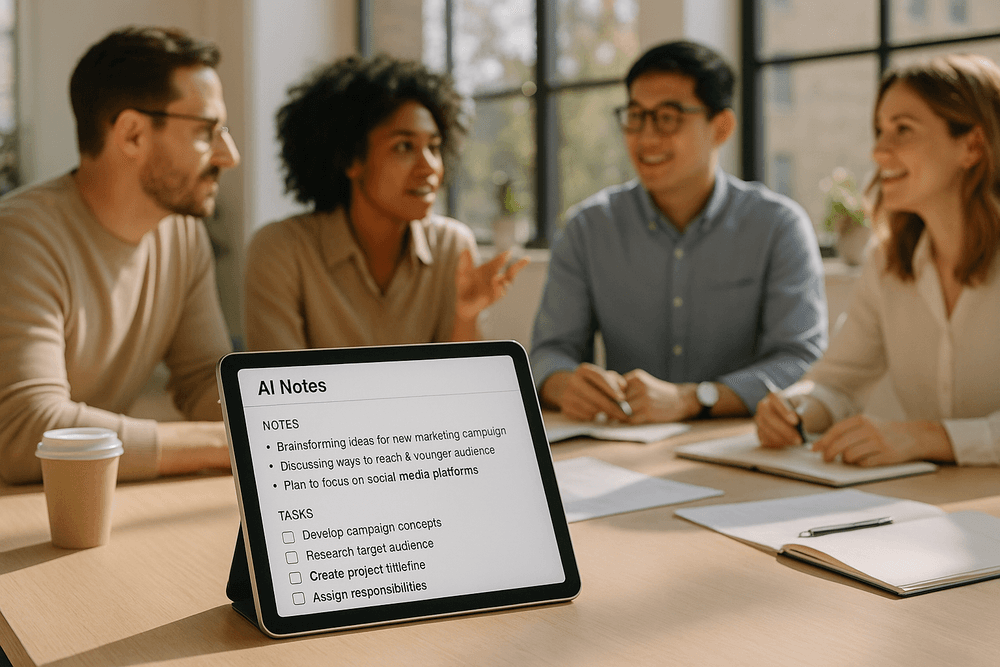
Conclusion: Is a Meeting Summarization AI Worth It for Your Team?
We’ve navigated the landscape of modern meetings, from their potential to drive innovation to their risk of draining productivity. The central question remains: can technology solve the "too many meetings" paradox? After exploring the capabilities and benefits, the evidence suggests that a meeting summarization AI isn't just a futuristic novelty—it's a practical, high-impact tool for today's fast-paced teams. For organizations looking to reclaim time, enhance accountability, and build a more intelligent knowledge base, the answer is a resounding yes.
Recap: The Core Benefits of Automated Summaries
Let's quickly revisit the transformative advantages. At its core, a meeting summarization AI liberates your team from the manual burden of note-taking. This simple shift allows for 100% active participation, fostering deeper engagement and more creative problem-solving during the call itself.
Beyond engagement, the benefits cascade through your entire workflow:
- Enhanced Productivity: Instantly receive concise summaries, full transcripts, and clearly defined action items, eliminating hours of post-meeting administrative work.
- Unwavering Accountability: Decisions and next steps are no longer lost in memory. AI-generated notes create a clear, timestamped record of who committed to what, by when.
- A Searchable Knowledge Hub: Every discussion is captured, transcribed, and archived, turning your meeting history into a powerful, searchable asset for onboarding new members, referencing past decisions, and ensuring institutional knowledge is never lost.
- Improved Accessibility: Team members who couldn't attend, operate in different time zones, or are non-native speakers can quickly get up to speed with accurate, digestible summaries.
Choosing the Right AI Tool for Your Specific Needs
The value is clear, but not all AI solutions are created equal. The key to a successful implementation is selecting a platform that aligns with your team’s unique ecosystem. Before committing, evaluate potential tools against these critical criteria:
- Integration Capabilities: Does the AI seamlessly connect with the tools you already use every day? Look for native integrations with video conferencing platforms (Zoom, Google Meet, Microsoft Teams), calendars, and collaboration hubs like Slack or Asana.
- Accuracy and Language Support: Test the tool's transcription accuracy, especially with industry-specific jargon, strong accents, or cross-talk. A top-tier meeting summarization AI should accurately differentiate between speakers and capture nuance.
- Security and Privacy: Meetings often contain sensitive information. Scrutinize the platform’s security protocols, data encryption standards, and privacy policies to ensure your company’s data is protected.
- Customization and Output: Can you tailor the summary format? Look for features like custom templates, editable notes, and the ability to define specific keywords or topics for the AI to track.
Take the Next Step: How to Trial a Meeting Summarization Tool Today
Reading about the benefits is one thing; experiencing them is another. The best way to gauge the impact of a meeting summarization AI is to put it to the test. Most leading platforms offer a free trial, providing a risk-free opportunity to see the technology in action.
Here’s a simple roadmap to get started:
- Identify a Pilot Group: Select a small team or department that has frequent meetings.
- Choose a Tool: Based on the criteria above, select one or two promising AI tools to trial.
- Run the Test: For one to two weeks, use the AI to record, transcribe, and summarize all of the pilot group's meetings.
- Gather Feedback: Survey the team. Did it save them time? Were the summaries and action items accurate and useful? Did it improve their focus during meetings?
By moving from theory to practice, you can build an undeniable business case for transforming your meeting culture from a necessary chore into a strategic advantage.