
July 19, 2026
What Are Motion Graphics? A Practical Definition for Agencies
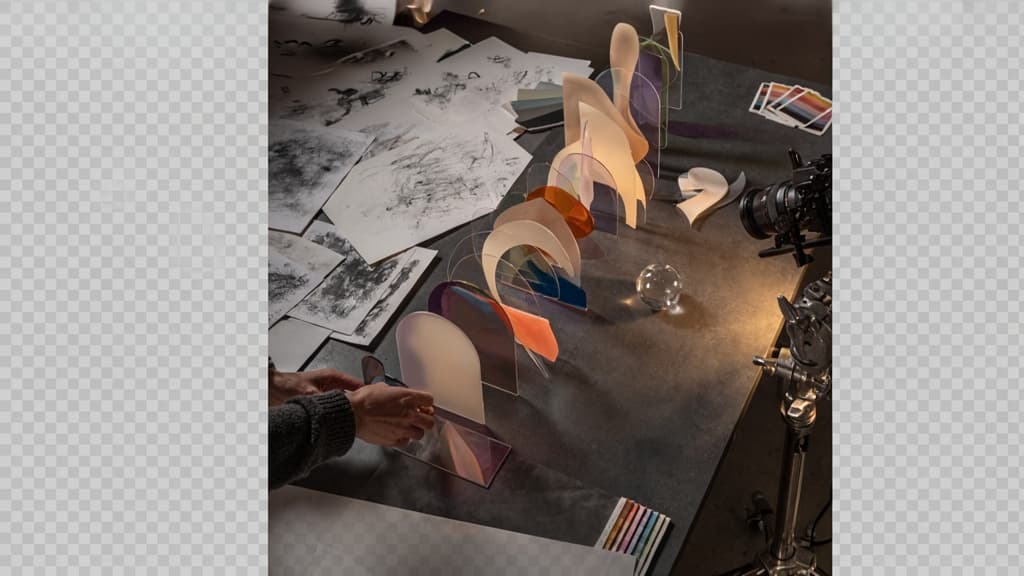
For agency owners, the useful question isn’t “Is this animation?” It’s “Can this make a message clearer, faster, and more branded without turning into a full production?”
Motion graphics definition
Motion graphics are designed visual elements that move to communicate an idea. Think animated type, icons, shapes, charts, UI screens, product callouts, logo reveals, lower thirds, transitions, and branded visual systems in motion.
The key word is designed. Unlike live-action video, where the camera captures reality, motion graphics start from graphic assets: typography, layout, color, symbols, interface elements, illustrations, or brand components. Movement is added to create emphasis, sequence, rhythm, and clarity.
For agencies, that makes them especially useful when a client needs to explain something intangible:
- A SaaS feature
- A service process
- A campaign message
- A data point
- A brand idea
- A product benefit
- A before-and-after transformation
Instead of relying on a static slide, a long paragraph, or a talking head, motion graphics can turn the message into a visual sequence people understand quickly.
Motion graphics vs. animation vs. video editing
These terms overlap, but they are not interchangeable. The difference matters because each one affects scope, budget, staffing, and client expectations.
Discipline | What it primarily does | Common agency deliverable | Scope implication |
|---|---|---|---|
Motion graphics | Moves designed visual elements to explain, emphasize, or brand a message | Animated social ad, logo sting, explainer sequence, kinetic text | Usually efficient, systemized, and brand-led |
Animation | Creates movement for characters, scenes, or illustrated worlds | Character explainer, animated story, mascot campaign | Often more bespoke and production-heavy |
Video editing | Assembles and refines recorded footage | Case study video, testimonial cutdown, event recap | Depends on footage quality, shoot planning, and post-production needs |
A simple way to explain it to clients: video editing shapes footage, animation brings illustrated worlds or characters to life, and motion graphics make designed communication move.
In practice, many projects combine all three. A client testimonial might use video editing for the interview, motion design for captions and branded transitions, and animation for a short product diagram. But when you define the dominant need early, you avoid selling a “quick animated video” that quietly turns into a complex production.
Why motion graphics matter for small agency growth
Small agencies are under constant pressure to deliver more output without adding more people. Clients want campaign variations, short-form assets, pitch visuals, launch content, paid social iterations, sales enablement pieces, and polished presentations. Static design still matters, but it often needs movement to perform across modern channels.
That is where motion graphics become a growth lever.
They let agencies increase perceived production value without building a full video department. A strong animated title sequence, product callout, or branded transition can make a modest asset feel sharper, more premium, and more campaign-ready.
They also help agencies protect consistency across client accounts. When motion is treated as part of the brand system—not as decoration added at the end—clients get recognizable movement patterns, pacing, typography behavior, and visual language across deliverables.
Most importantly, motion creates new billable opportunities from work agencies already do. A campaign concept can become static ads, animated variants, presentation openers, sales clips, and launch teasers. The idea stays the same; the output expands.
For small creative and digital agencies, that means more value per concept, stronger client retention, and a clearer path to scaling production without turning every project into a custom video build.
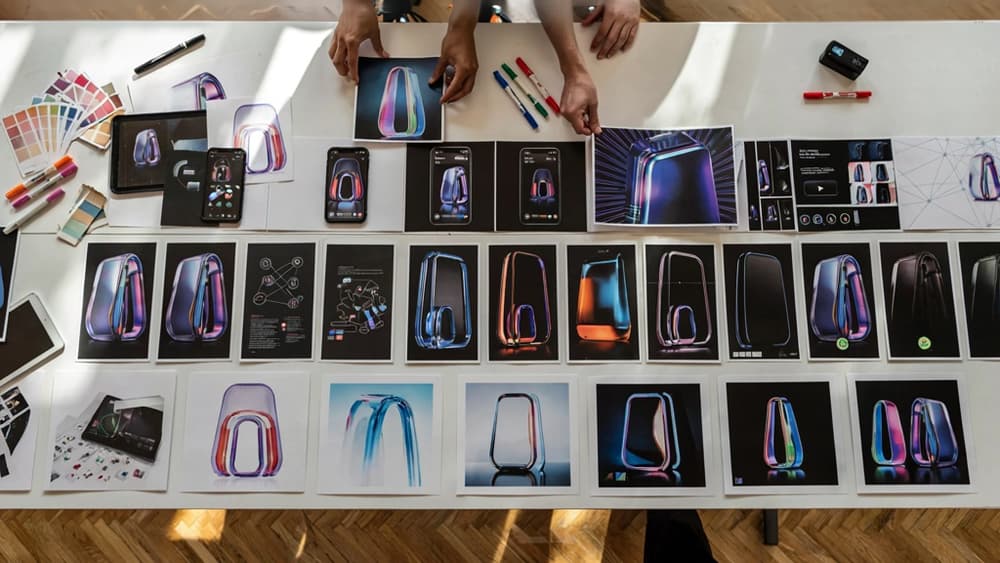
Where Agencies Use Motion Graphics in Client Work
Once the client understands the value, the next step is showing where it earns its keep. For small agencies, the strongest opportunities are usually repeatable assets: formats you can adapt across campaigns, channels, and client verticals without rebuilding the creative system every time.
High-performing motion graphics formats
The best formats are short, clear, and easy to version. They help agencies turn one approved concept into multiple deliverables without adding unnecessary production weight.
Common high-value formats include:
- Animated social posts: Product launches, offer announcements, event promos, testimonials, stats, quotes, and campaign teasers.
- Explainer snippets: Short visual breakdowns of a service, process, app feature, or abstract concept.
- Paid ad creatives: Motion-led hooks, animated headlines, offer frames, benefit stacks, and end cards.
- Logo stings and branded intros: Quick brand moments for videos, webinars, reels, pitch decks, and client presentations.
- Kinetic typography: Message-led creative where animated text carries the idea without needing a full shoot.
- Animated infographics: Data, survey results, case study metrics, timelines, and comparisons made easier to scan.
- UI and product animations: App walkthroughs, feature highlights, dashboard reveals, and SaaS onboarding visuals.
- Presentation and sales enablement assets: Moving diagrams, animated section openers, and pitch visuals that make decks feel more premium.
For agencies, the commercial upside is simple: these assets are easy for clients to approve, easy to repurpose, and easy to package into retainers.
Channel-specific use cases
Different channels reward different motion choices. A polished 30-second explainer may work beautifully on a landing page, but the same idea needs a sharper hook and faster visual payoff in paid social.
Channel | Best use of motion | Agency opportunity |
|---|---|---|
Instagram, TikTok, LinkedIn social feeds | Fast hooks, animated headlines, stats, product benefits | Turn campaign messages into scroll-stopping content batches |
Paid social ads | Offer-led creative, benefit stacks, animated CTAs, multiple variants | Test more concepts without producing net-new shoots |
Websites and landing pages | Hero loops, process explainers, product UI motion, micro-interactions | Increase perceived quality and clarify the offer quickly |
Email campaigns | Lightweight GIF-style motion, countdowns, product reveals | Add visual interest without overcomplicating the send |
Sales decks and proposals | Animated diagrams, section openers, metric reveals | Help clients sell complex offers more clearly |
Events and webinars | Title cards, lower thirds, speaker intros, sponsor loops | Extend the client’s brand into live and recorded experiences |
Case studies | Animated results, timelines, before/after visuals | Make proof points more memorable and easier to share |
This is where small agencies can protect margin. Instead of selling “a video,” sell a motion system: one concept adapted into paid ads, social posts, landing page modules, and sales assets.
Examples clients instantly understand
Clients do not always know what to ask for, so concrete examples help them buy faster. A few simple prompts can make the use case obvious:
- For a SaaS client: “Let’s animate the dashboard flow so prospects understand the product before booking a demo.”
- For a professional services firm: “Let’s turn your three-step process into a short LinkedIn animation your sales team can reuse.”
- For an ecommerce brand: “Let’s create a launch kit: teaser, product benefit ad, testimonial motion post, and sale reminder.”
- For a nonprofit: “Let’s animate the impact numbers so donors see the outcome in under ten seconds.”
- For a B2B manufacturer: “Let’s visualize the technical process instead of relying on a dense PDF diagram.”
- For a local service business: “Let’s build seasonal offer animations that keep the brand consistent across social and paid ads.”
The pattern is the same: take something the client already needs to communicate, then make it faster to understand, easier to remember, and more reusable across channels.
Core Motion Graphics Design Principles That Keep Work On-Brand
Once the format is clear, the next risk is consistency: a strong static brand can quickly feel “off” once it starts moving. The goal is not to make every asset look identical, but to make every transition, caption, product reveal, and end card feel like it came from the same client system.
Brand systems in motion
A client’s brand guidelines usually cover logos, color, typography, imagery, and tone. For motion work, agencies need to translate those rules into movement decisions.
That means defining:
- Logo behavior: Does it fade, slide, snap, scale, draw on, or remain static?
- Transition style: Are cuts clean and editorial, or do elements blur, bounce, wipe, or morph?
- Type motion: Do headlines appear word-by-word, line-by-line, or as full statements?
- Graphic language: Do shapes, icons, frames, and overlays move with the same rhythm as the rest of the brand?
- Energy level: Is the brand calm and premium, fast and punchy, playful and elastic, or technical and precise?
For example, a luxury interiors client may need slow fades, restrained parallax, and generous negative space. A SaaS startup might need brisk UI callouts, modular grids, and confident snap transitions. A youth-focused consumer brand can handle more bounce, exaggeration, and speed.
This is where small agencies can create leverage: build a simple “motion style sheet” per client. Even a one-page reference covering pacing, transitions, type behavior, and end-frame rules can prevent every new reel, ad, or explainer from becoming a fresh creative debate.
Timing, hierarchy, and visual clarity
Good motion graphics guide attention. Bad motion makes the viewer work too hard.
Timing should support the message, not just add energy. If a headline is the main idea, it needs enough time on screen to be read. If a product feature is the proof point, the animation should lead the eye toward it, not compete with it. If a CTA matters, it cannot appear as an afterthought in the final half-second.
A useful agency test: watch the asset once with the sound off and ask, “What did I understand?” If the answer is unclear, the hierarchy needs work.
Strong hierarchy usually comes from:
- One dominant idea per scene
- Clear contrast between headline, supporting copy, and CTA
- Motion that reveals information in the right order
- Restraint around secondary elements
- Enough pause between key moments for comprehension
This matters especially in paid social and landing page assets, where clients often want to include too much. Your job is to protect the message. A 10-second motion piece should not carry a full brochure. It should land one idea cleanly and make the next action obvious.
Accessibility and platform readability
On-brand work also has to be usable in the places it appears. A beautiful animation that fails in-feed, crops badly, or uses unreadable type is not doing the client any favors.
Design for the viewing environment early:
- Mobile-first framing: Keep key text and product visuals inside safe zones.
- Readable type sizes: Avoid delicate fonts or long lines of copy on small screens.
- Sufficient contrast: Make captions, overlays, and CTAs legible over footage or gradients.
- Sound-off comprehension: Use text, captions, or visual cues when the message depends on narration.
- Platform variations: Check square, vertical, and horizontal layouts instead of simply resizing the same composition.
Accessibility should feel like part of the craft, not a compliance layer added at the end. For agency teams producing motion graphics across multiple clients, these checks also reduce revision loops: fewer “can we make the logo bigger,” “I can’t read this,” or “the caption gets cut off in Stories” comments after delivery.

Motion Graphics Tools and Production Roles: What Agencies Actually Need
Once the creative rules are clear, the next question is operational: what stack and talent model lets you deliver consistently without turning every animated asset into a custom production?
Popular motion graphics tools
Most small agencies do not need a huge toolchain. They need a reliable core stack, plus a clear reason for when to add specialist software.
Tool | Best fit | Agency use case |
|---|---|---|
Adobe After Effects | Custom motion design and compositing | Brand reveal videos, animated explainers, paid social variants, UI-style animations |
Adobe Premiere Pro | Video editing with light motion needs | Cutdowns, campaign videos, client interviews with animated titles |
Figma | Layout, storyboards, and design handoff | Static frames, motion direction, asset prep, approval before animation |
Adobe Illustrator / Photoshop | Asset creation and cleanup | Icons, vector graphics, layered brand elements, image treatments |
Canva | Fast template-based production | Simple social posts, internal client content, lower-budget retainers |
CapCut | Short-form social editing | TikTok/Reels-style edits, captions, quick platform-native iterations |
Cinema 4D / Blender | 3D motion and product visuals | Premium launches, dimensional logos, product renders, abstract brand worlds |
Lottie / Rive | Lightweight web and app animation | Website icons, interface animations, interactive product moments |
For most agencies, After Effects remains the production anchor. Figma is where strategy, layout, and approvals often happen. Premiere or CapCut handles edit-heavy work. Tools like Blender, Cinema 4D, Rive, or Lottie are worth adding only when your client demand justifies the learning curve or specialist cost.
How the production workflow fits together
A clean workflow prevents motion projects from becoming endless “just one more version” loops.
A practical agency workflow usually looks like this:
- Brief: Define objective, audience, placement, runtime, deliverables, and required formats.
- Creative direction: Confirm the visual route, references, pacing, and brand constraints.
- Script or message outline: Lock the copy before animation begins, especially for explainers and ads.
- Storyboard or style frames: Show key scenes as static frames so the client approves the direction early.
- Asset preparation: Gather logos, type, icons, product shots, UI screens, and layered design files.
- Animation production: Build the motion, transitions, timing, and sound sync.
- Review rounds: Keep feedback tied to agreed milestones, not open-ended preferences.
- Versioning and export: Adapt for placements such as 16:9, 9:16, 1:1, display, web, or pitch decks.
The biggest margin leak is starting animation before the message and style frames are approved. Small agencies protect profitability by making approvals visible before production gets expensive.
When to hire, freelance, or template
The right resourcing model depends on volume, complexity, and how much control the agency needs.
Hire in-house when motion is becoming a recurring revenue line. If multiple retainers need monthly paid social, launch assets, or animated brand content, an in-house motion designer can protect speed and consistency. This works best when there is enough demand to keep them utilized beyond one-off campaigns.
Use freelancers for specialist or uneven demand. Freelancers are ideal for complex 3D, character animation, product launches, or overflow during campaign peaks. The key is giving them tight creative direction, organized assets, and clear brand references so they are not inventing the system from scratch.
Use templates for low-risk, repeatable assets. Templates make sense for simple social posts, quote cards, event promos, lower-budget packages, and internal client content. They are risky when the client expects a distinctive brand experience or when every output starts to look like the same marketplace preset.
A strong small-agency setup is usually hybrid: templates for speed, freelancers for spikes, and an internal owner who protects quality, process, and client consistency.
How AI Workflows Streamline Motion Graphics Without Diluting the Brand
Once the team, tools, and production path are clear, the next bottleneck is usually consistency: every client has a different voice, visual system, offer, audience, and approval history. AI helps most when it stops acting like a blank prompt box and starts working from client-specific brand context.
Turn brand knowledge into reusable creative direction
For agencies, the real leverage is not “make this faster.” It is “make this faster without re-explaining the client every time.”
Instead of prompting from scratch, turn each client’s brand inputs into reusable direction AI can apply across briefs and concepts:
- Brand guidelines and visual identity rules
- Tone of voice examples
- Approved campaign language
- Product positioning and audience segments
- Past high-performing creative
- Client-specific dos and don’ts
- Compliance or category constraints
That context can become a reusable creative layer for motion graphics work: how the brand should introduce an idea, how energetic the pacing should feel, what claims should be avoided, what metaphors fit the category, and how direct or polished the language should be.
For a small agency, this reduces dependence on one strategist or creative director remembering every nuance. A junior producer, freelancer, or AI-assisted workflow can start from the same source of truth instead of guessing from a PDF buried in a shared drive.
Speed up briefs, scripts, storyboards, and versioning
AI is especially useful in the pre-production and adaptation stages, where agencies lose hours before design even begins.
A brand-aware AI workflow can help generate:
- Creative brief drafts from a client request or campaign goal
- Short video script options in the client’s approved tone
- Scene-by-scene storyboard outlines
- Hook variations for paid social
- CTA options by funnel stage
- Caption and supers suggestions
- Cutdown plans for 6, 10, 15, and 30-second versions
- Platform-specific copy variations
The point is not to skip creative judgment. It is to remove the blank-page work that slows teams down.
For example, if a SaaS client needs a product launch animation, the agency can use AI to draft three concept routes: one benefit-led, one pain-point-led, and one feature-led. Each can include suggested opening lines, scene beats, on-screen text, and CTA variations. The creative team then chooses the strongest route and refines it instead of starting from nothing.
This is where agencies can scale output without adding headcount: more first drafts, more options, more formats, and faster client turnarounds—while still keeping strategy and taste in human hands.
Quality control for on-brand AI-assisted output
AI-assisted production needs a brand gate before anything reaches the client. Otherwise, speed creates rework.
A practical quality-control pass should check:
- Does the concept match the client’s positioning?
- Does the script sound like the client, not a generic ad?
- Are the claims, terminology, and CTAs approved?
- Is the level of energy right for the brand?
- Do the storyboard beats support one clear message?
- Are alternate versions consistent across channels?
This is where Aethera’s wedge matters: ingest the client’s brand once, then use that context to guide every AI-assisted output. For agencies managing multiple retainers, that means fewer off-brand drafts, less internal rewriting, and a cleaner path from idea to approval.