
July 5, 2025
Tired of Endless Recaps? An Introduction to Meeting
Tired of Endless Recaps? An Introduction to Meeting Summarization AI
That sinking feeling is all too familiar. You’ve just wrapped up an hour-long call packed with great ideas, critical decisions, and a flurry of next steps. But as you stare at your hastily typed, cryptic notes, you realize the real work is just beginning: deciphering what was actually said, who committed to what, and what needs to happen next. This post-meeting scramble is a universal productivity drain, turning valuable collaboration into a frustrating exercise in memory and interpretation.
If you’re tired of the endless cycle of recapping, clarifying, and chasing down information, you’re in the right place. The era of manual note-taking is giving way to a smarter, more efficient solution: meeting summarization AI.
From Manual Minutes to Automated Insights: The Evolution of Note-Taking
For decades, capturing meeting minutes has been a fundamentally human—and flawed—process. It started with a designated scribe frantically trying to keep up with the conversation, inevitably missing details and injecting their own biases. We evolved to shared documents, which improved collaboration but still required someone to divert their attention from participating to typing. Audio recordings were a step up for accuracy, but created a new problem: nobody has the time to listen to a 60-minute recording to find a 30-second decision point.
This is where AI meeting assistants enter the picture. They represent a quantum leap forward, moving beyond simple recording and transcription. Instead of just capturing what was said, modern meeting summarization AI focuses on understanding the meaning and intent behind the words, transforming chaotic conversation into structured, actionable intelligence.
Why Actionable, AI-Powered Summaries are a Game-Changer
The true power of this technology lies in its ability to produce more than just a summary; it delivers clarity and accountability. A sophisticated AI doesn't just give you a shorter version of the transcript. It intelligently analyzes the entire conversation to identify and organize the most critical components:
- Key Decisions Made: A clear log of every final agreement, removing any ambiguity.
- Action Items & Owners: Automatically detects tasks, deadlines, and assigns them to the correct person.
- Concise Overviews: Provides a high-level summary, chapter markers for key topics, and highlights of the most important moments.
This is the difference between a record and a roadmap. A transcript tells you what happened. An AI-powered summary tells you what matters and what to do next. By automating this process, teams reclaim countless hours, ensure perfect alignment, and hold everyone accountable without the awkward follow-up emails. It empowers every participant to be fully present and engaged, knowing a perfect, unbiased record is being created for them.
What to Expect from This Guide to AI Meeting Assistants
Consider this your definitive guide to navigating the exciting world of meeting summarization AI. We'll cut through the hype and provide you with the practical knowledge you need to revolutionize your meetings. Throughout this article, we will explore:
- The core technology that powers these intelligent tools.
- A detailed comparison of the leading AI meeting assistants available today.
- Best practices for integrating these platforms into your team’s workflow.
- The tangible ROI you can expect, from enhanced productivity to improved project outcomes.
Get ready to transform your meetings from time-consuming obligations into focused, productive, and perfectly documented collaborations.
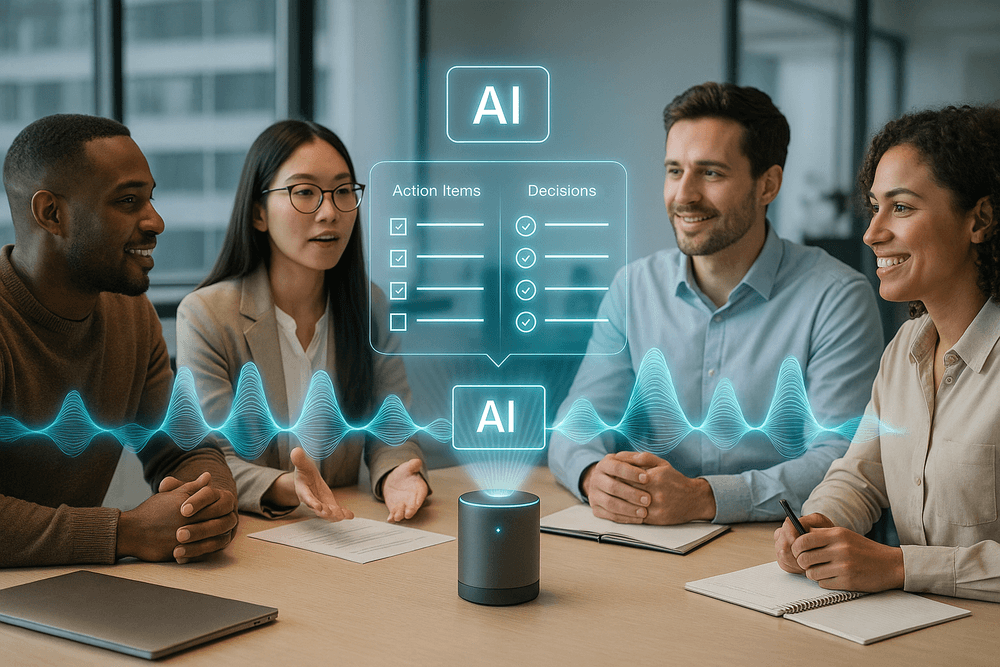
How Meeting Summarization AI Transforms Conversations into Action
Meetings are where ideas are born and strategies are forged, but they often end in a fog of ambiguity. Who agreed to what? What was the final decision on the budget? Without a dedicated notetaker, crucial details evaporate the moment everyone clicks "Leave Meeting." This is where meeting summarization AI steps in, acting as a powerful bridge between discussion and execution. It doesn't just record what was said; it intelligently deconstructs the conversation to create a clear, actionable roadmap.
The Foundation: Flawless Transcription and Speaker Identification
Before any summary can be generated, the AI needs a perfect source of truth: a highly accurate transcript. This is the bedrock upon which all other features are built. Modern AI meeting assistants go beyond basic speech-to-text, employing sophisticated models that can:
- Transcribe with High Accuracy: They adeptly handle various accents, industry-specific jargon, and fast-paced dialogue, minimizing errors and ensuring the core information is captured correctly.
- Identify Speakers (Diarization): Just as crucial as what was said is who said it. The AI automatically tags each part of the transcript with the correct speaker's name. This provides essential context and accountability, making it easy to see who committed to a task, proposed an idea, or raised a concern.
Without this solid foundation of an accurate, speaker-identified transcript, any subsequent summary would be unreliable. It’s the essential first step in turning raw audio into structured data.
Beyond the Transcript: AI-Powered Topic Detection and Chaptering
A 60-minute transcript is still a wall of text. Sifting through it to find a specific two-minute discussion is a time-consuming chore. This is where the analytical power of meeting summarization AI truly shines. The technology intelligently segments the conversation into digestible parts.
- Topic Detection: The AI analyzes the semantic flow of the conversation to identify the main themes and subjects discussed.
- Smart Chaptering: Based on these detected topics, the AI creates a "table of contents" for your meeting. It automatically generates timestamped chapters with logical headings like "Q4 Marketing Budget Review," "Project Phoenix Update," or "Client Feedback Discussion." This allows you to instantly jump to the most relevant parts of the meeting, whether you're reviewing a key decision or sharing a specific clip with a stakeholder who couldn't attend.
The Payoff: Automatically Identifying Key Decisions, Action Items, and Follow-Ups
This is the ultimate goal: transforming conversation into tangible outcomes. A meeting summarization AI is trained to recognize the linguistic patterns that signal commitment and intent. It actively scans the transcript for phrases that indicate:
- Key Decisions: It pinpoints moments where the team reached a consensus, flagging statements like, "We've agreed to move forward with Option B," or "The final decision is to postpone the launch."
- Action Items: The AI identifies and extracts tasks, automatically assigning them to the correct person based on speaker identification. It catches phrases like, "I will send out the report by EOD," "Sarah, can you follow up with the design team?" or "The next step is to draft the proposal."
- Unresolved Questions: It also highlights key questions or points that were raised but not answered, ensuring nothing falls through the cracks.
The result is a clean, organized summary that doesn't just tell you what was discussed, but gives you a clear list of decisions made and a to-do list of action items with assigned owners. This eliminates post-meeting confusion, enforces accountability, and ensures the momentum from the conversation translates directly into progress.
Must-Have Features in a Modern Meeting Summarization AI
Not all AI meeting assistants are created equal. As the market floods with options, discerning which tool will genuinely enhance your team's productivity requires a closer look at its core functionalities. A top-tier meeting summarization ai goes beyond basic recording and transcription. It acts as an intelligent partner that understands your conversations, integrates with your workflow, and facilitates collaboration. Here are the essential features that separate the truly powerful platforms from the merely functional.
Real-Time Transcription vs. Post-Meeting Processing
The first major decision point is how you want to receive your transcription.
- Real-Time Transcription: This feature provides a live, rolling transcript as the meeting happens. It’s incredibly useful for attendees who join late and need to catch up instantly without interrupting the flow. It's also a vital accessibility feature for team members who are deaf or hard of hearing.
- Post-Meeting Processing: Other tools focus their computational power on delivering a highly accurate, polished transcript and summary shortly after the meeting concludes. By analyzing the entire conversation at once, these systems can often achieve higher accuracy, better speaker identification, and more nuanced summaries.
The ideal meeting summarization ai offers a hybrid approach: a solid real-time transcript for in-the-moment reference, followed by a refined, high-accuracy version delivered post-meeting. This gives your team the best of both worlds—immediacy and precision.
Seamless Integration with Calendars, Slack, and CRM Platforms
An AI tool should reduce friction, not create it. The most significant value comes when your meeting assistant fits seamlessly into the software you already use every day. Look for robust integrations with:
- Calendars (Google Calendar, Outlook): The AI should automatically scan your calendar, identify scheduled meetings, and know when to join, record, and send summaries without you lifting a finger.
- Communication Hubs (Slack, Microsoft Teams): A great tool will automatically post meeting summaries, key highlights, and action items into designated channels, ensuring everyone is aligned, even those who couldn't attend.
- CRM Platforms (Salesforce, HubSpot): For sales and client-facing teams, this is a game-changer. Linking meeting notes, client feedback, and action items directly to the relevant contact or deal in your CRM creates a powerful, unified record of every interaction.
Custom Vocabularies for Industry-Specific Jargon
Does your team use unique acronyms, technical terms, or specific product names? A generic AI will inevitably stumble over this specialized language, leading to frustratingly inaccurate transcripts and summaries. A premier meeting summarization ai includes a custom vocabulary feature. This allows you to "teach" the AI your company's unique lexicon. By adding specific terms, names, and acronyms, you dramatically increase the accuracy of the transcription, ensuring that your summaries are not only readable but also reflect the true substance of the conversation.
Collaboration Tools: Sharing, Commenting, and Editing Summaries
A meeting summary shouldn't be a static, read-only file. It should be a living document that sparks further action and clarification. Essential collaboration features include:
- Easy Sharing: Generate a shareable link to the summary and transcript that you can send to anyone, inside or outside your organization.
- Commenting: Allow team members to highlight specific parts of the transcript or summary and add comments or questions, facilitating asynchronous clarification.
- Editing: While AI is powerful, it isn't perfect. The ability to quickly edit the summary or assign action items ensures the final output is 100% accurate and becomes the official source of truth for the meeting's decisions.

Comparing the Best Meeting Summarization AI Tools of 2024
With a crowded market, selecting the right platform can feel overwhelming. The key is to understand that the best meeting summarization AI isn't a one-size-fits-all solution; it’s about matching the tool’s core strengths to your specific needs. While many assistants offer similar baseline features like transcription and recording, three leaders have emerged, each excelling in a particular domain. Let's break down how Fathom, Otter.ai, and Fireflies.ai stack up.
Fathom: Best for Quick, Automated Note-Taking for Individuals
Fathom has quickly become a favorite among freelancers, consultants, and individual professionals, largely due to its powerful and surprisingly generous free plan. Its magic lies in its simplicity and in-the-moment utility.
During a call (on Zoom, Google Meet, or Microsoft Teams), Fathom’s on-screen panel allows you to tag key moments with a single click—like "Action Item" or "Key Insight." Once the meeting ends, Fathom instantly generates a concise summary, complete with a full transcript, video recordings of your highlighted clips, and an AI-generated overview. It excels at pulling out action items and organizing them into a neat, shareable format. If your primary goal is to escape the drudgery of manual note-taking for your own reference and share clean summaries without a complex setup, Fathom is an unbeatable starting point.
Otter.ai: Strengths in Team Collaboration and Live Notes
Where Fathom shines for individuals, Otter.ai excels for teams. Otter’s core strength is its real-time, collaborative transcription. As a meeting unfolds, team members can view the live transcript, highlight important points, add comments, and even assign action items directly within the interface.
Its "OtterPilot" automatically joins your calendar meetings, records audio, and identifies different speakers, creating a well-structured and easily searchable record. After the meeting, the "Otter Chat" feature allows you to ask questions directly to your transcript ("What did Sarah say about the Q4 budget?"), making it a dynamic knowledge base. This collaborative functionality makes Otter.ai the ideal meeting summarization AI for teams that need a shared, living repository of their discussions, from project kick-offs to weekly syncs.
Fireflies.ai: Ideal for Sales Teams and Deep CRM Integration
Fireflies.ai positions itself as more than just a note-taker; it's a conversation intelligence platform. While it performs transcription and summarization brilliantly, its true power is unlocked through deep integrations with your existing tech stack, particularly CRMs like Salesforce and HubSpot.
For sales and customer success teams, this is a game-changer. Fireflies.ai can automatically log call notes, create tasks, and populate CRM fields based on the conversation. It goes further by providing advanced analytics, including sentiment analysis, talk-time metrics, and topic tracking. You can analyze which topics lead to positive outcomes or ensure reps are covering key talking points. If your goal is to turn meeting data into actionable business intelligence and streamline revenue-focused workflows, Fireflies.ai offers a level of automation and insight the others can't match.
How to Choose the Right AI Assistant for Your Workflow
Finding your perfect match comes down to three key considerations:
- Define Your Core Use Case: Are you primarily looking to save time on personal note-taking (Fathom)? Do you need a centralized, collaborative hub for team knowledge (Otter.ai)? Or do you require a powerful tool to analyze conversations and automate sales workflows (Fireflies.ai)?
- Assess Your Integration Needs: If seamlessly pushing data into a CRM is non-negotiable, Fireflies.ai is the front-runner. If you just need to share summaries in Slack or Notion, all three tools offer robust options.
- Consider Your Budget and Scale: Fathom’s free offering is perfect for individuals. Otter.ai and Fireflies.ai offer tiered pricing that scales with team size and feature requirements. Always start with a free trial to experience how the tool fits into your actual day-to-day before committing.
Real-World Scenarios: Putting Meeting Summarization AI to Work
The theoretical benefits of AI are impressive, but the real test is how this technology performs in the day-to-day grind. A meeting summarization ai isn't just a novelty; it's a powerful tool that solves tangible business problems across various departments. From fast-paced development cycles to high-stakes client negotiations, here’s how AI is reshaping the modern workplace, one meeting at a time.
Enhancing Productivity in Agile and Engineering Stand-ups
Agile stand-ups are meant to be quick, sharp, and focused. However, they can easily get bogged down by manual note-taking, with one person tasked to capture blockers, progress, and next steps while trying to participate. This is where a meeting summarization ai excels. It works silently in the background, automatically transcribing the conversation and identifying key information.
Instantly, the team gets a concise summary detailing each person's update, highlighting impediments, and listing action items with assigned owners. The scrum master or team lead is freed from clerical duties and can focus entirely on facilitating discussion and resolving blockers. For remote or distributed teams, this creates a single source of truth, ensuring anyone who missed the live call can catch up in minutes, not hours.
Improving Client Communication and Project Management
In client-facing roles, clarity is currency. Misunderstandings about scope, timelines, or deliverables can lead to friction and project delays. By using a meeting summarization tool during client calls, you create an unbiased, shareable record of the conversation. After a project kick-off or a weekly check-in, you can send an AI-generated summary that outlines key decisions, confirms deadlines, and lists action items for both your team and the client.
This simple step drastically reduces ambiguity. There are no more "I thought you said..." moments. Project managers can use these summaries to instantly update tasks in platforms like Asana or Jira, ensuring the project plan always reflects the latest agreements. It builds trust, enhances transparency, and keeps everyone aligned without the administrative overhead.
Onboarding New Team Members Faster with a Meeting Archive
Getting a new hire up to speed is a time-intensive process that often involves repetitive explanations and long handover documents. A meeting summarization ai transforms your meeting history into a powerful, searchable knowledge base. Instead of relying solely on colleagues, new team members can independently explore an archive of past meetings.
They can review the initial project kick-off to understand the original goals, look through key strategic discussions to grasp team priorities, or analyze recent team check-ins to see current progress and challenges. This self-service approach empowers new hires to learn contextually and at their own pace, significantly accelerating their integration into the team and reducing the training burden on senior members.
Analyzing Sales Calls for Coaching and Performance Insights
Every sales call is a rich source of data. A great meeting summarization ai goes beyond simple notes; it can analyze conversations for critical insights. The AI can automatically identify customer objections, mentions of competitors, buying signals, and questions about specific features.
Sales managers can move beyond anecdotal feedback and use this structured data for highly effective coaching. They can quickly review summaries to pinpoint where a deal went sideways or what closing language proved most effective. By analyzing trends across dozens of calls, leadership can refine sales scripts, identify product gaps based on customer feedback, and create data-driven training programs that elevate the entire team’s performance.
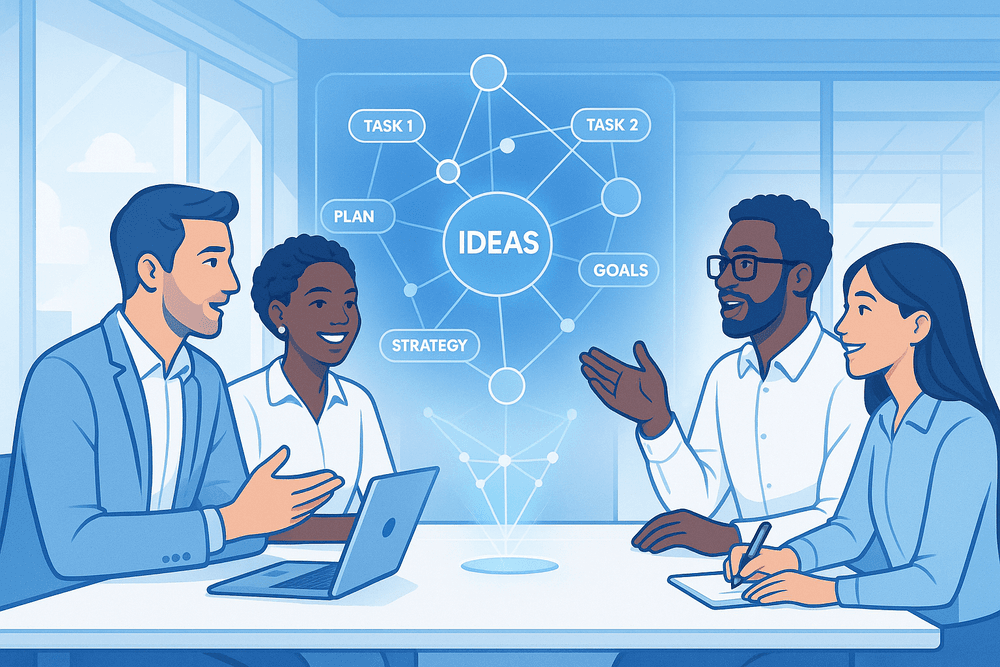
Conclusion: Your Next Steps to Smarter Meetings
The era of manual minute-taking and forgotten action items is over. We've journeyed through the transformative power of AI meeting assistants, seeing how they turn hours of discussion into concise, actionable intelligence. The question is no longer if you should adopt this technology, but how you can integrate it to reclaim your team’s most valuable resource: time. This isn't just about better notes; it's about fostering a culture of clarity, accountability, and strategic focus.
Recap: The Core Benefits of Adopting Meeting AI
Let’s quickly revisit why a meeting summarization AI is a game-changer for any modern team. The benefits extend far beyond a simple transcript.
- Boosted Productivity: Free your team from the cognitive load of note-taking, allowing them to engage fully in creative problem-solving and strategic discussions.
- Enhanced Accountability: AI-identified action items and key decisions are automatically captured and assigned, leaving no room for ambiguity and ensuring clear ownership.
- Democratized Information: Instantly share accurate, searchable meeting summaries with stakeholders who couldn't attend, keeping everyone aligned and informed without adding another meeting to their calendar.
- Improved Focus: With a reliable AI handling the documentation, your team can concentrate on the conversation at hand, leading to more innovative and effective outcomes.
Getting Started: How to Pilot a Meeting Summarization Tool
Ready to take the leap? A successful rollout starts with a smart, small-scale pilot. Follow these steps to introduce a meeting summarization AI to your organization with minimal friction and maximum impact.
- Identify a Champion Team: Start with a single, tech-forward team that holds regular, structured meetings (like weekly project syncs or departmental check-ins). This group can act as your internal case study.
- Define Clear Success Metrics: What does success look like? It could be reducing the time spent writing and distributing minutes by 75%, increasing the completion rate of assigned action items, or simply improving team sentiment about meeting effectiveness.
- Select and Configure Your Tool: Choose an AI assistant that integrates with your current calendar and video conferencing tools (e.g., Google Meet, Zoom, Microsoft Teams). Configure it to match your team’s workflow, perhaps by creating custom templates for summaries or setting up automatic sharing to a specific Slack channel.
- Gather Feedback and Iterate: After a few weeks, survey your pilot team. What do they love? What could be better? Use this feedback to refine your process before considering a wider, company-wide implementation.
The Future of AI in Workplace Productivity and Collaboration
The intelligent summary is just the beginning. The evolution of meeting summarization AI points toward an even more integrated and predictive future. Imagine an AI that not only summarizes what was said but also analyzes sentiment to gauge team alignment, identifies potential risks in a project plan based on discussion patterns, and even suggests the agenda for the next meeting based on unresolved topics.
This technology is rapidly moving from a passive scribe to an active strategic partner. It will soon form the connective tissue between conversation, action, and outcome, creating a seamless workflow that powers unprecedented levels of efficiency and collaboration. By taking your first steps today, you’re not just solving a current pain point—you’re preparing your organization for the next frontier of intelligent work.