
June 6, 2025
A New Era of Clarity
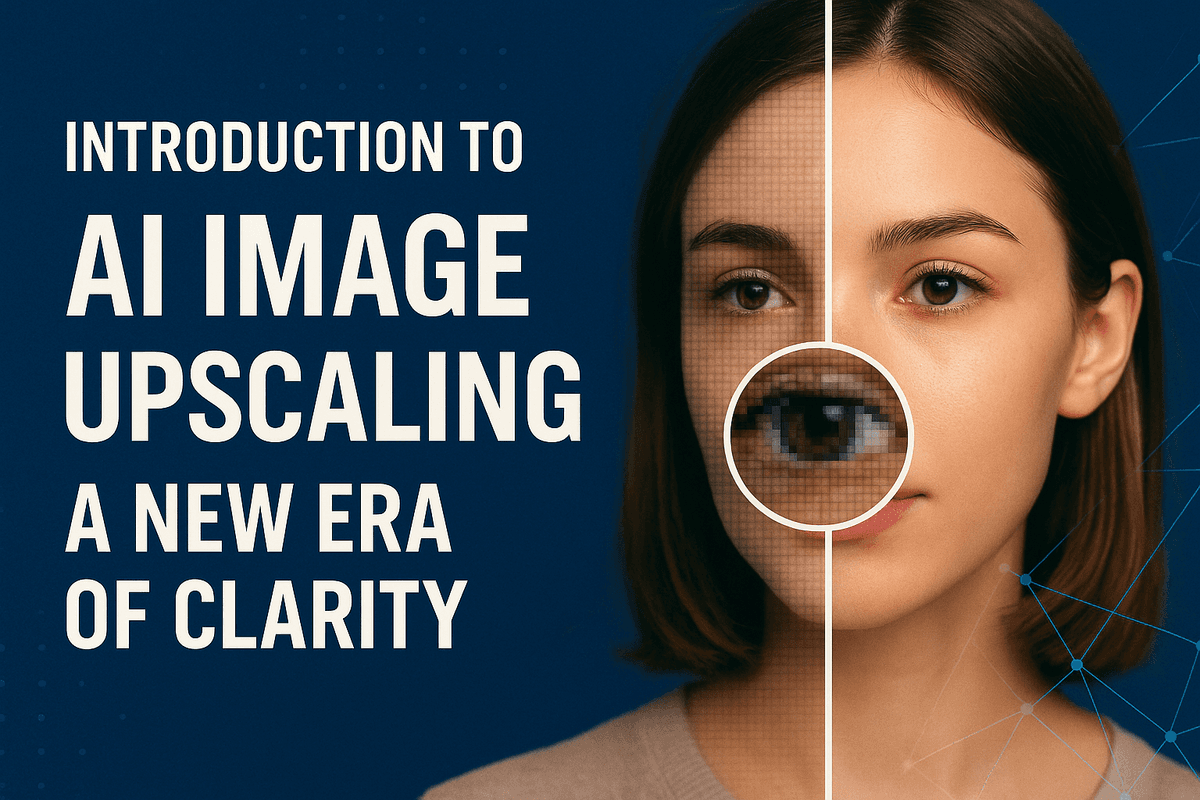
Introduction to AI Image Upscaling: A New Era of Clarity
Ever stared at a cherished photo, only to find it frustratingly small and pixelated when you try to enlarge it? Or perhaps you've needed a high-resolution image for a project but only have a low-quality version? This is where AI image upscaling steps in, heralding a new era of visual clarity and transforming how we interact with and utilize digital imagery. It’s more than just making pictures bigger; it's about making them fundamentally better.
What Exactly is AI Image Upscaling and How Can It Transform Your Visuals?
AI image upscaling is a cutting-edge technique that uses artificial intelligence, particularly deep learning algorithms, to increase the resolution of an image while intelligently adding detail and enhancing its overall quality. Unlike traditional upscaling methods (like bicubic or nearest-neighbor interpolation) which often stretch existing pixels leading to blurriness, jagged edges, and a general loss of fidelity, AI image upscaling works differently. These AI models are trained on vast datasets containing millions of low-resolution and high-resolution image pairs. Through this extensive training, the AI learns to recognize patterns, textures, edges, and fine details. When presented with a low-resolution image, it doesn't just enlarge pixels; it intelligently predicts and generates new, plausible pixel data to fill in the gaps, effectively reconstructing a higher-resolution version.
This transformative technology can revitalize old, grainy photographs, making them suitable for modern displays or large prints. It can sharpen blurry CCTV footage for clearer identification, enhance satellite imagery for more detailed analysis, or upscale user-generated content for professional presentations. For content creators, marketers, and designers, AI image upscaling means that a previously unusable low-resolution asset can be transformed into a crisp, clear, and impactful visual, ready to impress.
Why Bother with AI Image Upscaling: The Pixel-Perfect Advantage
You might wonder if the effort of using another tool is worthwhile. The answer is a resounding yes, especially when you consider the "pixel-perfect advantage" that AI image upscaling delivers. In a world saturated with visual content, the quality of your images can significantly impact perception, engagement, and professionalism.
The primary advantage is the remarkable improvement in image detail and sharpness. AI image upscaling can unearth details lost in low-resolution files, making textures more defined and subjects clearer. This is crucial for everything from e-commerce product photos, where detail sells, to artistic prints, where every nuance matters. Beyond just sharpness, many AI image upscaling tools also excel at reducing noise and compression artifacts that often plague digital images, especially older ones or those saved in lossy formats. This means cleaner, smoother, and more visually appealing results.
Furthermore, AI image upscaling offers incredible versatility. It empowers users to:
- Repurpose content: Transform small web graphics into high-quality print materials.
- Restore memories: Breathe new life into old, pixelated family photos.
- Enhance professional work: Ensure all visuals, even those from less-than-ideal sources, meet high standards for presentations, websites, or client projects.
- Save resources: Avoid costly and time-consuming reshoots by improving existing imagery. This technology democratizes high-quality image enhancement, making professional-grade results accessible to a broader audience.
Unlocking Higher Resolutions: The Core Promise of AI Image Upscaling
The core promise of AI image upscaling is elegantly simple yet profoundly impactful: to provide significantly higher image resolutions without the traditional, quality-compromising trade-offs. For years, increasing an image's size inevitably meant a loss of clarity, introducing blurriness and pixelation that rendered the enlarged image often worse than the original. AI image upscaling effectively breaks this barrier.
By leveraging sophisticated neural networks, often including Generative Adversarial Networks (GANs), these AI systems don't just guess; they intelligently construct new pixel information. The AI analyzes the surrounding pixels, recognizes features and patterns it learned during its training, and then generates new pixels that are contextually consistent and visually coherent. This means you can often upscale images by 2x, 4x, 8x, or even more, while not only maintaining but frequently enhancing the perceived detail and sharpness.
This ability to unlock higher resolutions has far-reaching implications. For graphic designers, it means greater flexibility with source materials. For photographers, it offers a way to get more out of their shots, perhaps allowing for more aggressive cropping or larger prints. For businesses, it translates to crisper marketing materials, more engaging website visuals, and better product showcases. Ultimately, AI image upscaling ensures your visuals can meet the demands of high-resolution displays and print requirements, future-proofing your content and allowing every image to be presented in its best possible light.
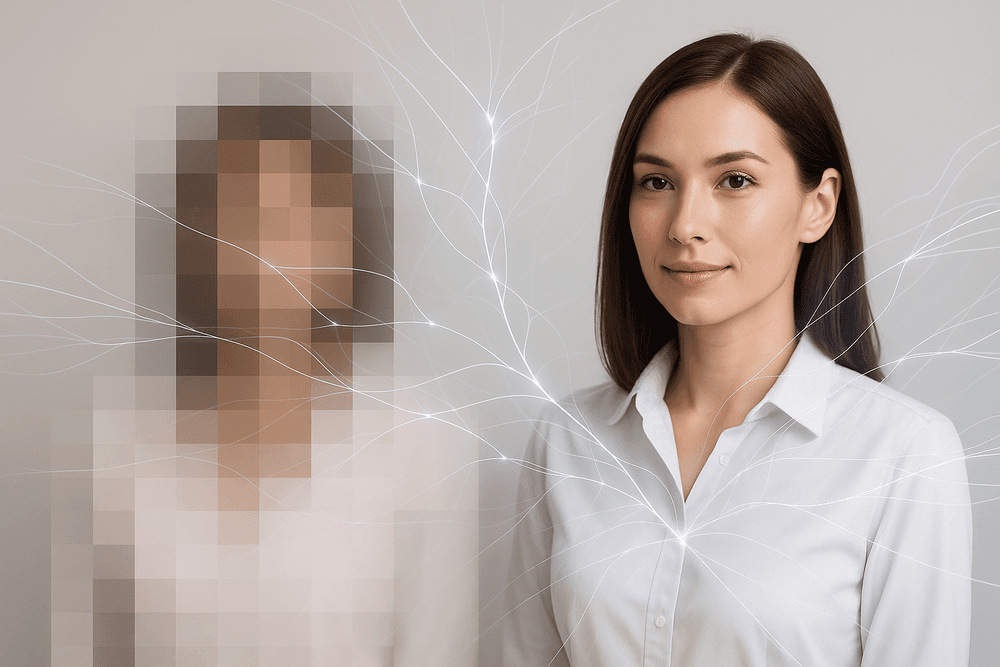
The Magic Behind AI Image Upscaling: How AI Reimagines Pixels
Ever wondered how a blurry, pixelated image can transform into a sharp, detailed masterpiece? The answer lies in the sophisticated world of ai image upscaling, a process far more intricate than simply stretching an image. It's about intelligently reconstructing and adding detail, almost like an artist meticulously restoring a painting. Let's delve into the core mechanisms that allow AI to "reimagine" pixels and breathe new life into your images.
Decoding the Algorithms: Neural Networks in AI Image Upscaling Explained
At the heart of ai image upscaling are complex algorithms, primarily powered by artificial neural networks. Think of these networks as a digital brain, trained to understand what images should look like. Two key types of neural networks are often employed:
- Convolutional Neural Networks (CNNs): These are the workhorses for image analysis. CNNs excel at identifying patterns, textures, edges, and features within an image. In the context of ai image upscaling, they meticulously scan the low-resolution input, learning its characteristics and how these might correspond to a higher-resolution version. They effectively "see" and "understand" the content of the image.
- Generative Adversarial Networks (GANs): GANs bring a creative flair to the process. A GAN consists of two competing neural networks: a "Generator" and a "Discriminator." The Generator's job is to create new pixels and attempt to produce a high-resolution image from the low-resolution input. The Discriminator, having been trained on thousands of real high-resolution images, then tries to determine if the Generator's output is real or fake. This adversarial process forces the Generator to become incredibly adept at producing highly realistic and detailed upscaled images that can fool even a discerning eye.
Through extensive training on vast datasets containing pairs of low-resolution and high-resolution images, these AI models learn to infer missing details. They don't just guess; they make educated predictions based on the patterns and contexts learned during training, effectively generating new, plausible pixels where none existed.
Beyond Simple Resizing: What Makes AI Image Upscaling Superior to Traditional Methods?
For years, increasing image size meant relying on traditional methods like bilinear or bicubic interpolation. These techniques essentially stretch the existing pixels, averaging their values or using mathematical formulas to create new pixels. While functional for modest enlargements, the results often include:
- Blurriness: Details become soft and indistinct.
- Pixelation: Square blocks become visible, especially around edges.
- Artifacts: Unwanted visual distortions like halos or jagged lines can appear.
Traditional methods lack the intelligence to add new information. They are merely sophisticated forms of pixel averaging or duplication.
AI image upscaling, on the other hand, is a fundamentally different approach. It’s a generative process. Instead of just interpolating, the AI actively reconstructs the image. It analyzes the content and, based on its training, "hallucinates" or generates new pixel data that is contextually appropriate and visually coherent. This means ai image upscaling can:
- Sharpen details: Edges become crisper, and fine textures are enhanced.
- Reconstruct lost information: The AI can infer and add details that were imperceptible in the low-resolution original.
- Reduce noise and artifacts: Some AI upscalers are also trained to clean up imperfections during the upscaling process.
The superiority of ai image upscaling lies in its ability to understand image content and intelligently add high-frequency details, leading to significantly clearer, more natural-looking results, even at large magnification factors.
Key Technologies Powering High-Quality AI Image Upscaling Today
The remarkable progress in ai image upscaling hasn't happened in a vacuum. Several key technological advancements work in concert to deliver the stunning high-quality results we see today:
- Advanced Neural Network Architectures: Researchers are constantly refining neural network models. For instance, architectures like SRGAN (Super-Resolution Generative Adversarial Network) and its successors (e.g., ESRGAN) have set new benchmarks by focusing on perceptual quality, aiming for results that look good to humans, not just those that score well on mathematical metrics. These models often use deeper networks and more sophisticated training techniques.
- Massive and Diverse Training Datasets: The adage "data is the new oil" holds particularly true for AI. High-performing ai image upscaling models are trained on millions, sometimes billions, of image pairs covering a vast array of subjects, styles, and resolutions. This diversity ensures the AI can generalize well and handle various types of images effectively.
- Powerful GPU Hardware: Training and running these complex neural networks require immense computational power. The development of increasingly powerful Graphics Processing Units (GPUs) has been crucial. GPUs can perform the parallel computations necessary for deep learning tasks much faster than traditional CPUs, making it feasible to train sophisticated ai image upscaling models and offer these services to users.
- Refined Loss Functions: Loss functions guide the training process by telling the AI how "wrong" its predictions are. Modern ai image upscaling often employs perceptual loss functions that better align with human visual perception, leading to more aesthetically pleasing and realistic outputs.
Together, these technologies push the boundaries of what's possible, transforming ai image upscaling from a niche concept into a widely accessible tool for achieving crystal-clear, high-resolution images from lower-quality sources.
Key Features and Benefits: What Can AI Image Upscaling Do For You?
Unlock the full potential of your visuals with AI image upscaling. This transformative technology goes far beyond simple resizing, offering a suite of features designed to elevate image quality, streamline workflows, and open up new creative possibilities. Whether you're a professional photographer, a digital marketer, an e-commerce entrepreneur, or simply someone looking to revive old photos, understanding these key features and benefits is crucial.
Enhance Details and Reduce Noise with Advanced AI Image Upscaling
Traditional image scaling often leads to blurry, pixelated results, especially when significantly increasing image size. This is where AI image upscaling truly shines. Instead of merely stretching existing pixels, advanced AI algorithms, trained on vast datasets of images, intelligently analyze the content of your image. They identify patterns and actually reconstruct missing details with remarkable accuracy. The result? You can dramatically enhance details, bringing out fine lines, subtle textures, and intricate elements that were previously lost or indistinct.
Furthermore, sophisticated AI image upscaling tools excel at reducing unwanted noise and compression artifacts. That grainy photo from a low-light setting or that heavily compressed web image can be transformed. The AI intelligently distinguishes between noise and genuine detail, cleaning up the image to reveal a much sharper, cleaner, and more visually appealing version. It’s not just about making images bigger; AI image upscaling makes them fundamentally better and clearer.
Preserving Texture and Authenticity in AI-Upscaled Images
A common concern with image enhancement, especially AI-driven processes, is the potential loss of natural texture, leading to an overly smooth or "plastic" look. However, the latest advancements in AI image upscaling specifically address this challenge. These sophisticated models are designed to understand and respect the original character of your photographs. They work diligently to preserve genuine textures – be it the subtle grain of film, the weave of fabric, or the roughness of a stone wall – while enhancing resolution and clarity.
The goal of high-quality AI image upscaling is not to create an artificial ideal, but to reveal the best version of the original image, maintaining its authenticity and artistic integrity. This means you get sharper, larger images that still feel real and retain the subtle nuances that make them unique. By intelligently enhancing details without sacrificing the original feel, modern AI image upscaling avoids that dreaded over-processed appearance, ensuring your images look naturally stunning.
Batch Processing and Workflow Integration: AI Image Upscaling for Professionals
For professionals like photographers, e-commerce store owners, graphic designers, and digital marketers, time is a precious commodity. Dealing with hundreds or even thousands of images that require upscaling can be a daunting and time-consuming task if done individually. This is where the power of batch processing in AI image upscaling tools becomes a game-changer. Many advanced solutions allow you to upload and process multiple images simultaneously, applying your chosen upscaling settings across the entire batch. This drastically reduces manual effort and speeds up your workflow.
Furthermore, some AI image upscaling services offer API access, enabling seamless integration into existing content management systems (CMS), digital asset management (DAM) platforms, or custom applications. This level of automation empowers professionals to incorporate high-quality AI image upscaling directly into their production pipelines, ensuring consistent results and maximizing efficiency when handling bulk image enhancement tasks. It’s about working smarter, not harder, to achieve superior image quality across all your projects.
Comparing Resolution Limits: From 2x to 8x AI Image Upscaling and Beyond
The power of AI image upscaling isn't a one-size-fits-all solution; it offers varying degrees of enlargement to suit diverse needs. You'll commonly find options ranging from a modest 2x upscale, perfect for slightly improving web images or small prints, to more substantial 4x or 6x enlargements, ideal for creating high-quality prints, detailed close-ups for e-commerce, or preparing images for larger displays.
For those needing truly massive images, many cutting-edge AI image upscaling tools now offer 8x upscaling and, in some cases, even higher. An 8x upscale can transform a small, low-resolution image into a file suitable for large-format printing (like posters or banners), detailed digital displays, or significant cropping without a discernible loss in quality. The choice of upscaling factor depends on your source image quality and your intended use. While higher upscaling factors offer greater enlargement, it's crucial to start with a reasonably good source image for optimal AI image upscaling results. The continuous development in this field means that the limits are constantly being pushed, promising even more impressive capabilities in the future.
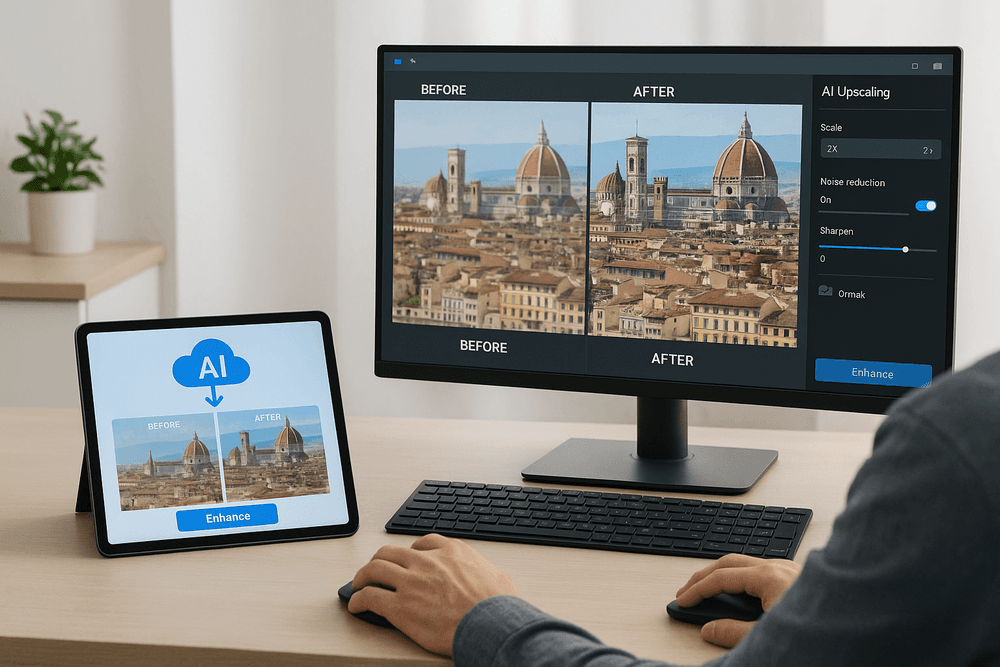
Choosing Your Tool: A Look at AI Image Upscaling Software and Services
Now that you understand the magic behind ai image upscaling, the next crucial step is selecting the right tool for your specific needs. The market is brimming with options, from quick online solutions to powerful desktop applications. Navigating this landscape can be daunting, but by understanding the key differences and what to look for, you can find the perfect ai image upscaling companion.
Reviewing Top Free and Paid AI Image Upscaling Tools for Different Needs
The best ai image upscaling tool for you depends heavily on your requirements, from occasional enhancements to professional-grade restorations.
For Casual Users & Quick Fixes (Often Free/Freemium)
If you need to quickly improve a social media post, an old scanned photo, or an image for a personal project without a steep learning curve or financial commitment, several accessible options exist.
- Upscale.media & Bigjpg: These browser-based services offer straightforward ai image upscaling. Simply upload your image, select your desired magnification, and let the AI work its magic. They are excellent for users who need a no-fuss solution and often provide a limited number of free upscales or cap the maximum resolution, with paid tiers unlocking more features and higher limits.
- Let's Enhance.io: This platform also provides a free tier, making it easy to test their ai image upscaling capabilities. It’s a good starting point to see if the quality meets your expectations before considering a subscription for more frequent use.
For Professionals & High-Quality Demands (Often Paid)
For photographers, graphic designers, e-commerce businesses, and anyone requiring the utmost quality and control, dedicated paid software often provides superior results and more advanced features.
- Topaz Labs Gigapixel AI: A renowned name in the field, Gigapixel AI is a desktop application praised for its exceptional detail preservation and artifact reduction in ai image upscaling. It offers sophisticated AI models and fine-grained control, making it a favorite for those who need top-tier, print-ready results.
- Adobe Photoshop: Within its powerful suite, Adobe Photoshop has integrated AI-driven features like 'Super Zoom' (found in Neural Filters), which leverages ai image upscaling technology. This is ideal for professionals already embedded in the Adobe ecosystem.
- VanceAI Image Upscaler: Offering both online and desktop versions, VanceAI provides flexibility. Its ai image upscaling tool is part of a broader suite of AI photo enhancement products, appealing to users looking for an all-in-one solution.
Online AI Image Upscaling vs. Desktop Software: Which is Right for You?
The choice between an online ai image upscaling service and installable desktop software often boils down to your workflow, budget, privacy concerns, and technical comfort.
Online AI Image Upscalers: Convenience at Your Fingertips
- Pros: The biggest advantage is accessibility. You can use online tools from almost any device with an internet connection, without needing to install software. They often feature user-friendly, simplified interfaces, making them great for beginners or for performing occasional ai image upscaling tasks. Many offer free trials or limited free usage.
- Cons: An active internet connection is mandatory. Uploading images to a third-party server can raise privacy concerns, especially for sensitive or confidential material. Processing speed can vary depending on server load, and free versions usually impose limitations on image size, batch processing capabilities, or output quality.
Desktop AI Image Upscaling Software: Power and Control
- Pros: Desktop solutions generally offer more robust features, finer control over the ai image upscaling process, and potentially higher quality output as they utilize your computer's local processing power (CPU/GPU). They are ideal for batch processing large numbers of images and allow for offline work. Crucially, your images remain on your device, ensuring greater privacy.
- Cons: These applications often come with a one-time purchase cost or a subscription fee that can be higher than many online services. They require installation and may have specific system requirements for optimal performance. The interface can sometimes be more complex, presenting a steeper learning curve for new users.
Consider your usage patterns: if you're frequently performing ai image upscaling or working with large batches, a desktop solution might be more efficient and cost-effective in the long run. For sporadic enhancements, an online tool could be perfectly adequate.
Critical Factors When Selecting an AI Image Upscaling Solution: Speed, Quality, and Ease of Use
Beyond the online versus desktop debate, or free versus paid, several critical factors should guide your choice of an ai image upscaling solution. Focusing on these will ensure you select a tool that truly meets your expectations and delivers value.
Upscaling Quality: The Ultimate Litmus Test
This is paramount. Does the ai image upscaling tool produce sharp, clear, and natural-looking results, or does it introduce unwanted artifacts, bizarre textures, or an overly smoothed, "plastic" appearance? Look for software that excels in intelligent detail generation and faithful preservation of existing features. Some AI models are better suited for specific image types (e.g., portraits, landscapes, illustrations, or anime). Always check reviews, compare before-and-after samples, and, if possible, test the tool with your own images. Remember, the primary goal of effective ai image upscaling is genuine enhancement, not just crude enlargement.
Processing Speed: Time is of the Essence
How long does the software or service take to upscale an image to your desired resolution? If you're working with single images on an occasional basis, a few extra seconds or minutes might not be a significant concern. However, for professionals dealing with batch processing of hundreds or thousands of photos, or when working against tight deadlines, processing speed becomes a critical factor. Desktop software that can leverage powerful local GPUs usually outperforms online tools in raw speed for demanding ai image upscaling tasks.
Ease of Use: Intuitive and Efficient Workflow
A feature-rich ai image upscaling tool is of little value if its interface is clunky or its operations are difficult to understand. Consider the overall user interface (UI) and user experience (UX). Is it intuitive and easy to navigate? Are the settings and options clearly labeled and logically organized? Does it offer simple presets for beginners, alongside more advanced controls for experienced users who want to fine-tune the results? Some tools offer a very streamlined, almost one-click experience, while others provide a wealth of customization that might be overwhelming for casual users but invaluable for professionals seeking precise control over their ai image upscaling output.
Ultimately, the best ai image upscaling tool for you will strike the right balance between these three factors—quality, speed, and ease of use—while fitting your budget and specific image enhancement goals. Don't hesitate to utilize free trials and test different options to find your perfect match in the evolving world of AI-powered image enhancement.
Real-World Wins: Practical Applications of AI Image Upscaling
The transformative power of AI image upscaling isn't just theoretical; it's delivering tangible results across a multitude of fields. From breathing new life into treasured memories to supercharging commercial visuals, this technology offers practical solutions that enhance quality and unlock new possibilities. Let's explore some of the most impactful real-world applications where AI image upscaling is making a significant difference.
Revitalizing Old Photos: Preserving Memories with AI Image Upscaling
Do you have cherished family photographs gathering dust, their precious details lost to time, low resolution, or the limitations of old camera technology? AI image upscaling offers a remarkable solution for revitalizing these irreplaceable memories. By intelligently increasing the resolution and sharpening details, this technology can transform faded, pixelated, or small prints into clearer, more vibrant images. Imagine seeing the subtle expressions on your ancestors' faces or the intricate details of a bygone era with newfound clarity. AI image upscaling is not just about making pictures bigger; it's about preserving personal and historical legacies, allowing future generations to connect with their past through images that are restored to their former glory, or even better. This application of AI image upscaling makes archival-quality enhancements accessible to everyone, ensuring no memory is too small or too old to be cherished anew.
E-commerce Excellence: Driving Sales with Sharper Product Images via AI Image Upscaling
In the competitive world of online retail, product imagery is paramount. Customers rely on high-quality visuals to make purchasing decisions, and subpar images can significantly harm conversion rates. This is where AI image upscaling becomes an invaluable asset for e-commerce businesses. Retailers can use this technology to enhance existing product photos, ensuring they are crisp, detailed, and appealing, even when zoomed in or displayed on high-resolution screens. Whether you're working with supplier-provided images that lack punch or need to enlarge photos for promotional banners, AI image upscaling delivers professional results. Sharper, clearer product images build trust, reduce uncertainty, and ultimately drive sales. By leveraging AI image upscaling, online stores can present their products in the best possible light, improving the customer experience and boosting their bottom line. It’s a smart investment for any e-commerce venture looking to achieve visual excellence.
Boosting Marketing Campaigns: High-Impact Visuals Through AI Image Upscaling
Effective marketing campaigns depend on striking visuals that capture attention. Sourcing consistently high-resolution images for various platforms can be challenging and costly. AI image upscaling provides a game-changing solution. Marketers can now take existing visual assets, perhaps good but not quite large or sharp enough, and transform them into high-impact graphics. This means a favorite image from a past campaign can be repurposed for a billboard, or a standard photo can be enhanced for a full-screen website hero image. The ability of AI image upscaling to improve clarity and detail without introducing significant artifacts allows for more versatile and impactful visual storytelling. This technology empowers marketing teams to elevate their brand's visual presence, create more engaging content, and maximize the utility of their image libraries, all while potentially saving on expensive reshoots or stock photo purchases.
Empowering Creativity: AI Image Upscaling in Digital Art and Graphic Design
For digital artists and graphic designers, resolution limitations can often stifle creativity or complicate workflows. AI image upscaling is breaking down these barriers, offering new avenues for artistic expression and practical benefits in production. Designers can upscale textures, source images, or initial sketches to higher resolutions without losing critical detail, enabling more intricate work and larger print outputs. Digital painters can enlarge their canvases mid-creation or prepare final pieces for high-quality giclée prints. Graphic designers working on branding projects might need to upscale a small logo for large-format use, a task made significantly easier and more effective with AI image upscaling. This technology not only saves time compared to manual redrawing or complex interpolation methods but also helps maintain the integrity and artistic intent of the original piece. AI image upscaling is fast becoming an essential tool in the digital creative's toolkit, fostering innovation and enhancing the quality of visual communication.
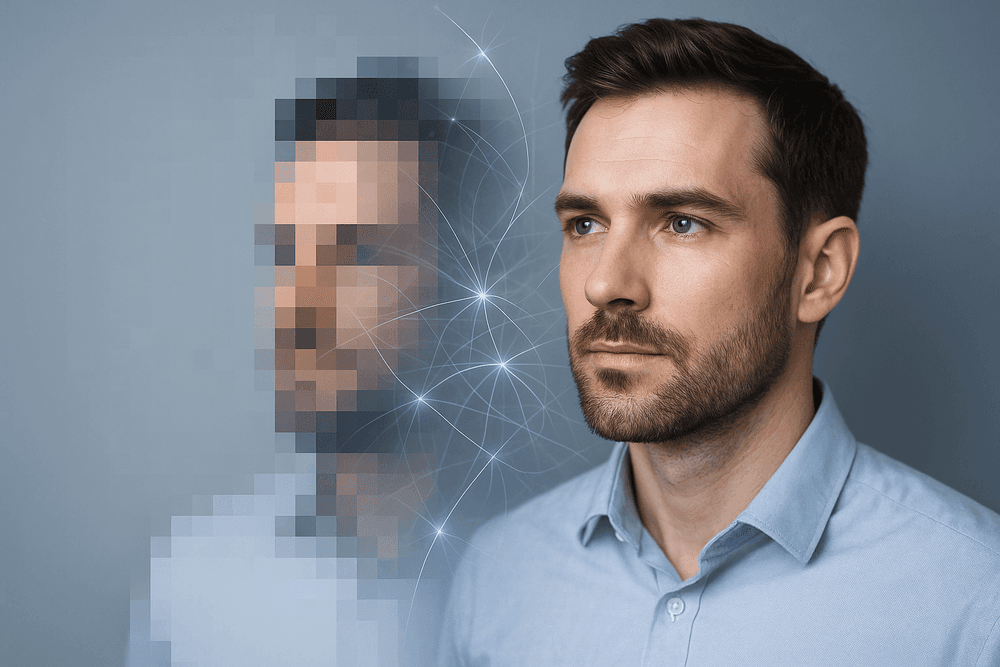
Mastering AI Image Upscaling: Best Practices and Future Outlook
Unlock the full potential of AI image upscaling by understanding not just the how but also the why and what's next. This section dives into professional strategies, critical limitations, and the exciting future of this technology, equipping you to achieve truly crystal-clear images.
Pro Tips for Achieving Optimal Results with AI Image Upscaling
To elevate your AI image upscaling game and consistently produce stunning, high-resolution visuals, incorporate these expert recommendations:
- Prioritize Source Quality: The golden rule of "garbage in, garbage out" profoundly applies here. A clearer, more detailed original image will always yield superior AI image upscaling results. Address significant flaws like severe blur or excessive noise before initiating the upscaling process.
- Choose Your Upscaler Wisely: Not all AI image upscaling tools are created equal. Some specialize in photographic realism, while others are better attuned to illustrations, anime, or specific textures. Research and experiment with different AI models to find the optimal match for your image type and desired aesthetic.
- Moderate Your Magnification: While the allure of extreme upscaling (e.g., 8x or 16x) is strong, start with more conservative factors like 2x or 4x AI image upscaling. Assess the quality critically. Excessive magnification, especially from a poor source, can introduce unwanted artifacts or an overly artificial look.
- Fine-Tune Available Settings: Most sophisticated AI image upscaling software offers adjustable parameters such as noise reduction, sharpening, artifact removal, or specialized enhancements (like face refinement). Experiment with these settings to tailor the output precisely. Often, a subtle touch yields more natural and pleasing results than aggressive adjustments.
- Review and Refine Post-Upscaling: After the AI image upscaling process, always conduct a thorough review. Zoom in to inspect for any newly introduced artifacts, unnatural textures, or loss of critical detail. Sometimes, a minor final touch-up in a standard photo editing application can perfect the AI-enhanced image.
Understanding Limitations and Avoiding Common Pitfalls in AI Image Upscaling
While AI image upscaling offers remarkable capabilities for enhancing image resolution and quality, it's crucial to approach it with a clear understanding of its inherent limitations and to sidestep common pitfalls. This awareness helps in setting realistic expectations and maximizing the effectiveness of the technology.
Key Limitations of AI Image Upscaling
- Detail Inference, Not Creation: AI image upscaling models are trained to intelligently infer and reconstruct plausible details based on vast datasets. However, they cannot magically create information or intricate details that were never present, even latently, in the original low-resolution image.
- Potential for Artifacts: Especially when working with very low-quality source images or pushing the upscaling factor to its limits, AI image upscaling can sometimes "hallucinate" details. This may result in unnatural textures, distorted patterns, or other visual artifacts.
- Texture and Pattern Consistency: While AI models are continually improving, they may occasionally struggle to perfectly replicate highly complex, unique, or esoteric textures and patterns if these were not well-represented in their training data.
Common Pitfalls in AI Image Upscaling (And How to Avoid Them)
- Unrealistic Expectations: Avoid assuming that AI image upscaling can transform a tiny, heavily compressed, and blurry thumbnail into a flawless, print-ready masterpiece. The quality of the input significantly influences the output.
- Over-Processing: Resist the temptation to apply excessive sharpening or aggressive noise reduction, either within the AI image upscaling tool or in post-processing. This can lead to an unnatural, "plastic" look that detracts from the image's authenticity.
- Ignoring Source Image Flaws: Attempting to upscale an image with severe fundamental flaws (e.g., extreme motion blur, massive compression blocks, significant color casts) without first trying to mitigate these issues can lead to disappointing AI image upscaling results.
- One-Size-Fits-All Approach: Using the same AI image upscaling tool, model, or settings for every type of image is rarely optimal. Different images (portraits, landscapes, graphics) benefit from tailored approaches.
The Evolving Landscape: What's Next for AI Image Upscaling Technology?
The field of AI image upscaling is anything but static; it's a hotbed of innovation. Researchers and developers are relentlessly pushing boundaries, meaning the AI image upscaling technology of tomorrow will be even more potent and versatile. Here’s a glimpse of what the future likely holds:
- Hyper-Realistic Detail Generation: Expect future AI image upscaling models to generate details that are even more convincing, contextually accurate, and seamlessly integrated, further narrowing the gap between upscaled images and native high-resolution captures.
- Enhanced Specificity and Understanding: AI will likely become more adept at understanding and reconstructing highly specific and challenging elements within an image, such as fine text characters, intricate fabric weaves, individual hair strands, and subtle facial expressions during the AI image upscaling process.
- Superior Artifact Reduction and Control: Ongoing research is heavily focused on minimizing common AI-induced artifacts, offering users cleaner, more natural-looking upscaled images with potentially more granular control over artifact suppression.
- Increased Speed and Computational Efficiency: As algorithms become more refined and dedicated AI hardware (like NPUs – Neural Processing Units) becomes more prevalent, AI image upscaling processes will become significantly faster and more resource-efficient, even for batch operations on very large images.
- Seamless and Ubiquitous Integration: We can anticipate deeper and more intuitive integration of advanced AI image upscaling capabilities directly into cameras, smartphones, operating systems, and mainstream creative software suites, making it an effortless component of everyday digital workflows.
Start Upscaling Smarter: Your Next Steps to Crystal-Clear Images
You're now equipped with the knowledge of best practices, limitations, and the exciting future of AI image upscaling. To translate this understanding into consistently achieving those coveted crystal-clear, high-definition images, consider these actionable next steps:
- Revisit and Prepare Your Source Material: Before you even launch an AI image upscaling tool, critically assess your original images. The cleaner, sharper, and more detailed the input, the more spectacular the upscaled output will be.
- Embrace Experimentation and Comparison: Don't settle for the first AI image upscaling tool or default setting you encounter. Explore different software options, diligently test various upscaling factors (2x, 4x, etc.), and play with available enhancement settings. Crucially, compare the results side-by-side to identify what truly works best for your specific images and quality requirements.
- Integrate AI Image Upscaling into Your Workflow: Strategically think about how AI image upscaling can fit naturally and efficiently into your existing creative, archival, or content production processes. A planned approach invariably yields superior and more consistent results.
- Stay Curious and Commit to Continuous Learning: The landscape of AI image upscaling is exceptionally dynamic. New tools, refined techniques, and algorithmic breakthroughs are emerging constantly. Follow industry developments, engage with community forums, and remain open to trying new approaches as the technology evolves.
- Always Focus on Your End Goal: Remember the primary reason you're employing AI image upscaling – to achieve clearer, larger, more detailed, and ultimately more impactful images. Let this objective guide your tool selection, setting adjustments, and refinement efforts.
By adopting these smarter strategies, you are well on your way to not just using, but truly mastering AI image upscaling, transforming your visual assets from merely adequate to absolutely breathtaking.