
June 28, 2025
Introduction to AI Image Generation Tools
Introduction to AI Image Generation Tools
What if you could bring any idea to life, visually, just by describing it? Imagine typing “a majestic lion with a nebula for a mane, roaring inside a cosmic library” and receiving a stunning, high-quality image in seconds. This is no longer science fiction; it's the reality powered by AI image generation tools. These revolutionary applications use a form of artificial intelligence called generative AI to create completely novel images from simple text descriptions, also known as “prompts.” By analyzing vast datasets of existing images and text pairings, these models learn the intricate relationships between words and visual concepts, enabling them to synthesize something entirely new that has never existed before.
Think of an AI image generator as your personal, infinitely skilled digital artist on call 24/7. You provide the creative brief (the prompt), and the AI does the heavy lifting of execution. The magic lies in the detail and specificity of your prompt. A simple input like “a dog” might return a generic image, but a descriptive prompt like “a high-detail, cinematic photo of a happy golden retriever puppy with floppy ears, catching a red frisbee in a sun-drenched park” provides the AI with clear instructions to craft a much more compelling and unique visual. The possibilities are virtually limitless, enabling creators to produce everything from hyper-realistic photographs and intricate fantasy art to professional product mockups and abstract designs.
Specialized Platforms vs. Generic Models: Why Your Choice Matters
As this technology has exploded in popularity, a key choice has emerged for users: should you use a raw, generic AI model (often accessed via a programming interface or API) or a dedicated, user-facing platform? While both tap into the same underlying AI power, choosing a specialized platform offers significant advantages, especially for artists, marketers, and everyday creators. The primary differences come down to accessibility, focus, and features.
Specialized AI image generation tools are designed with the user experience first. They provide intuitive interfaces with simple text boxes, style buttons, and visual galleries, removing the technical barriers to entry. You don't need to know how to code or configure complex parameters because the platform handles the backend complexities, allowing you to focus purely on your creative vision. In contrast, generic models often require technical expertise to set up and operate effectively, making them better suited for developers who are integrating AI into other applications rather than for direct creative work.
Furthermore, specialized platforms are often fine-tuned for specific aesthetics or use cases. One tool might be expertly trained on generating photorealistic human portraits, ensuring anatomical accuracy, while another excels at creating architectural renderings or cartoon characters. This focused training means you get higher-quality, more consistent results for your specific goal with less effort. They also include built-in features like negative prompts (to specify what you don’t want), aspect ratio controls, and curated style presets, giving you a powerful creative toolkit right out of the box. While a generic model is a jack-of-all-trades, a specialized platform is often a master of one, delivering superior results for its intended purpose.
Top AI Image Generation Tools Compared
The landscape of AI image generation tools is packed with powerful contenders, each offering a unique approach to turning text into visuals. Choosing the right one depends on your technical skill, creative goals, and budget. Let's break down the giants and the noteworthy newcomers.
Stable Diffusion: The Power of Open-Source Customization
Stable Diffusion stands out as the go-to choice for developers, researchers, and artists who crave ultimate control. As an open-source model, its core strength lies in its incredible flexibility.
Key Strengths:
- Unmatched Customization: Users can train the model on their own datasets, creating highly specific styles or subjects. Advanced techniques like LoRAs (Low-Rank Adaptation) and ControlNet allow for fine-grained manipulation of character consistency, poses, and composition.
- Thriving Community & Ecosystem: A massive global community constantly develops new models, plugins, and user interfaces (like AUTOMATIC1111 and ComfyUI), pushing the boundaries of what's possible.
- Cost-Effective (Potentially): Since it can be run on local hardware, you can generate unlimited images without per-image fees, provided you have a powerful enough GPU.
Limitations:
- Steep Learning Curve: Unleashing its full potential requires technical know-how. The initial setup and mastering complex workflows can be daunting for beginners.
- Hardware Dependency: Running it locally demands a significant investment in a high-end graphics card (GPU) with ample VRAM.
DALL·E 3: The Conversational Creator
Integrated directly into OpenAI's ecosystem, DALL·E 3 excels at understanding and executing complex, nuanced prompts. It's built for ease of use and remarkable prompt adherence.
Unique Features:
- ChatGPT Integration: Its biggest advantage is its native connection to ChatGPT. You can have a conversation to refine your idea, and ChatGPT will write a detailed, optimized prompt for DALL·E 3. This makes it incredibly intuitive.
- Superior Text Generation: DALL·E 3 is currently one of the best AI image generation tools for accurately rendering text and words within an image, a common struggle for other models.
- High Coherence: It does an excellent job of interpreting spatial relationships, counts, and detailed attributes described in long, conversational prompts.
Pricing:
- Access to DALL·E 3 is primarily through a ChatGPT Plus, Team, or Enterprise subscription. It is also available via an API for developers, with pricing based on image resolution and quality.
Flux AI and Other Emerging Platforms
The field is anything but static. New models are constantly emerging, pushing the industry forward.
- Flux AI: Developed by Stability AI (the creators of Stable Diffusion), Flux is a new, highly efficient model designed for rapid generation and superior performance on a wider range of hardware. It represents a more user-friendly and faster evolution of text-to-image technology, aiming to bridge the gap between power and accessibility.
- Midjourney: Known for its highly stylized, artistic, and often hyper-realistic output, Midjourney has a distinct aesthetic. It operates exclusively through Discord, which creates a unique, community-focused user experience that many artists prefer for its opinionated and beautiful results.
- Leonardo.Ai: This platform is rapidly gaining traction, particularly in the gaming and concept art communities. It offers a suite of tools, including custom model training and a consistent character feature, making it a powerful and versatile alternative.
Core Features of Leading AI Image Generation Tools
The market for AI image generators is exploding, but not all platforms are created equal. The most powerful and user-friendly services are defined by a core set of features that elevate them from simple novelties to indispensable creative partners. These capabilities provide users with greater control, flexibility, and the ability to produce professional-grade assets. When evaluating AI image generation tools, these are the three pillars that separate the best from the rest.
Prompt Enhancement and AI-Assisted Editing
At the heart of every AI-generated image is the prompt. However, crafting the perfect, detailed prompt can feel like a dark art. Leading tools recognize this and incorporate prompt enhancement features to bridge the gap between your idea and the AI's interpretation. Instead of requiring you to master complex commands, they act as a creative assistant. You can input a simple concept like "a robot in a garden," and the AI will suggest or automatically apply richer details, such as "a gleaming chrome robot tending to bioluminescent flowers in a futuristic zen garden, soft morning light, hyperrealistic, 8K." This ensures your vision is translated more accurately, without needing a degree in prompt engineering.
Creation, however, is just the first step. The true magic lies in refinement. Top-tier AI image generation tools integrate powerful AI-assisted editing features directly into the workflow.
- Inpainting: This allows you to select a specific part of a generated image and change it with a new prompt. You can fix a distorted face, change the color of an object, or add a new element without having to regenerate the entire image.
- Outpainting (or Uncropping): This feature lets you expand the original image canvas. The AI intelligently generates new content that seamlessly extends the scene, perfect for changing aspect ratios or revealing more of the world.
Multi-Model Support and Customization
The "model" is the AI's foundational brain and artistic style. Different models excel at different things—one might be a master of photorealism, while another produces stunning anime or painterly aesthetics. The most versatile AI image generation tools don’t lock you into a single, proprietary model. Instead, they offer a library of different foundational models (like Stable Diffusion, DALL-E 3, or Midjourney) all within one interface. This gives you the freedom to experiment and select the perfect artistic style for any given project, transforming your workspace into a complete digital art studio.
Beyond choice, the ultimate form of control is customization. Advanced platforms allow users to train their own specialized models, often called LoRAs (Low-Rank Adaptations). You can "teach" the AI a specific style by feeding it a collection of images. This could be your company’s product photography, a consistent character for a graphic novel, or a unique architectural style. Once trained, you can generate new, original images that adhere perfectly to your custom aesthetic, ensuring brand consistency and a truly unique output.
High-Resolution Upscaling Capabilities
You’ve prompted, edited, and created a visually stunning image. The problem? It was generated at a standard web resolution, like 1024x1024 pixels—unsuitable for high-quality prints, large-format web graphics, or professional portfolios. This is where AI upscaling becomes a critical, non-negotiable feature. Unlike simple resizing that just stretches pixels and creates a blurry mess, AI upscaling intelligently rebuilds the image at a higher resolution. The algorithm analyzes the image and adds new, context-aware detail, sharpening lines and refining textures as it increases the pixel count. Premier AI image generation tools include built-in 2x, 4x, or even higher upscalers that can transform a standard-res image into a print-ready, high-fidelity masterpiece with a single click. This feature is the final, essential step in turning an AI concept into a real-world, professional asset.
Best Practices for Prompting AI Image Generators
Mastering the art of prompting AI image generators is the single most important skill for unlocking their full creative potential. The AI is a powerful tool, but it relies entirely on your instructions to bring a vision to life. A well-crafted prompt acts as a detailed blueprint, guiding the model toward your desired outcome. By moving beyond simple phrases and embracing a more structured approach, you can transform your results from generic to genuinely breathtaking. Think of yourself not just as a user, but as an art director collaborating with a digital artist.
Craft Clear and Descriptive Prompts: The Foundation
The core principle of effective AI prompting is "specificity breeds success." Vague, one-word prompts like "castle" will produce generic, often uninspired images. To get a compelling result, you need to paint a picture with your words. A great prompt clearly defines the key elements of your scene.
Start by breaking down your idea into its core components:
- Subject: What is the main focus? Be precise. Instead of "a car," try "a vintage 1967 cherry-red Ford Mustang."
- Action: What is the subject doing? Is it "parked," "speeding down a coastal highway," or "being restored in a dusty garage"?
- Setting/Environment: Where is the scene taking place? Describe the surroundings. For example, "on a rain-slicked neon-lit street in Tokyo at night" is far more evocative than "in a city."
- Composition & Framing: How is the scene framed? Use terms like "wide-angle shot," "close-up portrait," "from a low angle," or "bird's-eye view."
- Lighting: Lighting dictates the mood. Is it "soft golden hour light," "dramatic cinematic lighting," "eerie moonlight," or "harsh midday sun"?
Example:
- Vague Prompt:
a knight - Descriptive Prompt:
A portrait of a weary, battle-scarred female knight in ornate silver armor, gazing thoughtfully into the distance, soft morning light filtering through a misty forest.
Use Style Modifiers for Specific Artistic Outcomes
Once you have a descriptive foundation, style modifiers are your most powerful tool for controlling the aesthetic. These are keywords and phrases that tell the AI image generator how to render your scene. Mixing and matching modifiers is key to developing a unique style.
Consider adding modifiers from these categories:
- Artistic Medium:
oil painting,watercolor sketch,charcoal drawing,3D render,photograph,pixel art,line art. - Artistic Style:
in the style of Vincent van Gogh,impressionism,surrealism,cyberpunk,steampunk,Art Deco,fantasy concept art. - Camera & Lens:
macro photography,telephoto lens,long exposure,bokeh background,fisheye lens. - Rendering Engine/Quality:
Unreal Engine,Octane render,highly detailed,8K,photorealistic.
Example:
- Base Prompt:
A serene koi pond in a Japanese garden. - Prompt with Modifiers:
A serene koi pond in a Japanese garden, ukiyo-e woodblock print style, flat illustration, vibrant colors, tranquil atmosphere, detailed waves.
Iterate for Continuous Refinement
Your first attempt at prompting AI image generators rarely yields the perfect image, and that’s part of the creative process. Iteration is not failure; it's refinement. Treat each generation as a stepping stone toward your final vision.
Start with your base descriptive prompt and analyze the output. Ask yourself: What’s working? What’s missing? Is the composition right? Is the mood correct? Then, adjust your prompt accordingly.
- Add Detail: If the background is too plain, add more descriptive words about the environment.
- Change Modifiers: If "photograph" looks too generic, try "shot on Portra 400 film" for a specific analog feel.
- Subtract Elements: Use negative prompts (if supported, often using
--noor a dedicated field) to remove unwanted elements. For example,a beautiful landscape --no buildings. - Tweak Word Weight: Some advanced platforms allow you to emphasize certain words to give them more influence over the final image.
By systematically building, testing, and refining your prompts, you develop an intuition for how the AI interprets language. This iterative loop is where true mastery is found, transforming you from a casual user into a skilled creator of stunning AI art.
Real-World Use Cases for AI Image Generation
Beyond artistic experimentation, AI image generation is already a powerful tool revolutionizing workflows across multiple industries. Its ability to translate text-based ideas into compelling, high-quality visuals is unlocking unprecedented levels of efficiency and creativity. From startups to enterprise-level corporations, professionals are integrating these tools to solve practical business challenges. Here’s a closer look at some of the most impactful real-world applications reshaping how we create and communicate visually.
Creating Marketing Visuals at Scale
The modern marketing landscape demands a constant stream of fresh, engaging content for social media, blogs, email campaigns, and digital ads. This relentless pace can strain budgets and creative teams. Traditionally, options were limited to expensive photoshoots or time-consuming searches through stock photo libraries for images that might not perfectly fit the brand.
AI image generation directly addresses this challenge. Marketers can now function as creative directors, generating a virtually endless supply of unique, on-brand visuals with simple text prompts. Need a lifestyle shot of your product being used in a specific setting? You can create dozens of variations in minutes. This allows for:
- Rapid A/B Testing: Test different ad creatives, background colors, and character styles to see what resonates most with your audience, optimizing campaigns for higher performance.
- Hyper-Personalization: Create visuals tailored to specific audience segments without needing a massive asset library.
- Cost and Time Efficiency: Drastically reduce reliance on expensive stock photo subscriptions and photoshoots, freeing up resources for other strategic initiatives.
Designing Product Mockups and Prototypes
The journey from a product idea to a tangible prototype is often long and expensive. The initial design phase can be a bottleneck, requiring skilled 3D artists or graphic designers to create concepts, which then go through multiple rounds of slow, manual revisions.
This is where AI image generation acts as a powerful accelerator for innovation. Product managers, engineers, and designers can visualize ideas almost instantly. By describing a concept—like "a sleek, ergonomic gaming mouse with customizable RGB lighting and a textured grip"—the AI can produce photorealistic mockups from multiple angles. This transforms the design process by enabling:
- Accelerated Ideation: Quickly explore dozens of different design directions without committing to detailed CAD models.
- Improved Collaboration: Provide clear, visual concepts that bridge the communication gap between technical and non-technical teams.
- Reduced Pre-Production Costs: Iterate and refine product aesthetics in a low-cost digital environment before investing in physical prototypes, saving significant time and money.
Generating Educational Graphics and Illustrations
Effective education relies on clear, illustrative visuals to make complex topics understandable and engaging. However, finding or creating the perfect graphic—whether for a history lesson, a scientific diagram, or corporate training material—can be a major hurdle. Stock images are often too generic, and hiring a custom illustrator for every need is impractical.
With AI image generation, educators and instructional designers can create bespoke graphics tailored precisely to their curriculum. A history teacher can generate a historically accurate depiction of daily life in ancient Rome, while a biology instructor can create a clear diagram of cellular mitosis. This technology enhances learning by providing:
- Custom-Tailored Visuals: Generate images for abstract concepts or specific scenarios that stock photography could never cover.
- Increased Student Engagement: Move beyond text-heavy materials with vibrant, relevant visuals that capture attention and improve information retention.
- Accessibility: Create simplified diagrams and visual aids to help explain difficult subjects to a wider range of learners.
Conclusion and Next Steps with AI Image Generation Tools
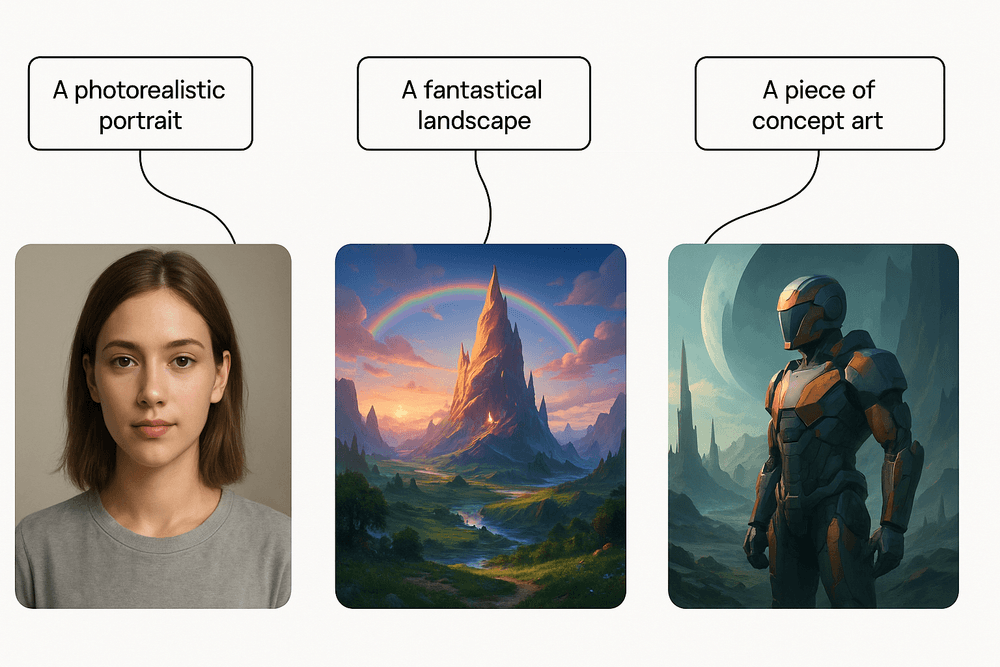
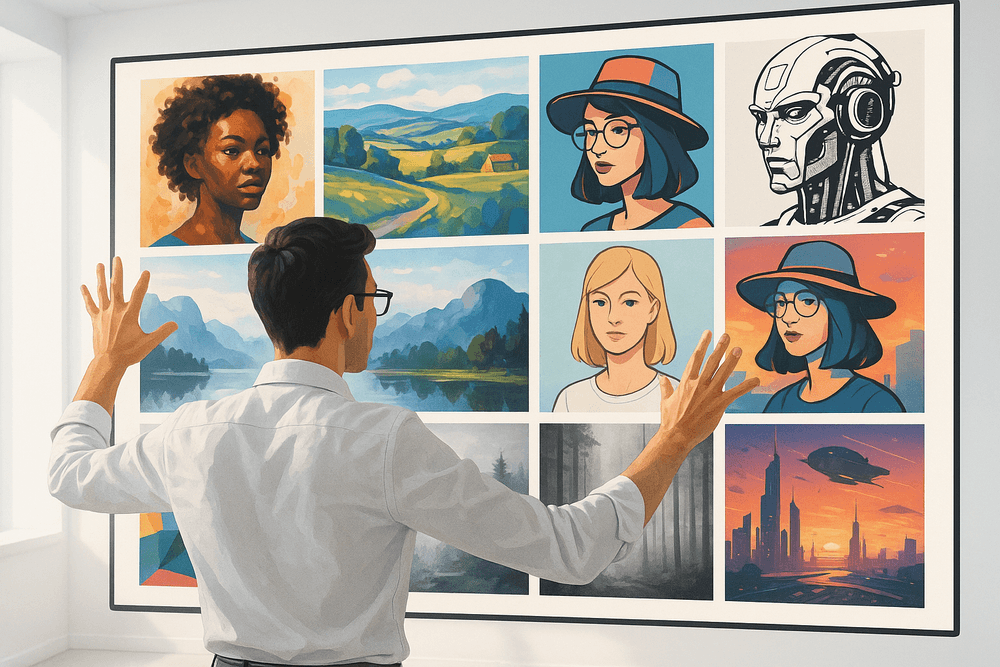
We've journeyed through the vibrant and rapidly evolving landscape of AI image generation. From photorealistic portraits to fantastical worlds, it's clear that these platforms are not just a fleeting trend but a fundamental shift in how we approach visual creation. The power to translate a simple text prompt into a compelling image is a game-changer for artists, marketers, designers, and hobbyists alike. The key now is to harness this power effectively. As you move forward, the focus shifts from understanding what AI image generation tools can do to deciding what you will do with them.
Choosing the Right Platform for Your Needs
The "best" AI image generator is entirely subjective and depends on your specific goals, skill level, and budget. To make the right choice, consider these key factors:
- Ease of Use vs. Granular Control: Are you looking for a simple, intuitive interface like Midjourney's Discord-based system, or do you crave the deep customization and open-source flexibility of a local Stable Diffusion installation? Your tolerance for a learning curve is a major deciding factor.
- Artistic Style and Output: Each model has its own "fingerprint." DALL-E 3 excels at understanding complex, conversational prompts and producing clean, illustrative styles. Midjourney is renowned for its artistic, often dramatic and cinematic outputs. Review galleries and community creations from each platform to see which aesthetic aligns with your vision.
- Cost and Licensing: Your budget and how you plan to use the images are critical. Free tiers are perfect for experimentation, but for commercial projects, you'll need a paid subscription that grants the appropriate usage rights. Always read the terms of service carefully.
How to Integrate AI Image Tools into Your Workflow
Integrating AI into your creative process doesn’t have to be an all-or-nothing overhaul. Think of it as adding a powerful new collaborator to your team.
- For Marketers and Content Creators: Use AI to rapidly generate unique blog post headers, social media visuals, or A/B test ad creatives without relying on stock photos. It's perfect for creating a consistent visual theme across a campaign.
- For Designers and Artists: Leverage these tools for rapid ideation. Generate mood boards, explore different color palettes, or create dozens of concept variations in minutes instead of hours. Use the output as a base for further refinement in tools like Photoshop or Illustrator.
- For Project Managers and Strategists: Quickly visualize abstract concepts for presentations or stakeholder meetings. A compelling image can often communicate a complex idea more effectively than a paragraph of text.
Start small. Pick one task in your current workflow—like creating a thumbnail for your next video—and challenge yourself to use an AI generator to complete it.
Resources for Further Learning
The world of AI image generation tools is constantly advancing. Staying curious and continuing to learn is the best way to master this technology. Here are some excellent places to start:
- Prompt Engineering Guides: Mastering the art of the prompt is the single most important skill. Look for dedicated websites and YouTube tutorials on "prompt engineering" to learn how to communicate your ideas effectively to the AI.
- Official Communities: Most major platforms have thriving Discord servers or forums. These are invaluable for seeing what others are creating, asking for help, and discovering new techniques. The Midjourney and Stable Diffusion communities are particularly active.
- Online Galleries and Marketplaces: Websites like Lexica and Civitai (for Stable Diffusion) allow you to browse millions of AI-generated images and, most importantly, see the exact prompts used to create them. This is one of the best ways to learn by example.